
Steps
Open the invoice from Sales & invoices.
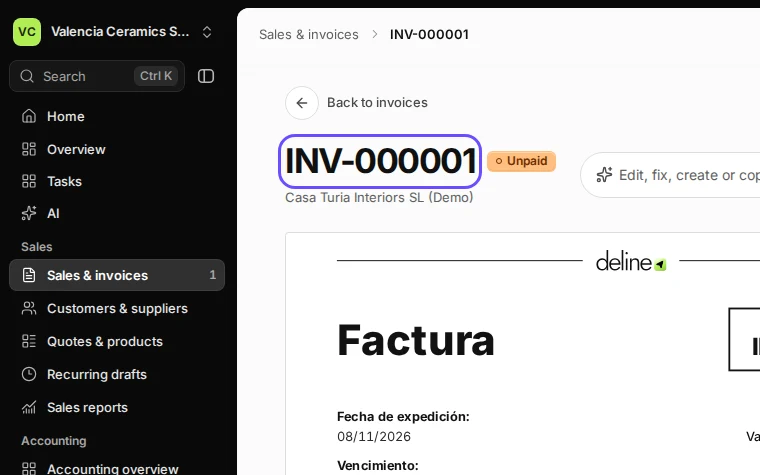
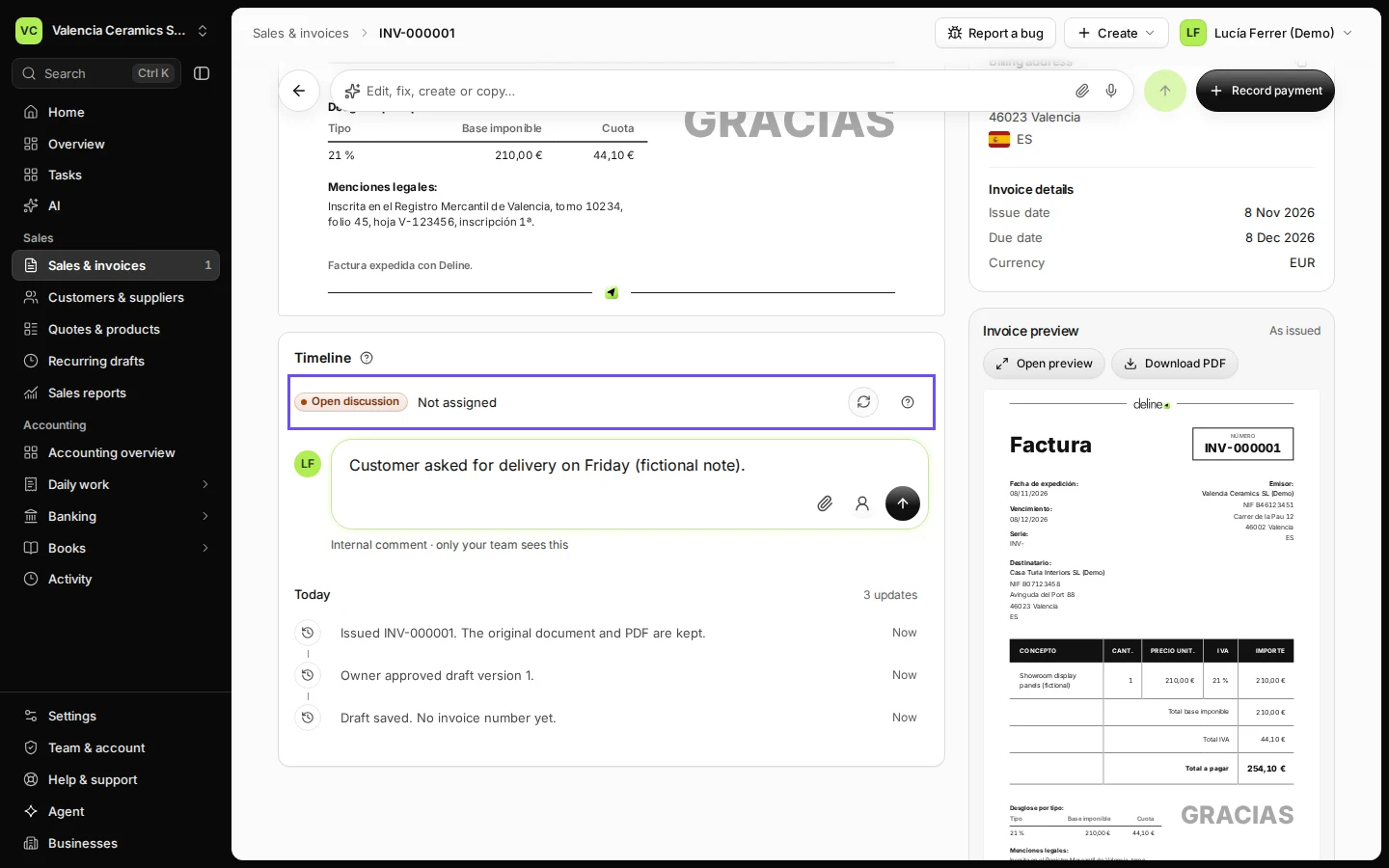
Step 1 in Deline (Spain business, fictional data) · See the whole screen Write your note in Internal comment.
You can attach evidence and assign the discussion to a team member.
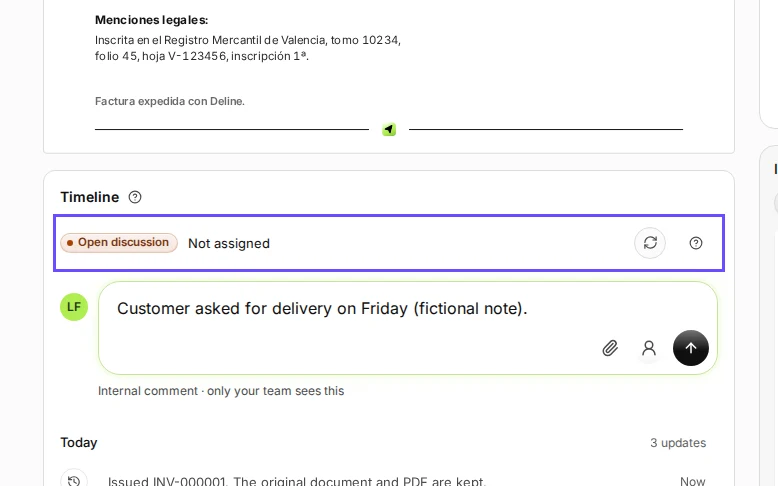
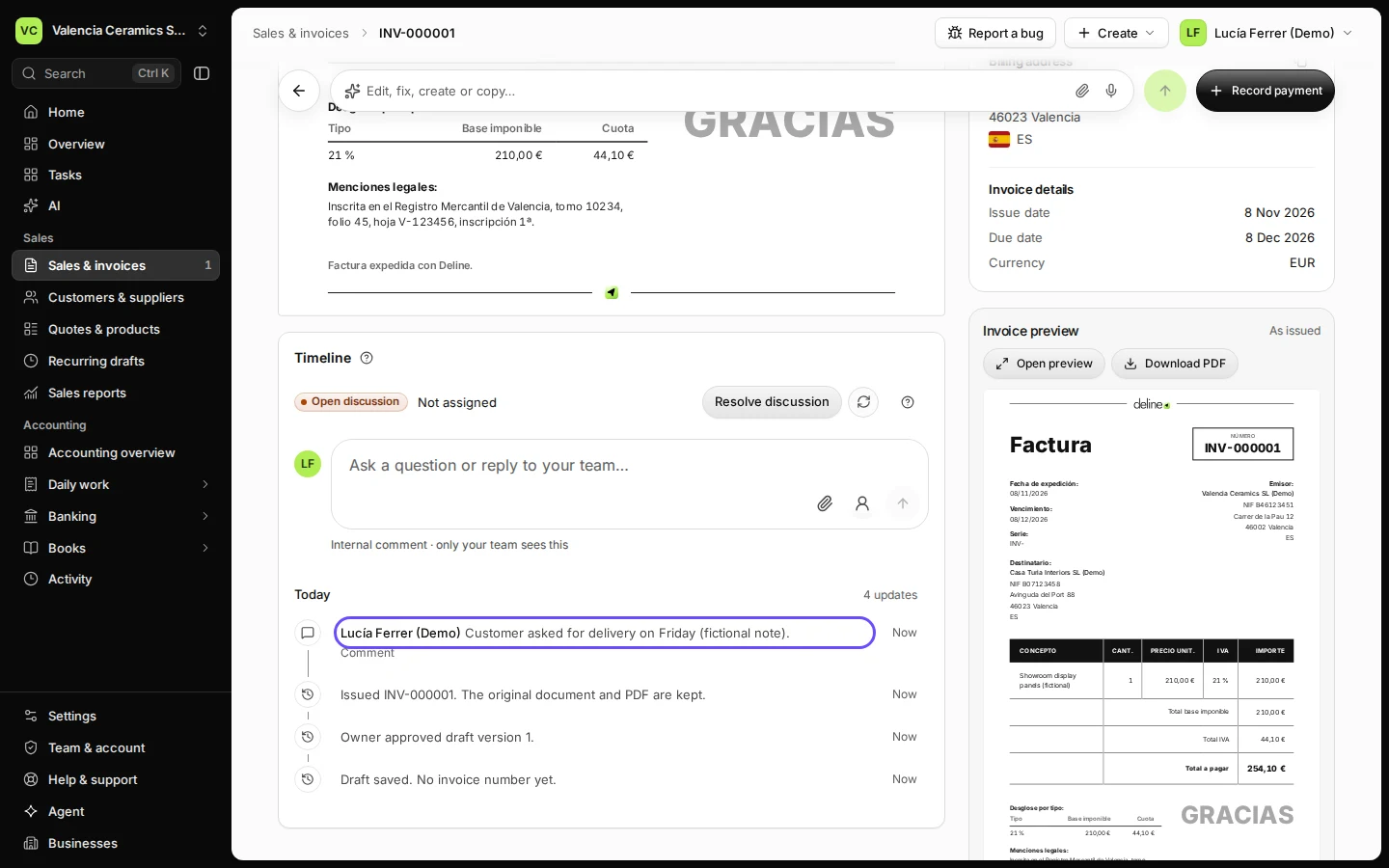
Step 2 in Deline (Spain business, fictional data) · See the whole screen Press Post comment.
The note appears in the invoice timeline.
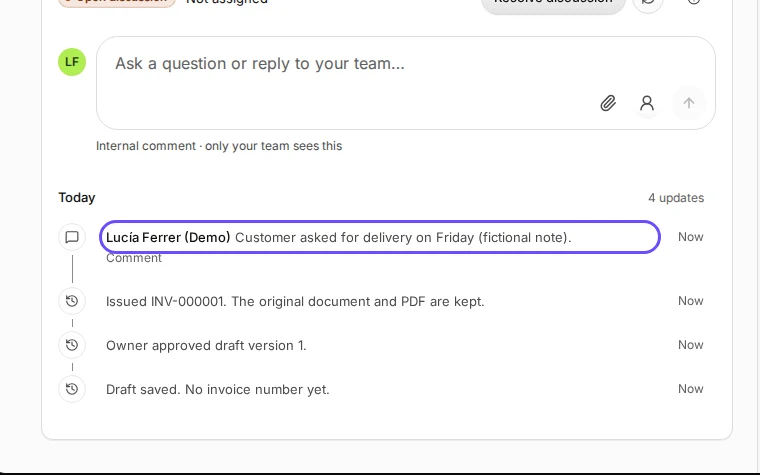
Step 3 in Deline (Spain business, fictional data) · See the whole screen


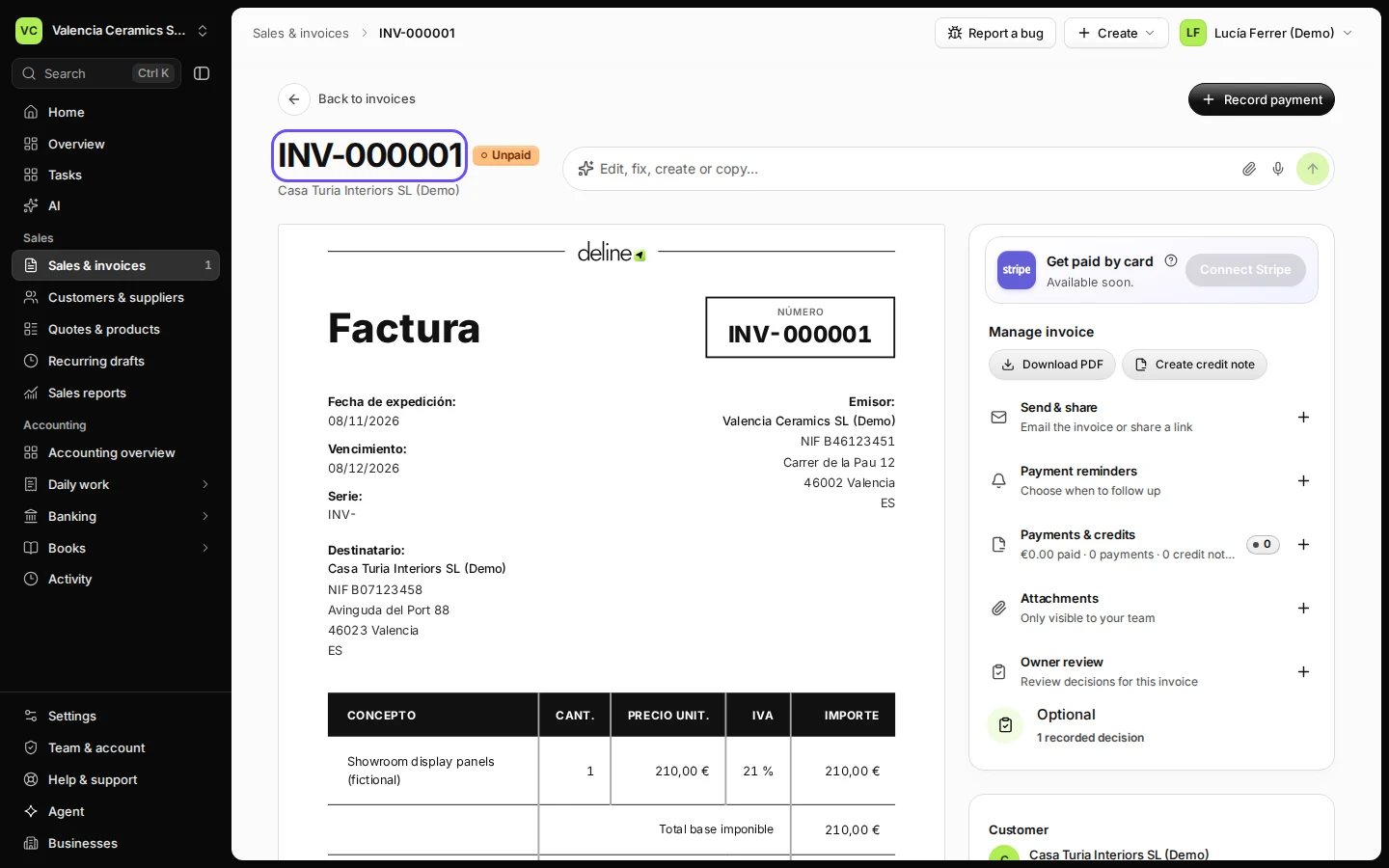
Last checked 2026-11-08 by the guide runner on build 37b370dcd (Deline 5e00493c3) (local Deline stack, desktop and phone).