
Before you start
- You are the owner of the business.
- You have the person's email address.
Steps
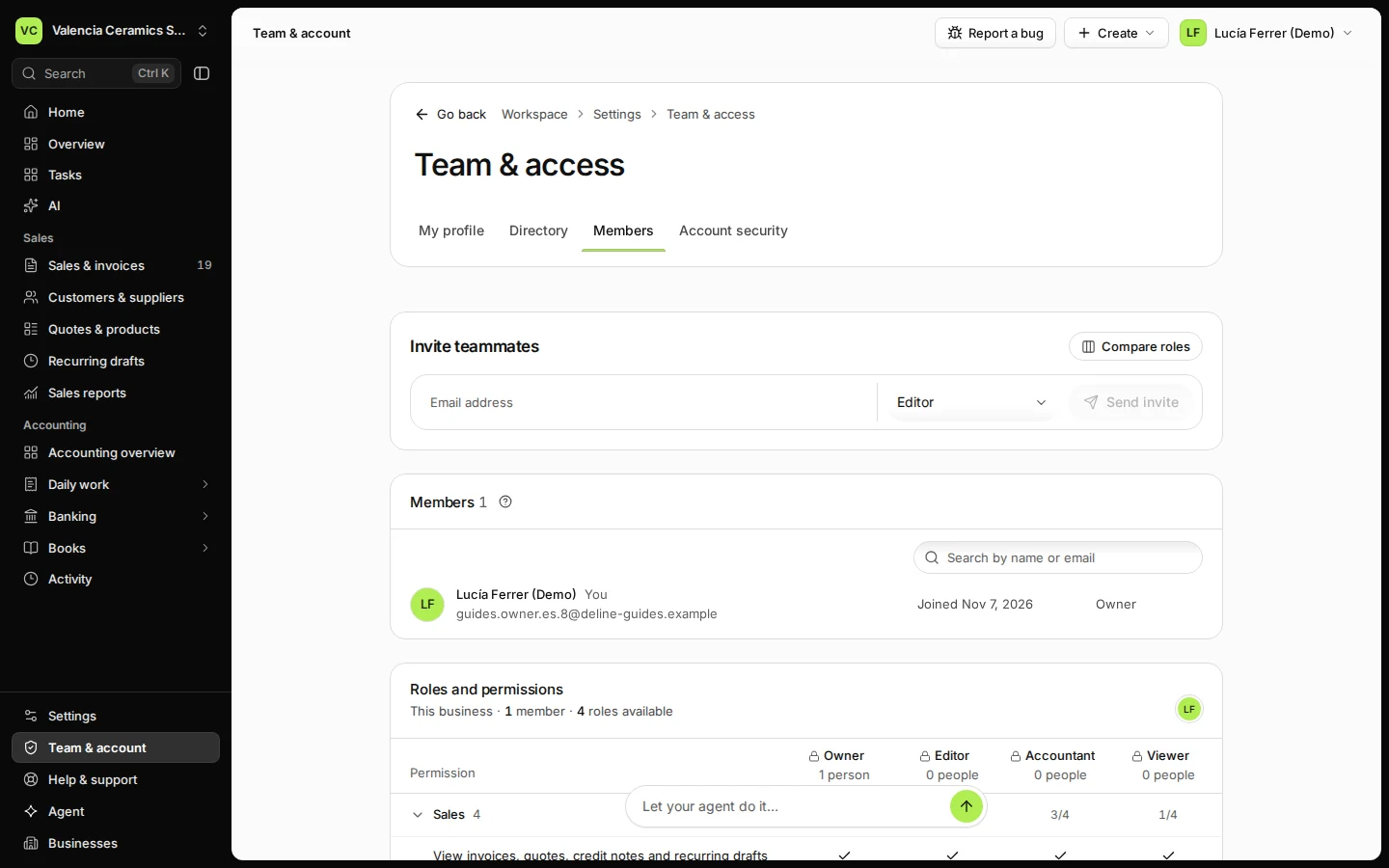
Open Team & account and choose Members.
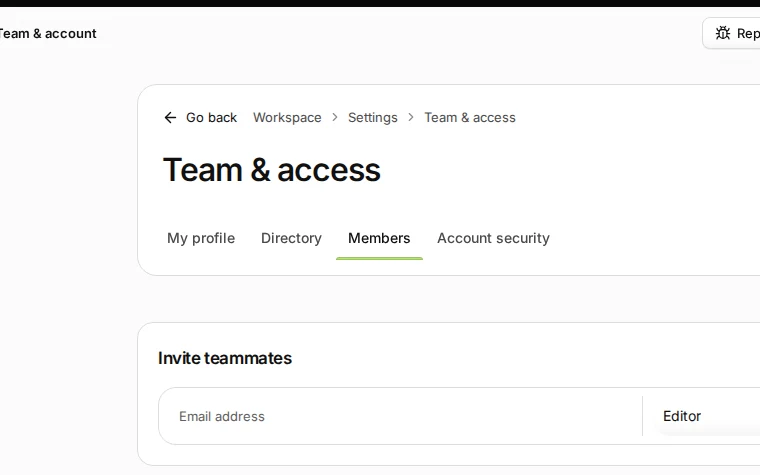
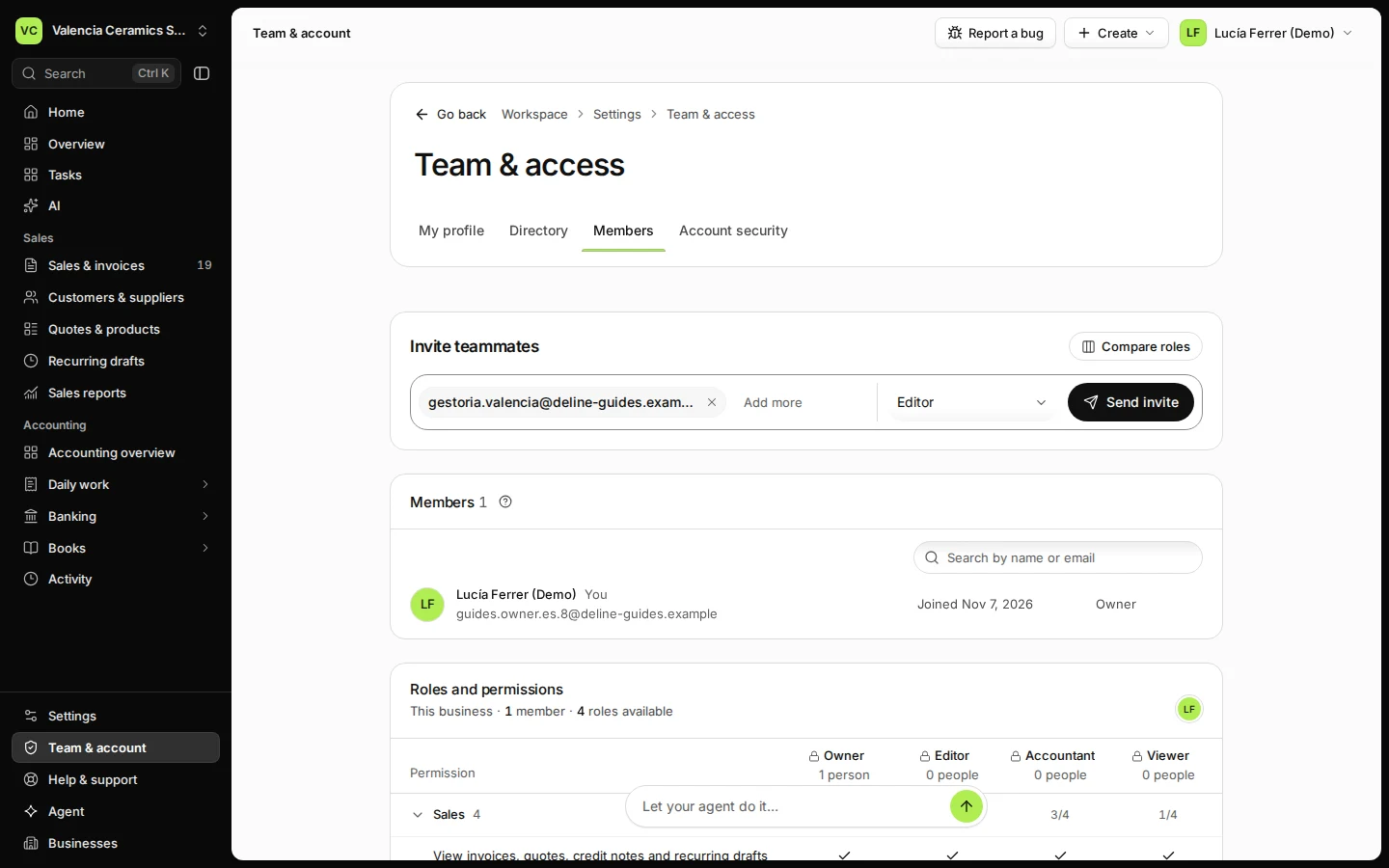
Step 1 in Deline (Spain business, fictional data) · See the whole screen Type your teammate's email address.
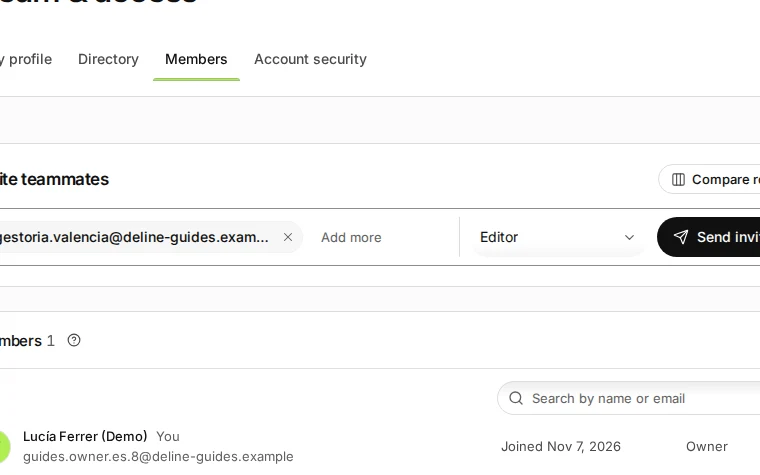
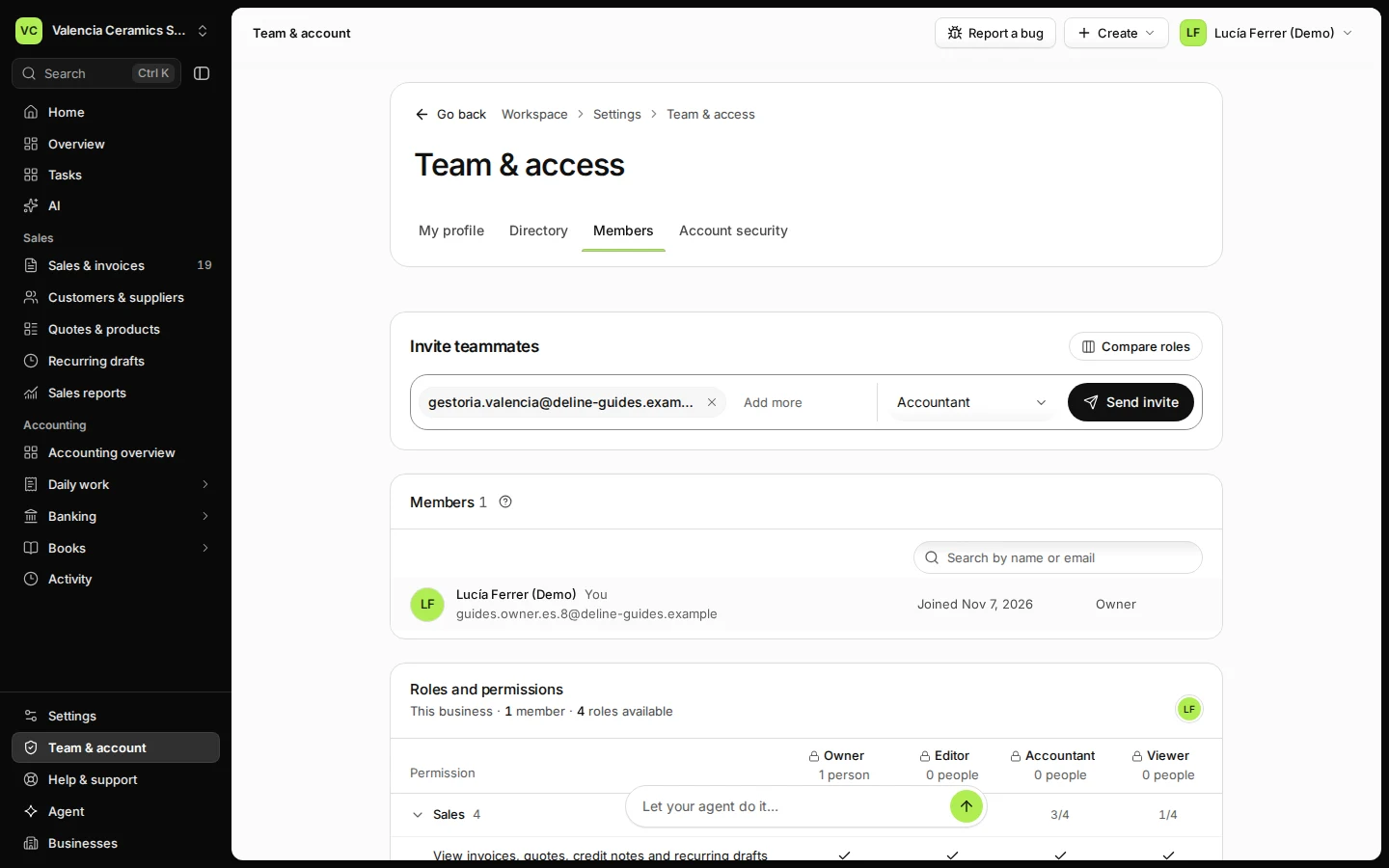
Step 2 in Deline (Spain business, fictional data) · See the whole screen Choose their access: Editor, Accountant or Viewer.
An editor works on sales and purchases, an accountant also works in the books, a viewer only looks. Press Compare roles to see every permission.
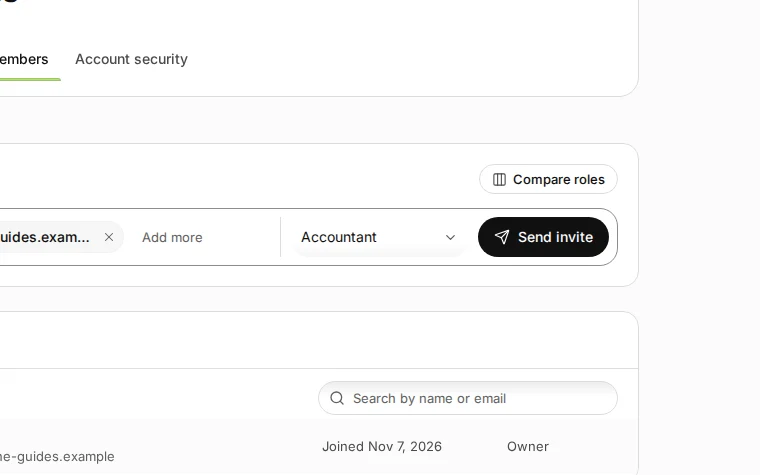
Step 3 in Deline (Spain business, fictional data) · See the whole screen Press Send invite.
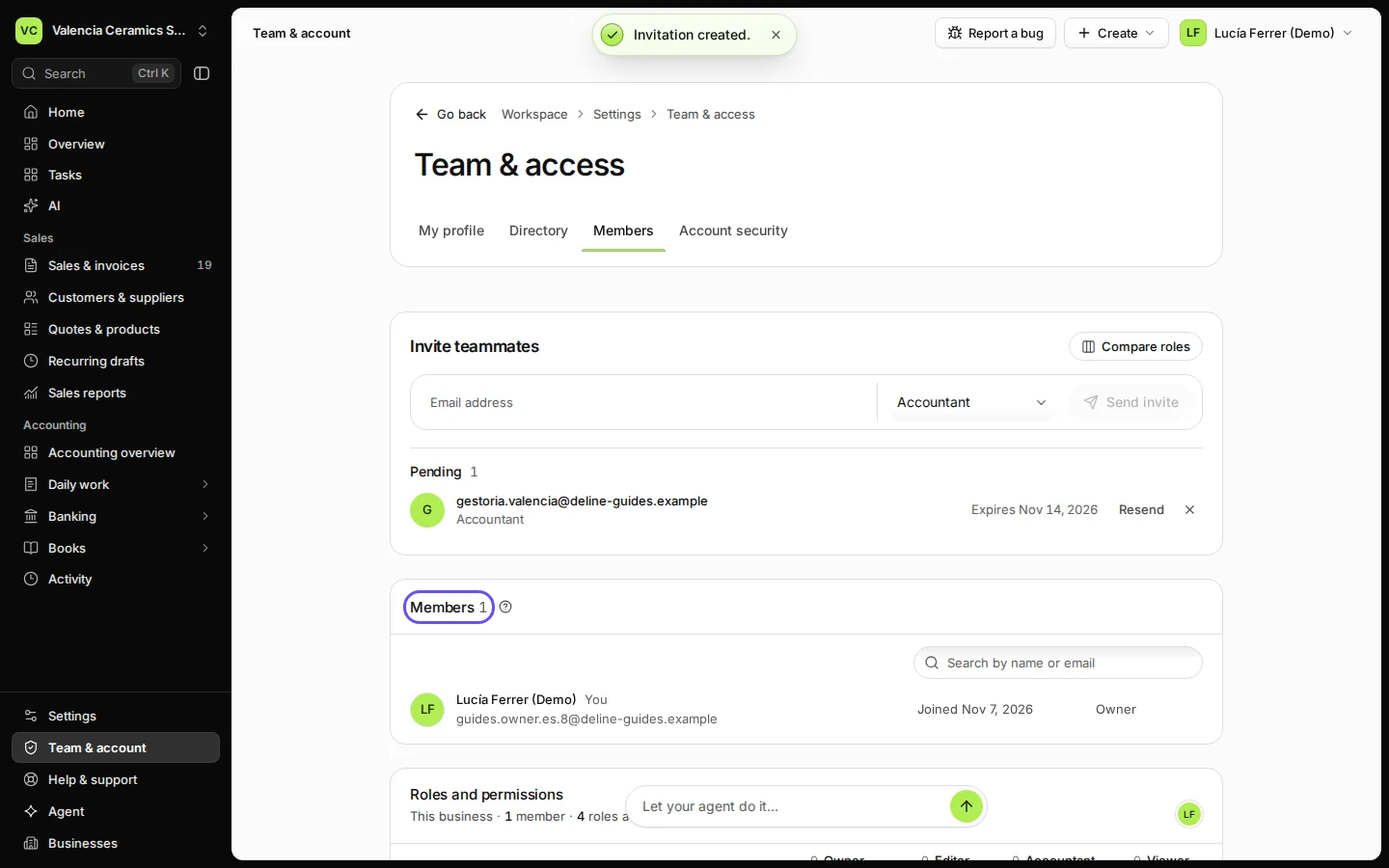
They get an email with a link. Once they accept, they appear under Members.
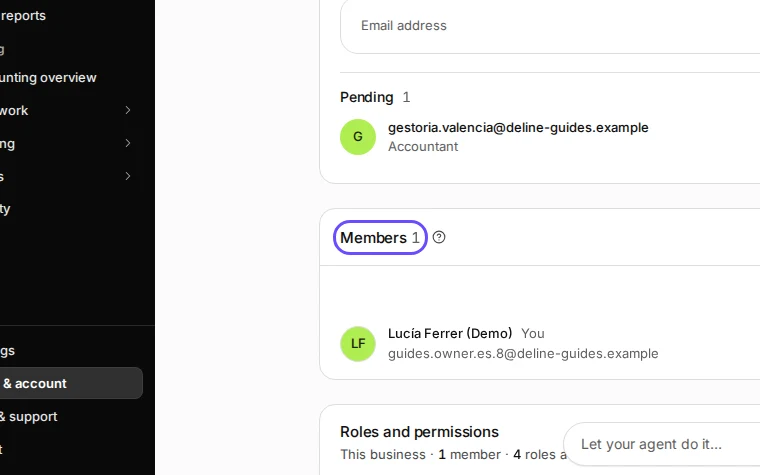
Step 4 in Deline (Spain business, fictional data) · See the whole screen
If something goes wrong
- They did not get the email: ask them to check spam, then check the address under Members and invite again if it was wrong.
- Not sure which role to give: press Compare roles. It shows what each role can and cannot do.
Last checked 2026-11-07 by the guide runner on build c5fbd2fa6 (Deline 12a482996) (local Deline stack).