
Before you start
- You have one invoice for this customer to copy (draft or issued).
- You are the owner or an editor of the business.
Steps
Open Recurring drafts and press New schedule.
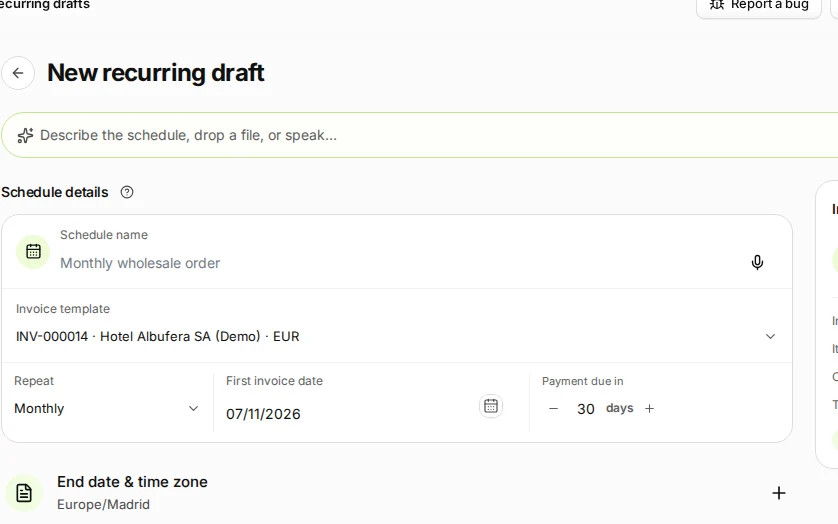
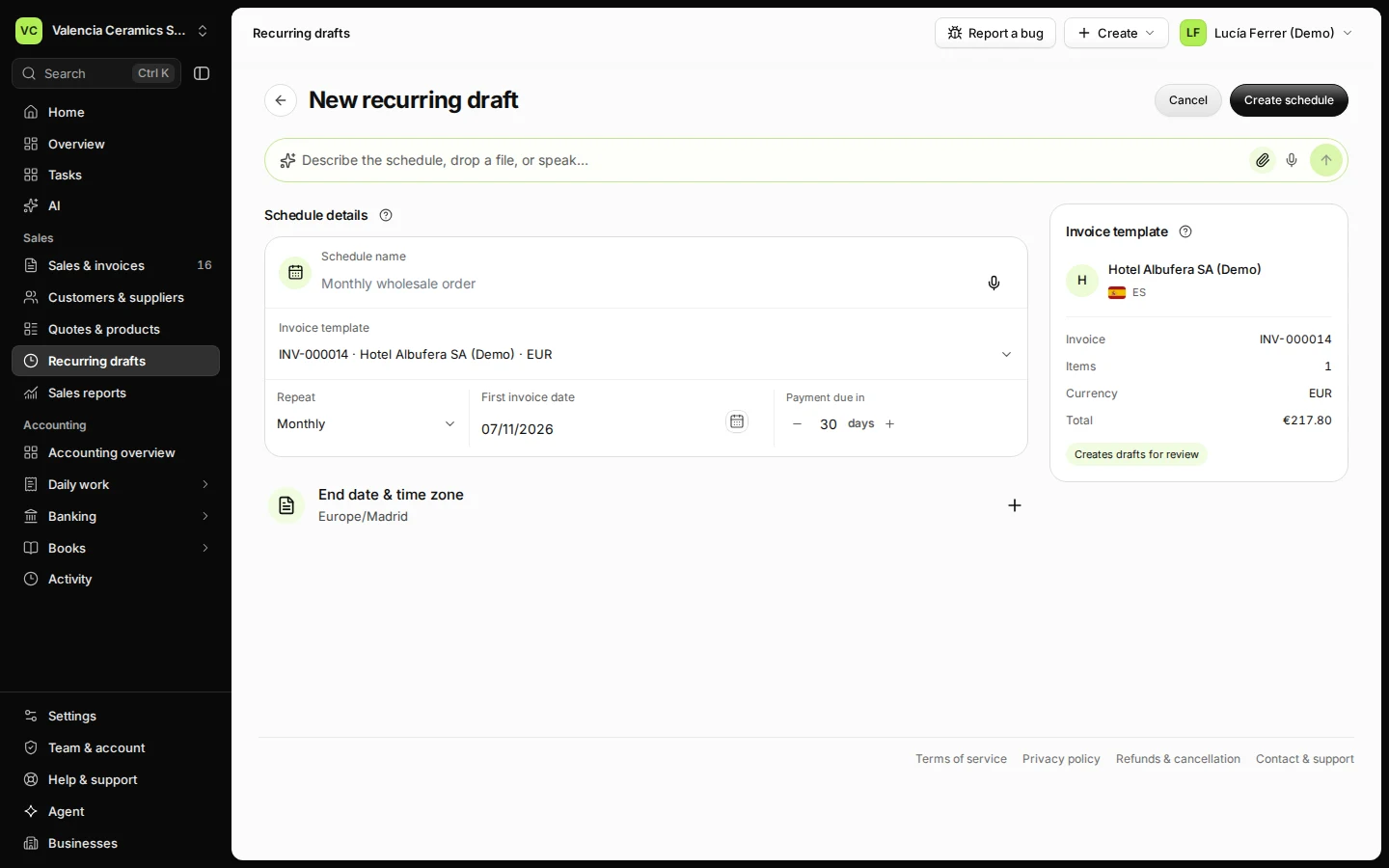
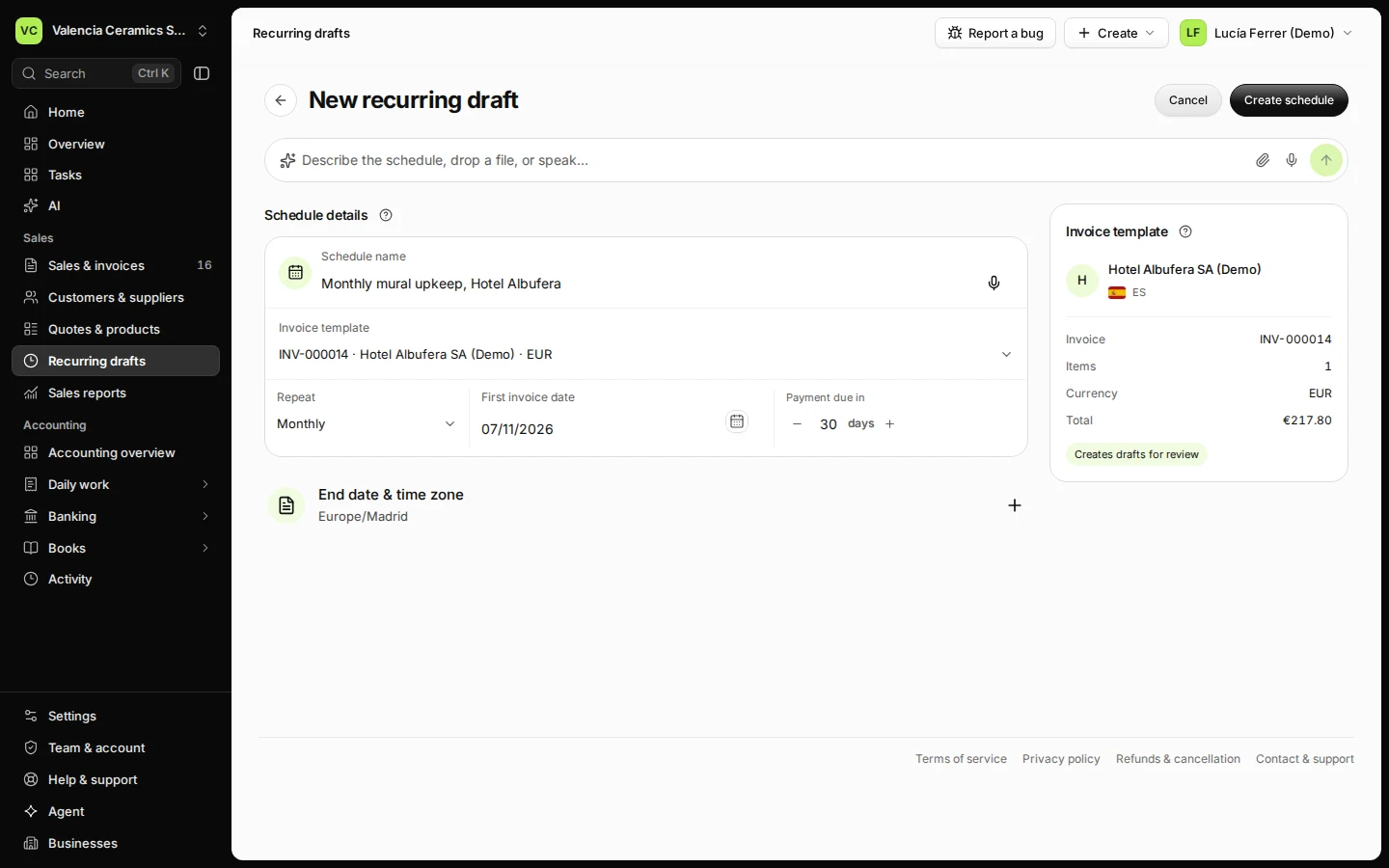
Step 1 in Deline (Spain business, fictional data) · See the whole screen Name the schedule and choose the invoice to copy.
For example "Monthly maintenance, Casa Turia". The customer, lines and prices come from that invoice.
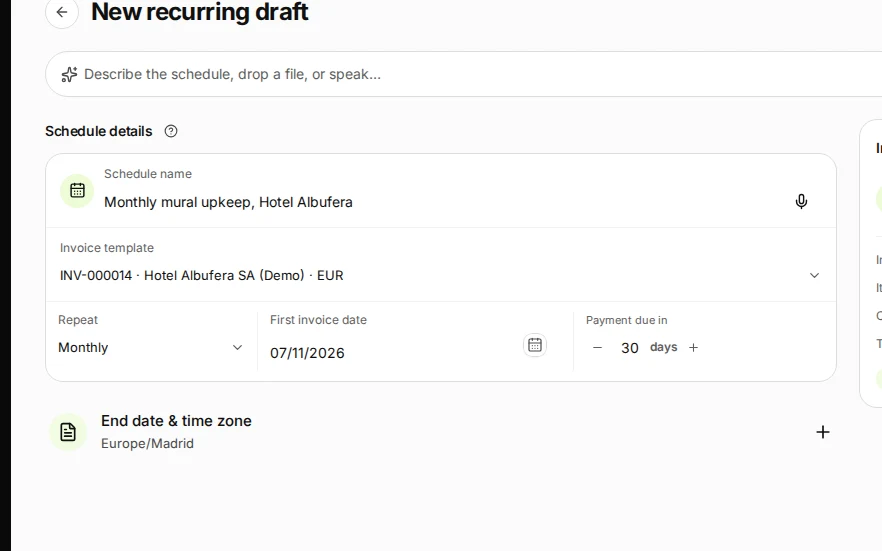
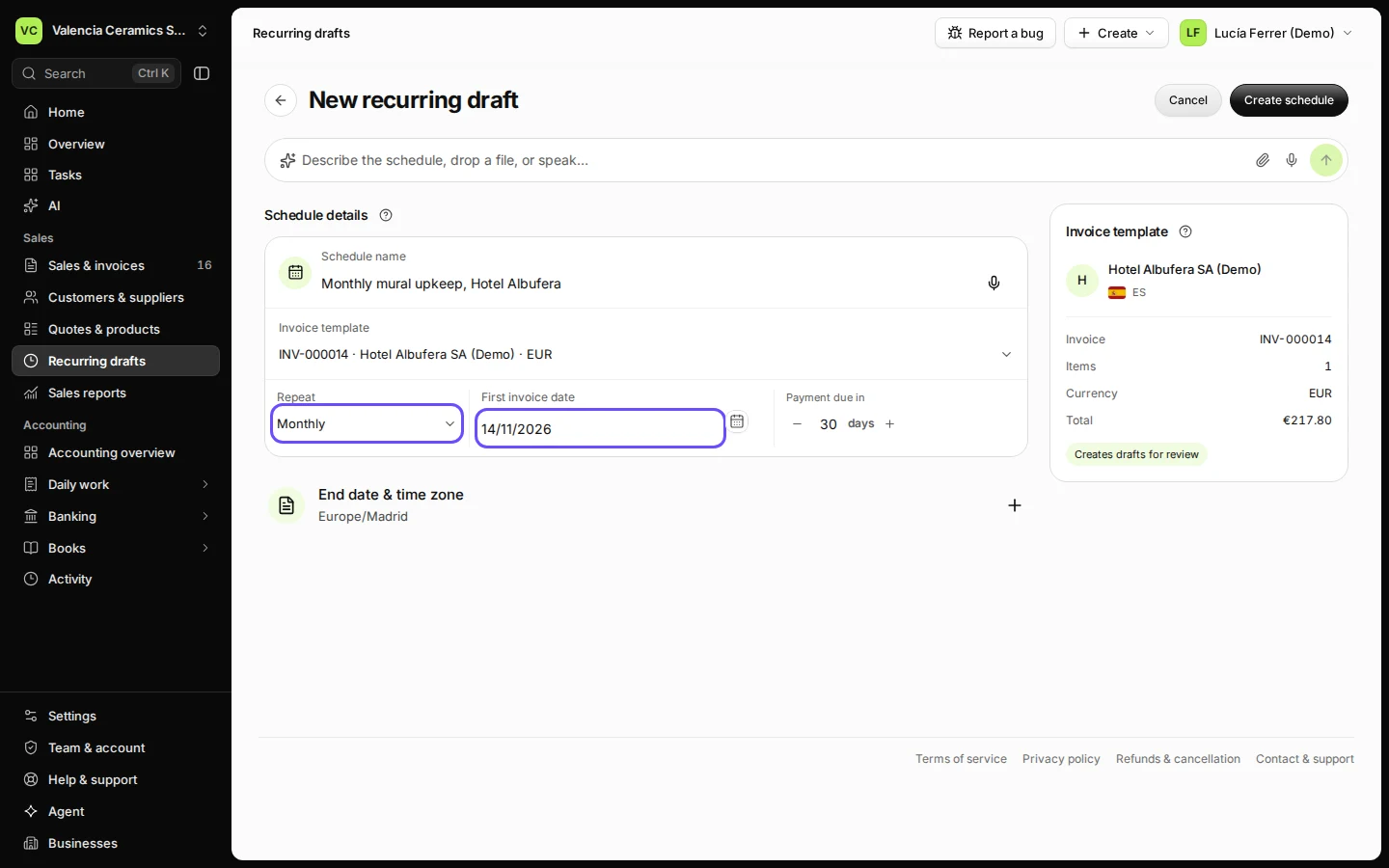
Step 2 in Deline (Spain business, fictional data) · See the whole screen Choose how often and the first invoice date.
Monthly or weekly. The payment days set the due date of each new invoice.
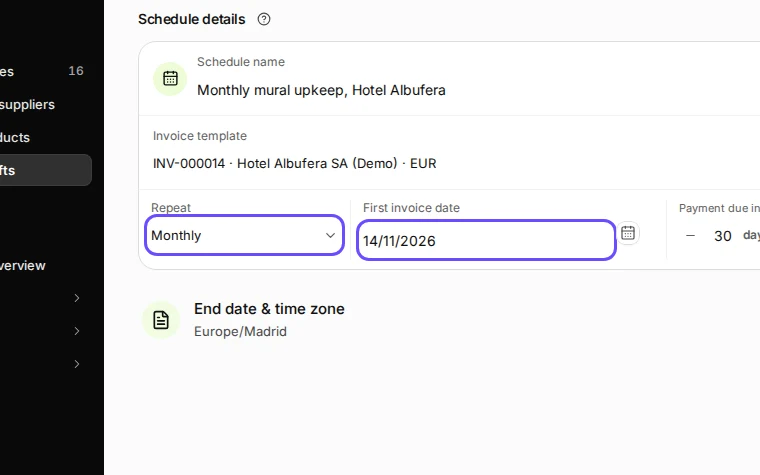
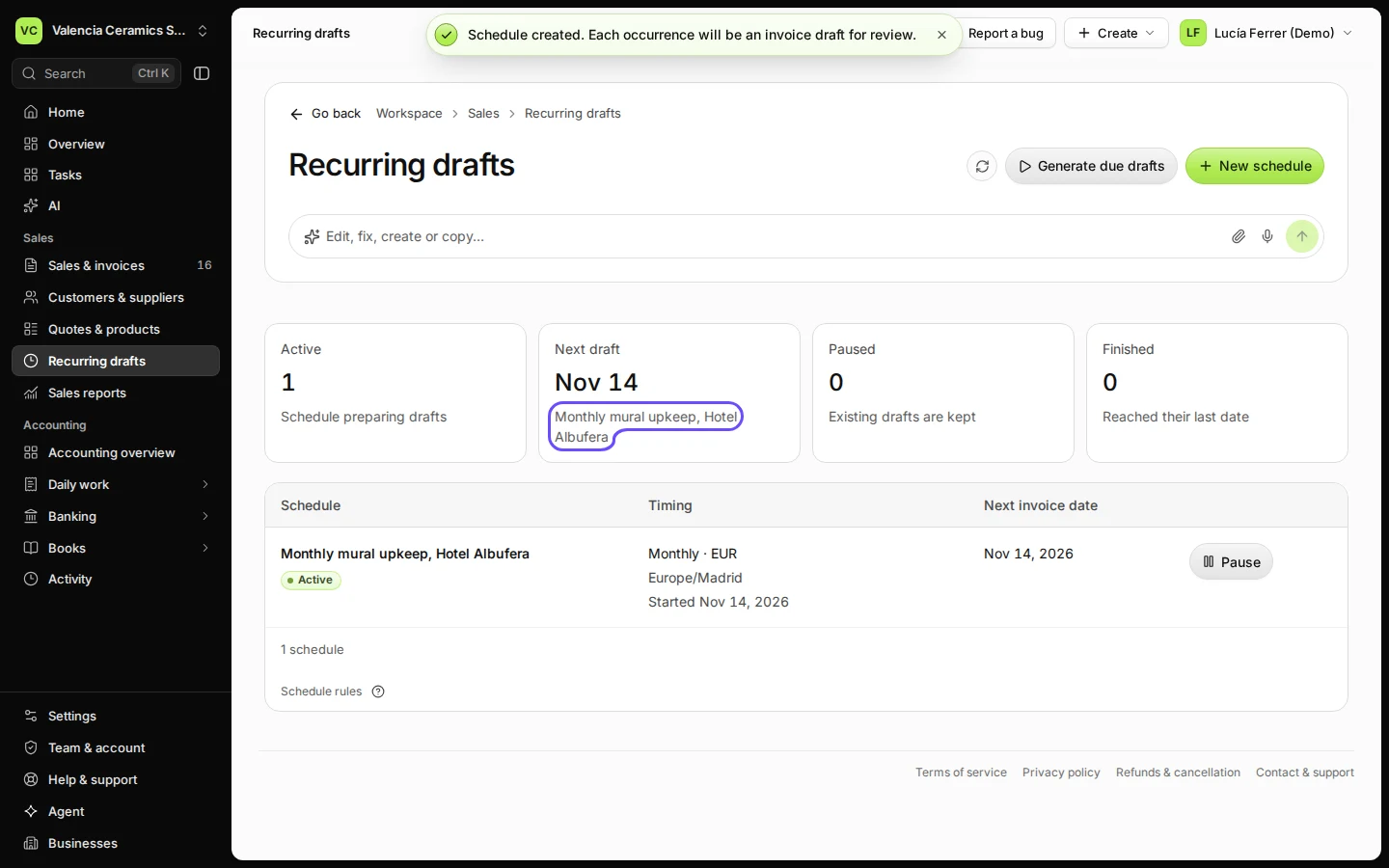
Step 3 in Deline (Spain business, fictional data) · See the whole screen Press Create schedule.
The schedule appears in Recurring drafts. On each date a new draft waits in Sales & invoices for you to check and issue.
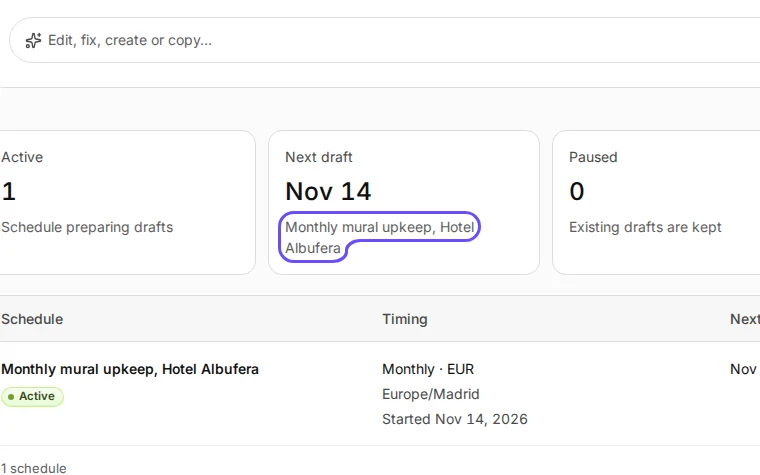
Step 4 in Deline (Spain business, fictional data) · See the whole screen


If something goes wrong
- The invoice you want is not in the list: create it first in Sales & invoices, then come back.
- Prices changed: edit the draft before you issue it, or create a new schedule from an updated invoice.
Last checked 2026-11-07 by the guide runner on build c5fbd2fa6 (Deline 12a482996) (local Deline stack, desktop and phone).