
Steps
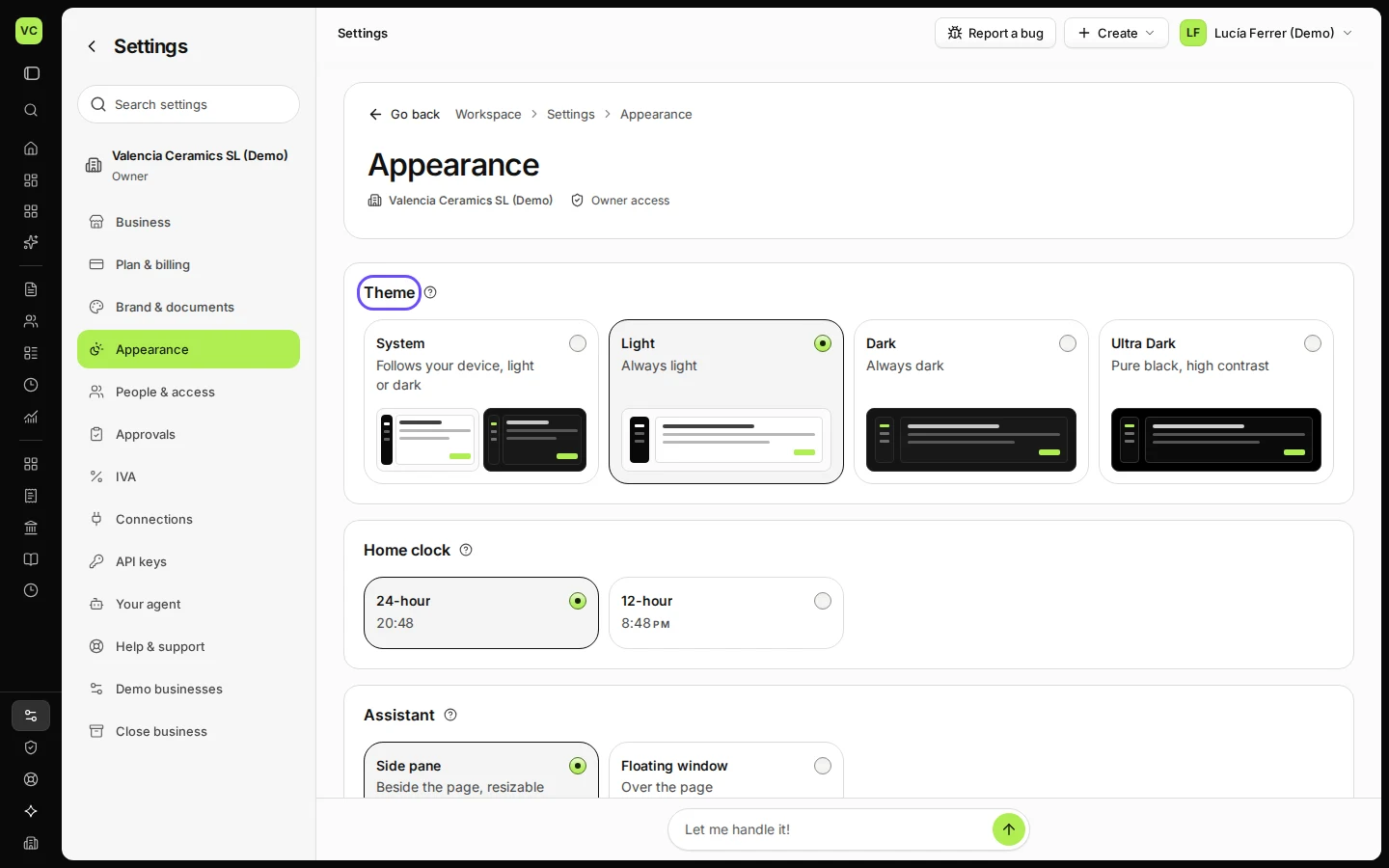
Open Settings and choose Appearance.
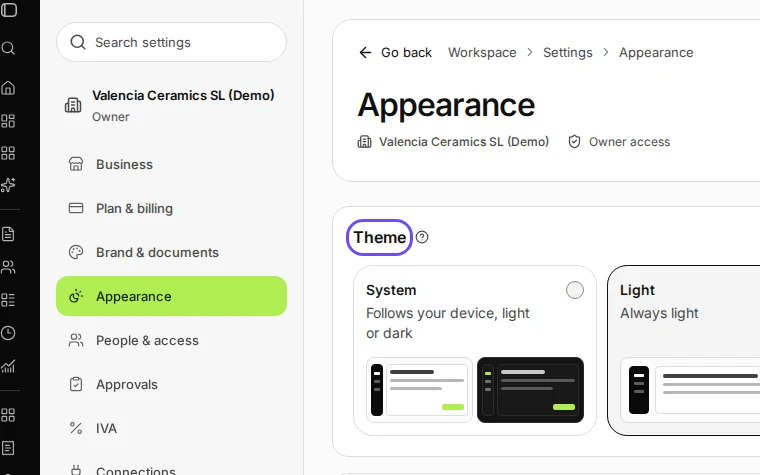
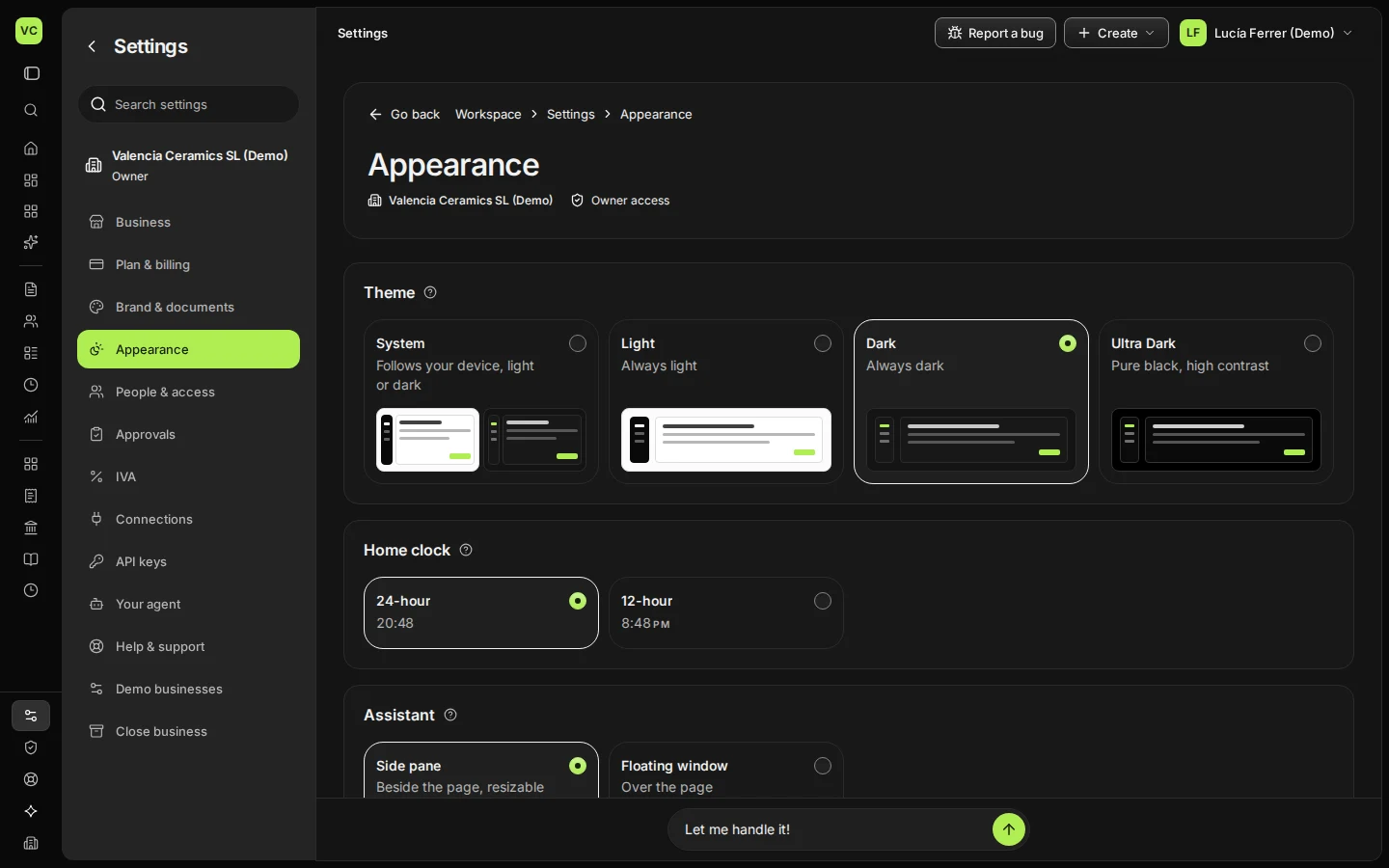
Step 1 in Deline (Spain business, fictional data) · See the whole screen Choose a Theme: System, Light, Dark or Ultra Dark.
System follows your device.
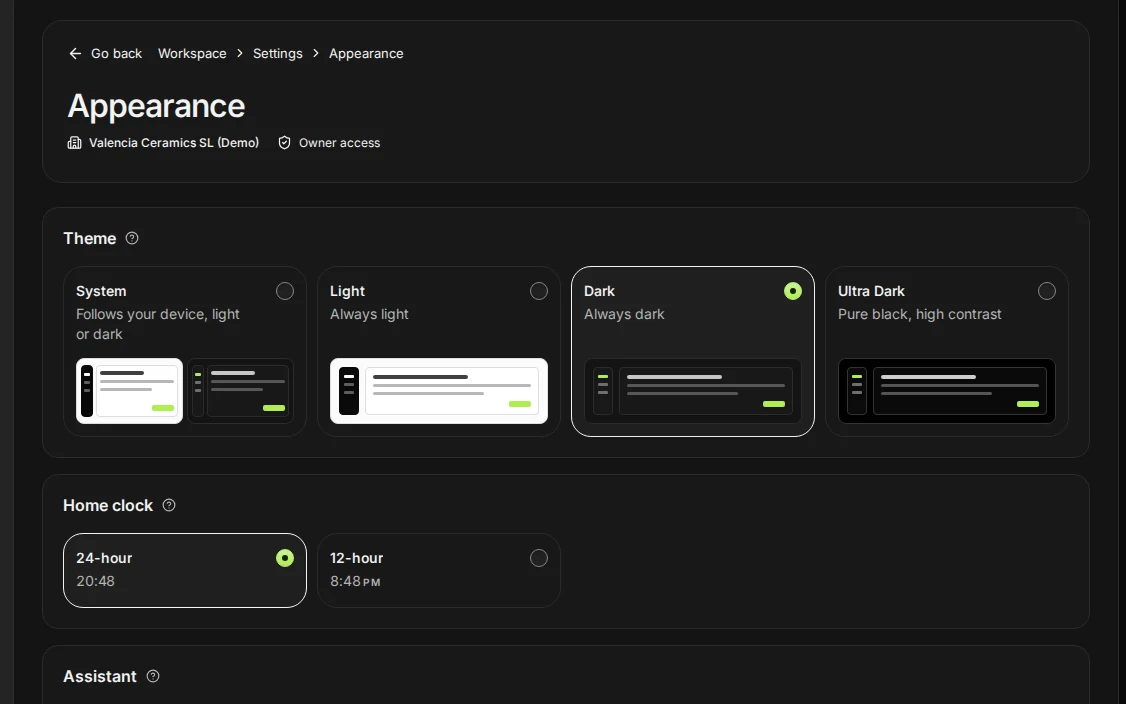
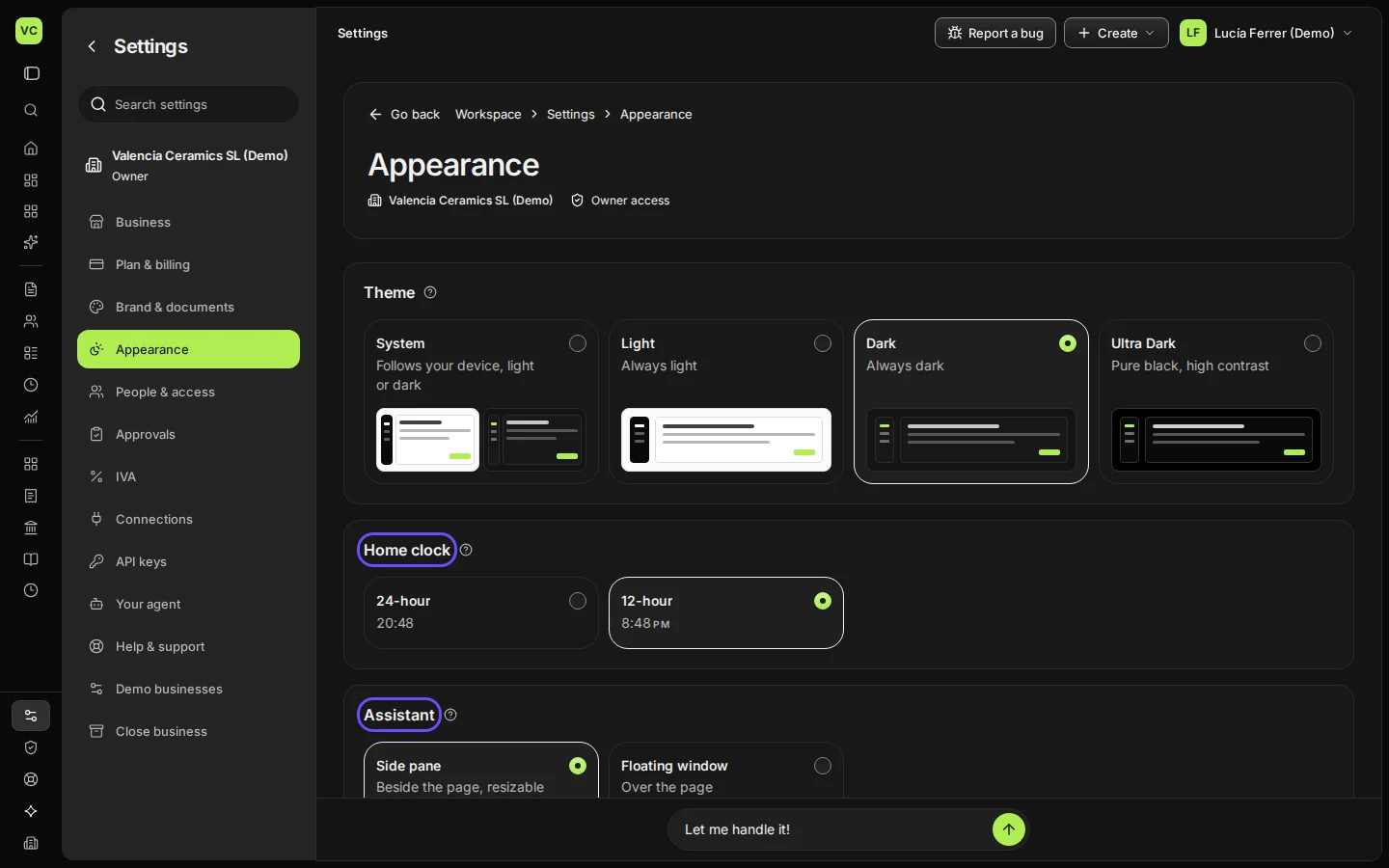
Step 2 in Deline (Spain business, fictional data) · See the whole screen Choose the Home clock and where the AI assistant opens.
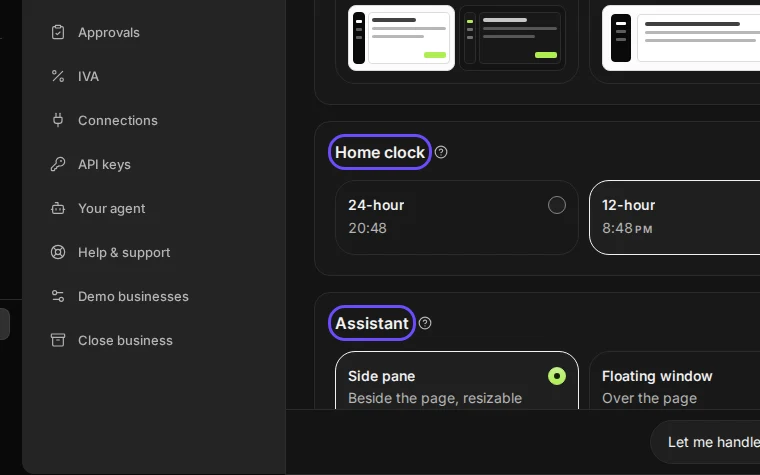
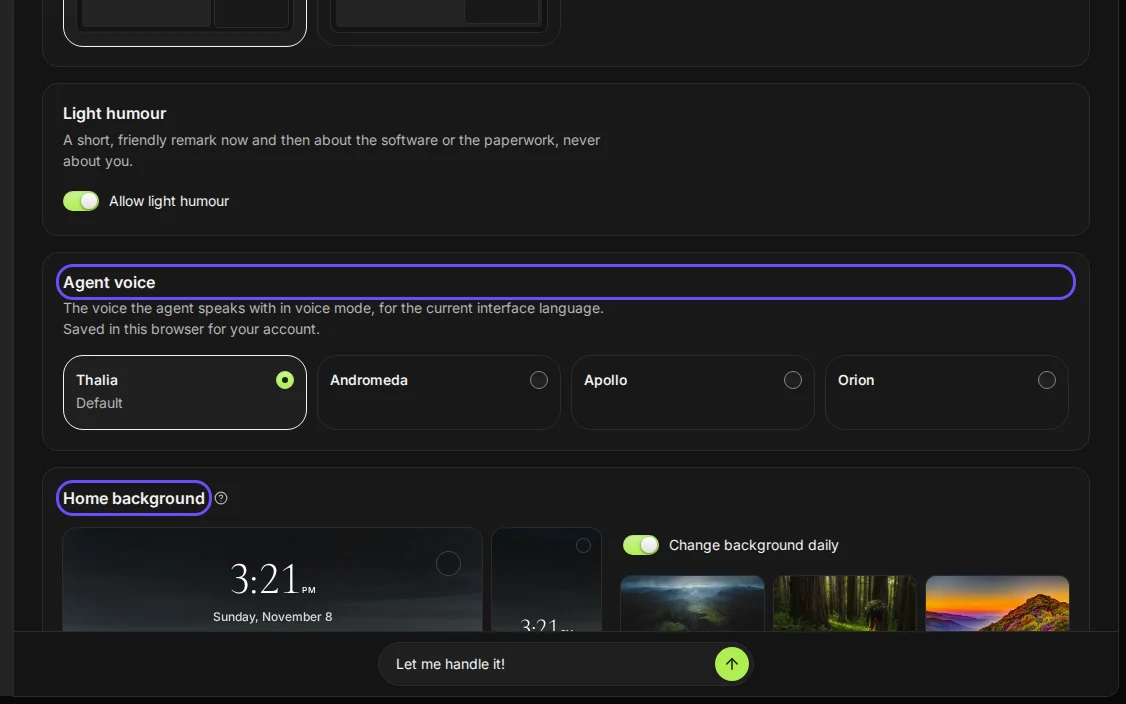
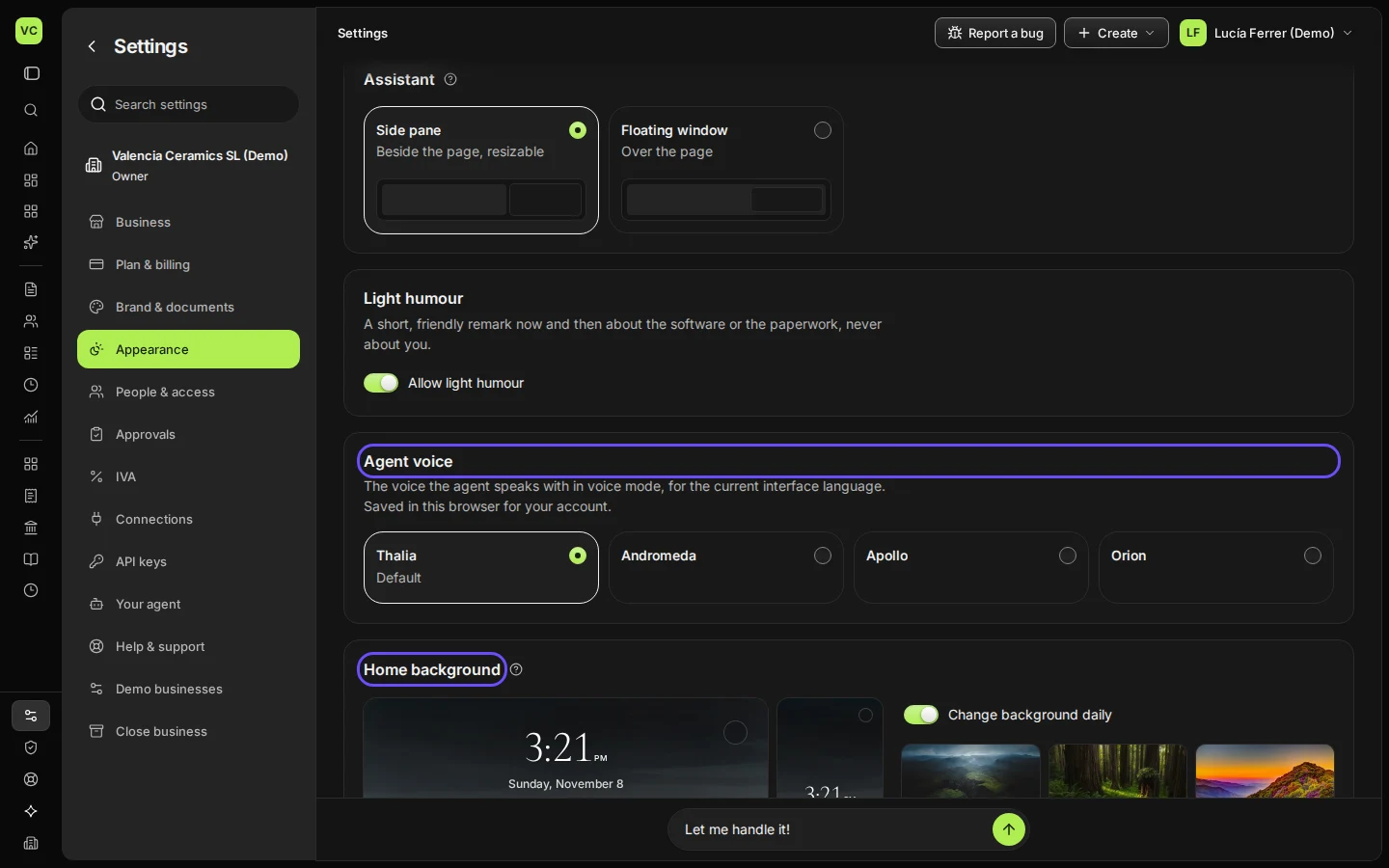
Step 3 in Deline (Spain business, fictional data) · See the whole screen Choose the agent voice and the home background.
Turn off Change background daily to keep one background.
Step 4 in Deline (Spain business, fictional data) · See the whole screen


Last checked 2026-11-08 by the guide runner on build 37b370dcd (Deline 5e00493c3) (local Deline stack, desktop and phone).