
Steps
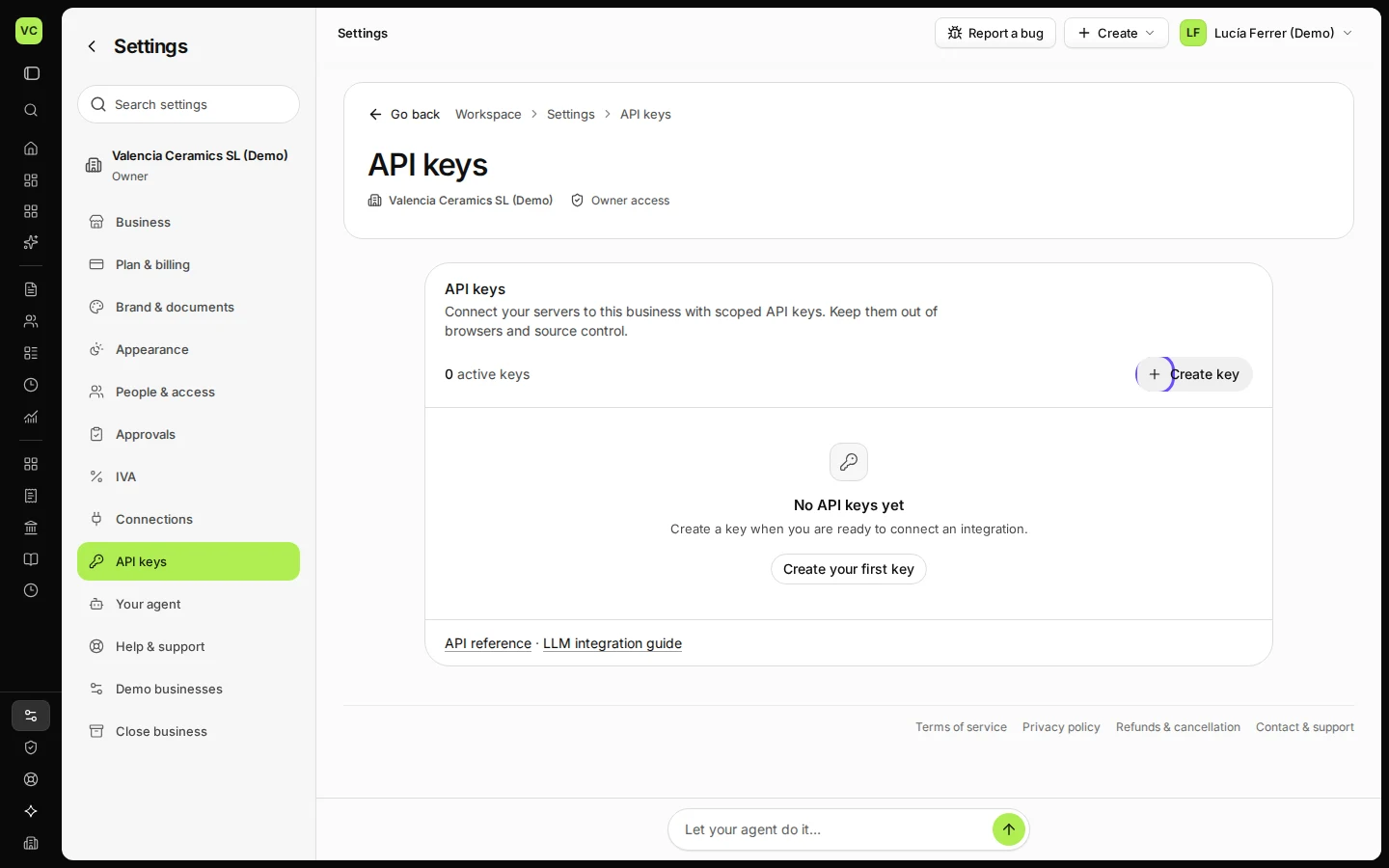
Open Settings and choose API keys.
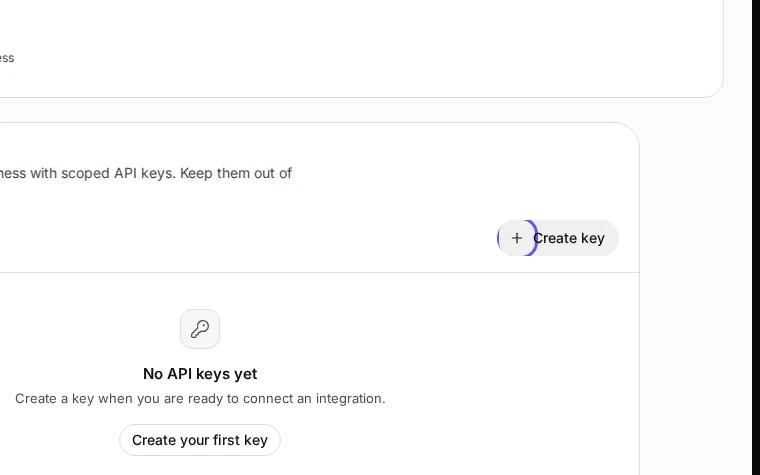
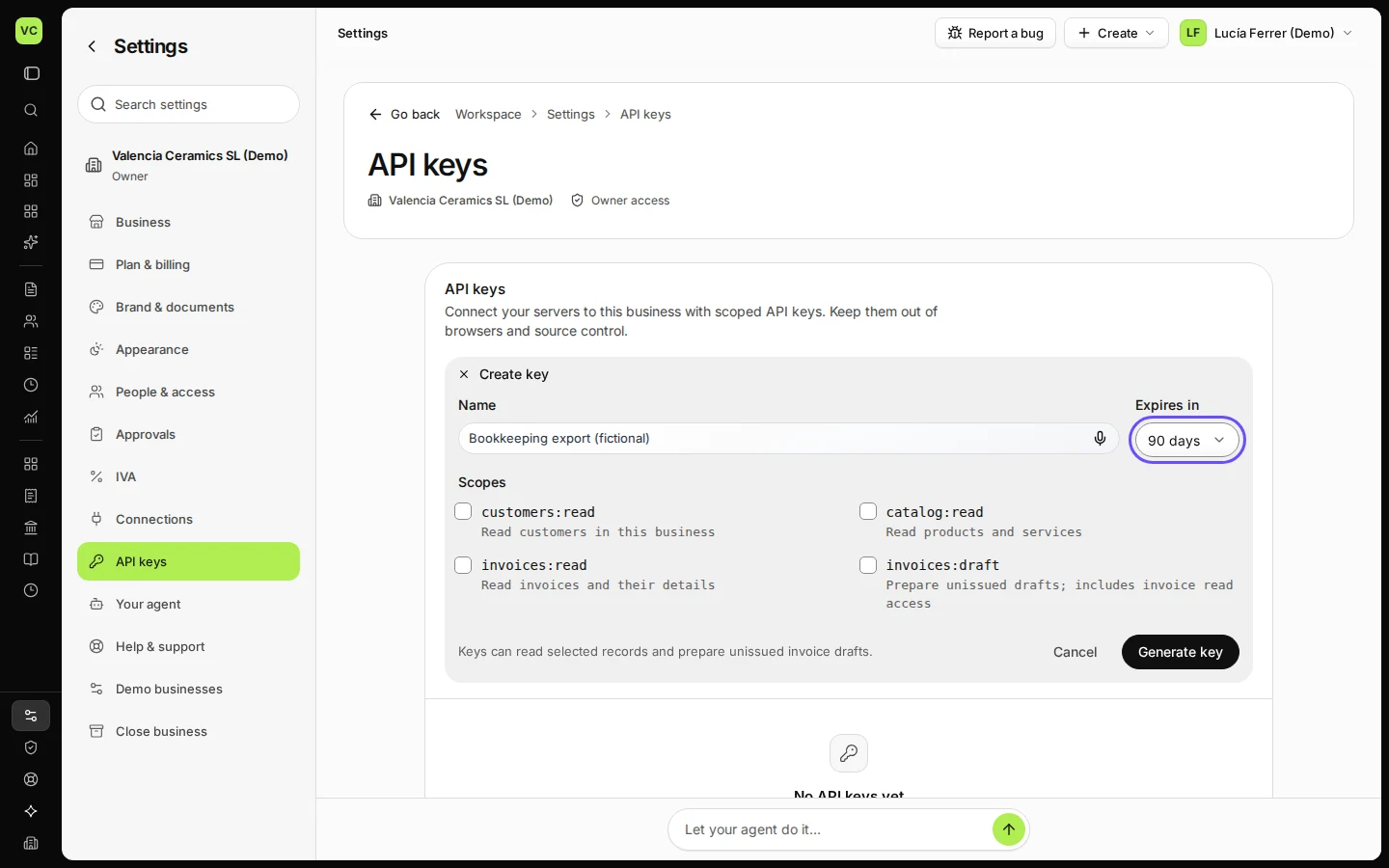
Step 1 in Deline (Spain business, fictional data) · See the whole screen Press Create key, name the key and choose when it expires.
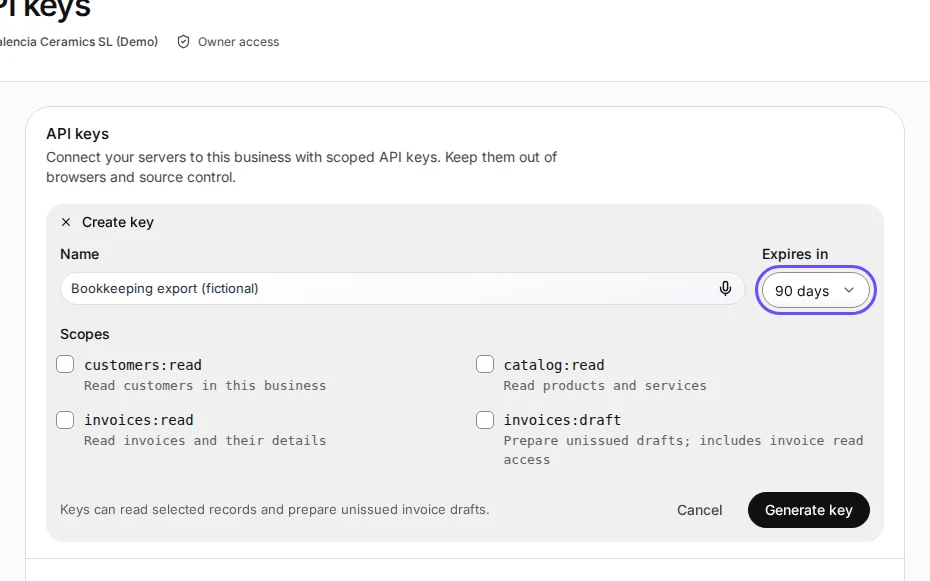
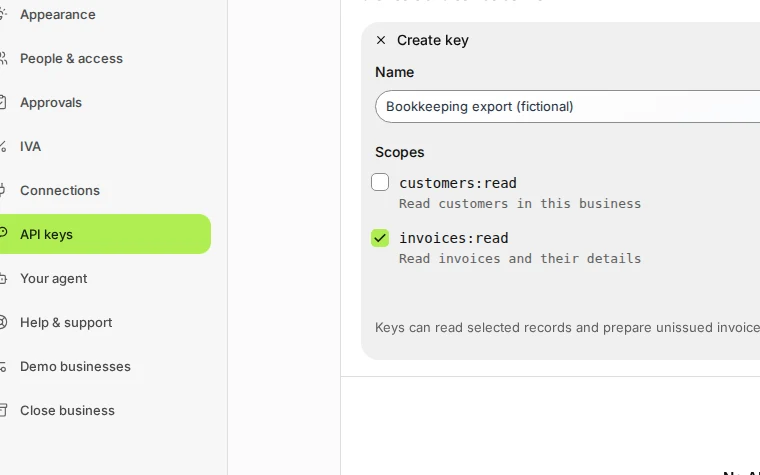
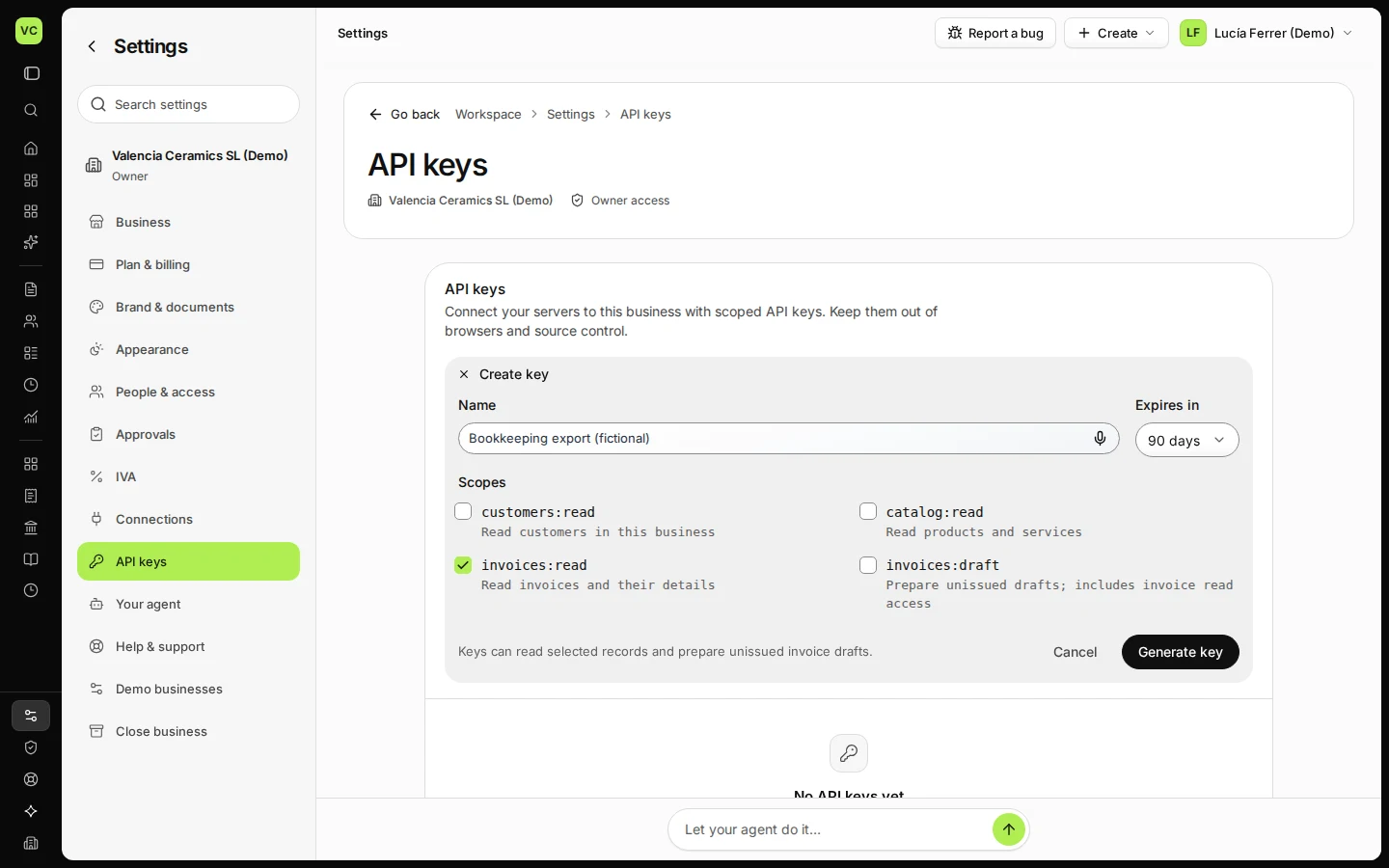
Step 2 in Deline (Spain business, fictional data) · See the whole screen Tick only the scopes the key needs.
For example invoices:read to read invoices.
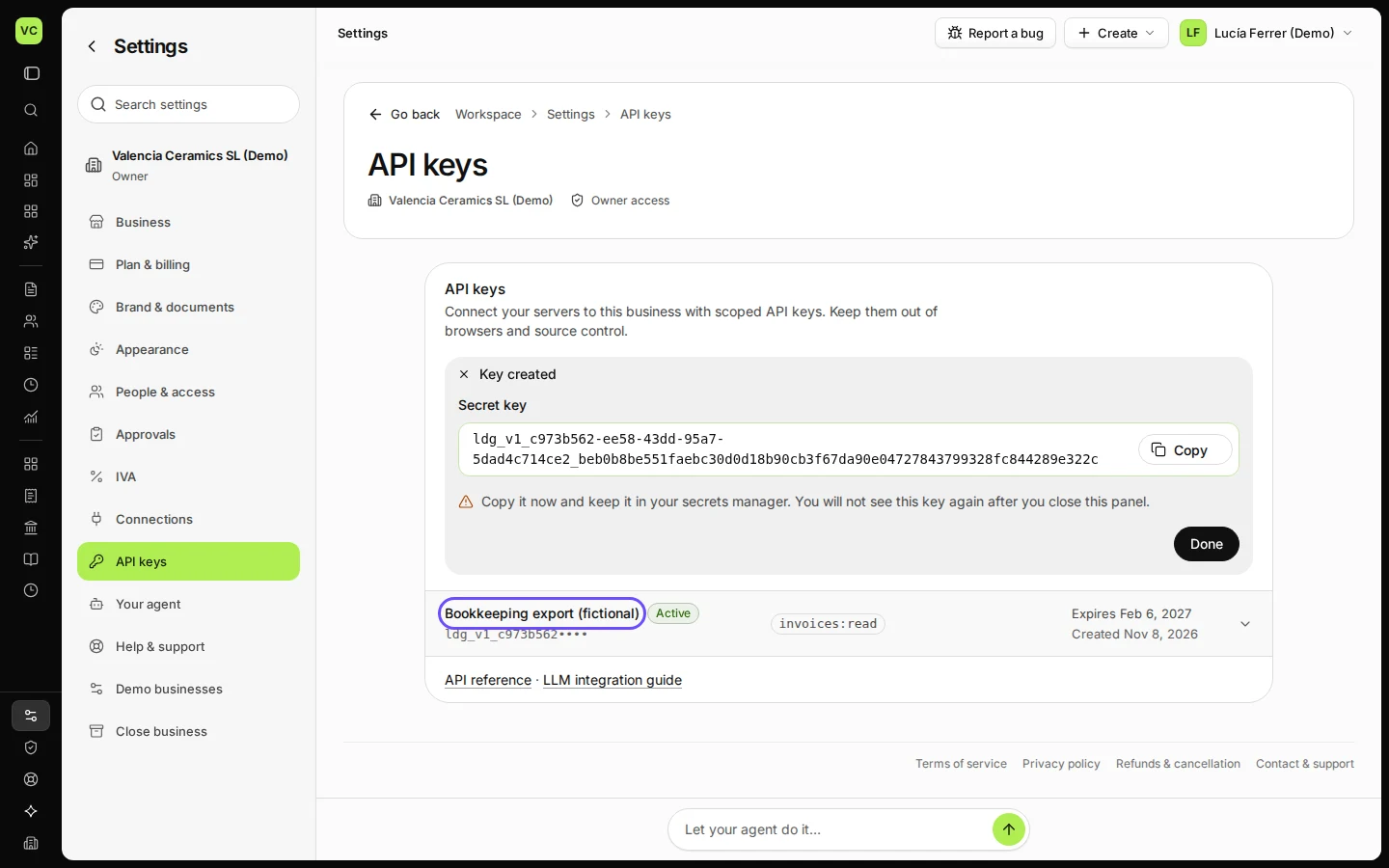
Step 3 in Deline (Spain business, fictional data) · See the whole screen Press Generate key and copy the key now: it is shown only once.
Keep the key secret, like a password. To stop it, revoke it on the same page.
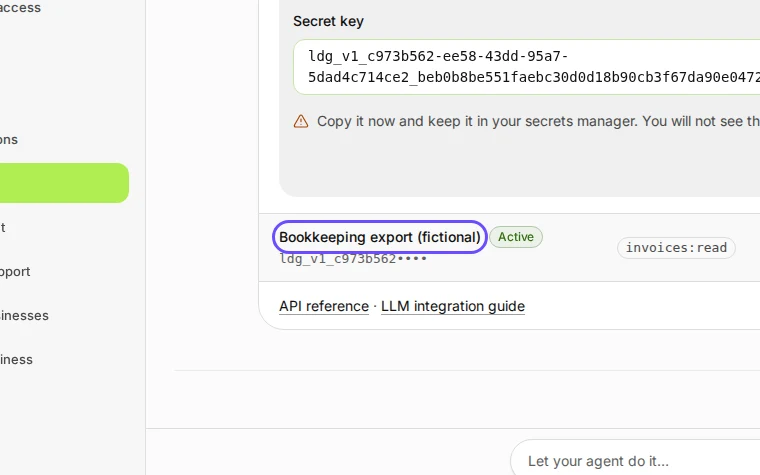
Step 4 in Deline (Spain business, fictional data) · See the whole screen
If something goes wrong
- You lost the key: revoke it and create a new one.
Last checked 2026-11-08 by the guide runner on build 37b370dcd (Deline 5e00493c3) (local Deline stack).