
Steps
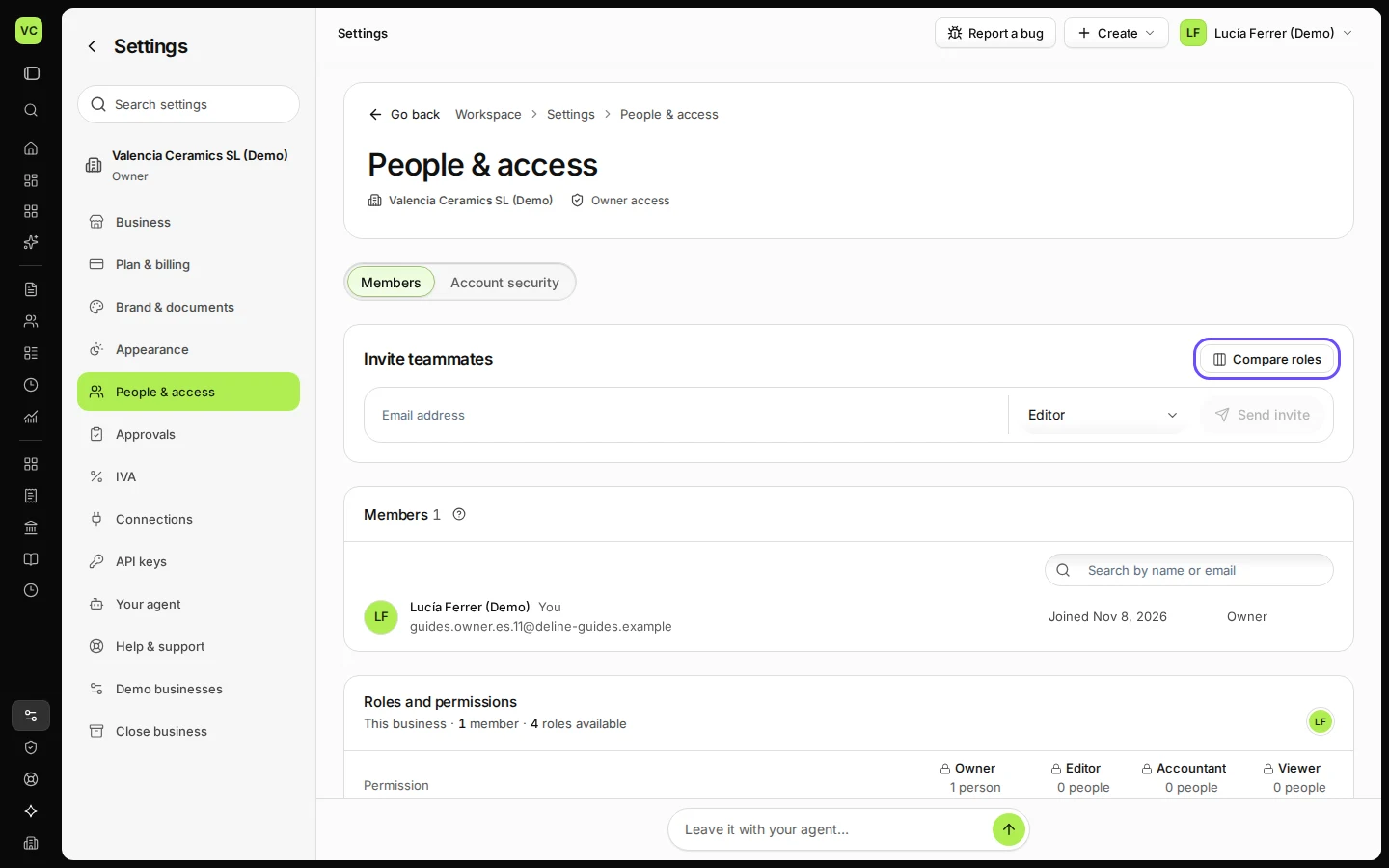
Open Settings and choose People & access.
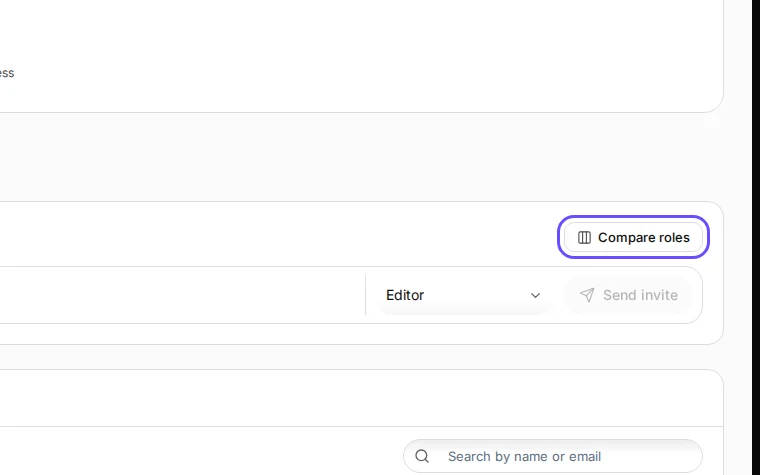
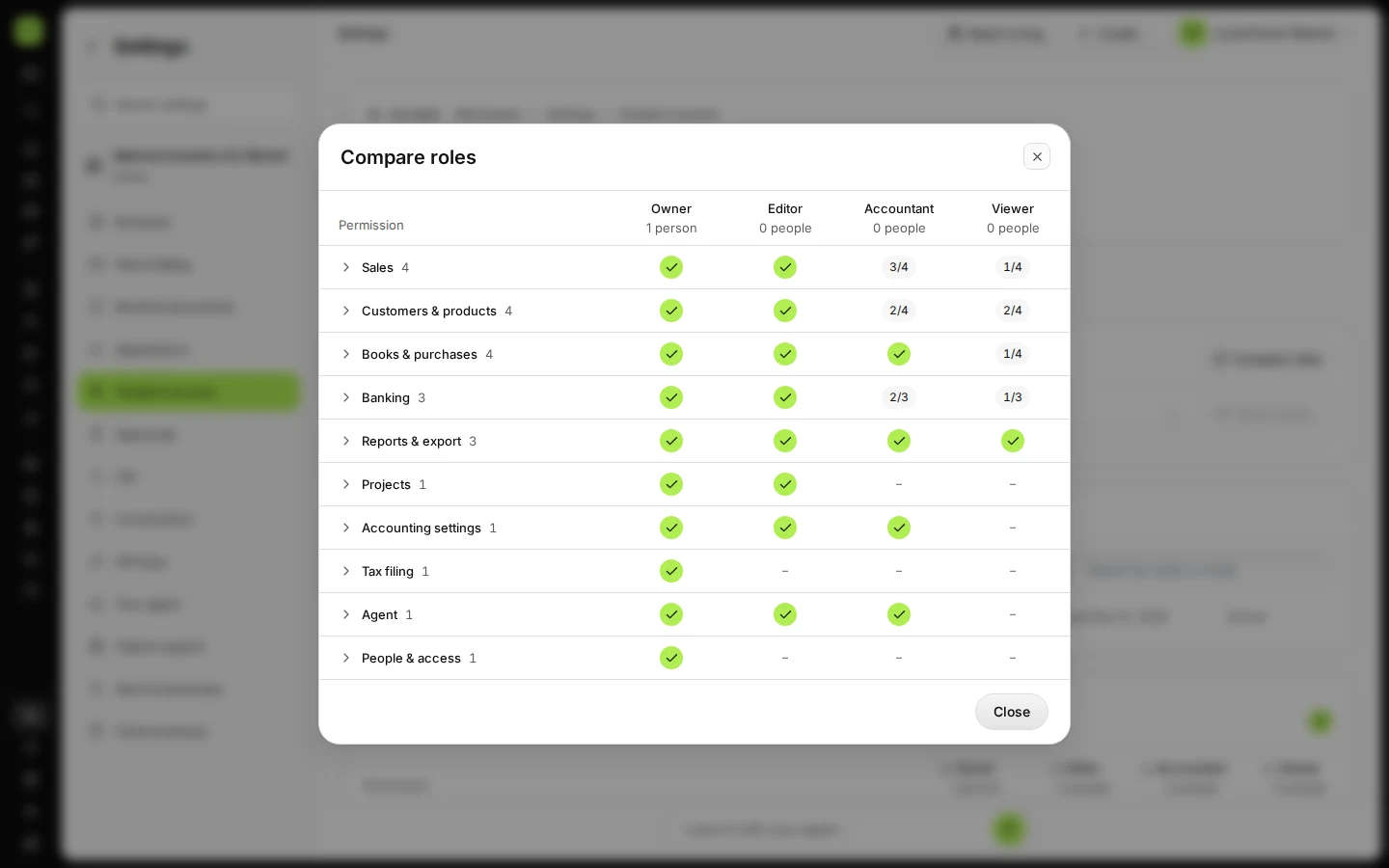
Step 1 in Deline (Spain business, fictional data) · See the whole screen Press Compare roles to see what Owner, Editor, Accountant and Viewer can do.
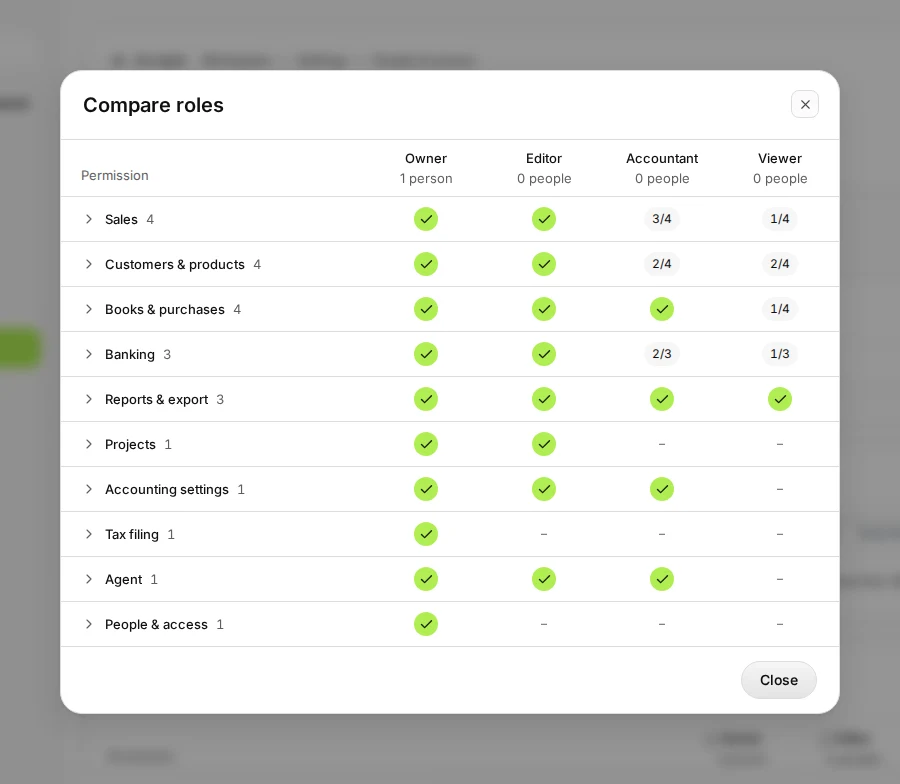
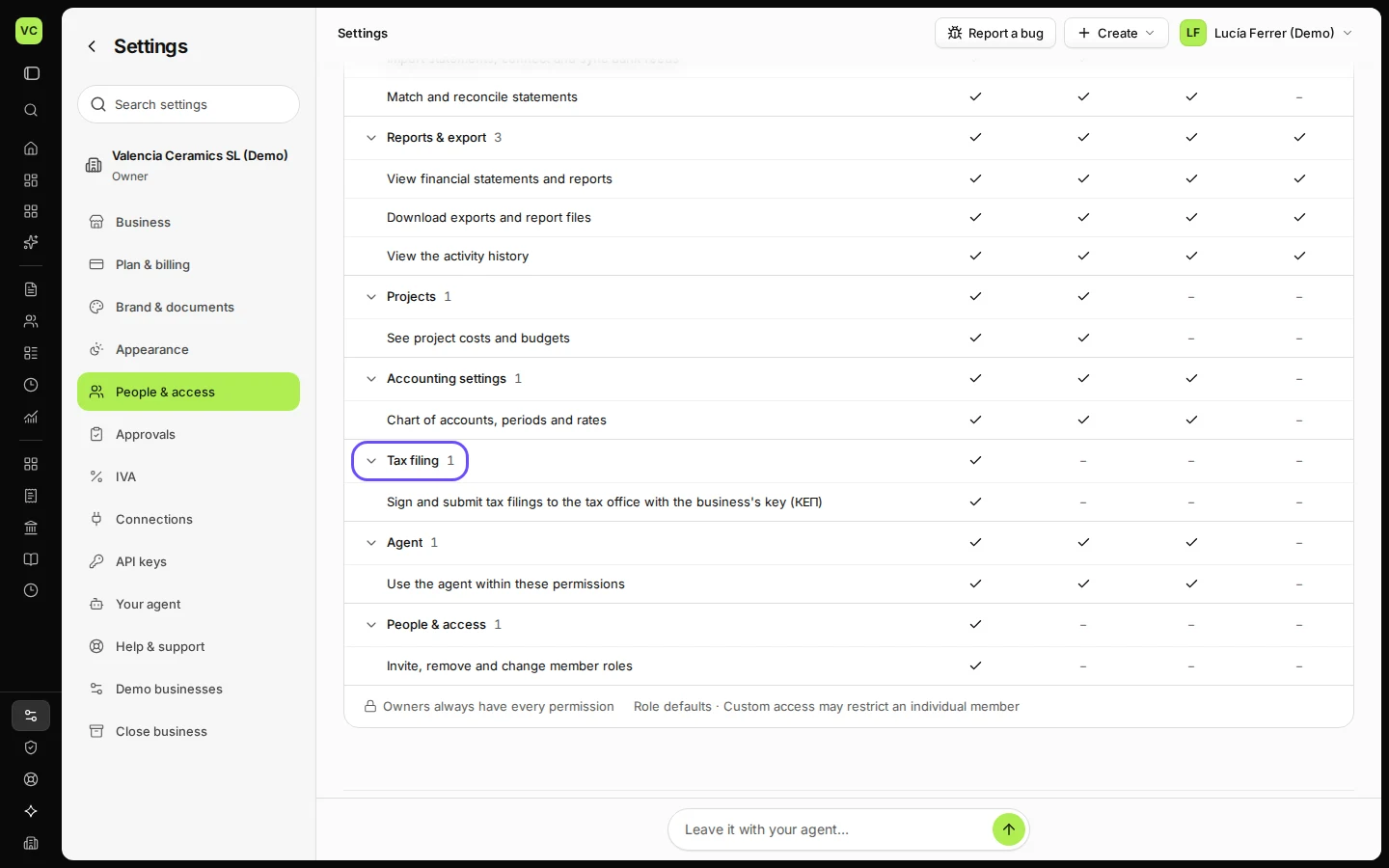
Step 2 in Deline (Spain business, fictional data) · See the whole screen Open a group under Roles and permissions to see each permission.
For example Tax filing, which no role has by default.
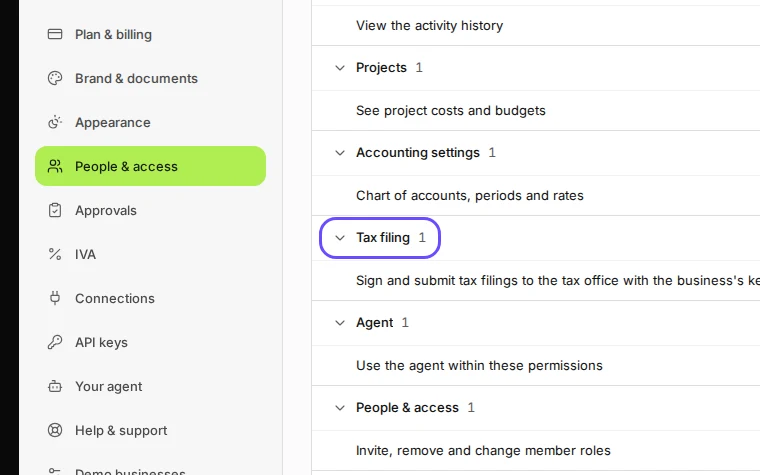
Step 3 in Deline (Spain business, fictional data) · See the whole screen
Last checked 2026-11-08 by the guide runner on build 37b370dcd (Deline 5e00493c3) (local Deline stack).