
Before you start
- The statement with the fee is imported or arrived through your bank connection.
Steps
Open Reconcile from Banking and open the statement.
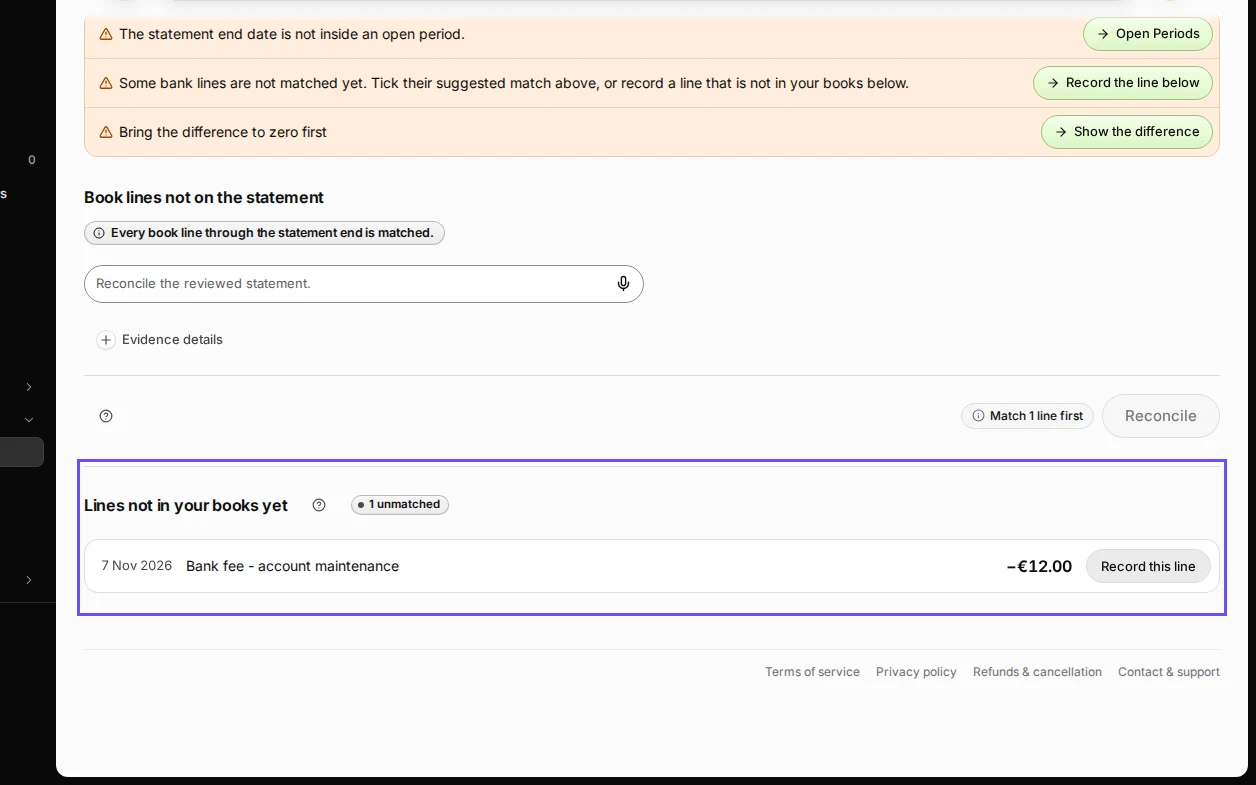
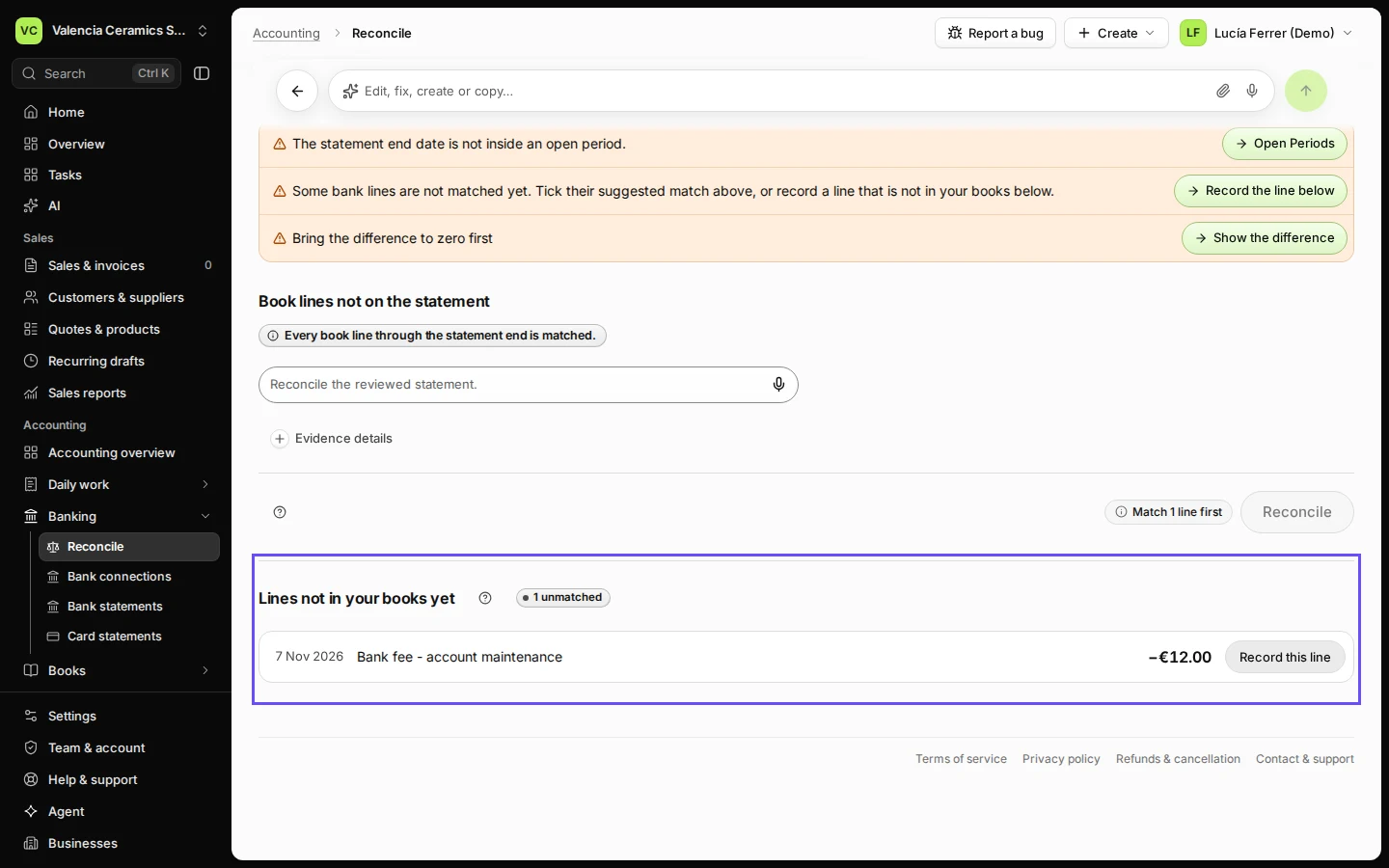
Step 1 in Deline (Spain business, fictional data) · See the whole screen Press Record this line on the fee.
Lines with nothing to match are under Lines not in your books yet.
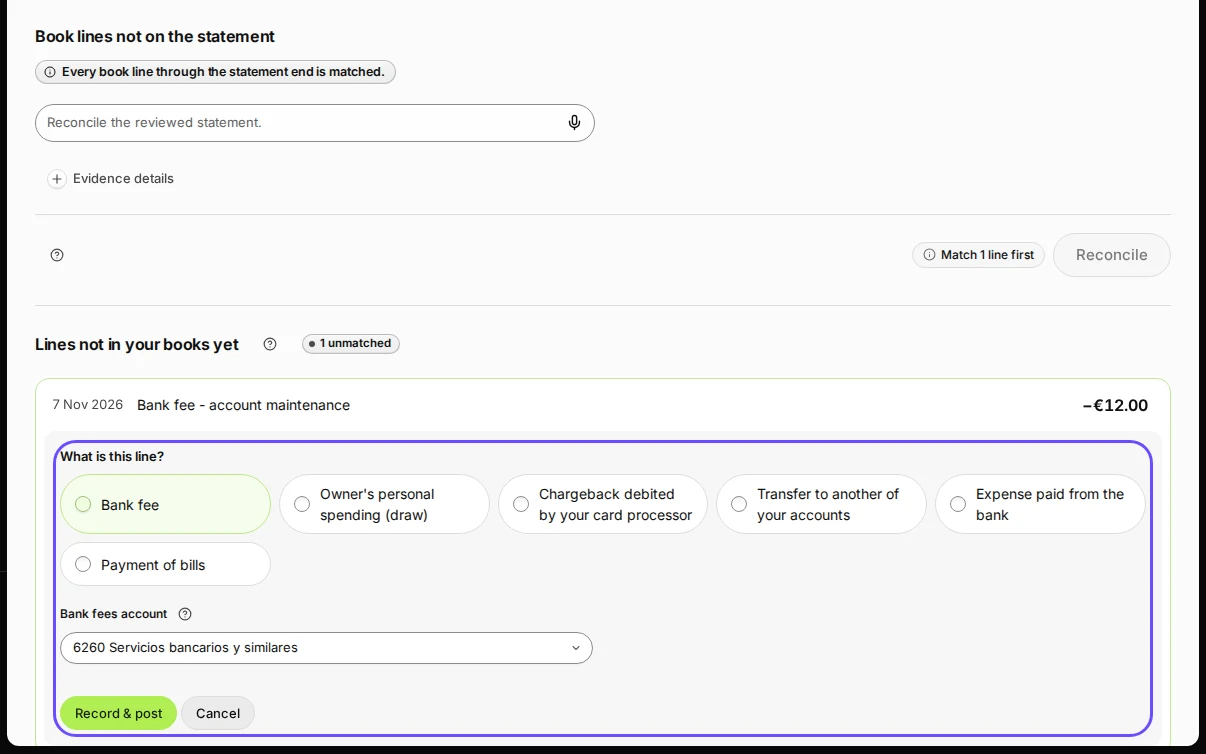
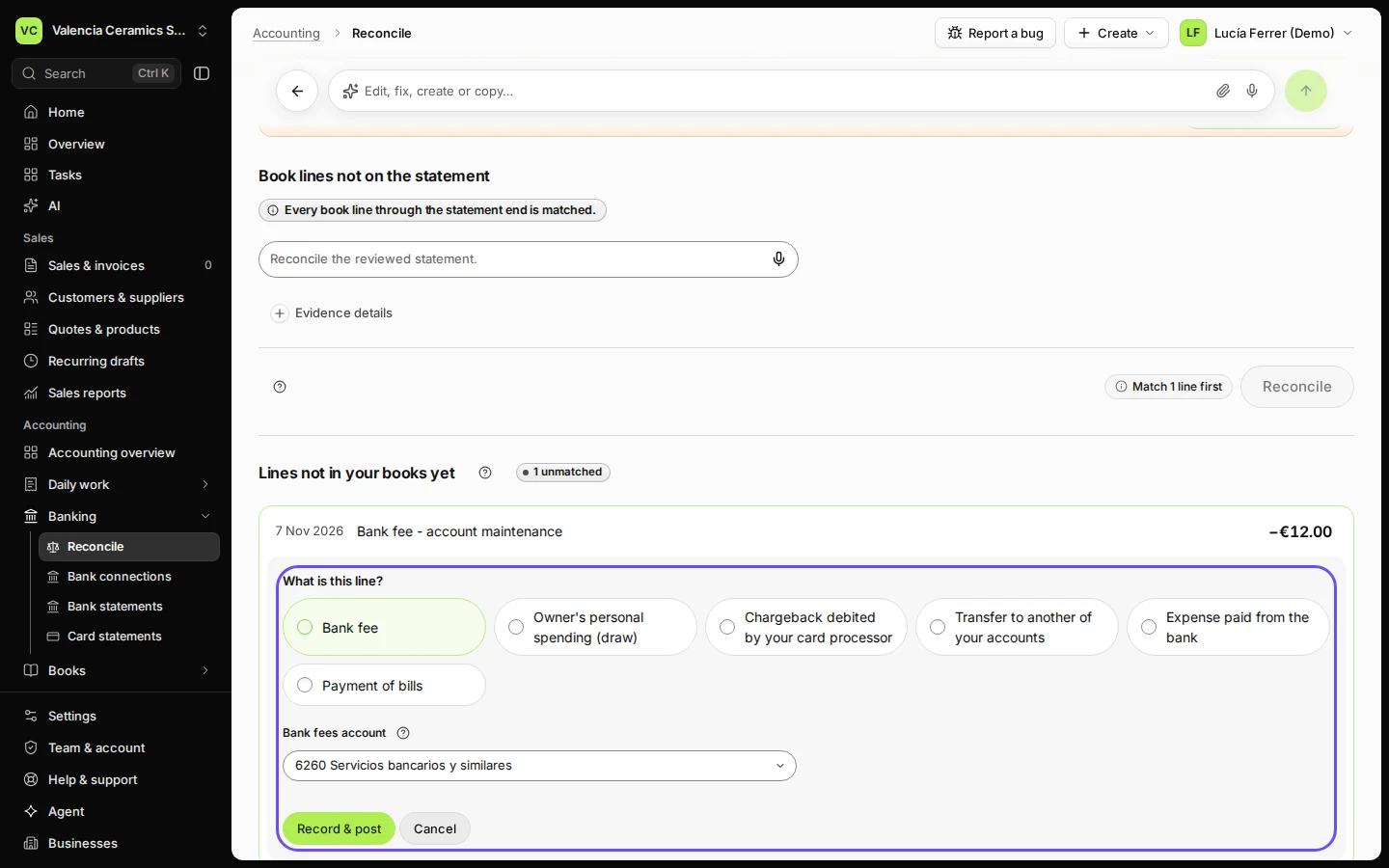
Step 2 in Deline (Spain business, fictional data) · See the whole screen Check that Bank fee and the bank fees account are chosen, and press Record & post.
Bank fee is suggested for a small charge; the account is your bank charges account (6260 Servicios bancarios y similares in Spain).
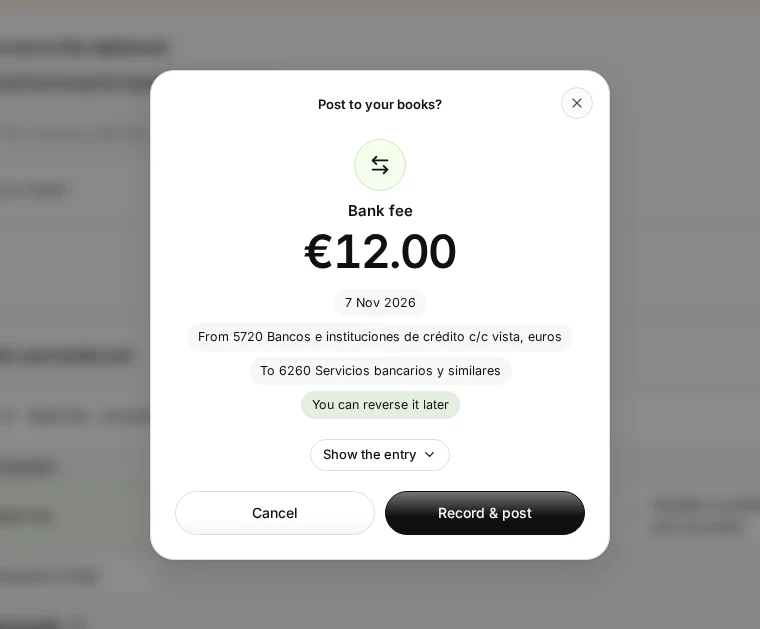
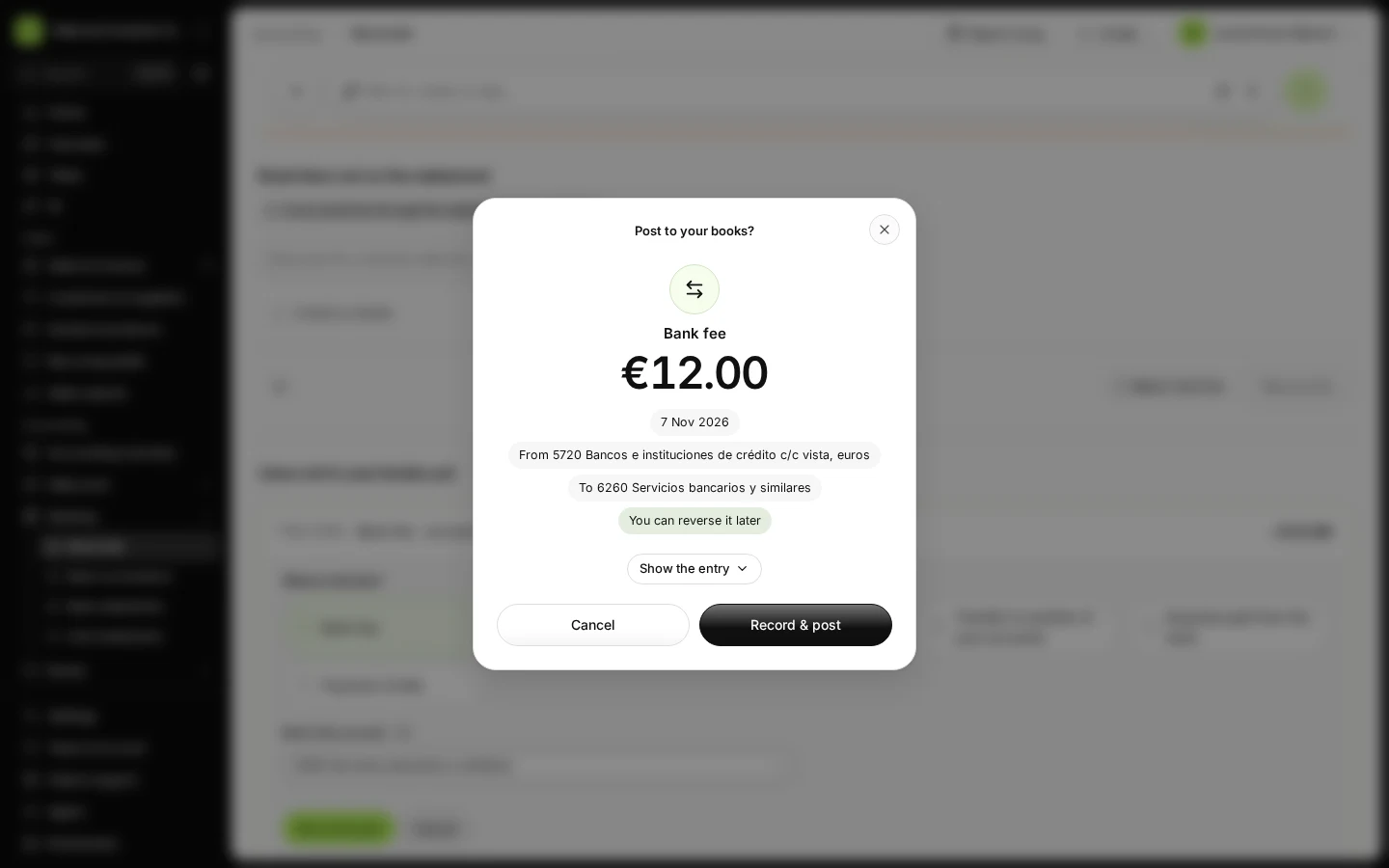
Step 3 in Deline (Spain business, fictional data) · See the whole screen Check the entry in the window and press Record & post.
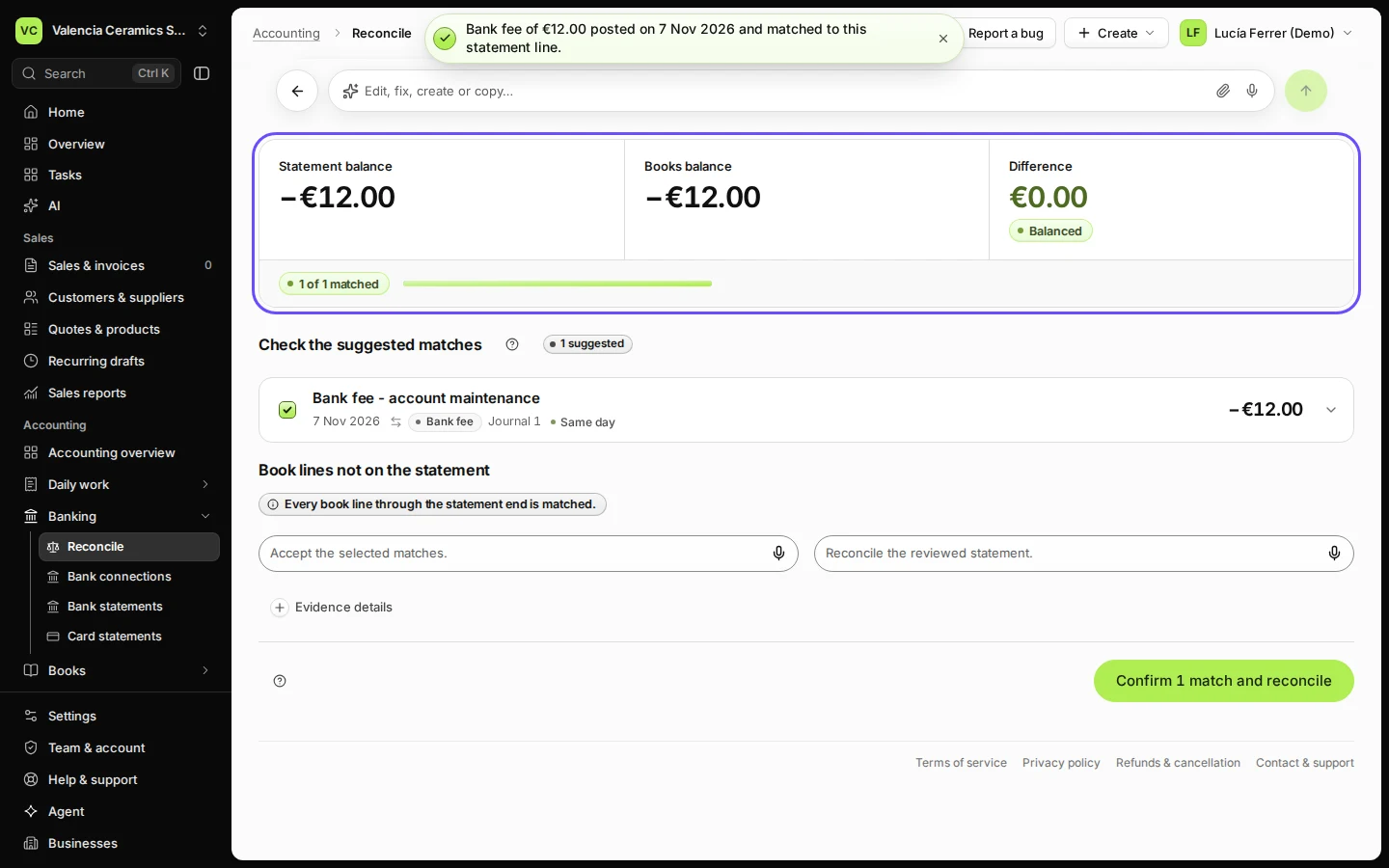
The fee is posted and the line moves to the matches.
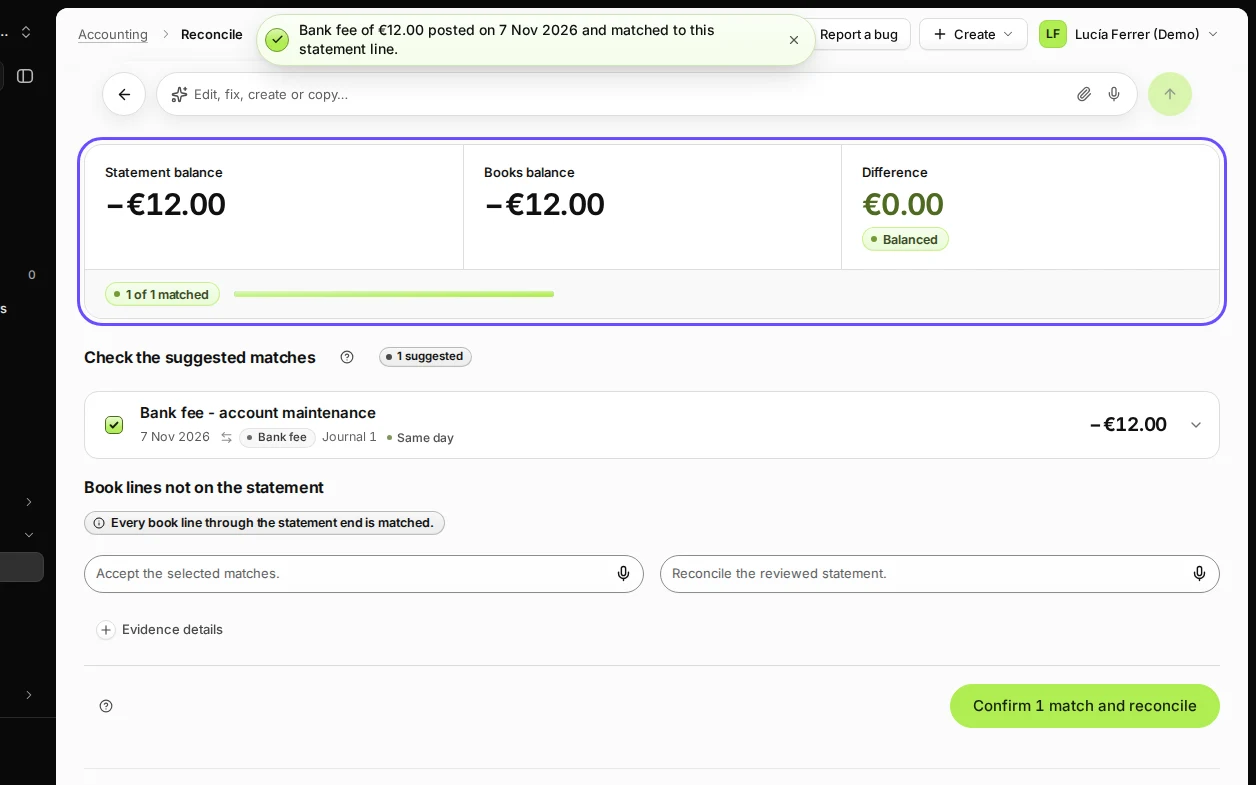
Step 4 in Deline (Spain business, fictional data) · See the whole screen
If something goes wrong
- It was not a fee: choose what it was instead, for example Expense paid from the bank or Payment of bills.
- You recorded it on the wrong account: open the journal in Journals and reverse it, then record the line again.
Last checked 2026-11-07 by the guide runner on build c5fbd2fa6 (Deline 12a482996) (local Deline stack).