
Before you start
- The statement is imported or arrived through your bank connection (see Import a bank statement file).
- The invoice is issued and in your books.
Steps
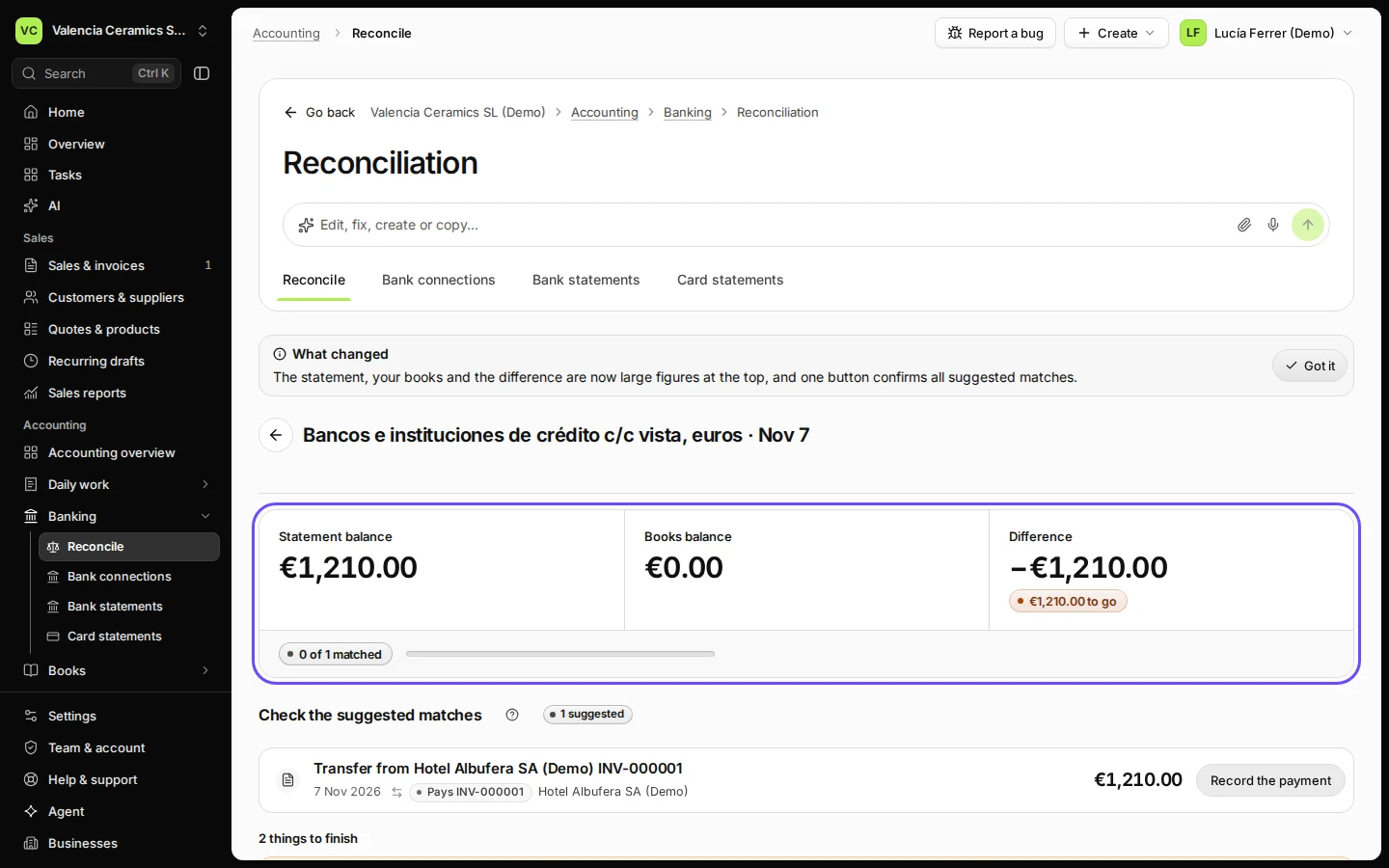
Open Reconcile from Banking and open the statement.
Statements to reconcile lists each statement with its period; press Reconcile on it.
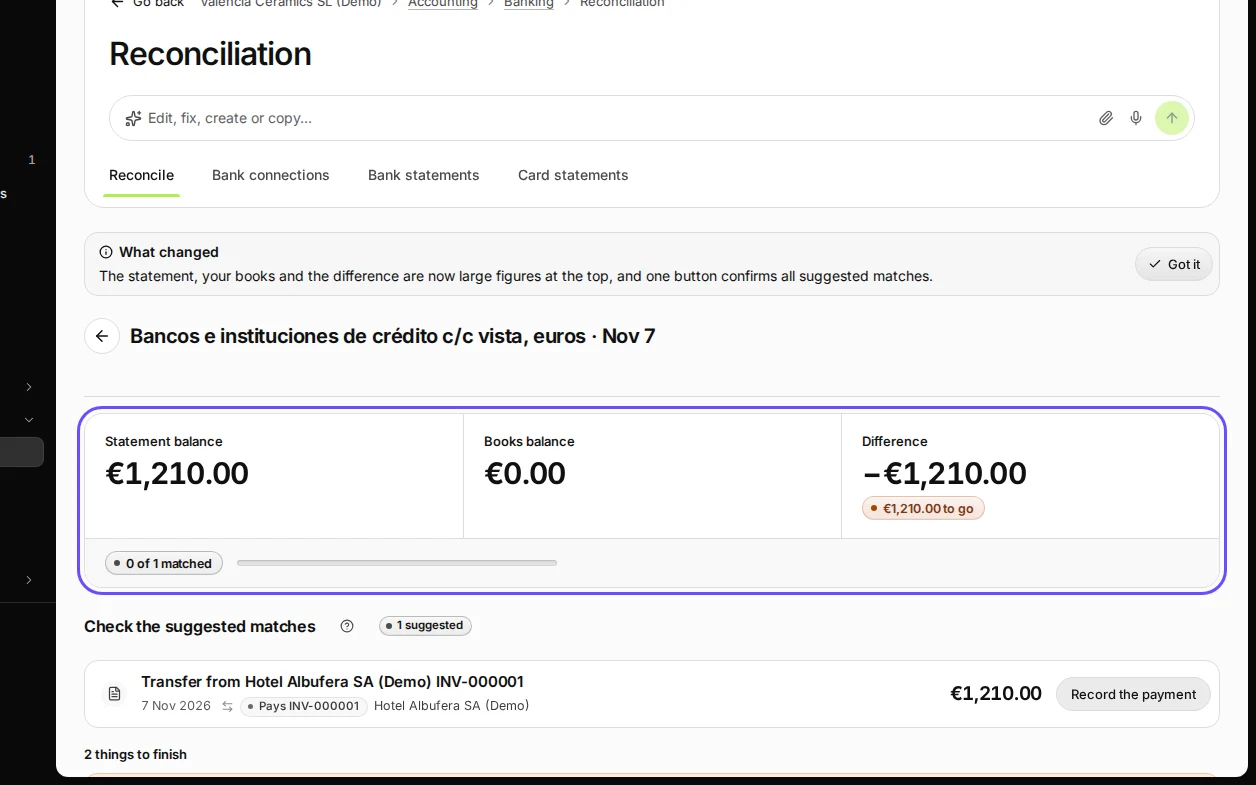
Step 1 in Deline (Spain business, fictional data) · See the whole screen Find the suggested match and press Record the payment.
Under Check the suggested matches, the line shows the invoice it pays, for example Pays INV-000001.
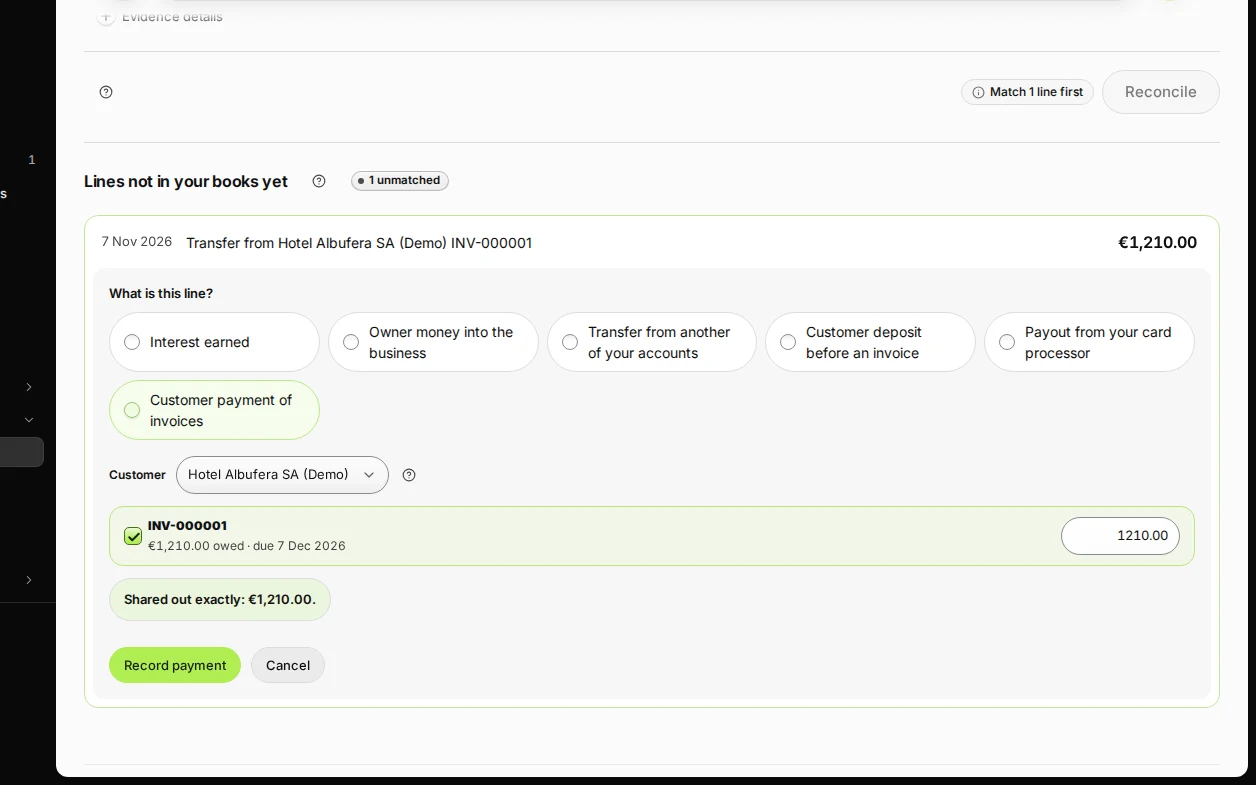
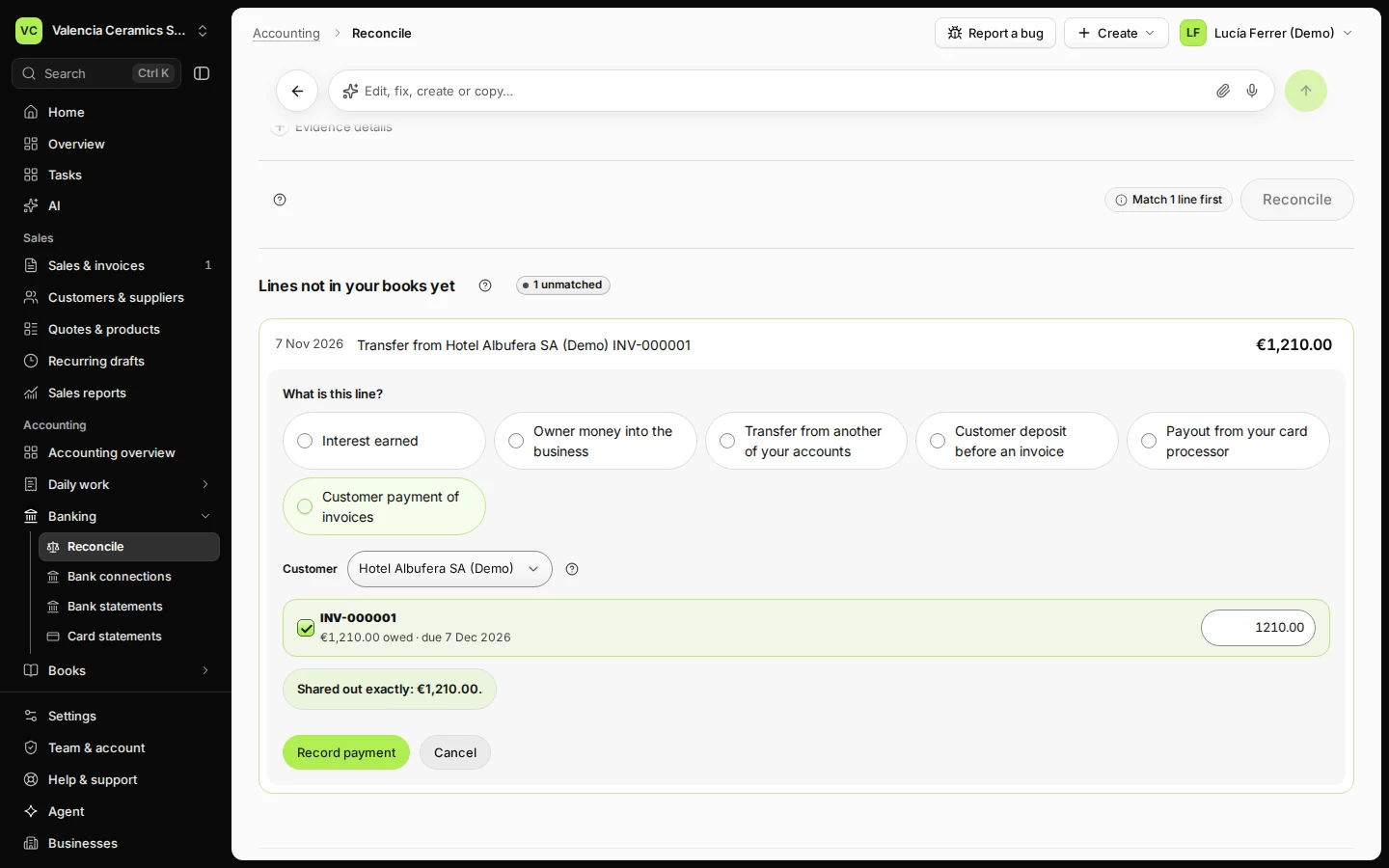
Step 2 in Deline (Spain business, fictional data) · See the whole screen Check the invoice and the amount, and press Record payment.
The invoice is ticked with the full amount. To share one payment over several invoices, tick each and set its amount.
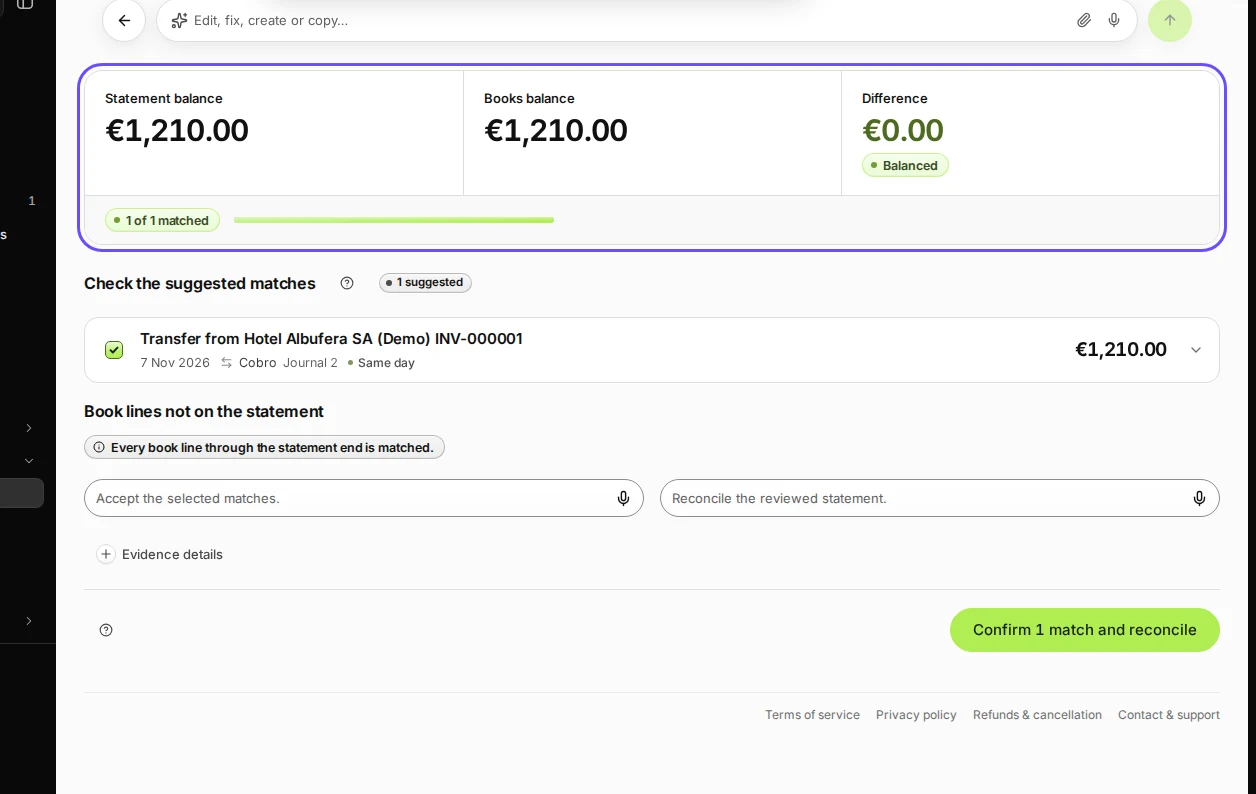
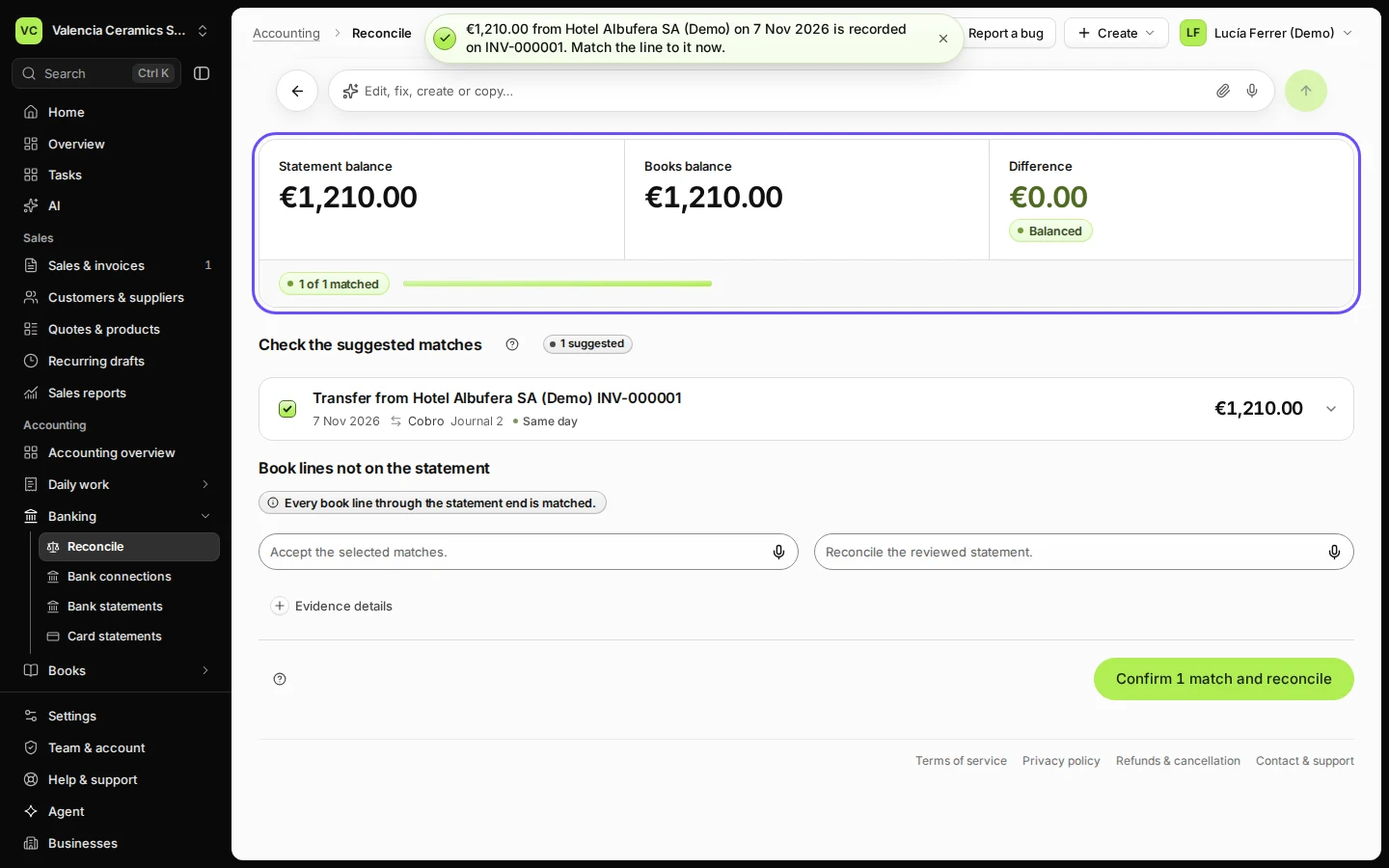
Step 3 in Deline (Spain business, fictional data) · See the whole screen Press Confirm 1 match and reconcile.
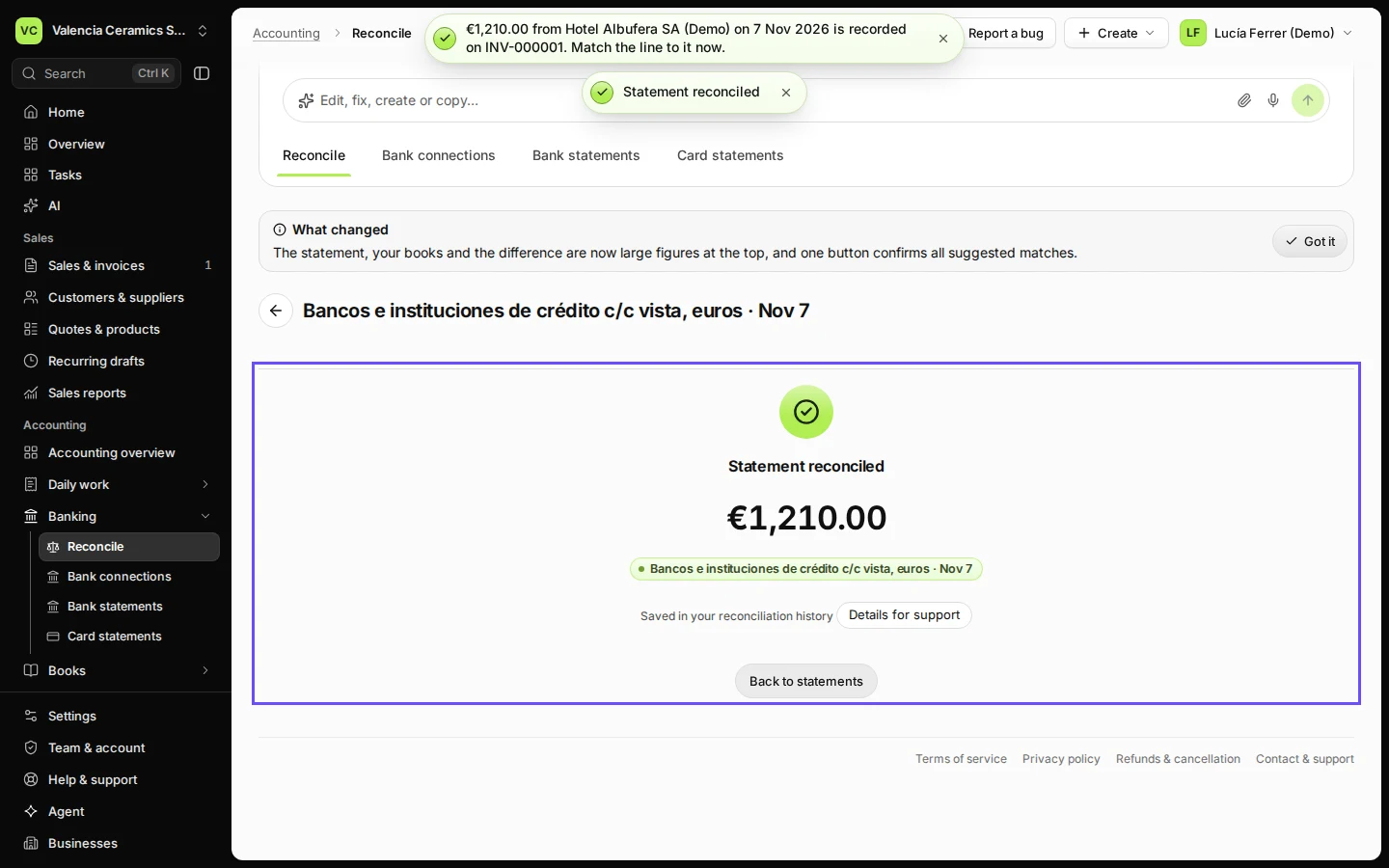
When every line is matched and Difference is €0.00, the statement is reconciled: your books agree with the bank on that day.
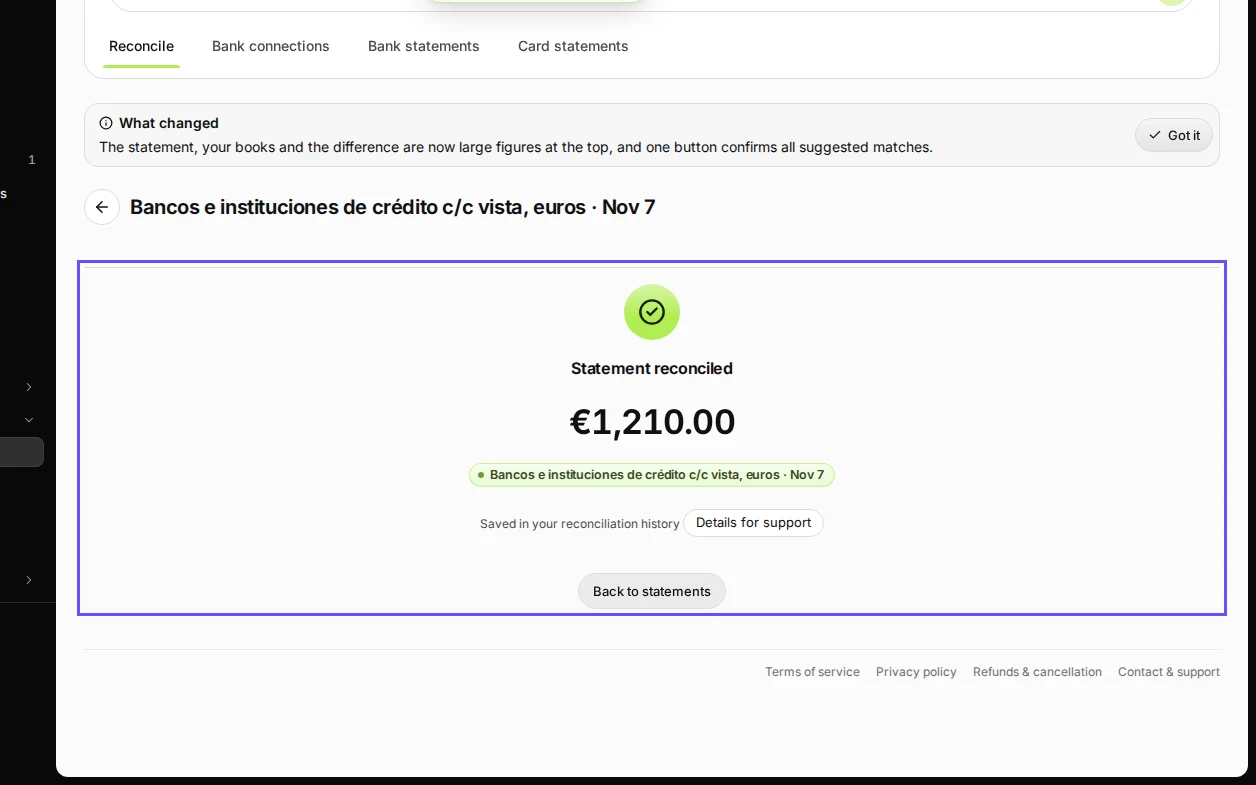
Step 4 in Deline (Spain business, fictional data) · See the whole screen
If something goes wrong
- No suggestion: the amount or the date does not fit one open invoice. Press Record this line, choose Customer payment of invoices and tick the invoice yourself.
- The payment was already recorded on the invoice: the line shows a match to that payment instead; keep it ticked.
- Something else is still open: Things to finish lists it, with a button that takes you there.
Last checked 2026-11-07 by the guide runner on build c5fbd2fa6 (Deline 12a482996) (local Deline stack).