
Before you start
- You know your current password. Forgot it? Use Forgot password? on the sign-in page instead.
Steps
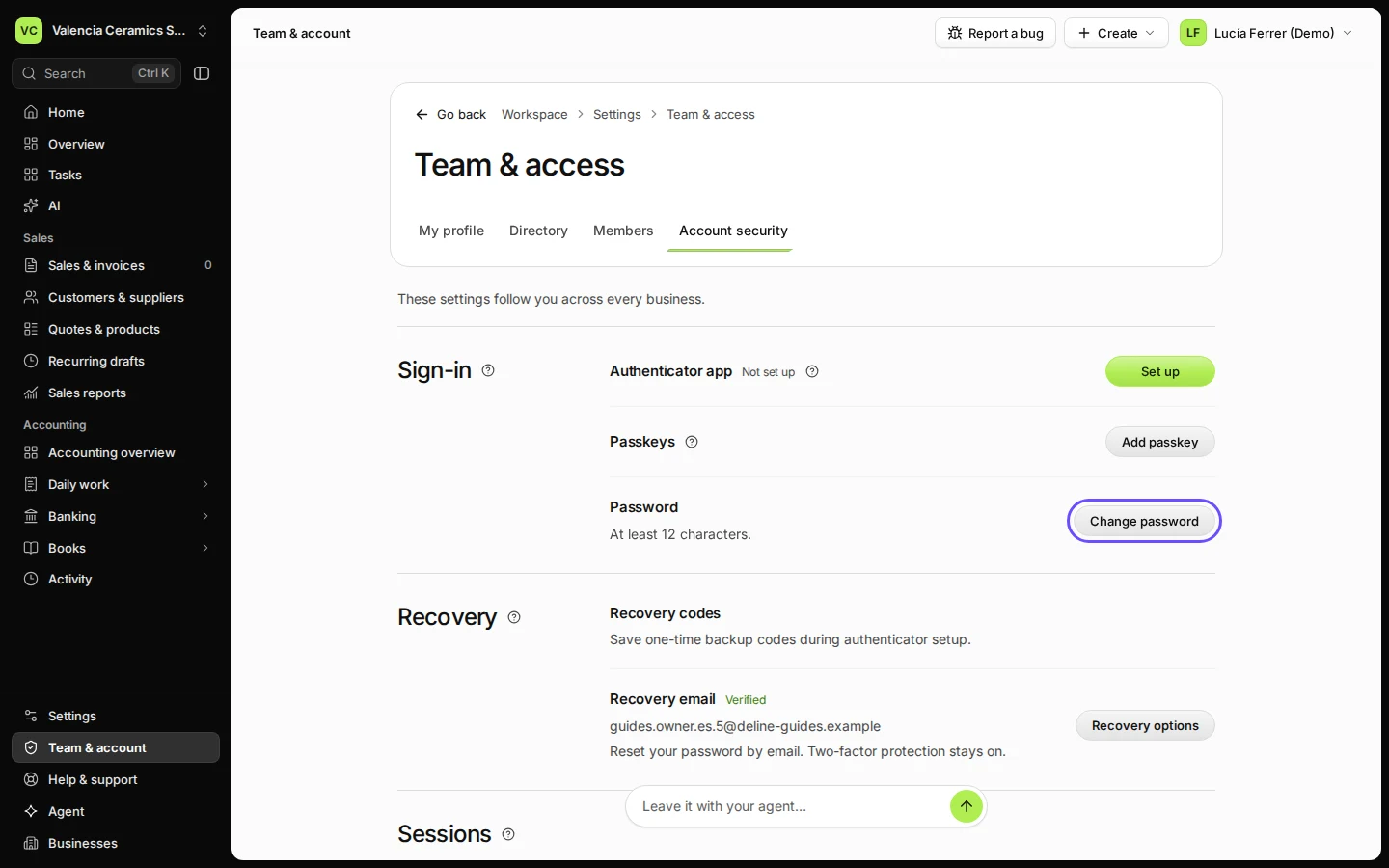
Open Team & account and choose Account security.
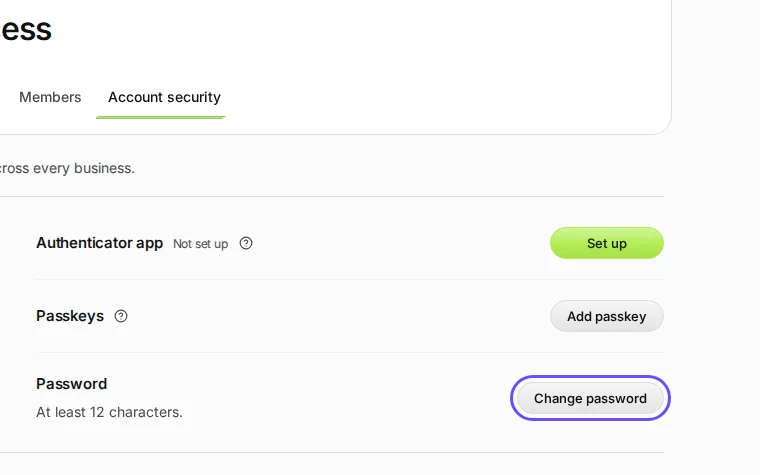
Step 1 in Deline (Spain business, fictional data) · See the whole screen Press Change password.
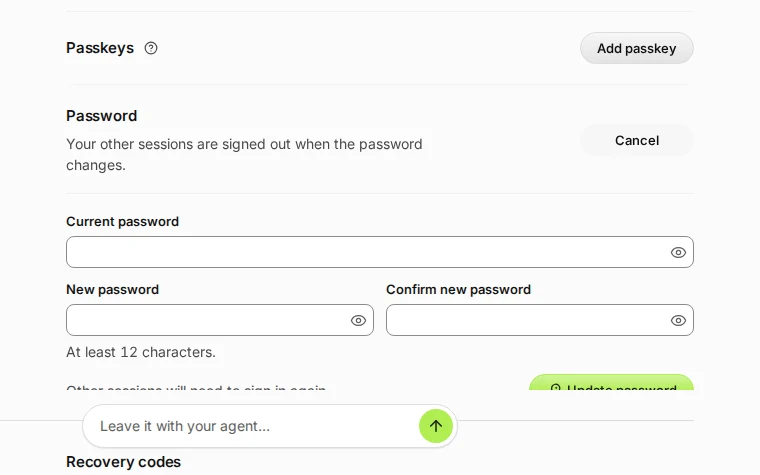
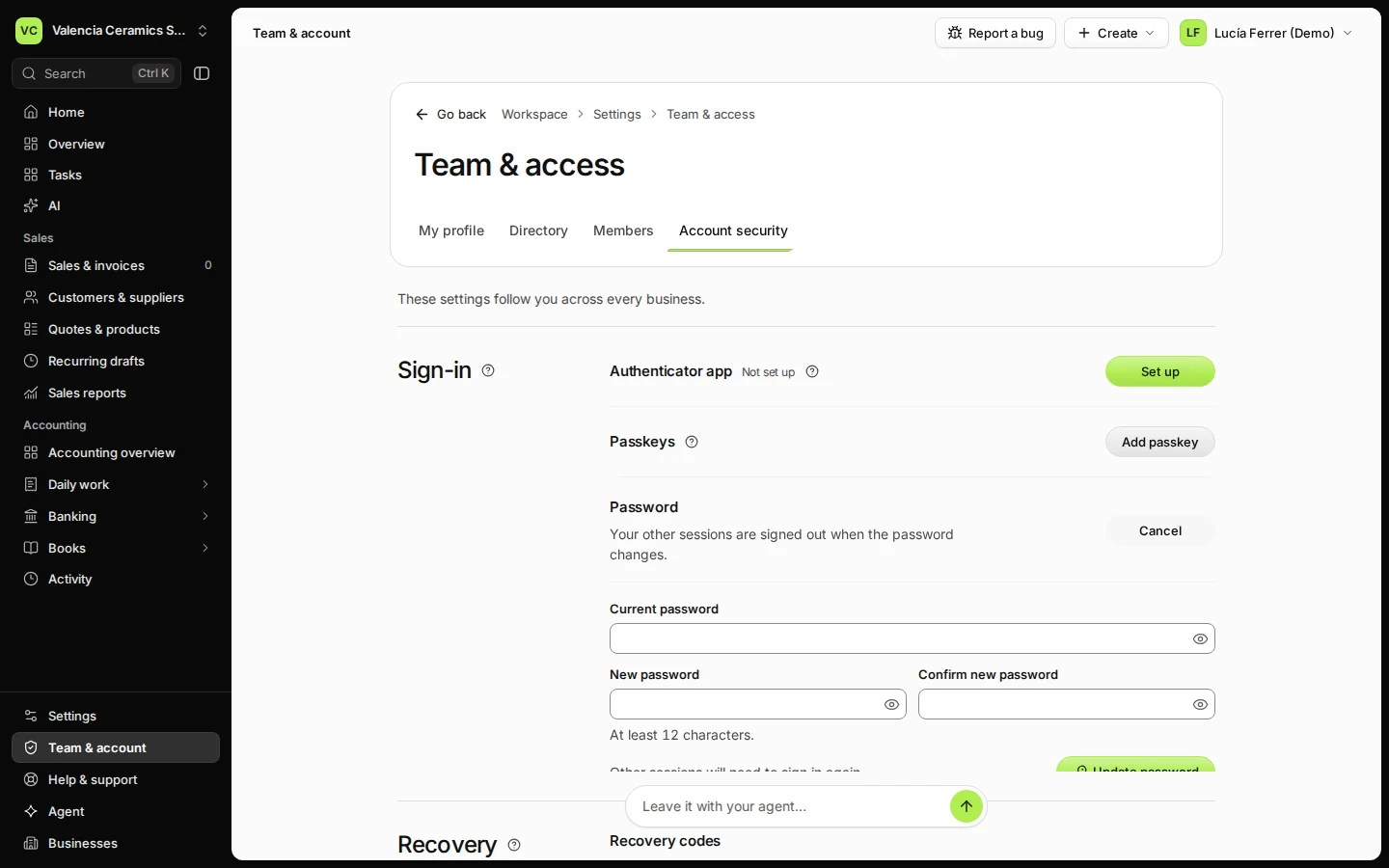
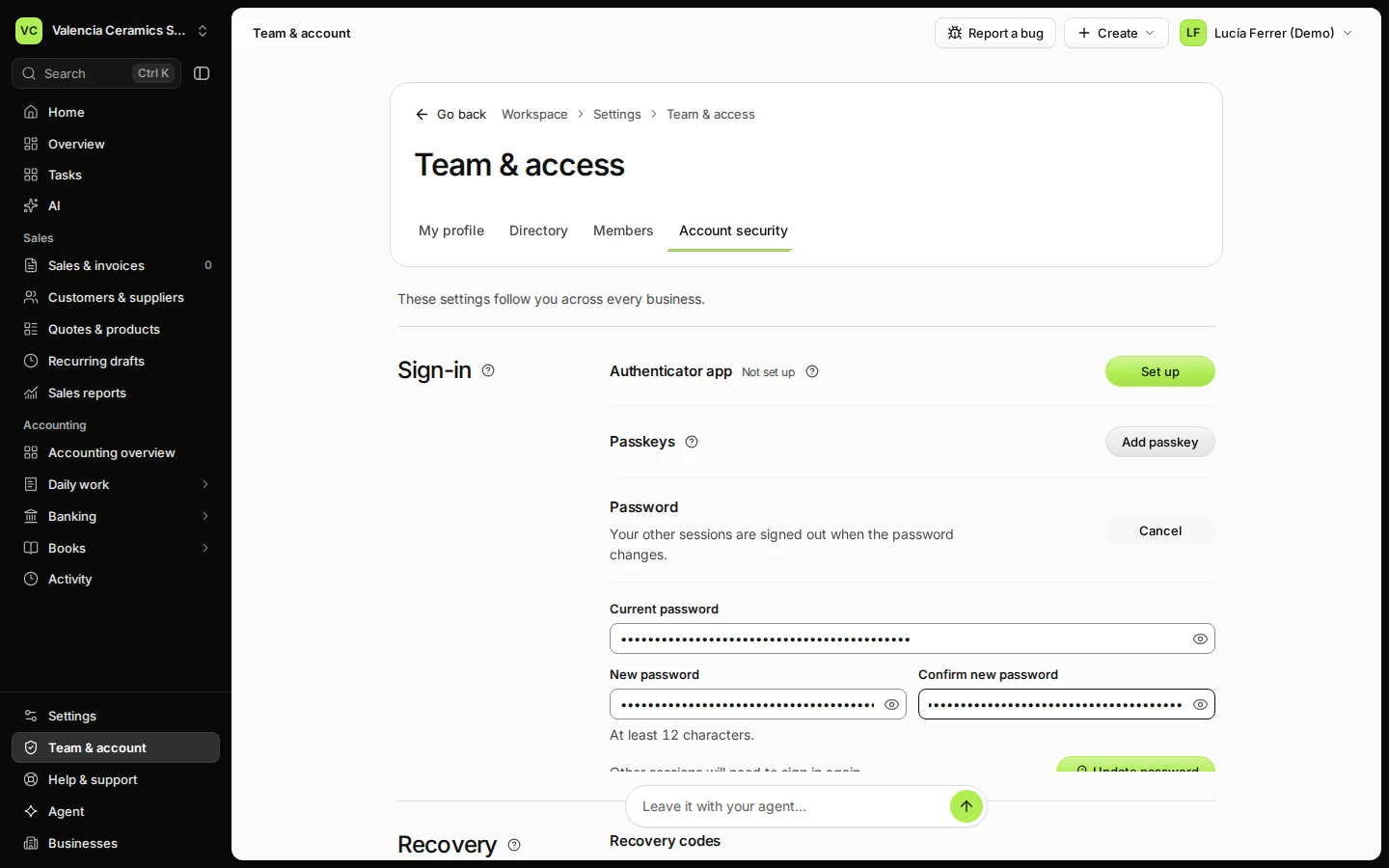
Step 2 in Deline (Spain business, fictional data) · See the whole screen Enter your current password, then the new one twice.
The new password needs at least 12 characters.
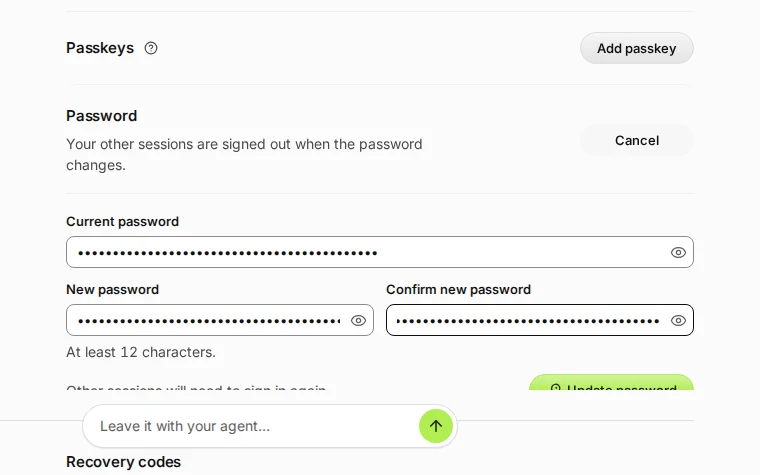
Step 3 in Deline (Spain business, fictional data) · See the whole screen Press Update password.
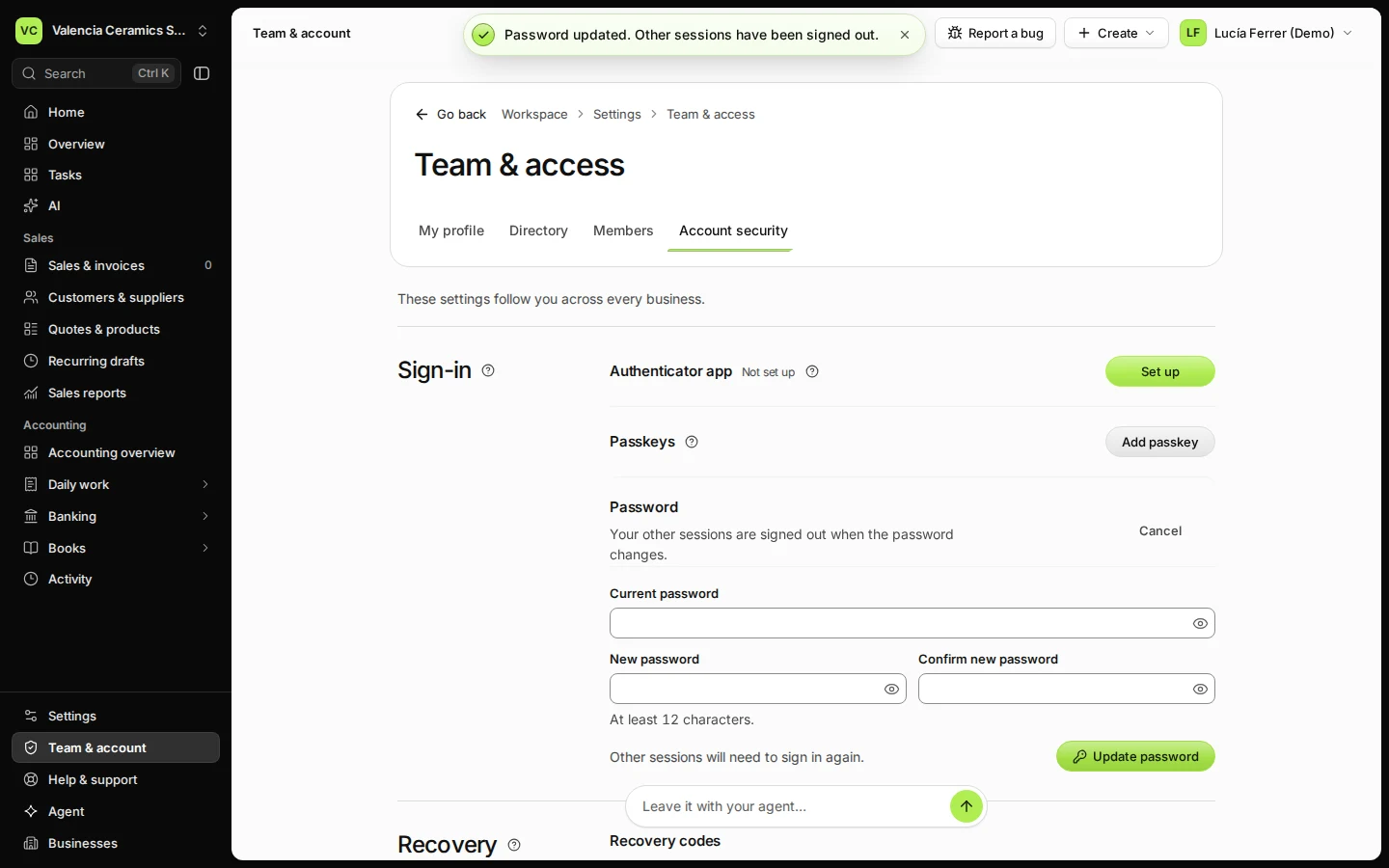
The new password works at once. Other sessions will need to sign in again.
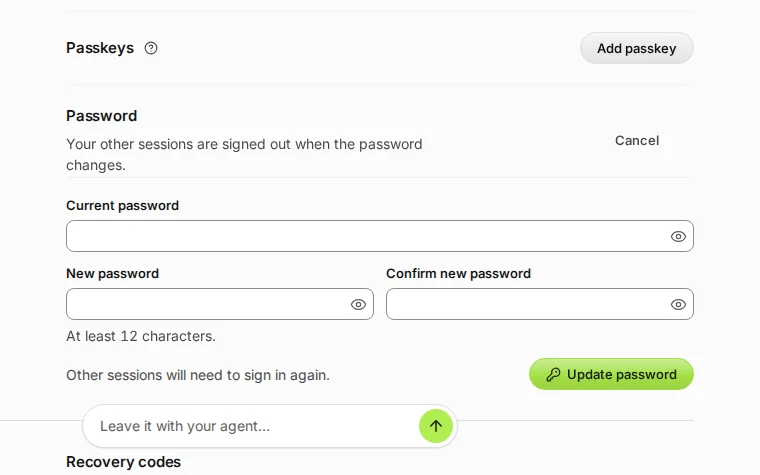
Step 4 in Deline (Spain business, fictional data) · See the whole screen
If something goes wrong
- The current password is not accepted: check for Caps Lock, or sign out and use Forgot password? on the sign-in page.
Last checked 2026-11-08 by the guide runner on build fbbc64399 (Deline cf723fe1f) (local Deline stack).