
Before you start
- Download your business records first if you want a copy (Settings → Close business → Download everything first).
- If you are the only owner of a business where other people work, make one of them an owner, or close the business first.
- If a business of yours has a paid plan that still renews, cancel it in Plan & billing first.
Steps
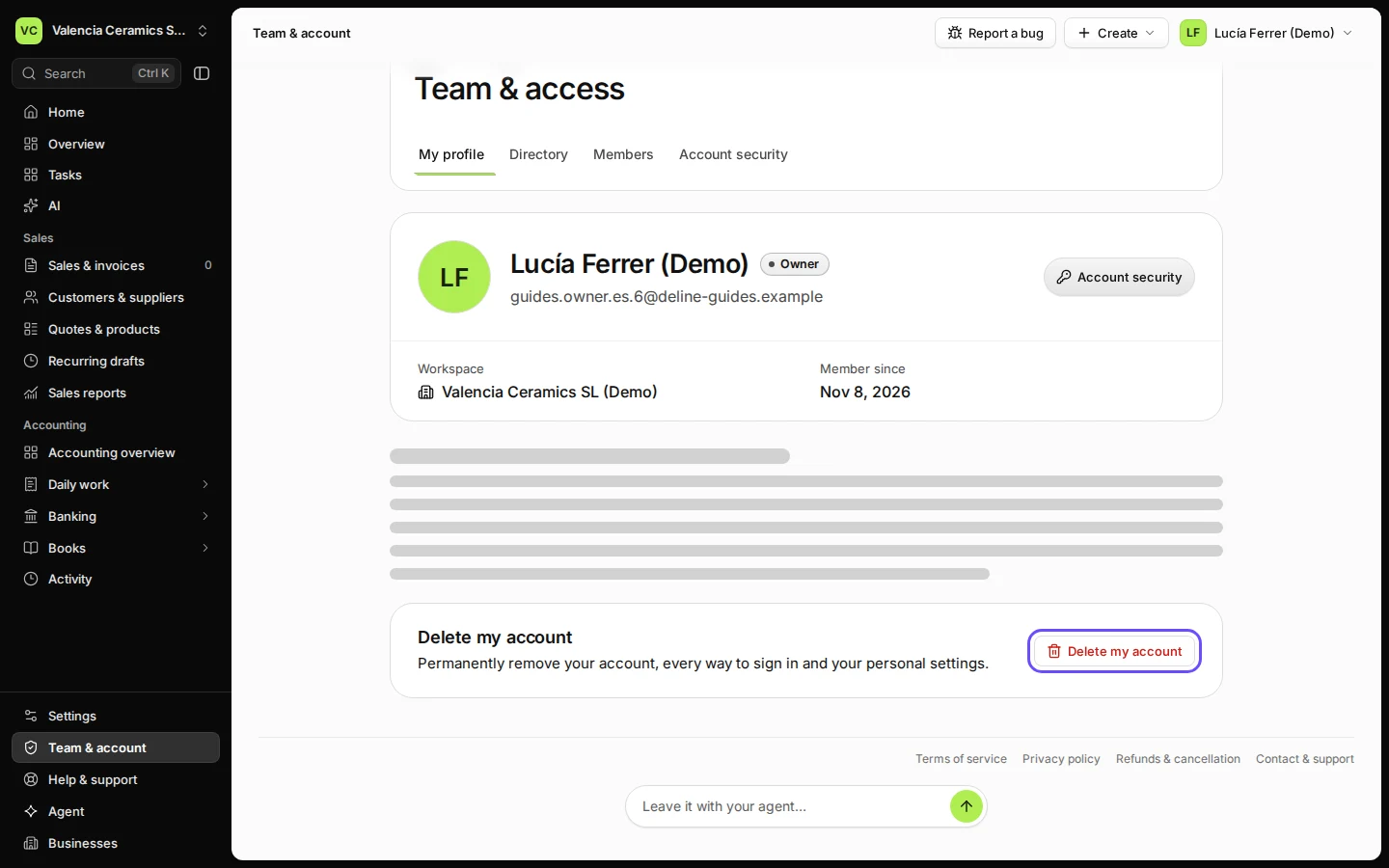
Open Team & account and choose My profile.
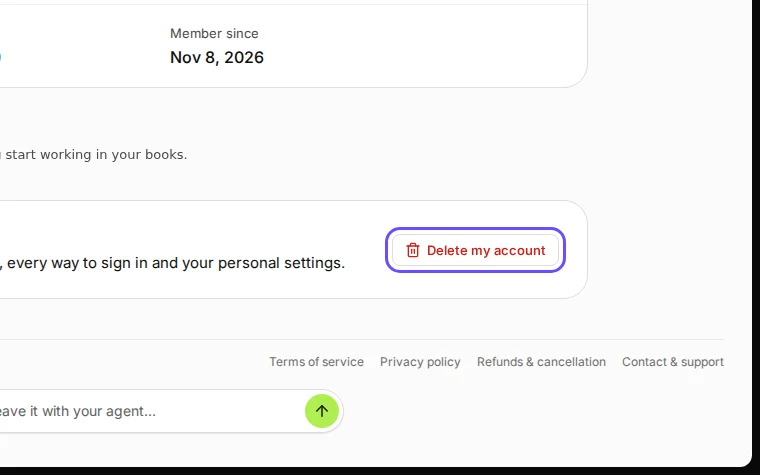
Step 1 in Deline (Spain business, fictional data) · See the whole screen Press Delete my account and read what happens.
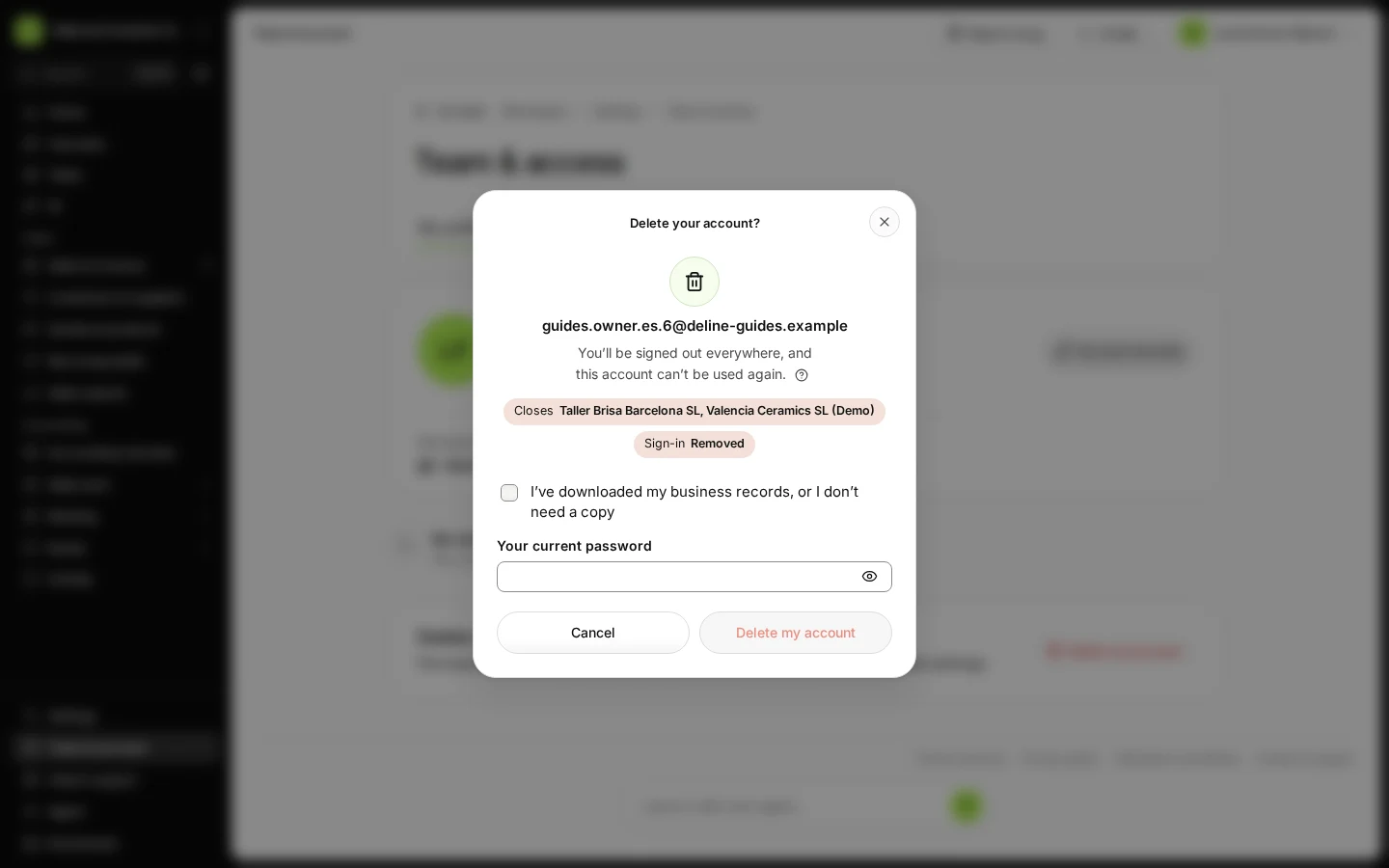
The dialog shows each business: which one closes, which ones you leave, and that your sign-in is removed.
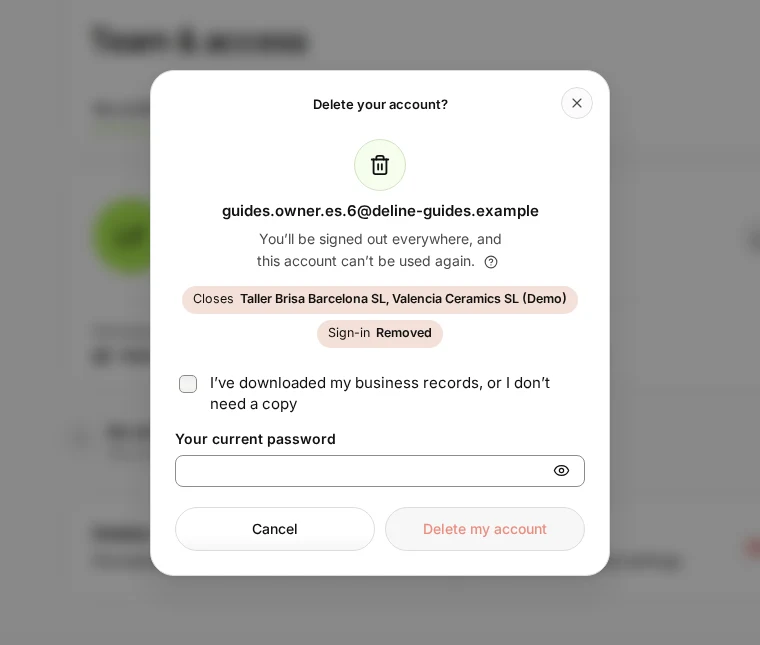
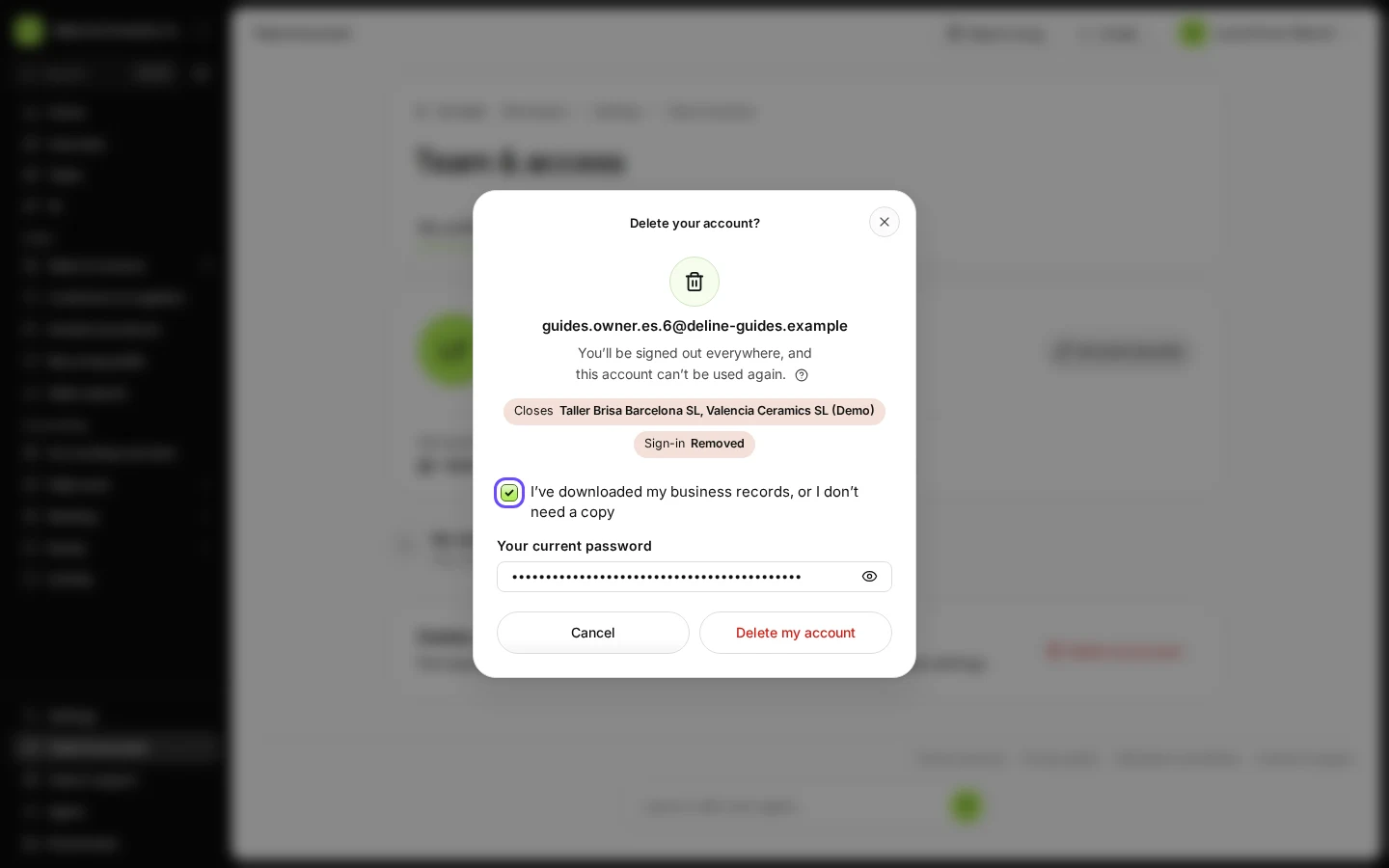
Step 2 in Deline (Spain business, fictional data) · See the whole screen Tick that you have your business records, and enter your password.
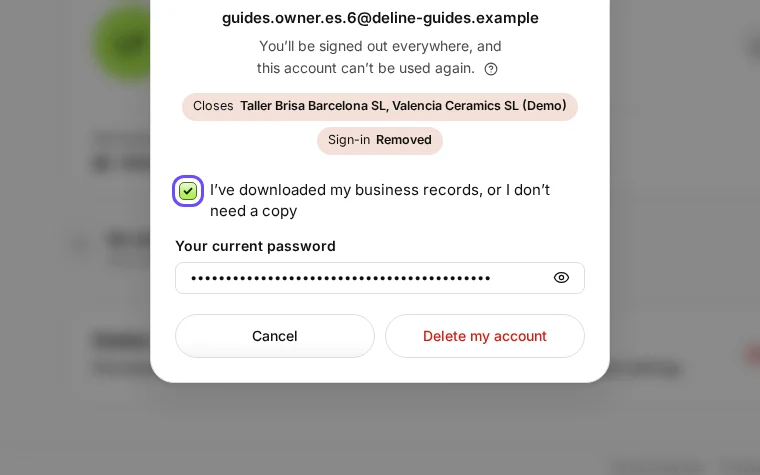
Step 3 in Deline (Spain business, fictional data) · See the whole screen Press Delete my account to confirm.
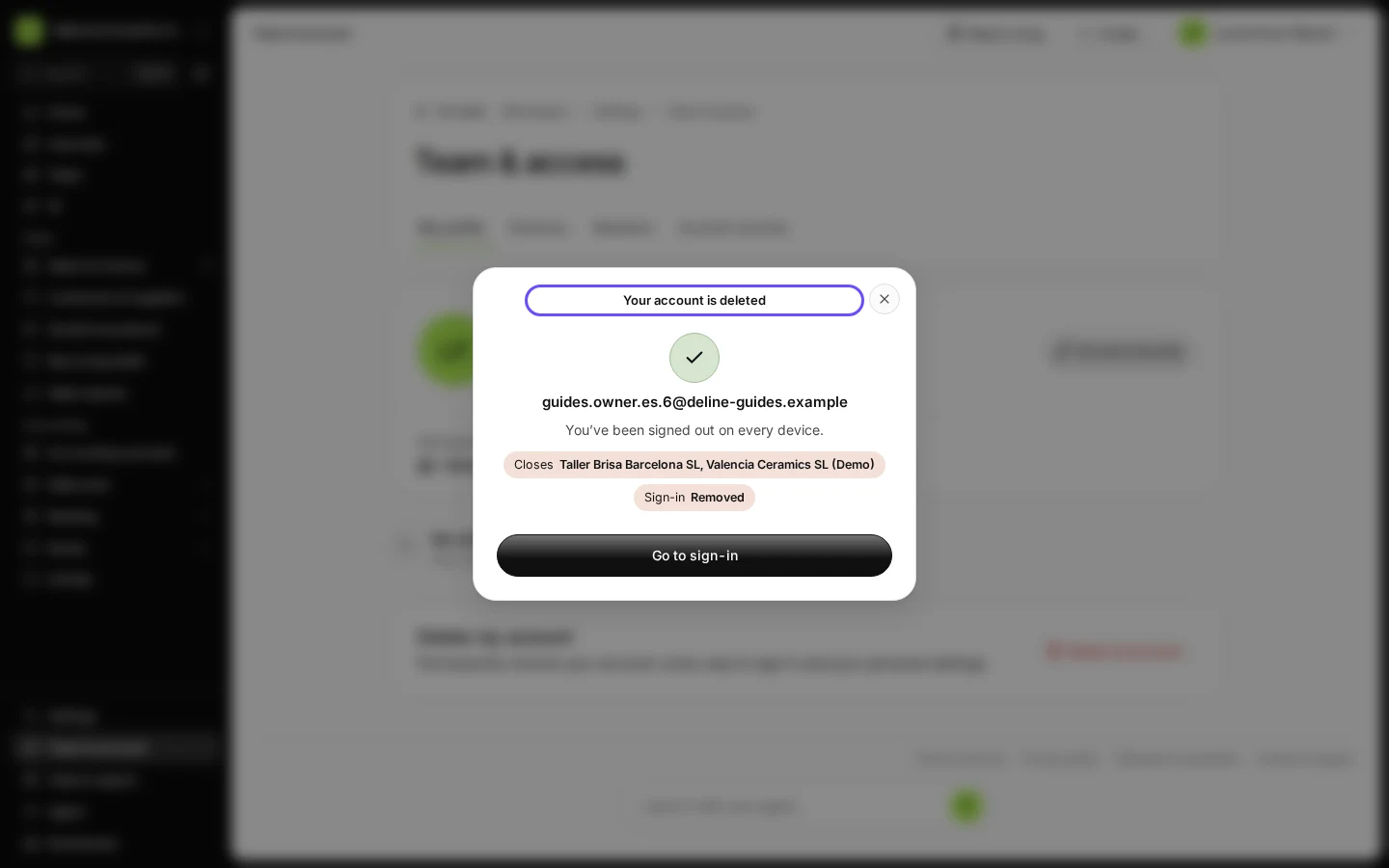
Deline shows "Your account is deleted" and you are signed out on every device. The account can't be used again.
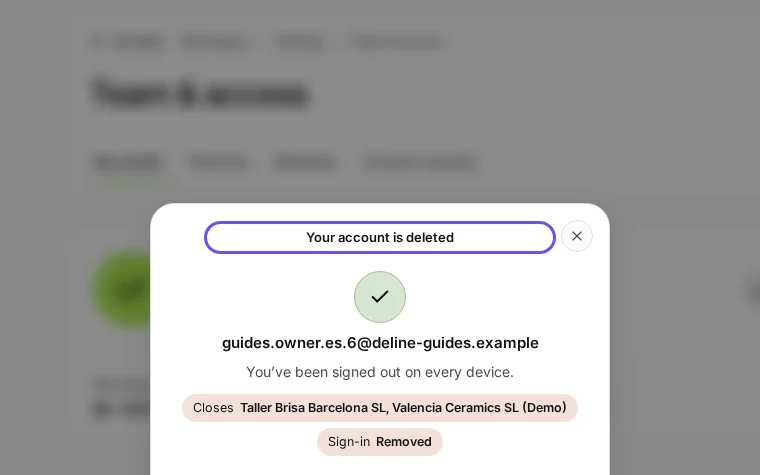
Step 4 in Deline (Spain business, fictional data) · See the whole screen
If something goes wrong
- "You’re the only owner of … and other people work in it.": make one of them an owner, or close the business first.
- "… has a paid plan that still renews. Cancel it in Plan & billing first.": cancel the plan, then come back.
- "For your safety, sign in again before you delete your account.": sign out, sign in again and repeat.
Last checked 2026-11-08 by the guide runner on build fbbc64399 (Deline cf723fe1f) (local Deline stack).