
Steps
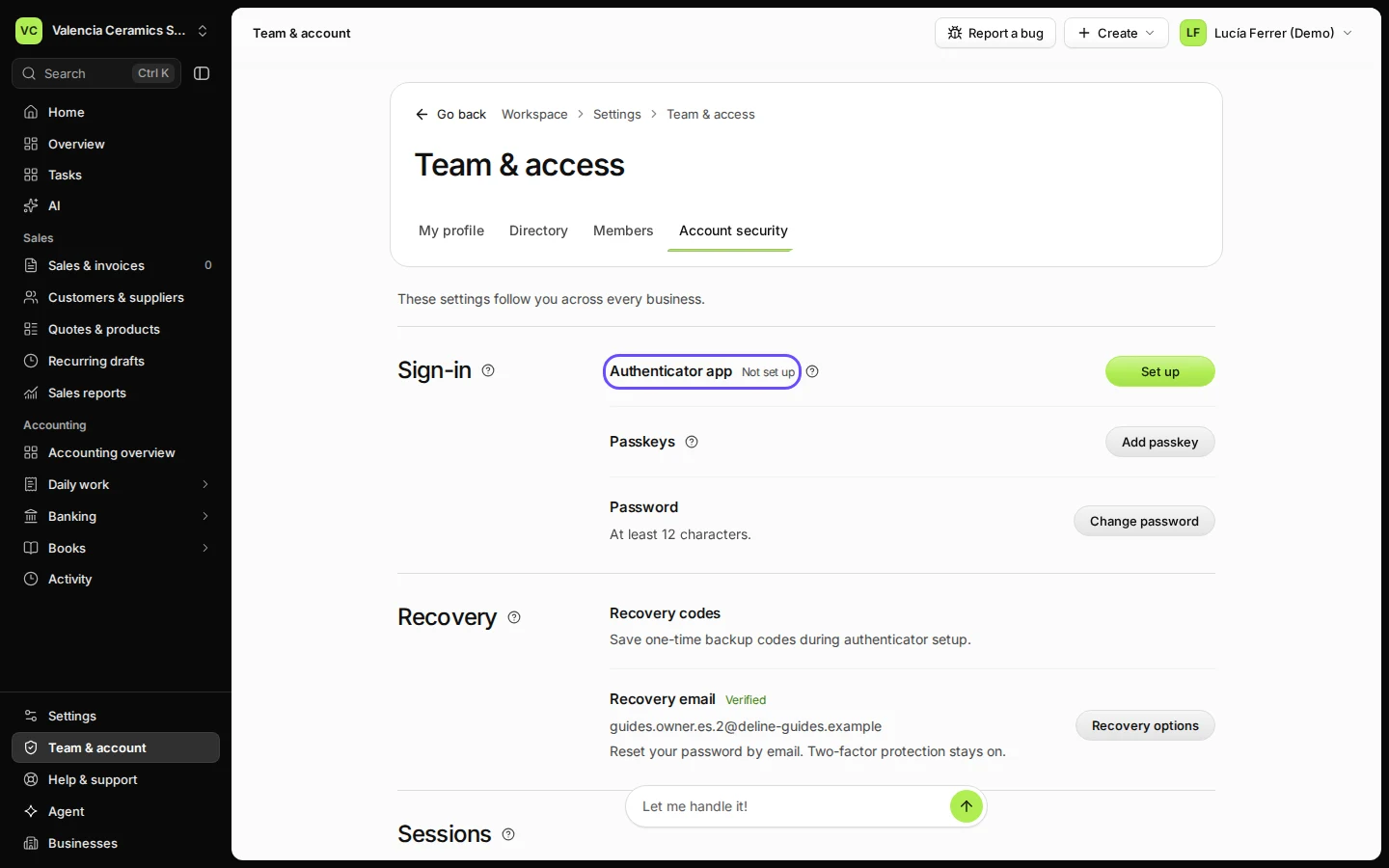
Open Team & account and choose Account security.
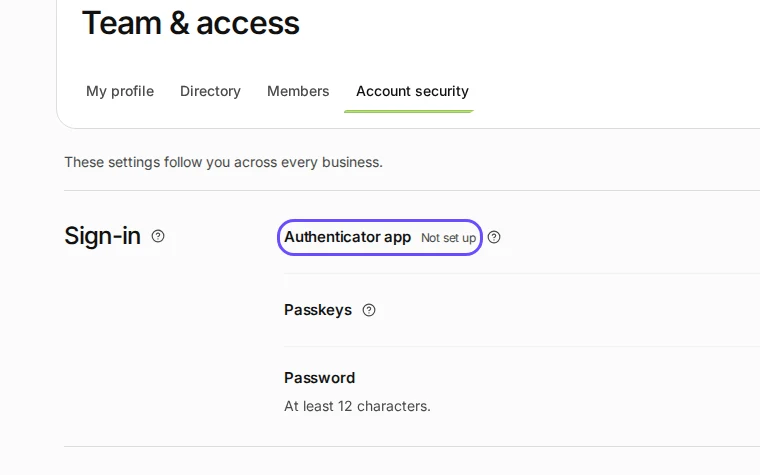
Step 1 in Deline (Spain business, fictional data) · See the whole screen Next to Authenticator app, press Set up and confirm with your password.
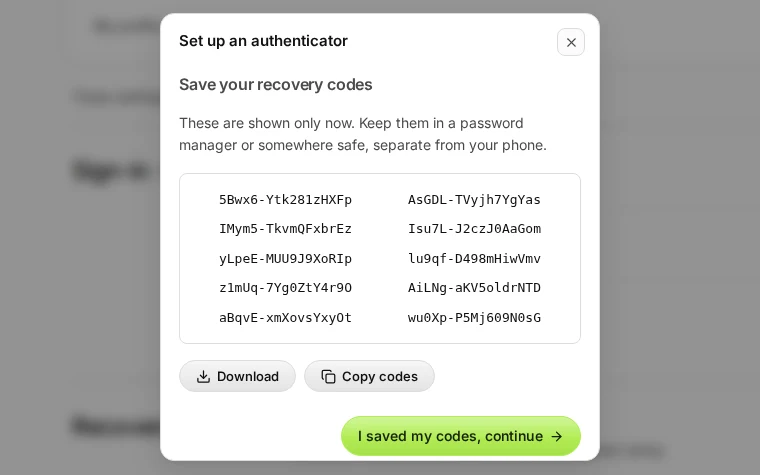
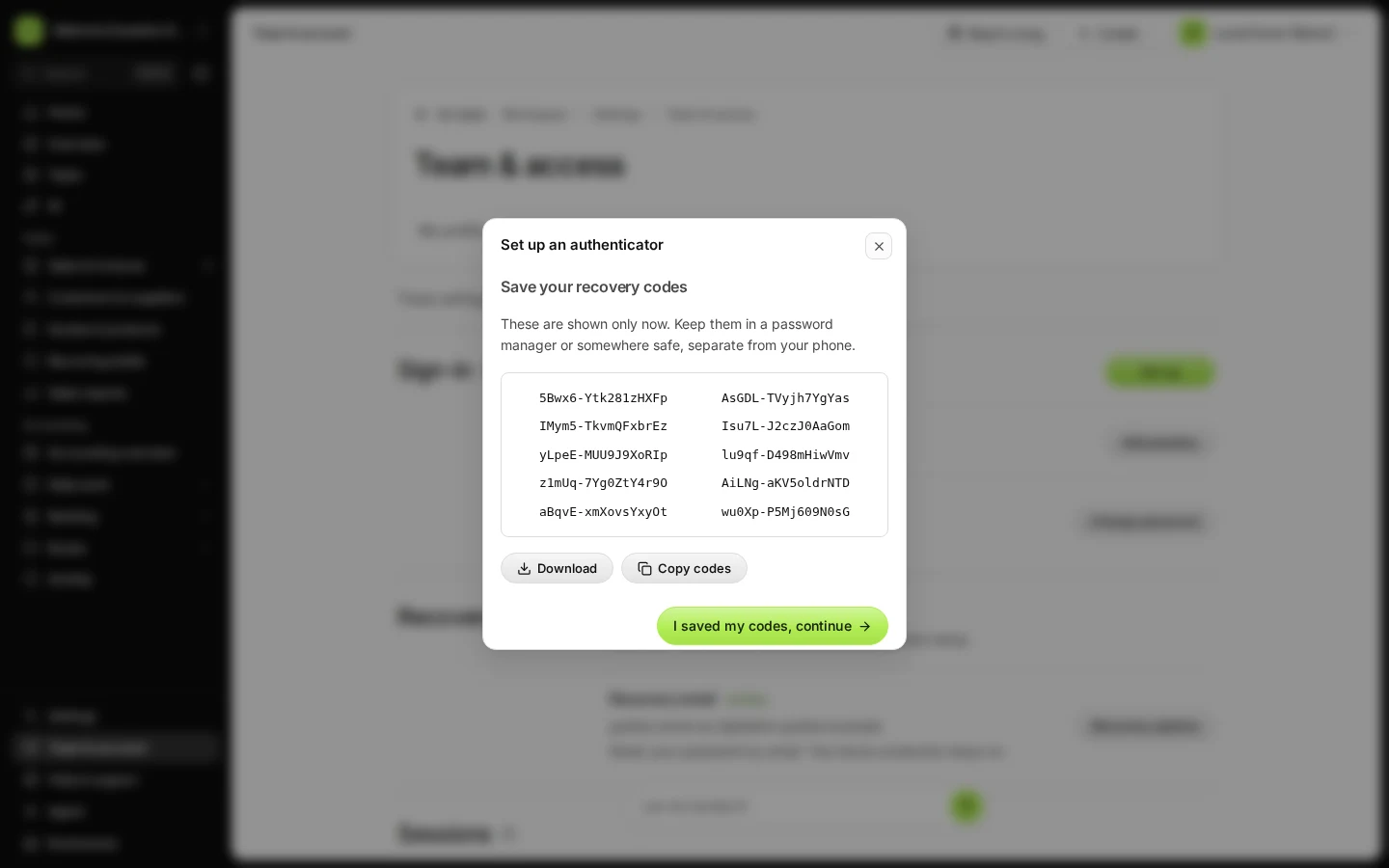
Step 2 in Deline (Spain business, fictional data) · See the whole screen Save your recovery codes: press Download, keep the file safe, then press I saved my codes, continue.
The codes are shown only now. Each one signs you in once if you lose your phone.
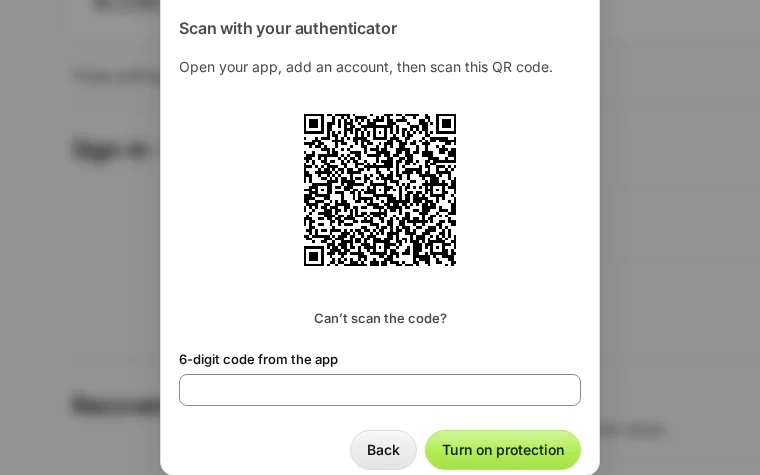
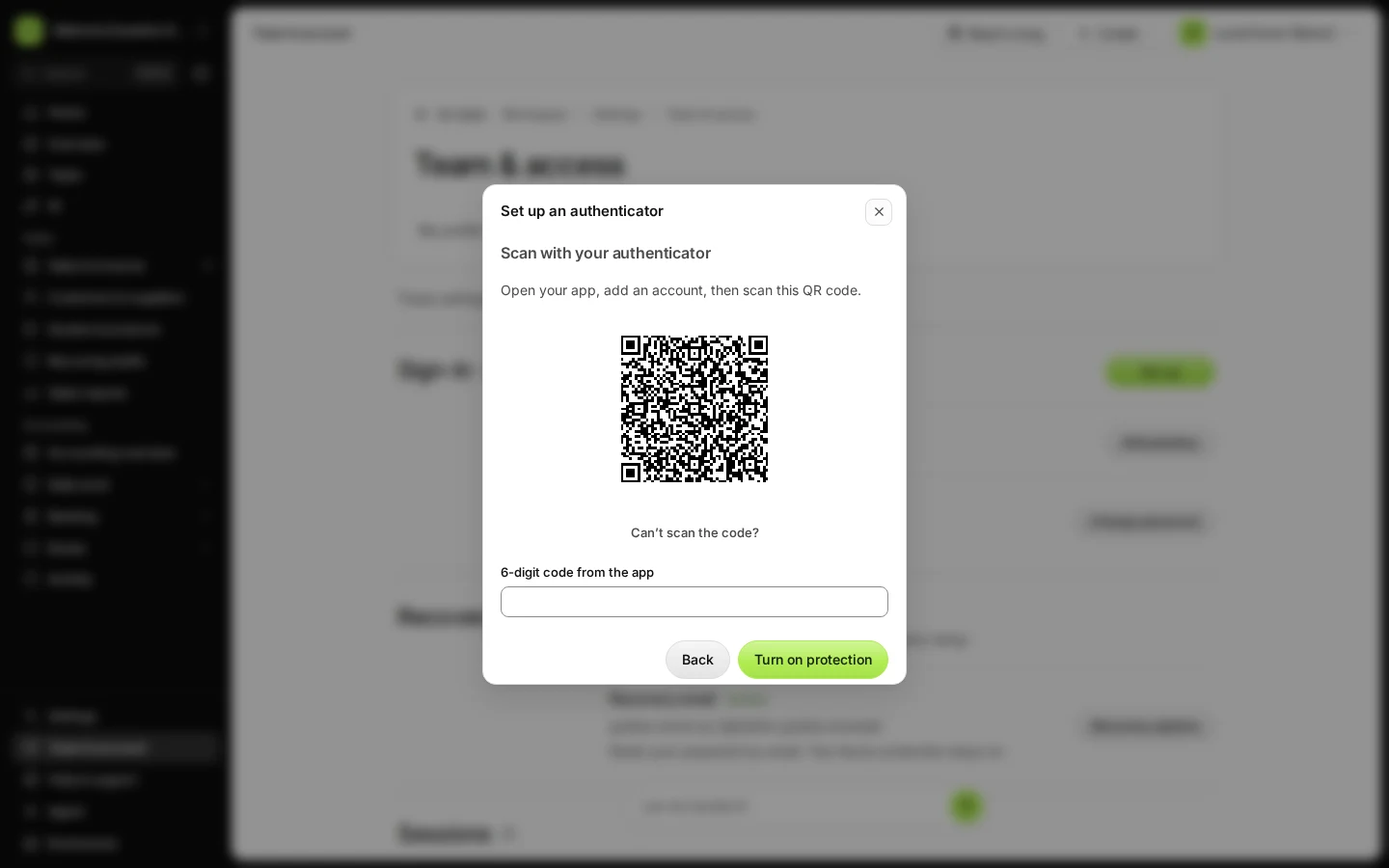
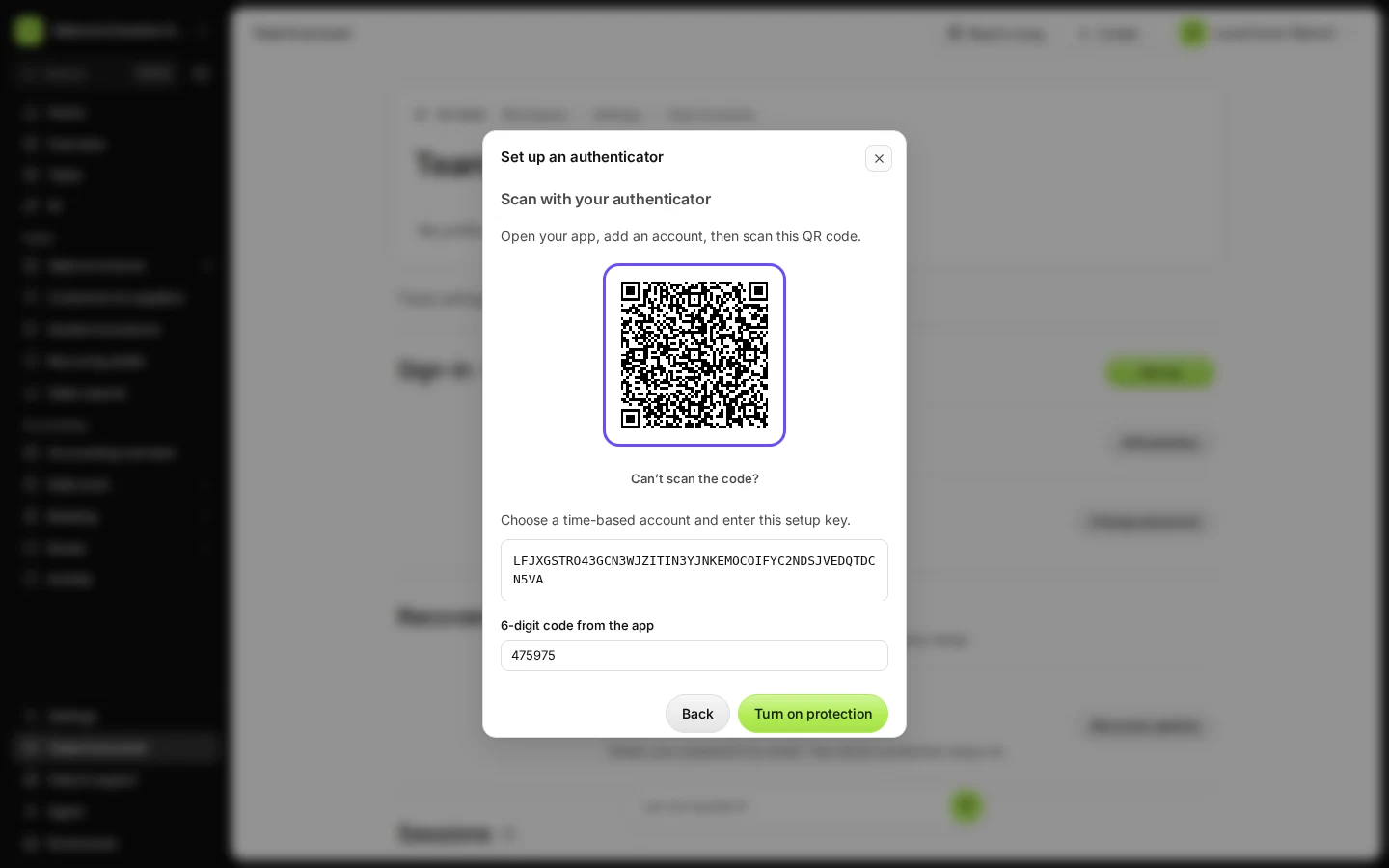
Step 3 in Deline (Spain business, fictional data) · See the whole screen Scan the QR code with your authenticator app and type the 6-digit code it shows.
Can't scan? Press Can’t scan the code? and type the setup key into the app.
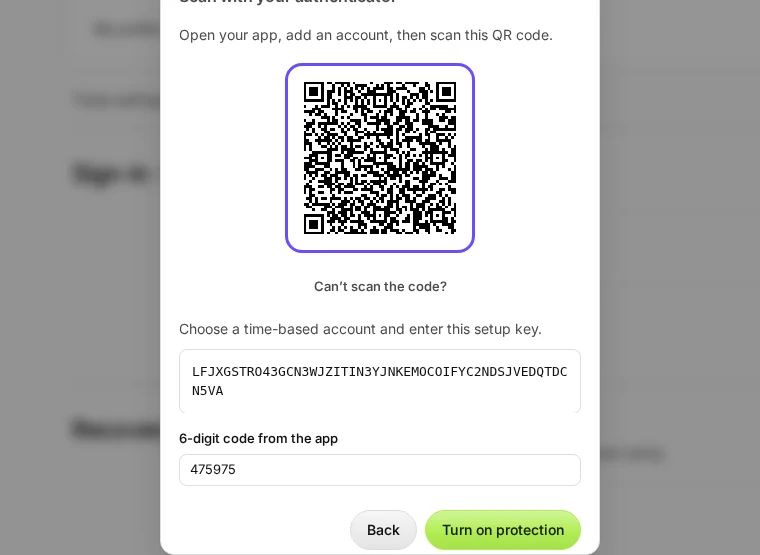
Step 4 in Deline (Spain business, fictional data) · See the whole screen Press Turn on protection.
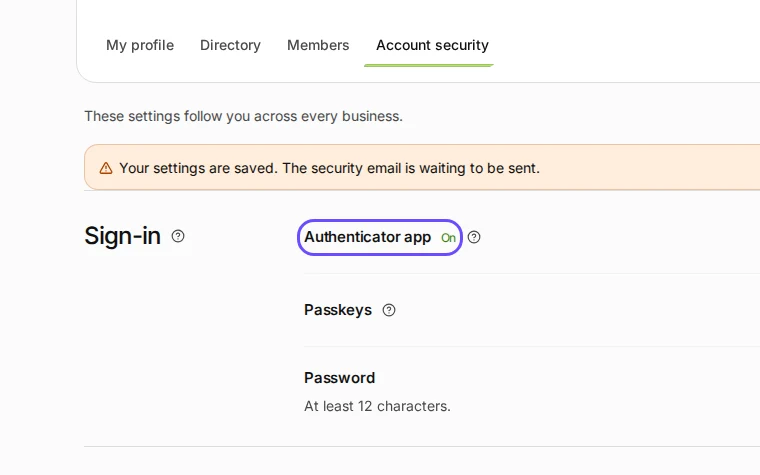
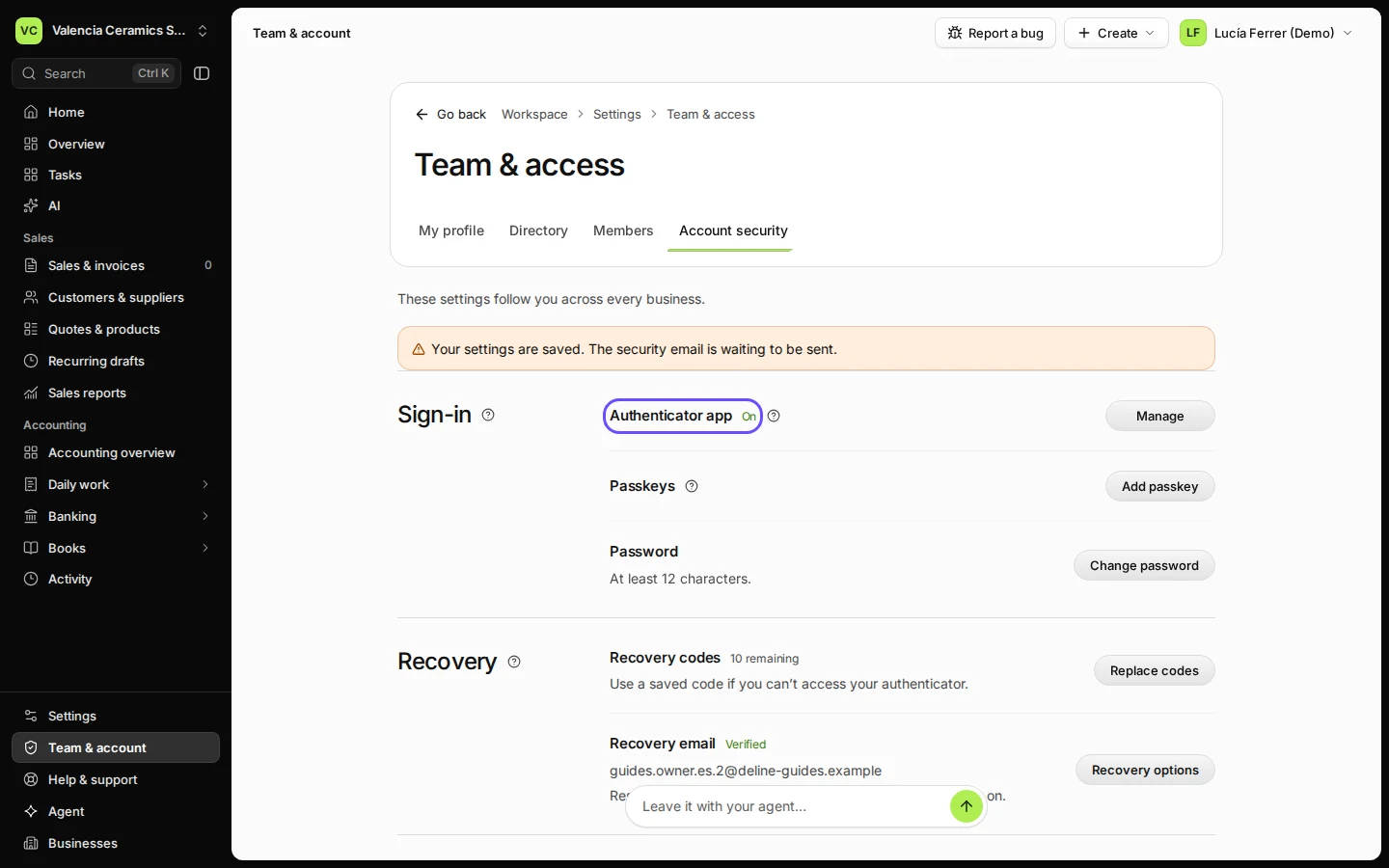
Step 5 in Deline (Spain business, fictional data) · See the whole screen
If something goes wrong
- "That code didn’t work. Enter the 6-digit code your authenticator app shows now.": check that your phone's clock is set automatically, then type the newest code.
Last checked 2026-11-08 by the guide runner on build 950c928ab (Deline cf14680cd) (local Deline stack).