
Steps
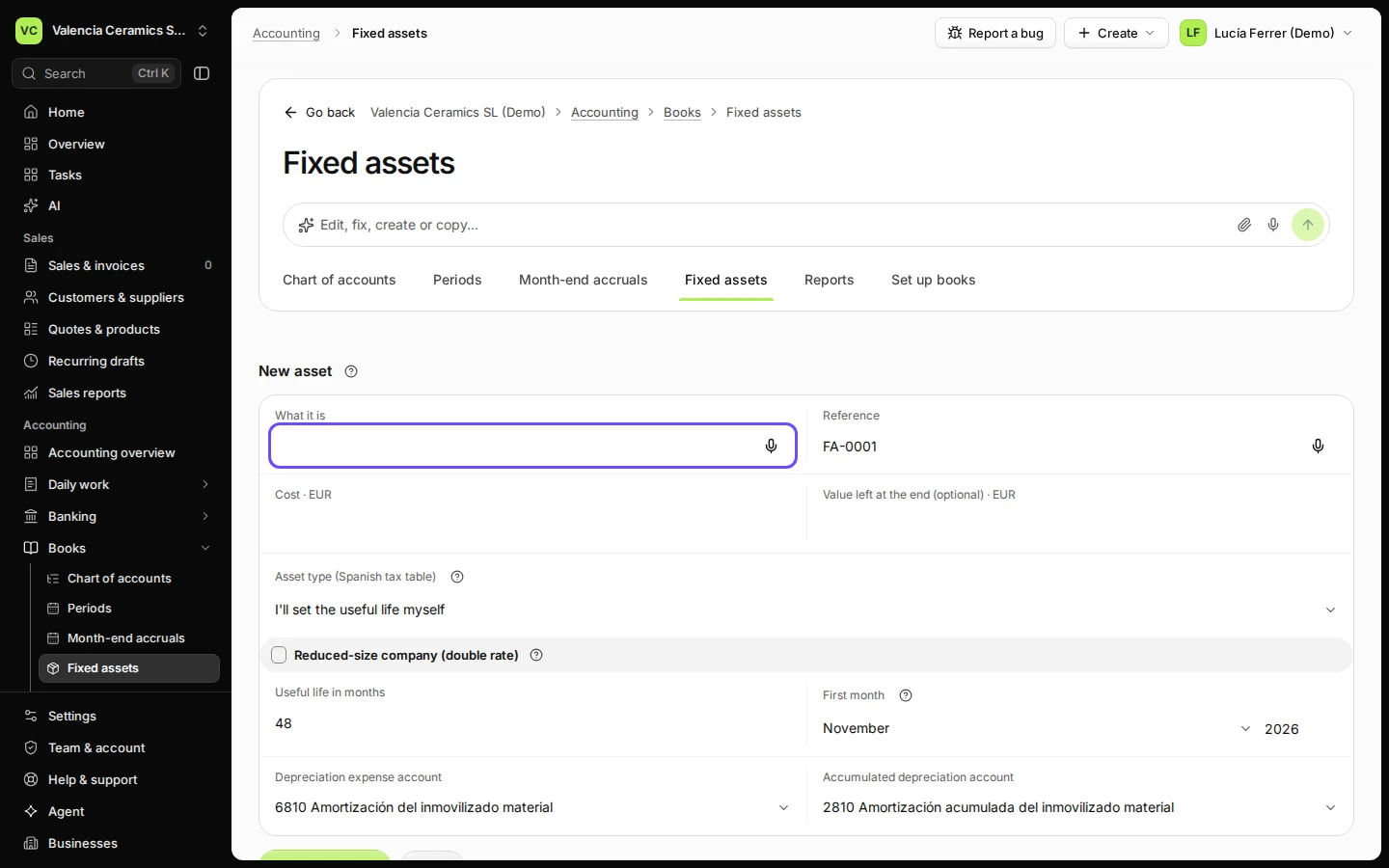
Open Fixed assets from Books and press Add an asset.
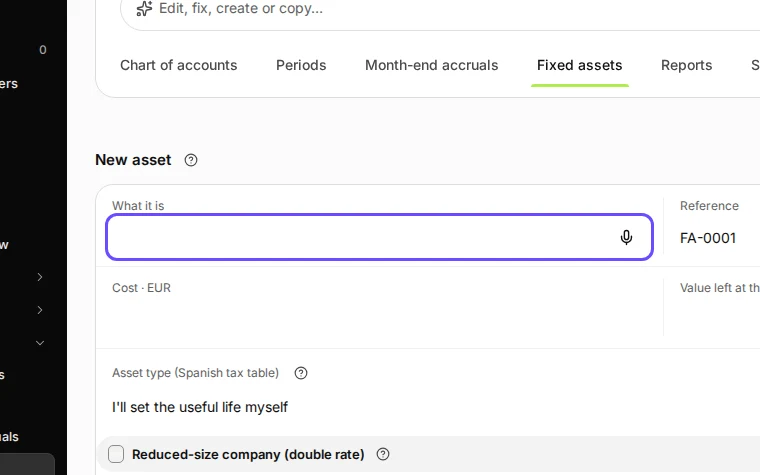
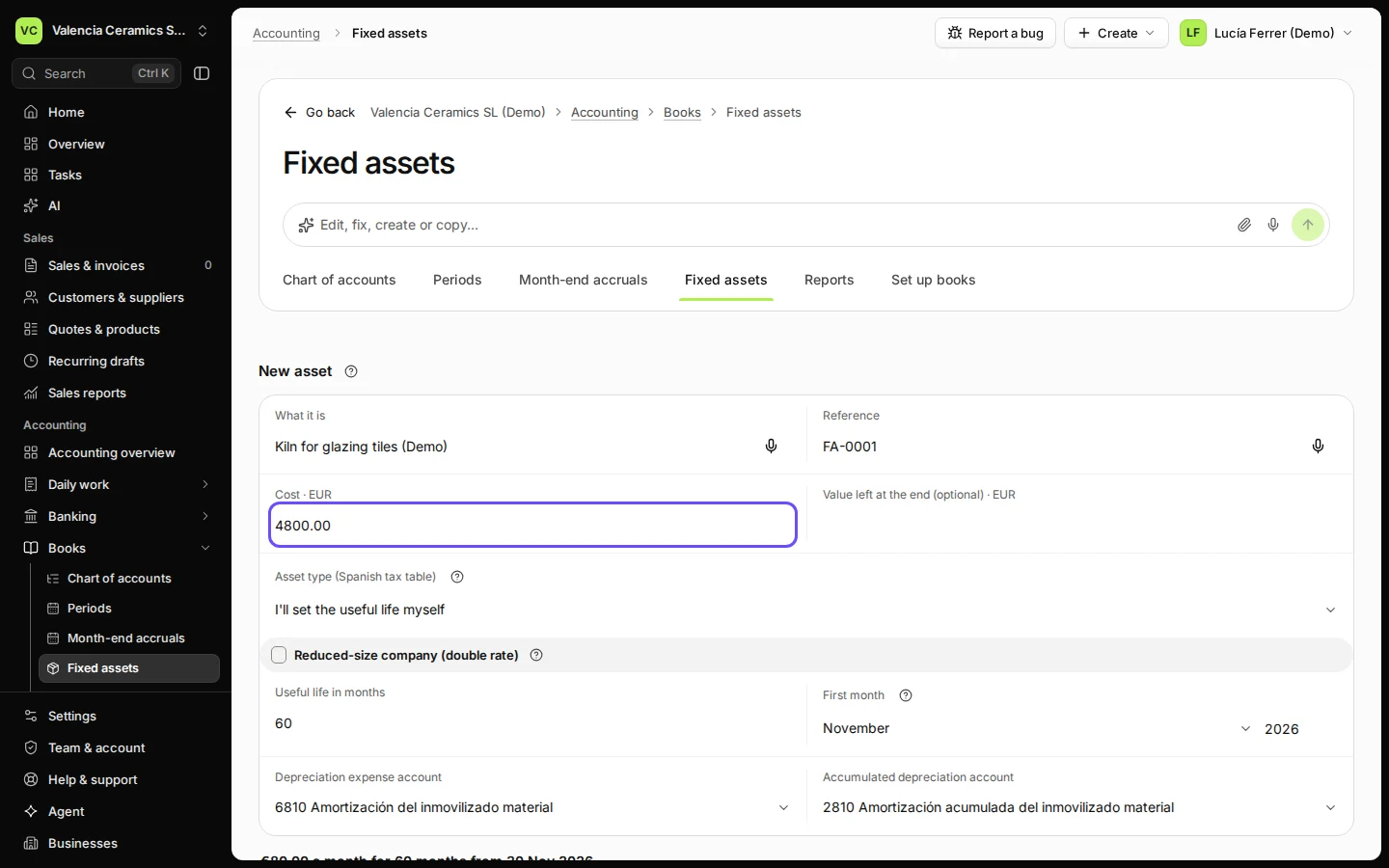
Step 1 in Deline (Spain business, fictional data) · See the whole screen Enter what it is, its cost and how many months it lasts.
In Spain you can pick the asset type from the Spanish tax table instead of entering the months yourself.
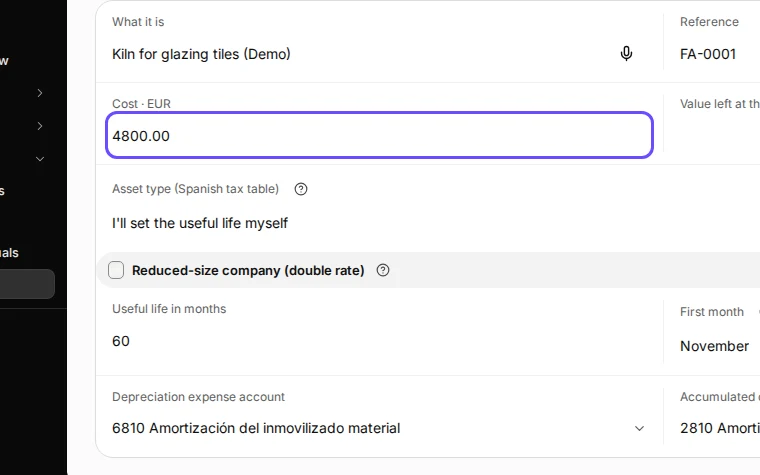
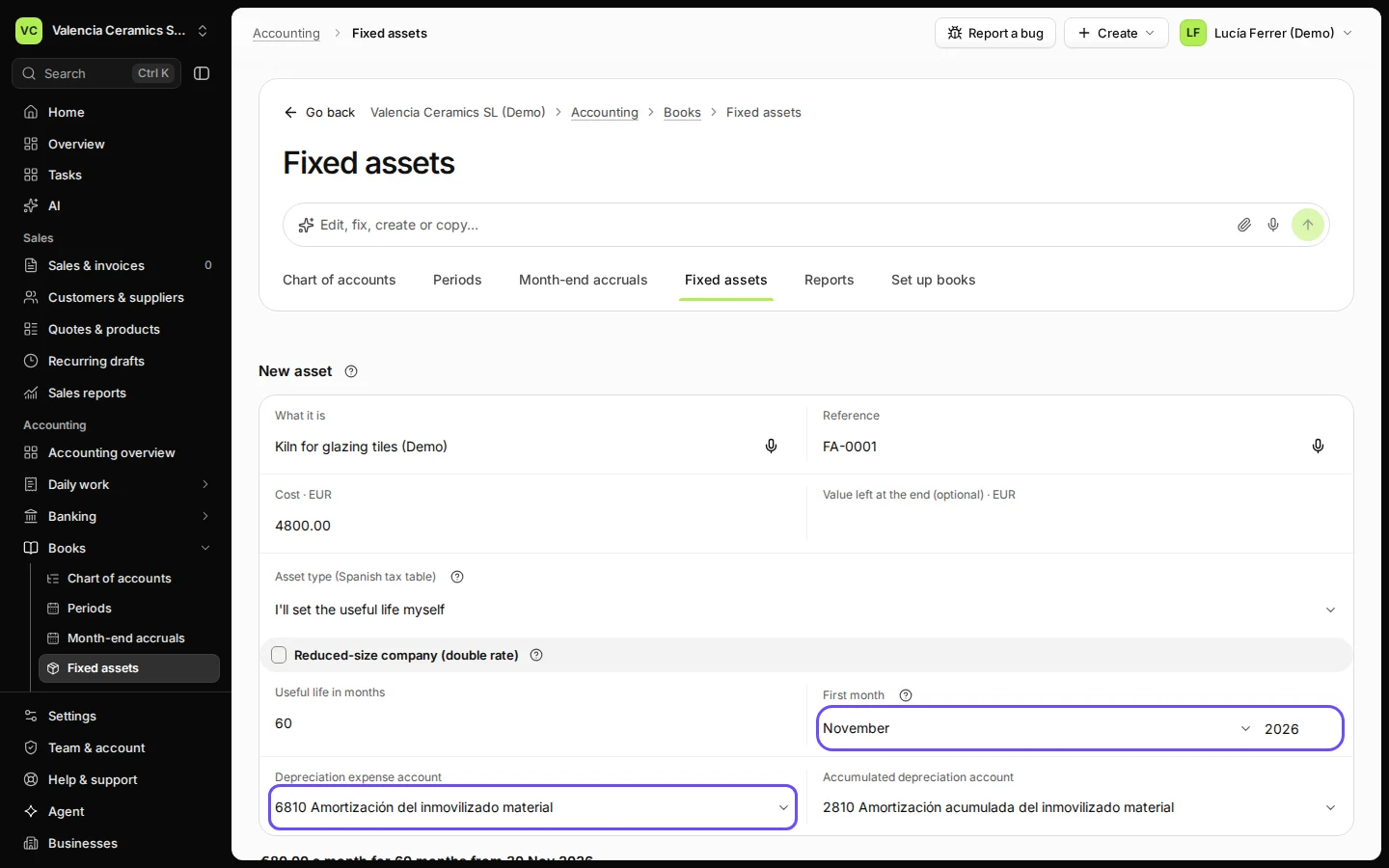
Step 2 in Deline (Spain business, fictional data) · See the whole screen Check the first month and the two accounts.
In Spain the accounts are 6810 and 2810 by default.
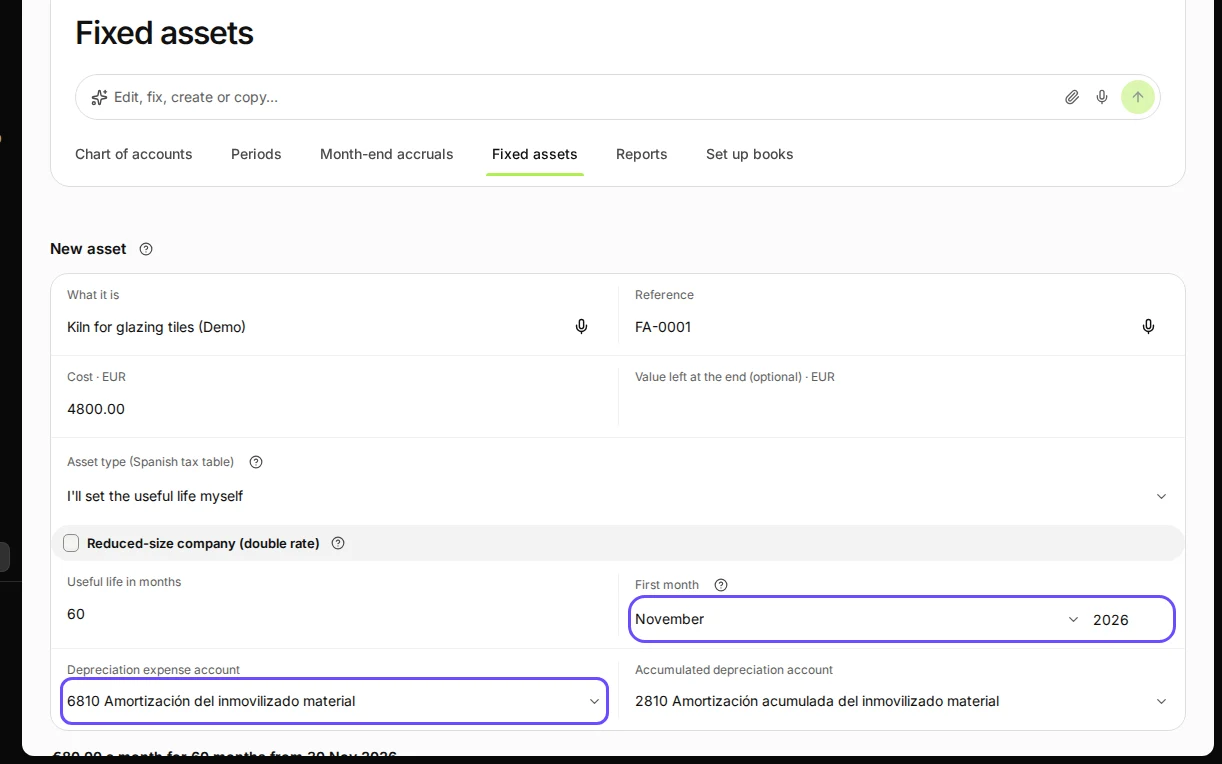
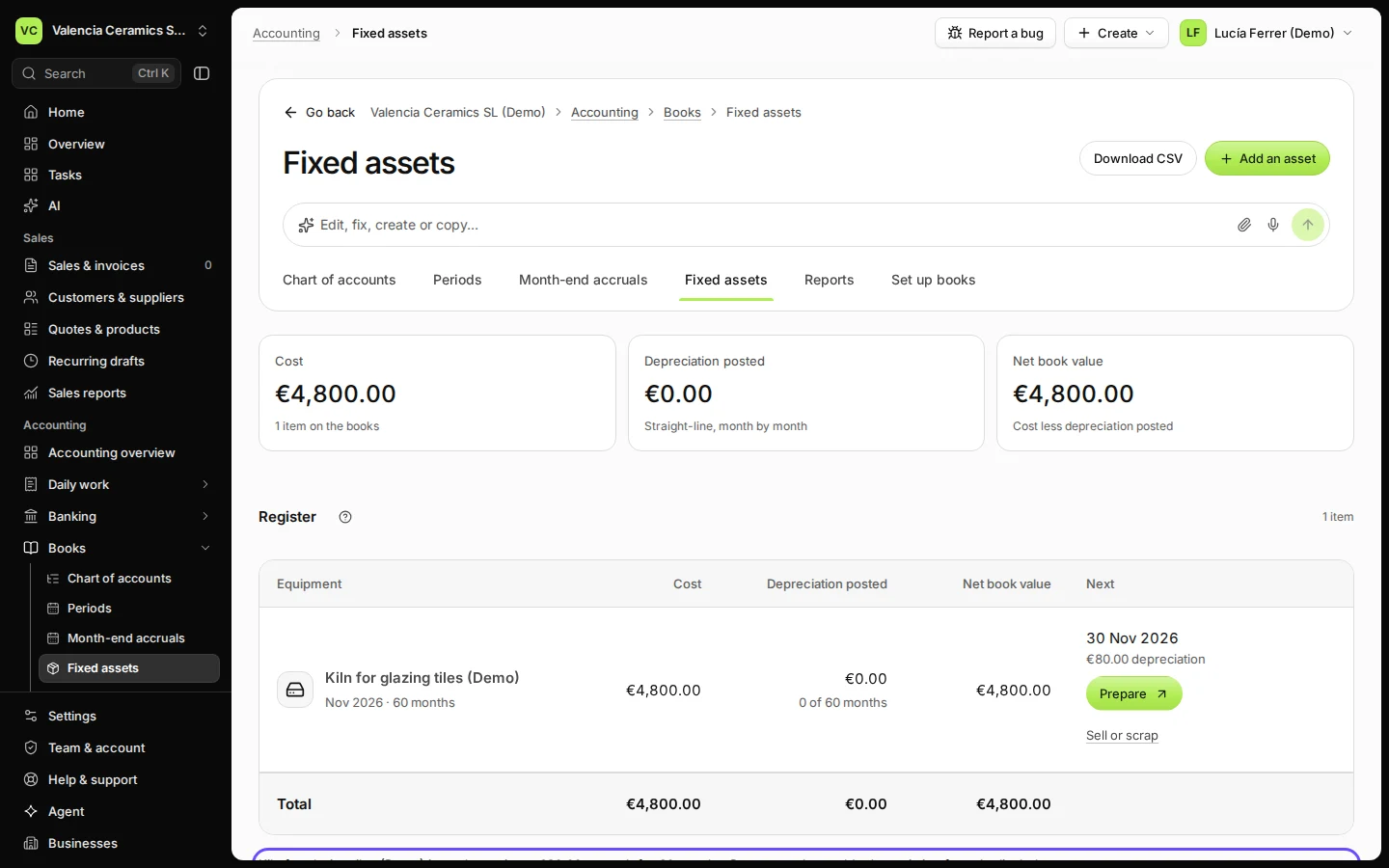
Step 3 in Deline (Spain business, fictional data) · See the whole screen Press Add to the register.
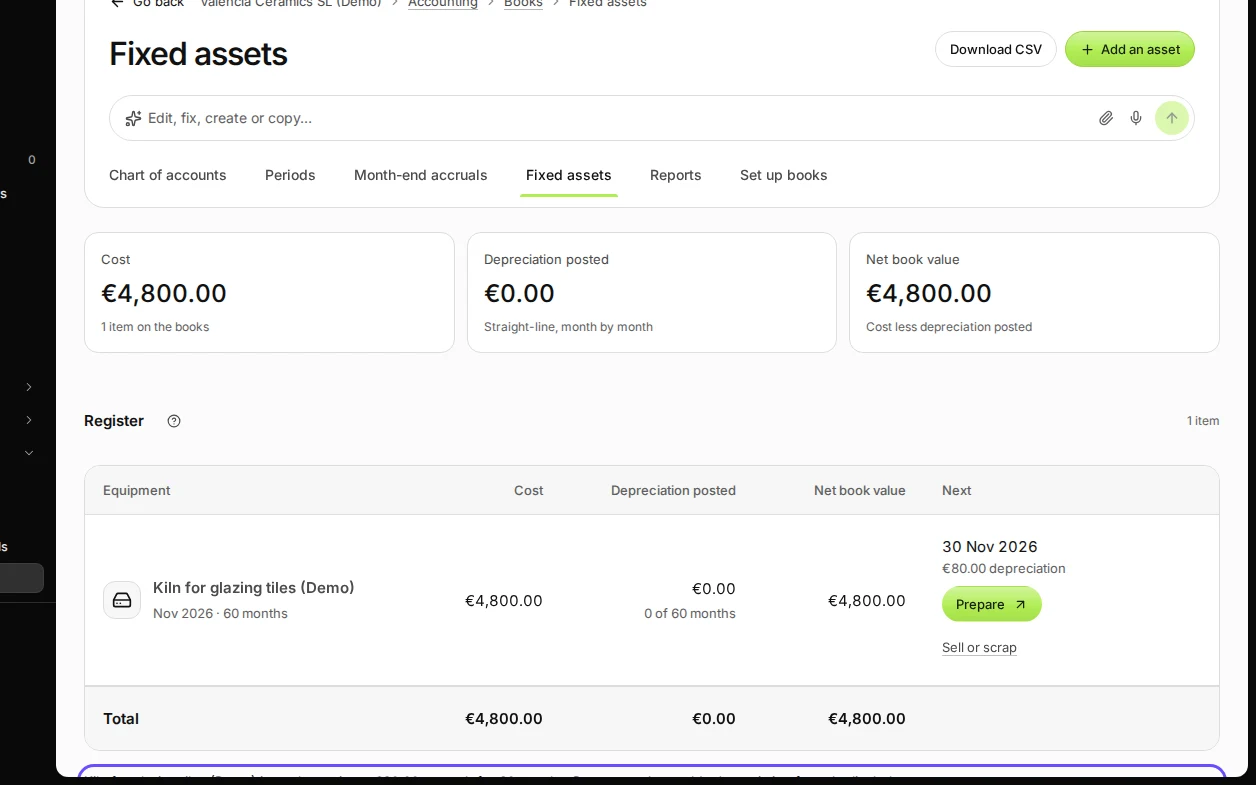
Step 4 in Deline (Spain business, fictional data) · See the whole screen
Last checked 2026-11-08 by the guide runner on build 950c928ab (Deline cf14680cd) (local Deline stack).