
Before you start
- The invoice is issued.
- You are the owner or an editor of the business.
Steps
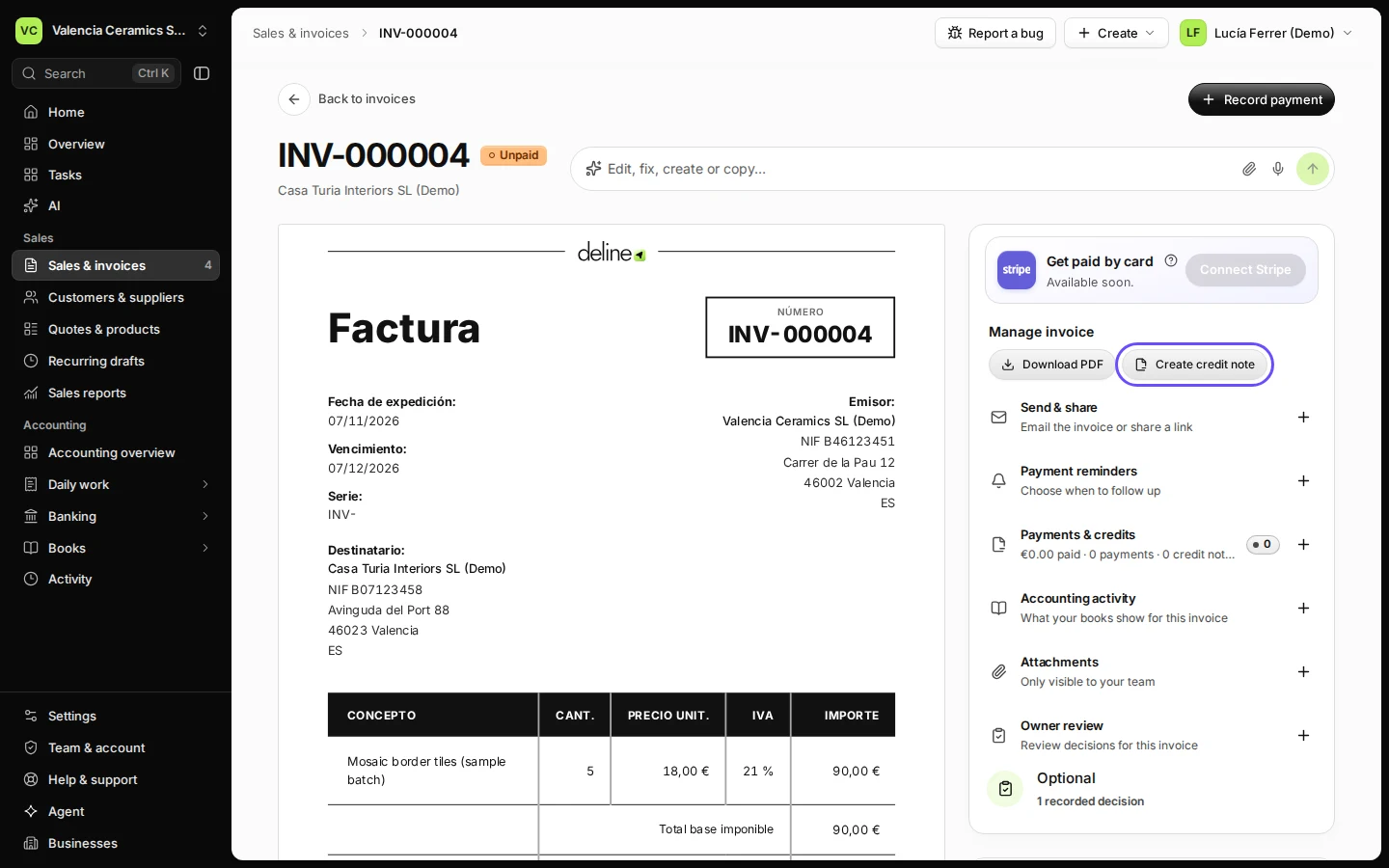
Open the issued invoice.
Find it in Sales & invoices and click its number.
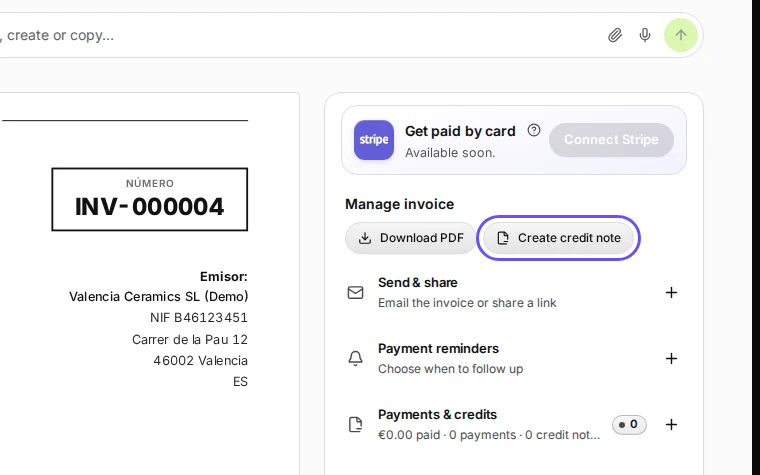
Step 1 in Deline (Spain business, fictional data) · See the whole screen Press Create credit note.
You find it under Manage invoice.
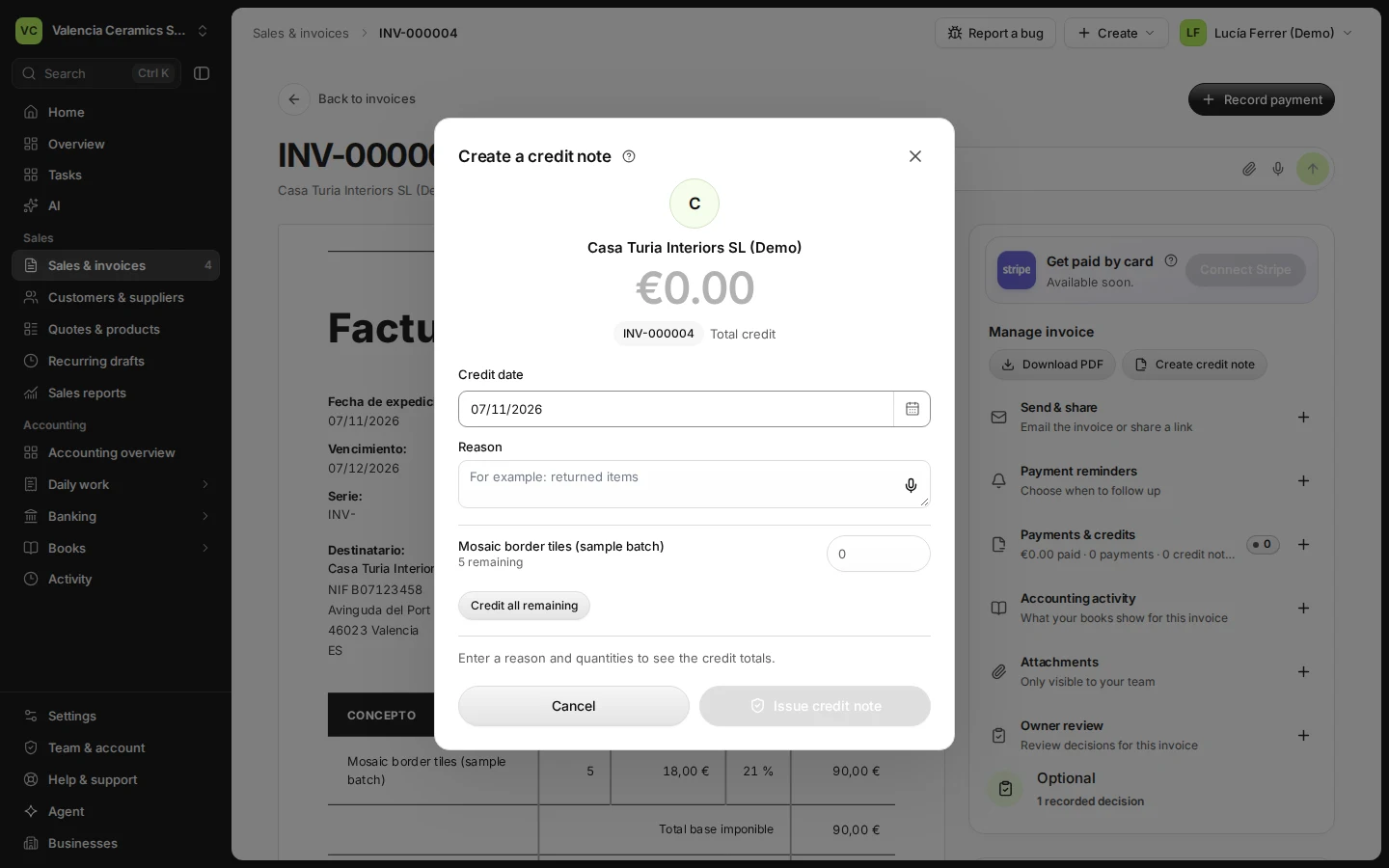
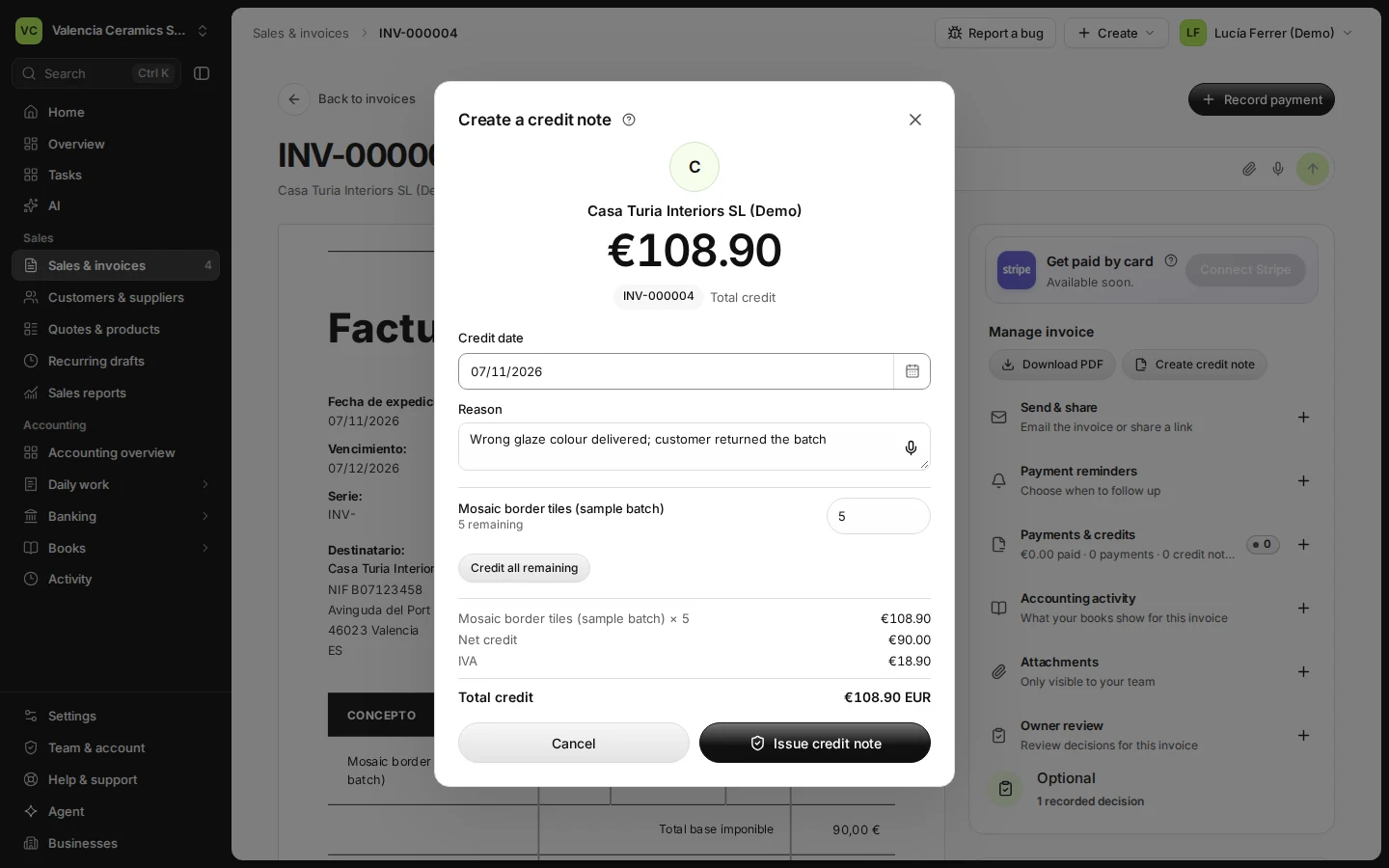
Step 2 in Deline (Spain business, fictional data) Choose what to credit and give the reason.
Press Credit all remaining to cancel the whole invoice, or lower the quantity on each line. The reason prints on the credit note.
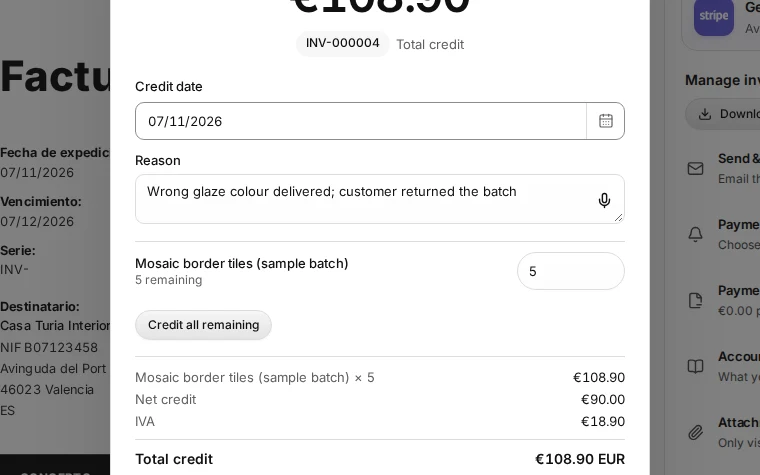
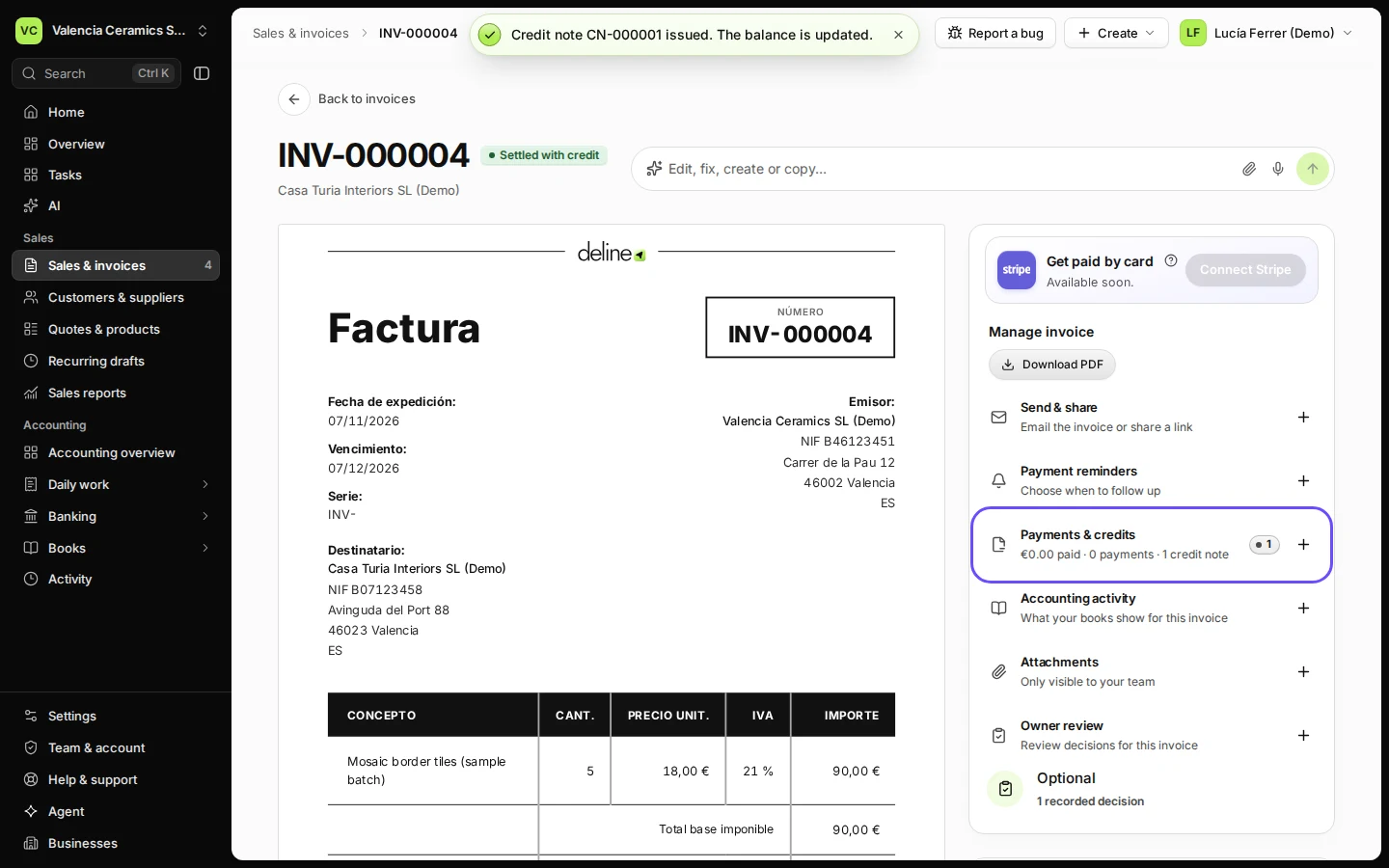
Step 3 in Deline (Spain business, fictional data) · See the whole screen Press Issue credit note.
The credit note gets its own number. The invoice shows it under Payments & credits and owes that much less.
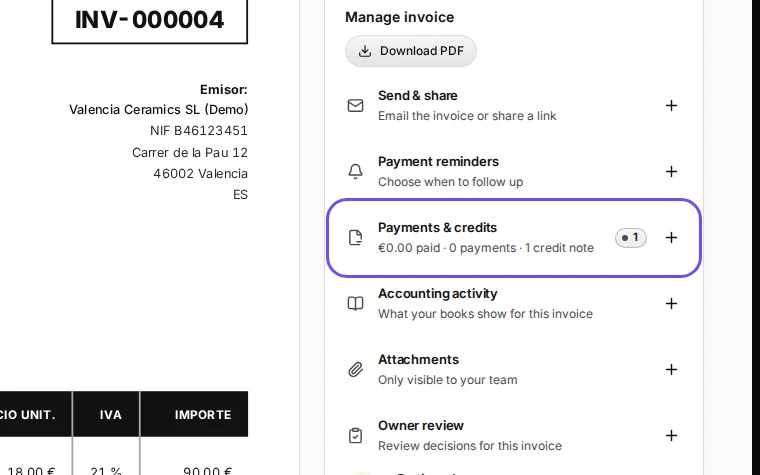
Step 4 in Deline (Spain business, fictional data) · See the whole screen


If something goes wrong
- "The total credit exceeds the original invoice": earlier credit notes already cover part of it. Credit only what remains.
- You need to charge the customer again correctly: after the credit note, create a new invoice with the right details.
Last checked 2026-11-07 by the guide runner on build c5fbd2fa6 (Deline 12a482996) (local Deline stack, desktop and phone).