
Before you start
- The invoice is issued (it has a number).
- You are the owner or an editor of the business.
Steps
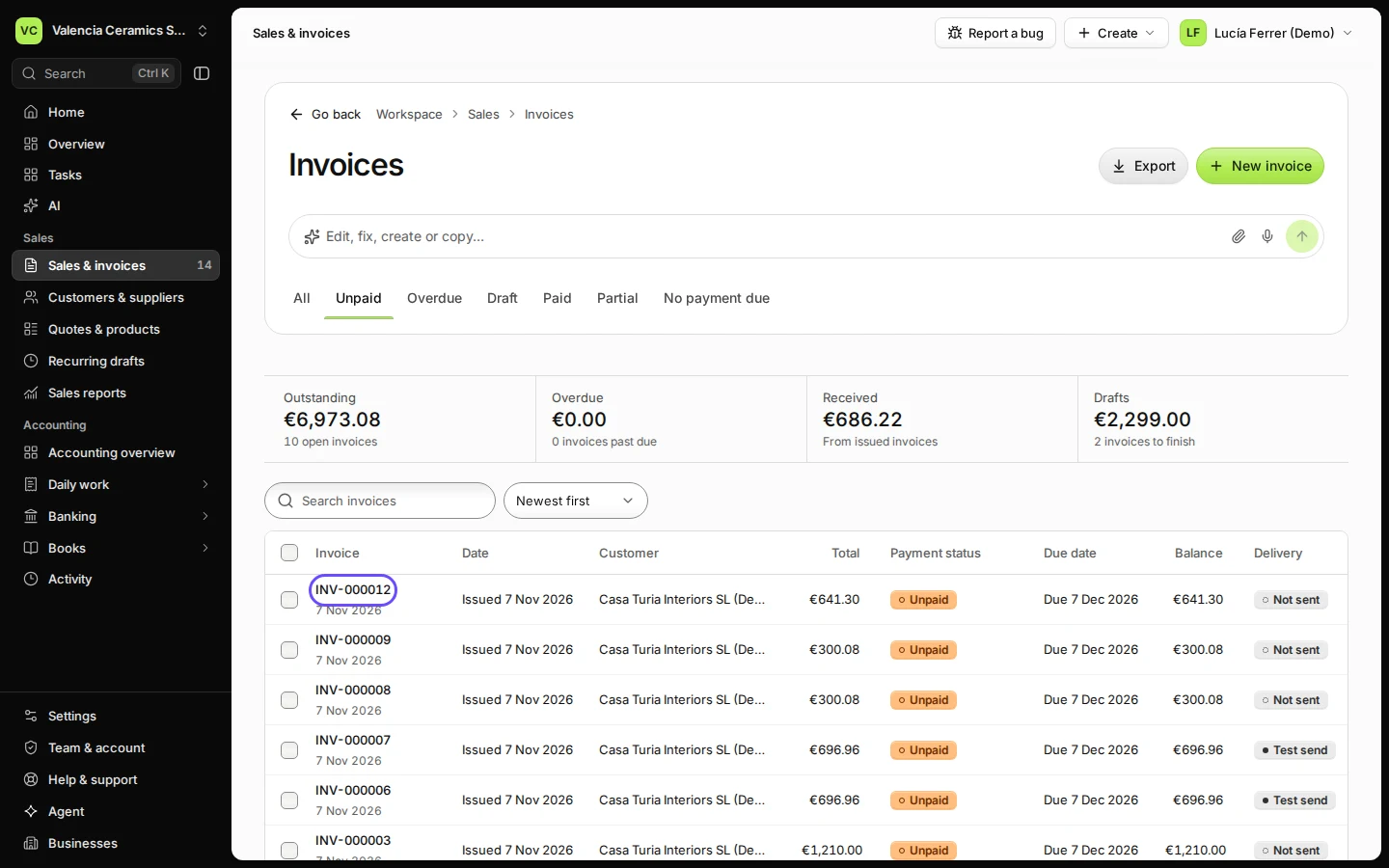
Open the invoice from Sales & invoices.
Click its number in the list. The Unpaid filter shows only invoices still waiting for money.
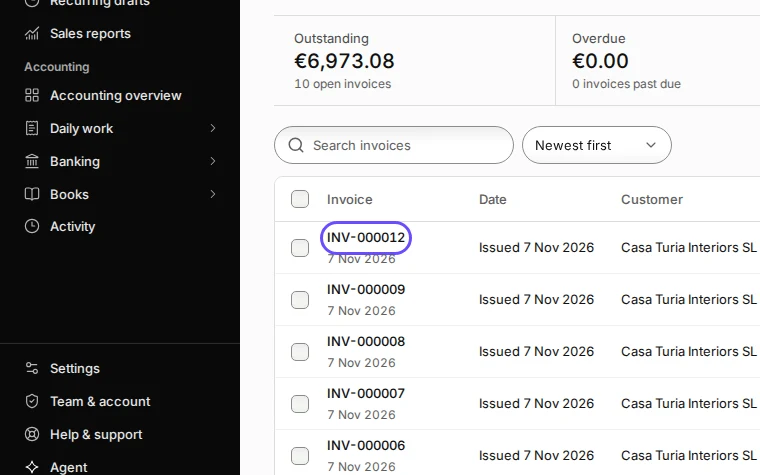
Step 1 in Deline (Spain business, fictional data) · See the whole screen Press Record payment.
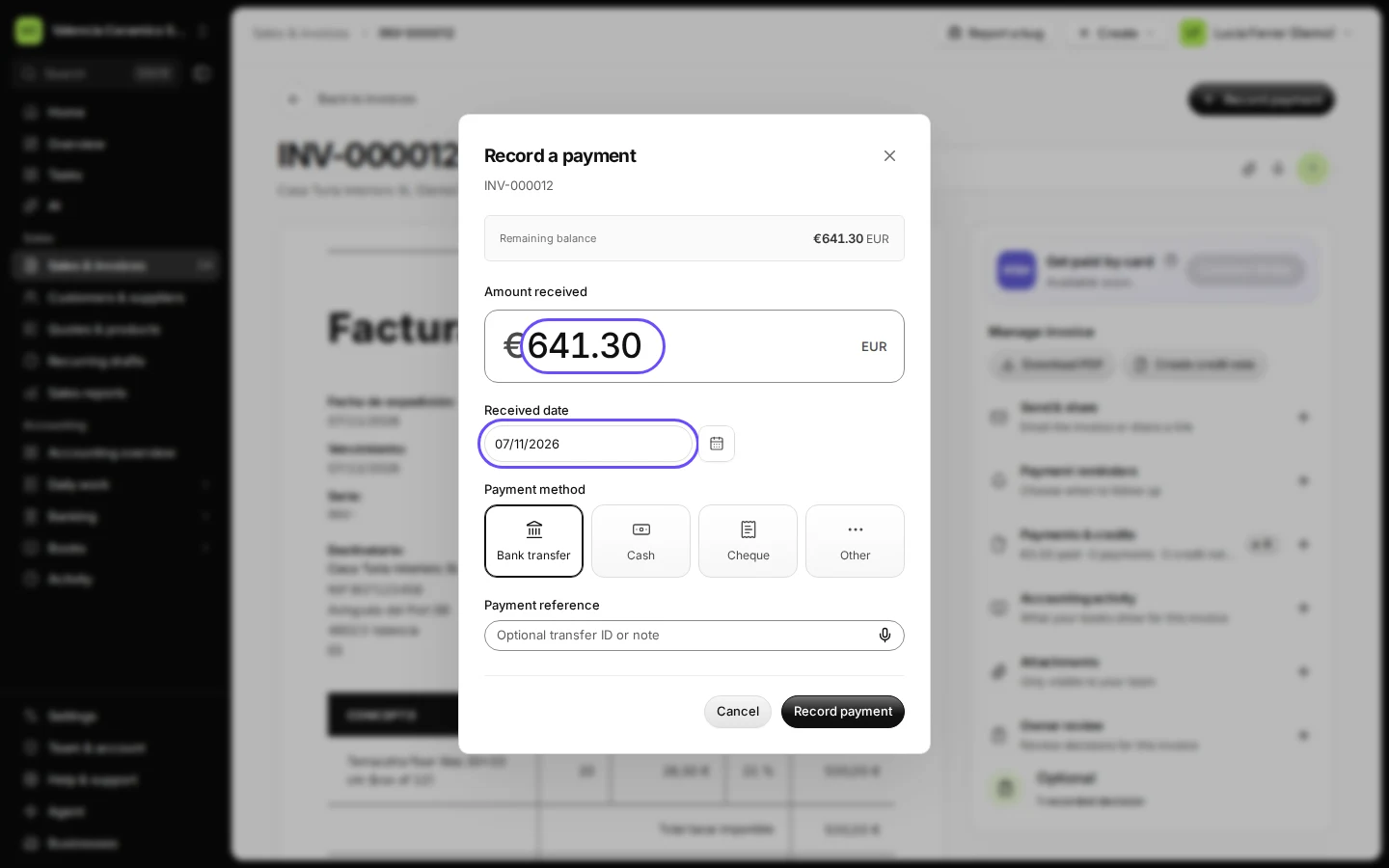
The window shows the remaining balance and fills it in as the amount.
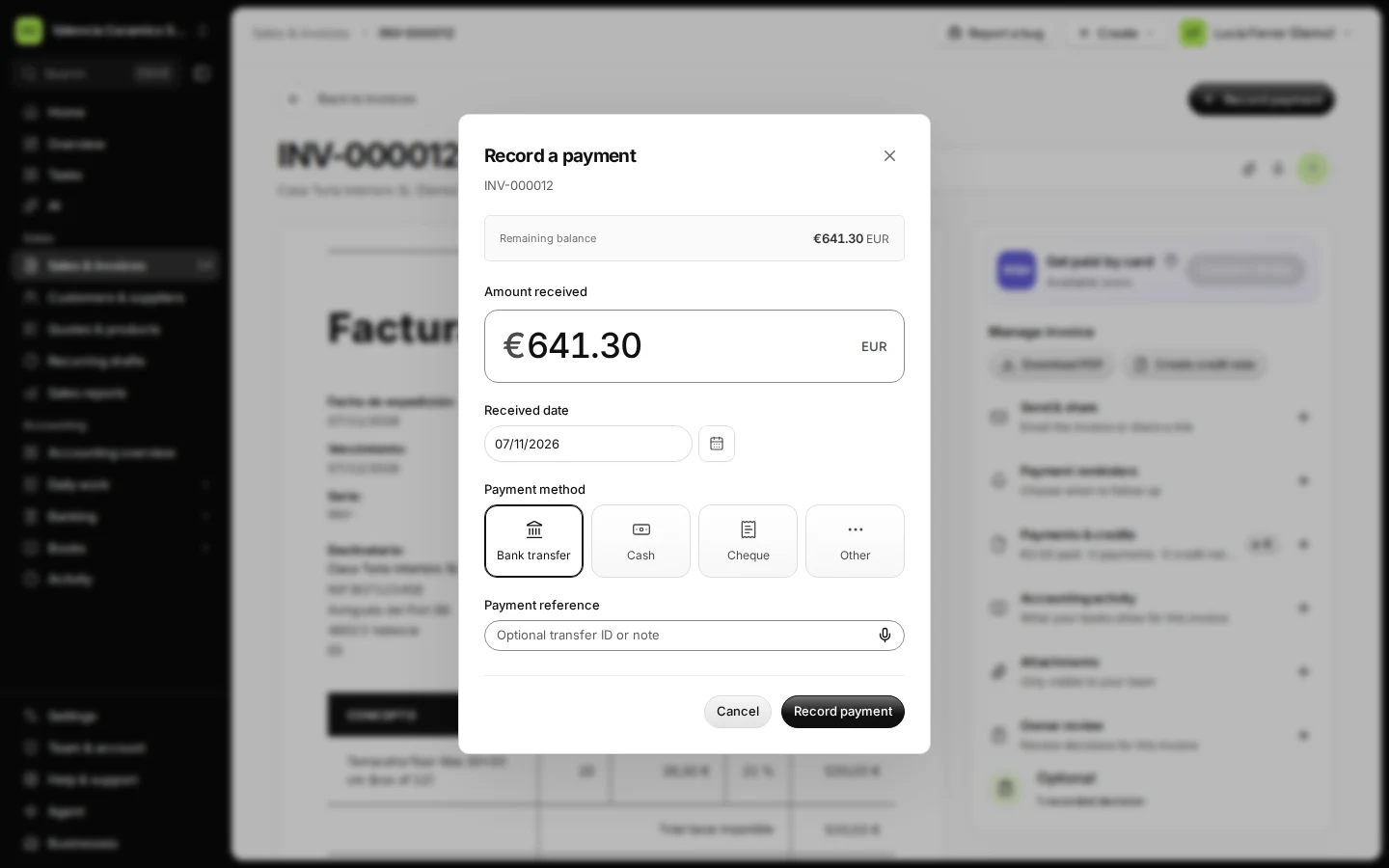
Step 2 in Deline (Spain business, fictional data) Check the amount, the date and the payment method.
Use the date the money reached your account. Change the amount if only part was paid.
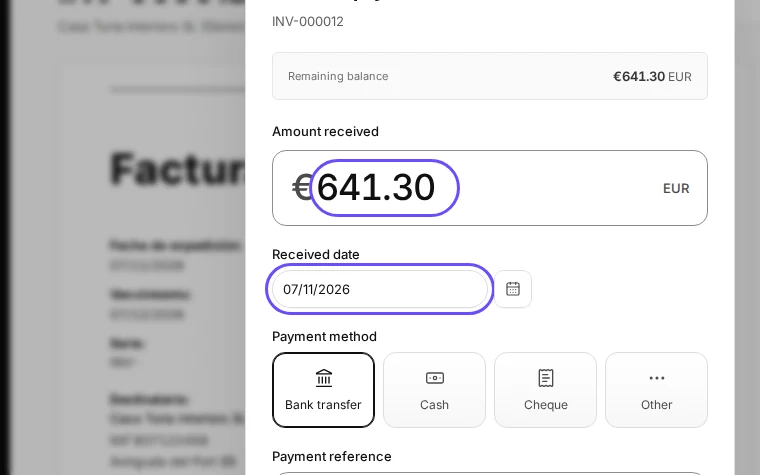
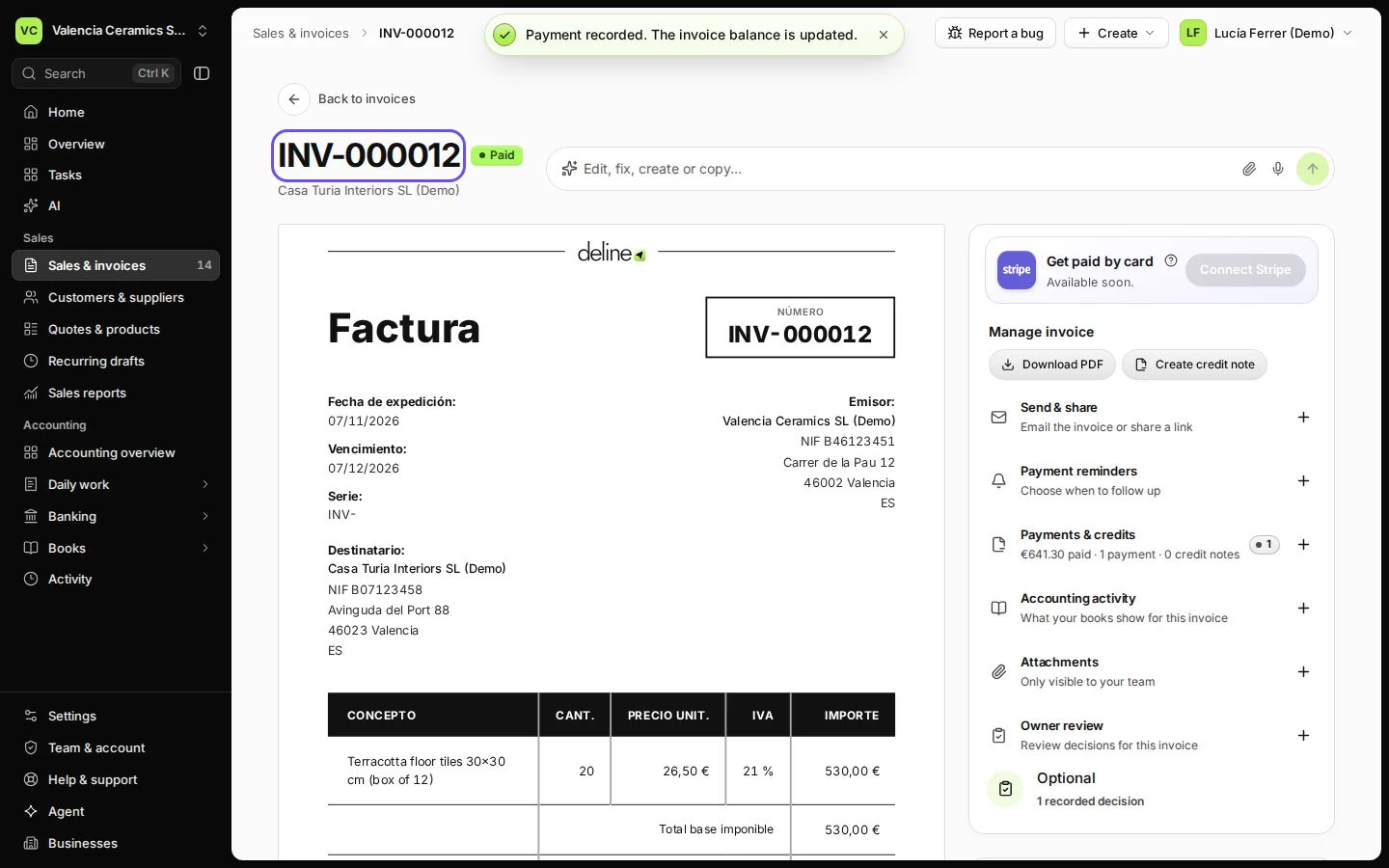
Step 3 in Deline (Spain business, fictional data) · See the whole screen Press Record payment.
The invoice now says Paid. Its payment history shows who recorded it and when.
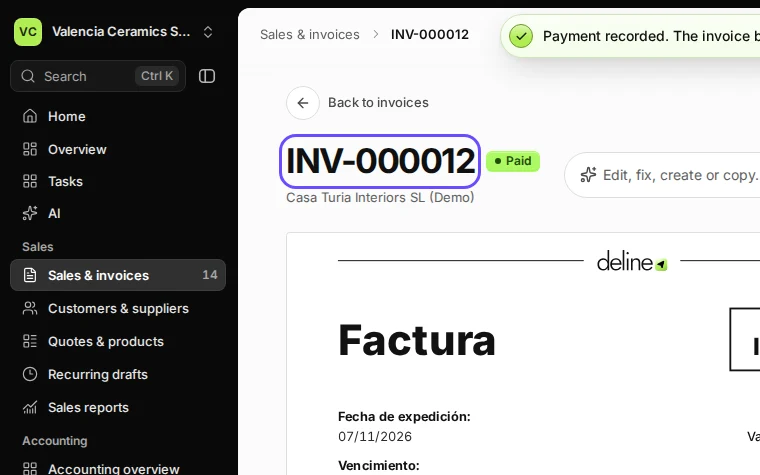
Step 4 in Deline (Spain business, fictional data) · See the whole screen


If something goes wrong
- "The payment exceeds the outstanding balance": someone already recorded part of it. Refresh the invoice and record only what is left.
- "A payment cannot be dated after today": choose the date the money actually arrived.
- You recorded it on the wrong invoice: open Payments & credits, press Void… on that payment with a short reason, and record it on the right invoice.
Last checked 2026-11-07 by the guide runner on build c5fbd2fa6 (Deline 12a482996) (local Deline stack, desktop and phone).