
Before you start
- You are the owner.
- No invoice has been issued and the books are not set up yet. If they are, create a new business for the other country instead.
Steps
Open Settings and press Change tax country.
Where this business is taxed is the first section of Settings → Business.
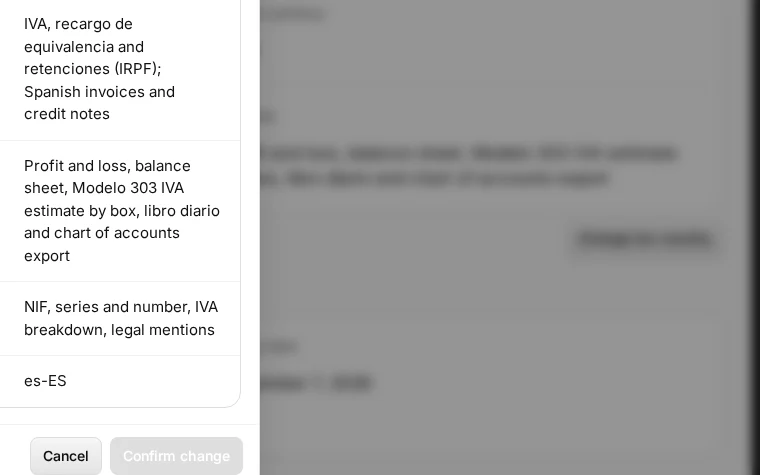
Step 1 in Deline (Spain business, fictional data) · See the whole screen Choose the country.
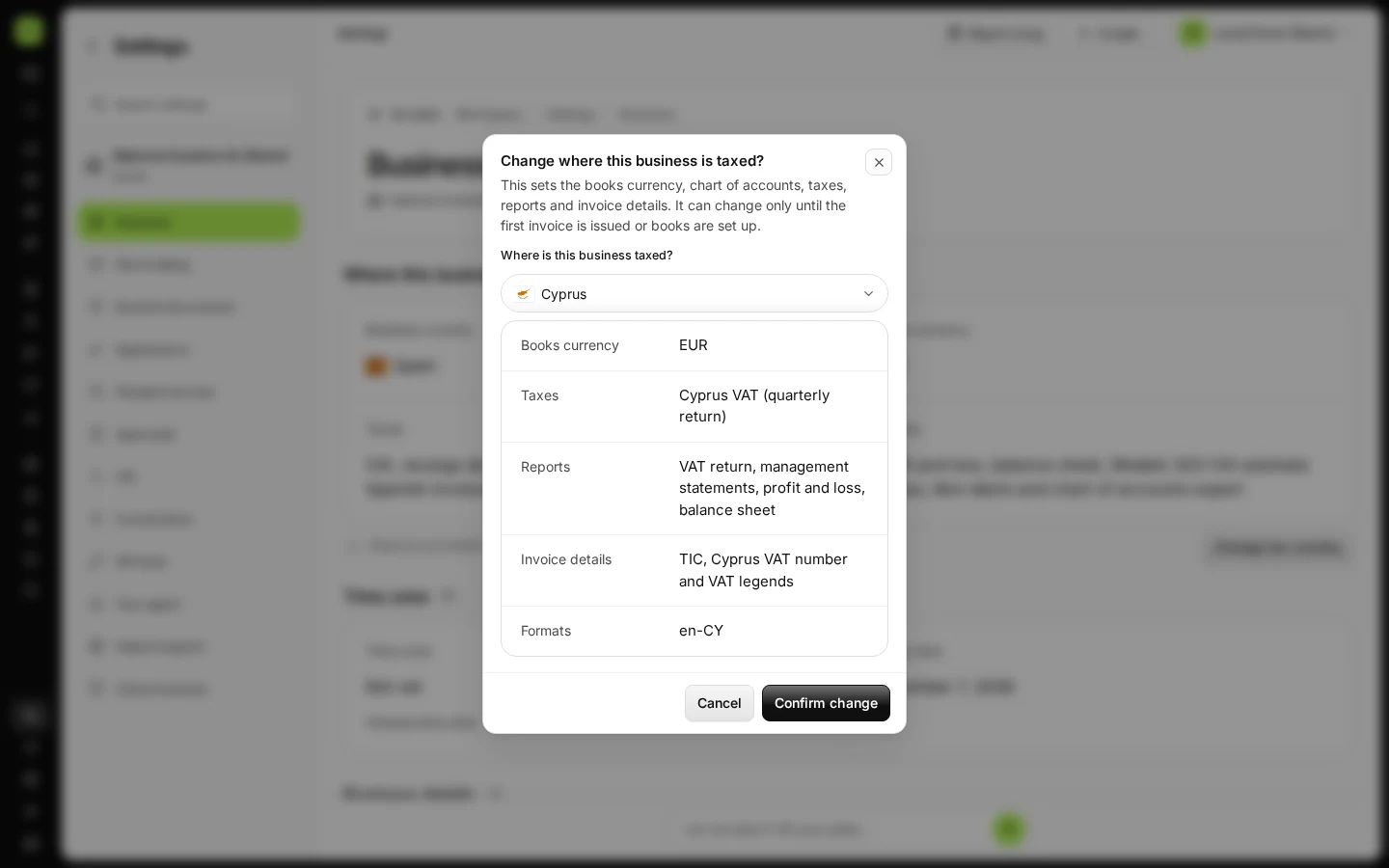
The window shows what changes with it: books currency, taxes, reports, invoice details and formats.
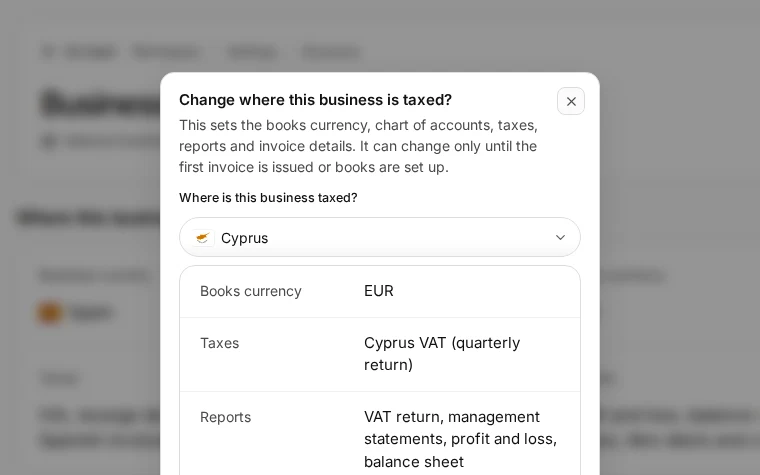
Step 2 in Deline (Spain business, fictional data) · See the whole screen Check what changes and press Confirm change.
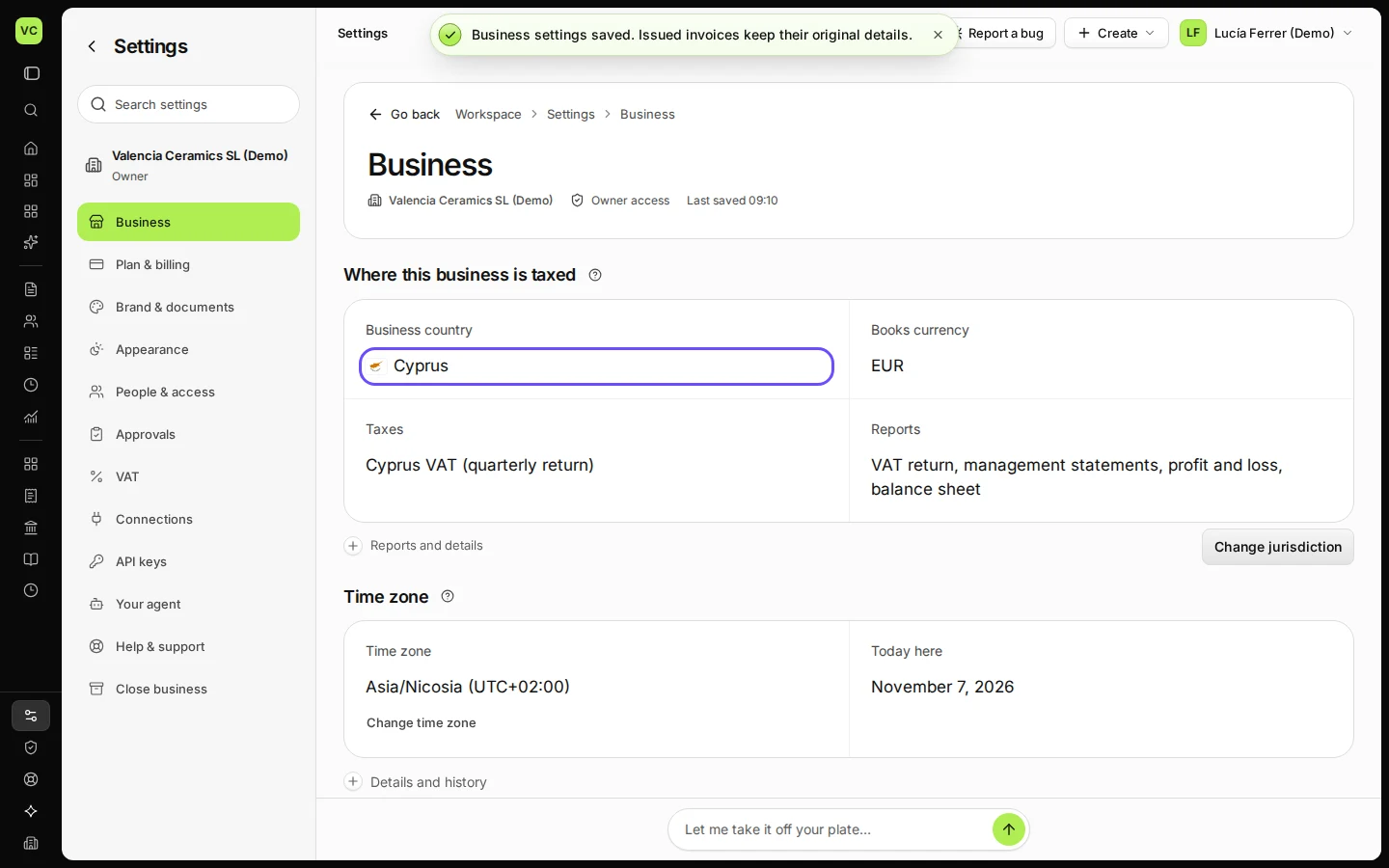
Business country now shows the new country. Fill in its tax details below (for Cyprus: TIC and VAT number).
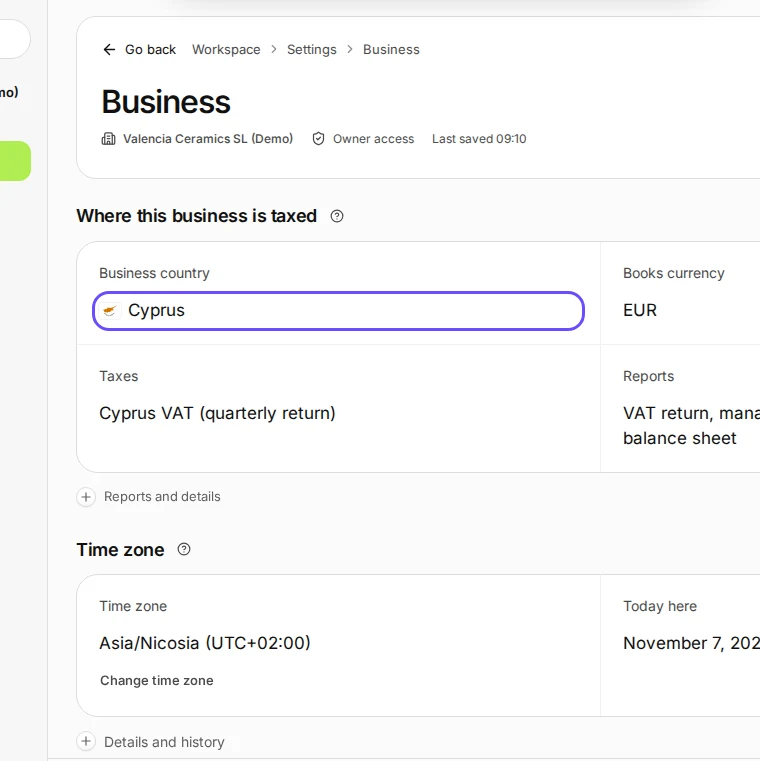
Step 3 in Deline (Spain business, fictional data) · See the whole screen
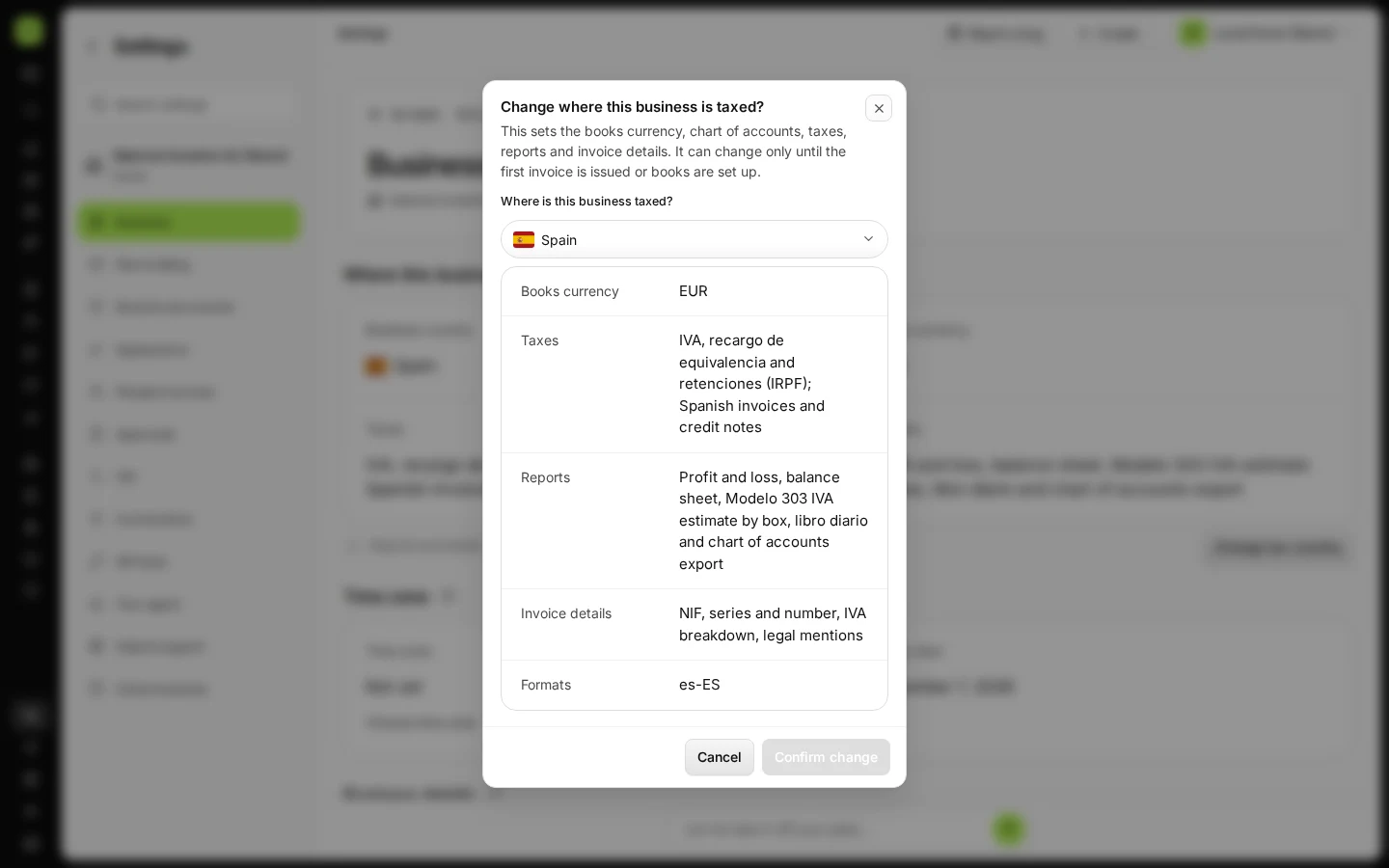
If something goes wrong
- "Change tax country" is missing and the country shows Fixed: an invoice is issued or the books are set up; the country can no longer change.
- Your country is not in the list: Deline is available for Spain, Cyprus, Ukraine and the United States.
Last checked 2026-11-07 by the guide runner on build c5fbd2fa6 (Deline 12a482996) (local Deline stack).