
Before you start
- You are the owner.
- Your logo as a PNG, JPEG or SVG file.
Steps
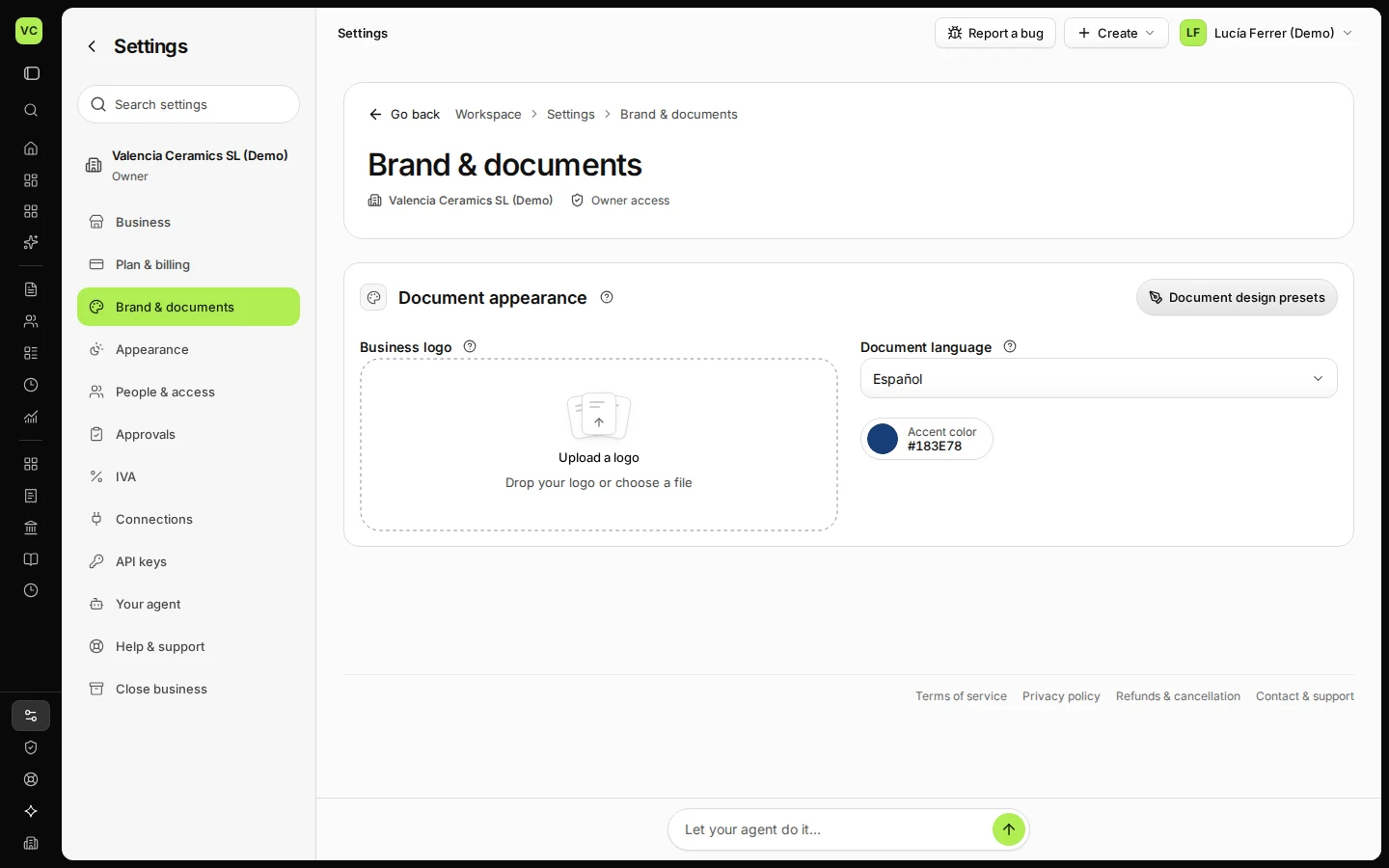
Open Settings and choose Brand & documents.
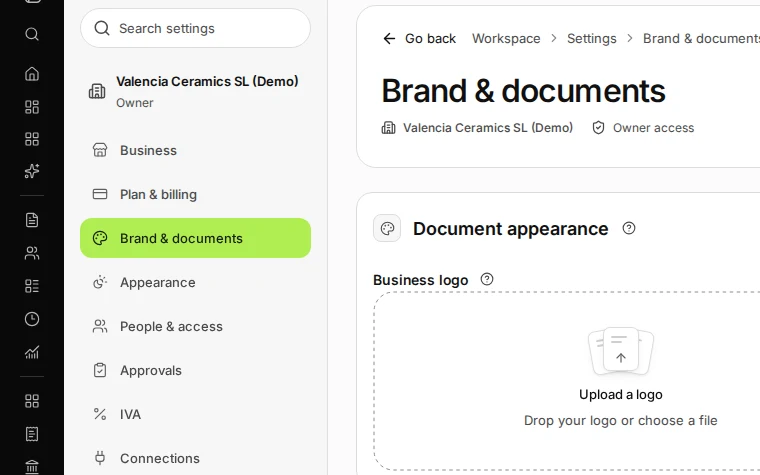
Step 1 in Deline (Spain business, fictional data) · See the whole screen Upload your logo.
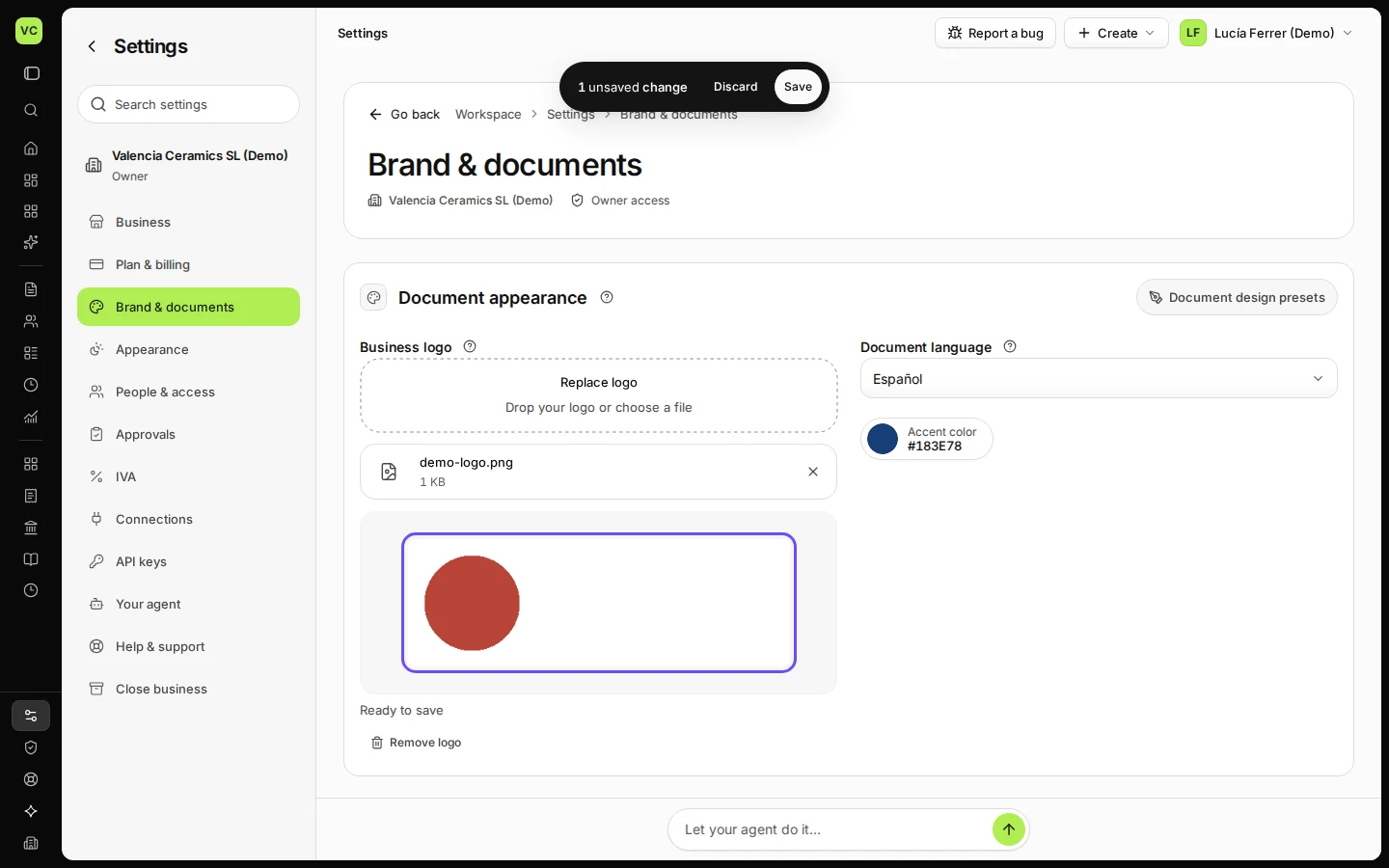
Drop the file on Upload a logo or choose it. It is checked for viruses before it is kept.
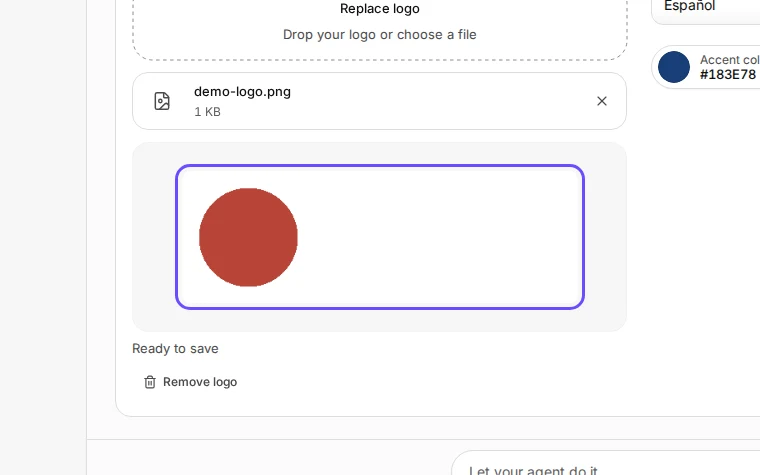
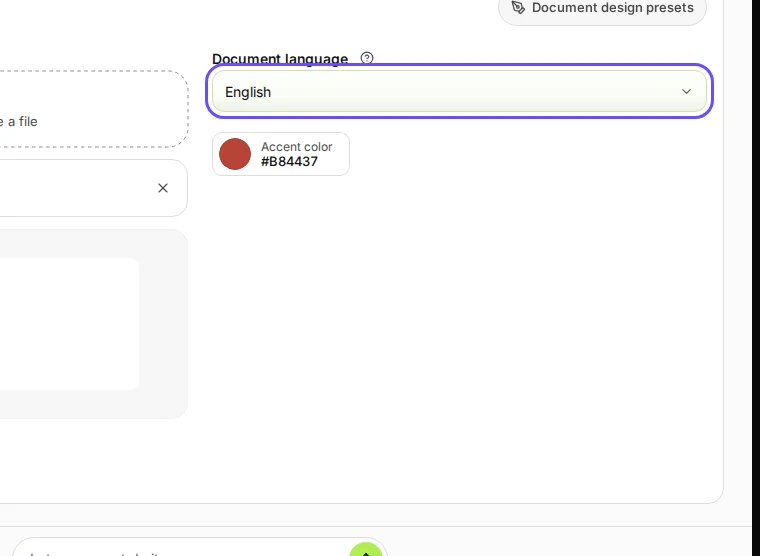
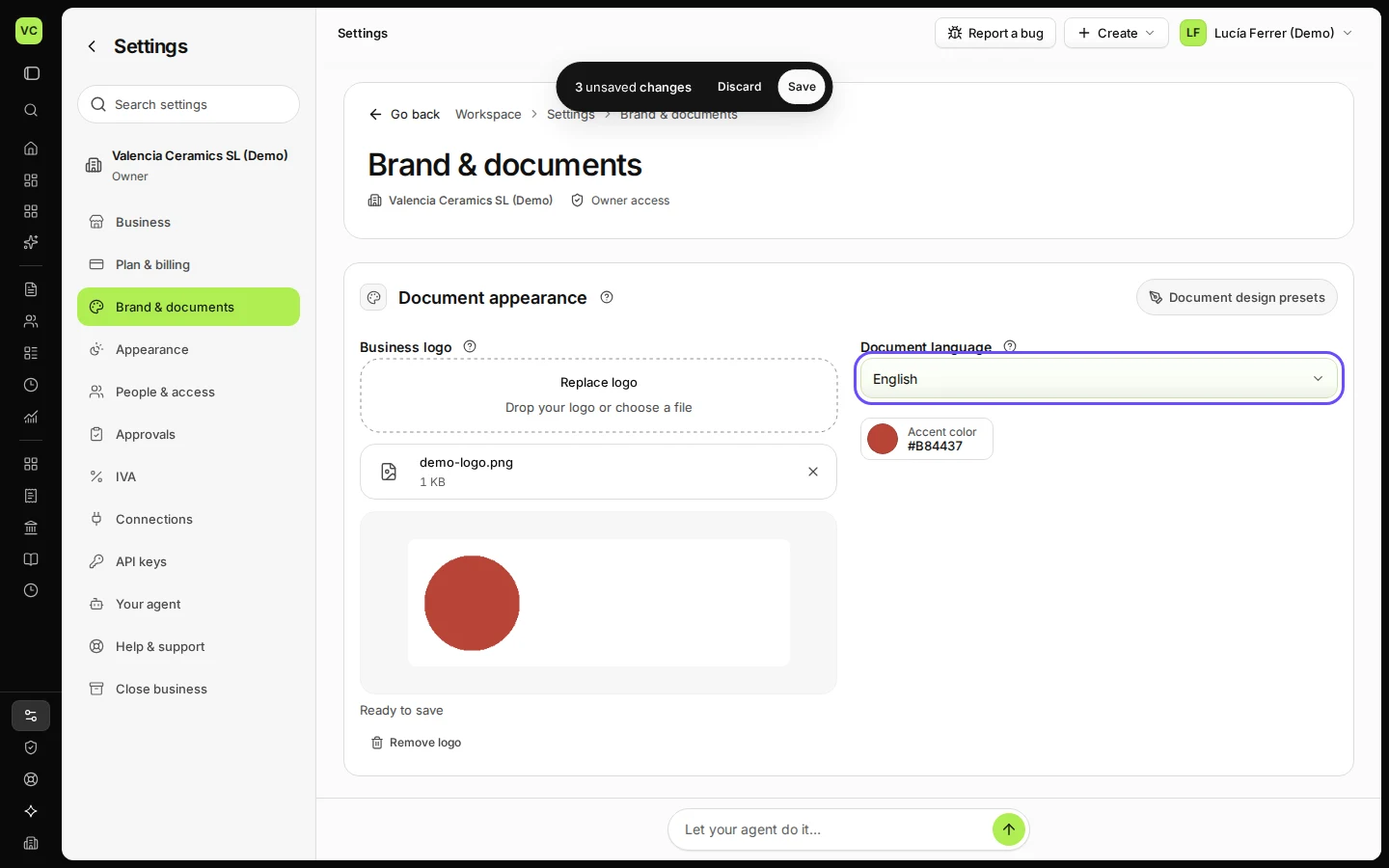
Step 2 in Deline (Spain business, fictional data) · See the whole screen Choose the document language and the accent colour.
The document language is what your customers read; it can differ from the language you use in Deline. The accent colour colours headings and lines; type a hex code or pick one.
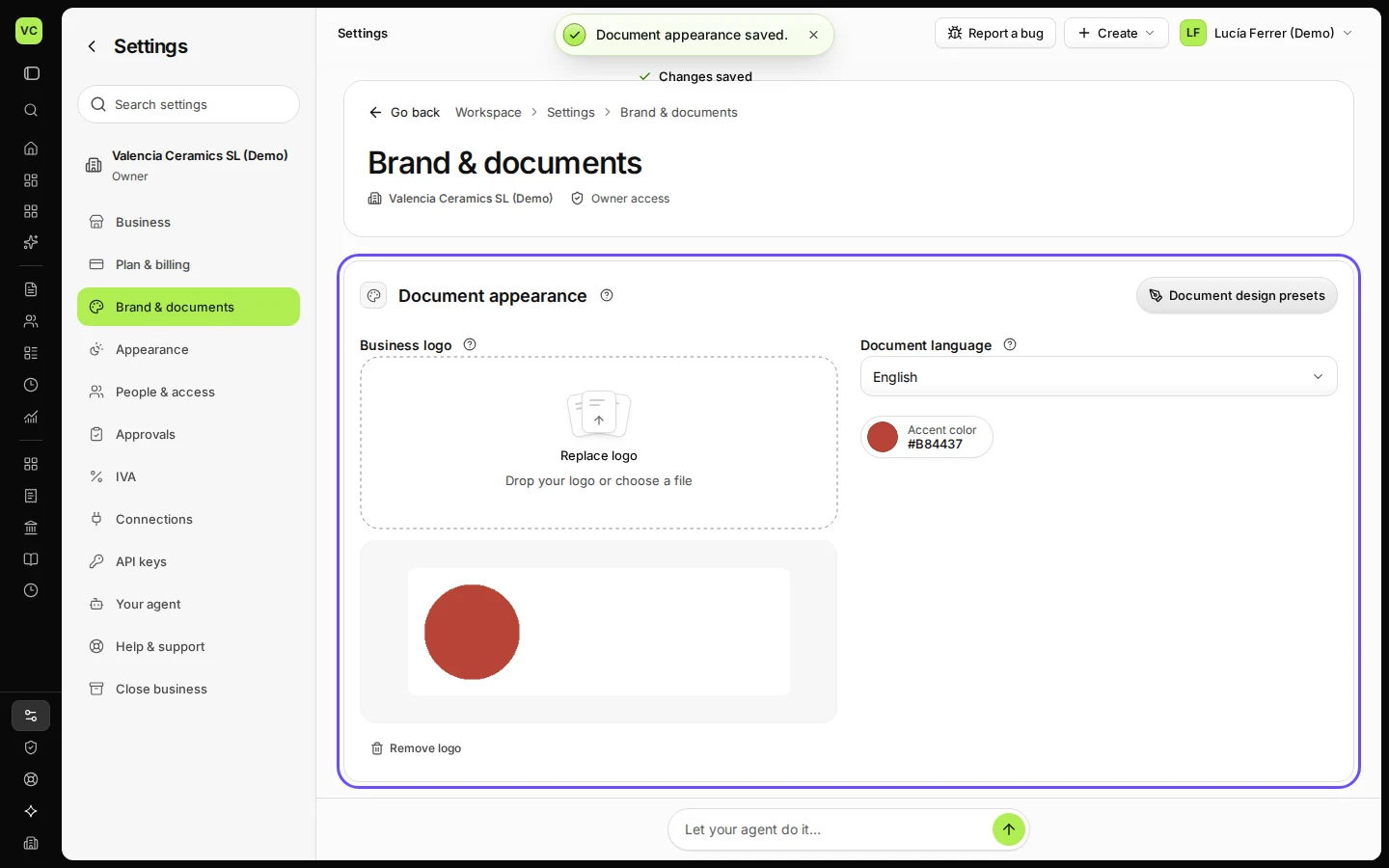
Step 3 in Deline (Spain business, fictional data) · See the whole screen Press Save.
New documents use the new look straight away. Document design presets opens more layouts in a new tab.
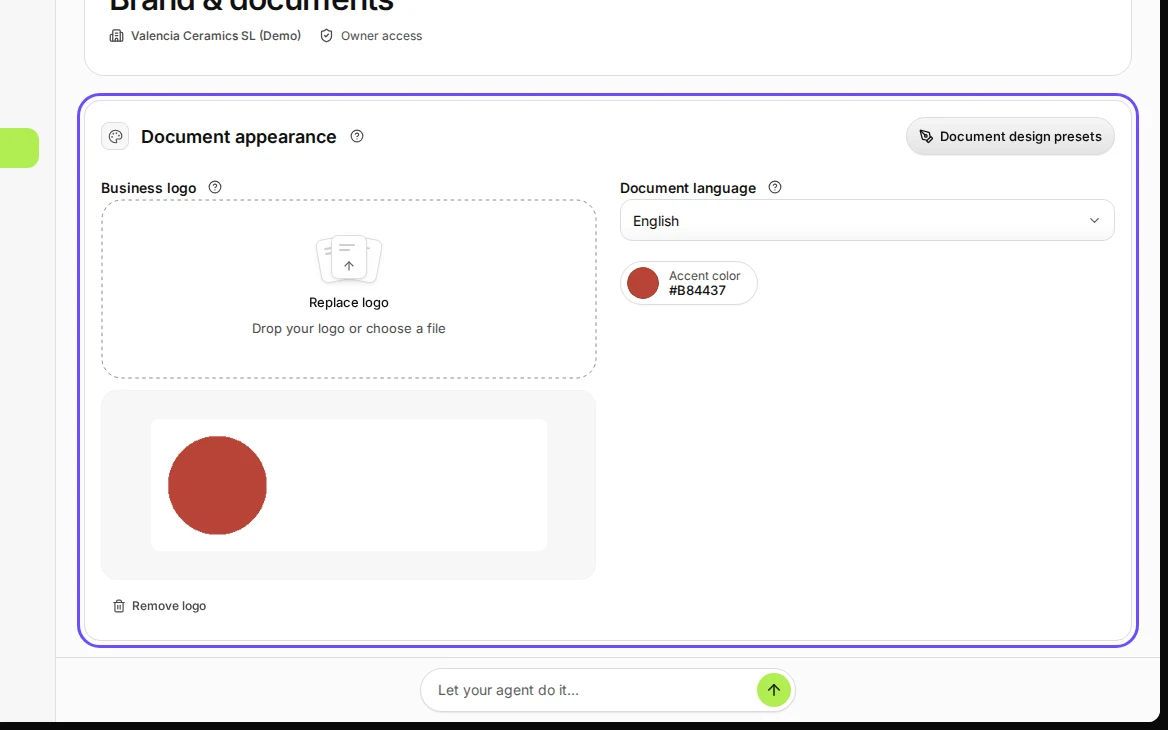
Step 4 in Deline (Spain business, fictional data) · See the whole screen
If something goes wrong
- The logo looks small or blurred: use a wider image, at least 400 pixels across, or an SVG.
- The colour is hard to read: the colour picker shows the contrast; choose one marked AA or AAA.
Last checked 2026-11-07 by the guide runner on build c5fbd2fa6 (Deline 12a482996) (local Deline stack).