
Steps
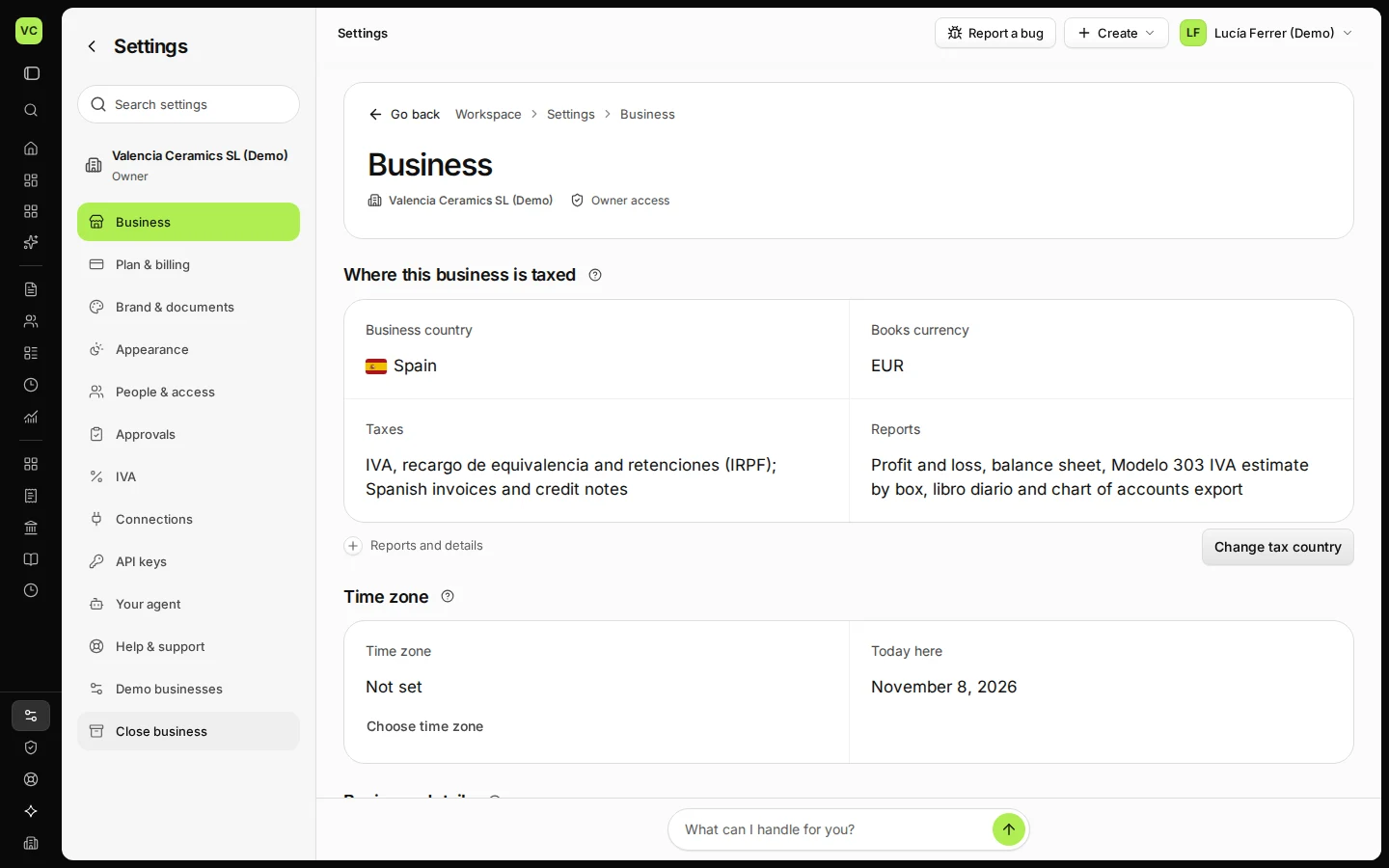
Open Settings and stay on Business.
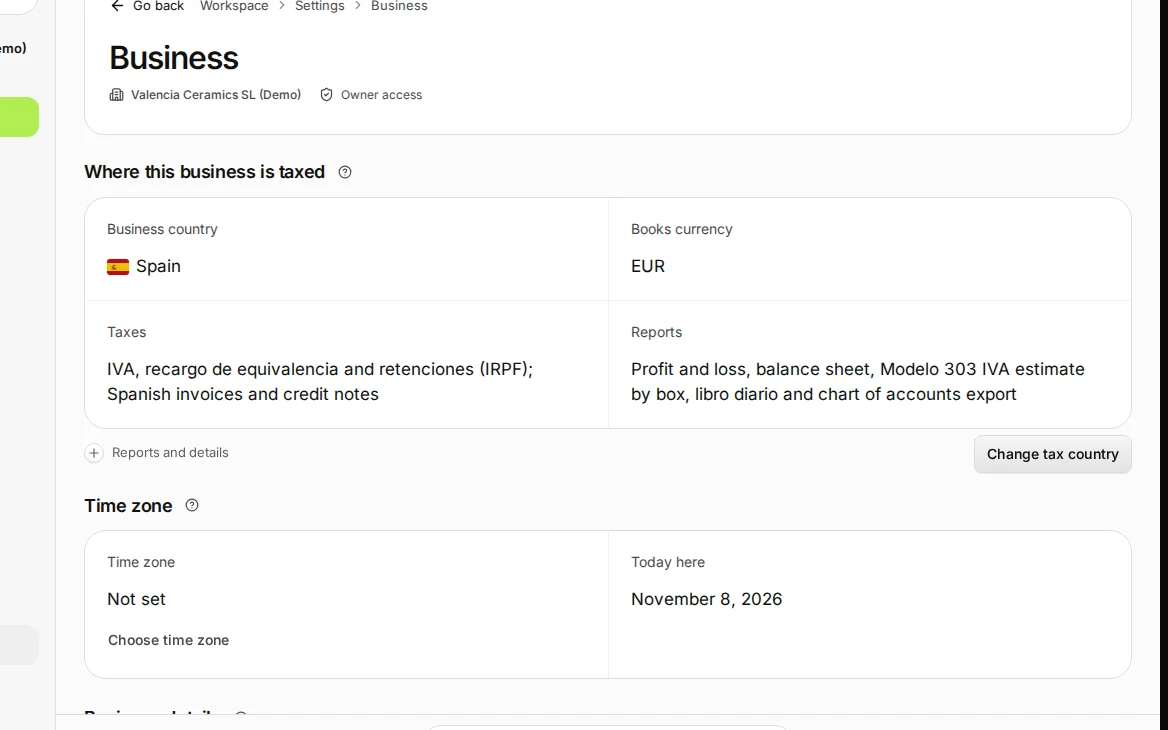
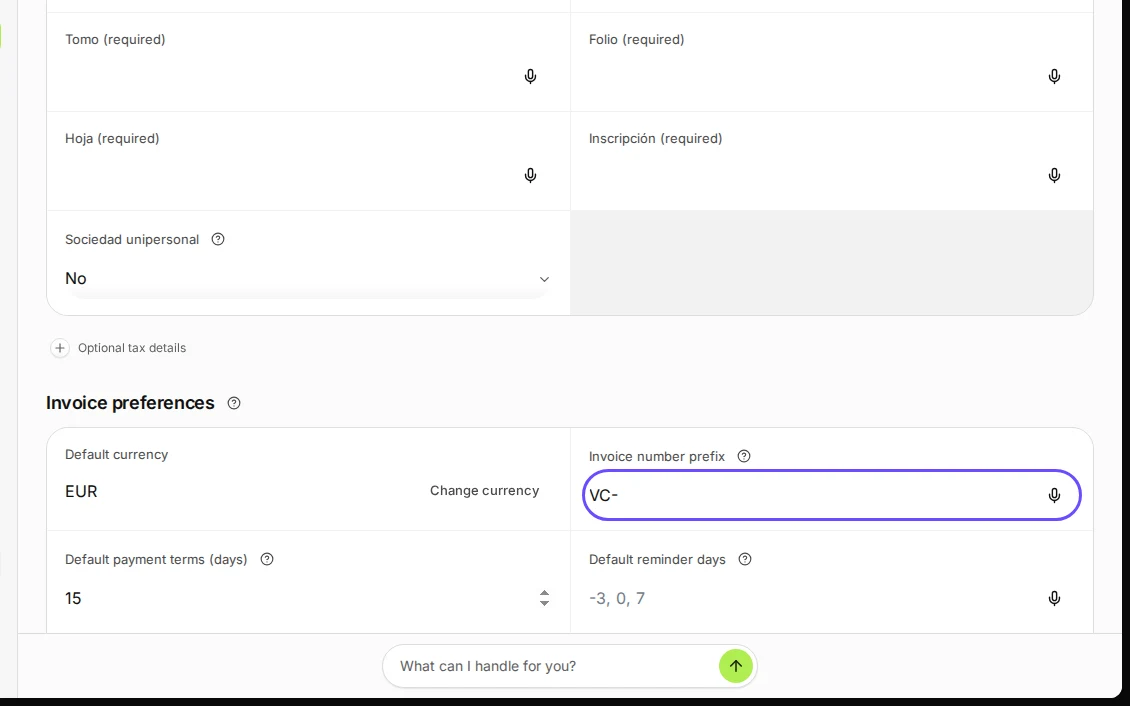
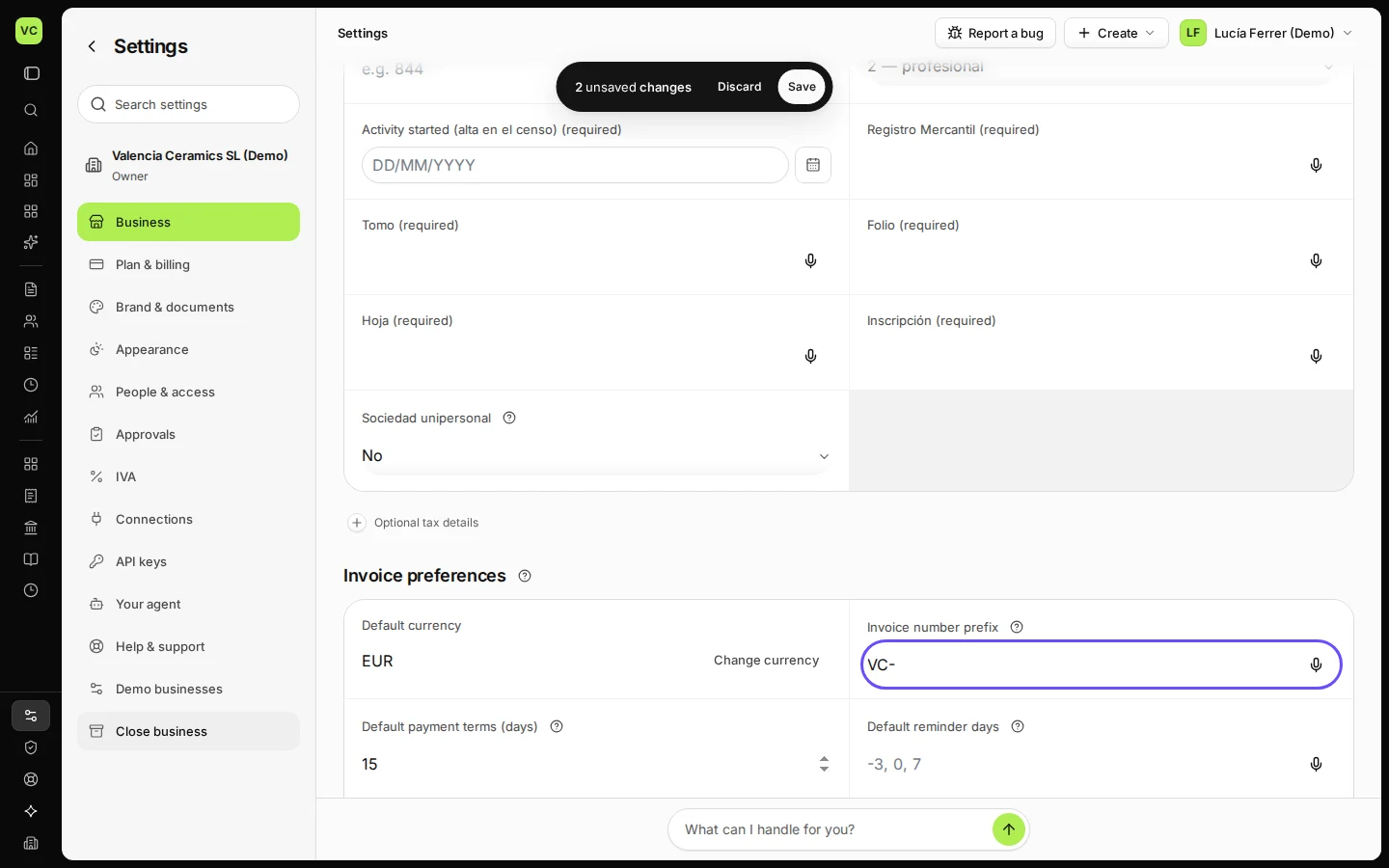
Step 1 in Deline (Spain business, fictional data) · See the whole screen In Invoice preferences, set the number prefix and the default payment terms.
Numbers are assigned when you issue an invoice.
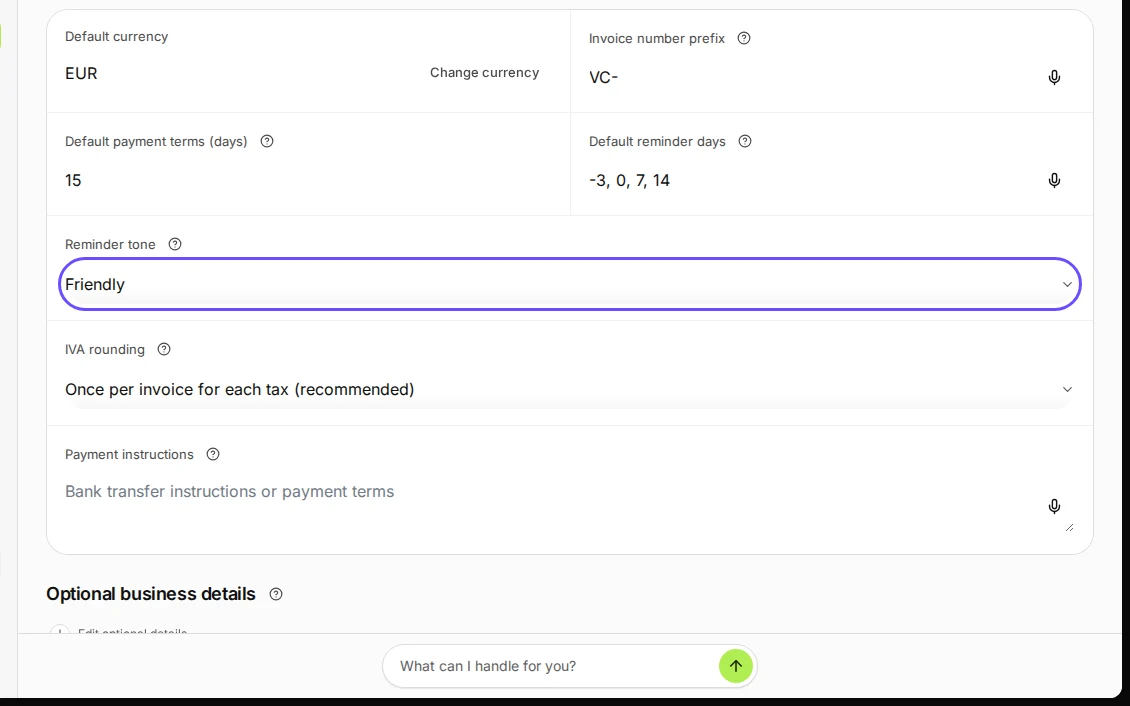
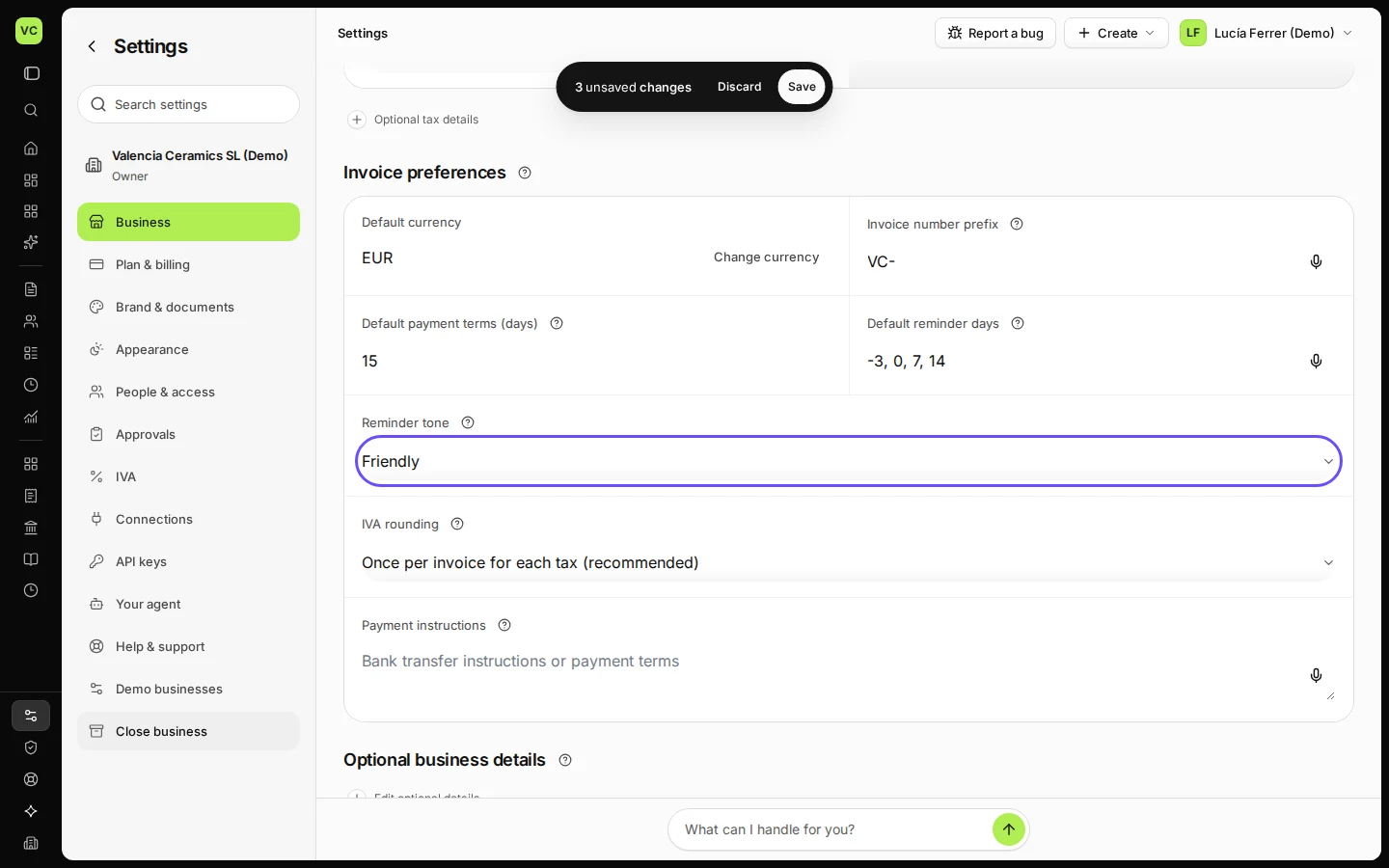
Step 2 in Deline (Spain business, fictional data) · See the whole screen Set the default reminder days and the reminder tone.
For example "-3, 0, 7": three days before the due date, on it, and a week after.
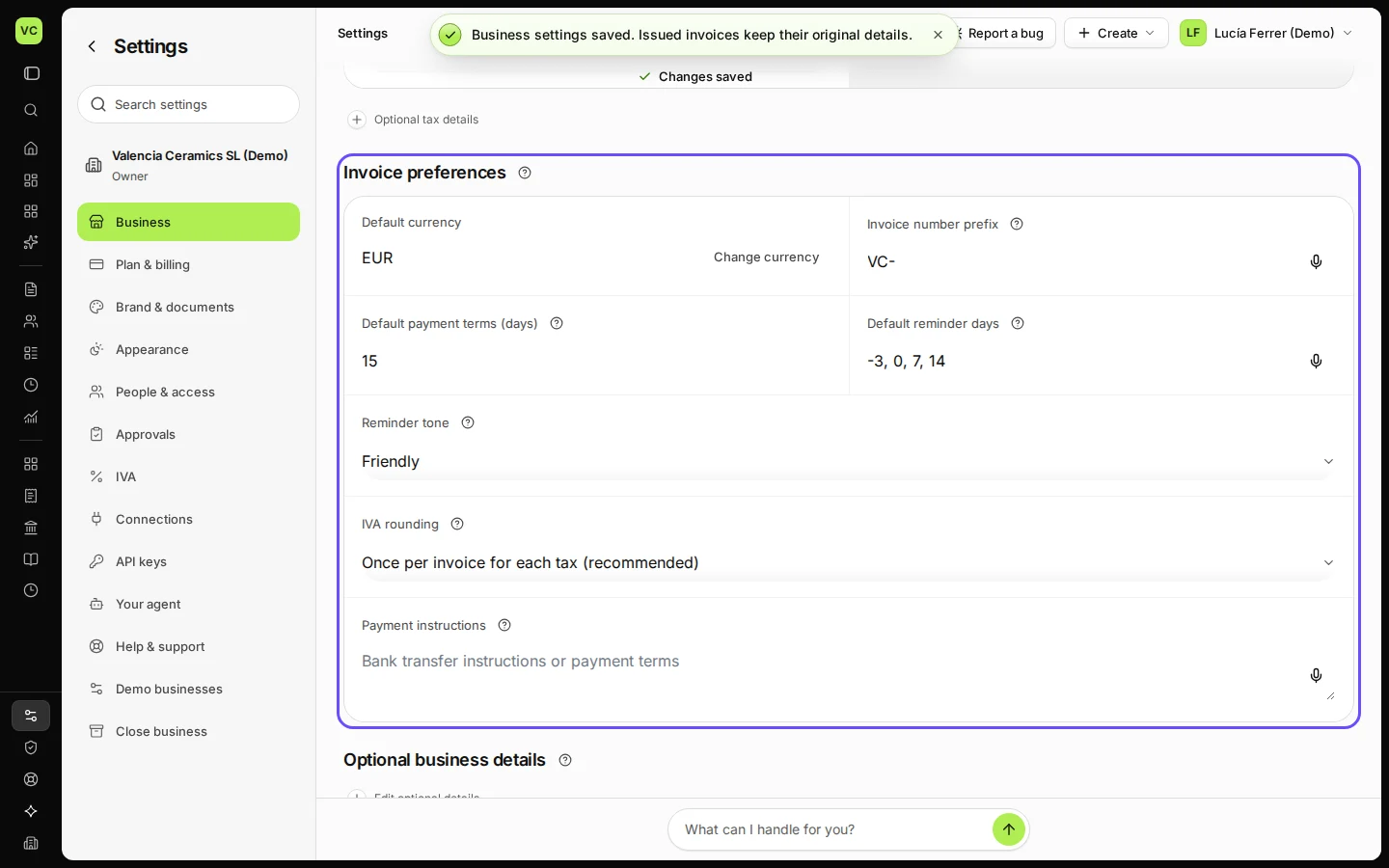
Step 3 in Deline (Spain business, fictional data) · See the whole screen Save.
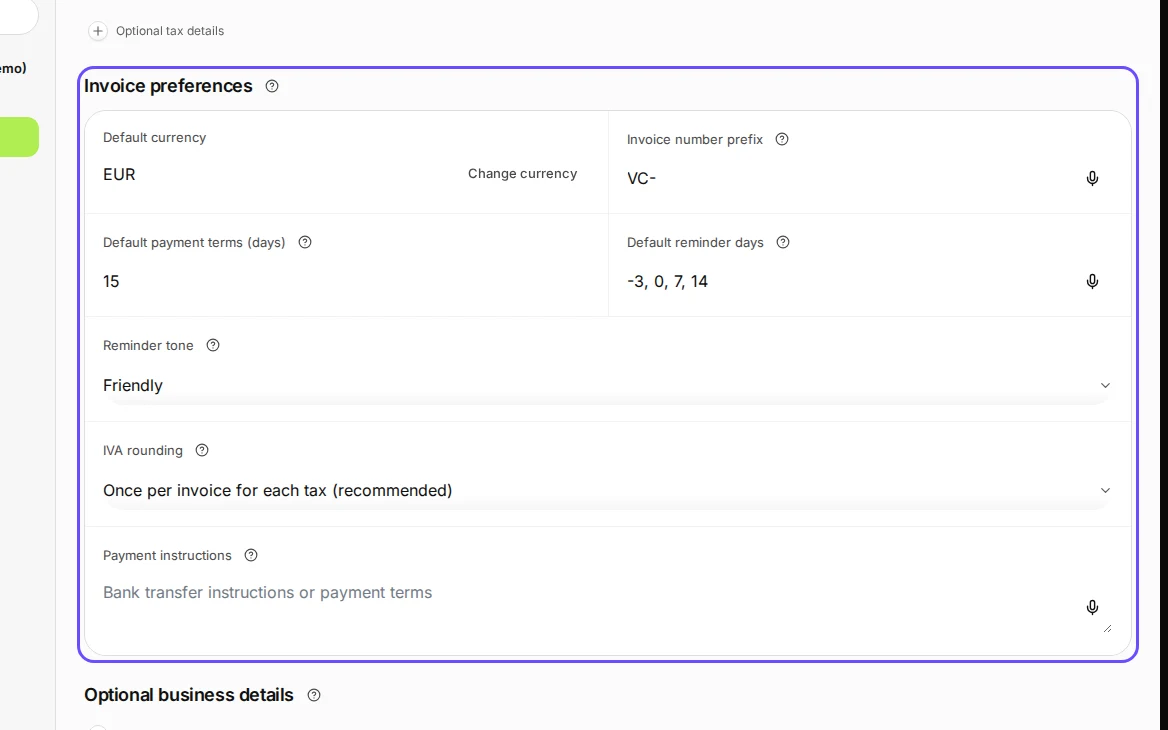
Step 4 in Deline (Spain business, fictional data) · See the whole screen
Last checked 2026-11-08 by the guide runner on build 37b370dcd (Deline 5e00493c3) (local Deline stack).