
Before you start
- The invoice is issued and not paid yet.
- You are the owner or an editor of the business.
Steps
Open the unpaid invoice.
Use the Unpaid or Overdue filter in Sales & invoices.
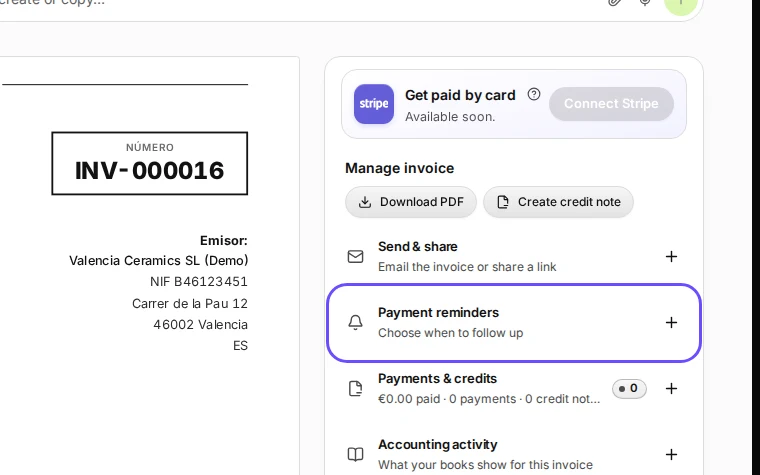
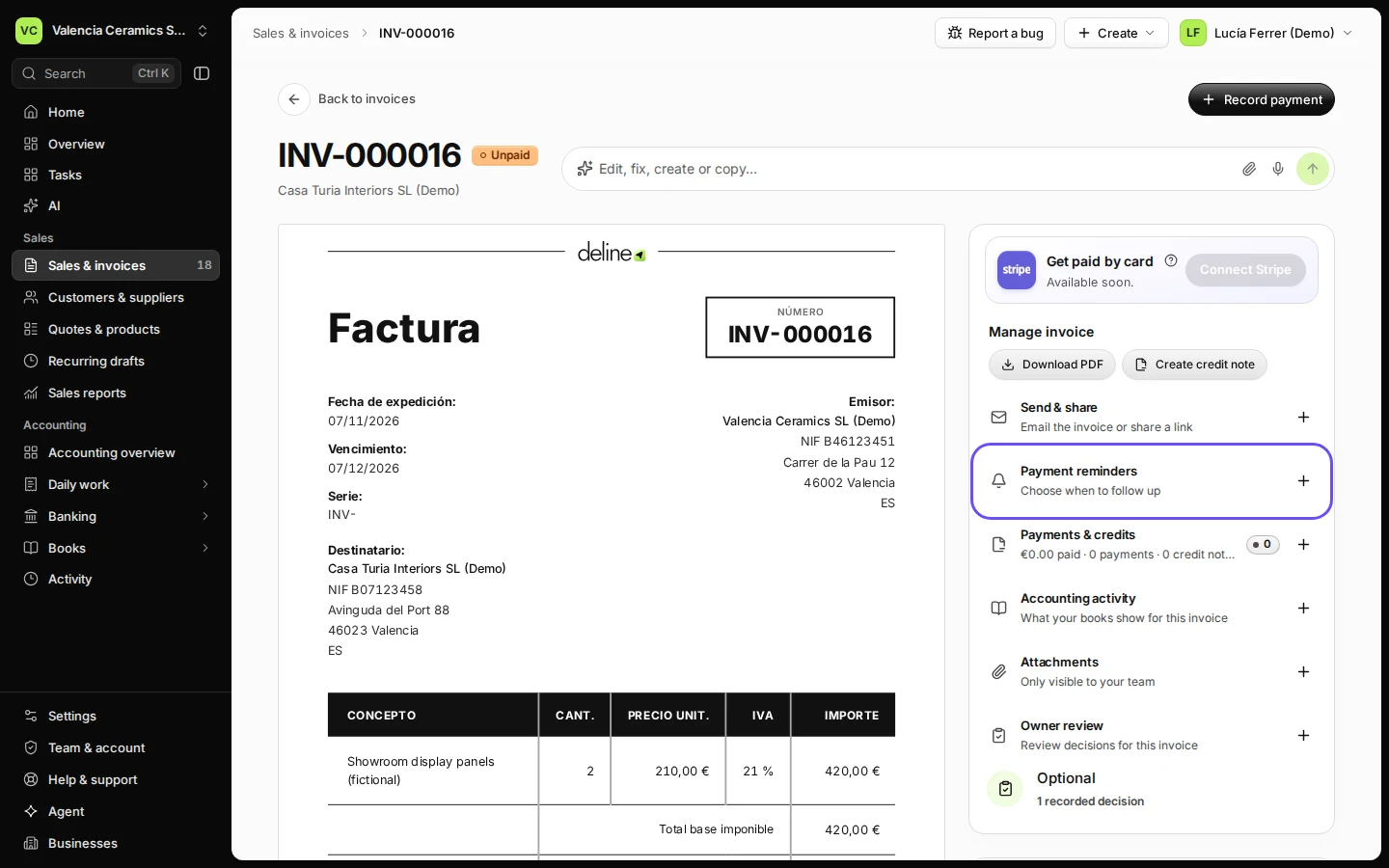
Step 1 in Deline (Spain business, fictional data) · See the whole screen Open Payment reminders.
It is in the panel next to the invoice.
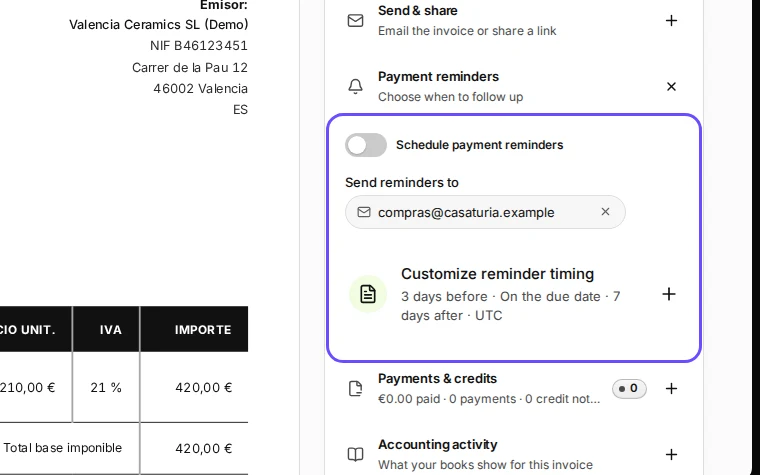
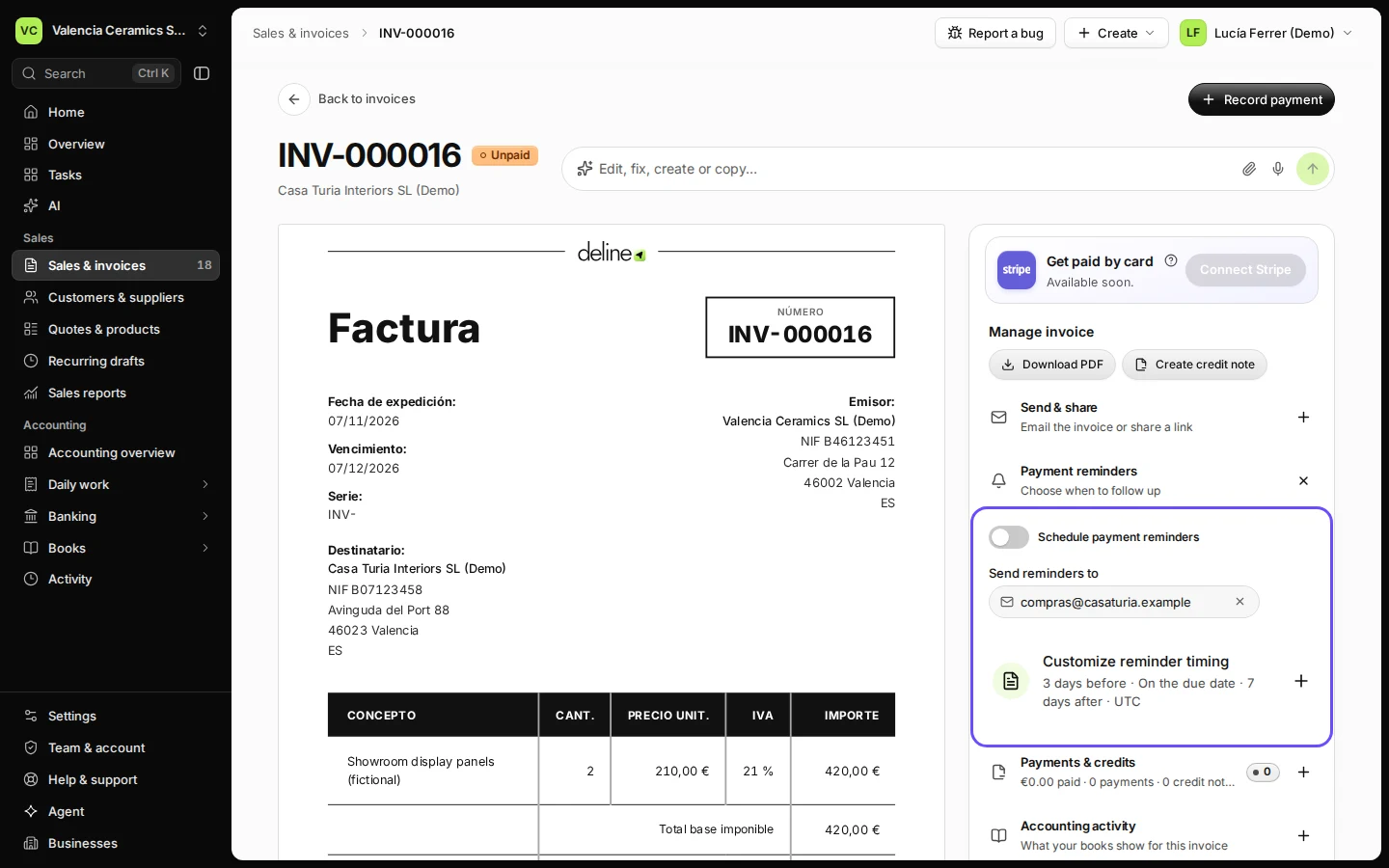
Step 2 in Deline (Spain business, fictional data) · See the whole screen Turn on Schedule payment reminders and check the email address.
Reminders go to the customer's invoice email unless you change it here.
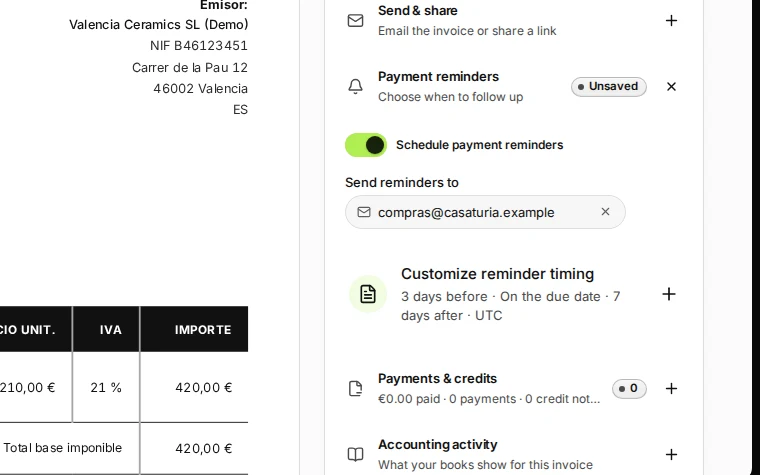
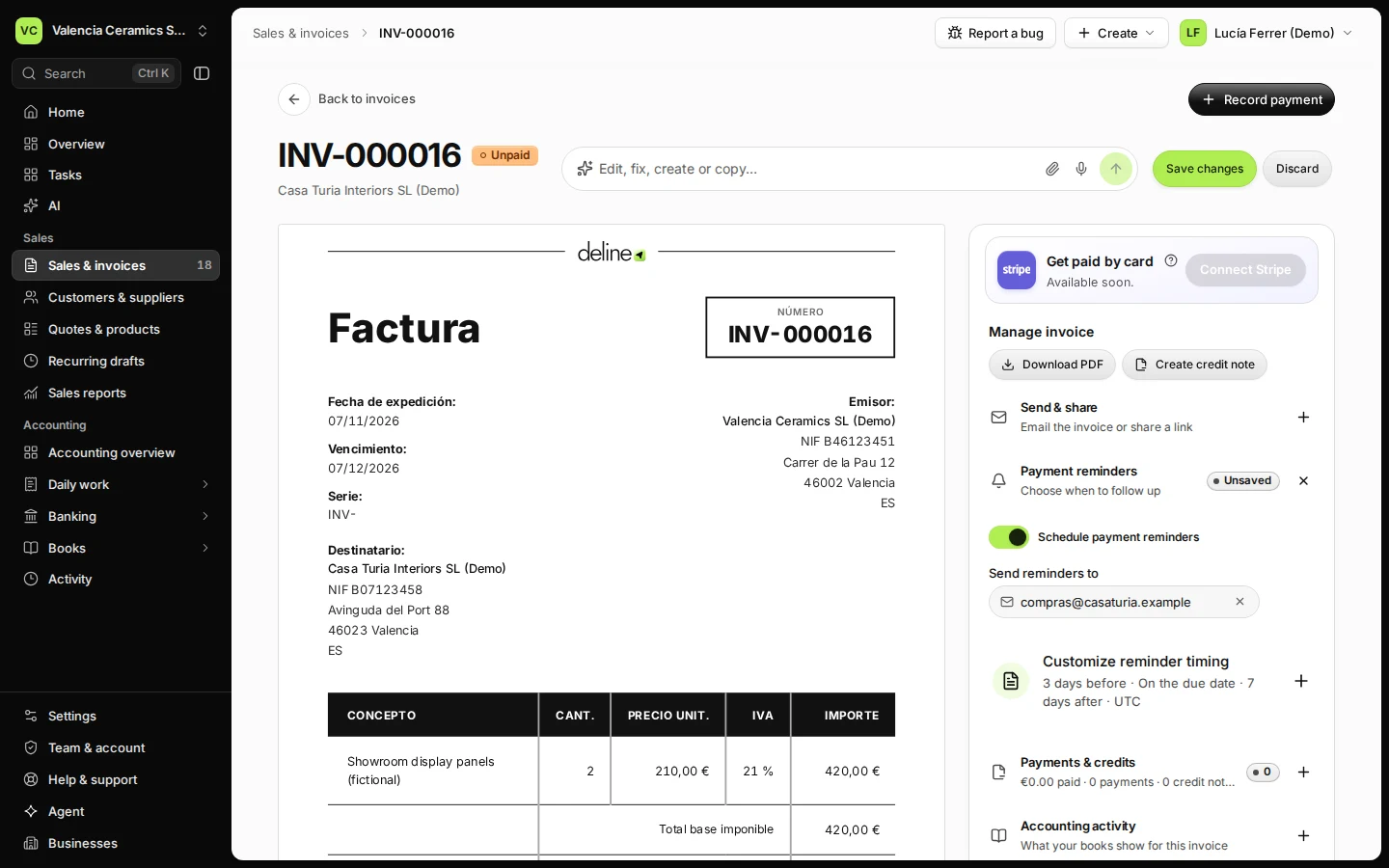
Step 3 in Deline (Spain business, fictional data) · See the whole screen Check the timing.
By default Deline reminds 3 days before the due date, on the due date and 7 days after. Press Customize reminder timing to change it.
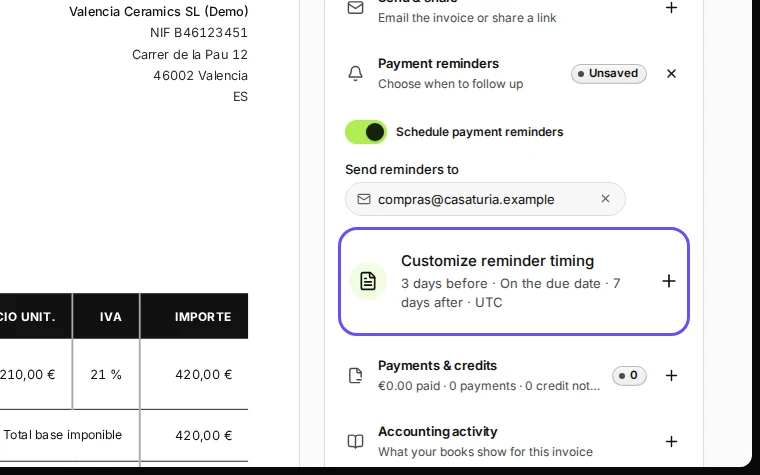
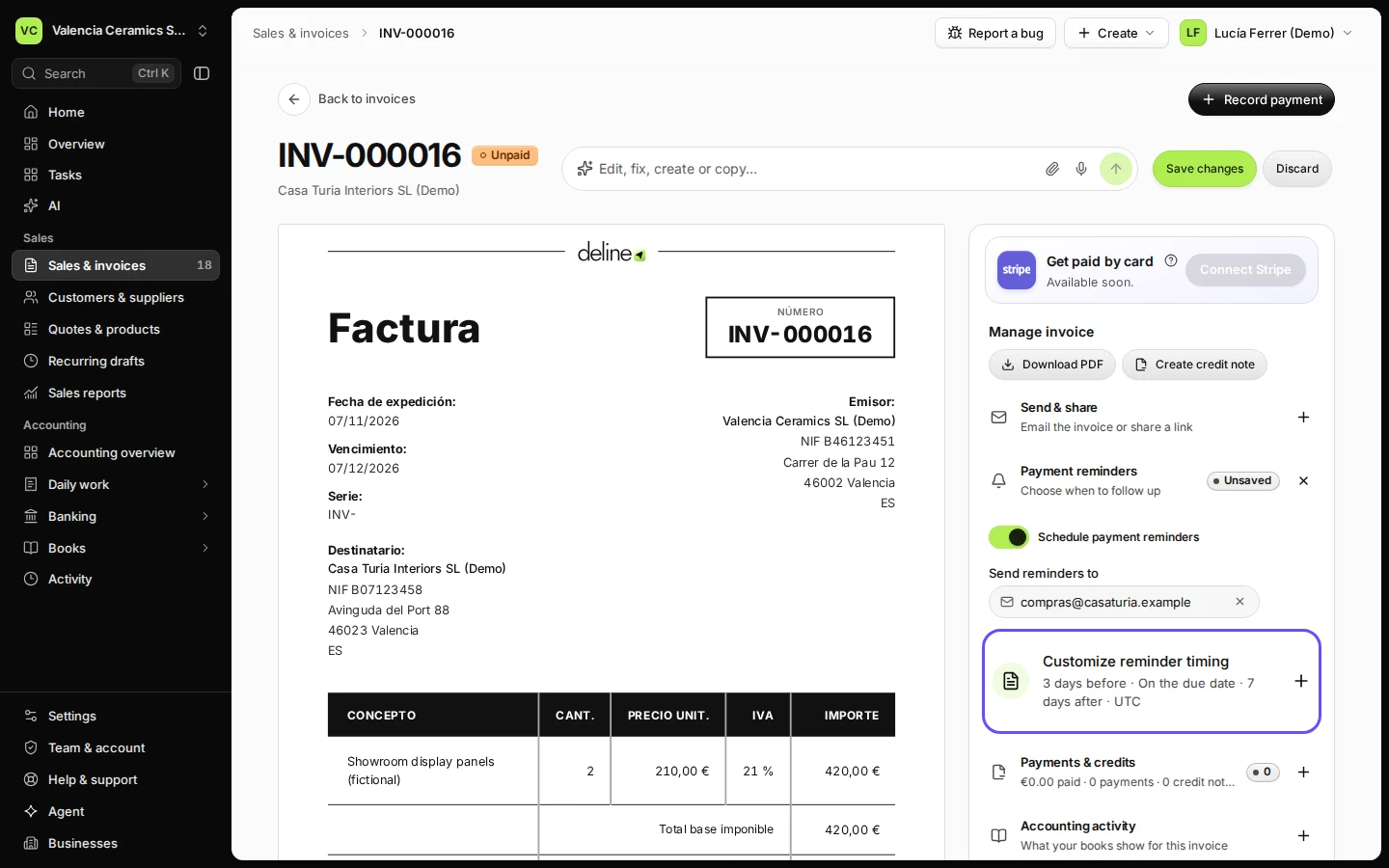
Step 4 in Deline (Spain business, fictional data) · See the whole screen


If something goes wrong
- No email address is shown: add the customer's email on the customer, or type the address in Send reminders to.
- The customer has paid: record the payment as soon as it arrives, so the invoice is no longer unpaid.
Last checked 2026-11-07 by the guide runner on build c5fbd2fa6 (Deline 12a482996) (local Deline stack, desktop and phone).