
Steps
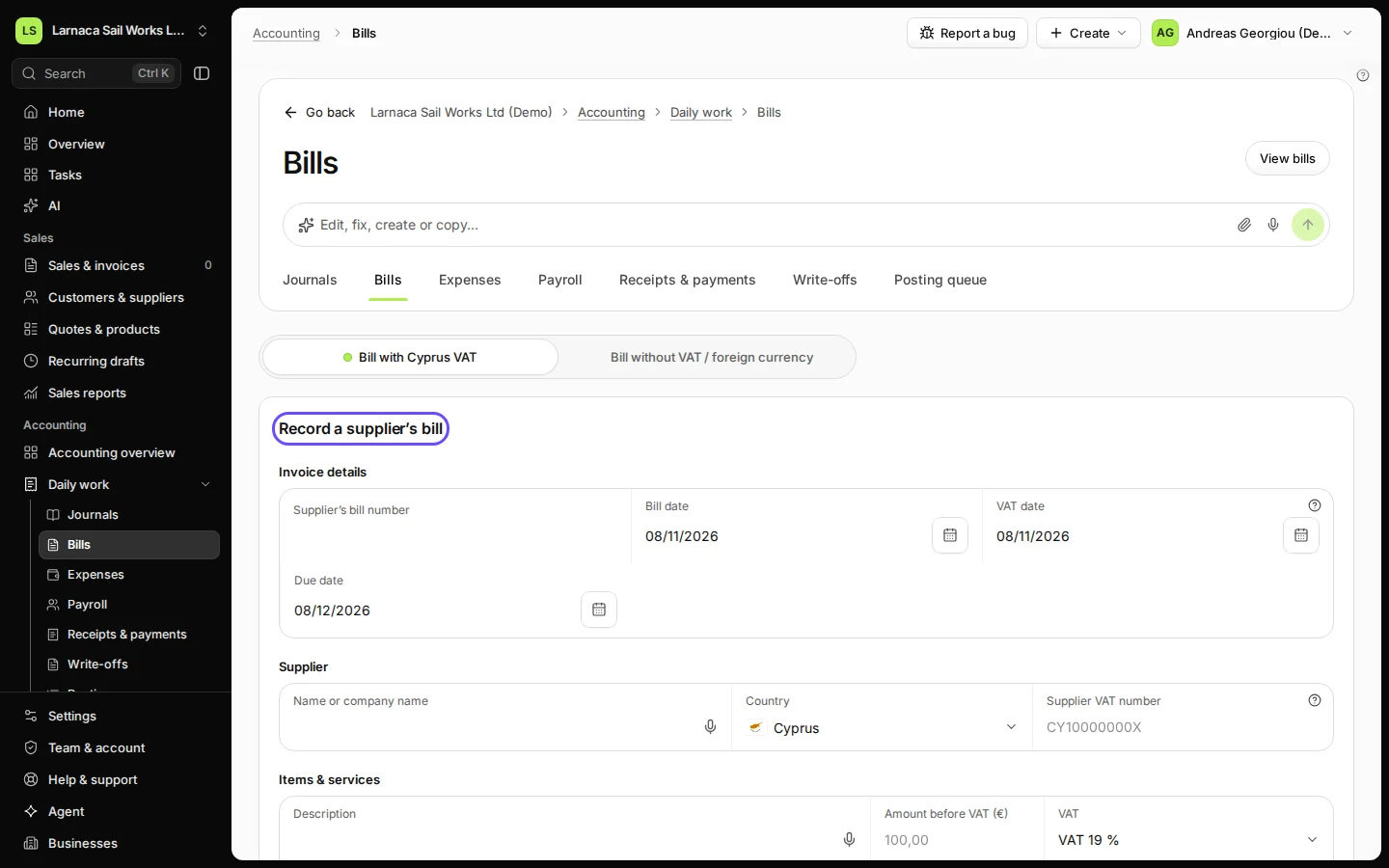
Open Bills from Daily work.
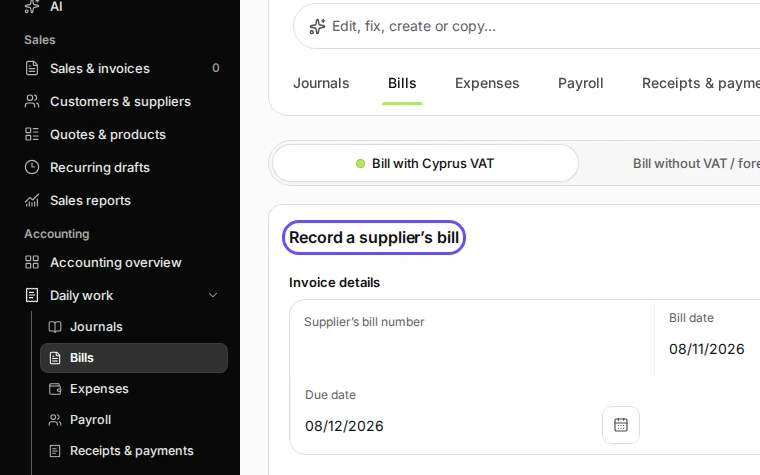
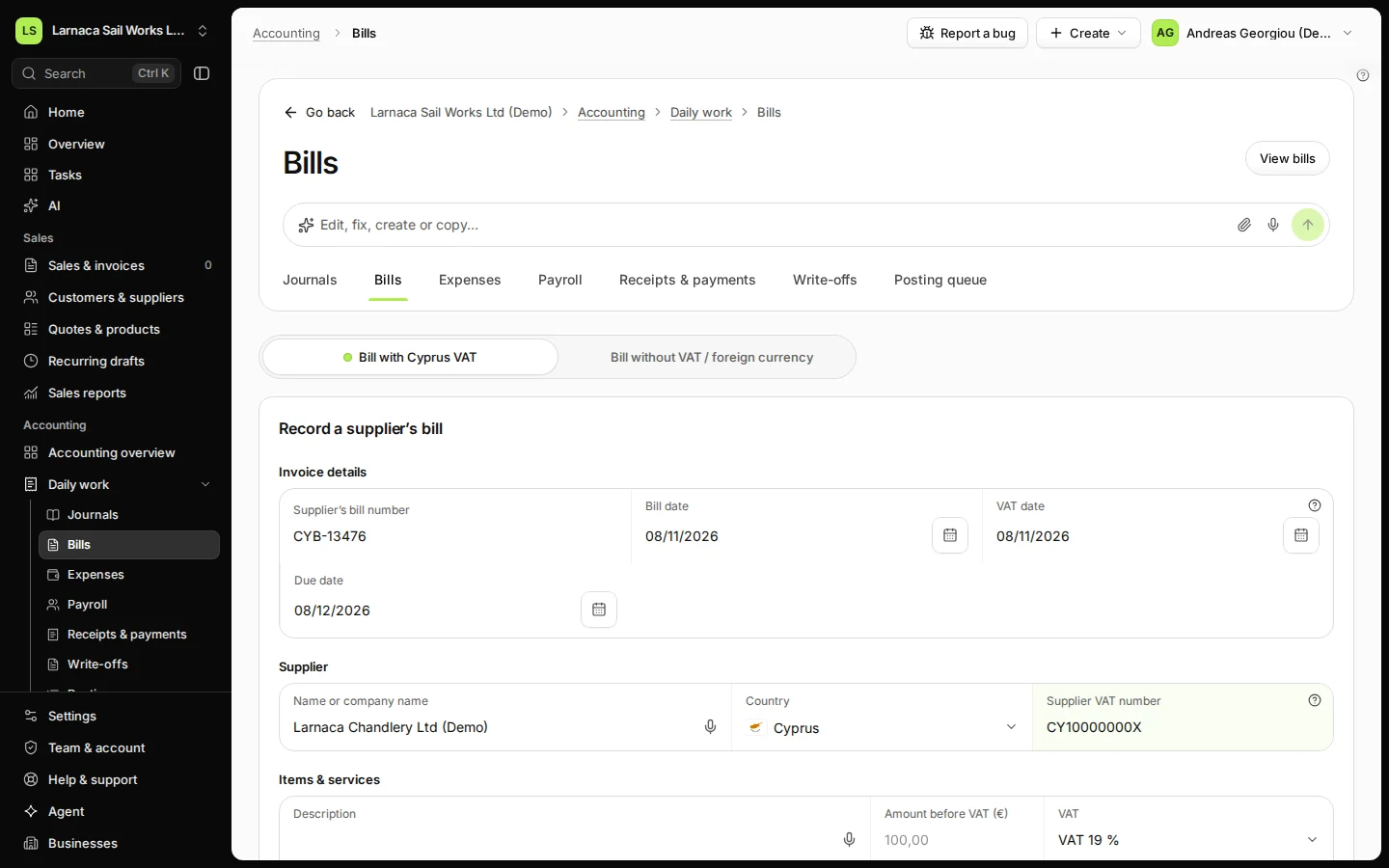
Step 1 in Deline (Cyprus business, fictional data) · See the whole screen Enter the supplier's bill number, the supplier and their VAT number.
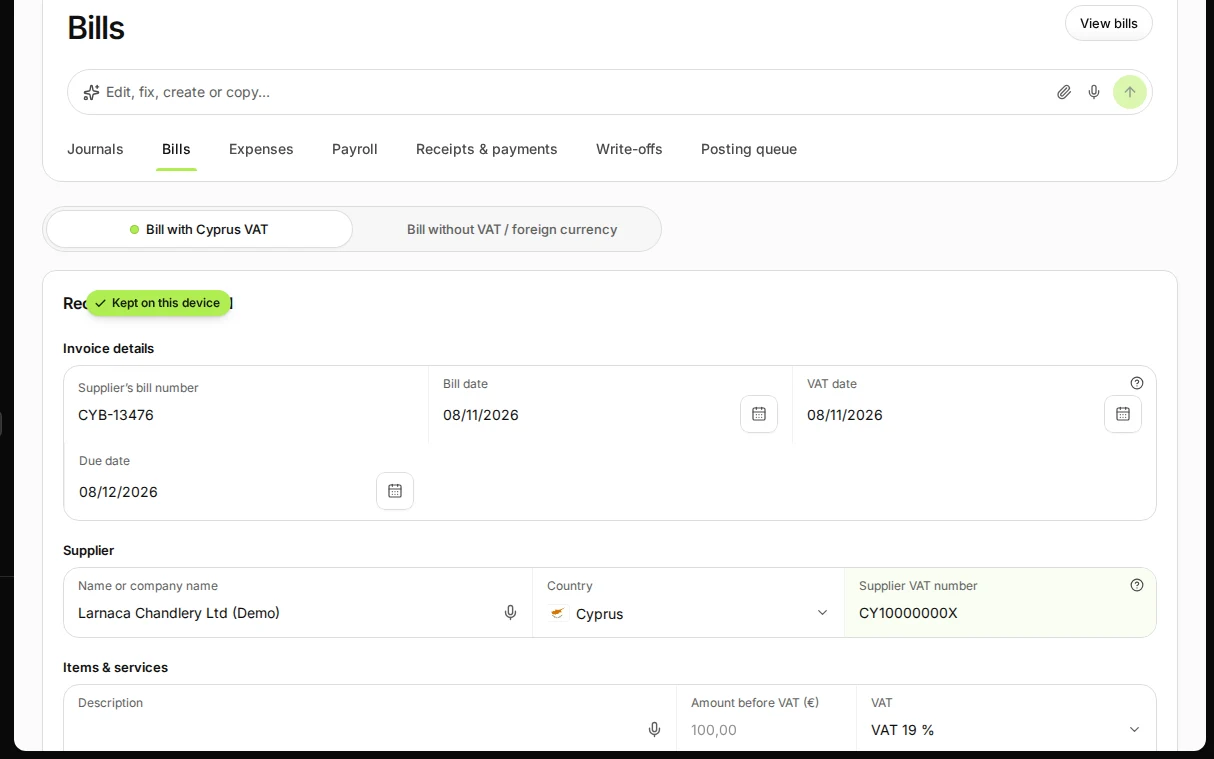
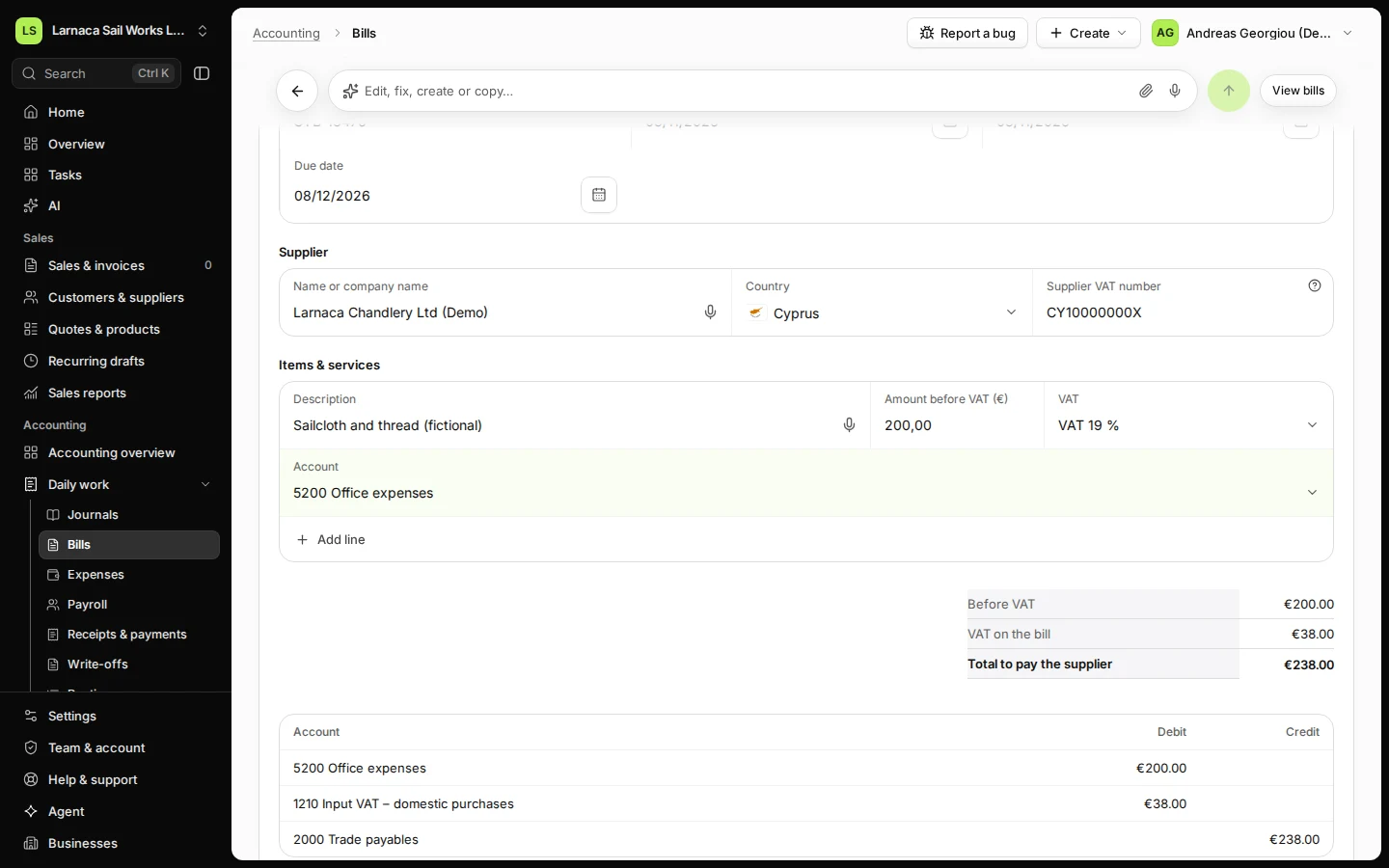
Step 2 in Deline (Cyprus business, fictional data) · See the whole screen Add each line: what you bought, the amount before VAT and the account.
Choose the account that fits what you bought, for example 5200 for materials.
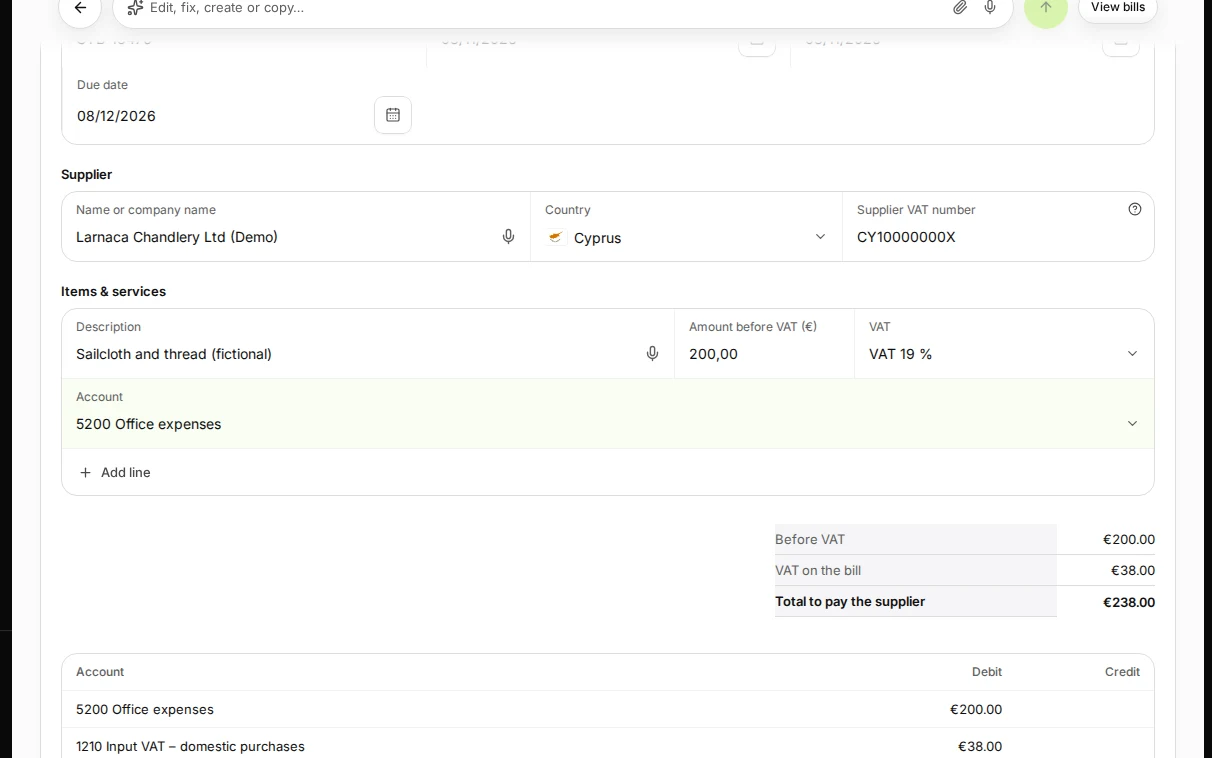
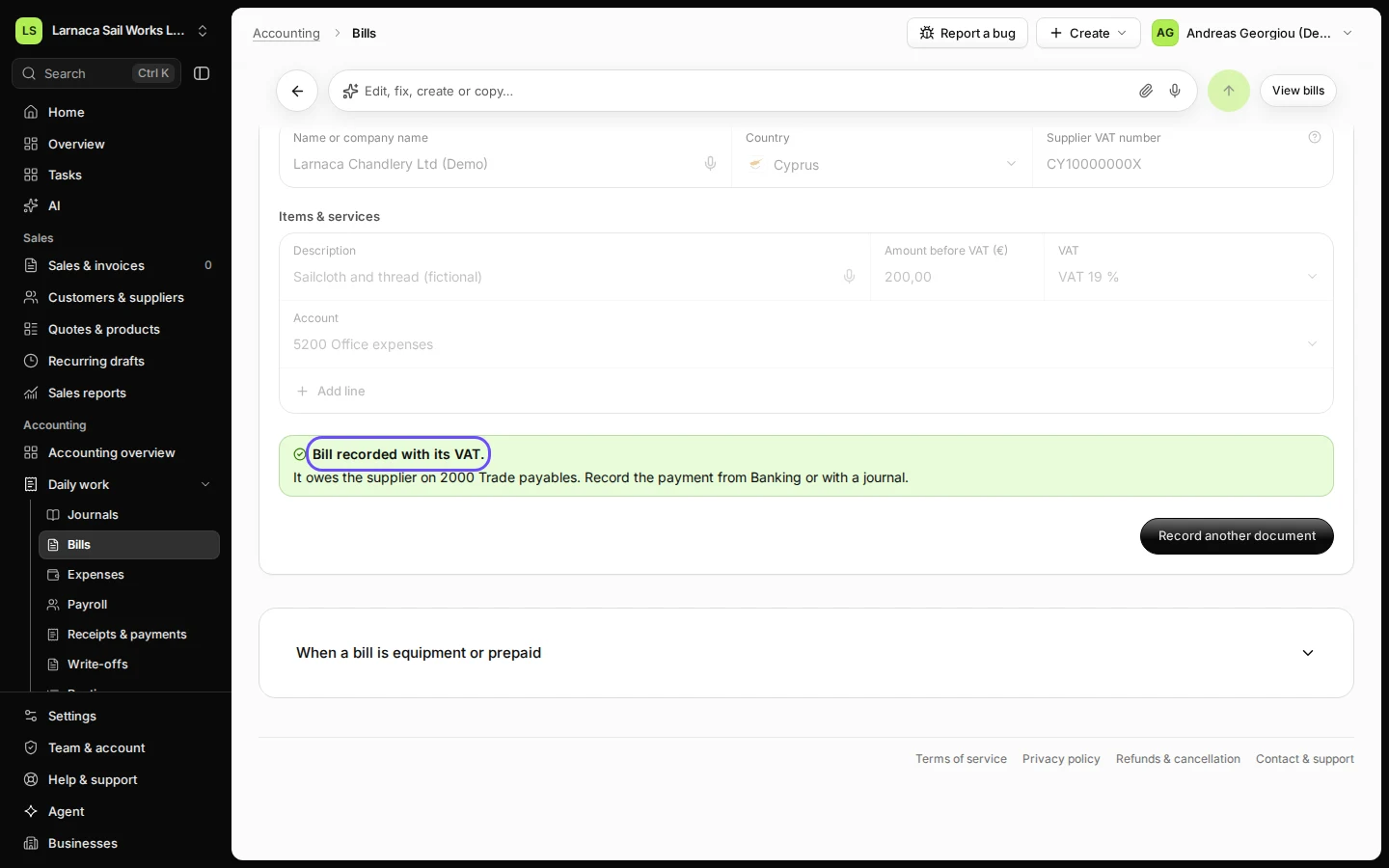
Step 3 in Deline (Cyprus business, fictional data) · See the whole screen Press Record bill.
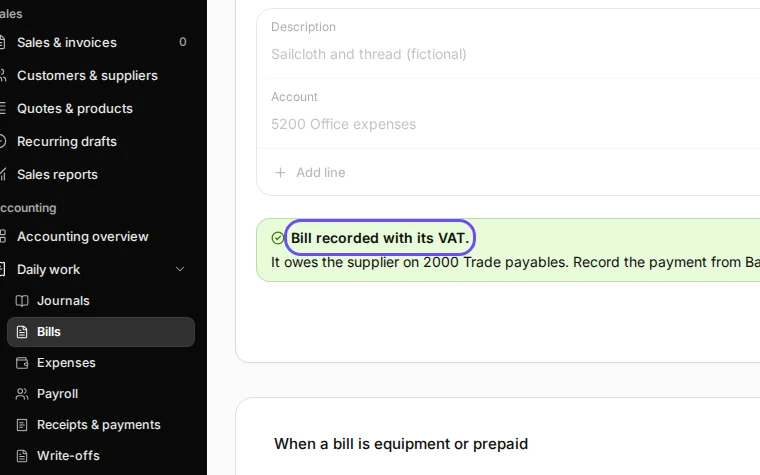
Step 4 in Deline (Cyprus business, fictional data) · See the whole screen
Last checked 2026-11-08 by the guide runner on build 5bcaf3a46 (Deline 06cb5749b) (local Deline stack).