
Before you start
- Your Cyprus VAT number, the date you registered and the end of your first VAT period are in Settings → Business → Cyprus tax details.
- The quarter's invoices and bills are in your books.
Steps
Open Reports from Books.
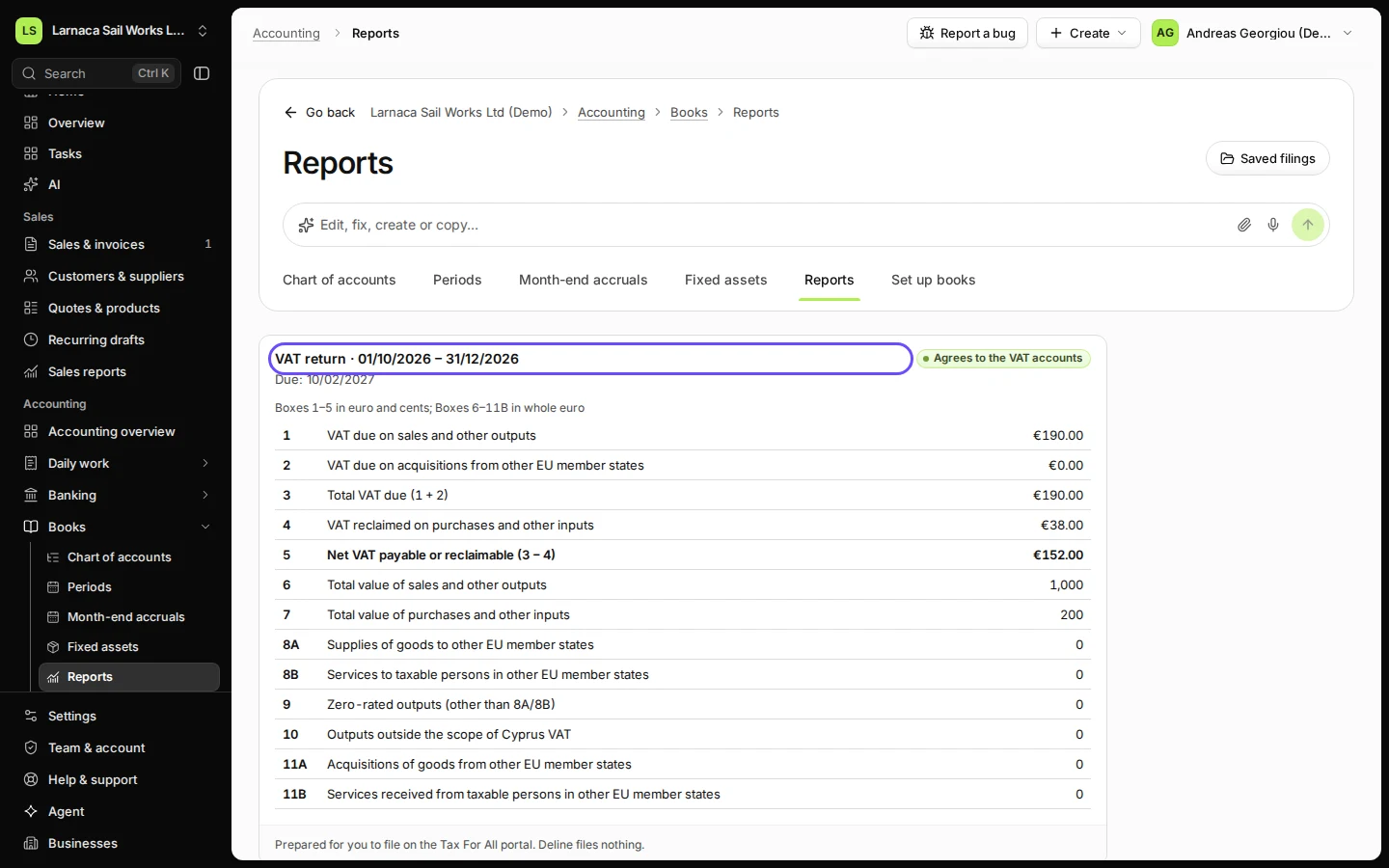
The VAT return for the current quarter is at the top, with its due date.
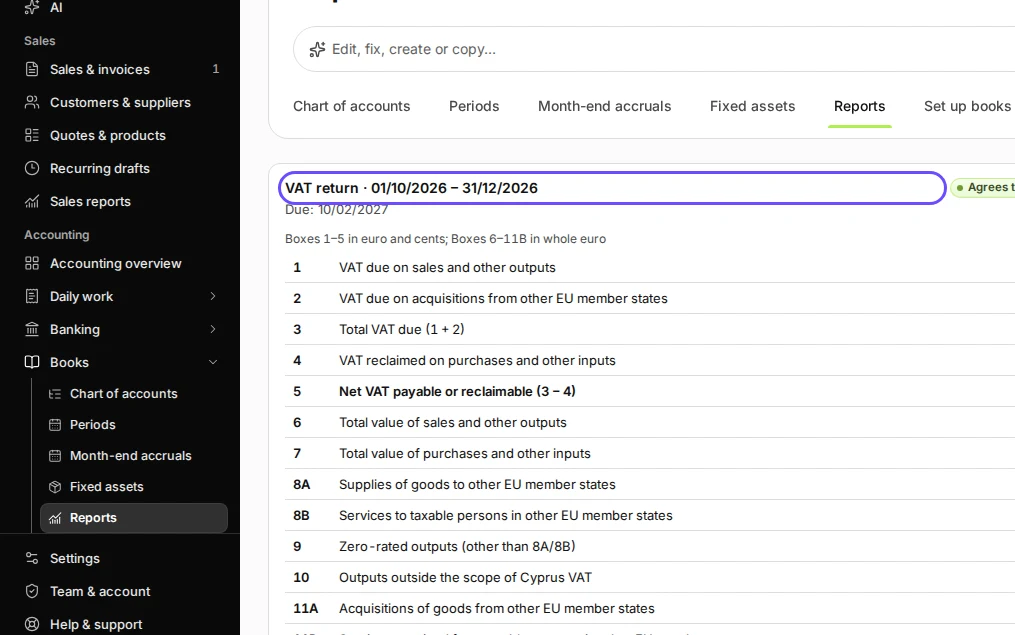
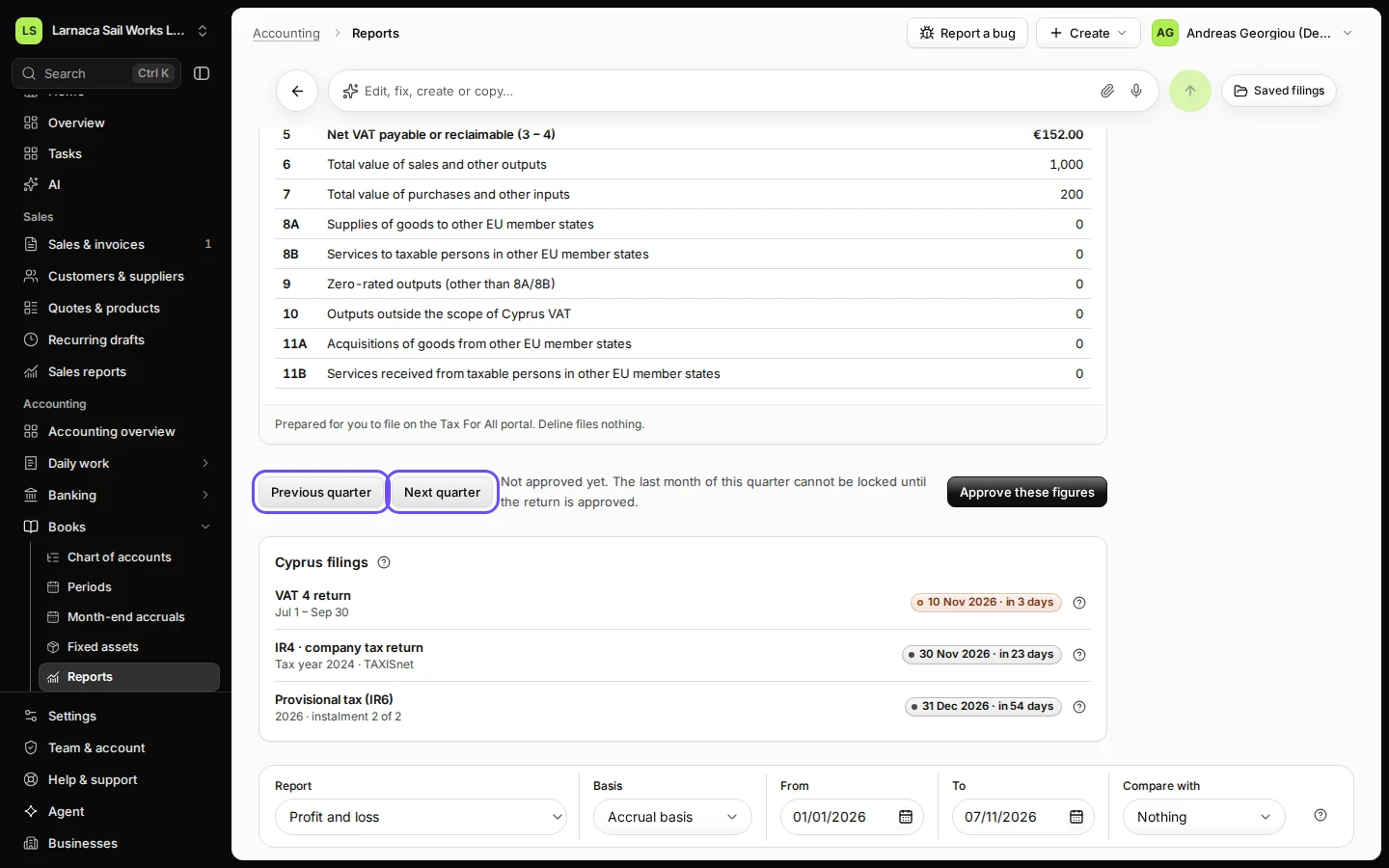
Step 1 in Deline (Cyprus business, fictional data) · See the whole screen Find the quarter you are filing.
Use Previous quarter and Next quarter. Agrees to the VAT accounts confirms the boxes match your books.
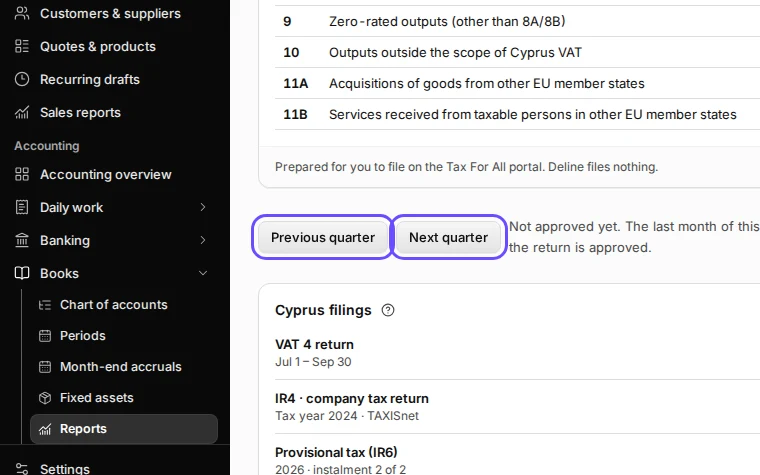
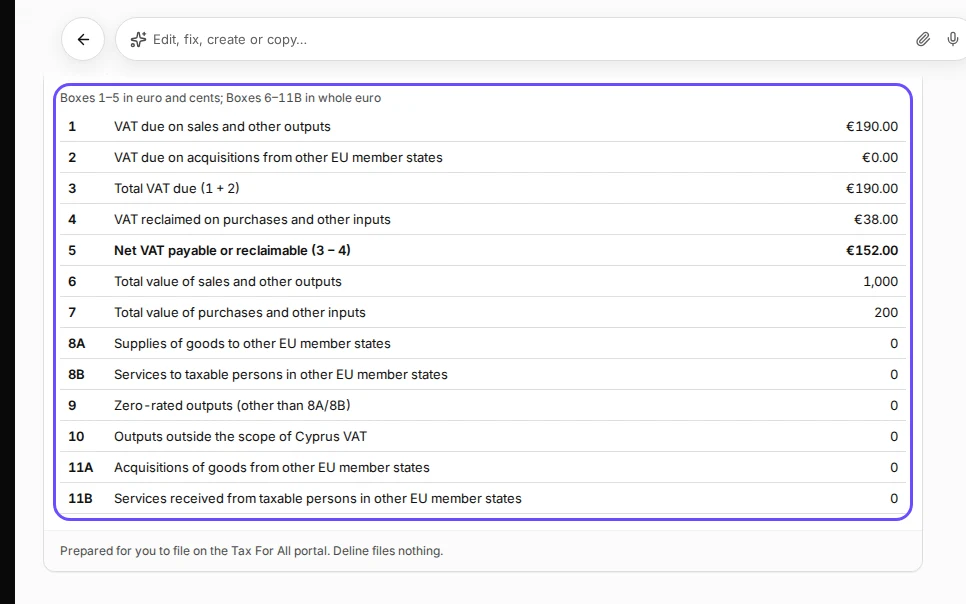
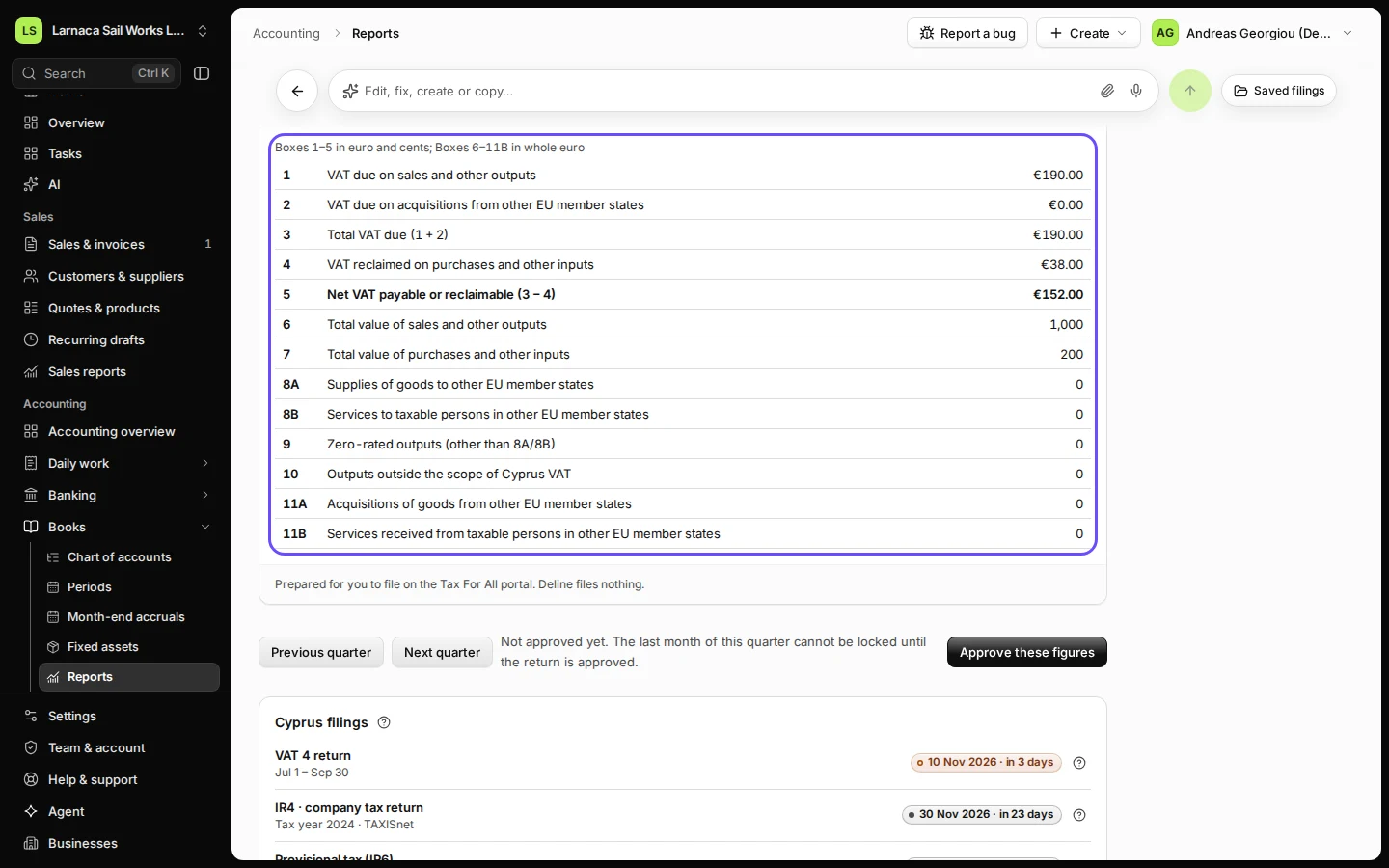
Step 2 in Deline (Cyprus business, fictional data) · See the whole screen Check the boxes against your invoices and bills.
Box 1 is the VAT on your sales, box 4 the VAT you reclaim on purchases, box 5 the difference. Sales to EU businesses are in 8A (goods) and 8B (services).
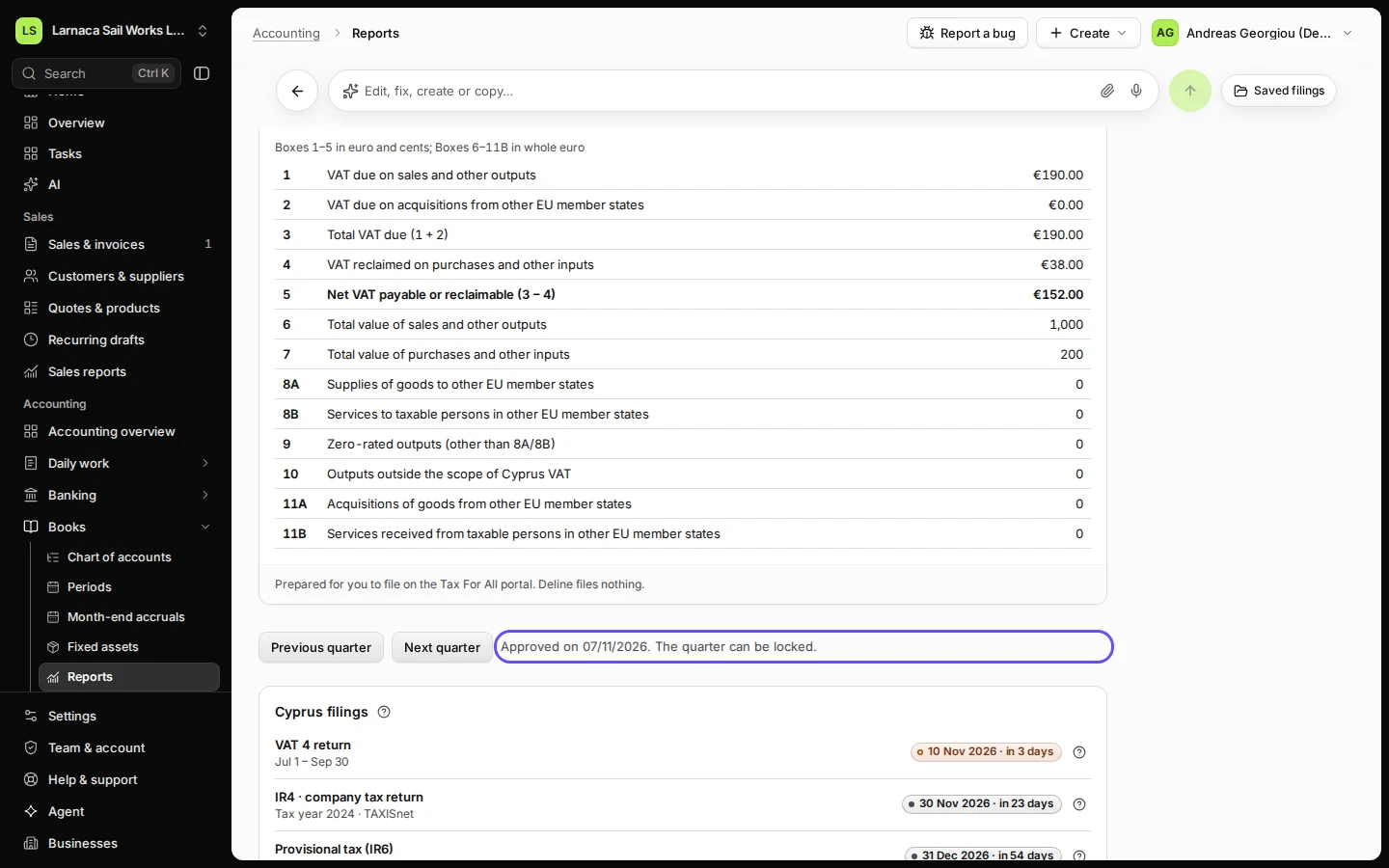
Step 3 in Deline (Cyprus business, fictional data) · See the whole screen Press Approve these figures.
Approve once the quarter has ended and all its invoices and bills are in. Approving records the figures you checked; it files nothing. If a figure changes afterwards, the approval no longer counts and the button comes back. After approving you can lock the quarter's last month. Then enter the boxes on Tax For All, outside Deline.
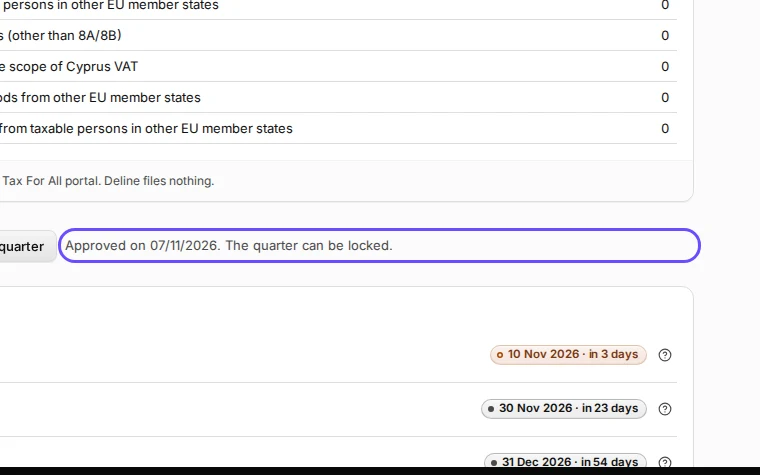
Step 4 in Deline (Cyprus business, fictional data) · See the whole screen
If something goes wrong
- "Add the end of your first VAT period": open Settings → Business → Cyprus tax details and fill in First VAT period ends from your registration certificate.
- The boxes do not agree with the VAT accounts: an entry posted to a VAT account by hand is not on an invoice or bill. Ask your accountant to check it before approving.
Last checked 2026-11-07 by the guide runner on build c5fbd2fa6 (Deline 12a482996) (local Deline stack).