
Before you start
- The bill is recorded and posted (see Record a supplier bill).
- You know the date and the account the money left from.
Steps
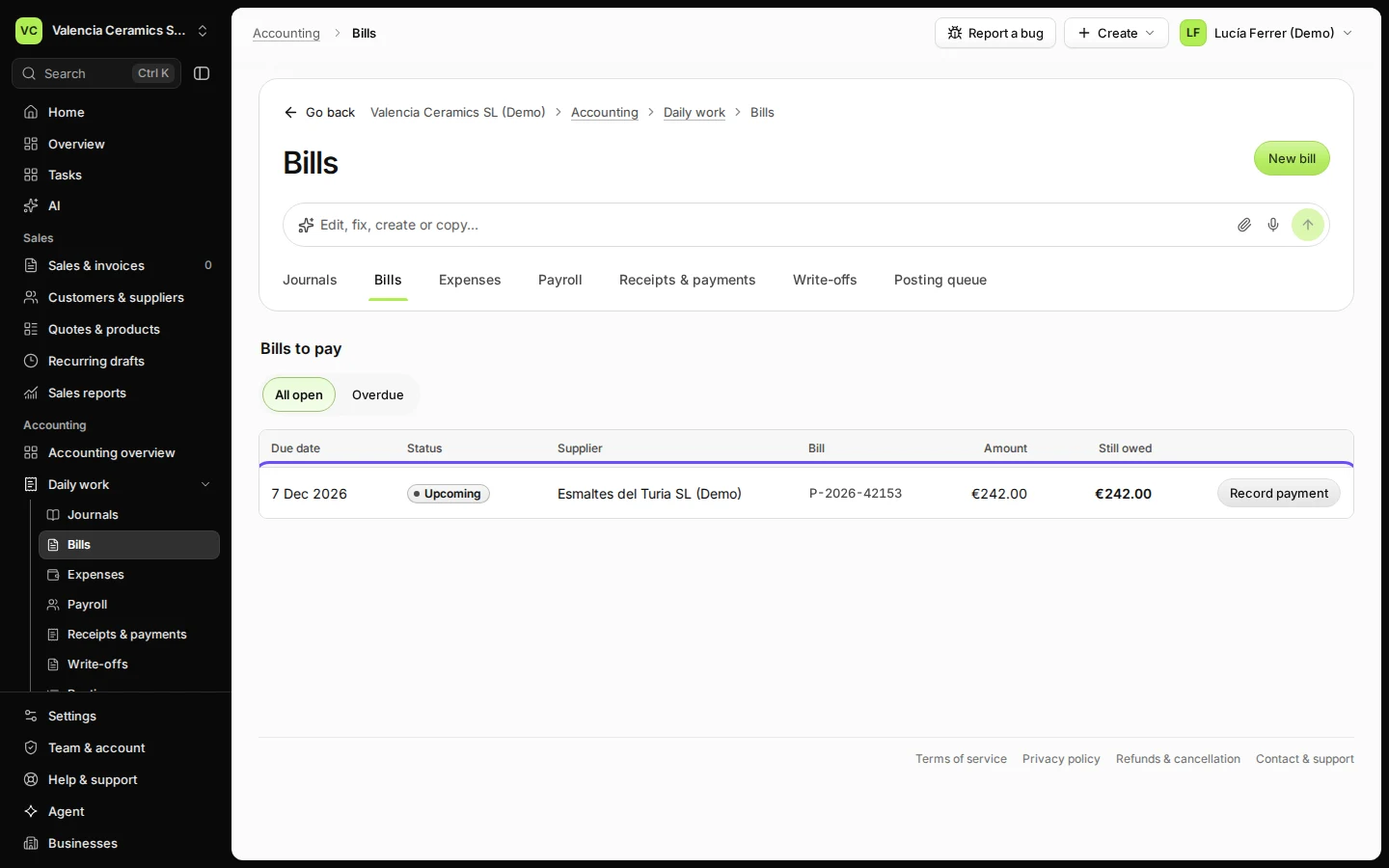
Open Bills from Daily work and press View bills.
Bills to pay lists every open bill with its due date and what you still owe.
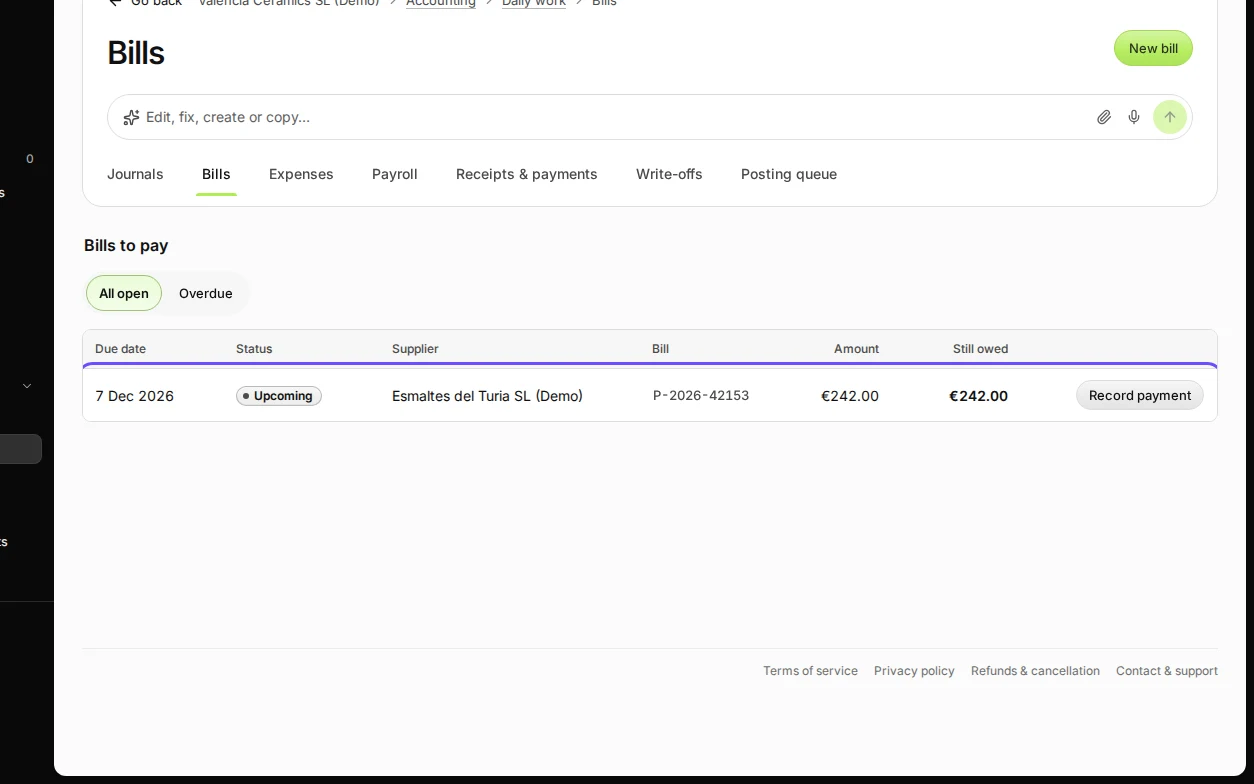
Step 1 in Deline (Spain business, fictional data) · See the whole screen Press Record payment on the bill.
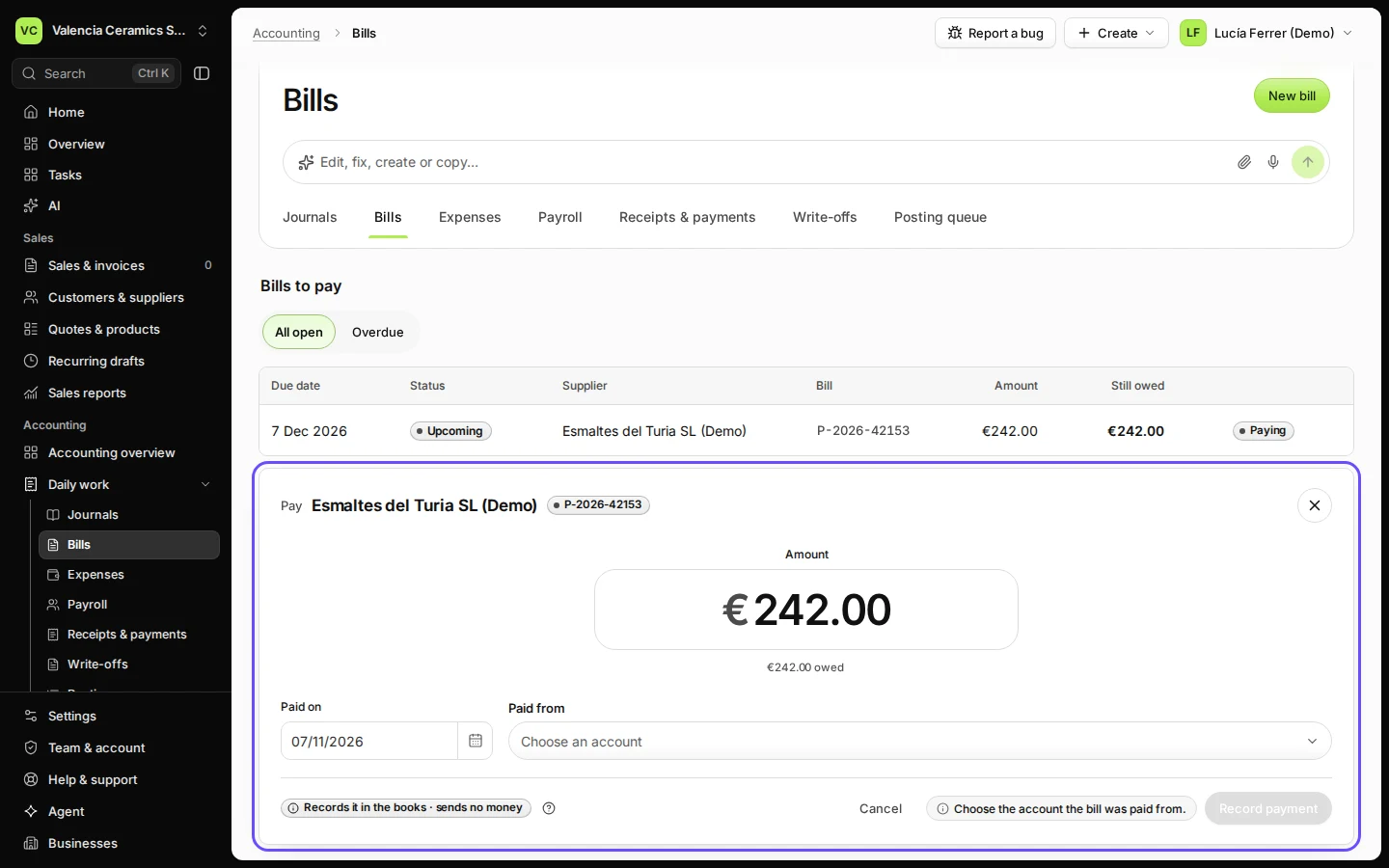
The payment form opens with the amount still owed filled in.
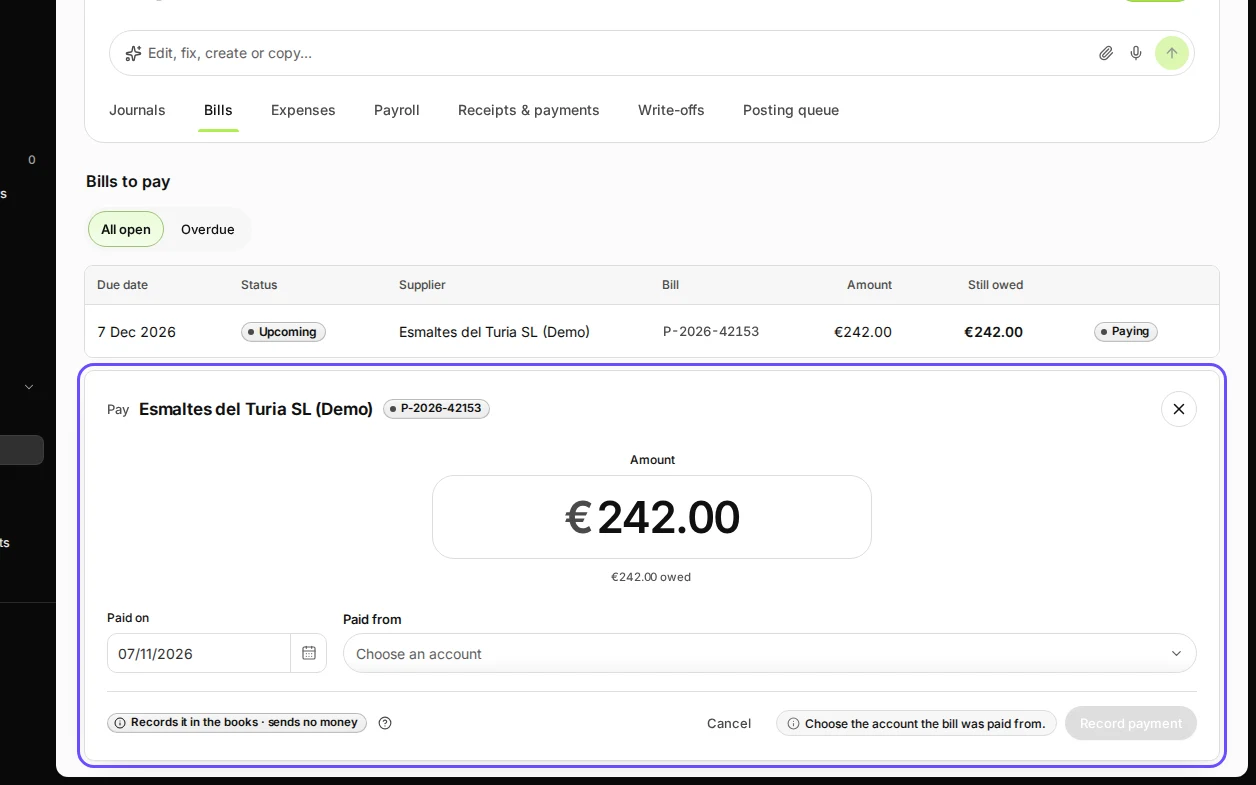
Step 2 in Deline (Spain business, fictional data) · See the whole screen Check the amount and the date, and choose the account you paid from.
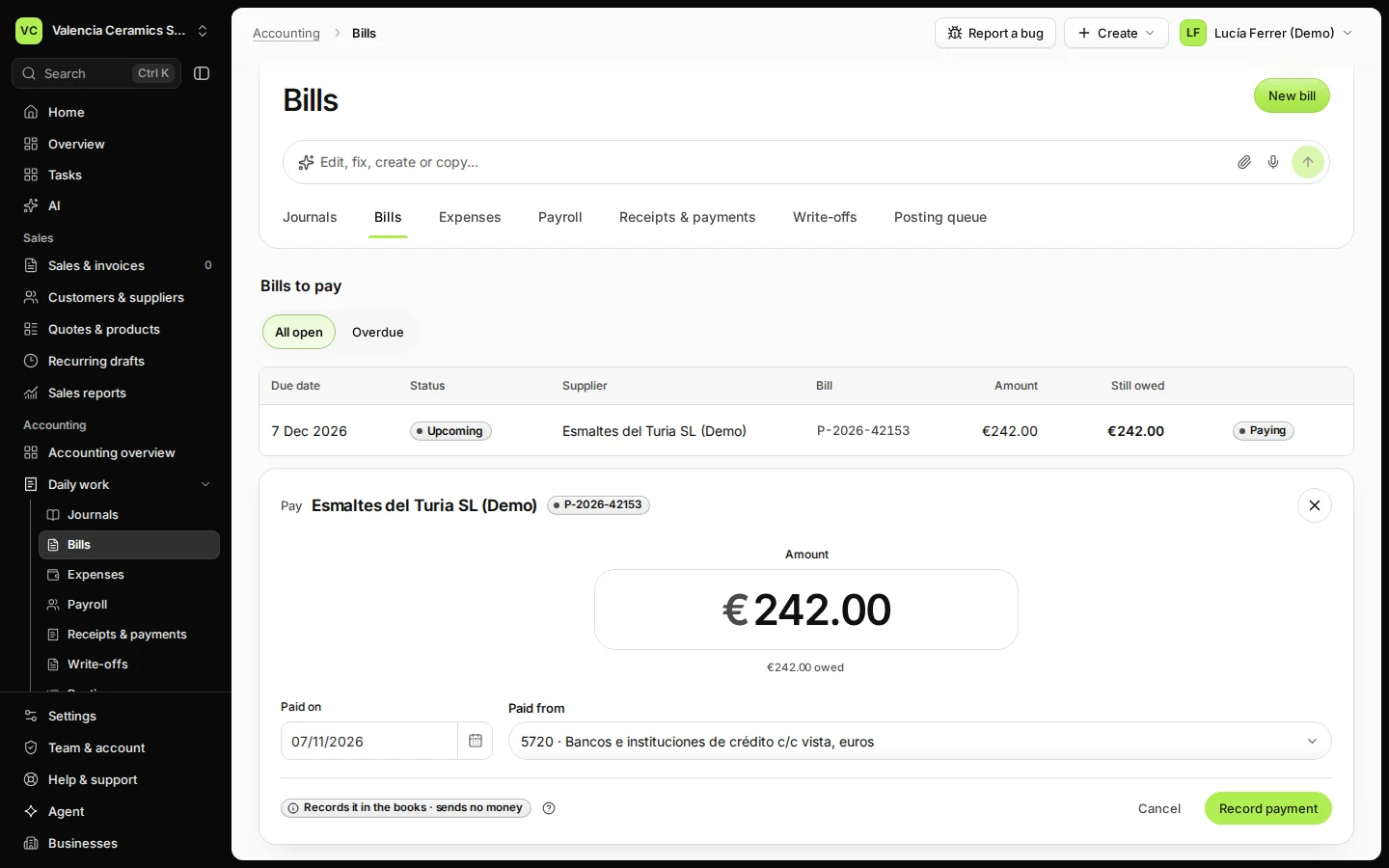
Choose your bank account (for example 5720 Bancos) or cash. Change the amount if you paid only part.
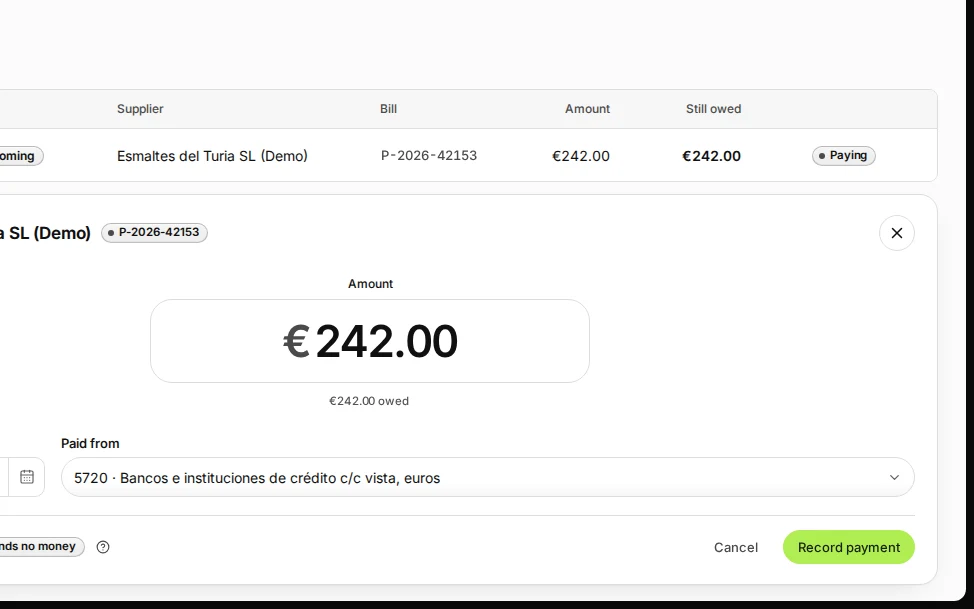
Step 3 in Deline (Spain business, fictional data) · See the whole screen Press Record payment.
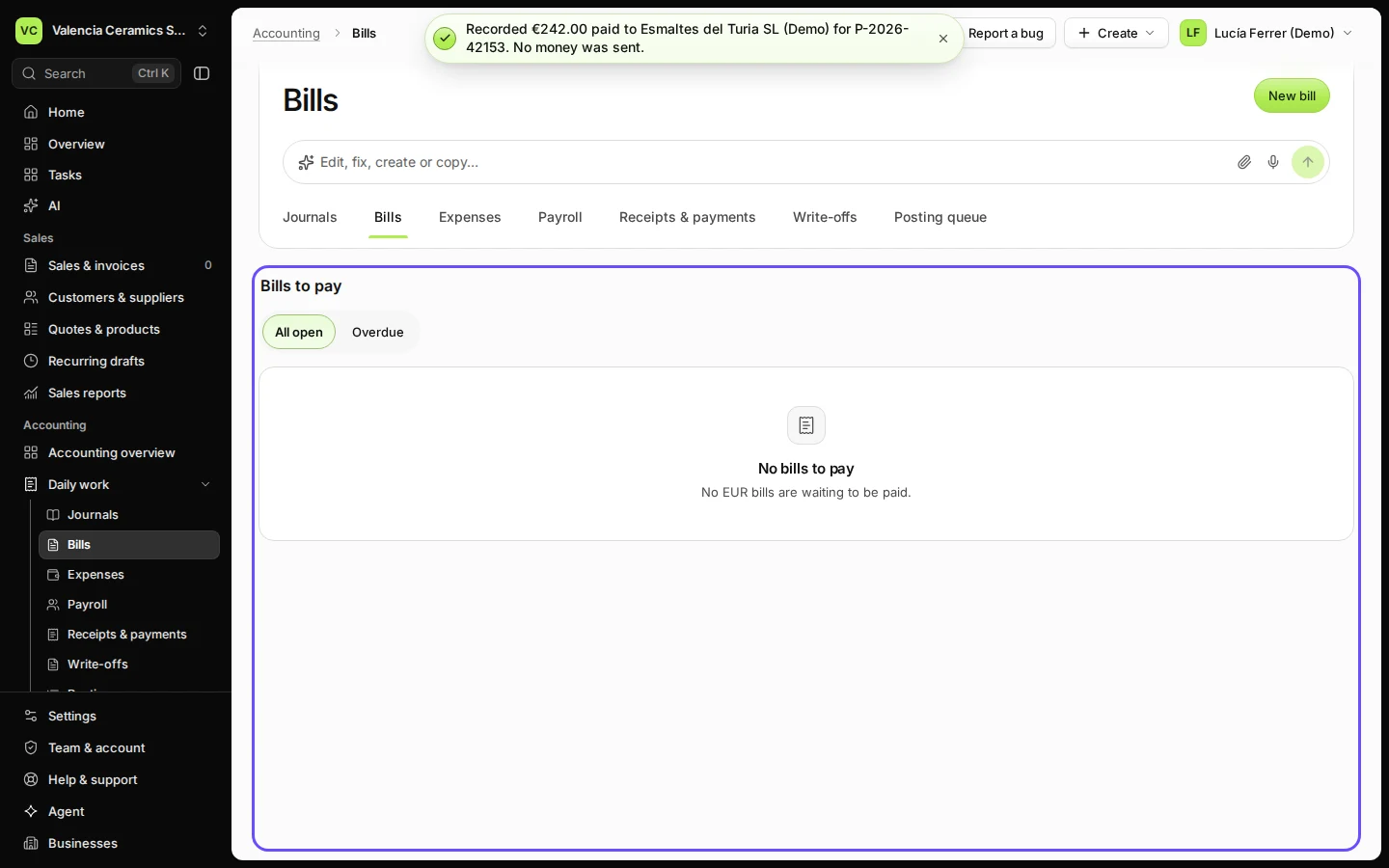
The bill leaves Bills to pay. A part payment leaves the rest owing on the bill.
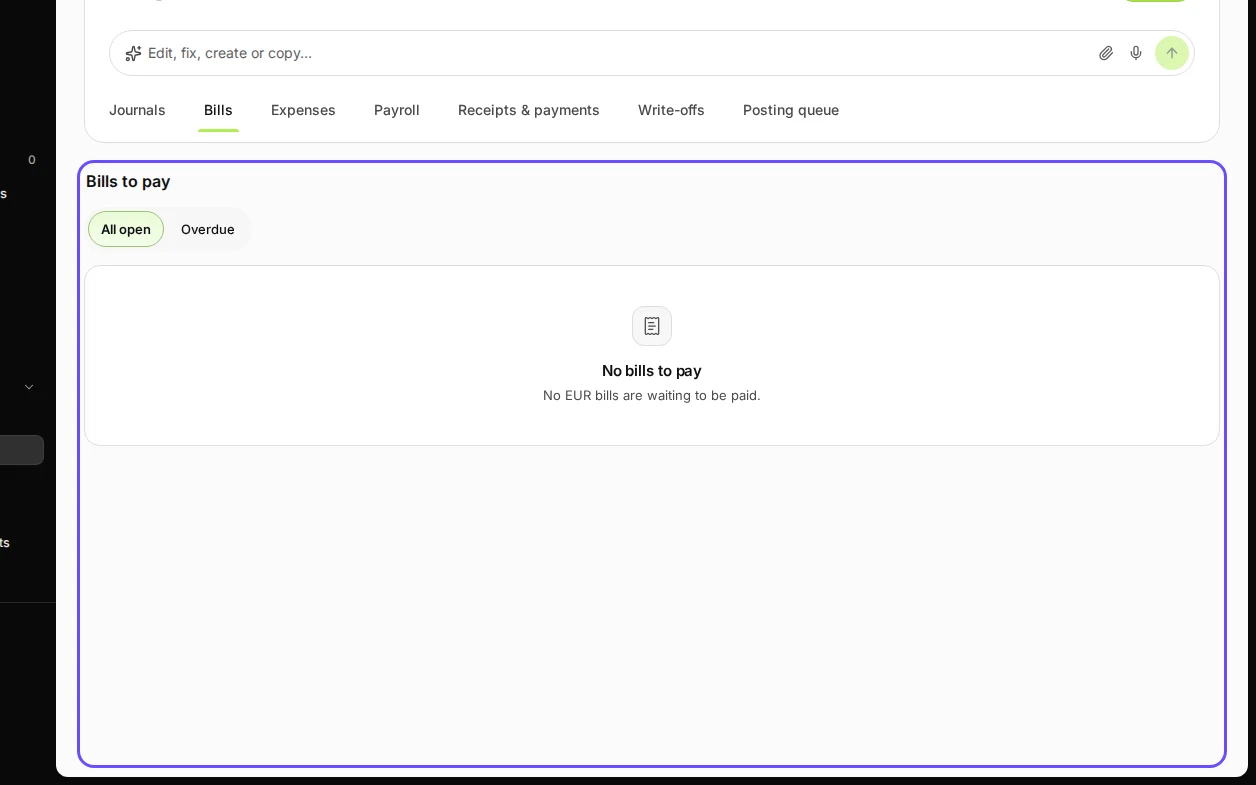
Step 4 in Deline (Spain business, fictional data) · See the whole screen


If something goes wrong
- "Choose the account the bill was paid from": pick the bank or cash account; Deline does not guess it.
- The payment also shows on your bank statement: when you reconcile, match that statement line to this payment instead of recording it again (see Reconcile a bank line).
Last checked 2026-11-07 by the guide runner on build c5fbd2fa6 (Deline 12a482996) (local Deline stack, desktop and phone).