
Before you start
- Your Cyprus VAT number and the date your VAT registration started are saved in Settings → Business.
- The customer is a business in another EU member state and has given you their VAT number (with its country prefix, for example DE123456789).
- You sell services. For goods, choose "Intra-EU supply of goods" on the line instead and keep proof of transport.
Steps
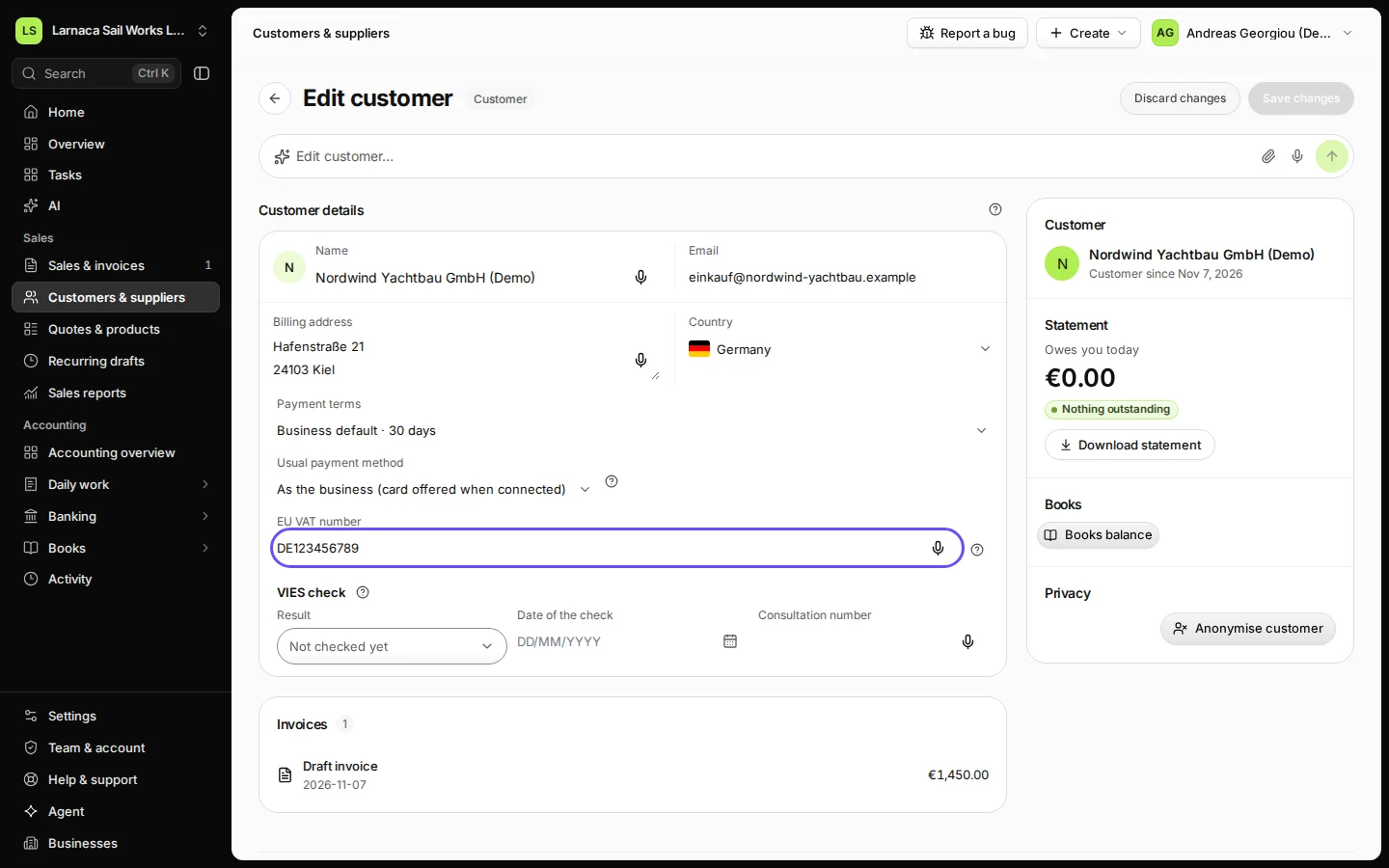
Open the customer and check their EU VAT number.
Go to Customers & suppliers and open the customer. The EU VAT number field appears when their country is another EU member state.
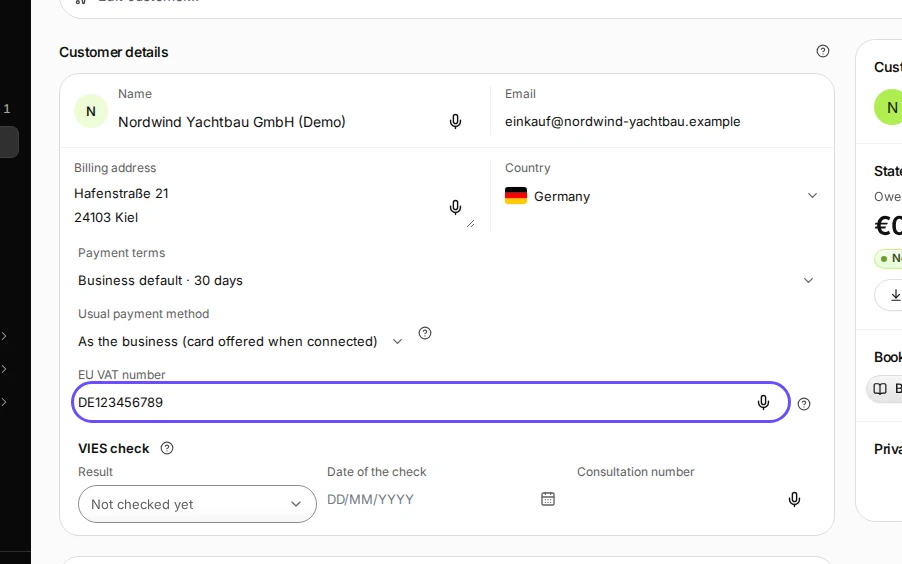
Step 1 in Deline (Cyprus business, fictional data) · See the whole screen Check the number on the EU's VIES website.
This step happens outside Deline.Search "VIES VAT number validation" and use the European Commission's site. Enter your own Cyprus VAT number as the requester, so the result comes with a consultation number.
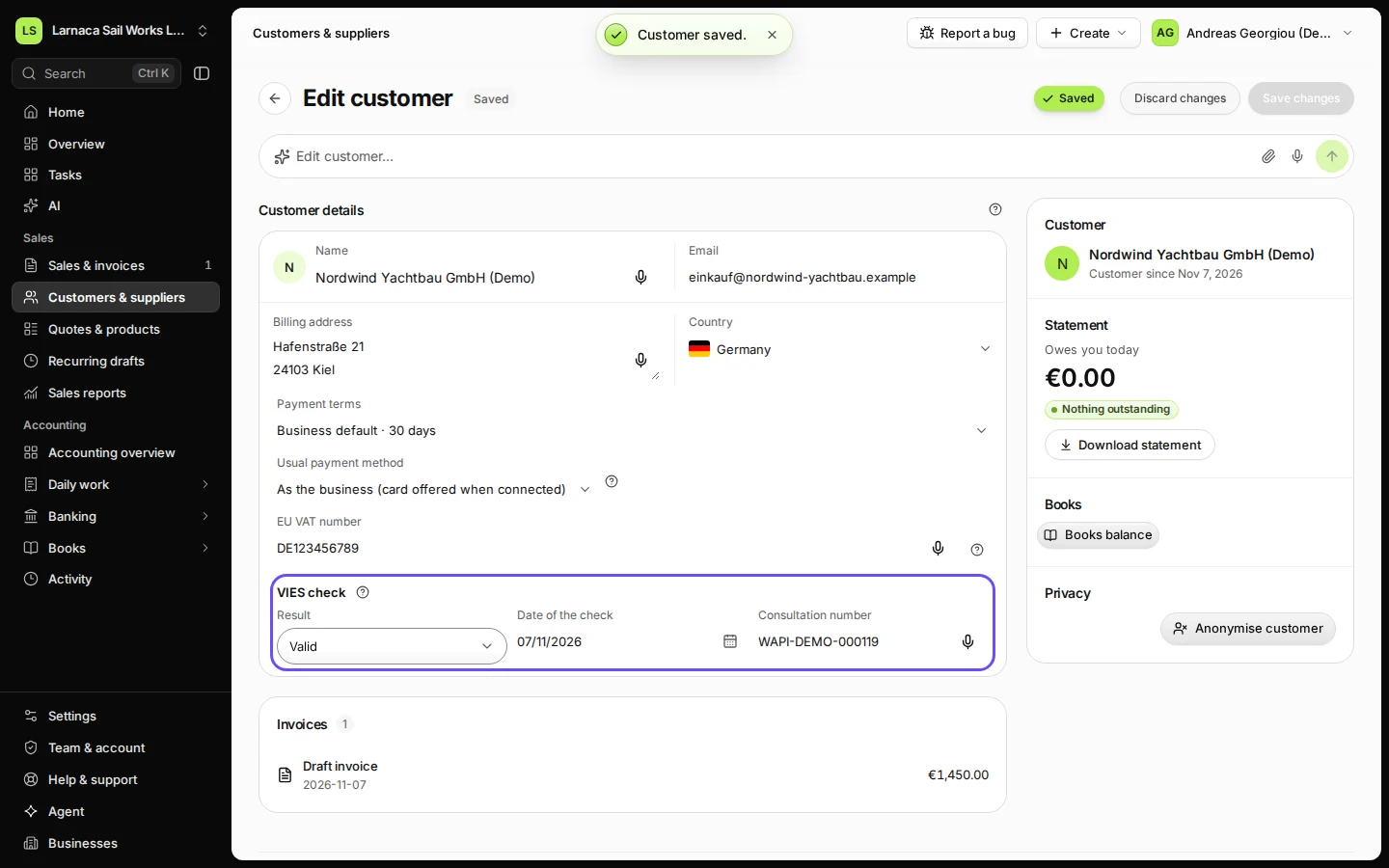
Record the VIES result, the date of the check and the consultation number, then save.
In VIES check, choose Valid, enter the date you checked and paste the consultation number. Press Save changes.
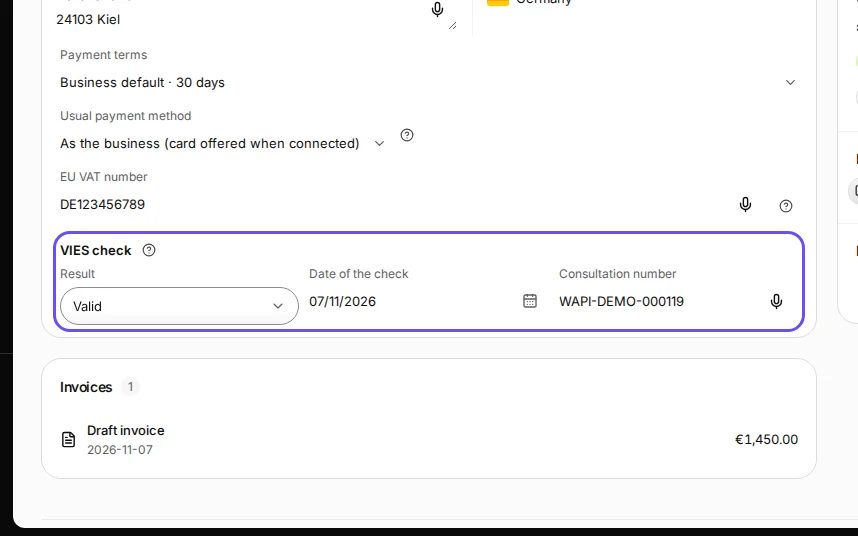
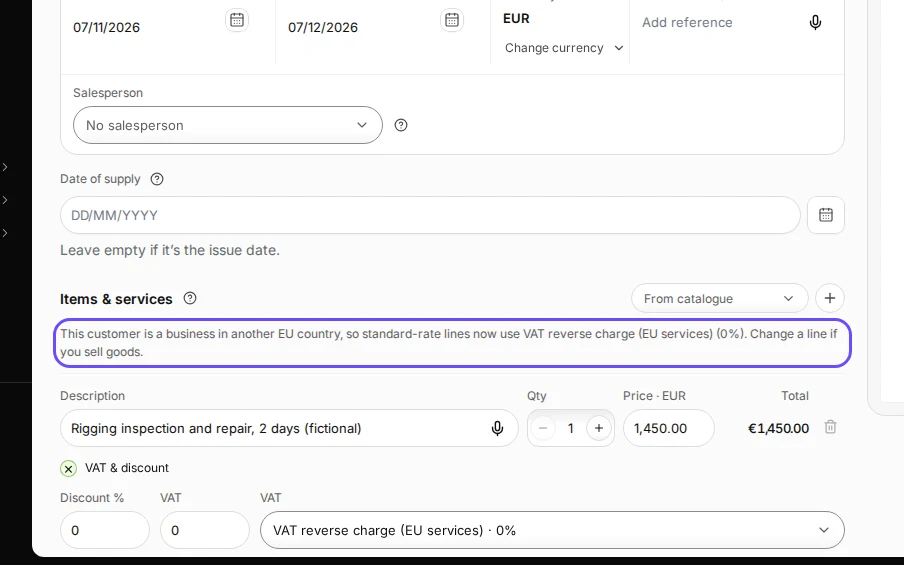
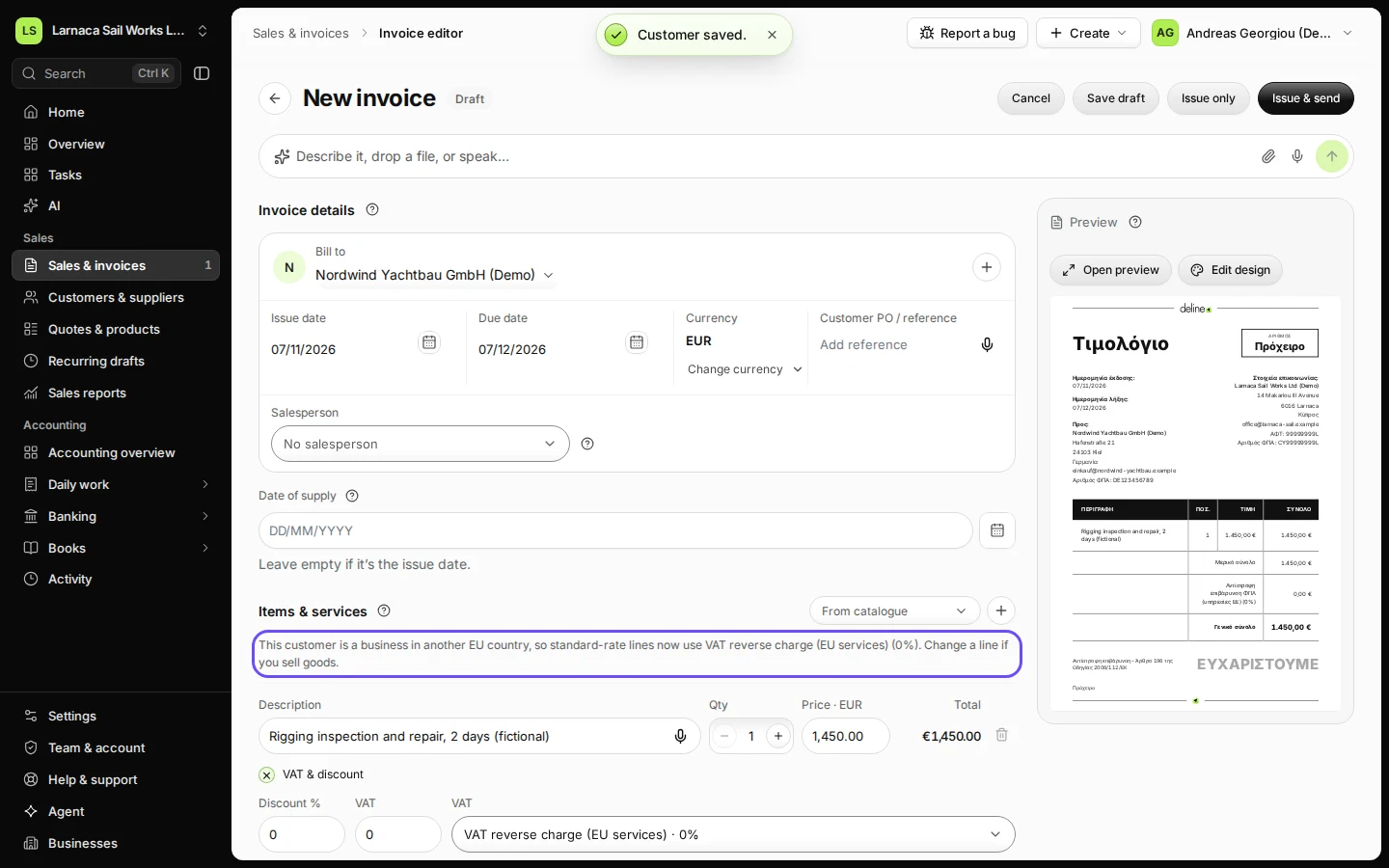
Step 3 in Deline (Cyprus business, fictional data) · See the whole screen Create the invoice and check the line says VAT reverse charge (EU services).
Deline switches standard-rate lines to VAT reverse charge (EU services) at 0 % as soon as you choose this customer, and tells you so above the lines.
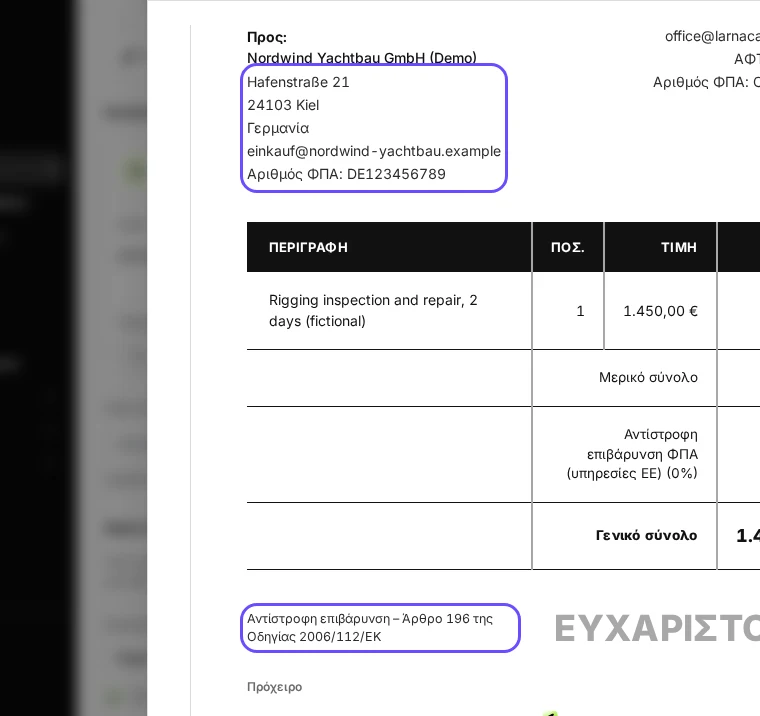
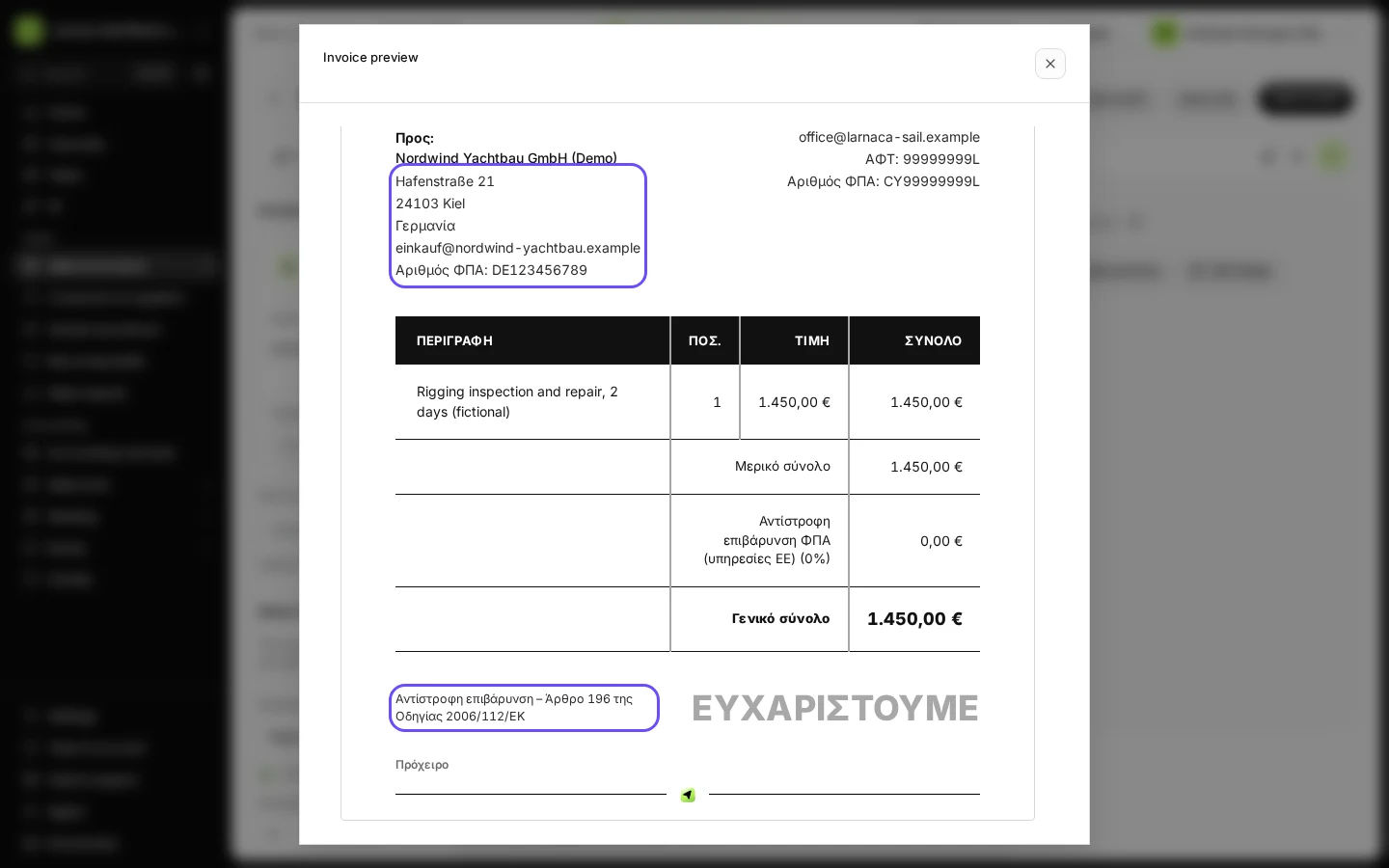
Step 4 in Deline (Cyprus business, fictional data) · See the whole screen Check the preview: both VAT numbers and the Article 196 legend.
Press Open preview for a full-size view. The invoice shows your VAT number, your customer's VAT number and the legal wording "Reverse charge – Article 196, Council Directive 2006/112/EC". Cyprus invoices are in Greek unless you choose another document language, so the preview reads «Αντίστροφη επιβάρυνση – Άρθρο 196 της Οδηγίας 2006/112/ΕΚ».
Step 5 in Deline (Cyprus business, fictional data) · See the whole screen Issue the invoice.
Press Issue only or Issue & send. Once your books post it, the sale counts in boxes 6 and 8B of your VAT 4 return (8B: services to other EU countries) and in your VIES statement.
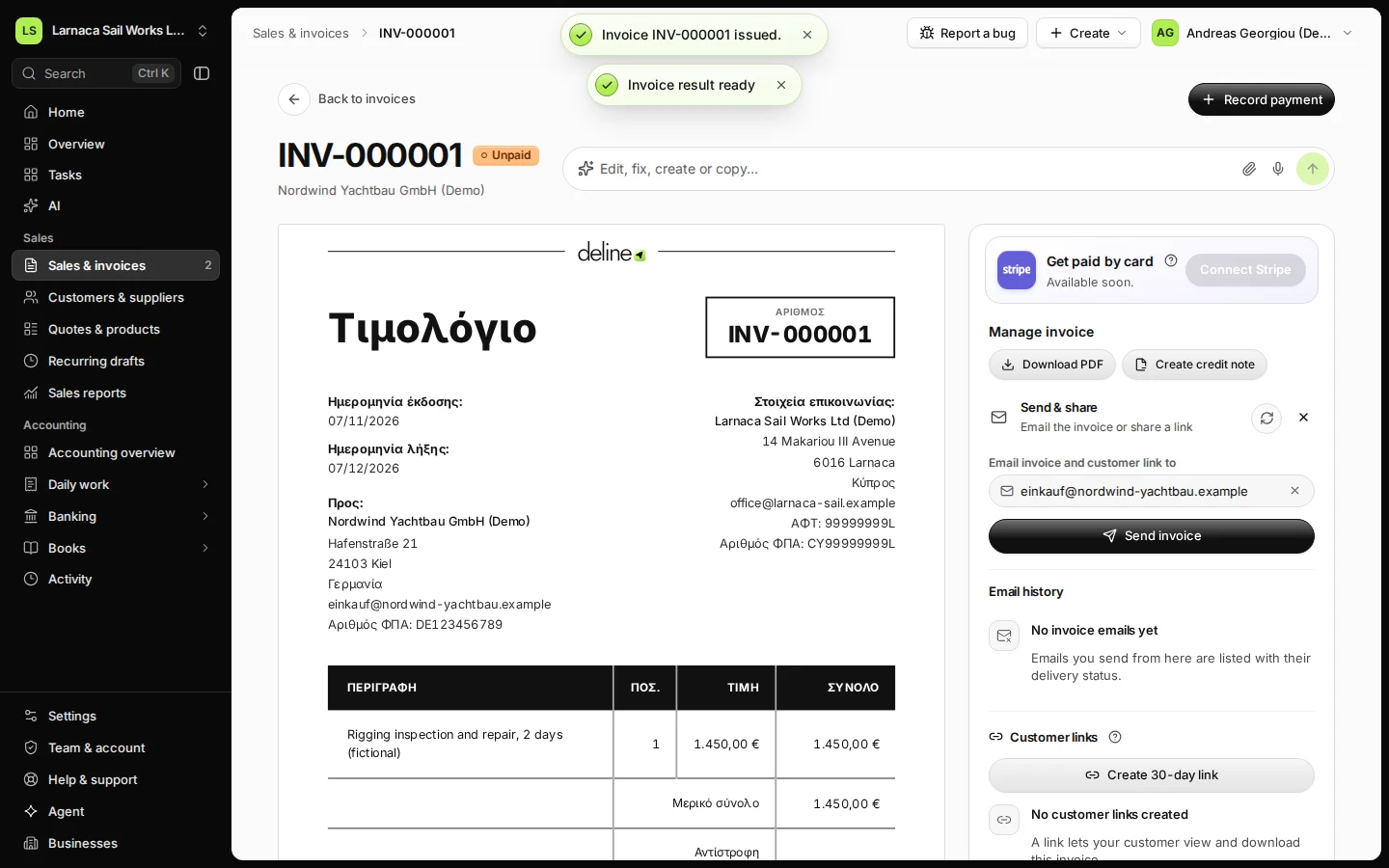
Step 6 in Deline (Cyprus business, fictional data)
If something goes wrong
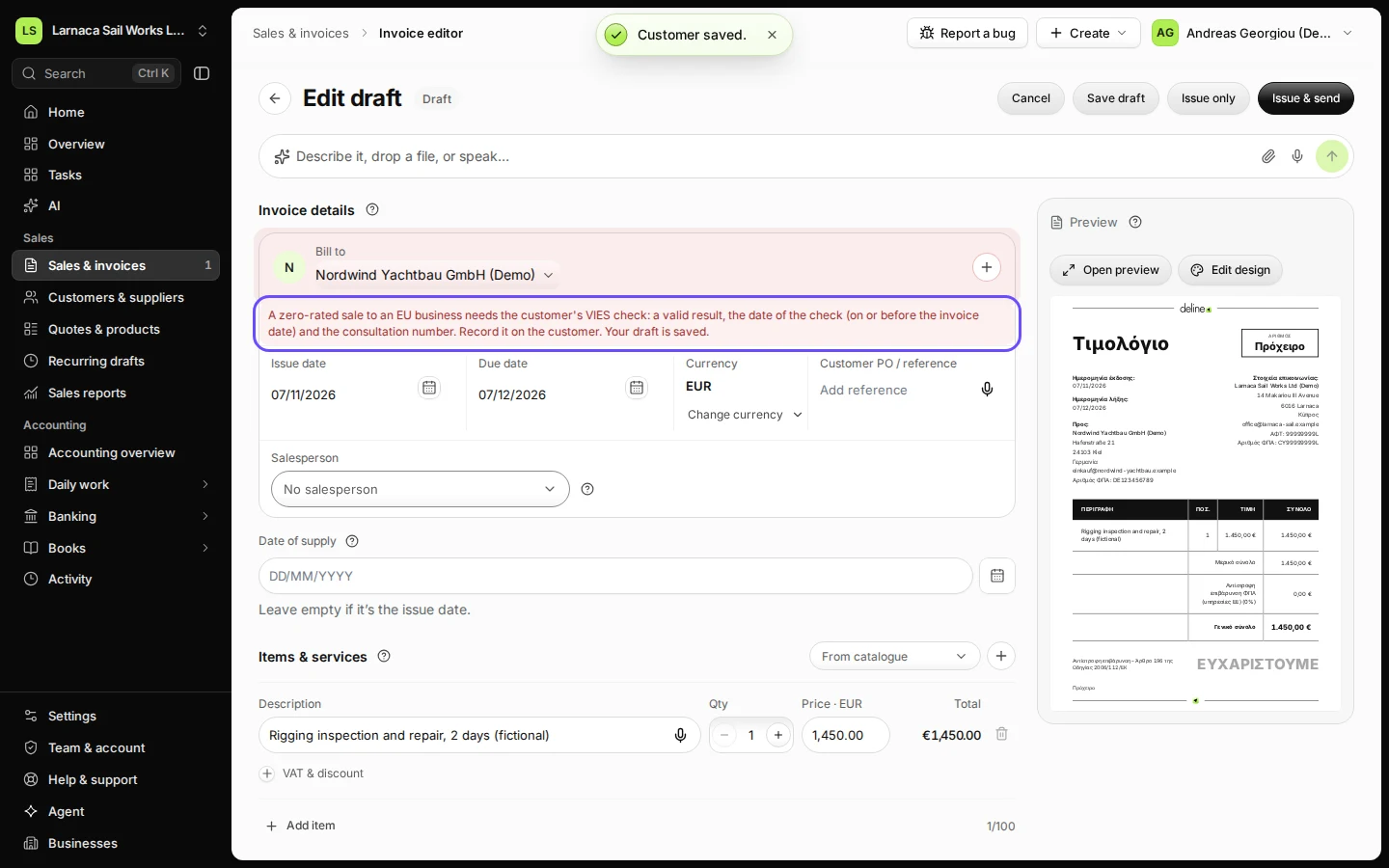
- "A zero-rated EU sale needs the customer's VIES check": the check is missing, not valid, or dated after the invoice. Record it on the customer (step 3) and issue again. Your draft is kept.
- "A reverse-charge or intra-EU line needs the customer's EU VAT number": add the number on the customer. A Cyprus (CY) number does not count: a sale to a Cyprus business is a domestic sale.
- The customer is not VAT-registered (a consumer): this is not a reverse-charge sale. Charge Cyprus VAT on the line.
The rule behind it
This follows the Cyprus accountant's answer #7 (6 Nov 2026): a zero-rated EU sale is issued only with the customer's VIES check recorded, with a valid result, a check date on or before the issue date and a consultation number. Drafts can wait. The same rule refuses a reverse-charge line without the customer's EU VAT number and a CY number on an EU line. Deline checks it when you issue (src/shared/cy-invoice-issue.ts); the tests that prove it are listed in this guide's details.
Where this rule lives and the tests that prove it
- Rule:
mvp-app/src/shared/cy-invoice-issue.ts - Rule:
accounting-backend/src/jurisdictions/cy/vat-engine.ts - Test:
mvp-app/tests/flows-b3-cy-issue.test.ts - Test:
mvp-app/tests/cy-invoice-fields.test.ts - Test:
mvp-app/tests/cy-accountant-answers-vat.test.ts - Test:
accounting-backend/tests/jurisdictions/cy/cy-vat-engine.test.ts
Last checked 2026-11-07 by the guide runner on build c5fbd2fa6 (Deline 12a482996) (local Deline stack).