
Before you start
- You are the owner or the accountant.
- The month is reconciled and checked. Locking does not post anything.
Steps
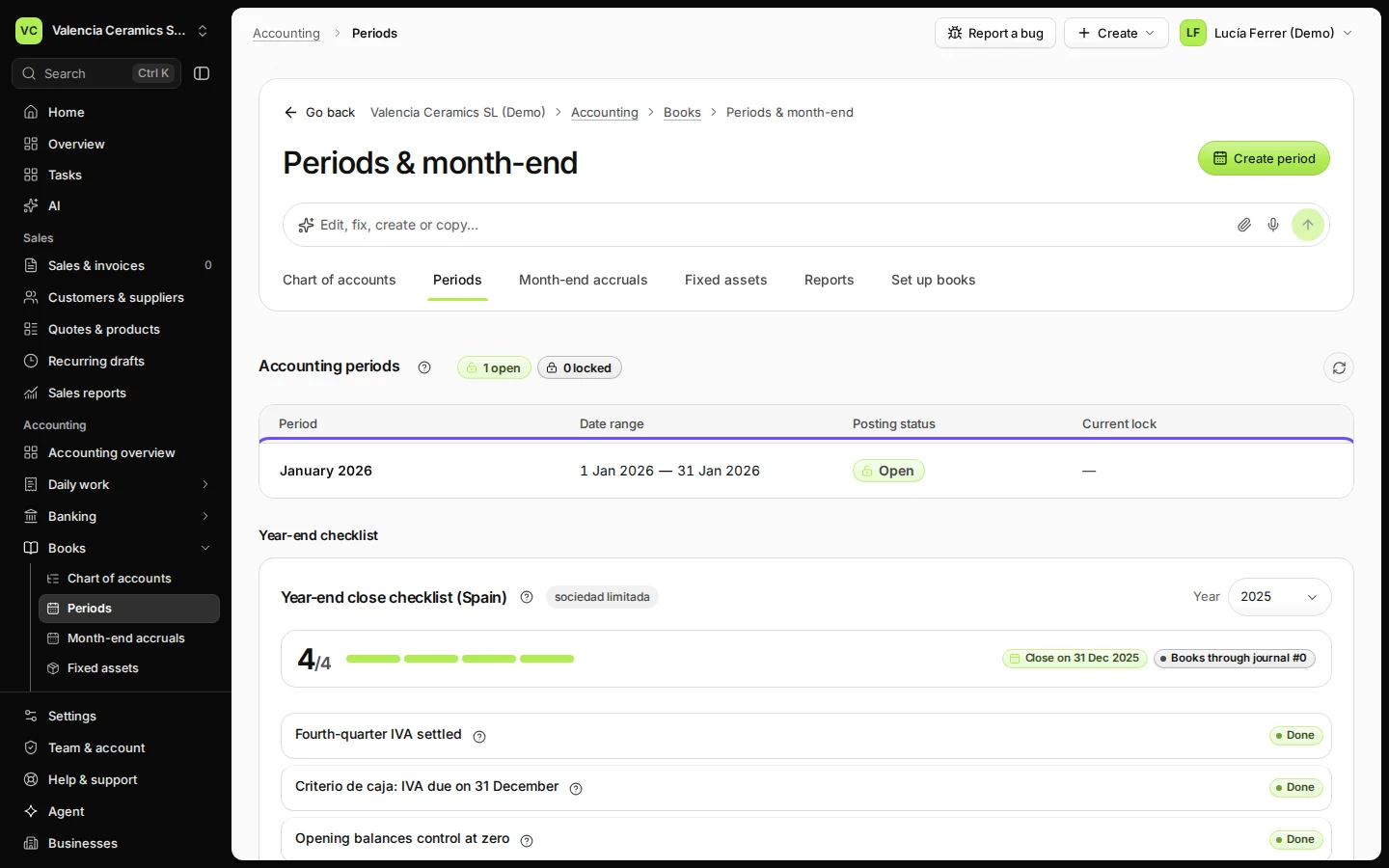
Open Periods from Books.
Accounting periods lists every month with its state: Open or Locked.
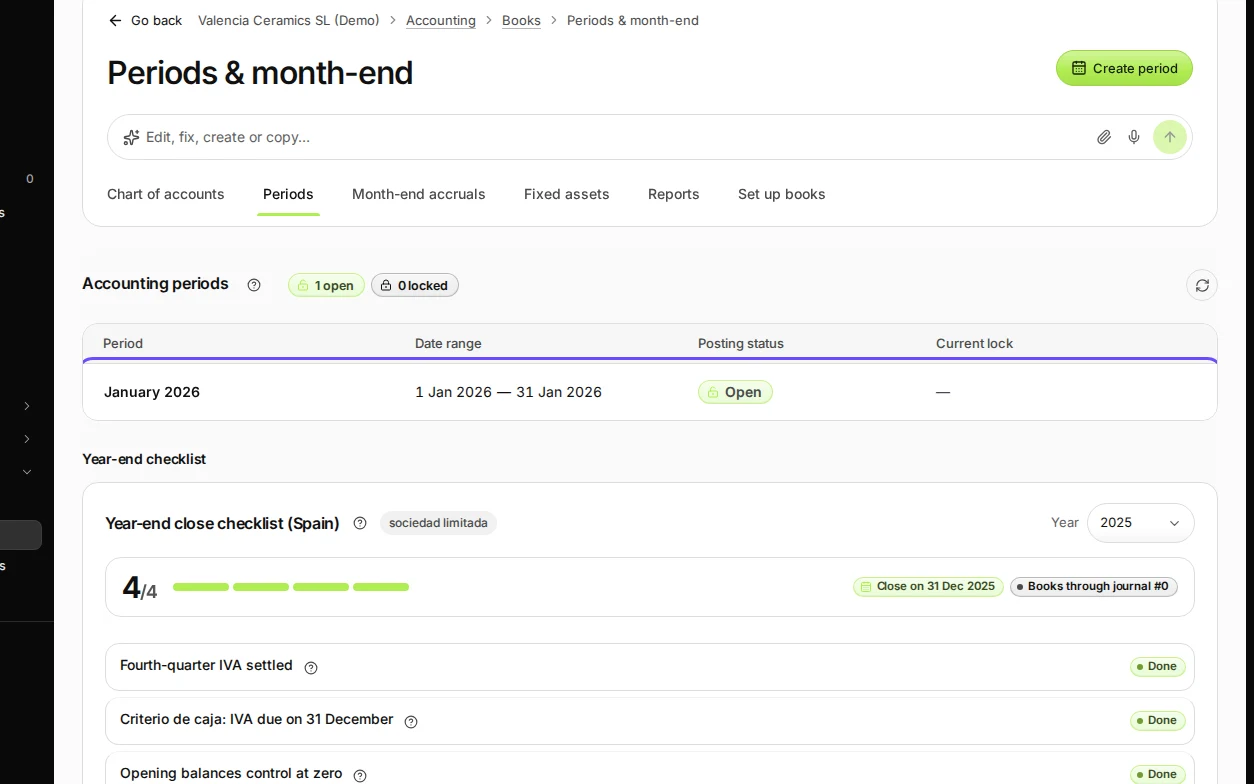
Step 1 in Deline (Spain business, fictional data) · See the whole screen Open the month you want to lock.
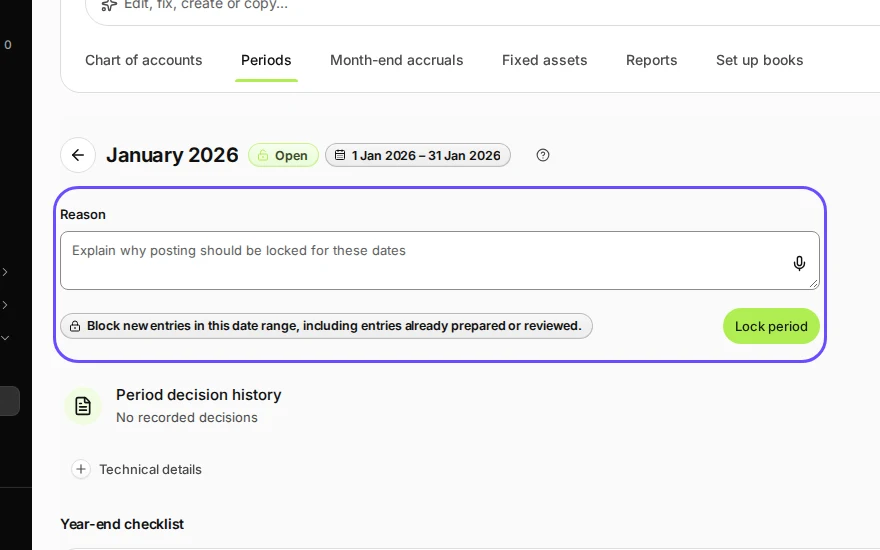
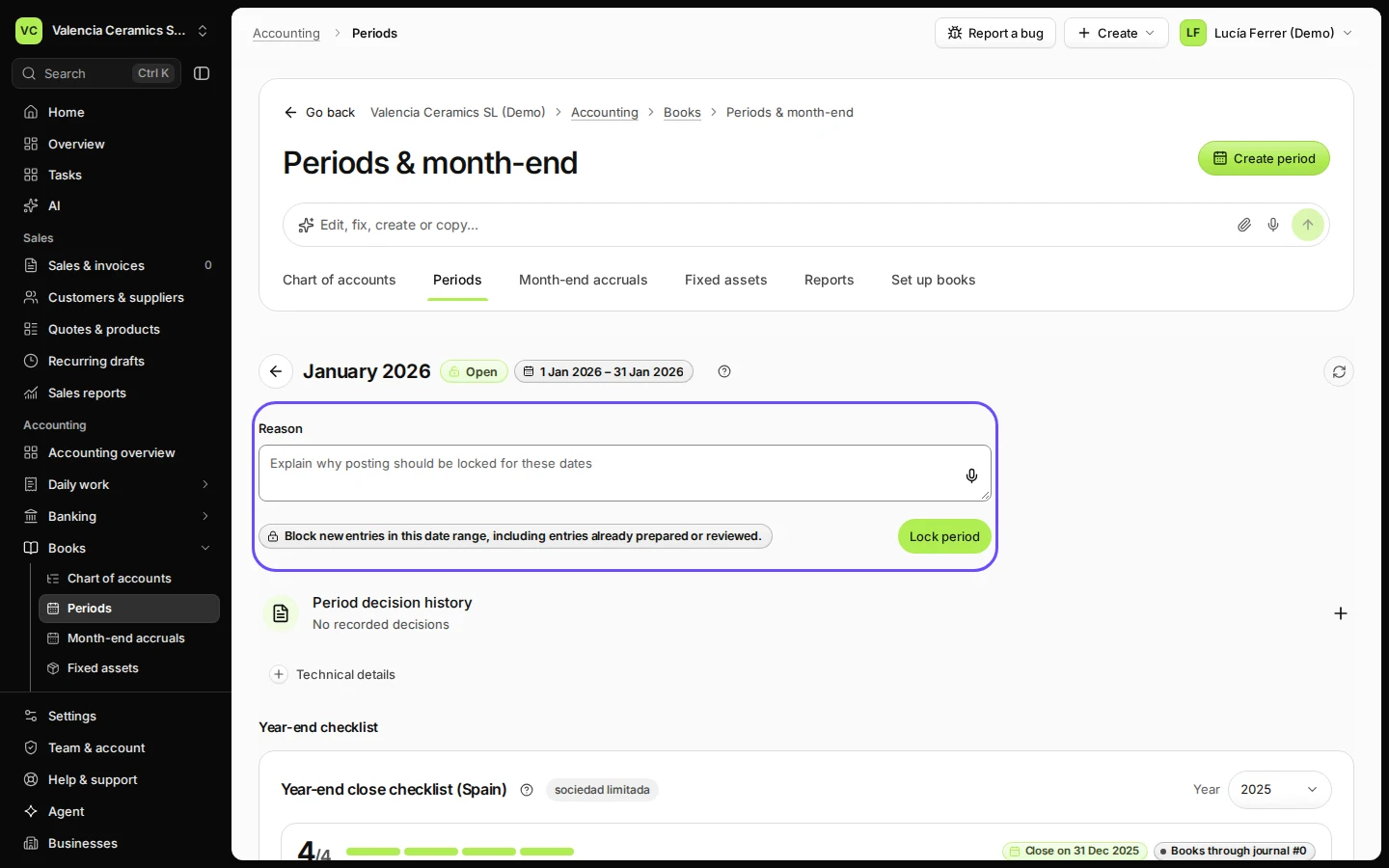
Step 2 in Deline (Spain business, fictional data) · See the whole screen Write why you lock it and press Lock period.
For example: "Checked and VAT return prepared".
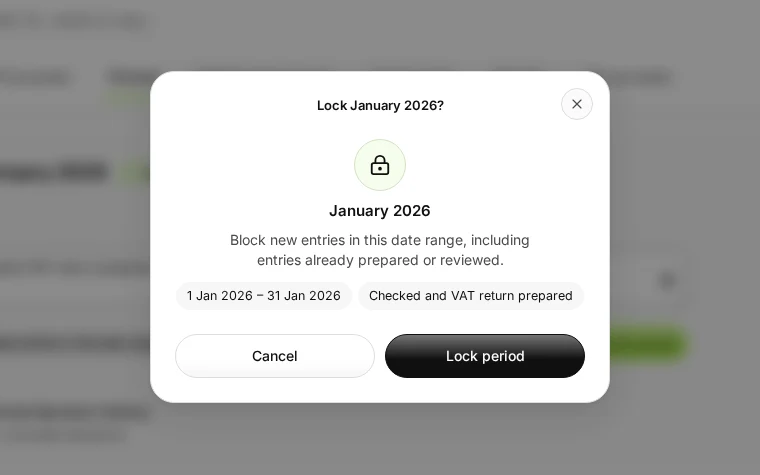
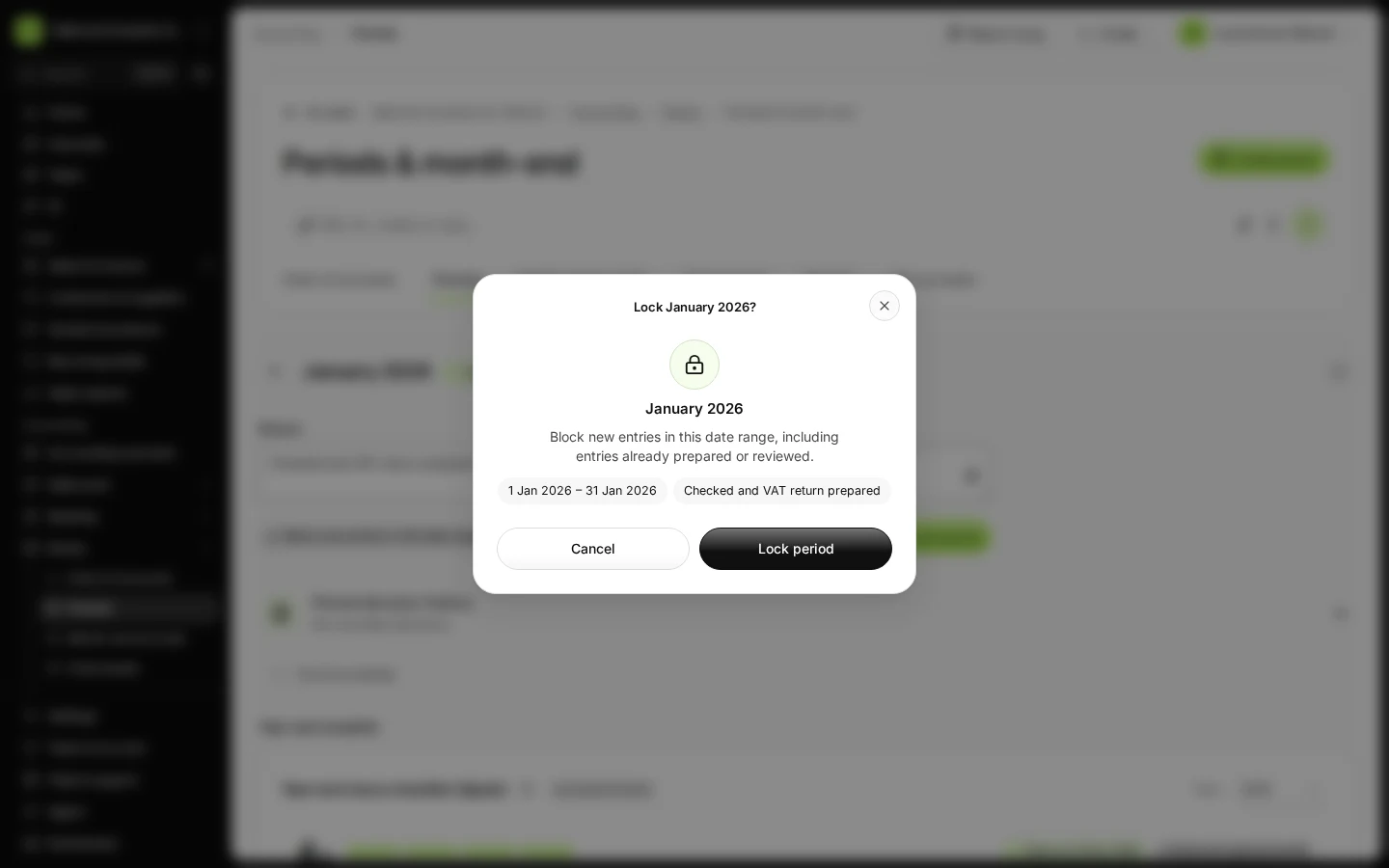
Step 3 in Deline (Spain business, fictional data) · See the whole screen Check the dates in the window and press Lock period.
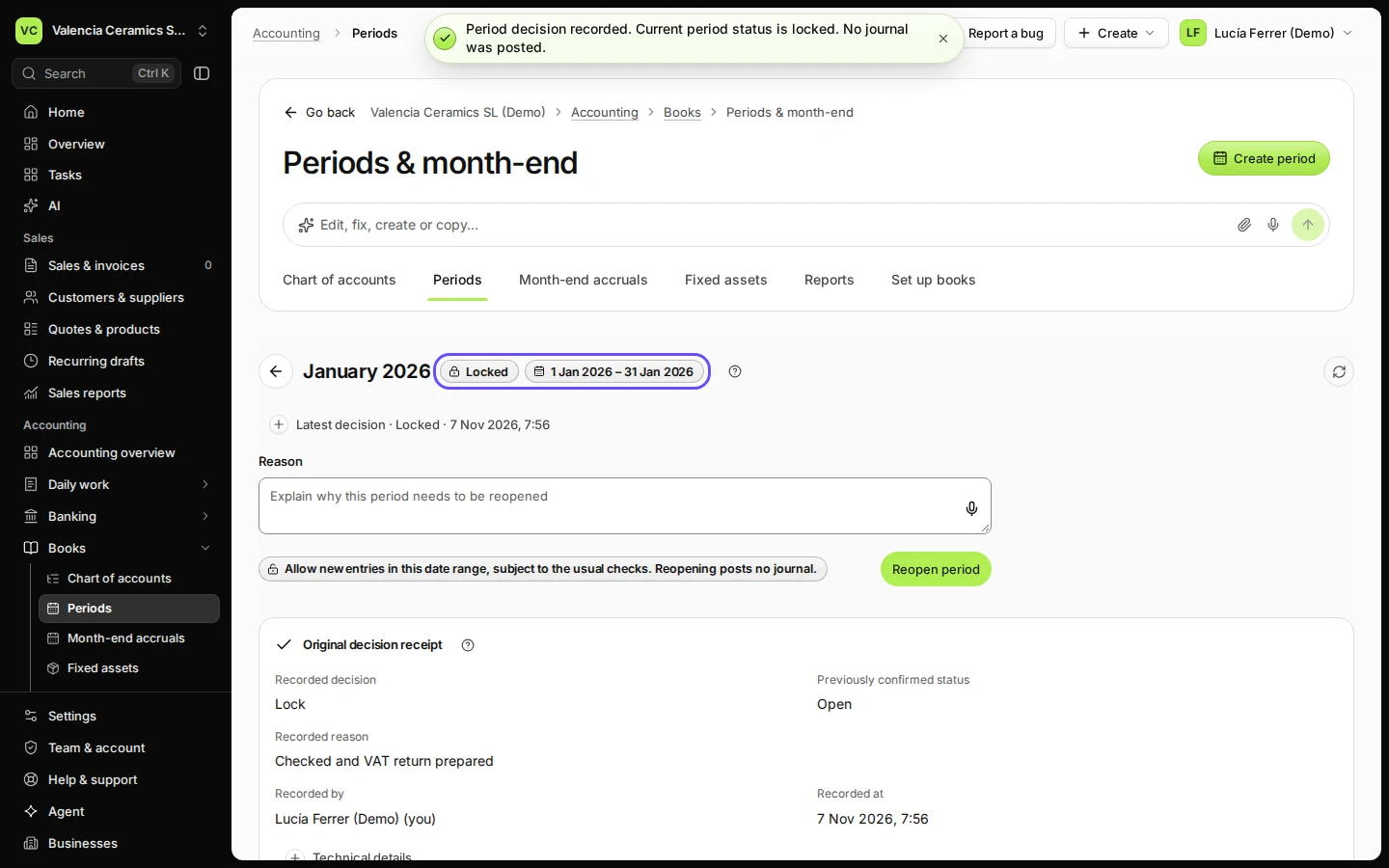
The month now shows Locked, with who locked it, when and why.
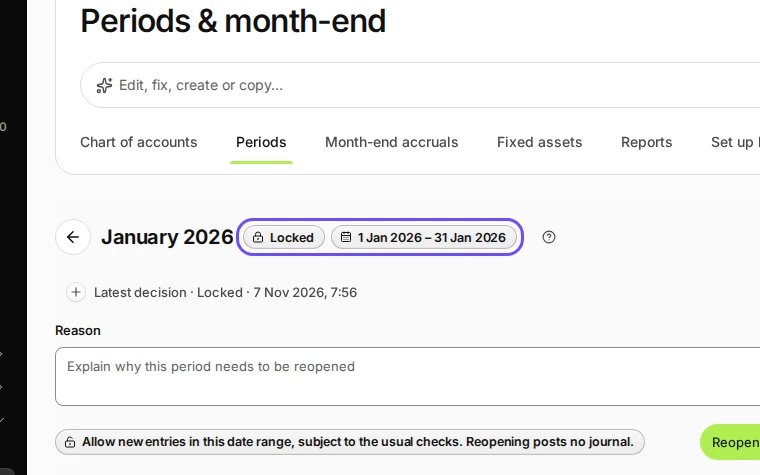
Step 4 in Deline (Spain business, fictional data) · See the whole screen
If something goes wrong
- You need to post into a locked month: open the month, write the reason under Reopen this period and press Reopen period. Lock it again when you are done.
- The month is not in the list: it has no accounting period yet; it is created when you first post into it.
Last checked 2026-11-07 by the guide runner on build c5fbd2fa6 (Deline 12a482996) (local Deline stack).