
Before you start
- You are the owner or the accountant.
- You know which of the two entries is the extra one: usually the one entered by hand, not the one recorded from the statement line.
Steps
Open Reconcile from Banking and open the statement.
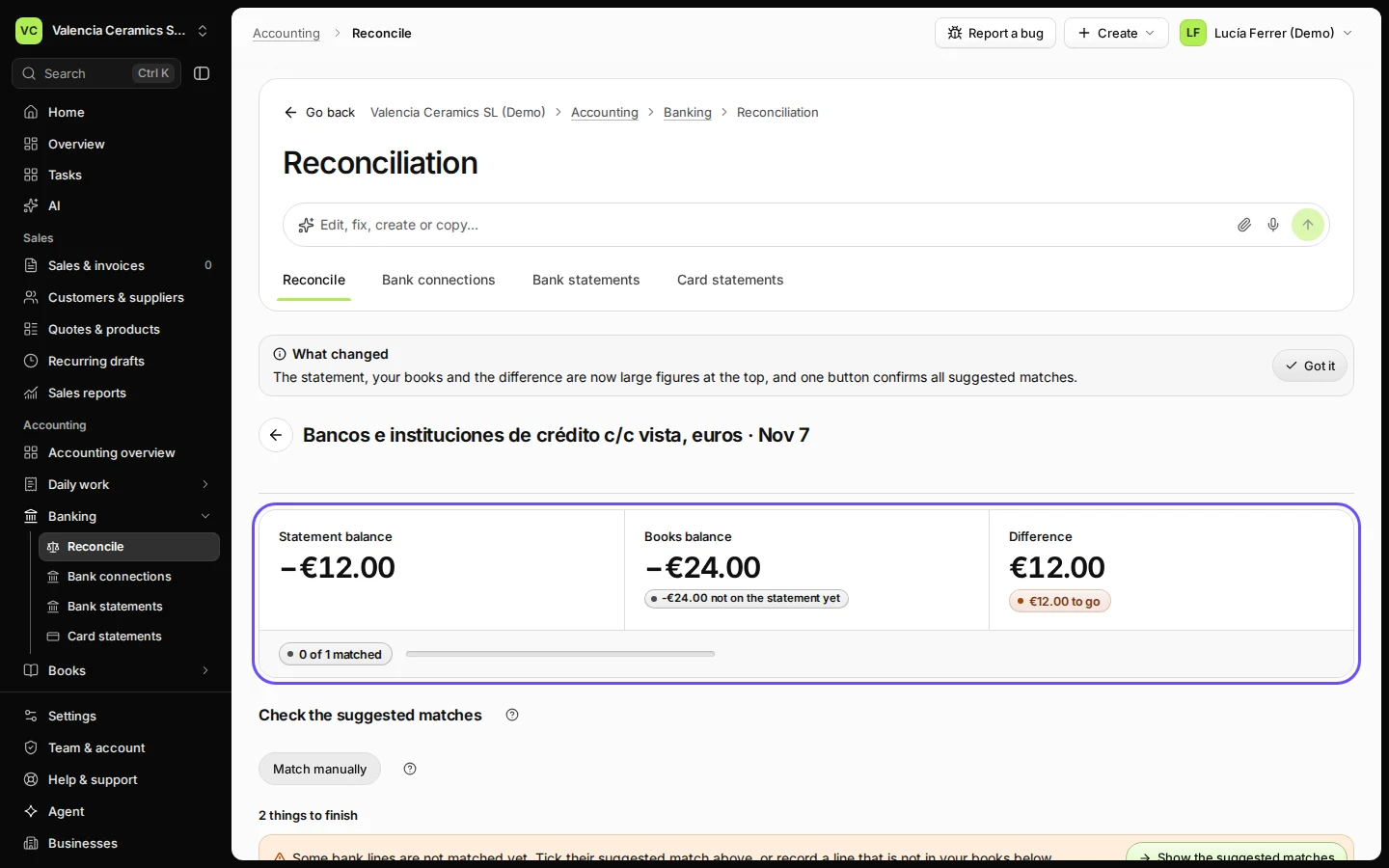
Difference is not zero and the amount shows twice.
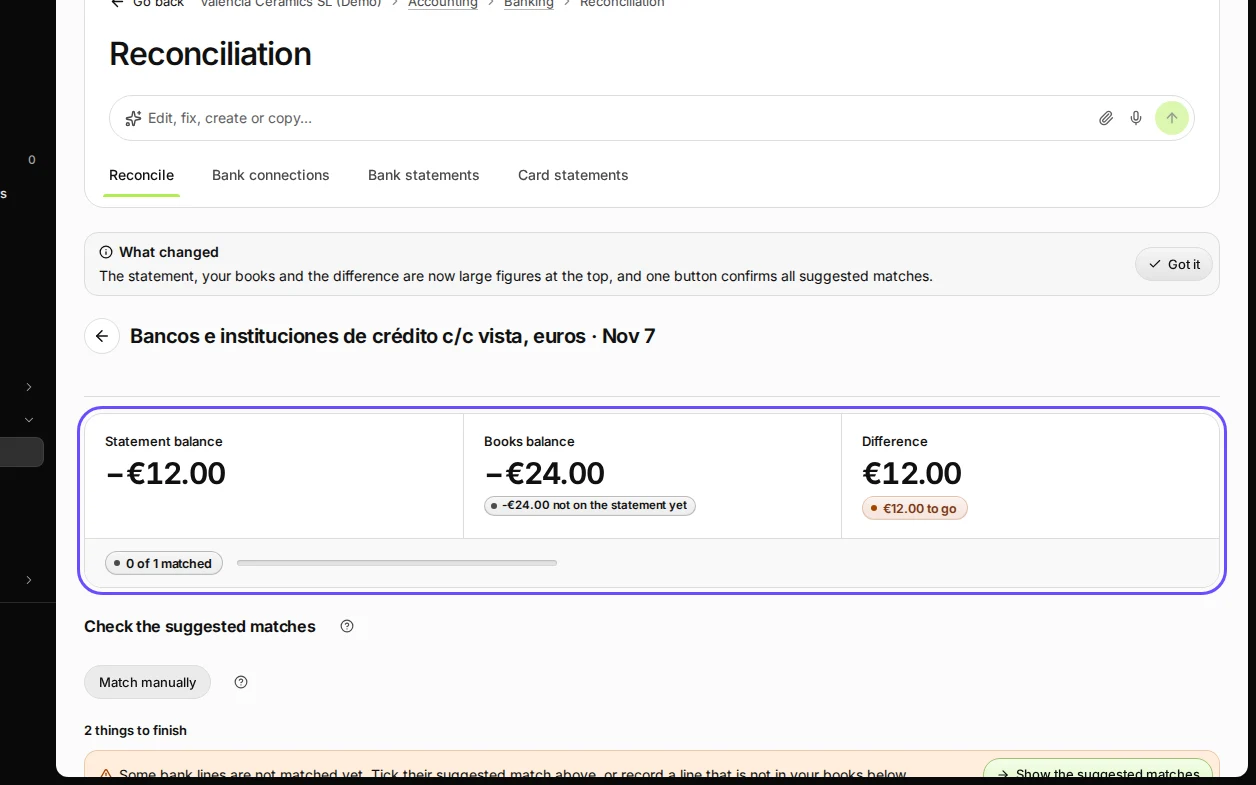
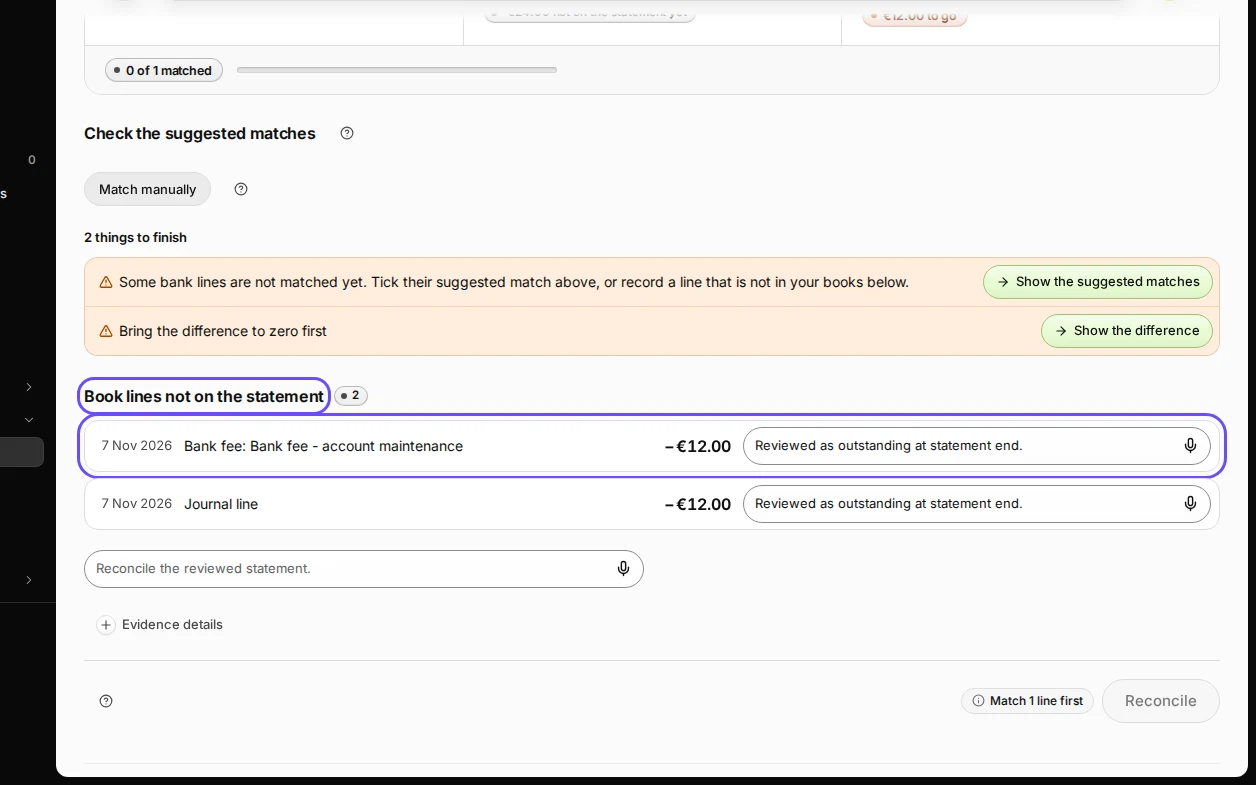
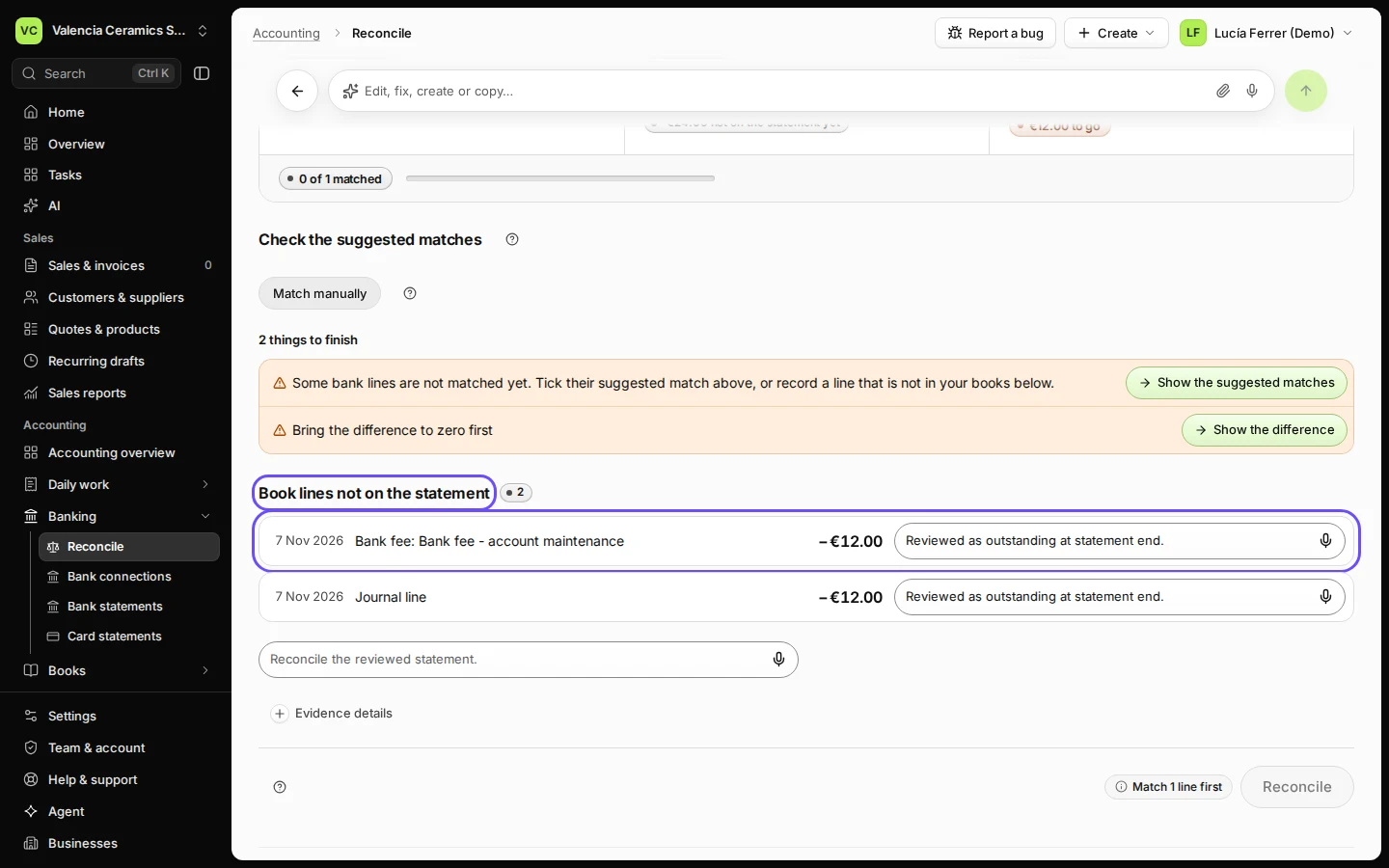
Step 1 in Deline (Spain business, fictional data) · See the whole screen Find the extra entry under Book lines not on the statement.
It is in your books but on no statement line.
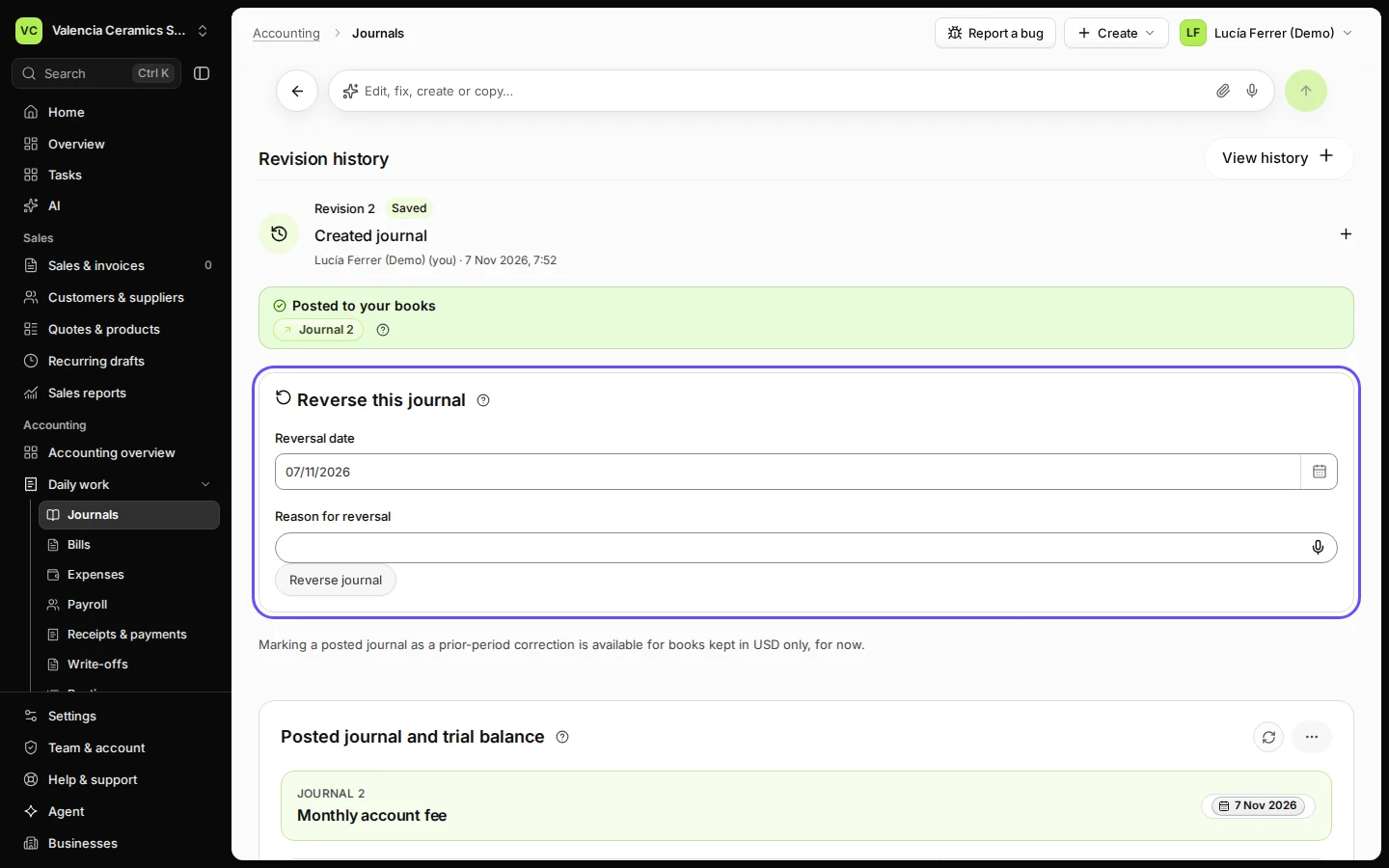
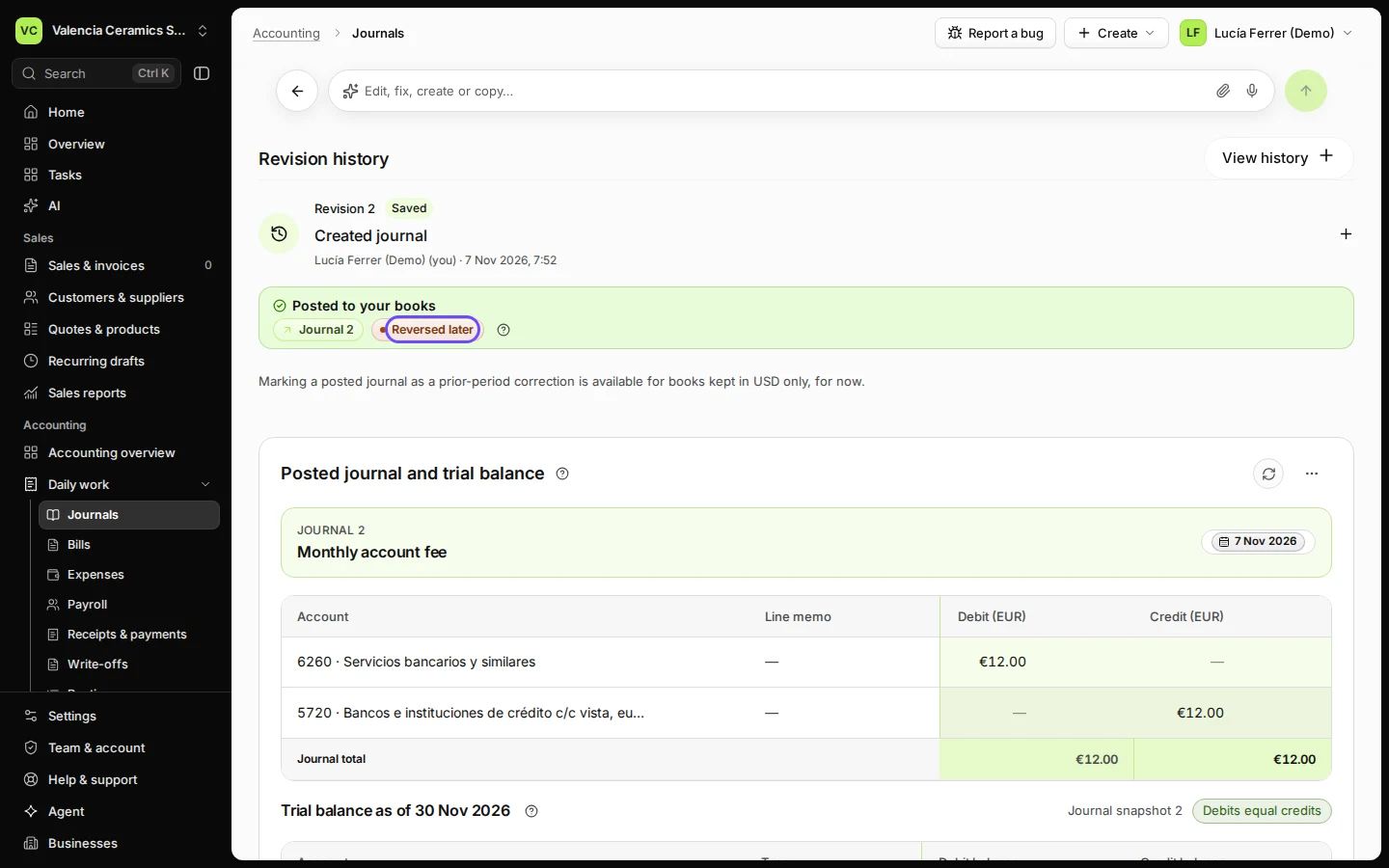
Step 2 in Deline (Spain business, fictional data) · See the whole screen Open the journal recorded twice from Journals.
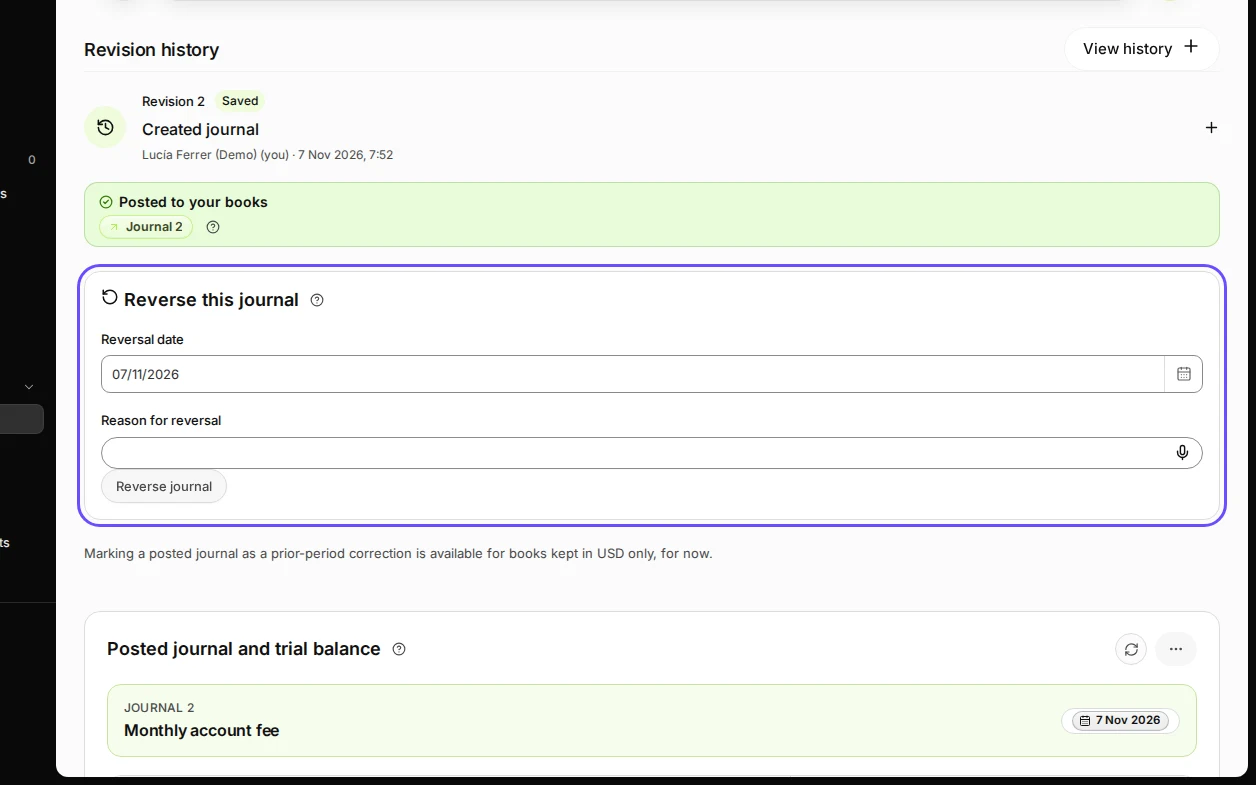
Step 3 in Deline (Spain business, fictional data) · See the whole screen Write why and press Reverse journal, then Confirm reversal.
The reversal is a new entry on the same date that cancels the extra one. Both stay in your books, so anyone can see what happened.
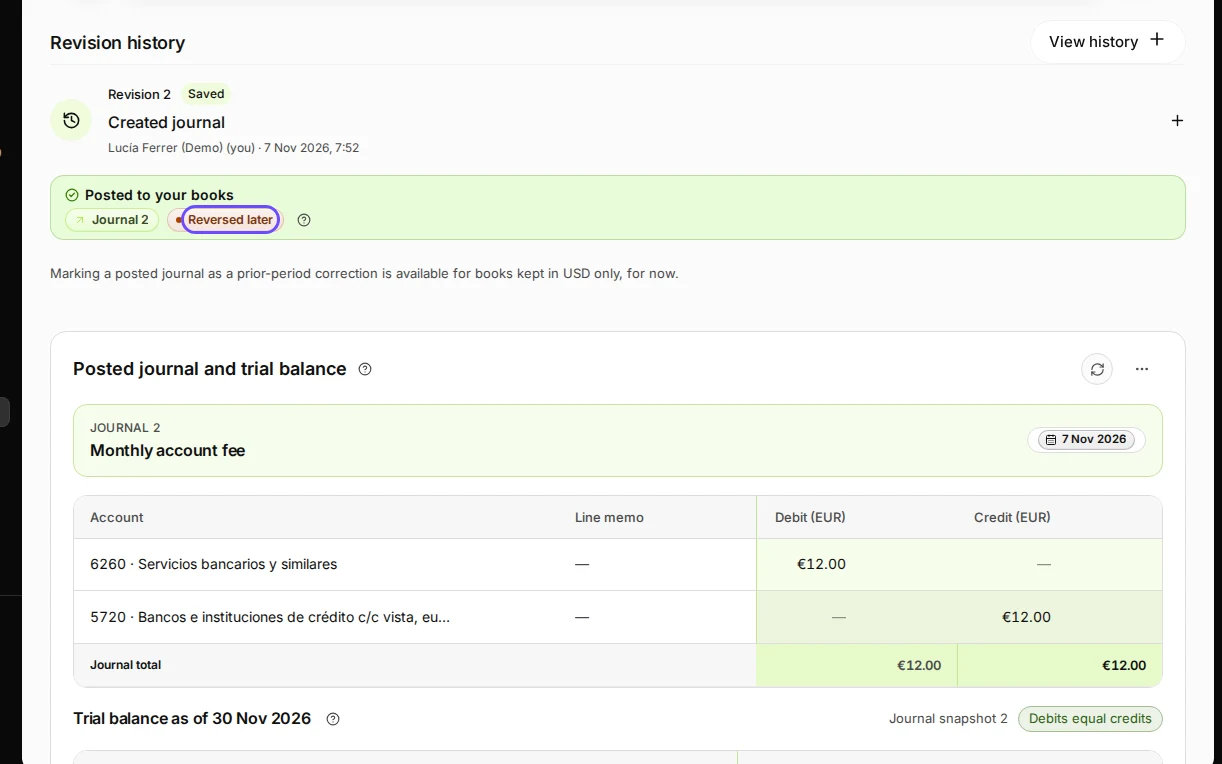
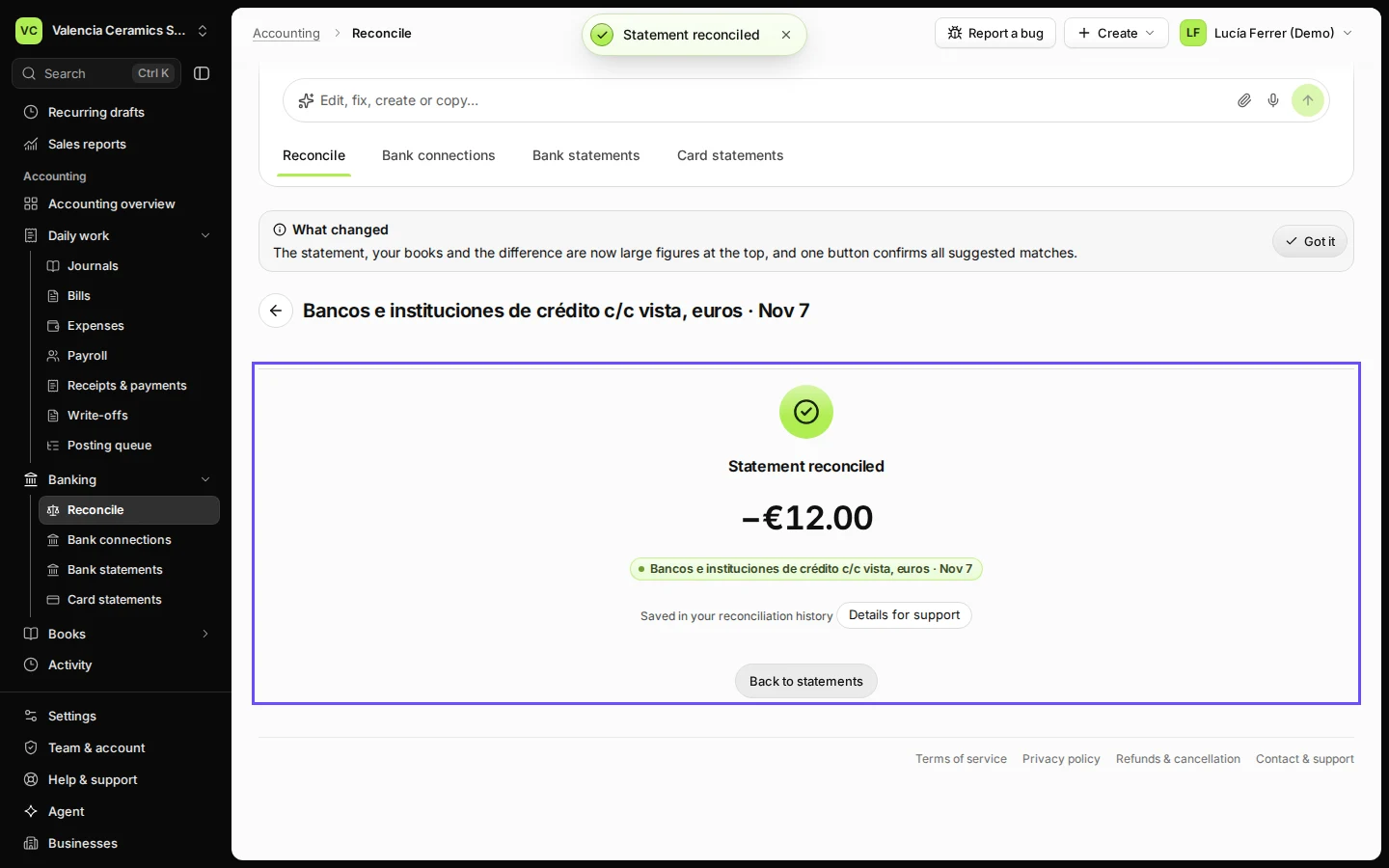
Step 4 in Deline (Spain business, fictional data) · See the whole screen Back in Reconcile, check that every line is matched and press Confirm 1 match and reconcile.
Difference is €0.00 again.
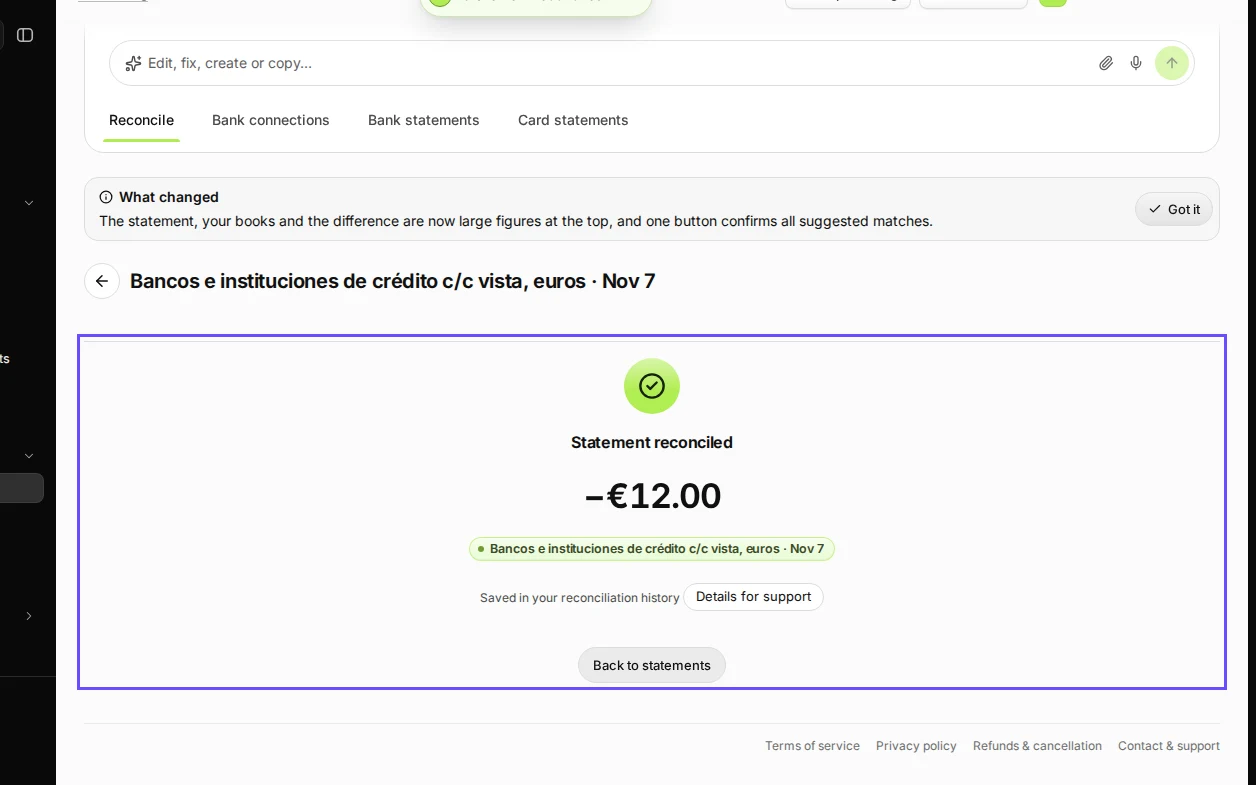
Step 5 in Deline (Spain business, fictional data) · See the whole screen
If something goes wrong
- The extra entry is a bill payment or an invoice payment: void that payment where it was recorded (the bill or the invoice) instead of reversing a journal.
- The month is locked: reopen it first (see Lock a month after you have checked it), or reverse it on a date in an open month.
Last checked 2026-11-07 by the guide runner on build c5fbd2fa6 (Deline 12a482996) (local Deline stack).