
Before you start
- Your books are set up and have a bank account (for example 5720 Bancos in Spain).
- You downloaded the statement from your bank as a CSV, Norma 43 or 1C file, in the currency of your books.
Steps
Open Bank statements from Banking.
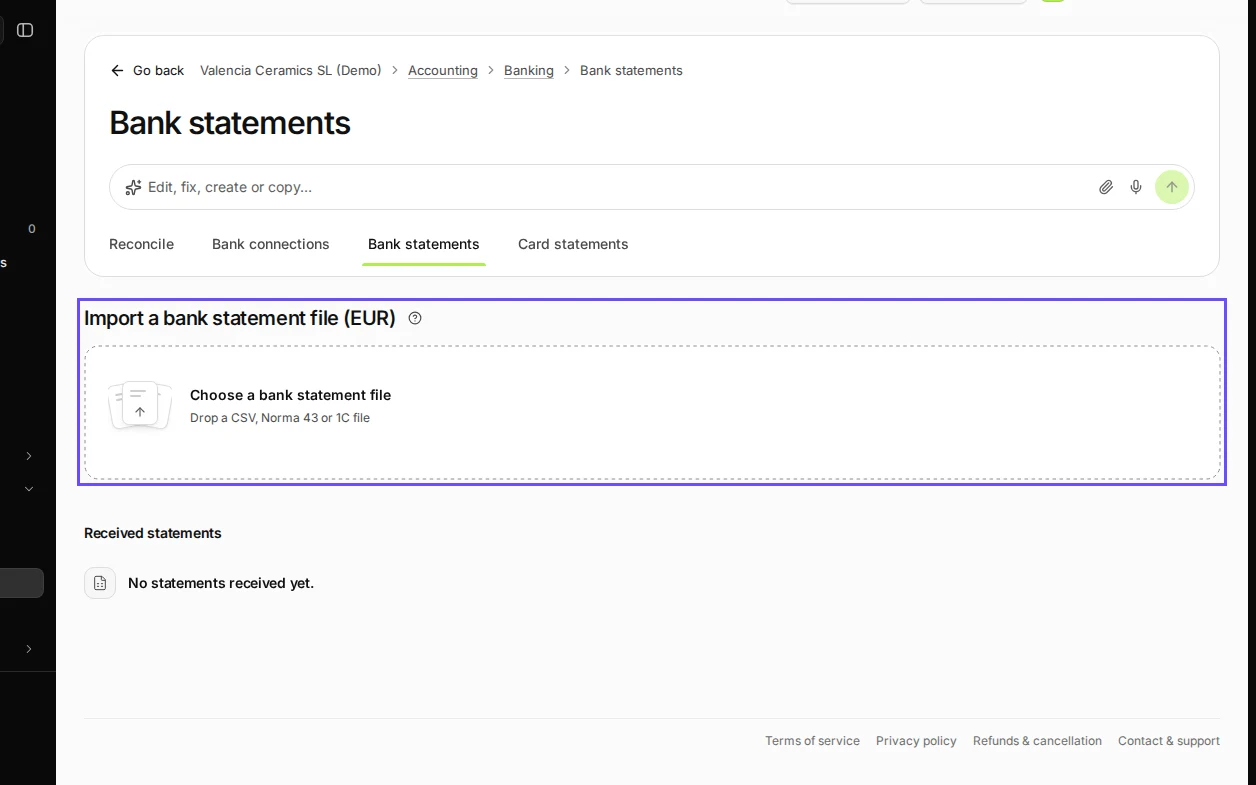
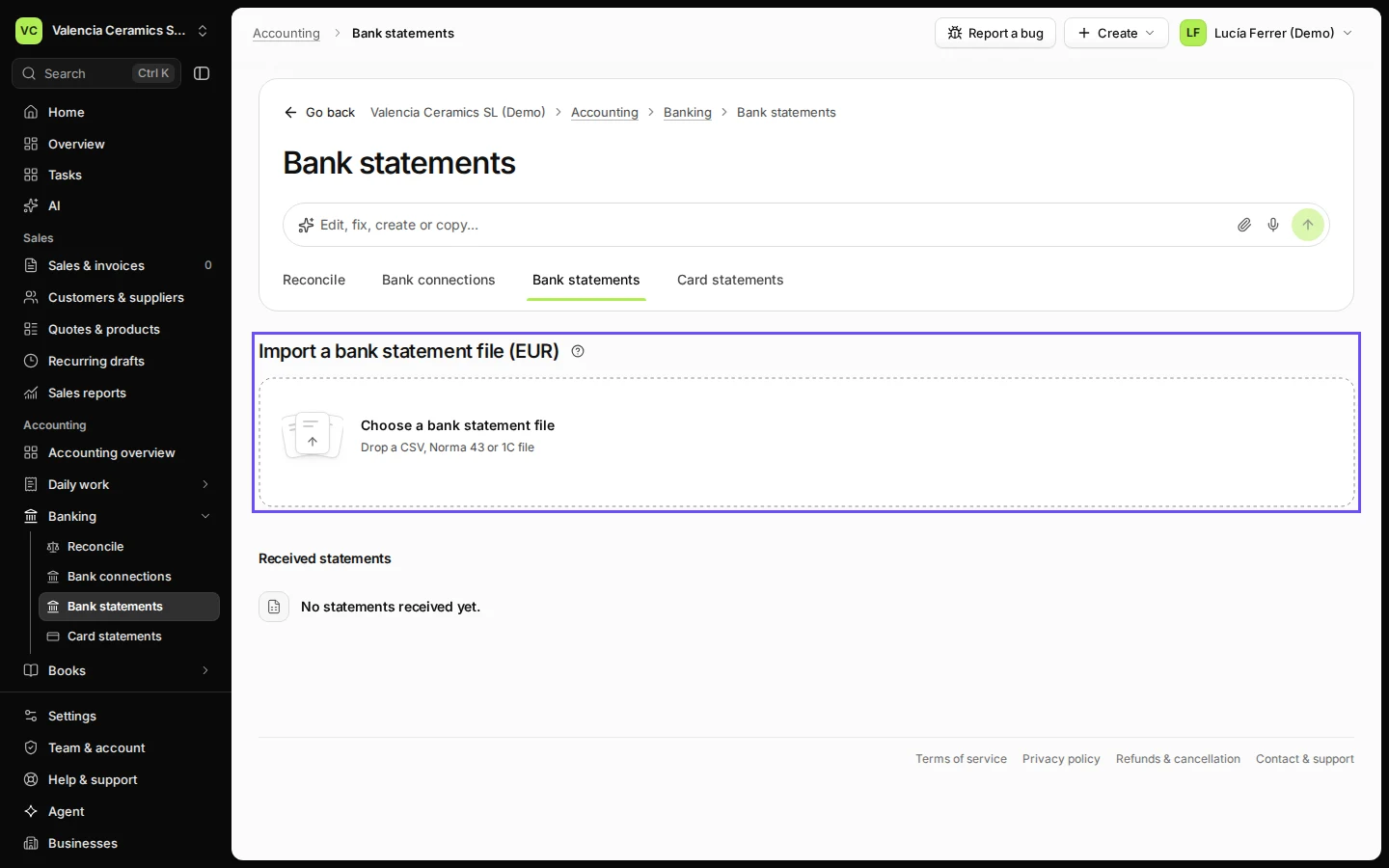
Step 1 in Deline (Spain business, fictional data) · See the whole screen Choose the statement file from your bank.
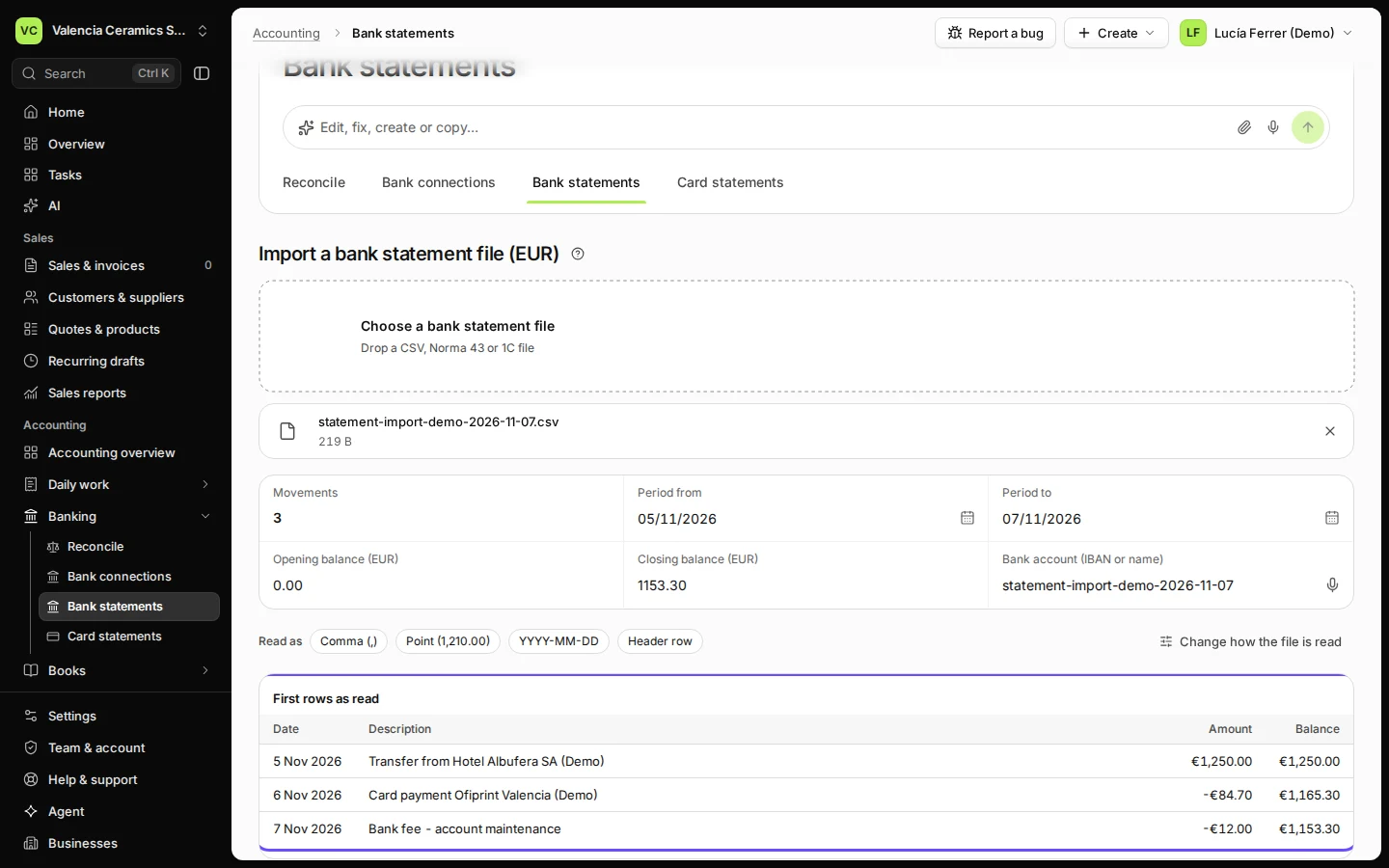
Drop it on Choose a bank statement file or press it to pick the file. Deline reads it and shows the first rows as it understood them.
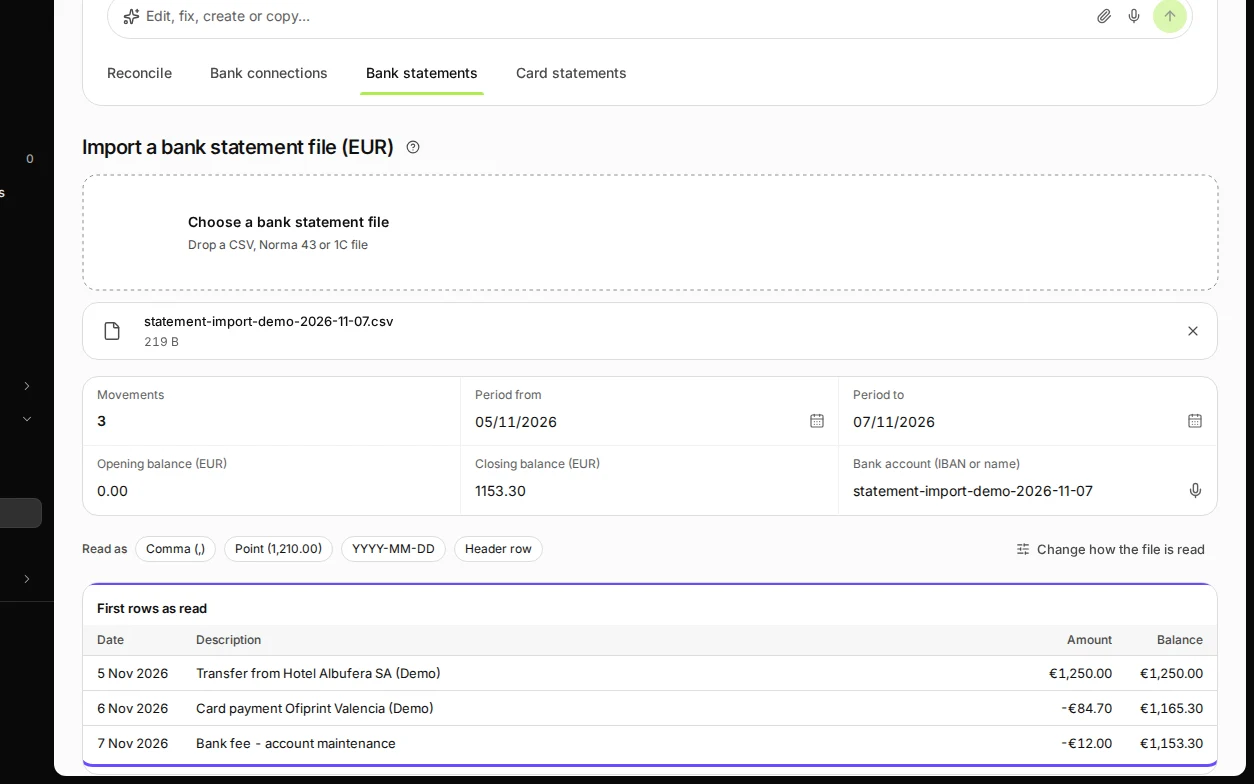
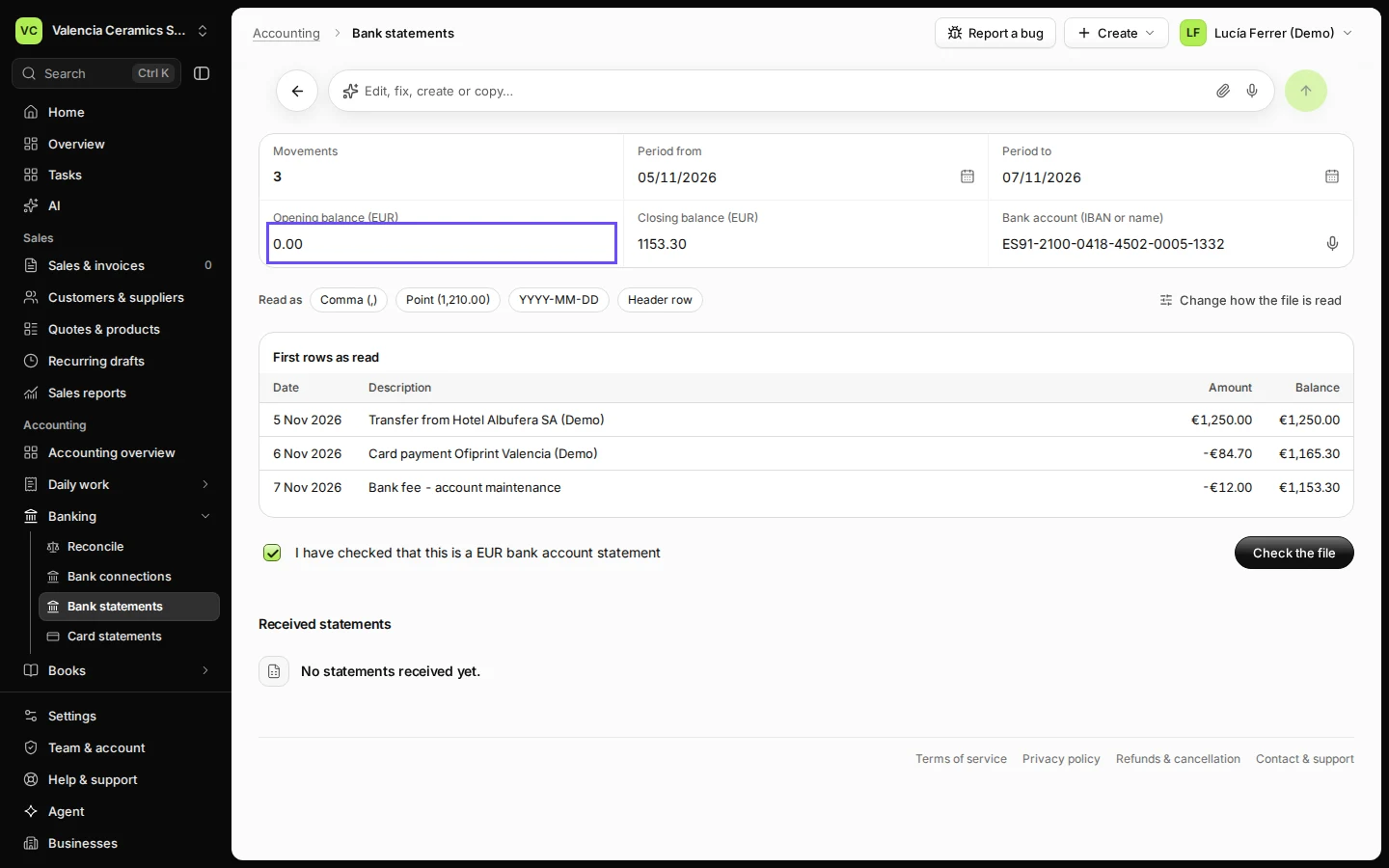
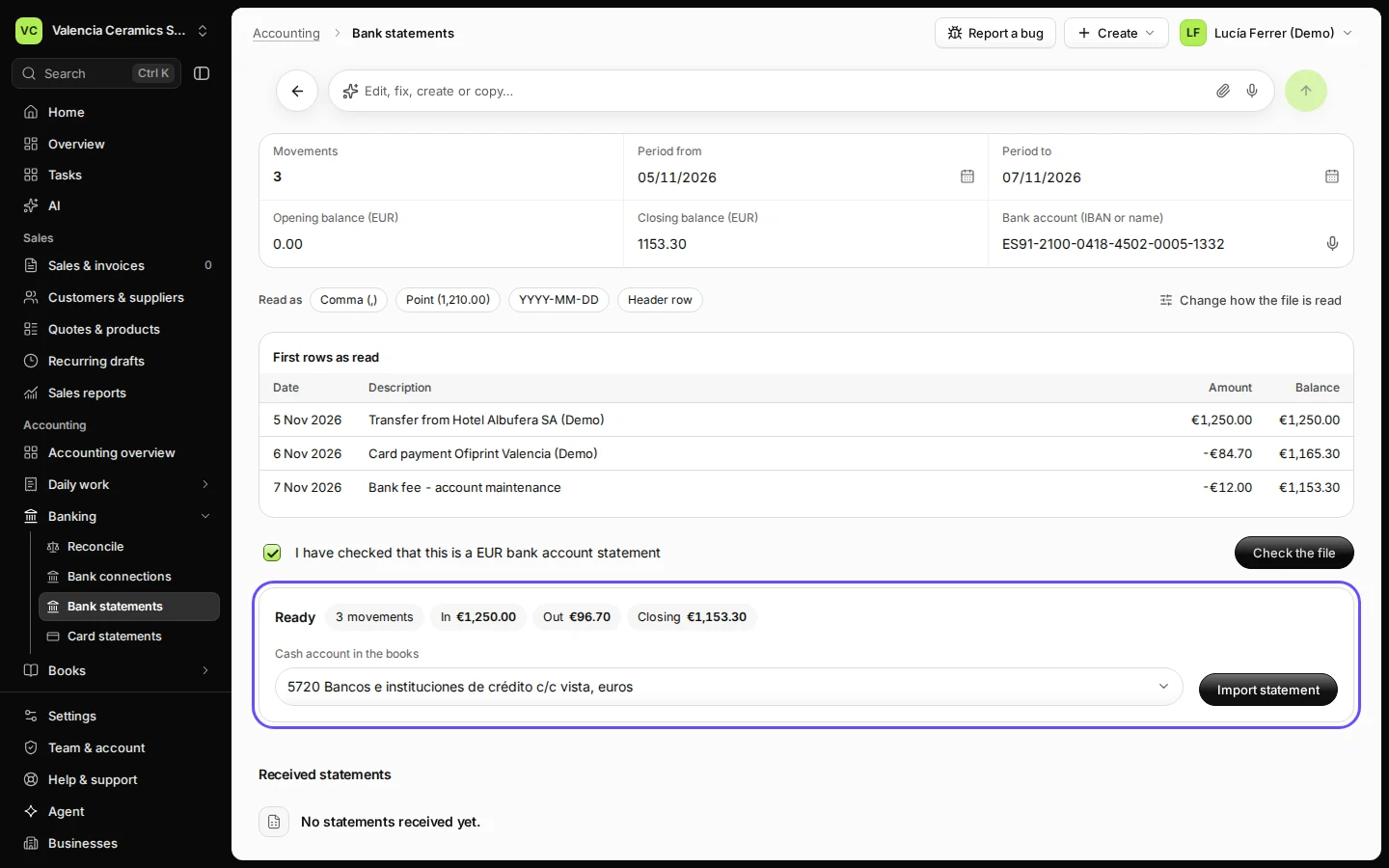
Step 2 in Deline (Spain business, fictional data) · See the whole screen Check the period, the balances and the bank account, and tick the confirmation.
The opening and closing balances must match the statement your bank shows. Under Bank account, type the IBAN or a name you recognise.
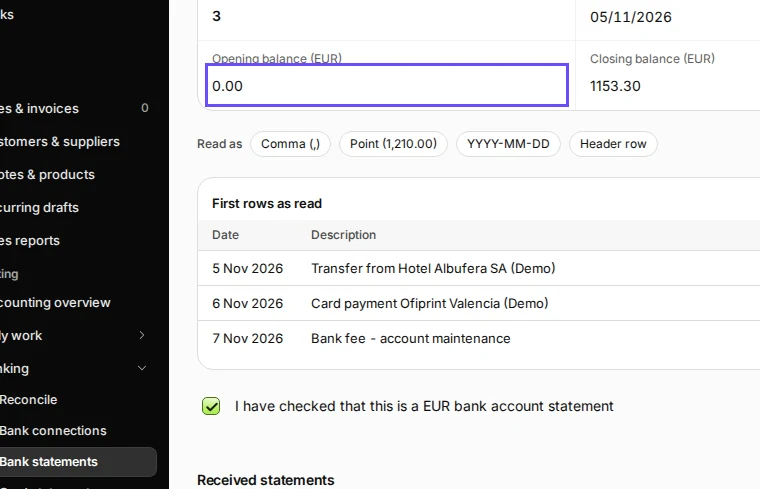
Step 3 in Deline (Spain business, fictional data) · See the whole screen Press Check the file.
Deline counts the movements, money in and money out, and checks that the balances add up.
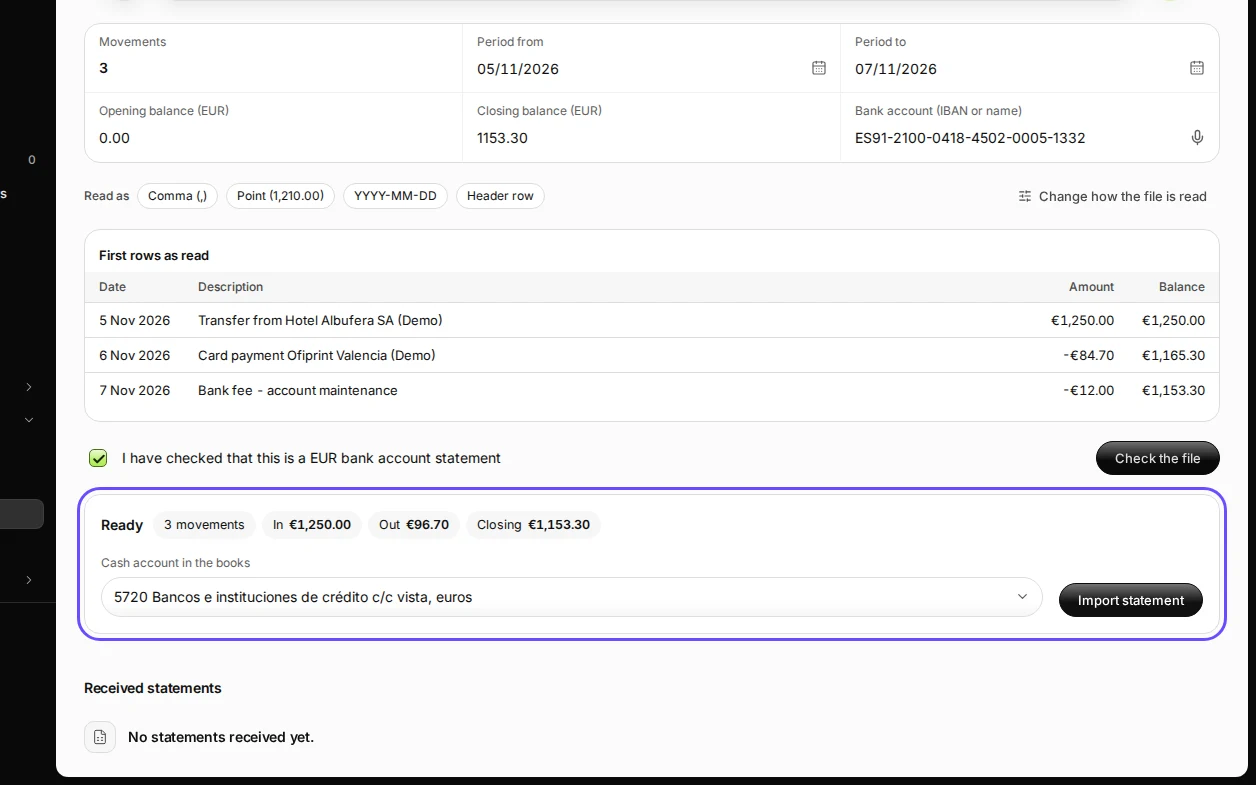
Step 4 in Deline (Spain business, fictional data) · See the whole screen Check the account in your books and press Import statement.
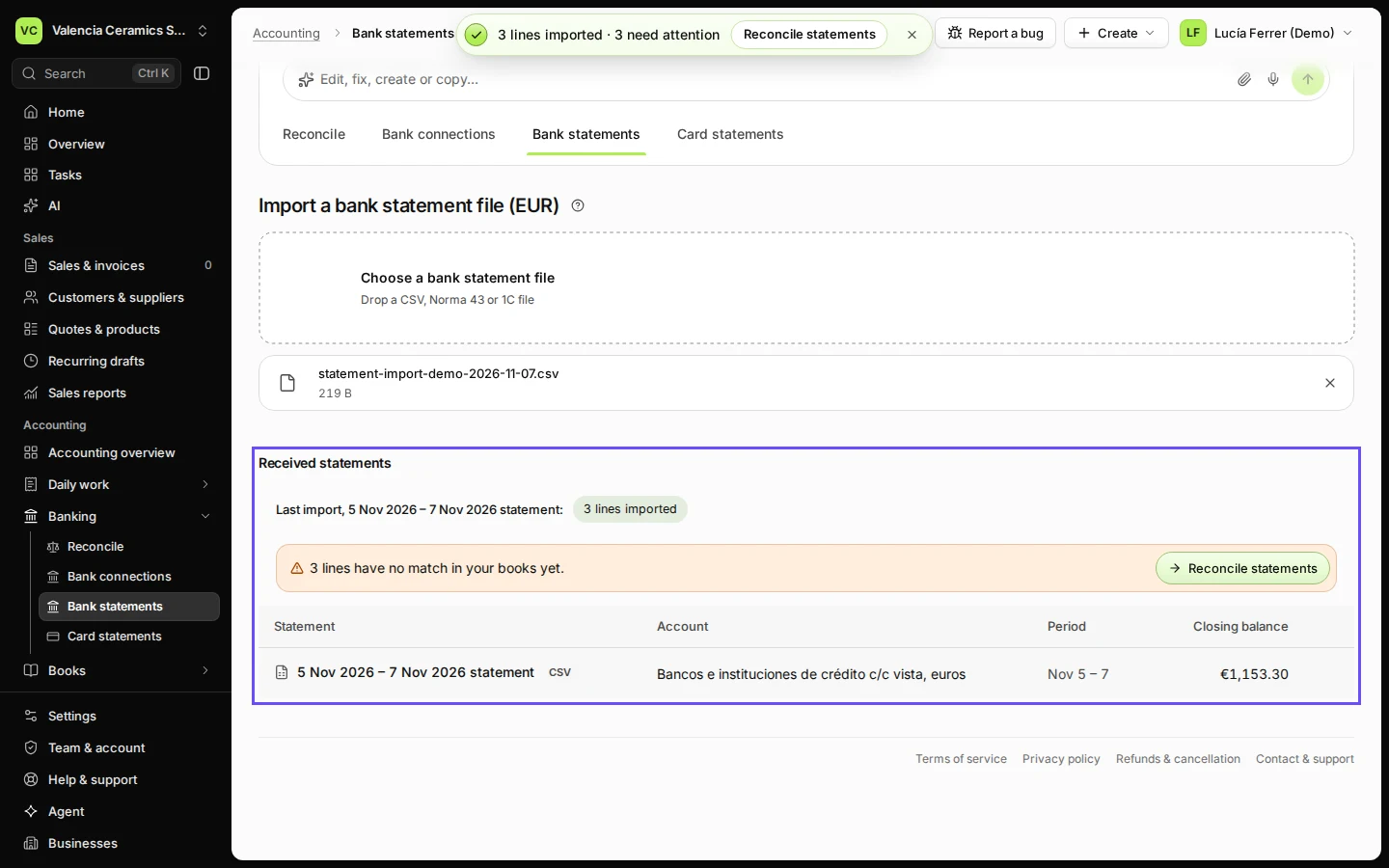
Received statements lists the statement, and the lines wait in Reconcile.
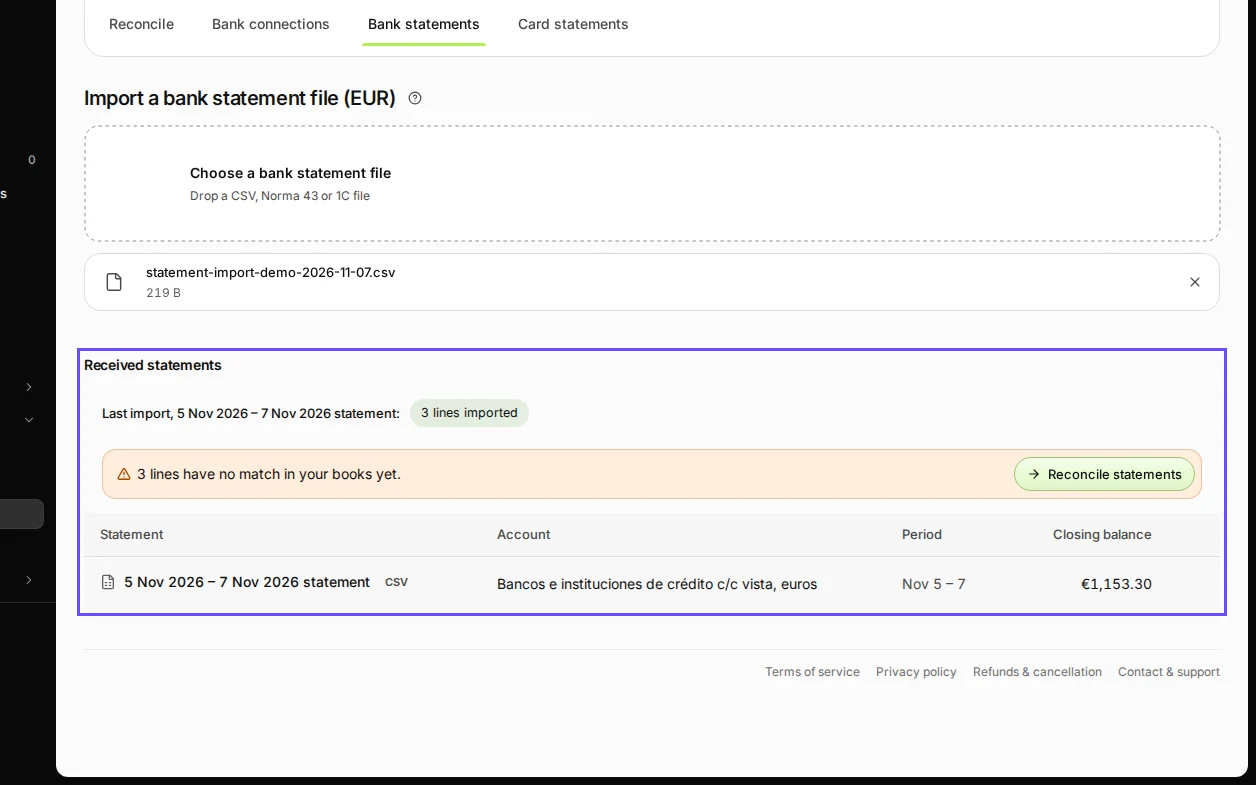
Step 5 in Deline (Spain business, fictional data) · See the whole screen
If something goes wrong
- The columns are read wrongly (amounts in the description, dates swapped): press Change how the file is read and set the separator, decimal mark and date format.
- "Opening … doesn't match the last closing": a month is missing between this statement and the previous one. Import the missing month first, or press Import anyway if you know why.
- The same statement twice: lines already imported are recognised and not imported again.
Last checked 2026-11-07 by the guide runner on build c5fbd2fa6 (Deline 12a482996) (local Deline stack).