
Steps
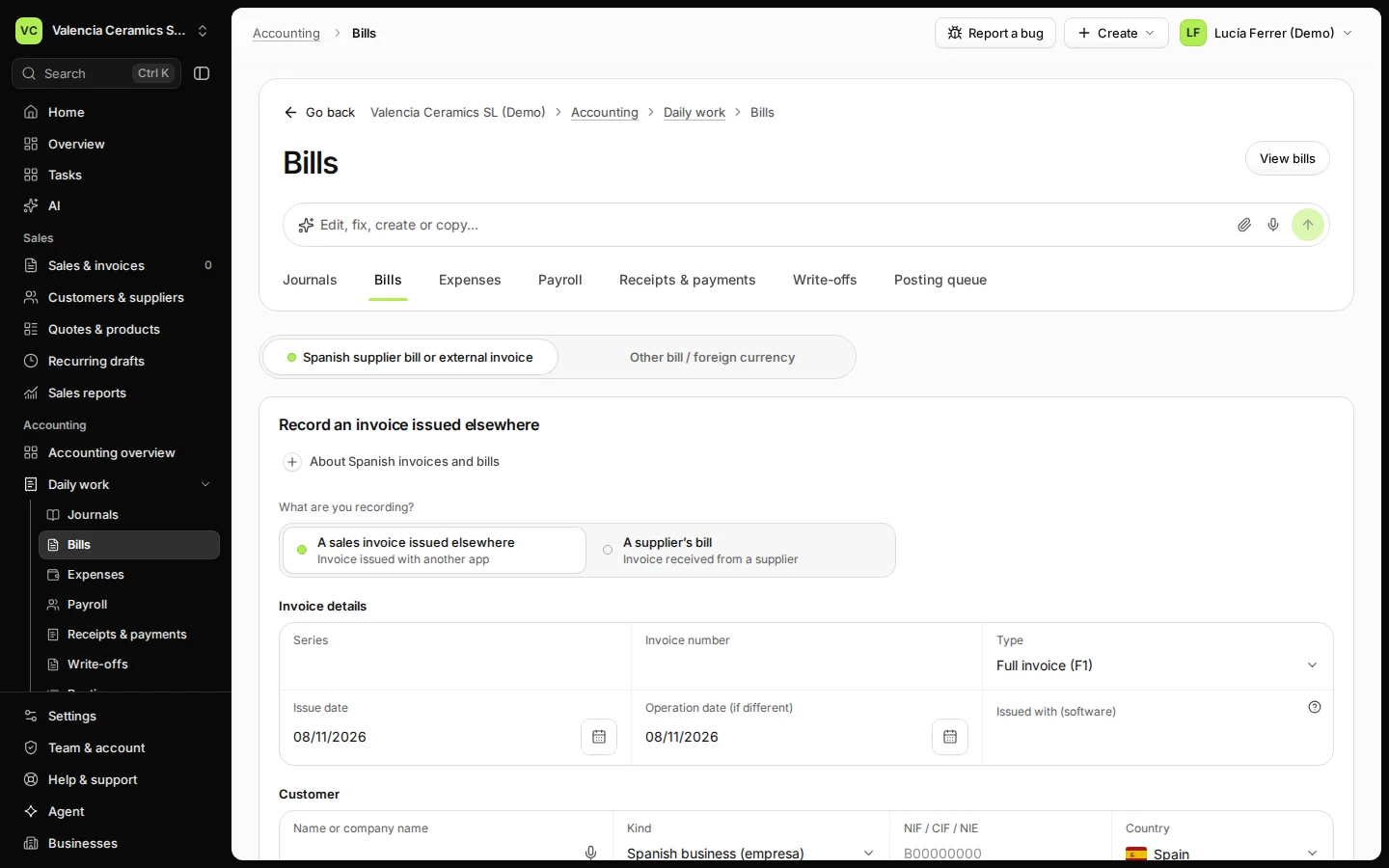
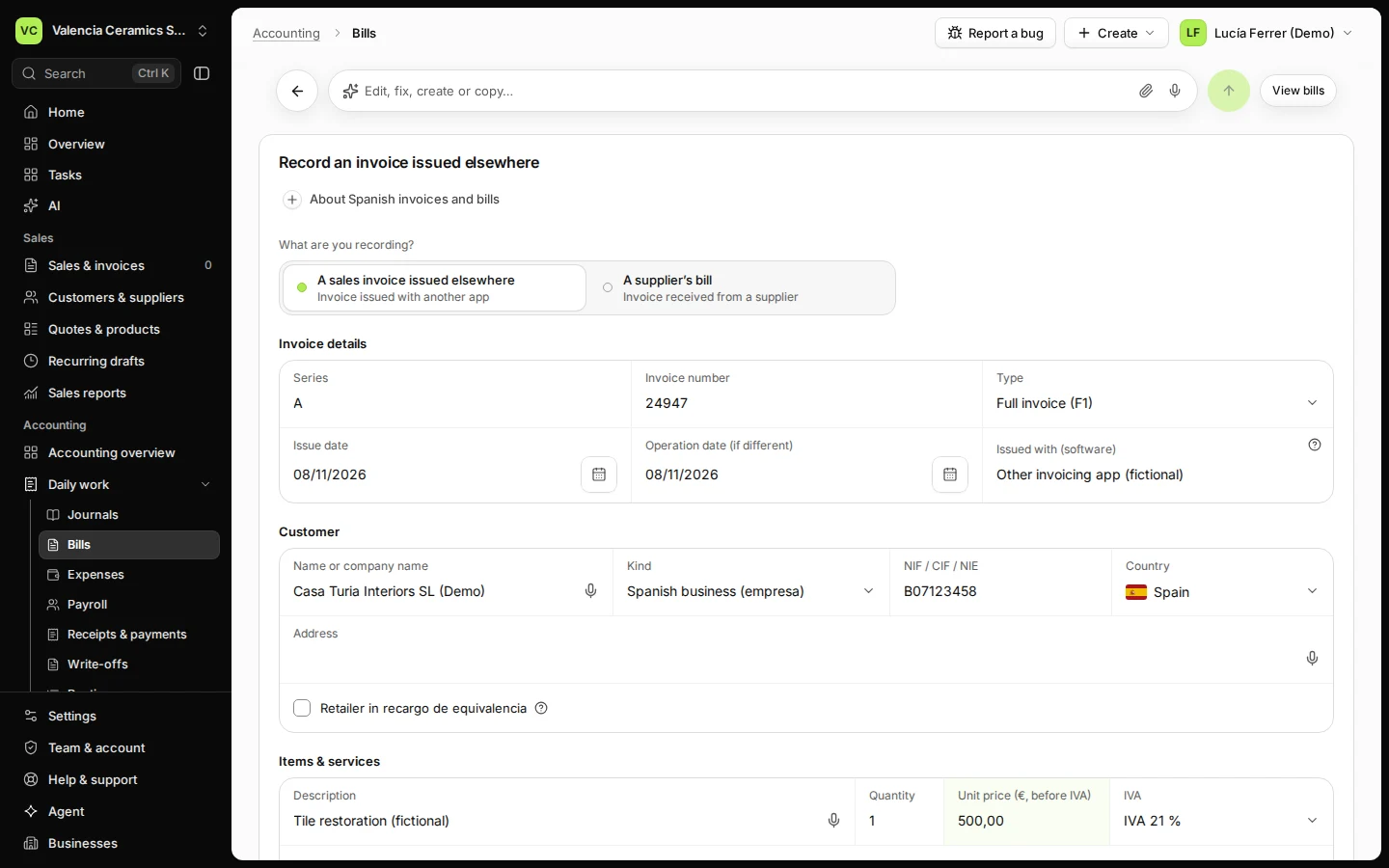
Open Bills from Daily work and choose A sales invoice issued elsewhere.
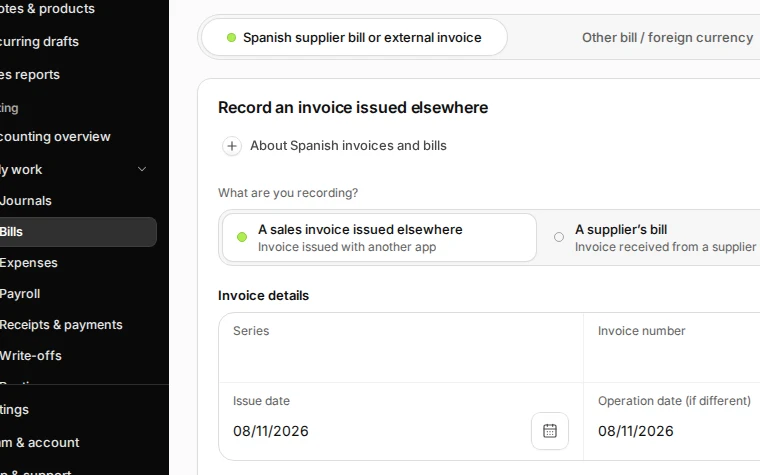
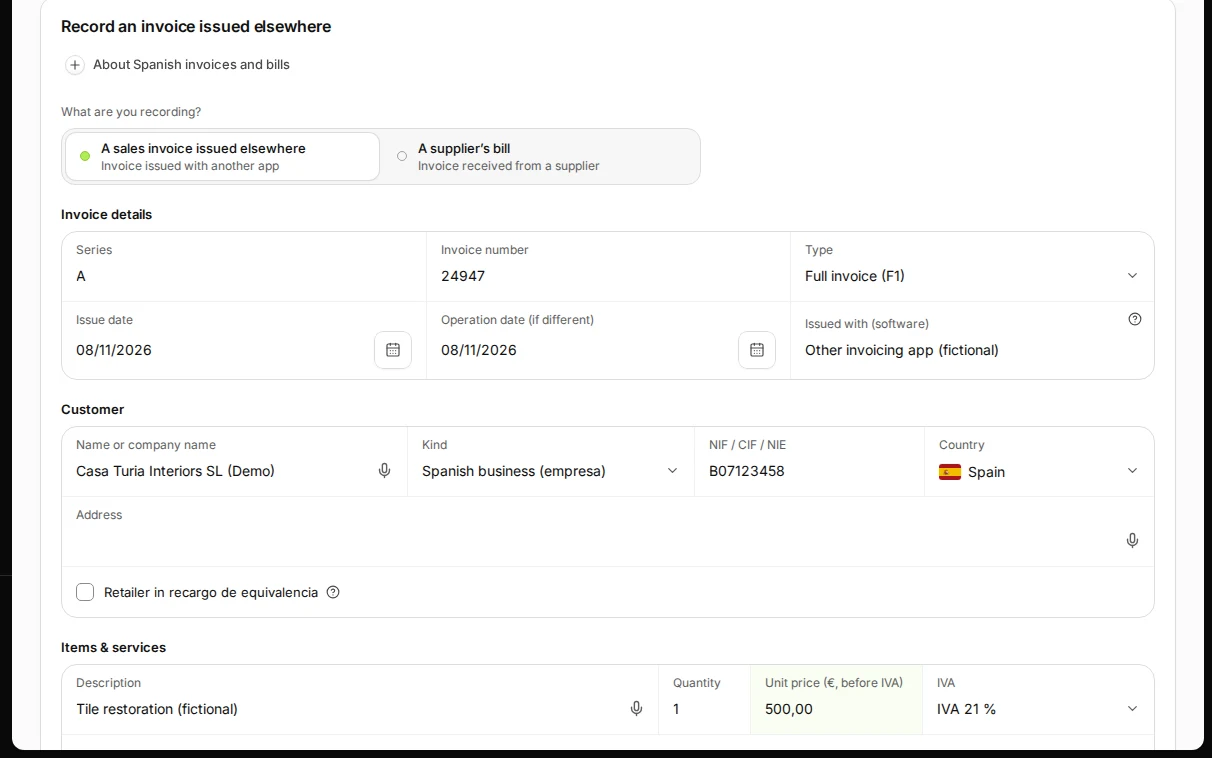
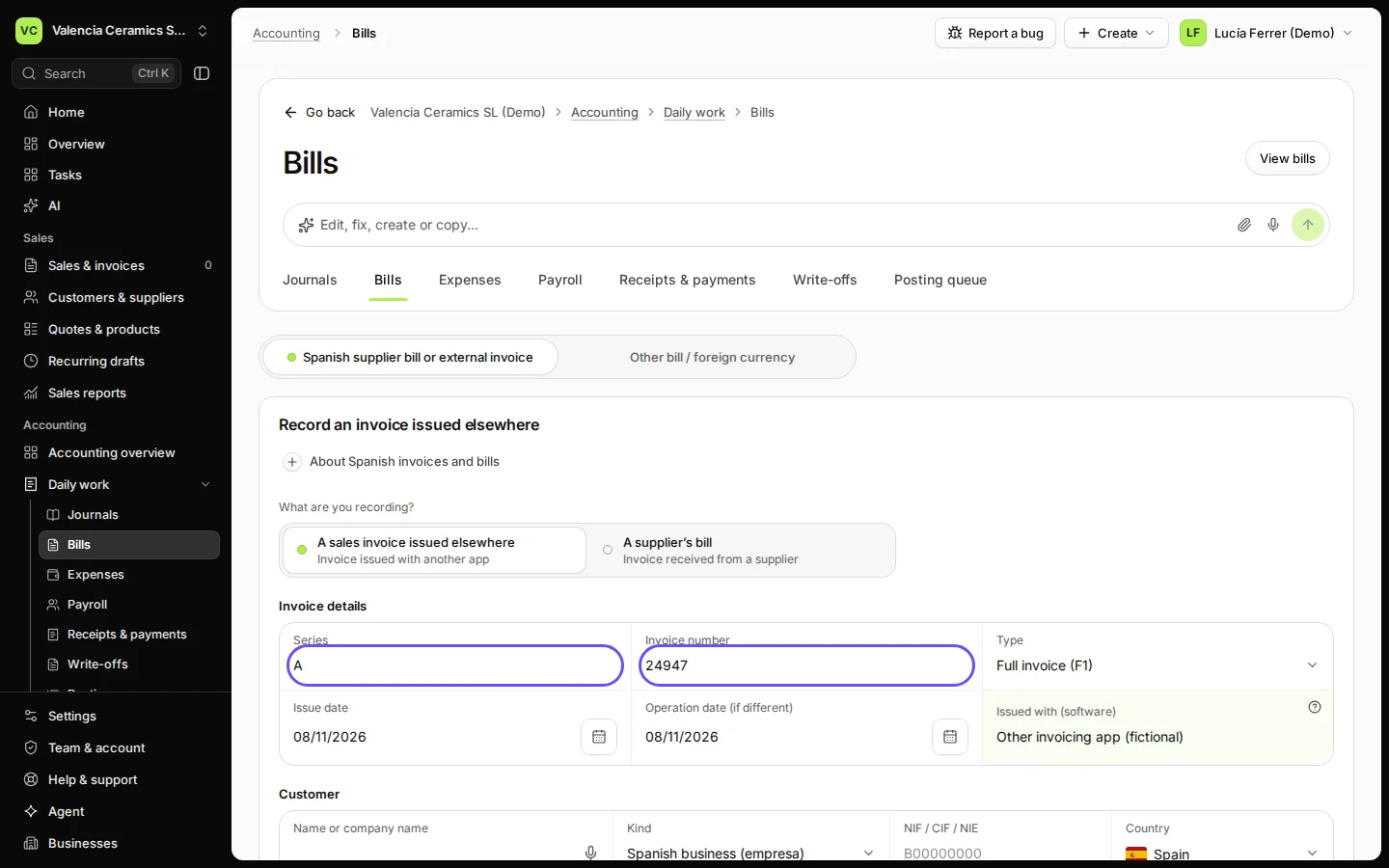
Step 1 in Deline (Spain business, fictional data) · See the whole screen Enter the series, the number, the type, the issue date and the app it was issued with.
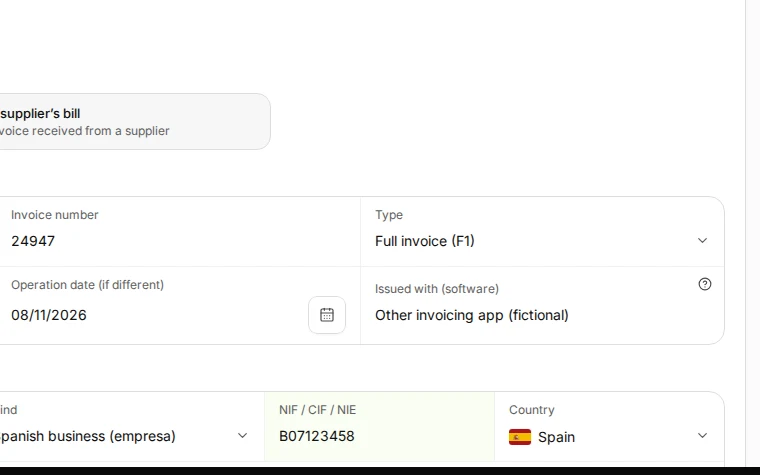
Use the type from the invoice, for example Full invoice (F1).
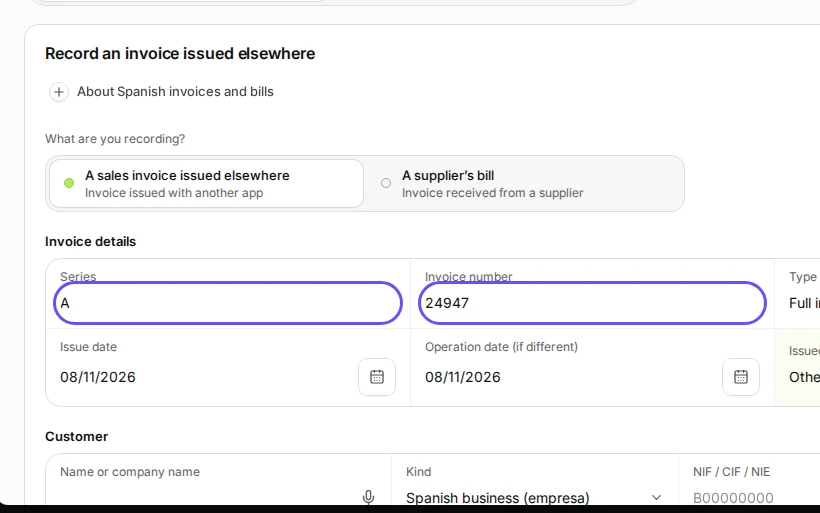
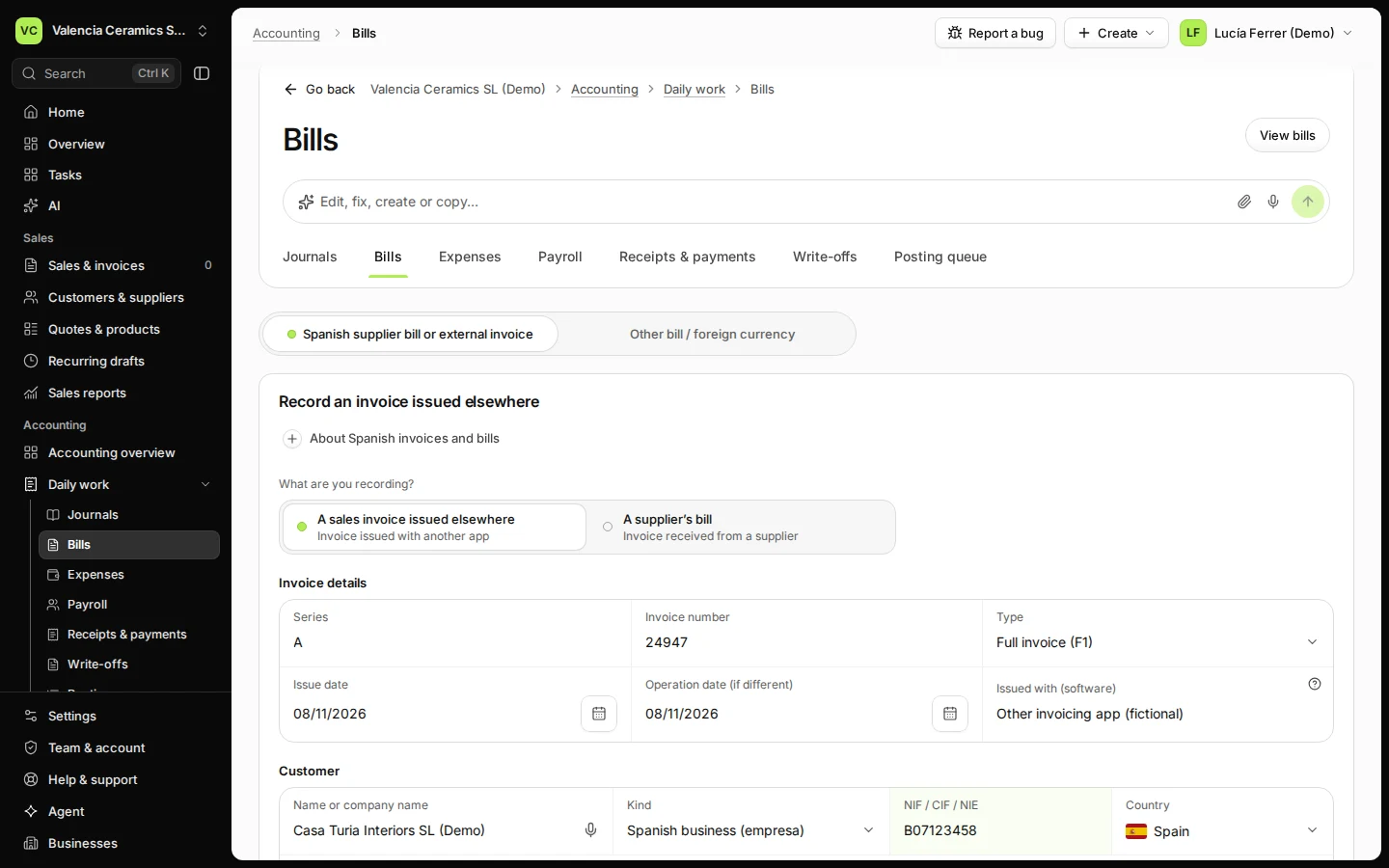
Step 2 in Deline (Spain business, fictional data) · See the whole screen Enter the customer: name, kind, NIF and country.
Step 3 in Deline (Spain business, fictional data) · See the whole screen Add each line with its price before IVA and its IVA rate.
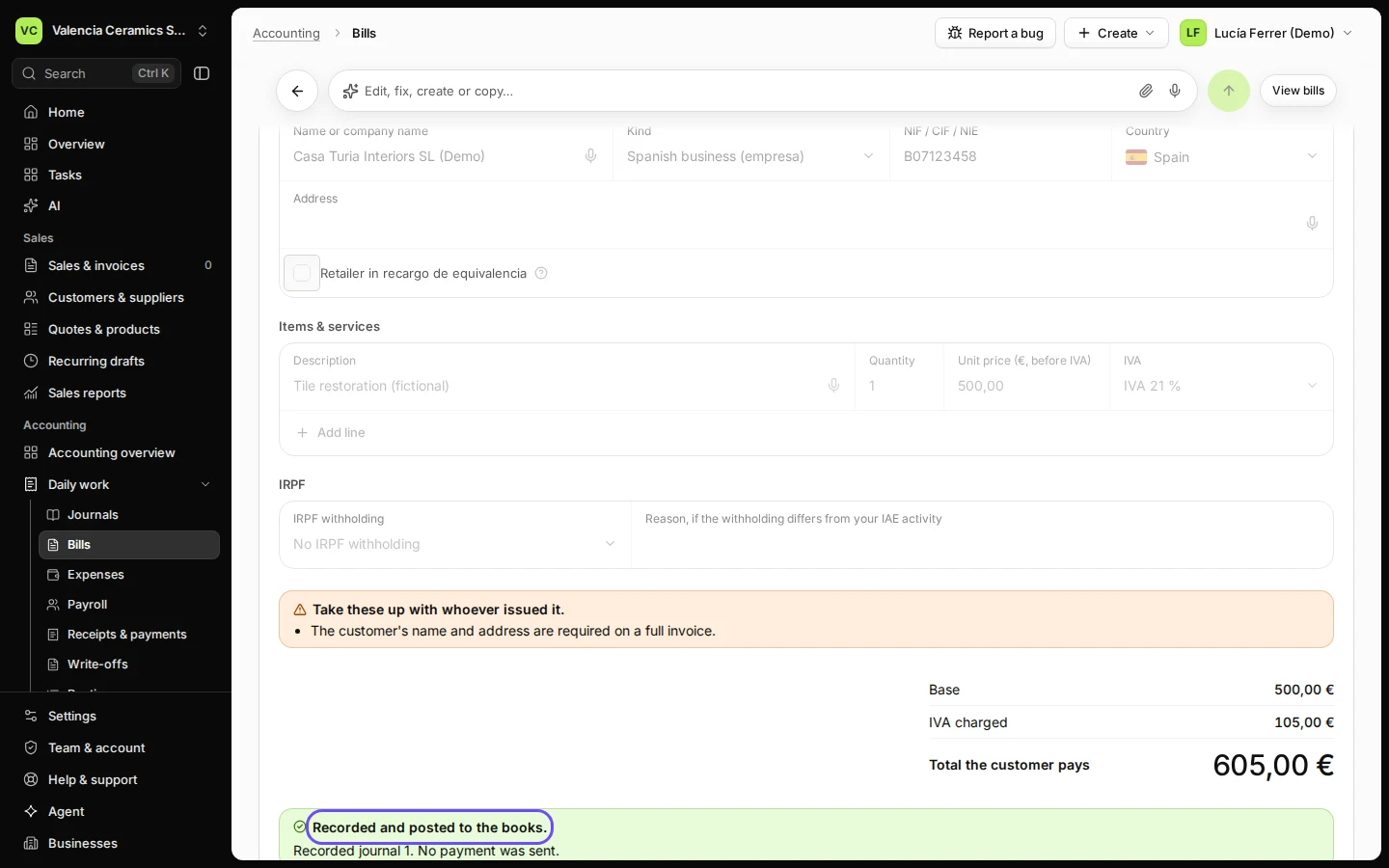
Step 4 in Deline (Spain business, fictional data) · See the whole screen Press Record & post.
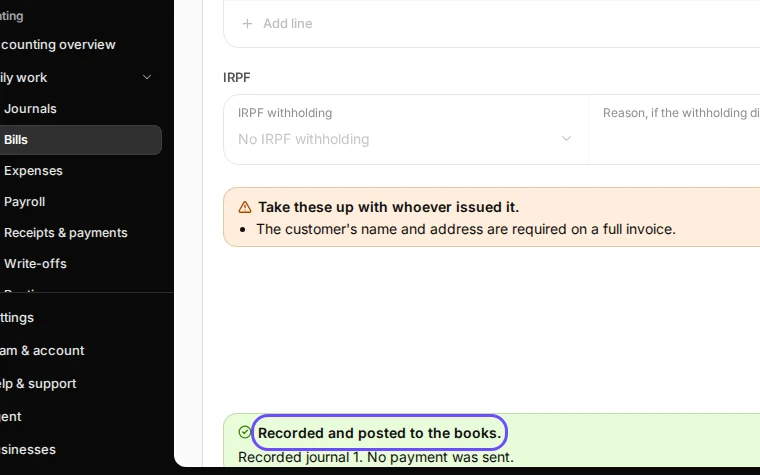
Step 5 in Deline (Spain business, fictional data) · See the whole screen
Last checked 2026-11-08 by the guide runner on build 5bcaf3a46 (Deline 06cb5749b) (local Deline stack).