
Before you start
- Your books are set up (Books → Set up books).
- You have the supplier's invoice in front of you: its number, date, the supplier's NIF and each line with its IVA rate.
- In Cyprus the same page is called Bill with Cyprus VAT, with the supplier's VAT number instead of the NIF.
Steps
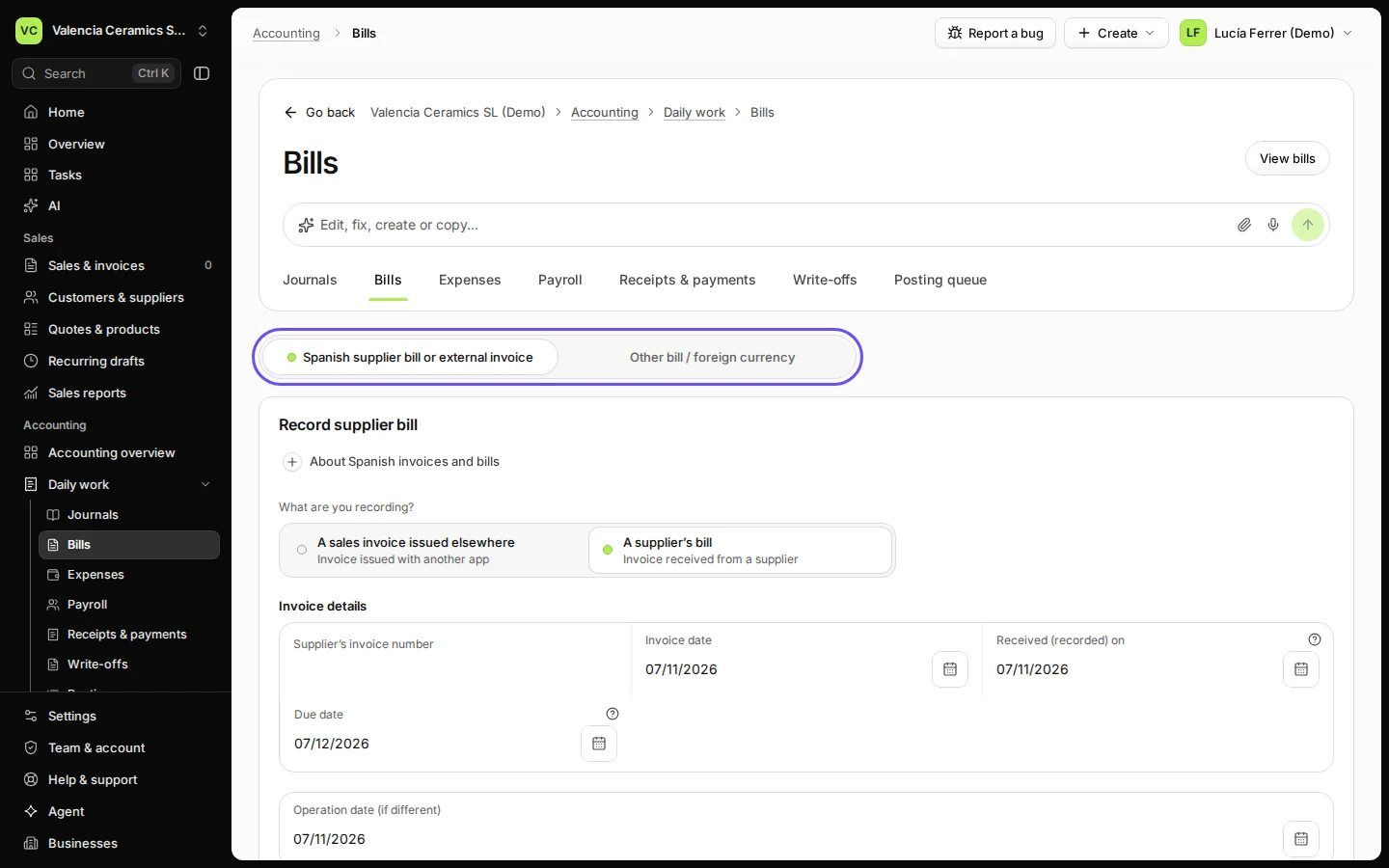
Open Bills from Daily work.
In the sidebar, open Daily work and choose Bills. The form for a Spanish supplier bill opens first.
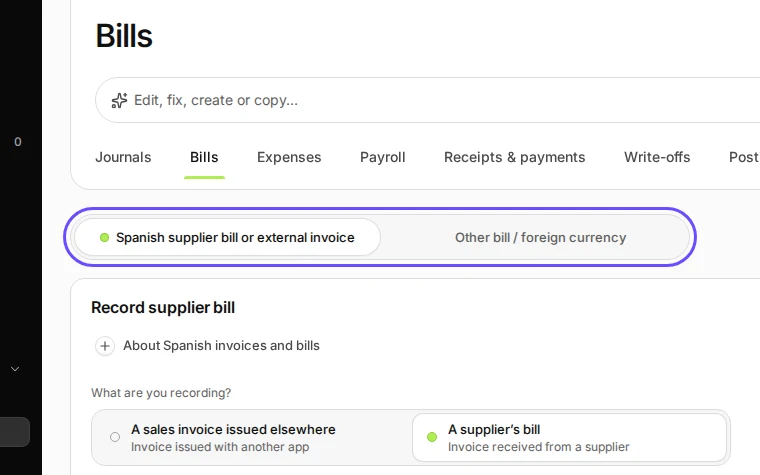
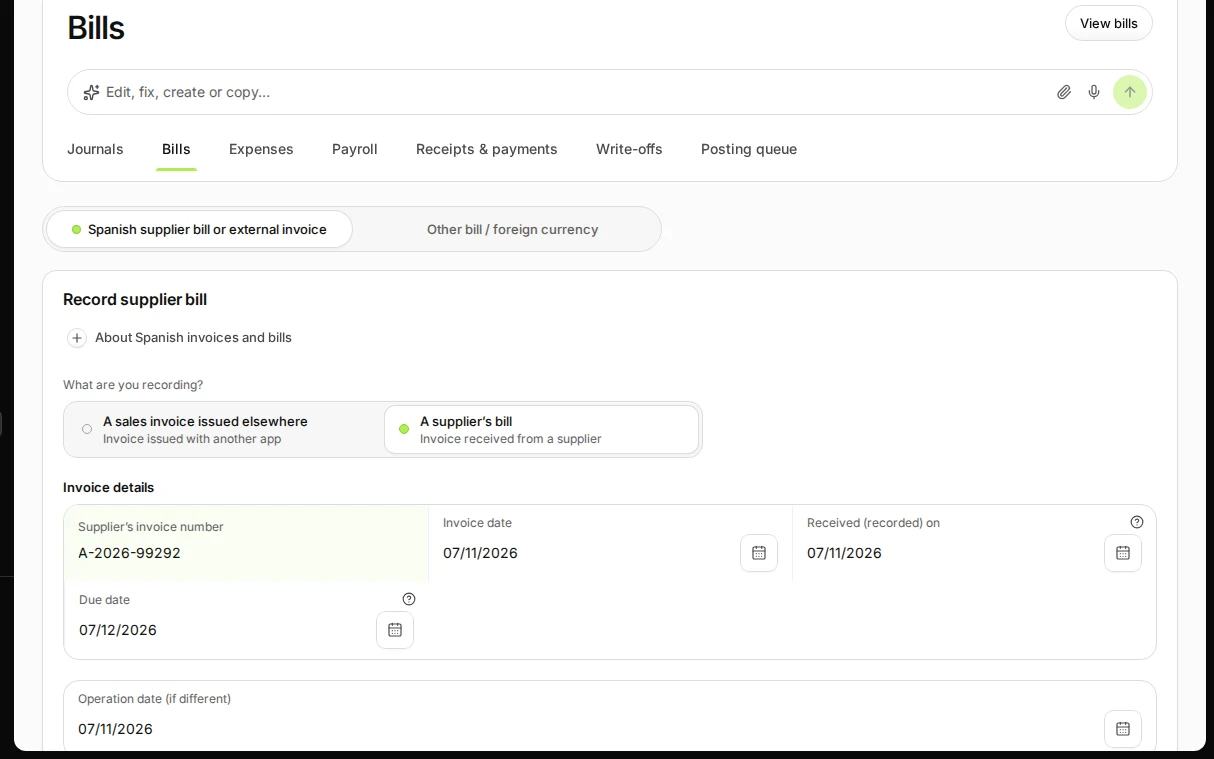
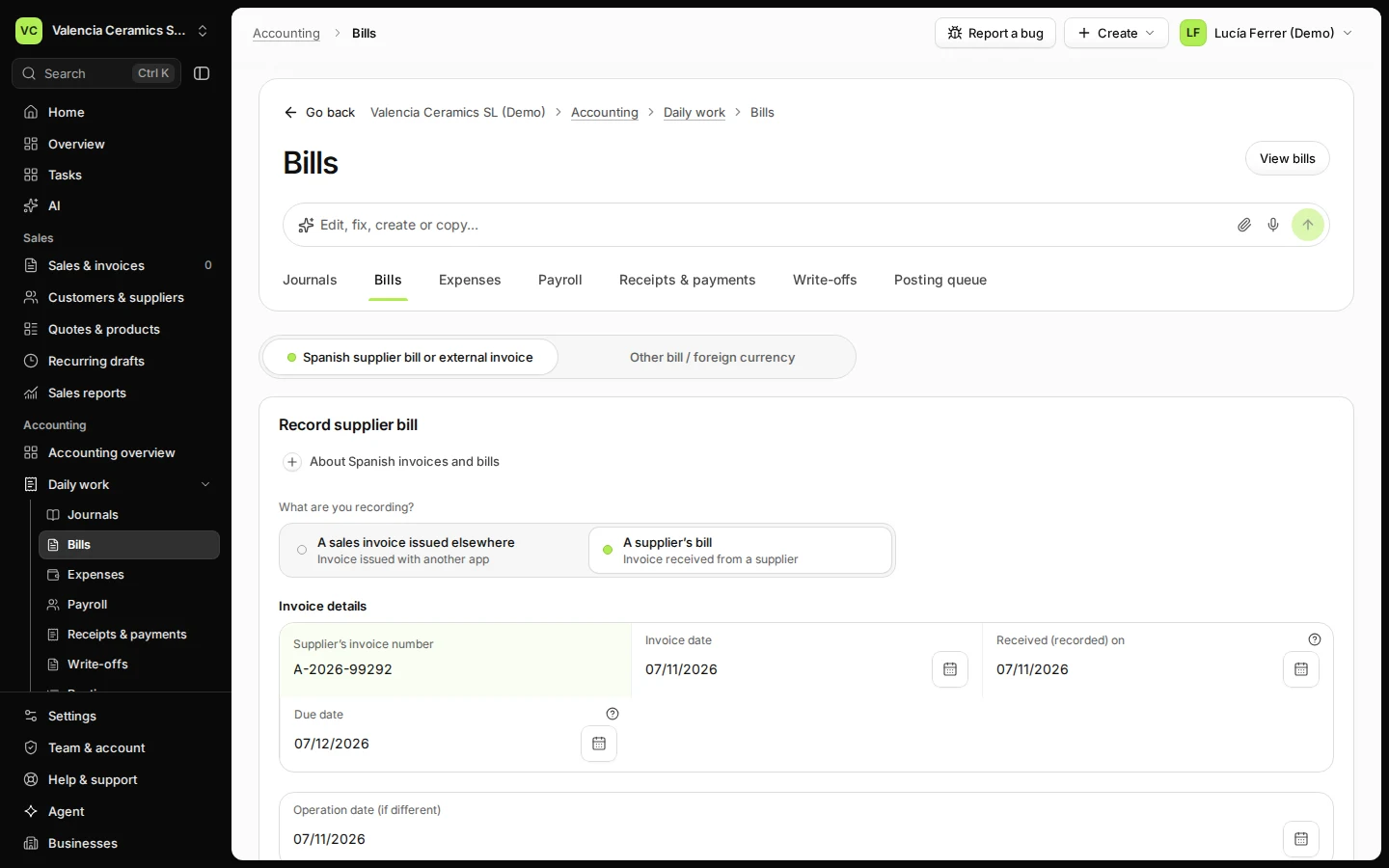
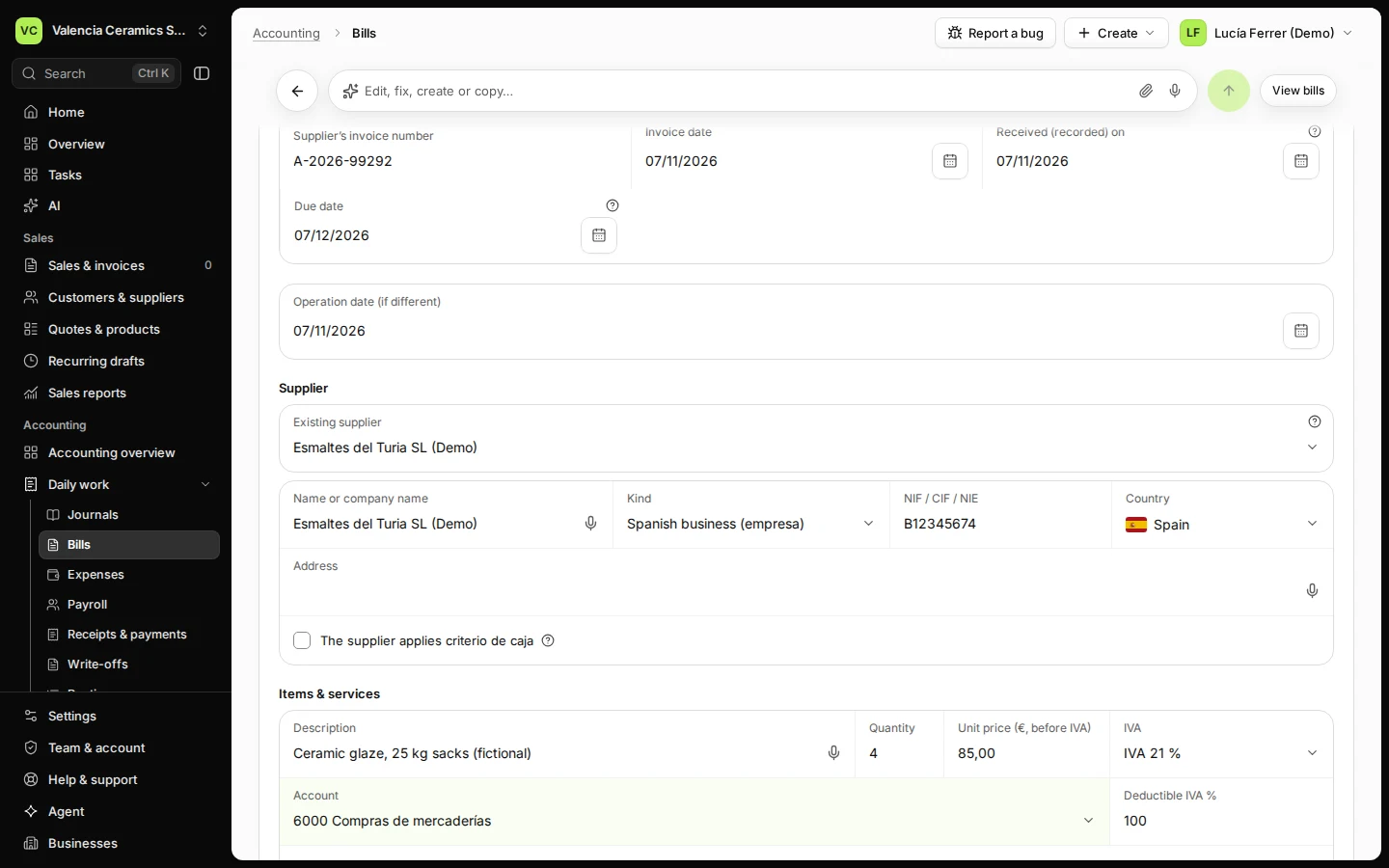
Step 1 in Deline (Spain business, fictional data) · See the whole screen Enter the supplier's invoice number and dates.
Copy the number exactly as printed. The invoice date and the due date come from the bill; Received (recorded) on is today unless you received it earlier.
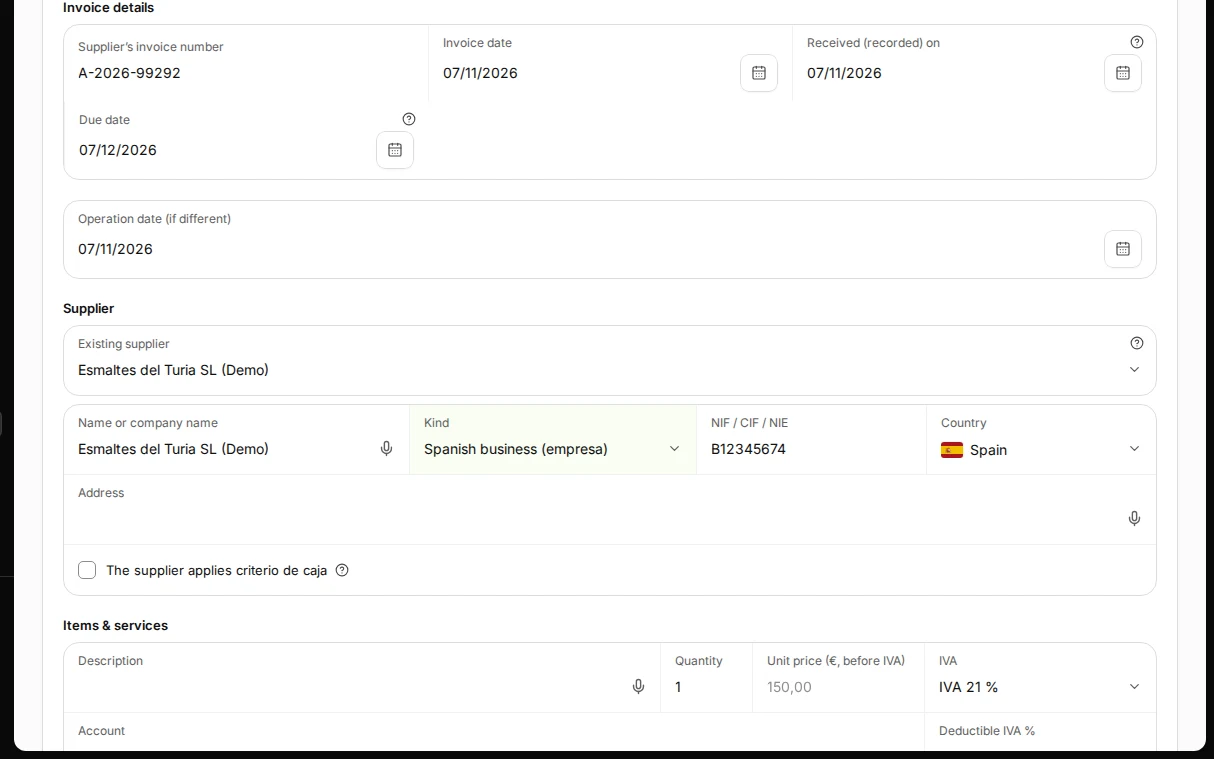
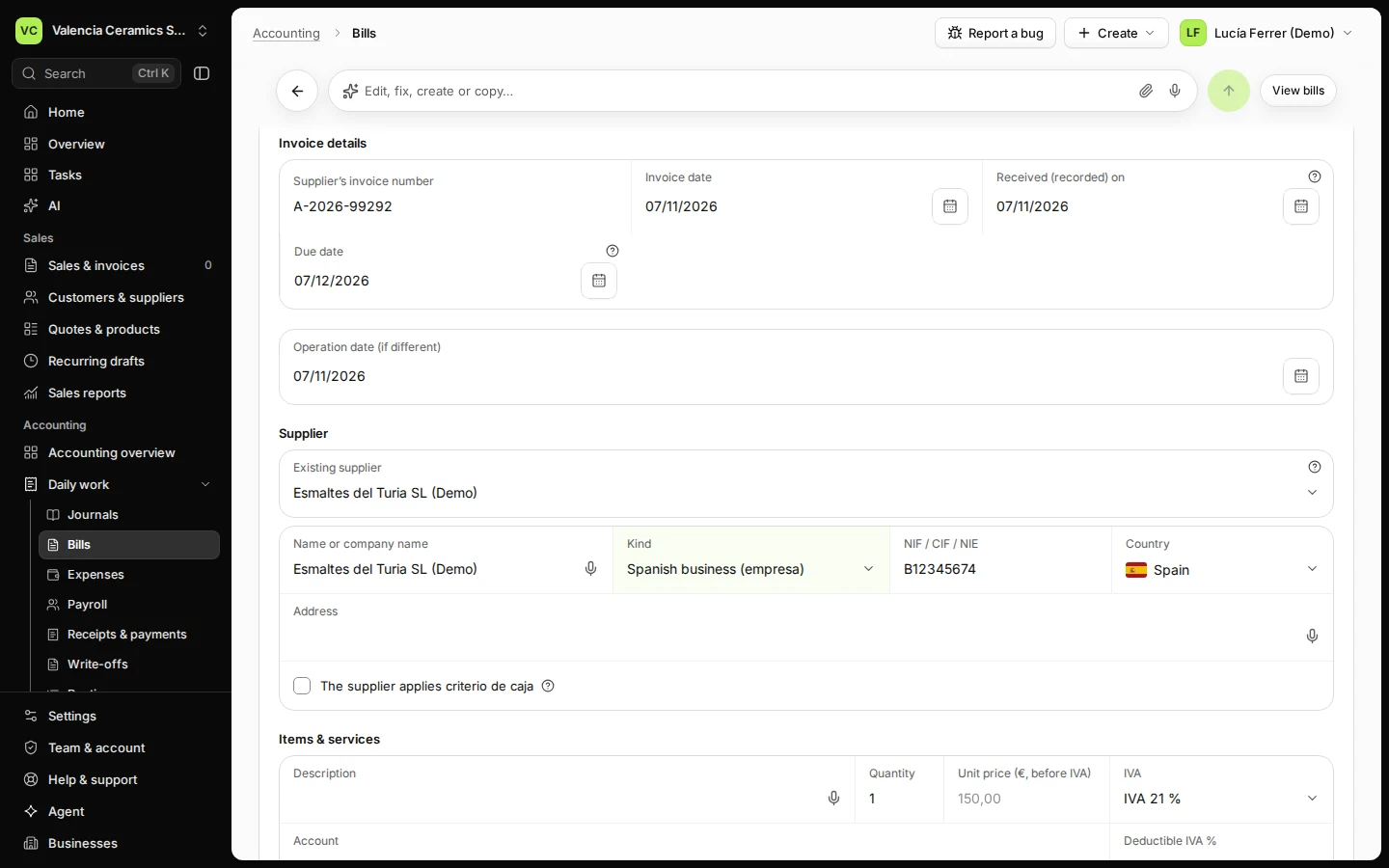
Step 2 in Deline (Spain business, fictional data) · See the whole screen Enter the supplier: name and NIF.
A supplier you used before is in Existing supplier; check its Kind and Country, which are asked on each bill when missing. For a new one, type the name and NIF; Deline remembers them for next time.
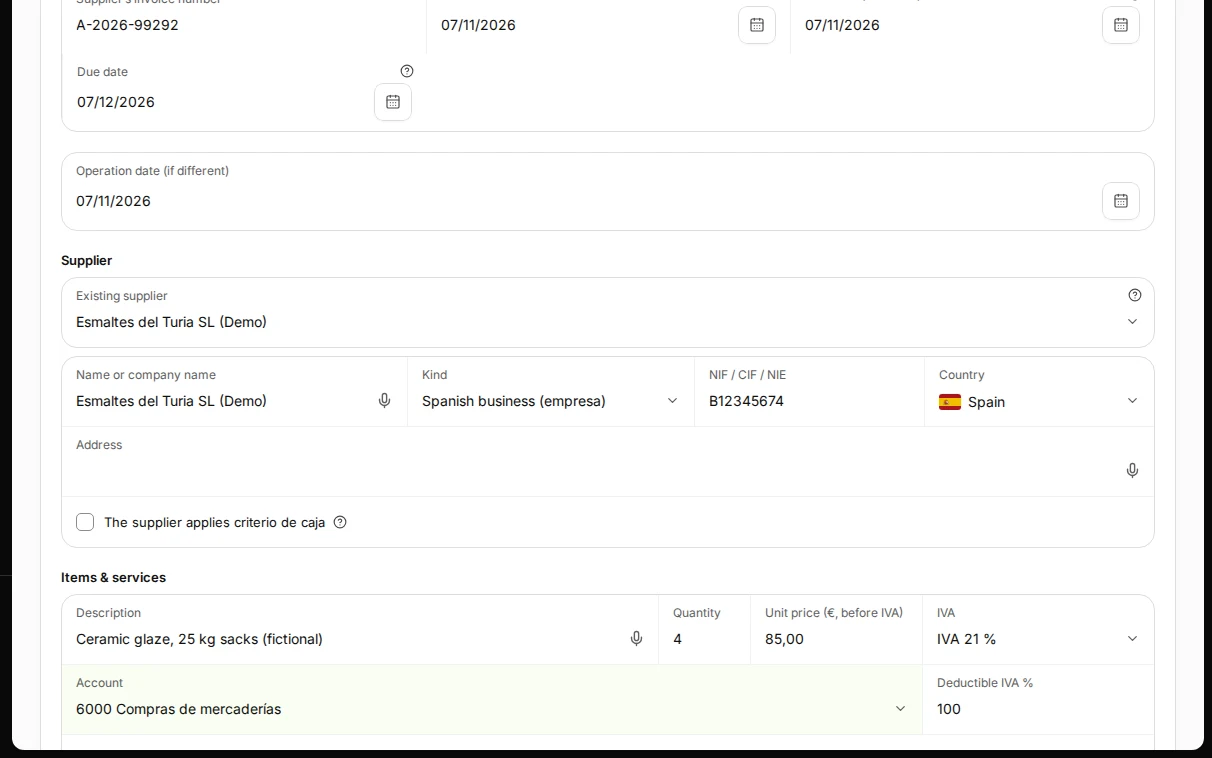
Step 3 in Deline (Spain business, fictional data) · See the whole screen Add each line: description, quantity, price before IVA, IVA rate and account.
Choose the account that says what you bought, for example 6000 Compras de mercaderías for goods you resell. Use Add line for each rate or kind of cost.
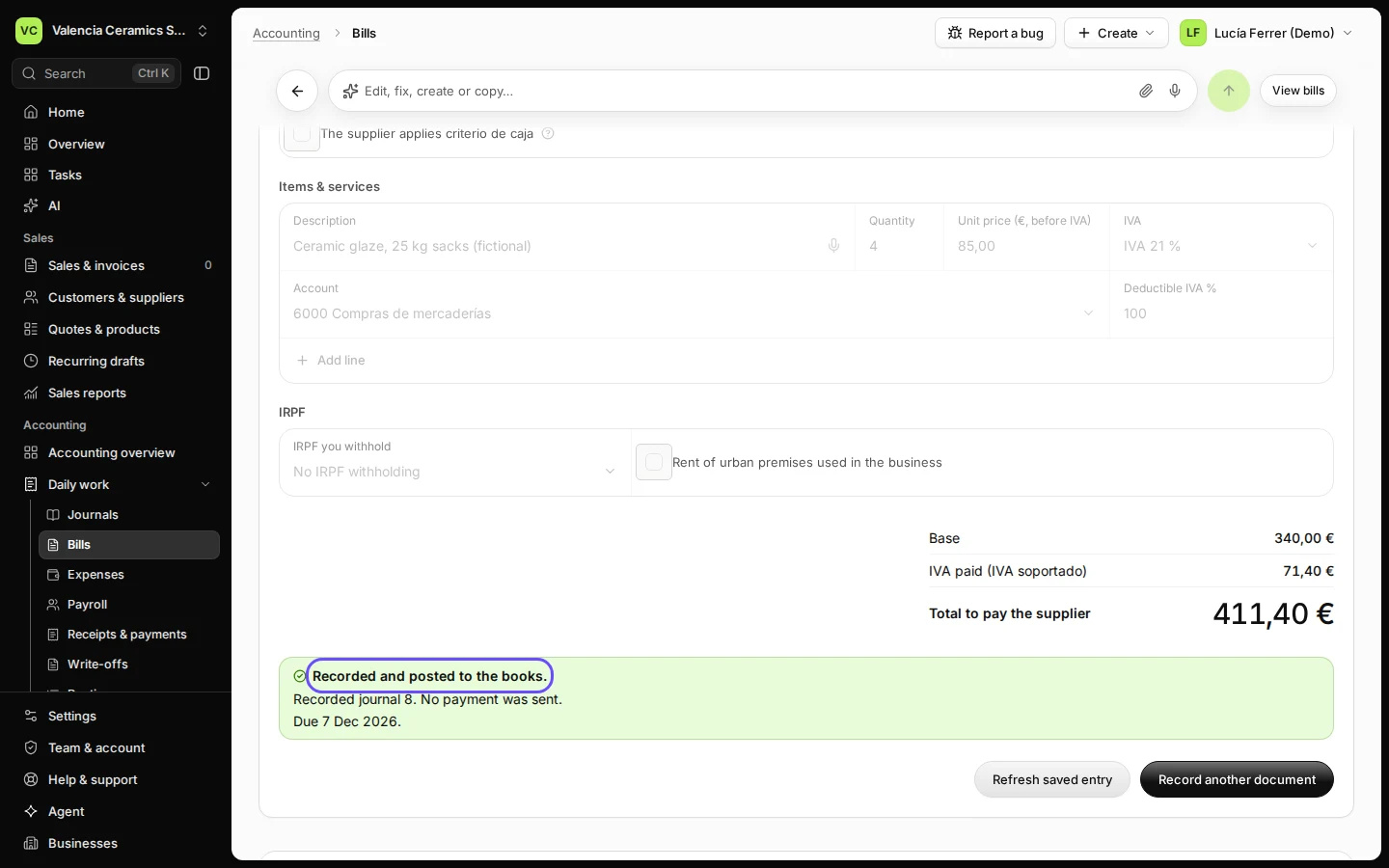
Step 4 in Deline (Spain business, fictional data) · See the whole screen Check the totals and press Record & post.
Base, IVA paid (IVA soportado) and the total to pay are shown before you post. After posting the page says Recorded and posted to the books and the bill appears in Bills to pay.
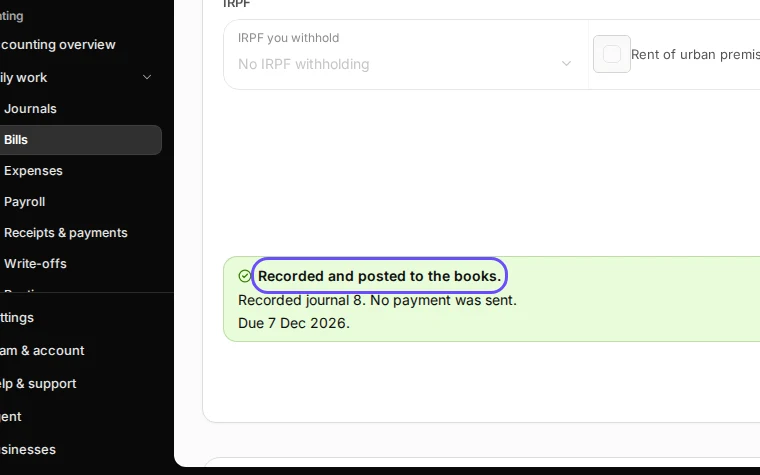
Step 5 in Deline (Spain business, fictional data) · See the whole screen


If something goes wrong
- "Add the supplier's bill number": the number is required; it stops the same bill from being recorded twice.
- The IVA is wrong: a posted bill is not edited. Record the supplier's corrected invoice (rectificativa) when it arrives, or ask your accountant for a correcting journal.
- You also want the PDF or a photo kept with the bill: see Record a bill and attach the PDF or photo.
Last checked 2026-11-07 by the guide runner on build c5fbd2fa6 (Deline 12a482996) (local Deline stack, desktop and phone).