
Before you start
- Your books are set up.
- The bill is a PDF, or a clear photo (PNG or JPEG) of the paper bill.
- A bill with Spanish IVA or Cyprus VAT is recorded with the VAT form instead, so the tax is counted: see Record a supplier bill.
Steps
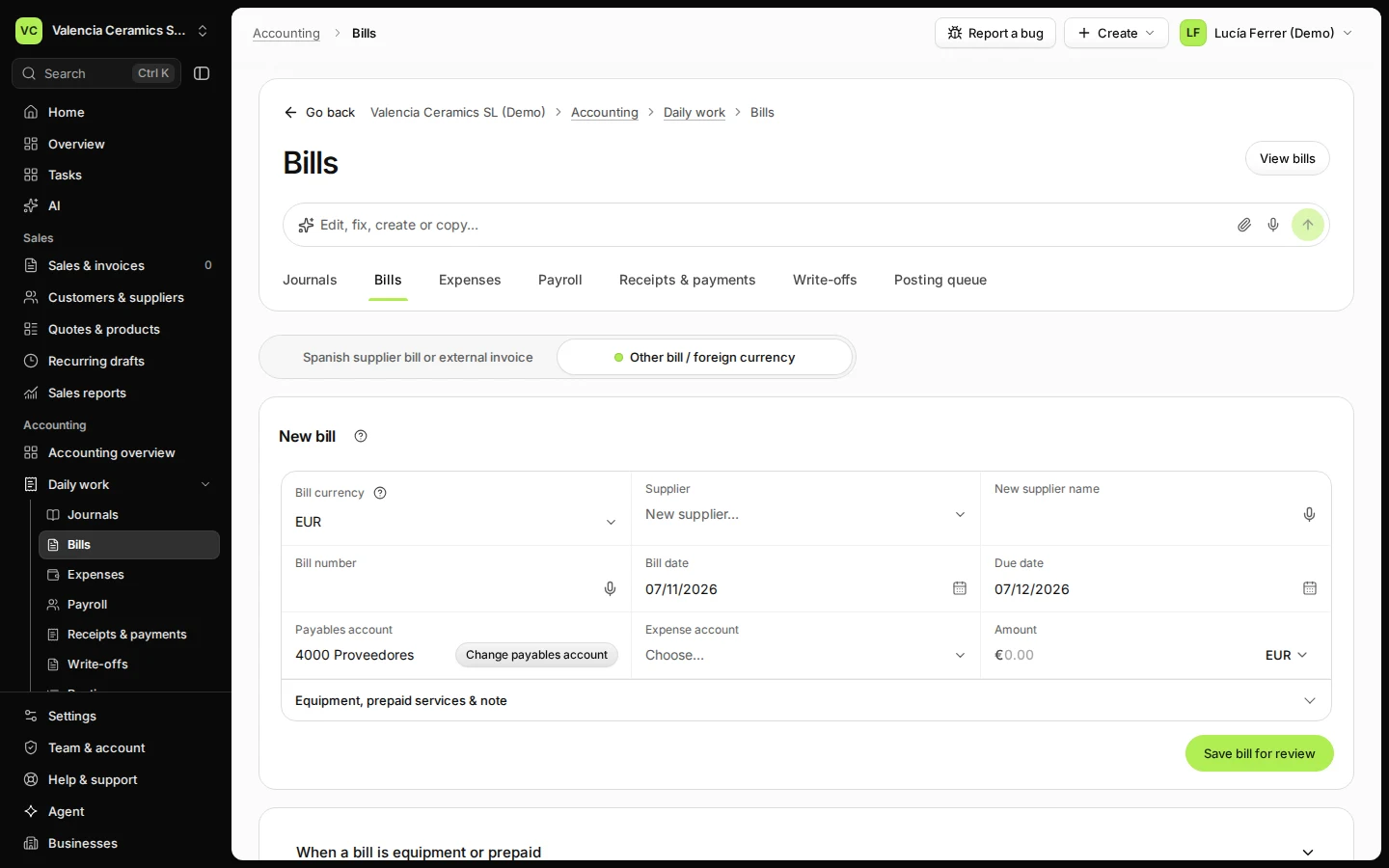
Open Bills from Daily work and choose Other bill / foreign currency.
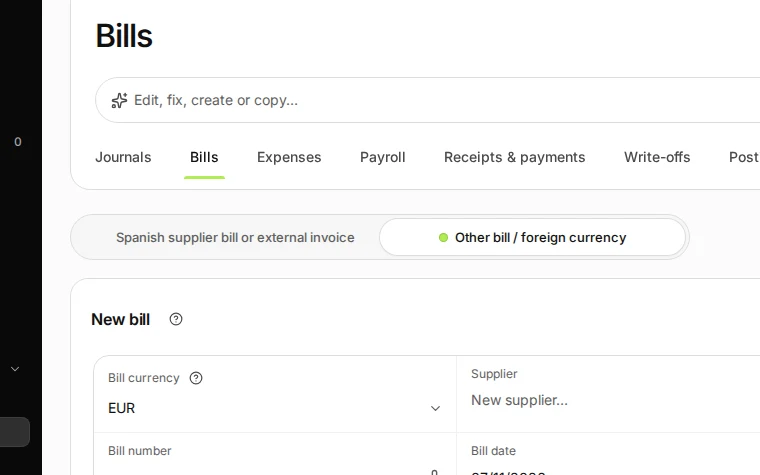
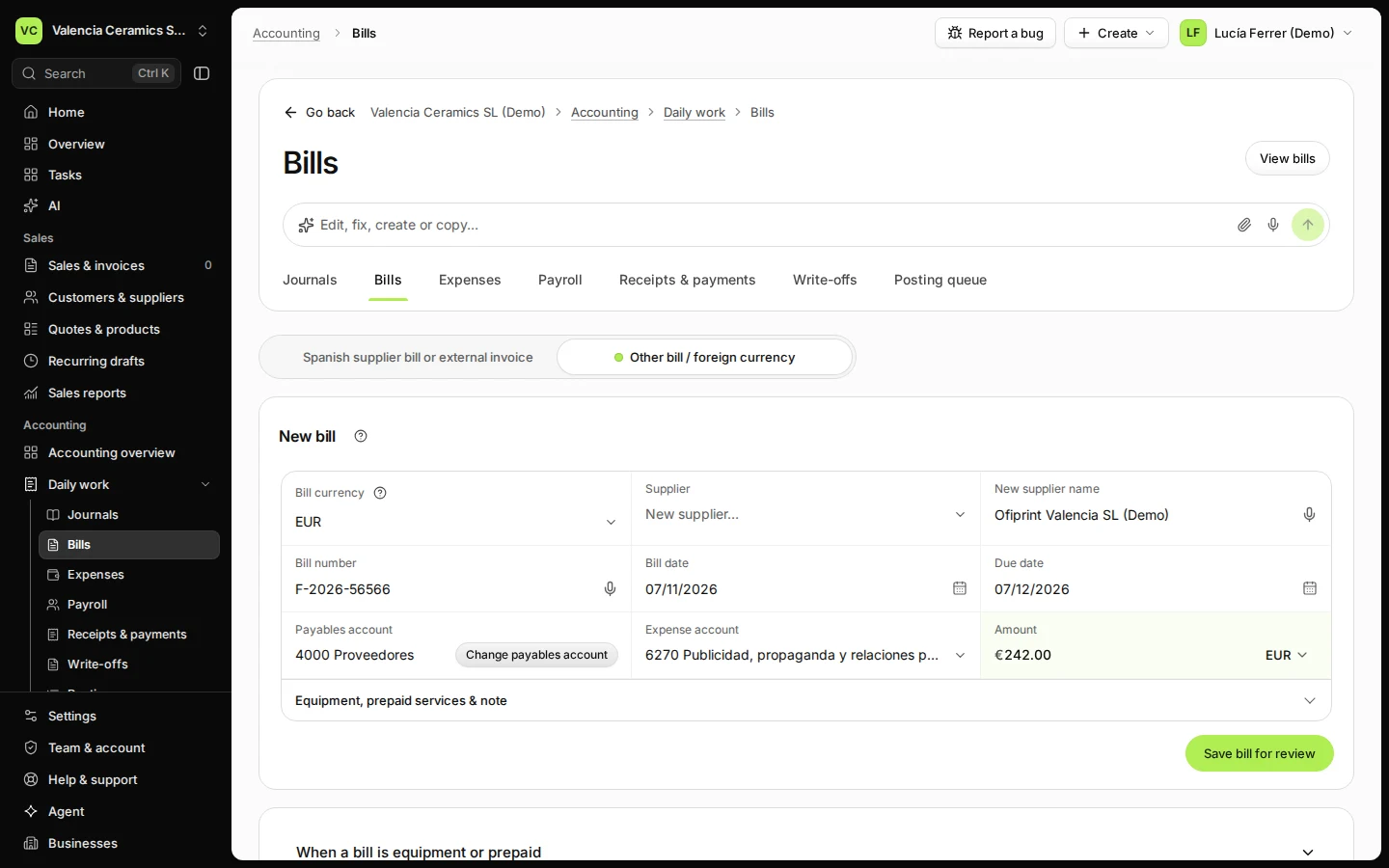
Step 1 in Deline (Spain business, fictional data) · See the whole screen Enter the supplier, the bill number, the dates, the expense account and the amount.
Choose a supplier you used before from Supplier, or type a new name. Pick the currency of the bill if it is not euros.
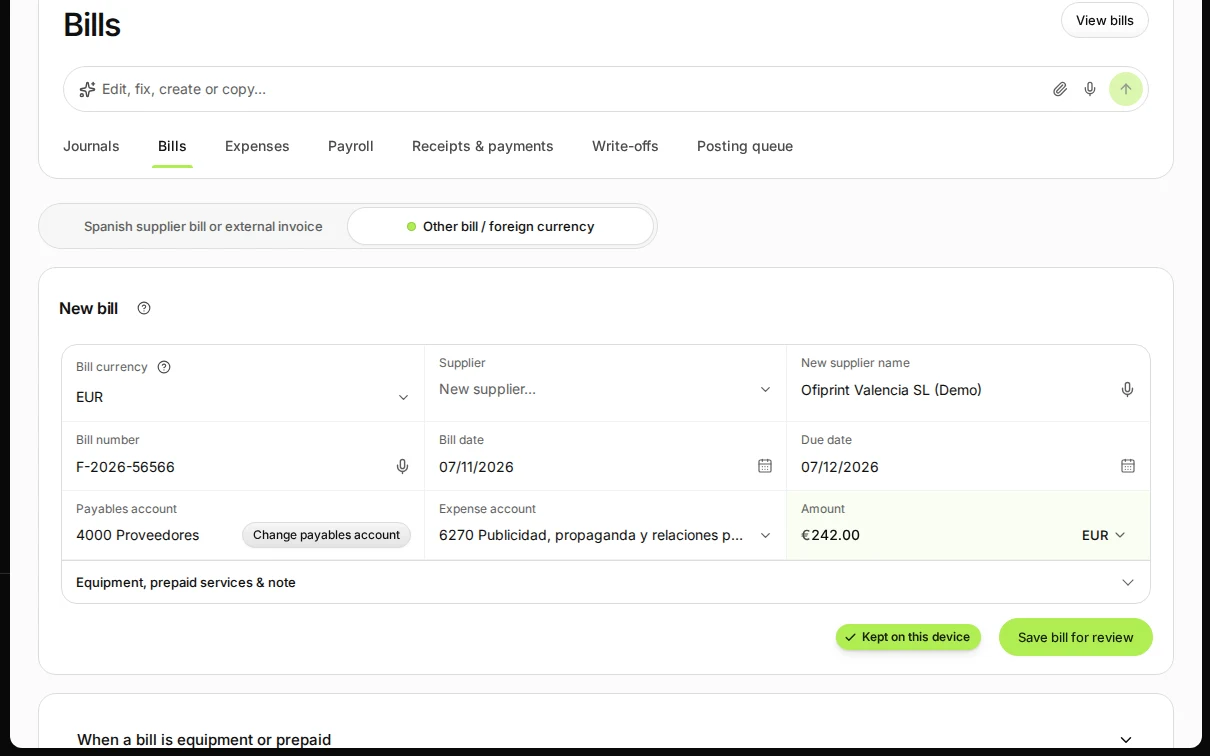
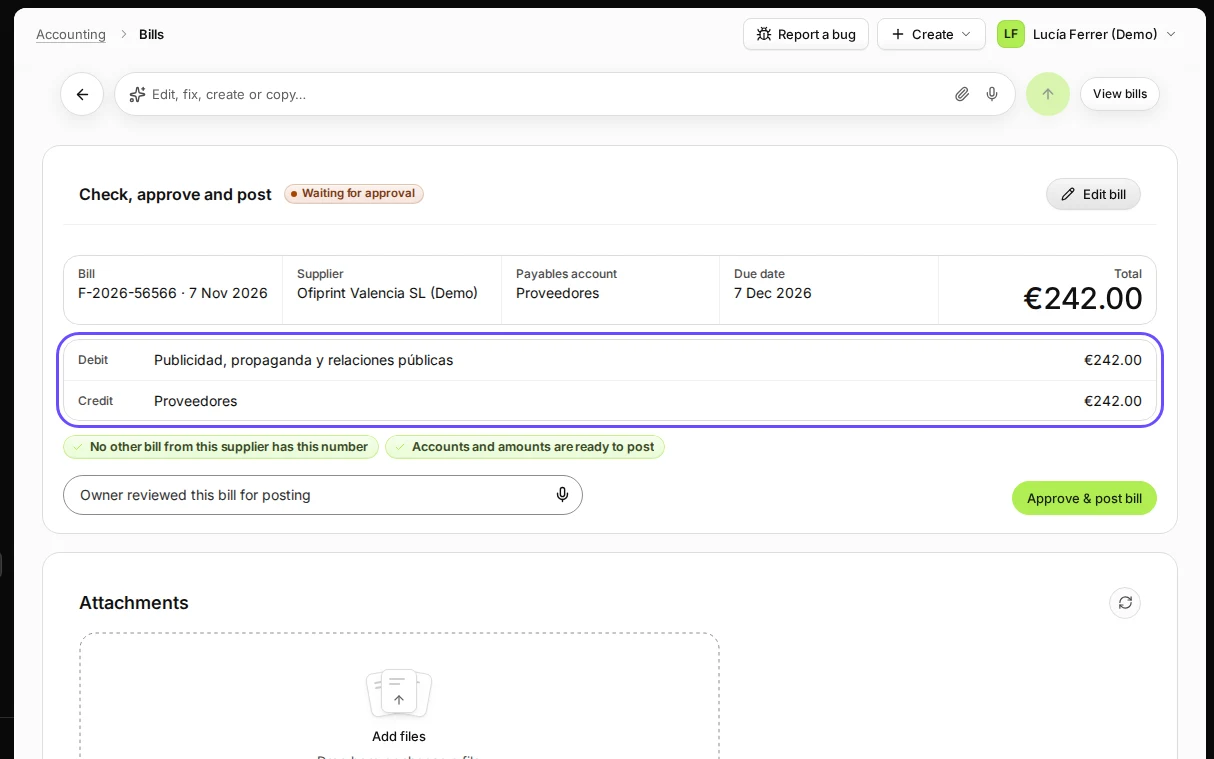
Step 2 in Deline (Spain business, fictional data) · See the whole screen Press Save bill for review.
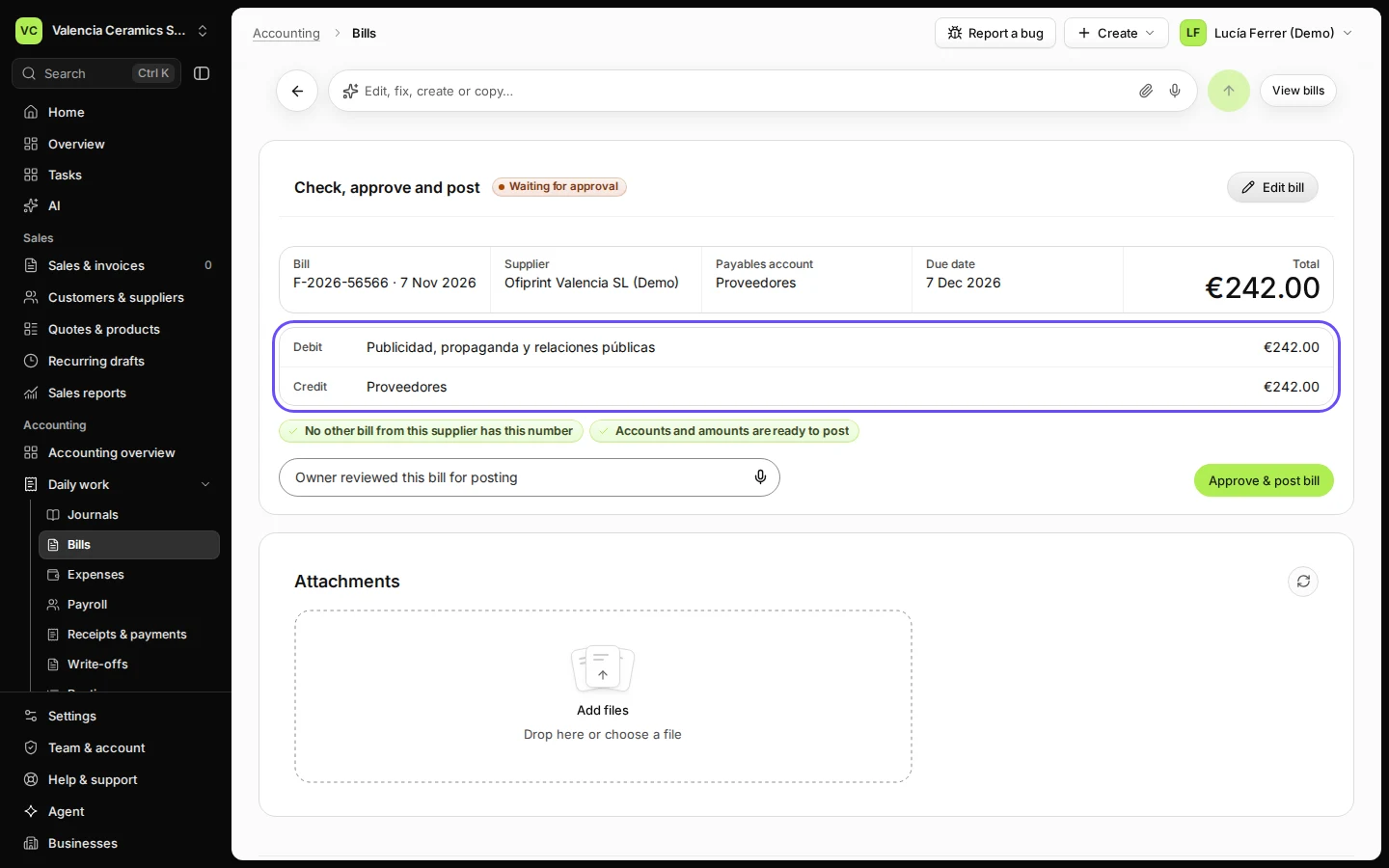
The bill is saved, not posted yet. Check, approve and post shows the lines it will post.
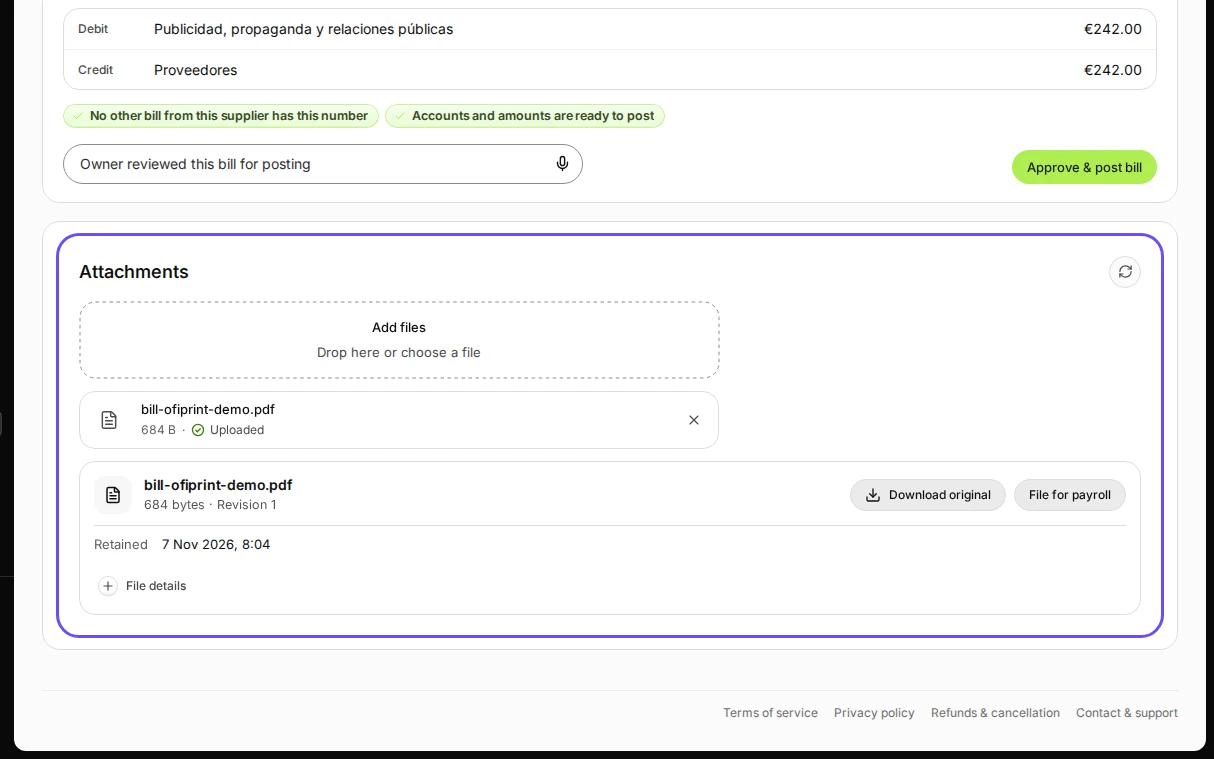
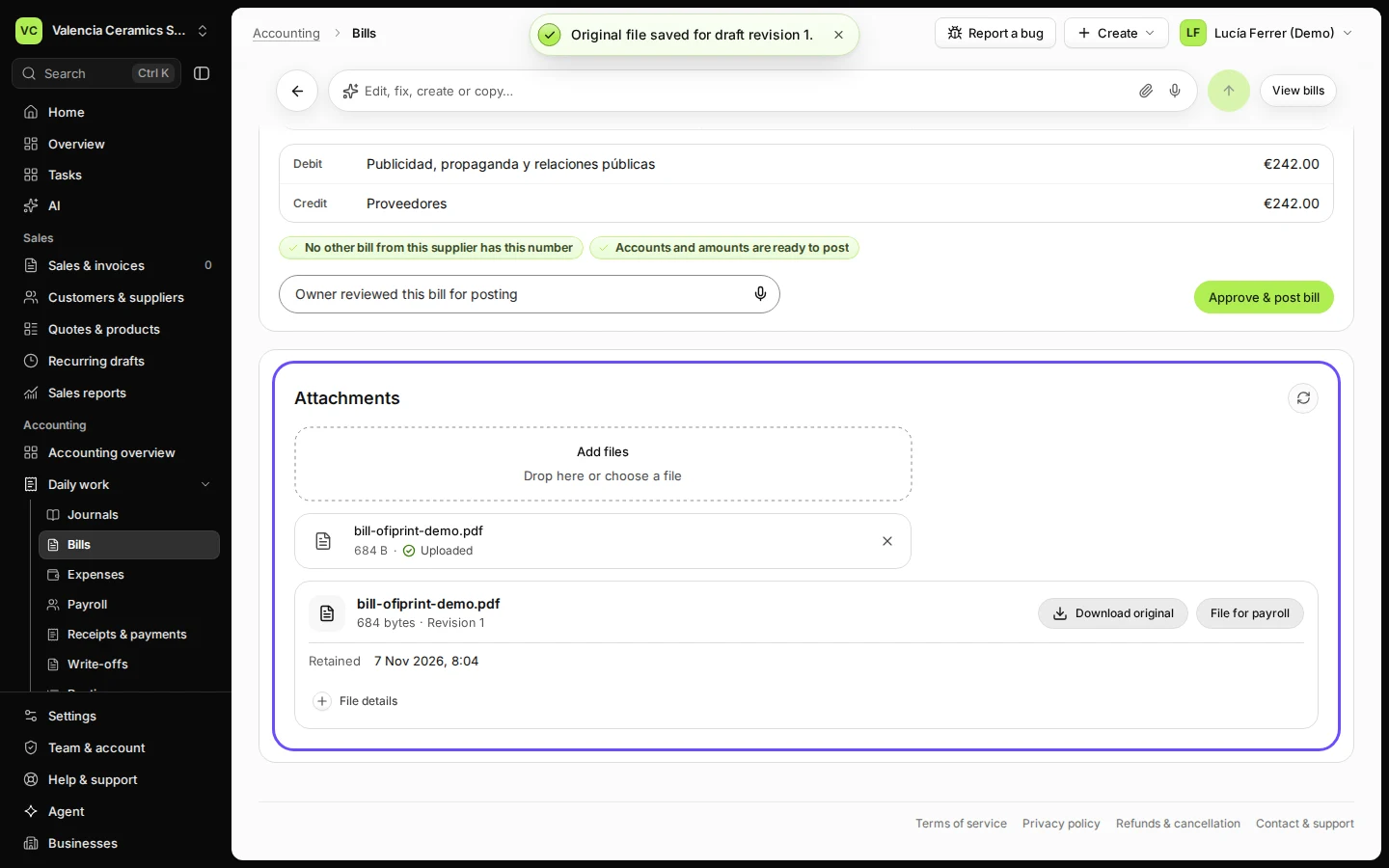
Step 3 in Deline (Spain business, fictional data) · See the whole screen Add the PDF or photo under Attachments and press Attach file.
Drop the file on Add files or choose it, then press Attach file. Each file is checked for viruses before it is kept.
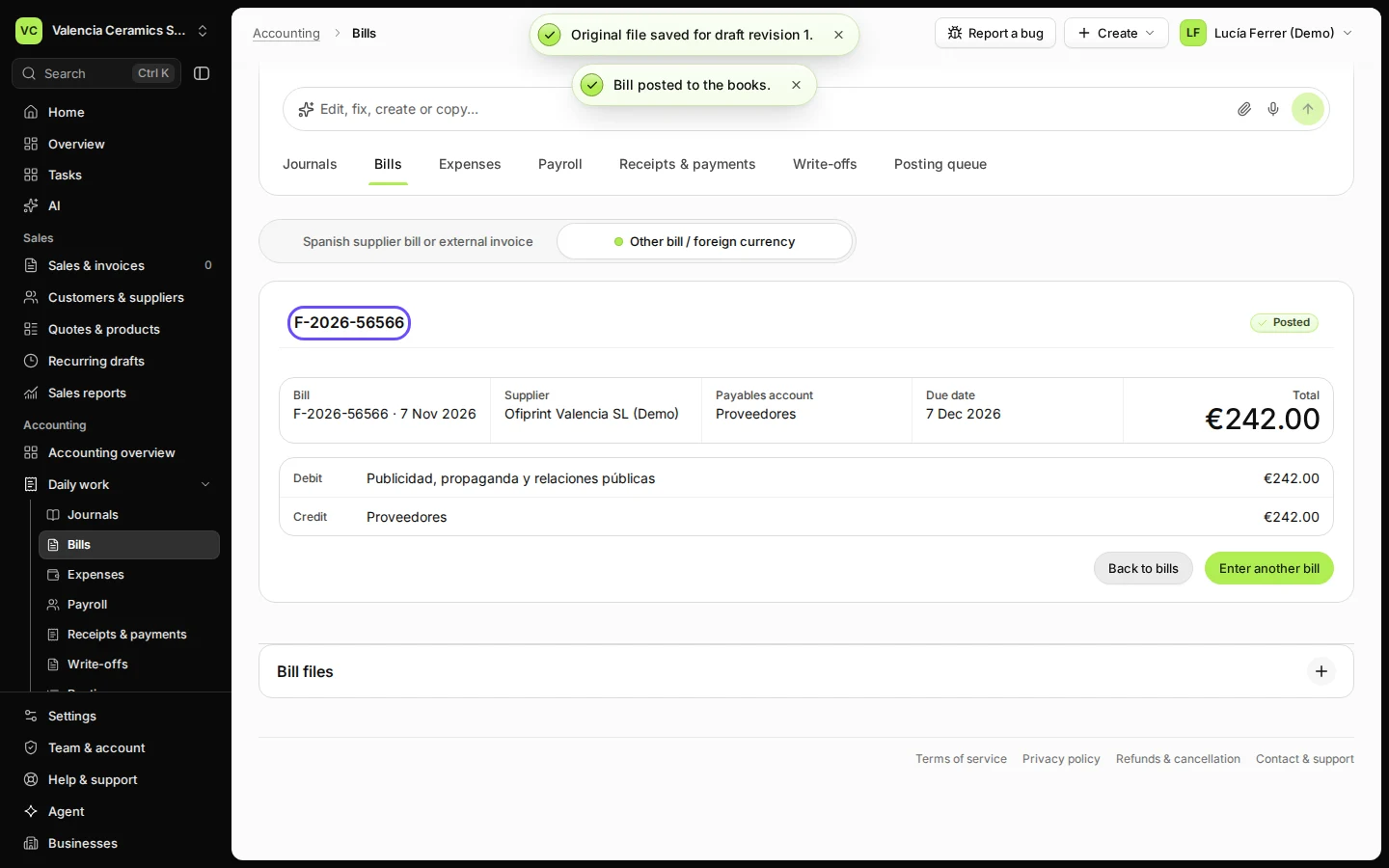
Step 4 in Deline (Spain business, fictional data) · See the whole screen Press Approve & post bill.
The bill is posted and waits in Bills to pay. Its file stays under Bill files.
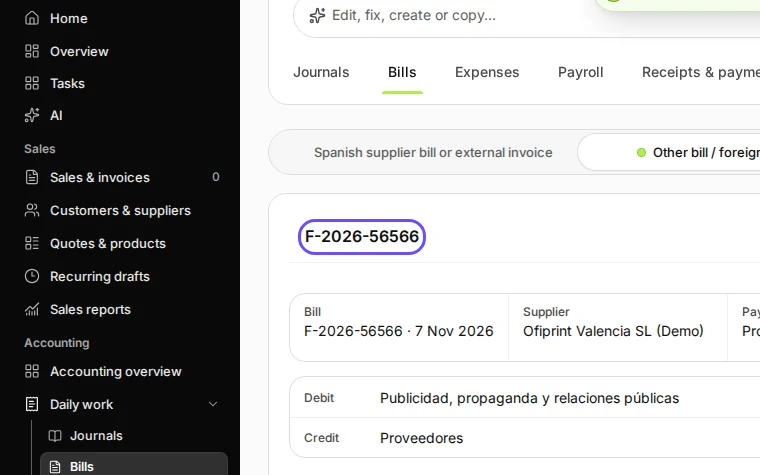
Step 5 in Deline (Spain business, fictional data) · See the whole screen
If something goes wrong
- "A supplier named … already exists": choose it from the Supplier list instead of typing it again.
- The file was refused: it did not pass the virus check, or it is not a PDF, PNG or JPEG. Save the bill again as a PDF and attach that.
Last checked 2026-11-07 by the guide runner on build c5fbd2fa6 (Deline 12a482996) (local Deline stack).