
Steps
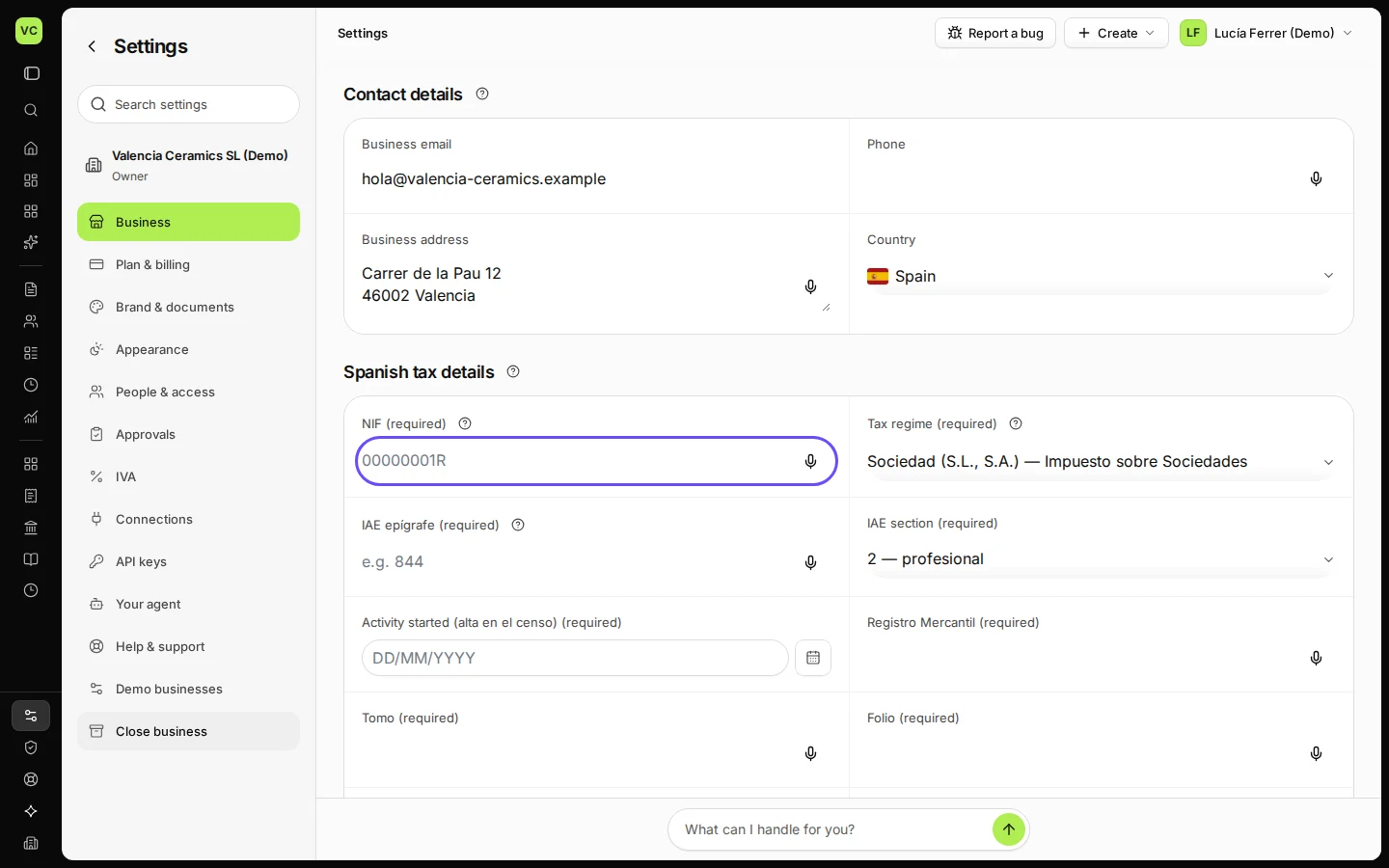
Open Settings and stay on Business.
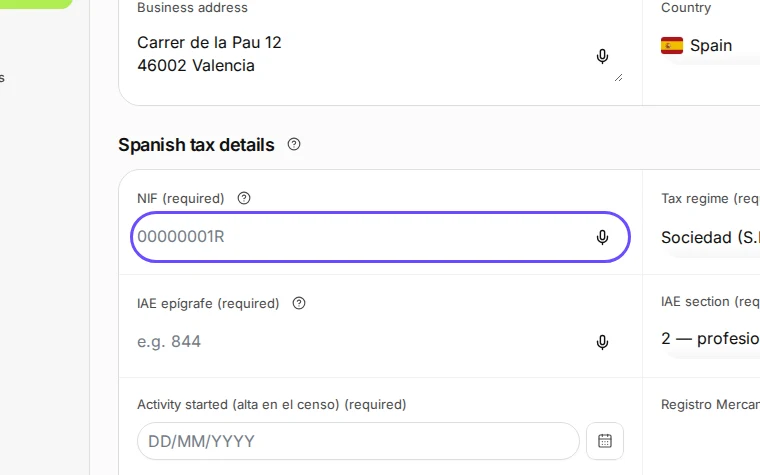
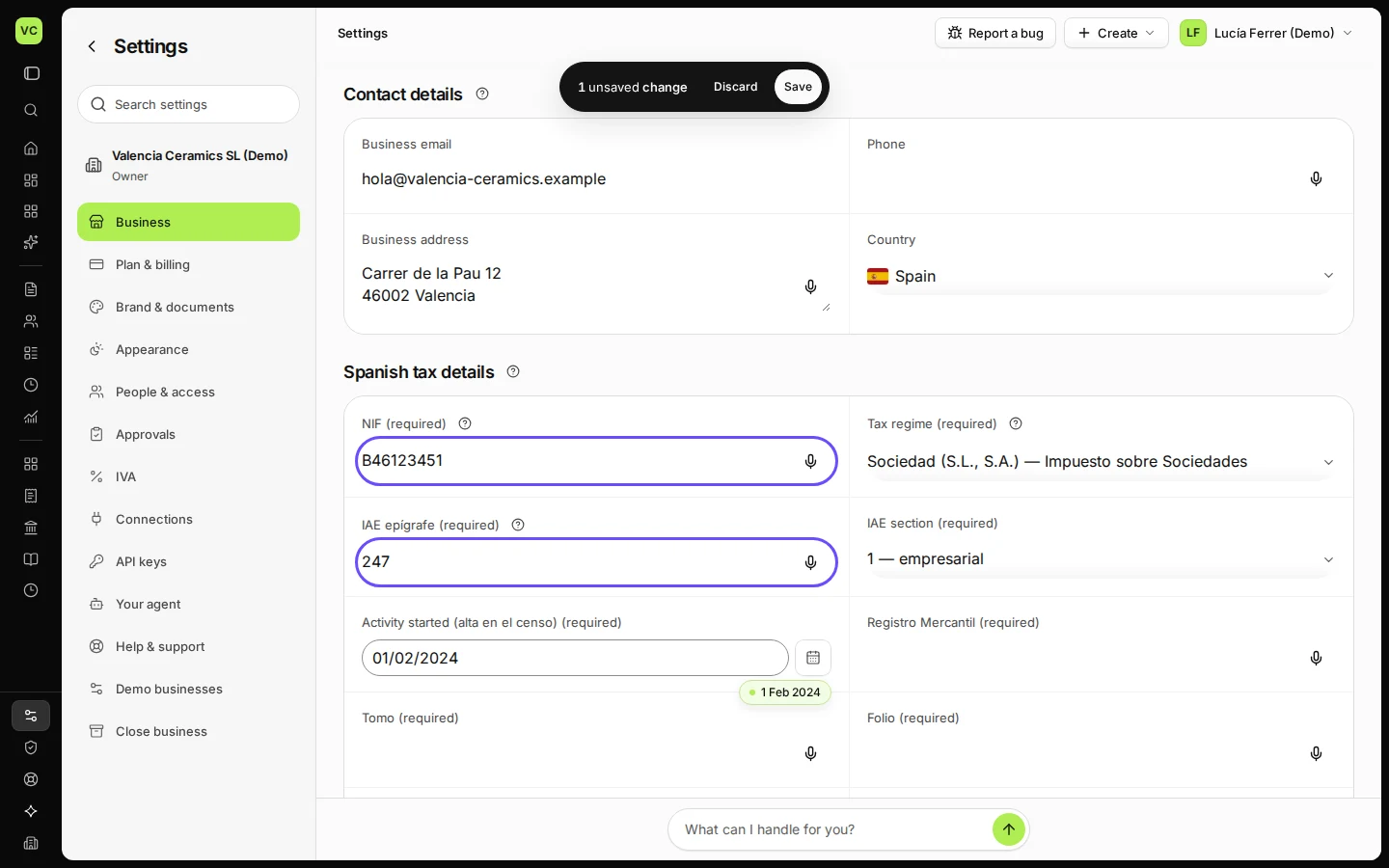
Step 1 in Deline (Spain business, fictional data) · See the whole screen Enter your NIF and your IAE epígrafe and section.
The IAE epígrafe decides whether your invoices carry IRPF.
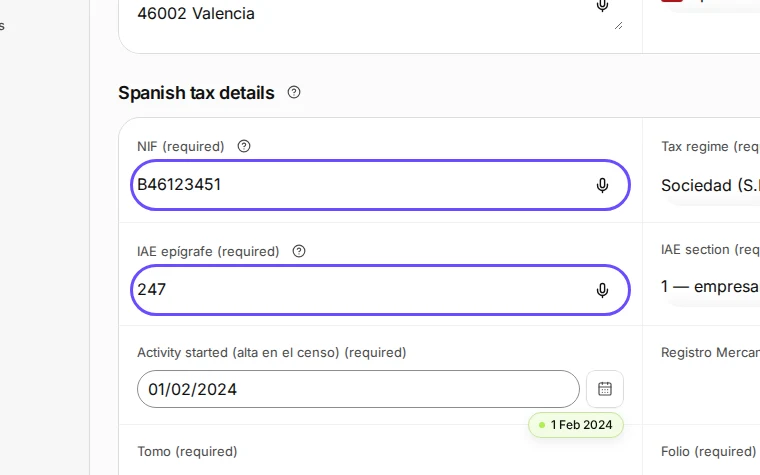
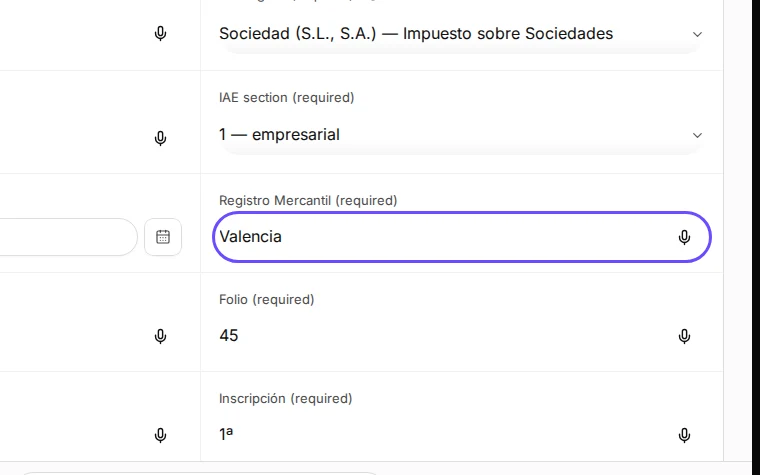
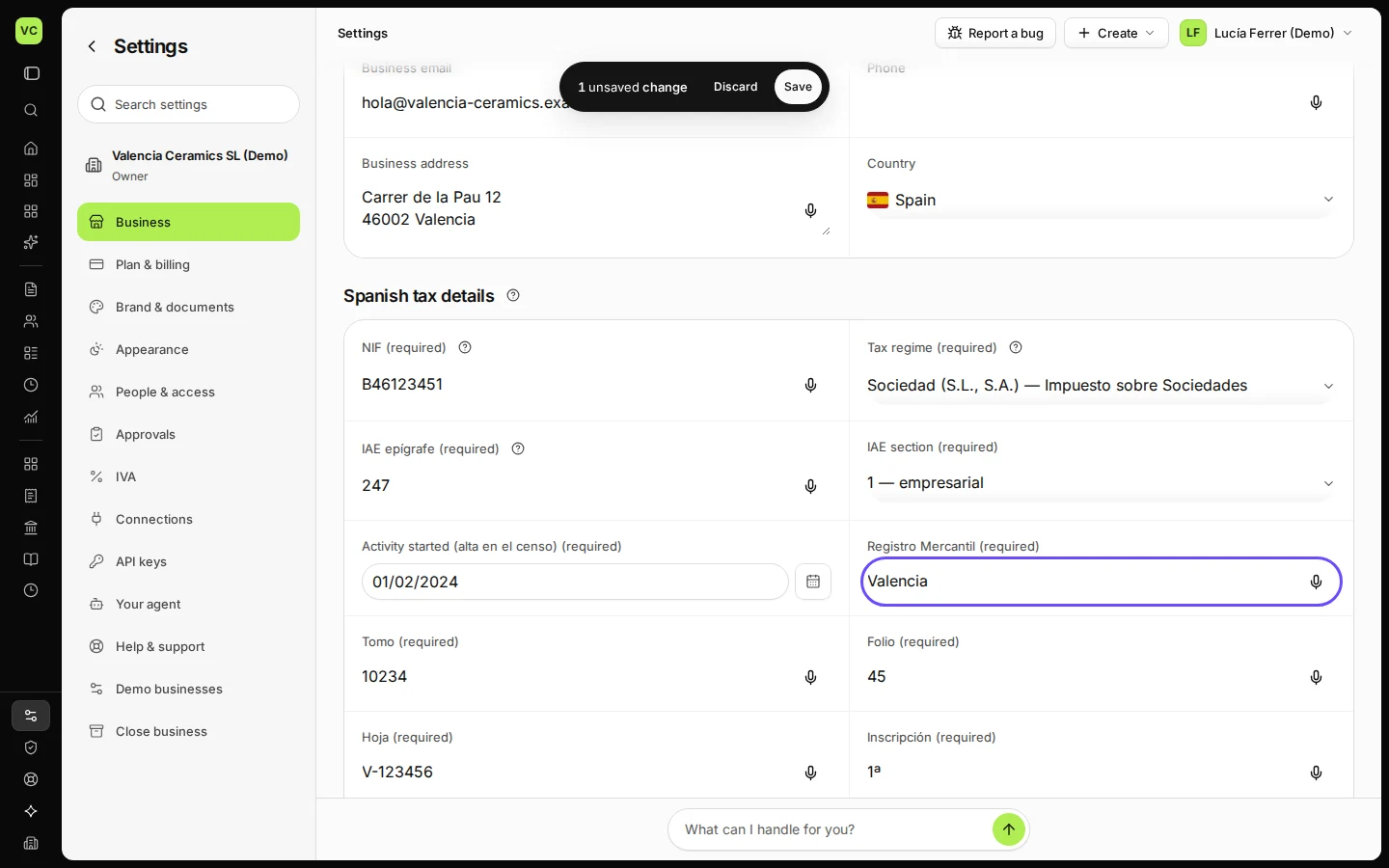
Step 2 in Deline (Spain business, fictional data) · See the whole screen For a company, add the Registro Mercantil details.
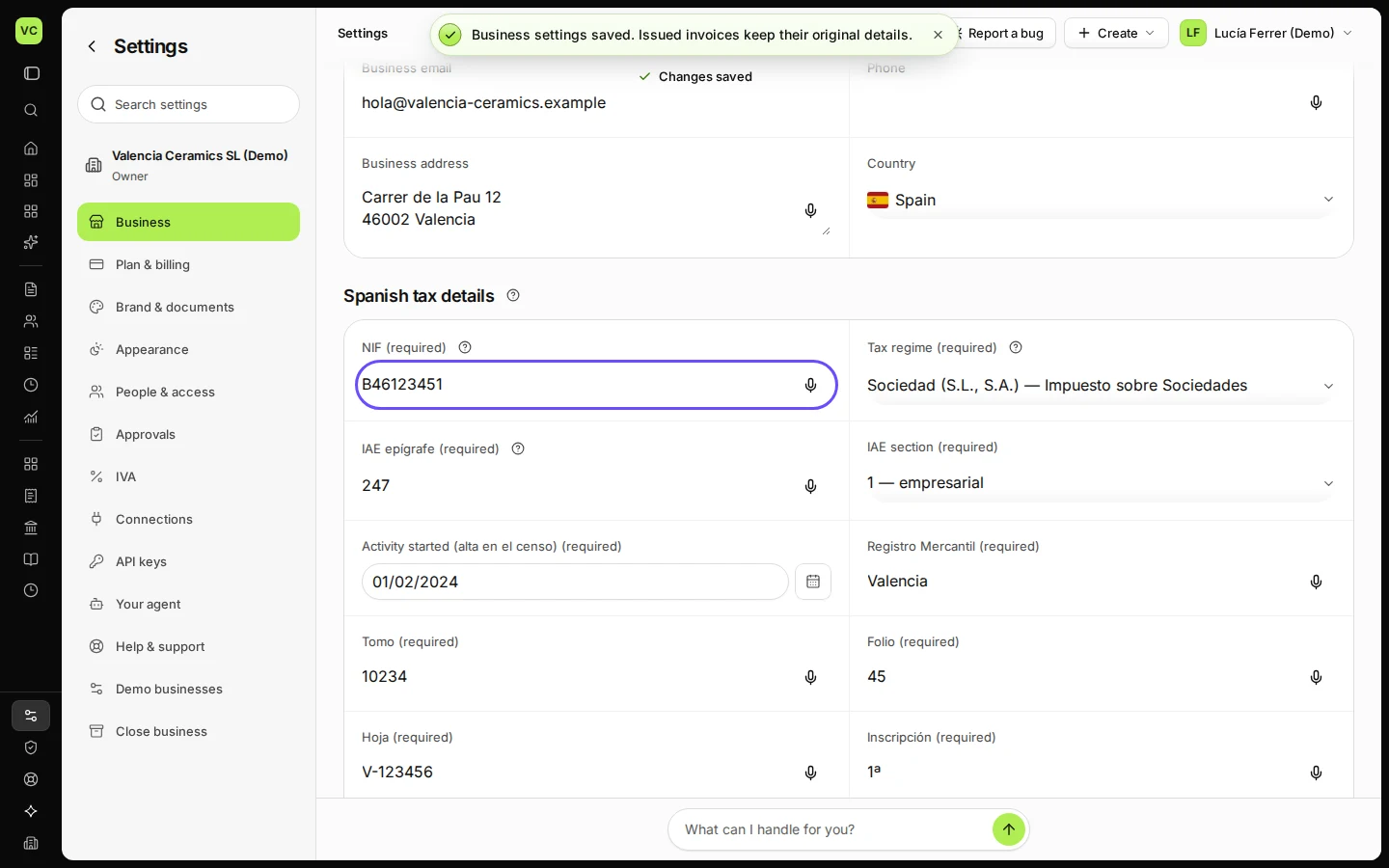
Step 3 in Deline (Spain business, fictional data) · See the whole screen Save.
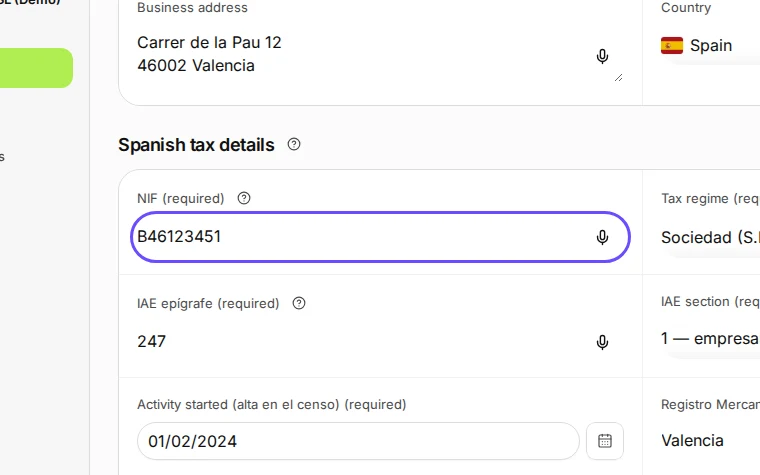
Step 4 in Deline (Spain business, fictional data) · See the whole screen
If something goes wrong
- "Check the NIF: it should look like 00000001R or B00000000.": check the letters and digits on your tax card.
Last checked 2026-11-08 by the guide runner on build 5bcaf3a46 (Deline 06cb5749b) (local Deline stack).