
Before you start
- Your books are set up (Accounting → Set up books). Until then the card shows only the РНОКПП and VAT fields.
- You are the owner, or the business's accountant. An Editor can change the tax system but not the РНОКПП.
Steps
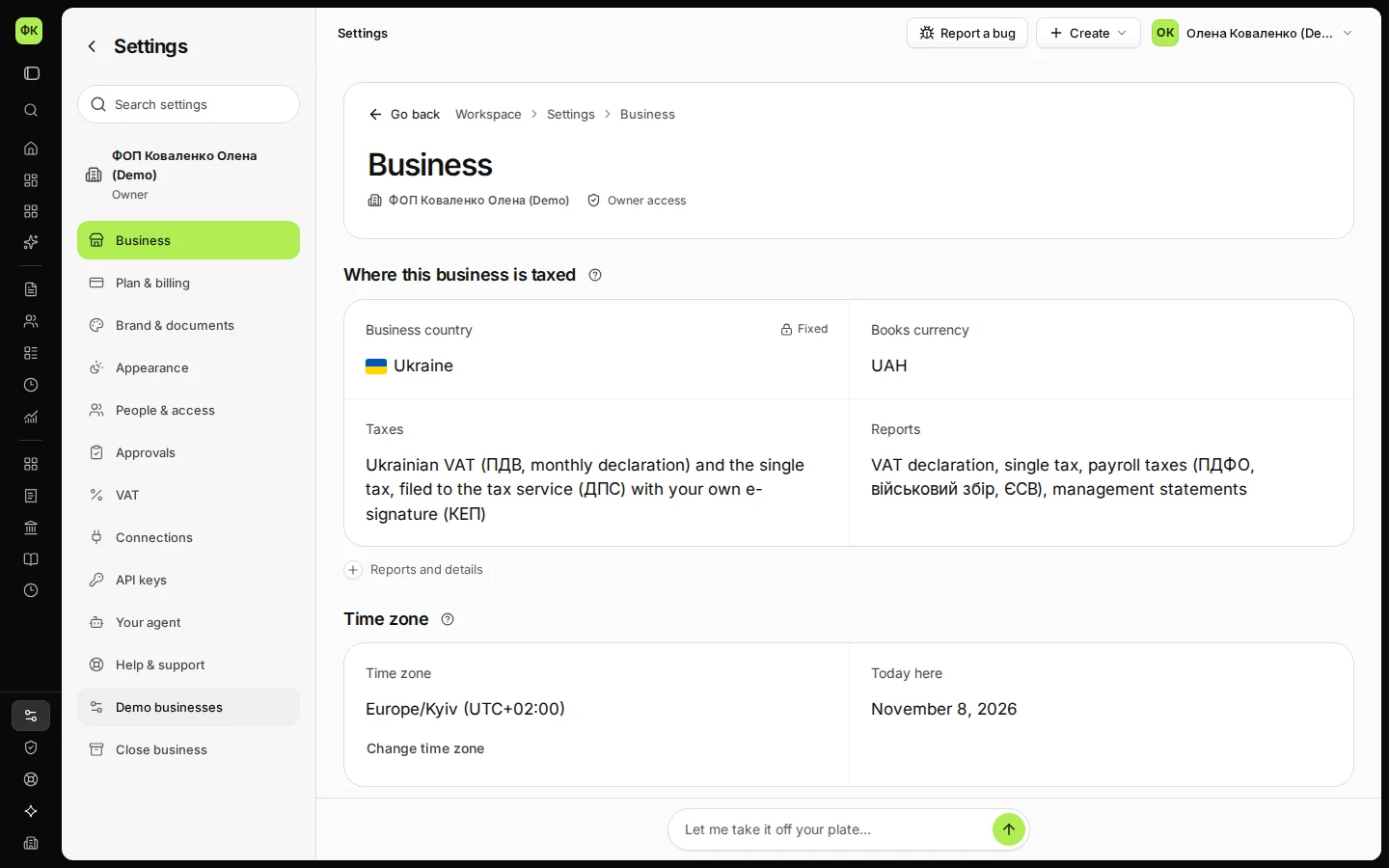
Open Settings and stay on Business.
The Ukrainian tax details card is below Contact details.
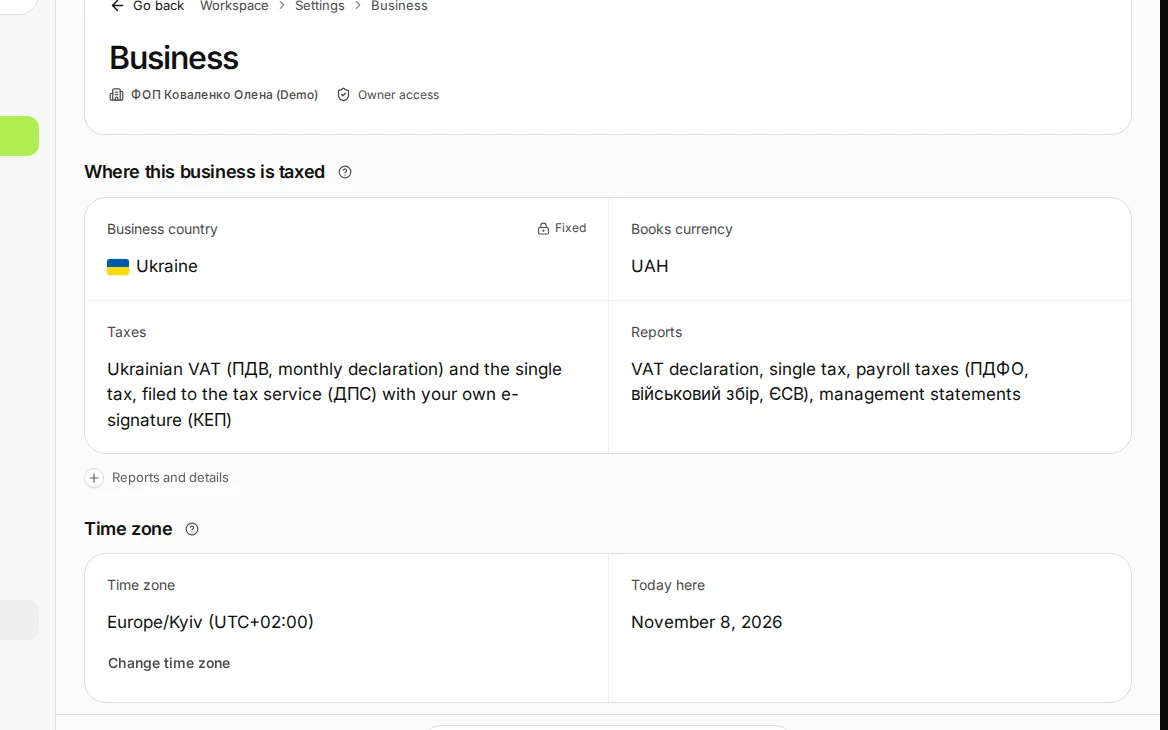
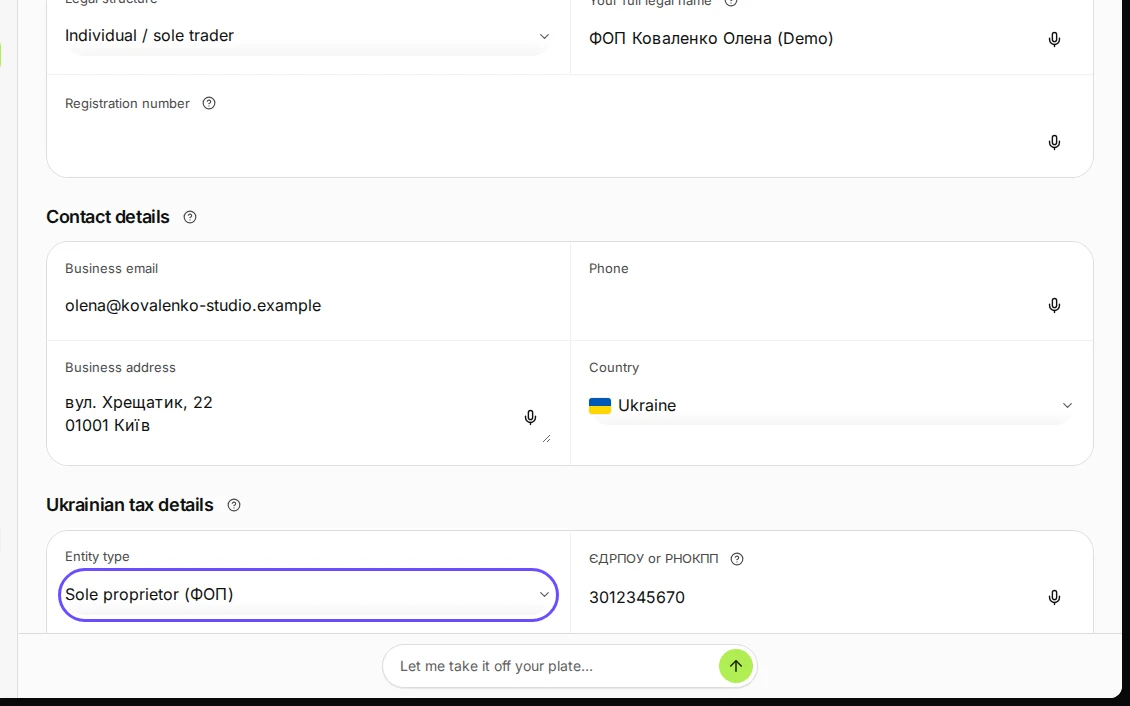
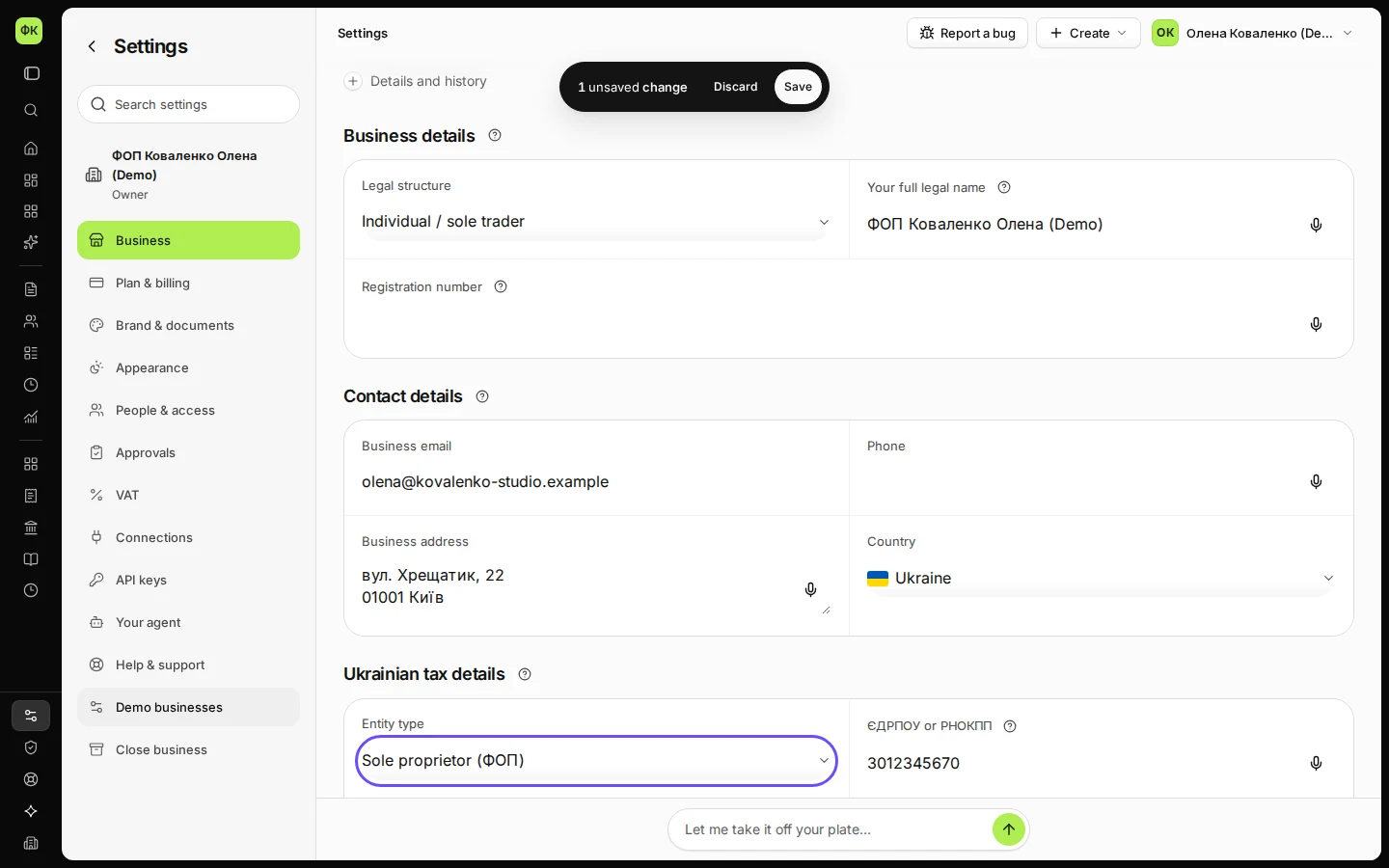
Step 1 in Deline (Ukraine business, fictional data) · See the whole screen In Ukrainian tax details, choose Sole proprietor (ФОП) and enter your РНОКПП.
A ФОП has a 10-digit РНОКПП; a company (ТОВ) has an 8-digit ЄДРПОУ.
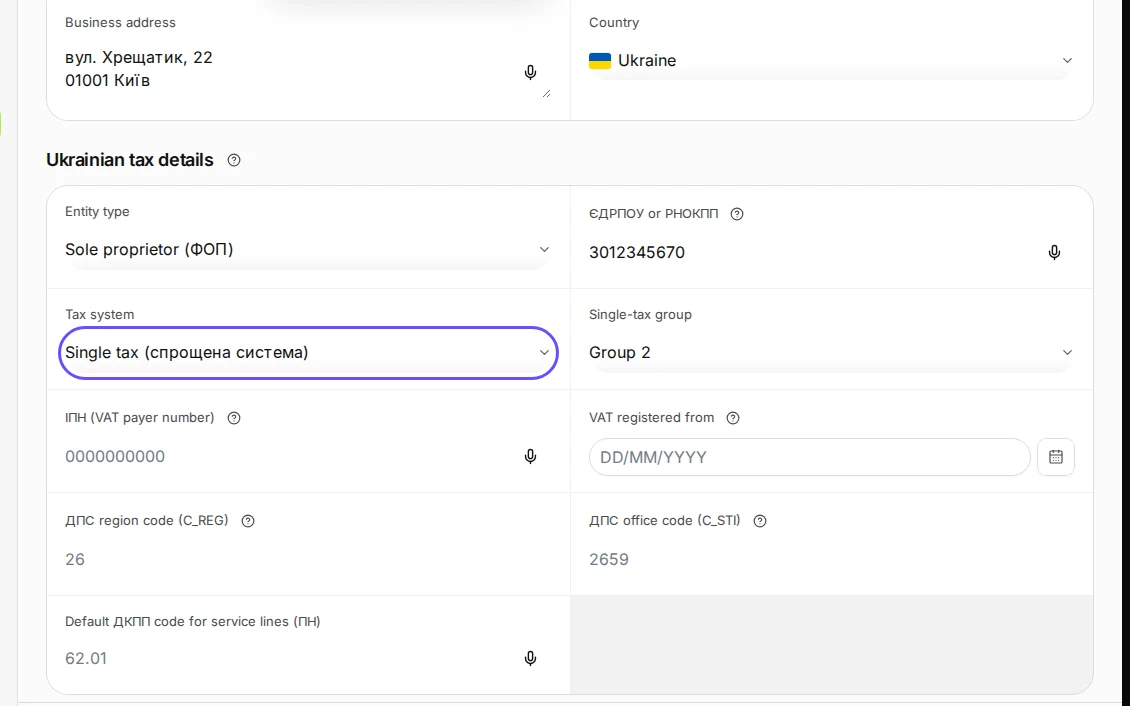
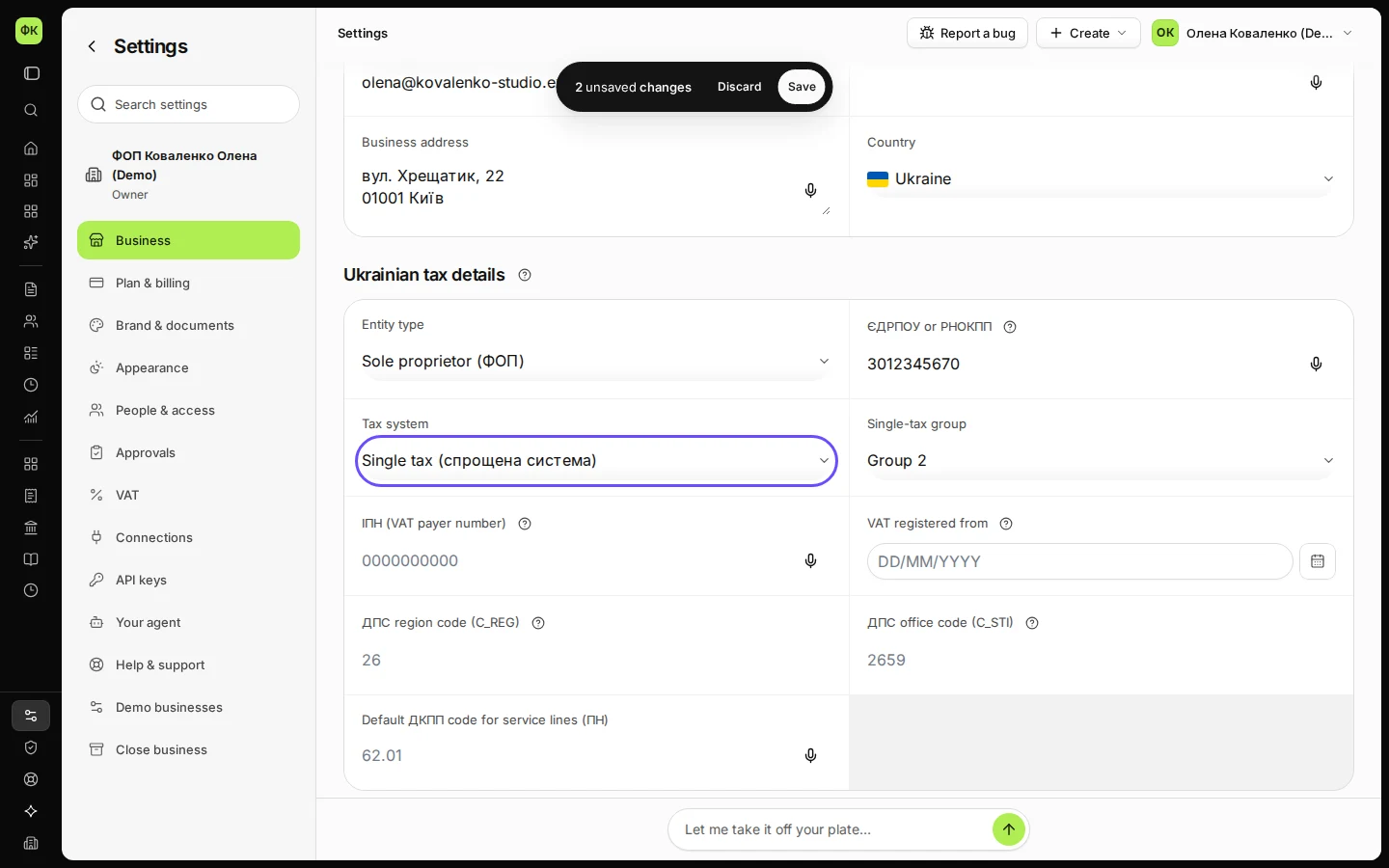
Step 2 in Deline (Ukraine business, fictional data) · See the whole screen Choose the Single tax system and your single-tax group.
A ФОП can be in group 1, 2 or 3. Leave ІПН (VAT payer number) empty until you are registered as a ПДВ payer.
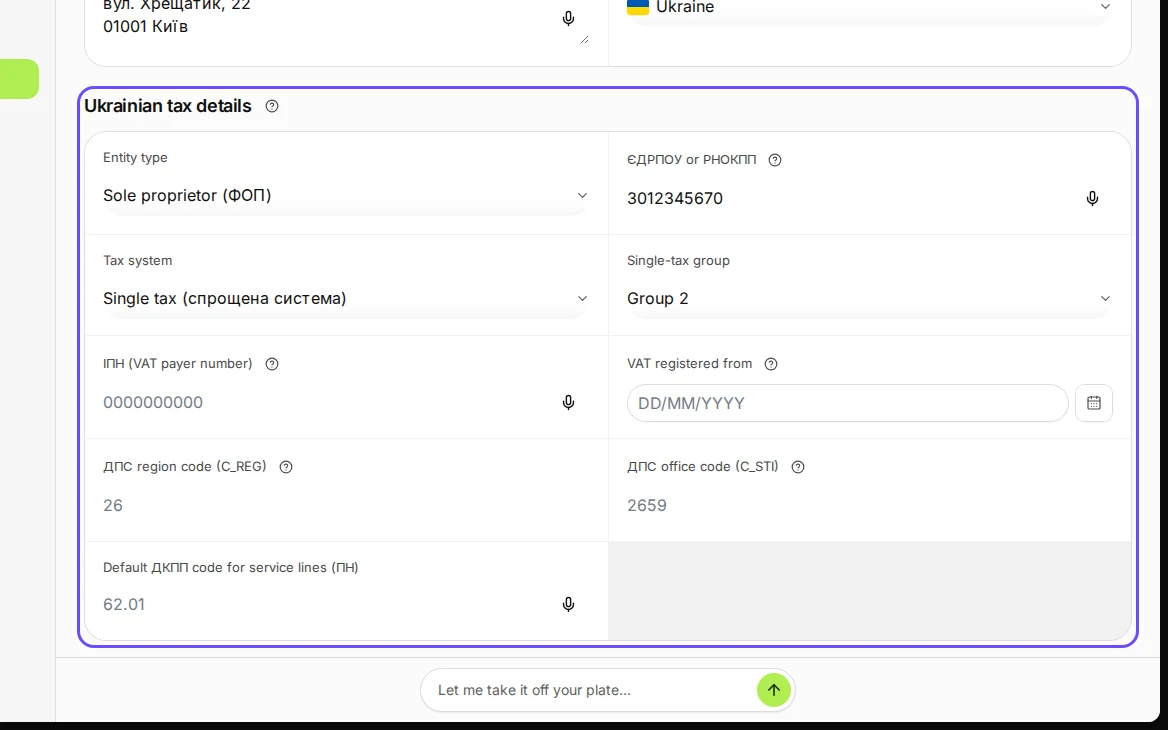
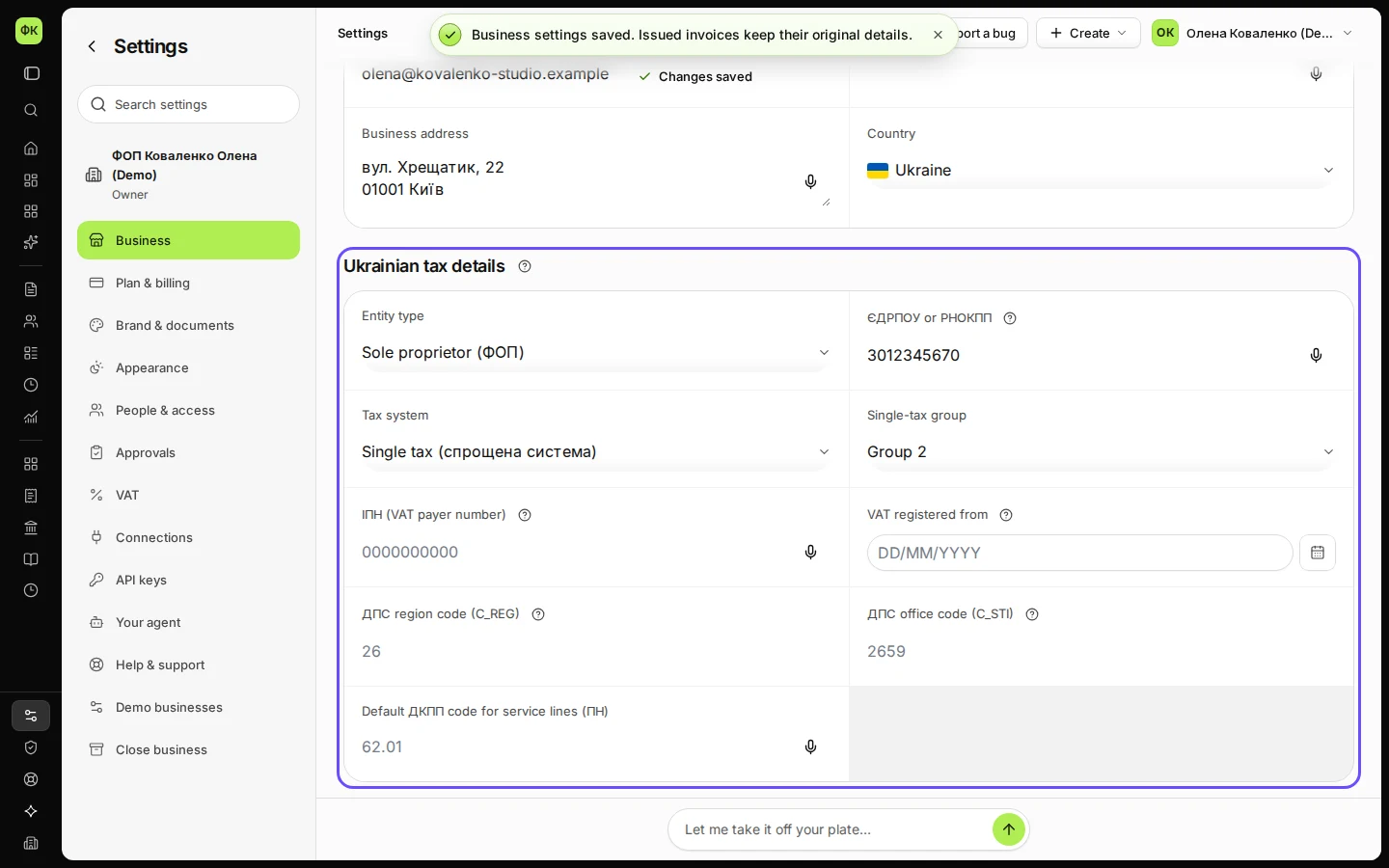
Step 3 in Deline (Ukraine business, fictional data) · See the whole screen Save.
Deline shows "Business settings saved". In Accounting → Reports the Ukraine card now reads "Single tax · group 2".
Step 4 in Deline (Ukraine business, fictional data) · See the whole screen


If something goes wrong
- "Enter 8 digits (ЄДРПОУ) or 10 digits (РНОКПП).": check the number on your registration extract.
- "A ФОП’s ІПН is its РНОКПП.": a ФОП that is a ПДВ payer uses its РНОКПП as the ІПН.
- "Only single-tax group 3 can be a ПДВ payer.": groups 1 and 2 cannot be registered for ПДВ.
- The ДПС region and office codes: you need them only to file; they are on your registration certificate.
Last checked 2026-11-08 by the guide runner on build eba146497 (Deline cf723fe1f) (local Deline stack, desktop and phone).