
Steps
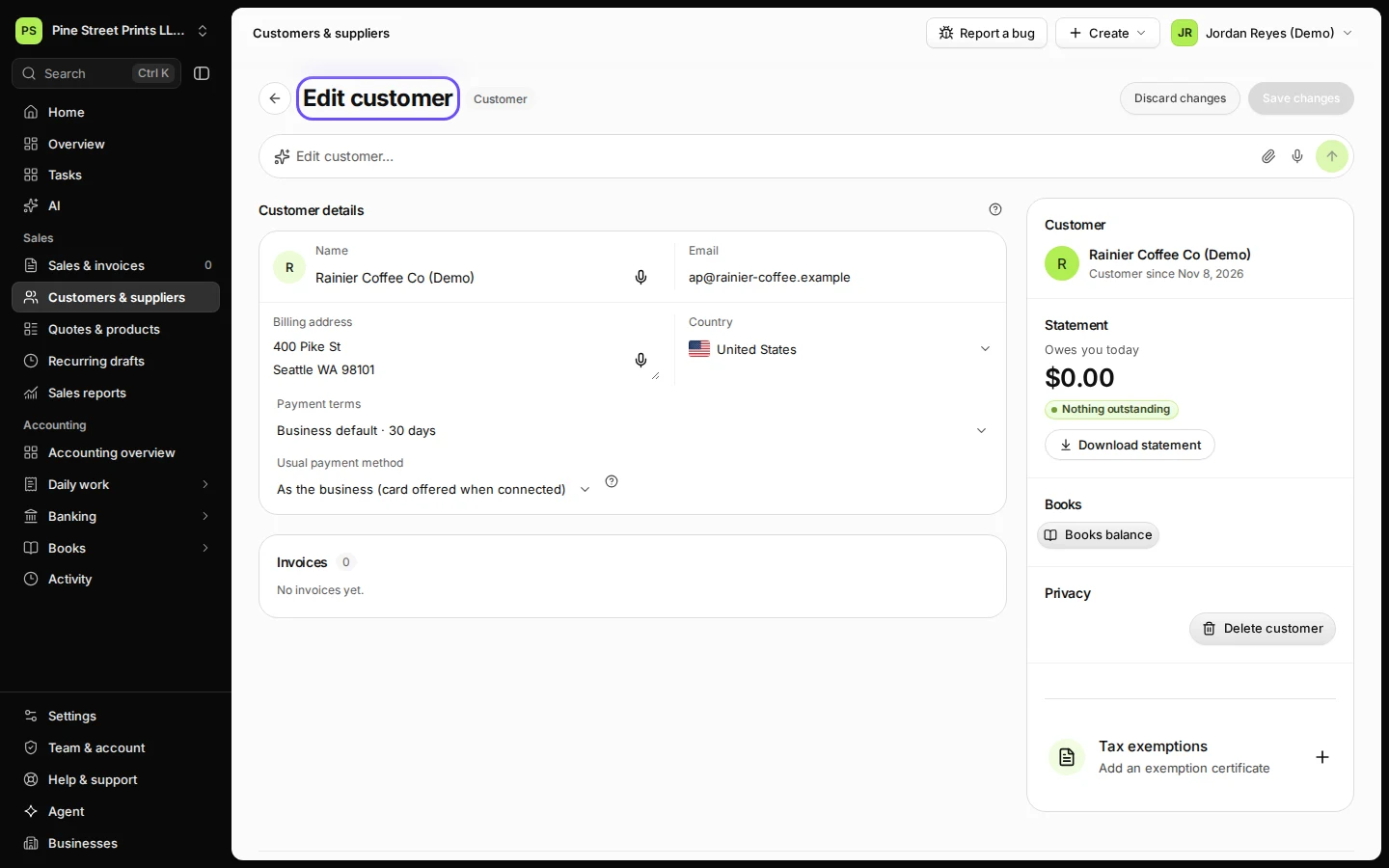
Open the customer from Customers & suppliers.
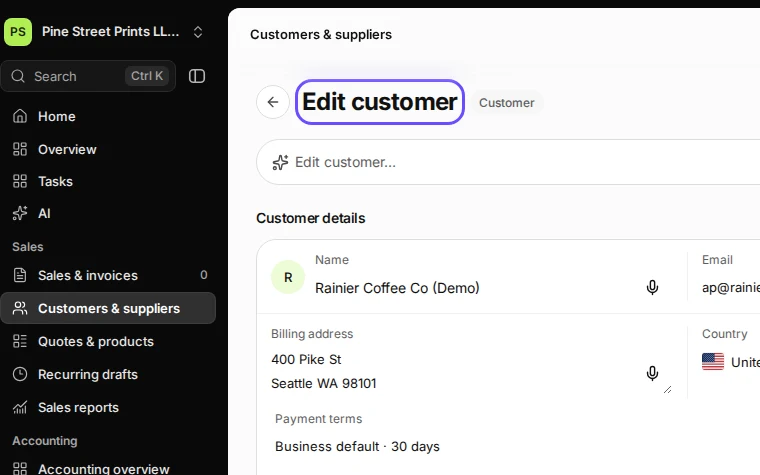
Step 1 in Deline (United States business, fictional data) · See the whole screen Open Tax exemptions.
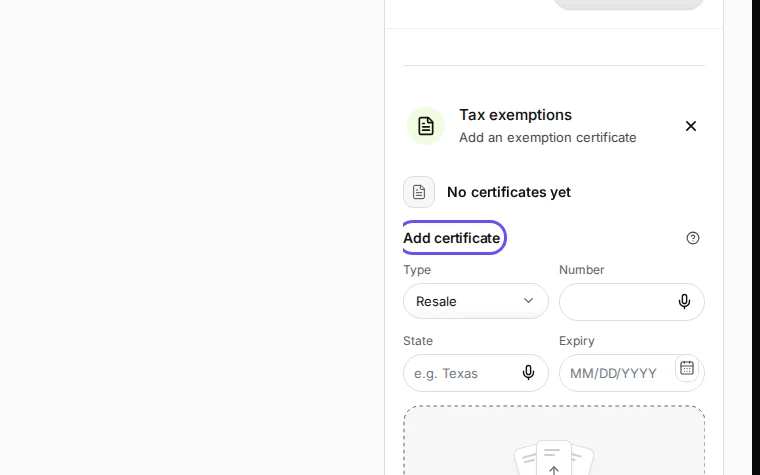
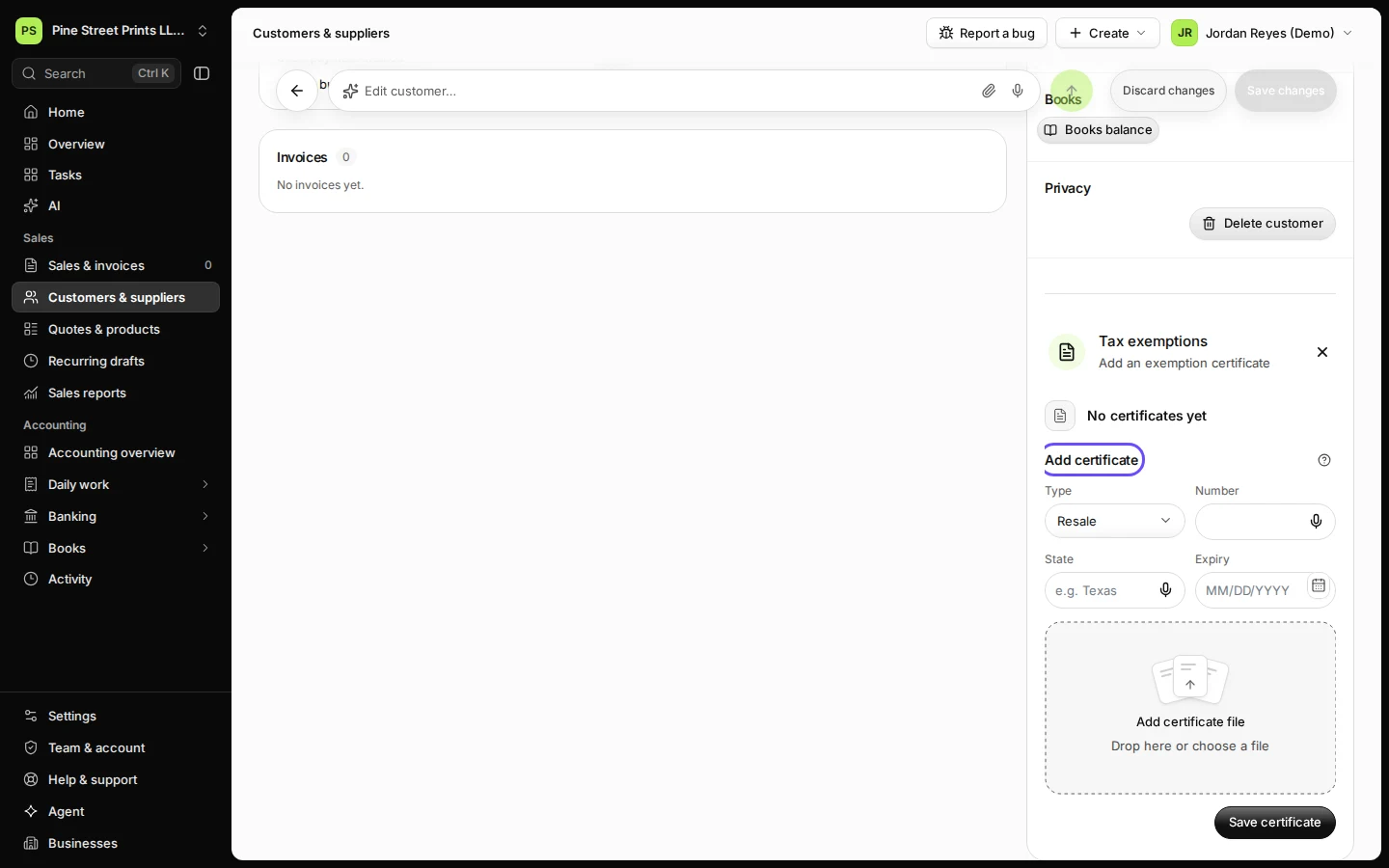
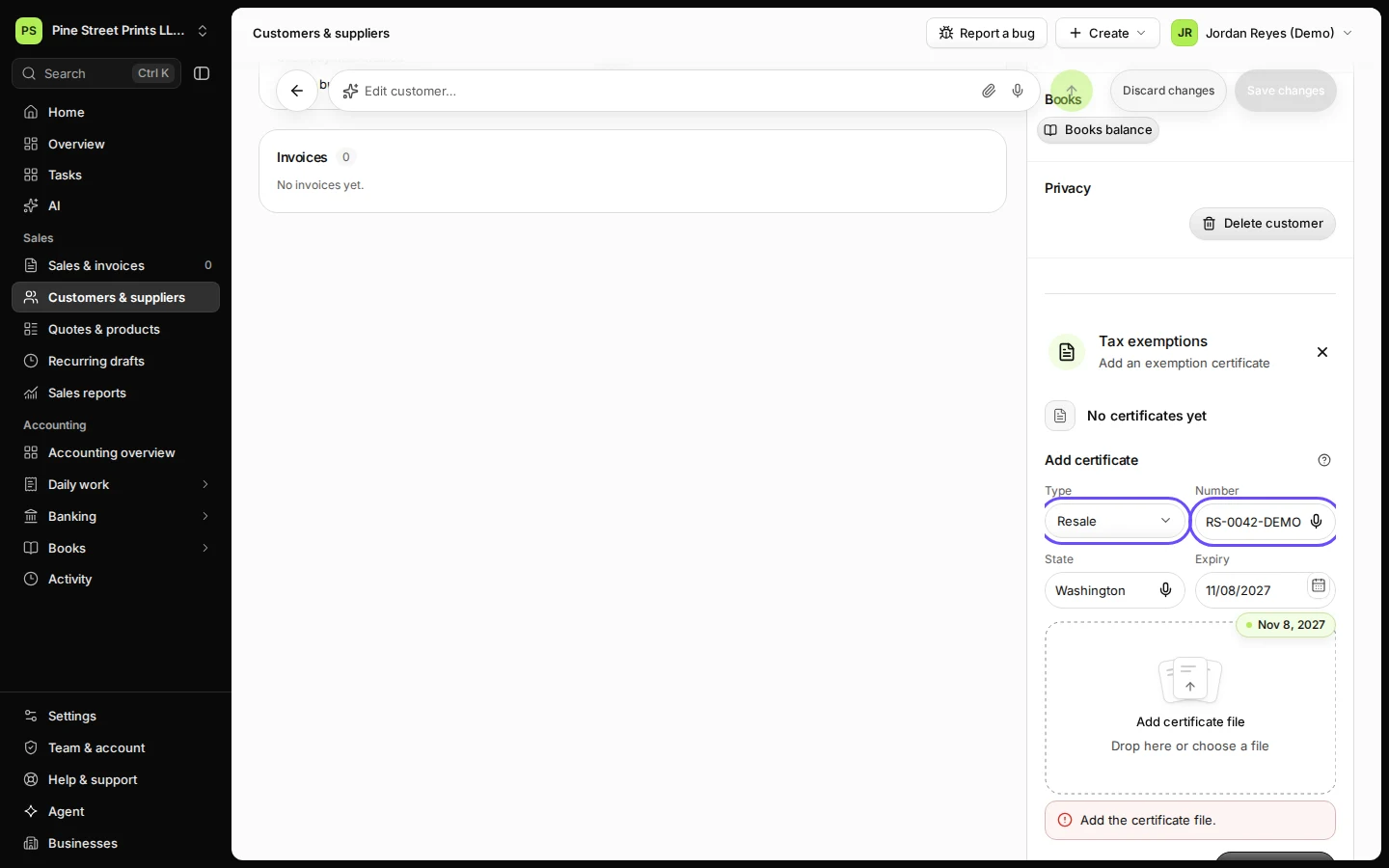
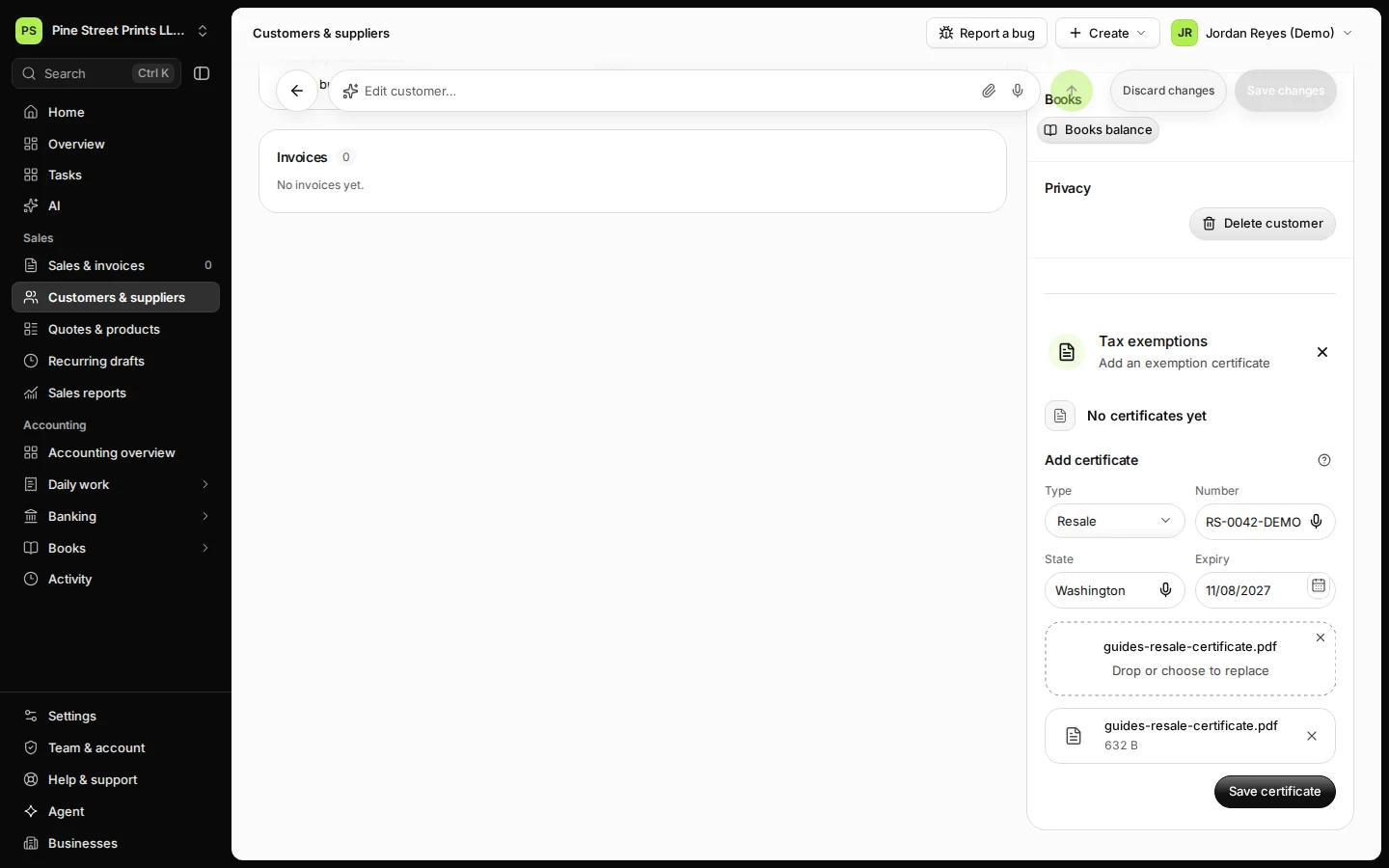
Step 2 in Deline (United States business, fictional data) · See the whole screen Choose the type, enter the certificate number, the state and the expiry date.
For example Resale.
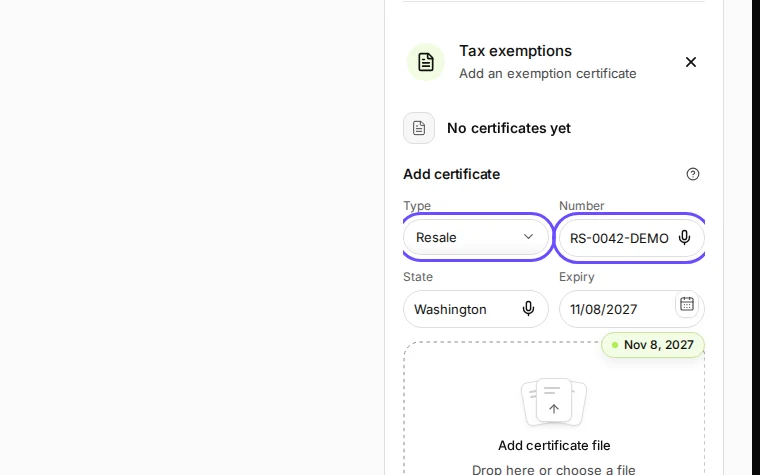
Step 3 in Deline (United States business, fictional data) · See the whole screen Add the certificate file the customer gave you.
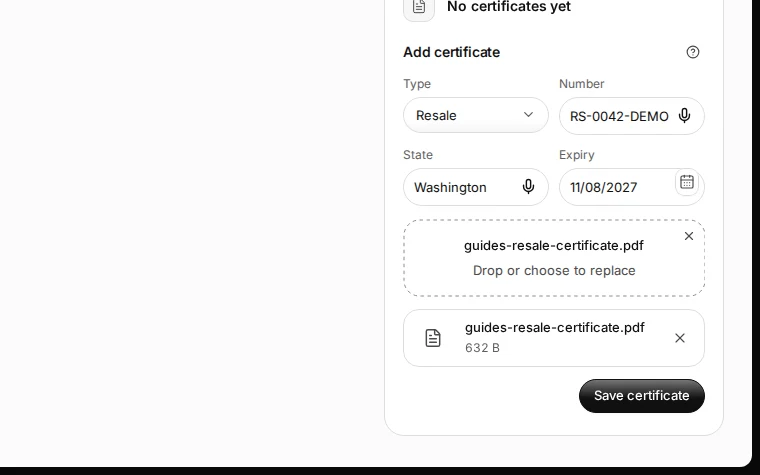
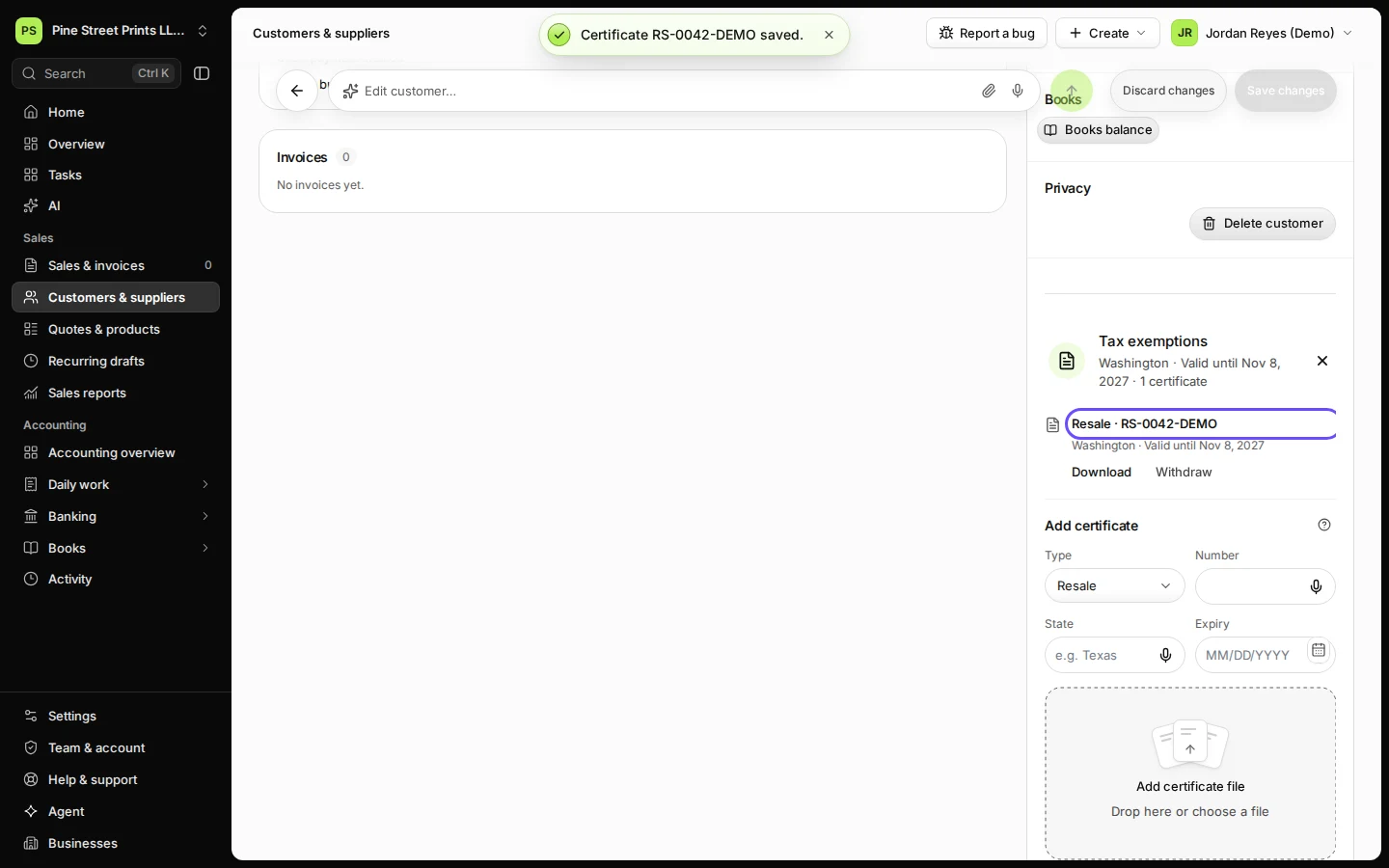
Step 4 in Deline (United States business, fictional data) · See the whole screen Press Save certificate.
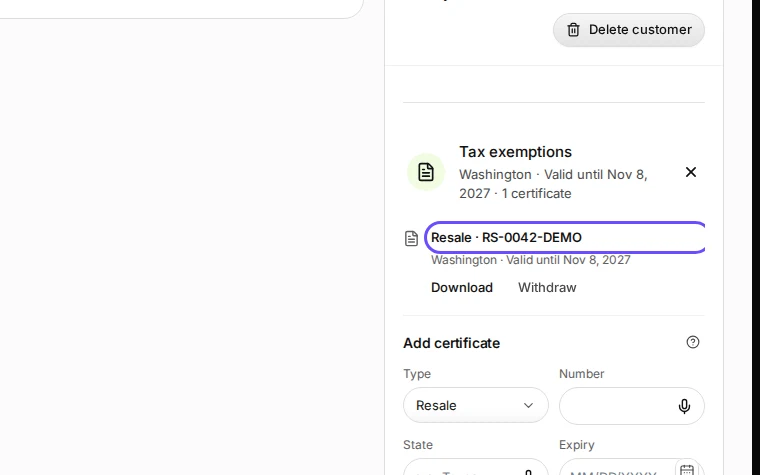
Step 5 in Deline (United States business, fictional data) · See the whole screen
Last checked 2026-11-08 by the guide runner on build dcfdeab0a (Deline dac92a47a) (local Deline stack).