
Steps
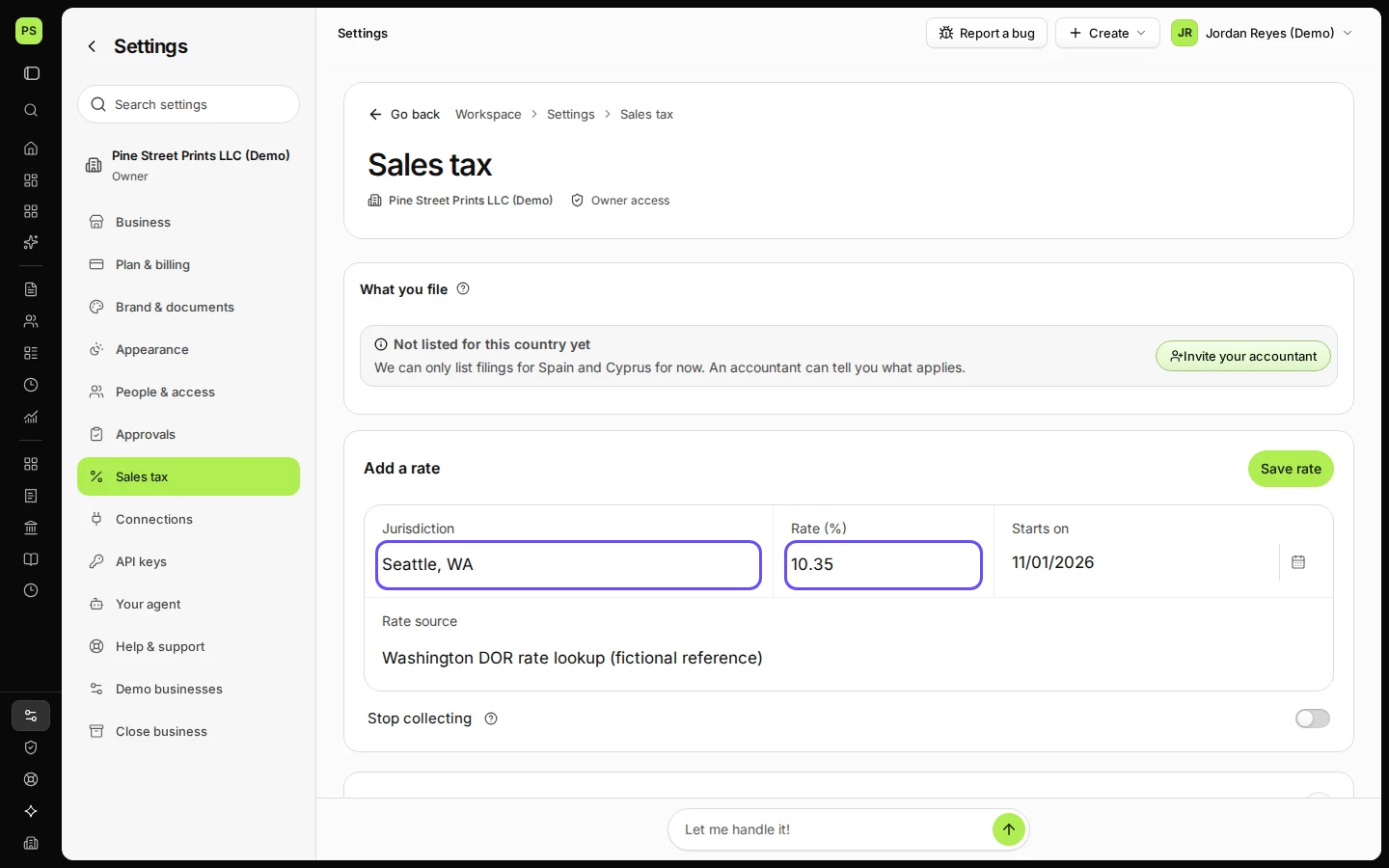
Open Settings and choose Sales tax.
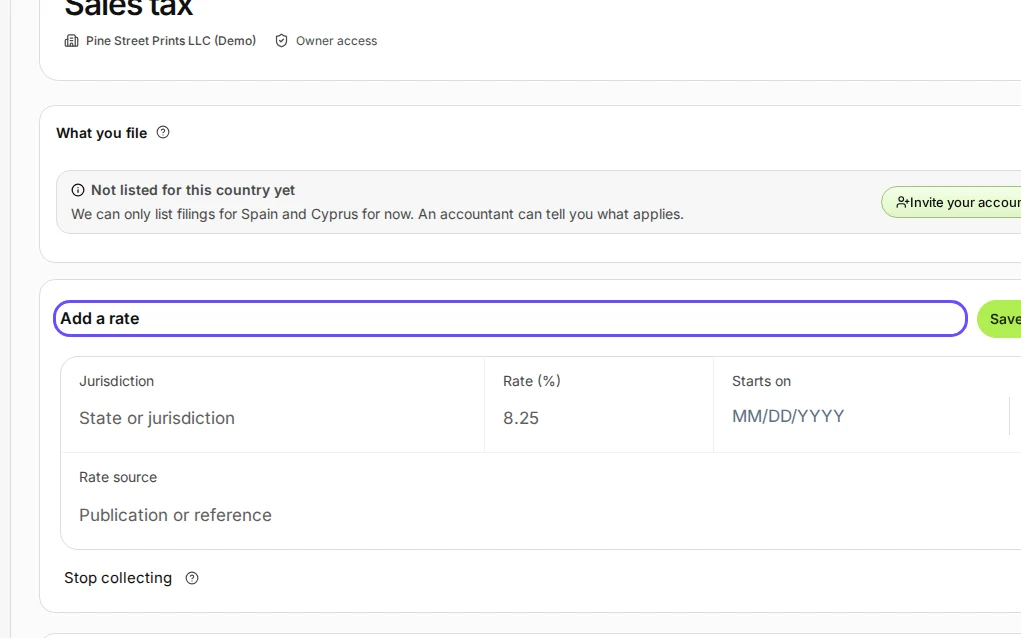
Step 1 in Deline (United States business, fictional data) · See the whole screen Under Add a rate, enter the jurisdiction, the rate, the start date and where the rate comes from.
For example the combined state and local rate for your city.
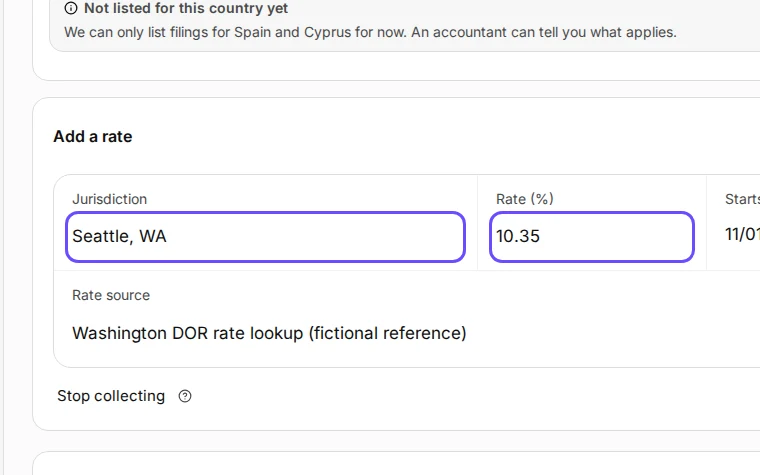
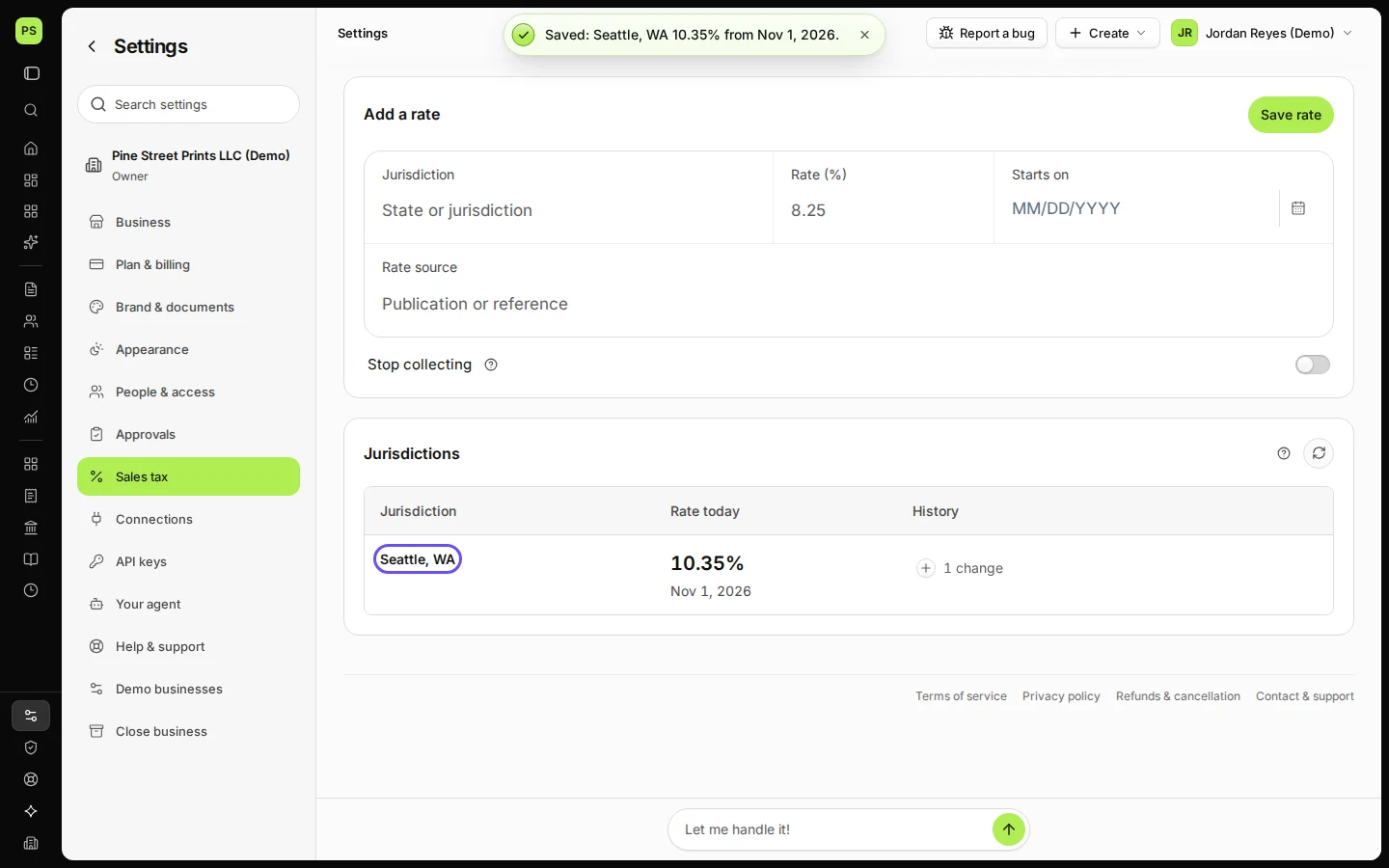
Step 2 in Deline (United States business, fictional data) · See the whole screen Press Save rate.
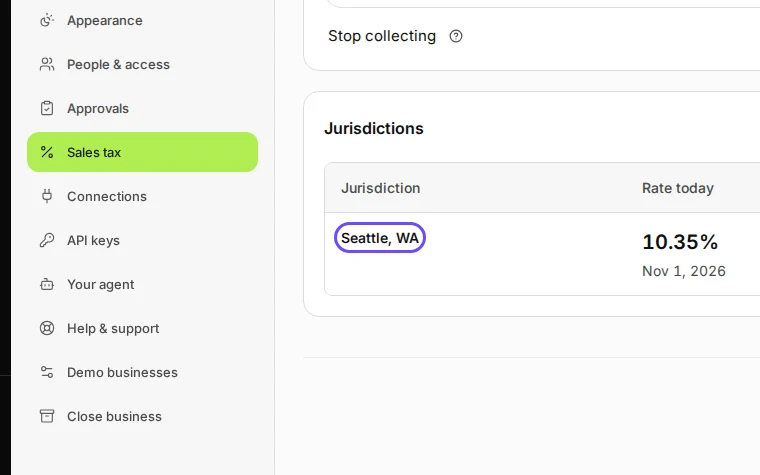
Step 3 in Deline (United States business, fictional data) · See the whole screen
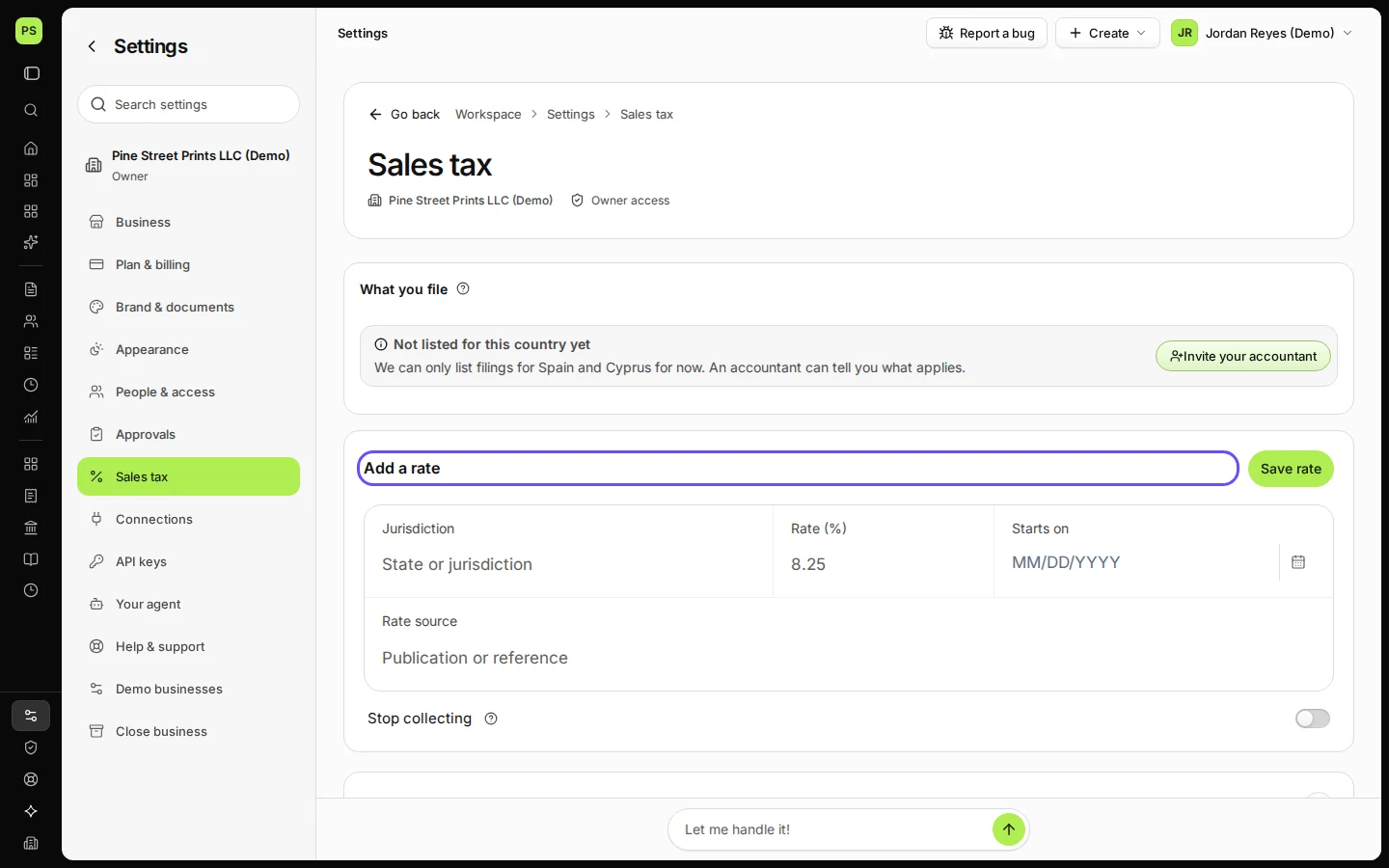
Last checked 2026-11-08 by the guide runner on build 81cd9f8f3 (Deline eff8230ba) (local Deline stack).