
Before you start
- Your business details are complete: country, legal structure and tax registrations (Settings → Business). The list of returns is worked out from them.
Steps
Open Settings and choose IVA.
In Cyprus the tab is called VAT.
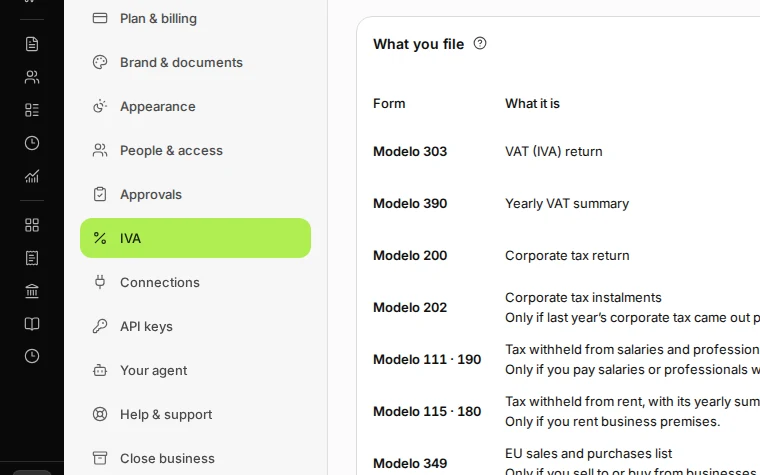
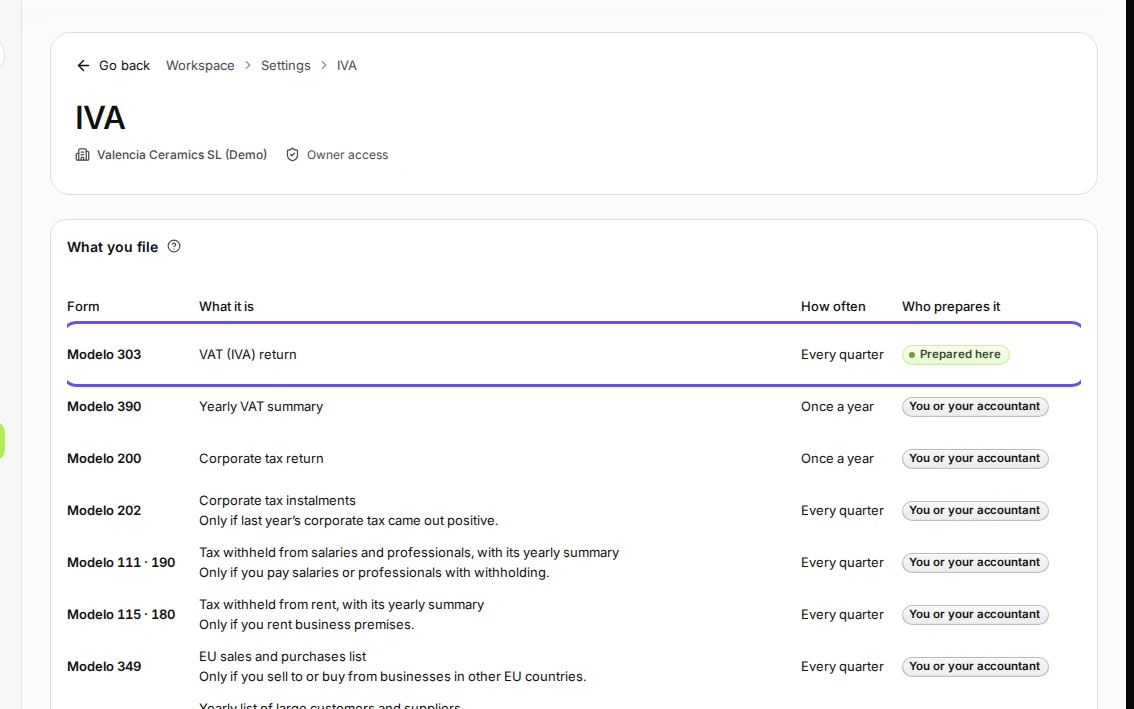
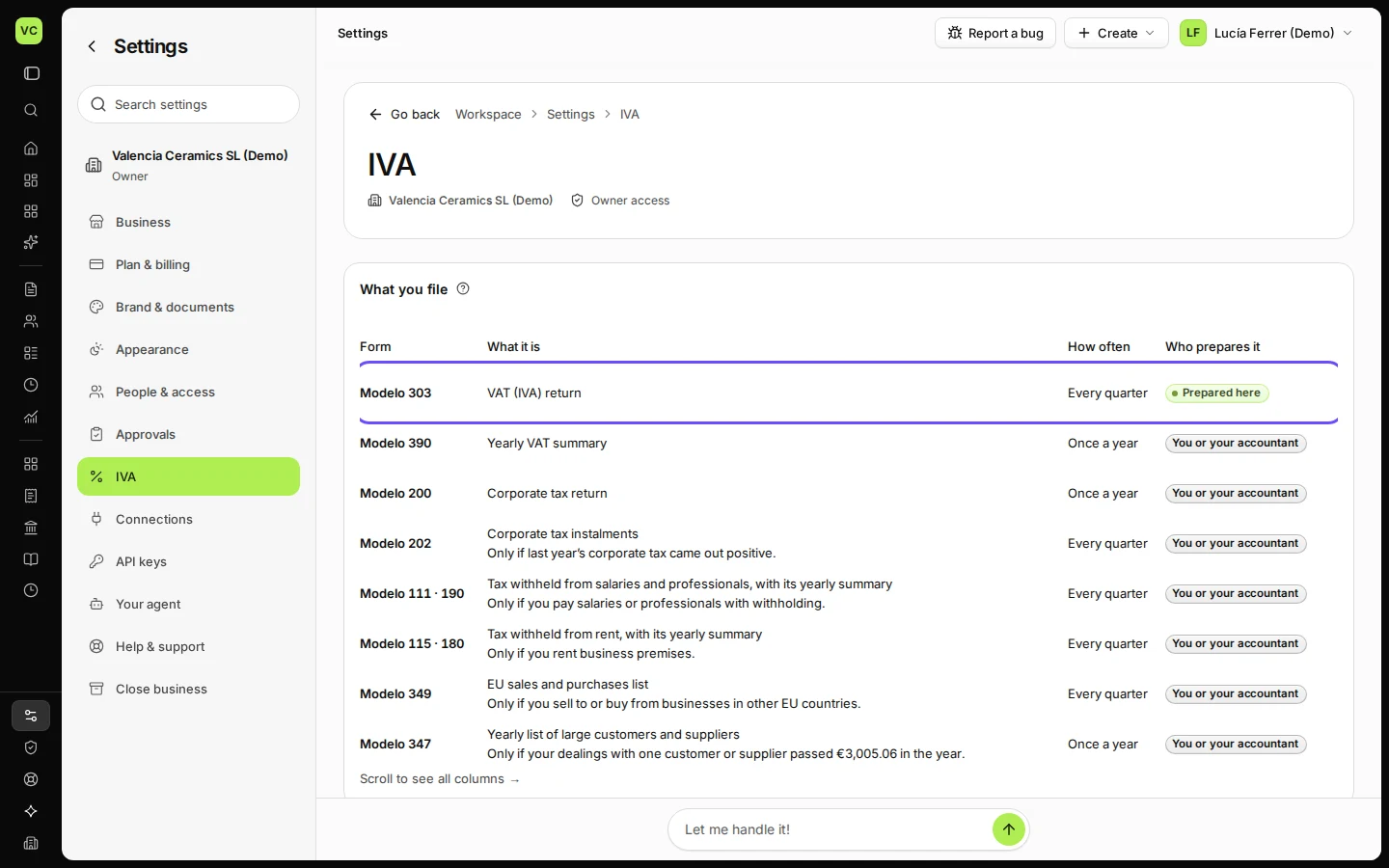
Step 1 in Deline (Spain business, fictional data) · See the whole screen Check What you file.
Each return shows how often it is due and who prepares it: Prepared here (Deline prepares the figures, for example the Modelo 303) or You or your accountant.
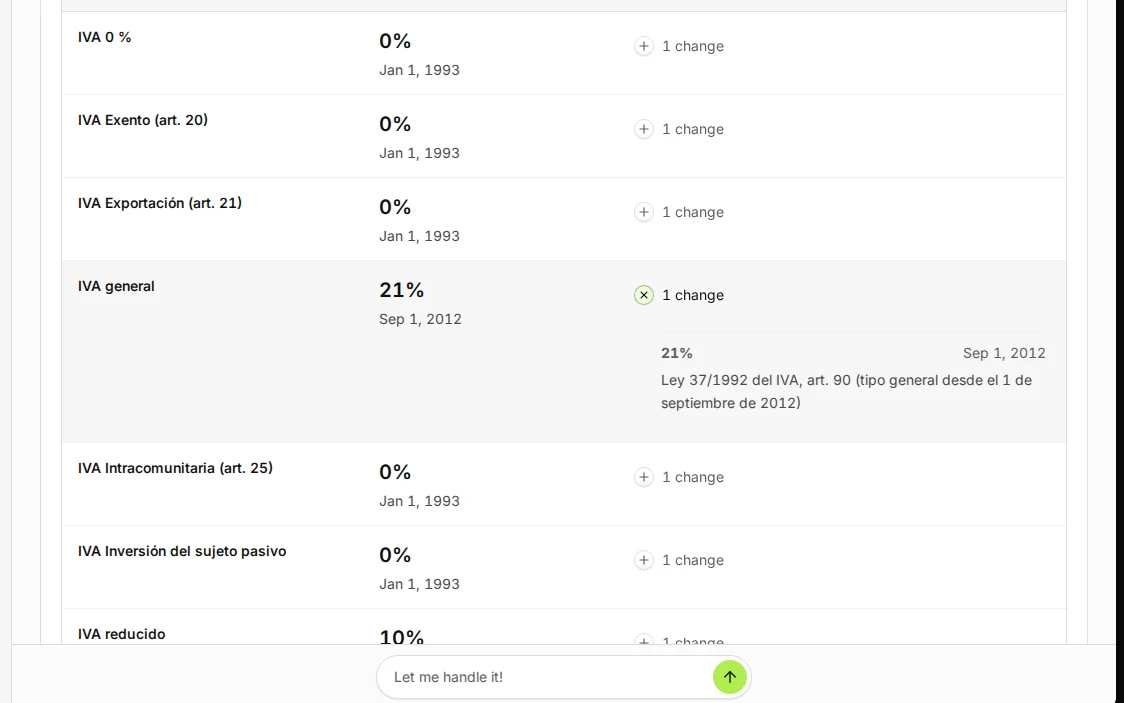
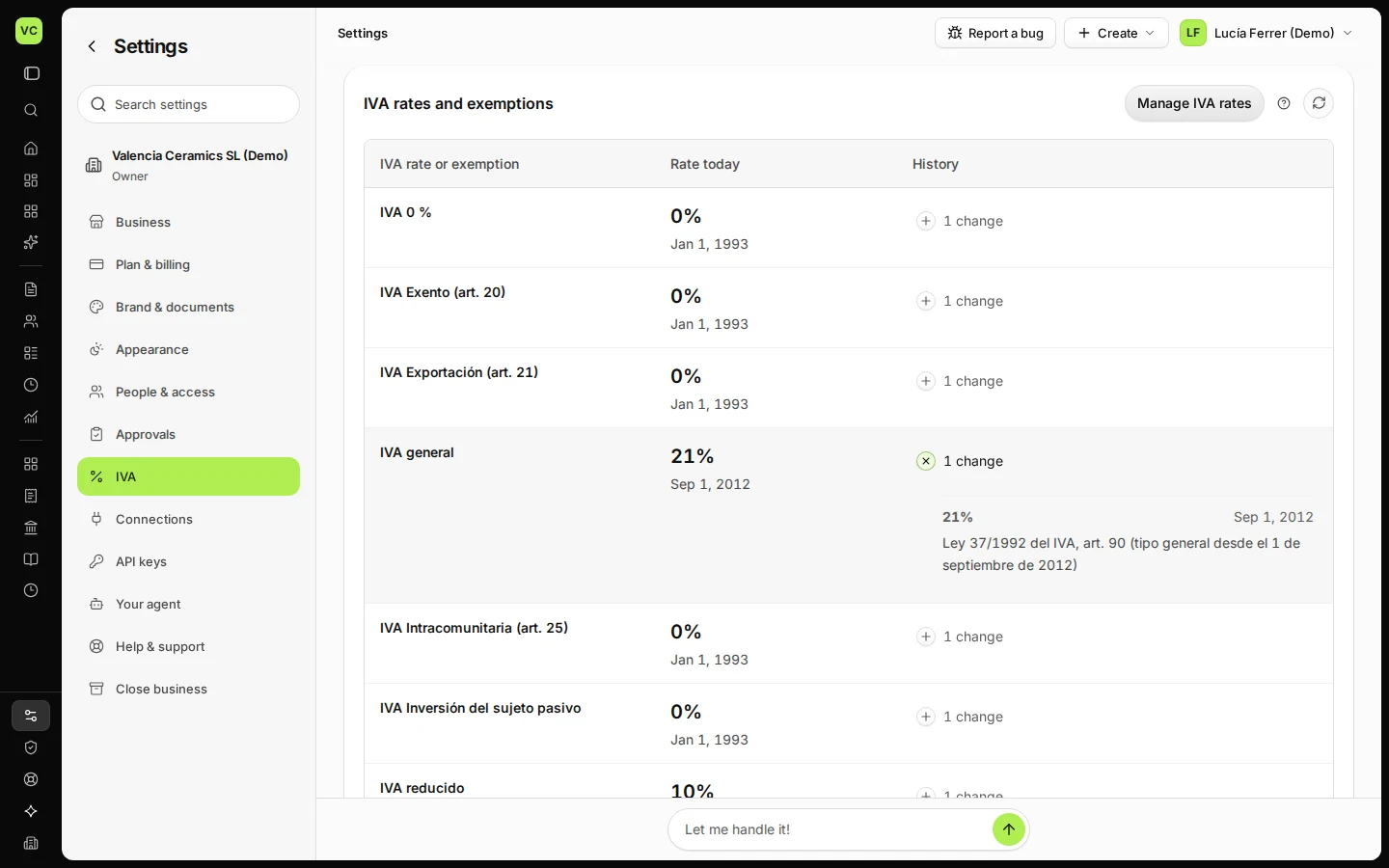
Step 2 in Deline (Spain business, fictional data) · See the whole screen Check the rates and open a rate's history.
IVA rates and exemptions lists each rate with the date it started. Press 1 change (or more) to see its history.
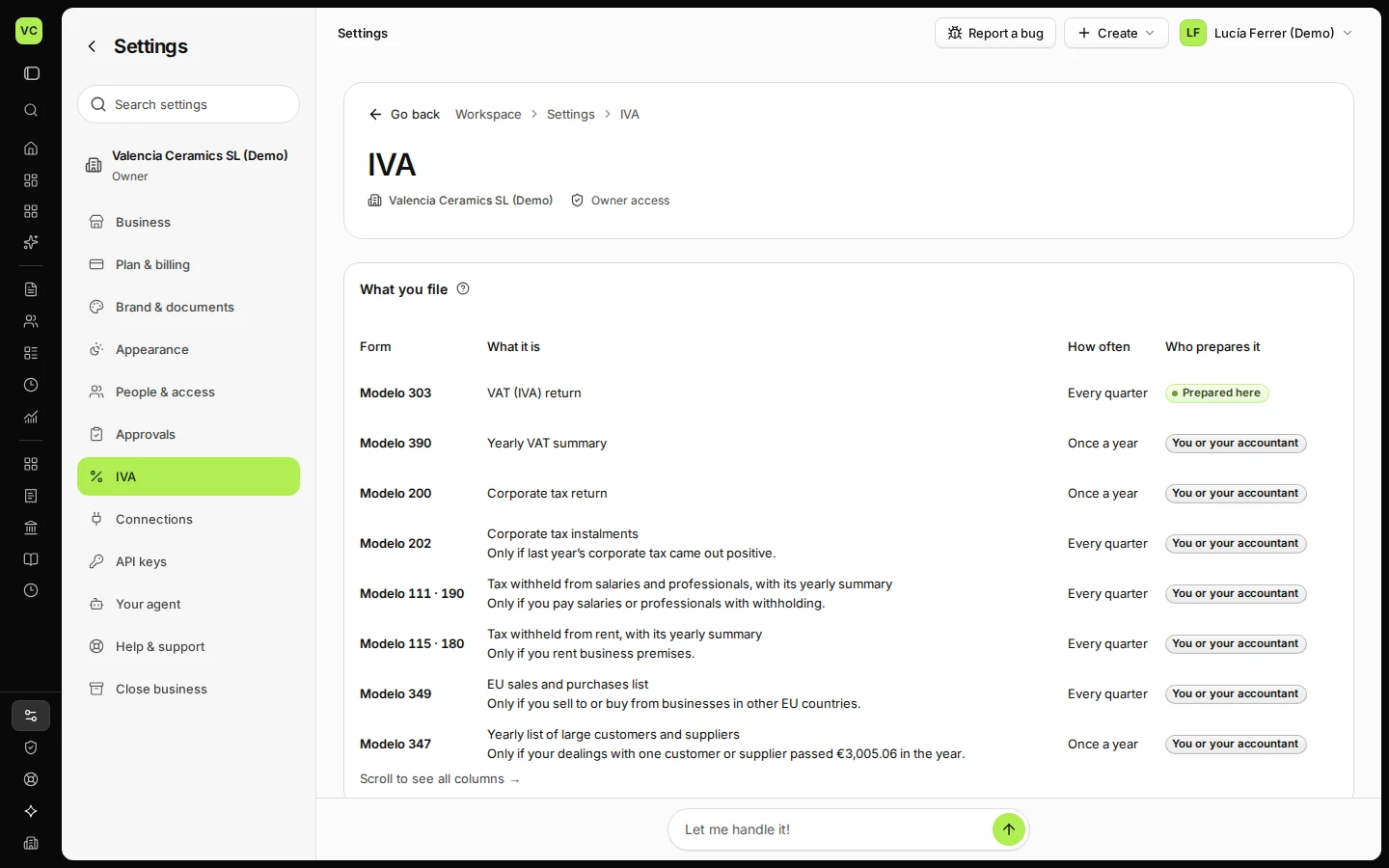
Step 3 in Deline (Spain business, fictional data) · See the whole screen
If something goes wrong
- A return that applies to you is missing: check your legal structure and registrations in Settings → Business; the list follows them.
- A rate changed by law: Deline updates the official rates. If your accountant asks you to record a change yourself, use Manage IVA rates, with the start date and the official source.
Last checked 2026-11-07 by the guide runner on build c5fbd2fa6 (Deline 12a482996) (local Deline stack).