
Before you start
- You can edit invoices (owner or editor).
- The file is a PDF, PNG, JPEG or plain text file of at most 1 MB. File upload details shows the limits for your business.
Steps
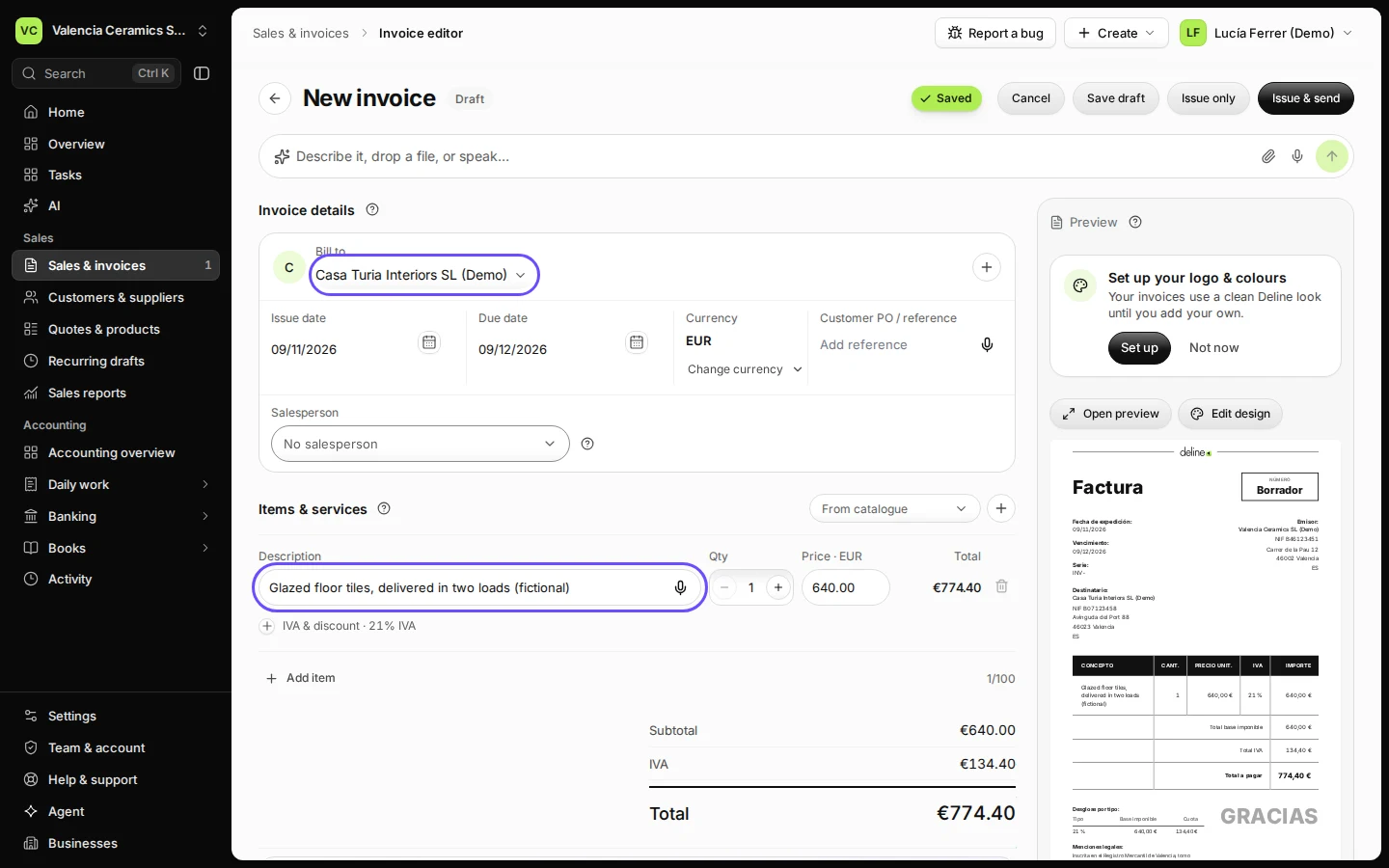
Open Sales & invoices, press New invoice and fill in the invoice.
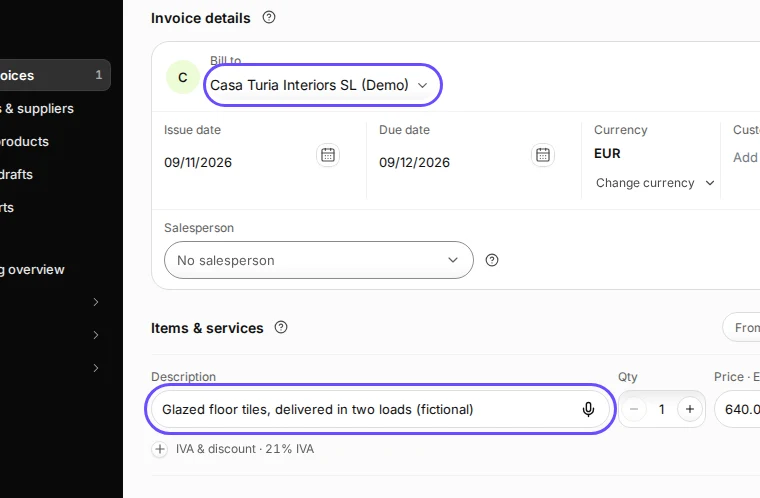
Step 1 in Deline (Spain business, fictional data) · See the whole screen Press Save draft.
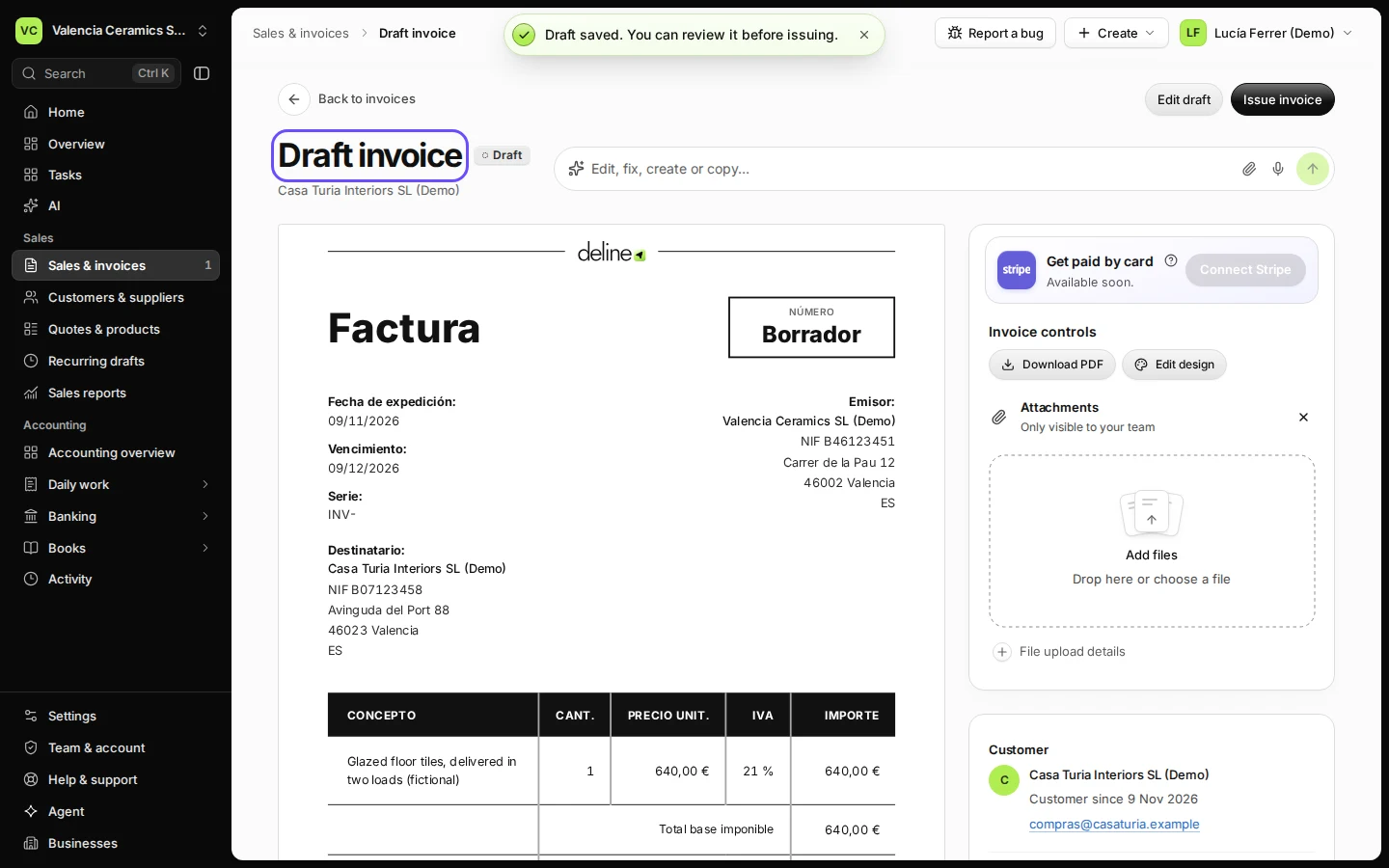
The invoice opens as Draft invoice, with no number yet.
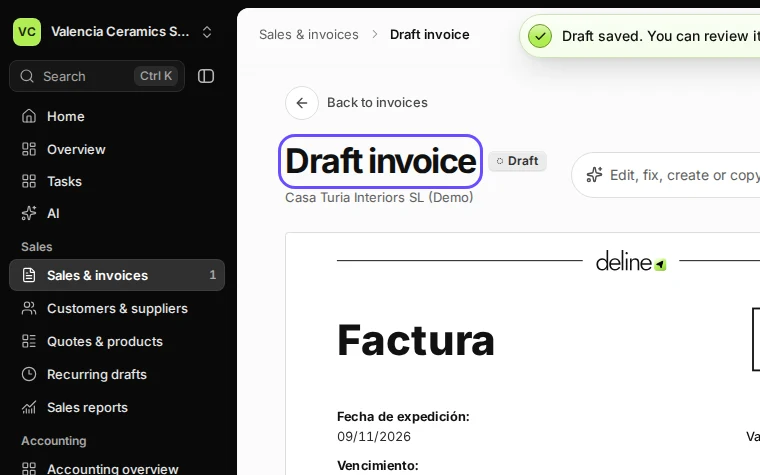
Step 2 in Deline (Spain business, fictional data) · See the whole screen Under Attachments, press Add files and choose the file.
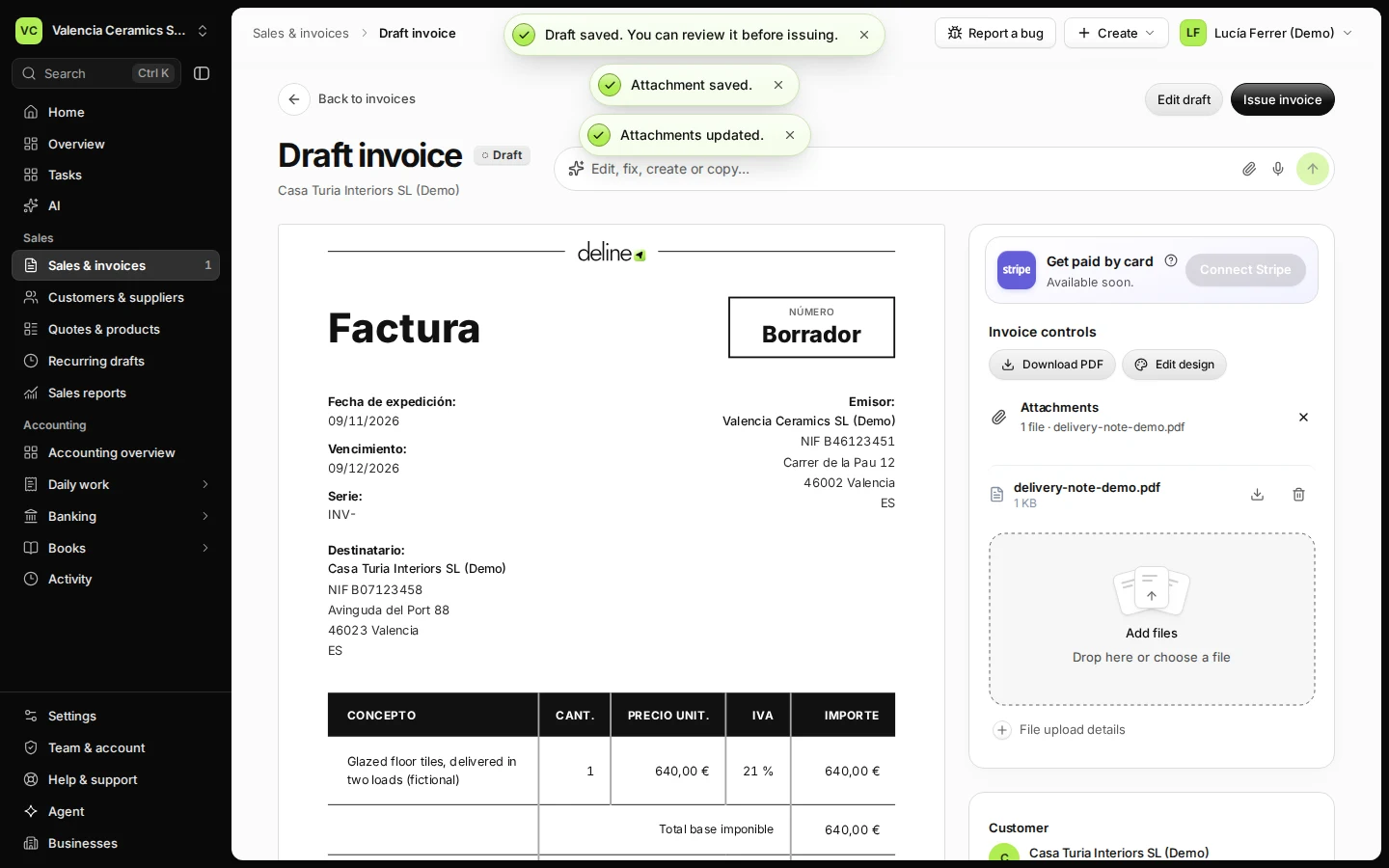
The section says Only visible to your team. Deline checks the file before it saves it and says "Attachment saved." The counter next to Attachments shows how many files you have used (usually up to 4).
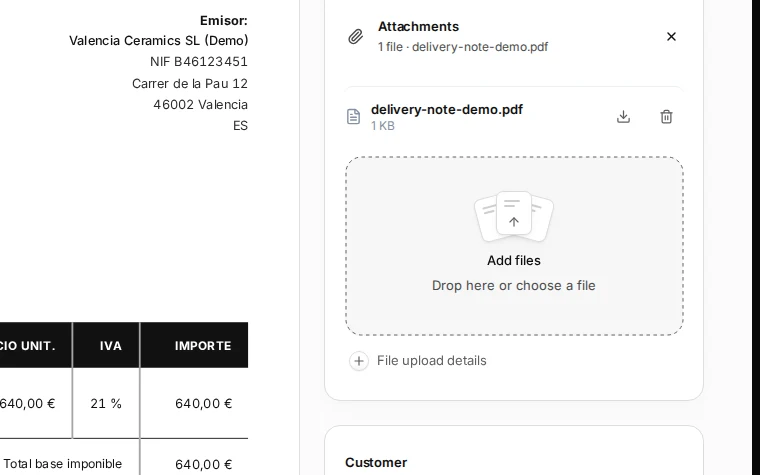
Step 3 in Deline (Spain business, fictional data) · See the whole screen Check that the file is listed, then press Issue invoice and Approve and issue.
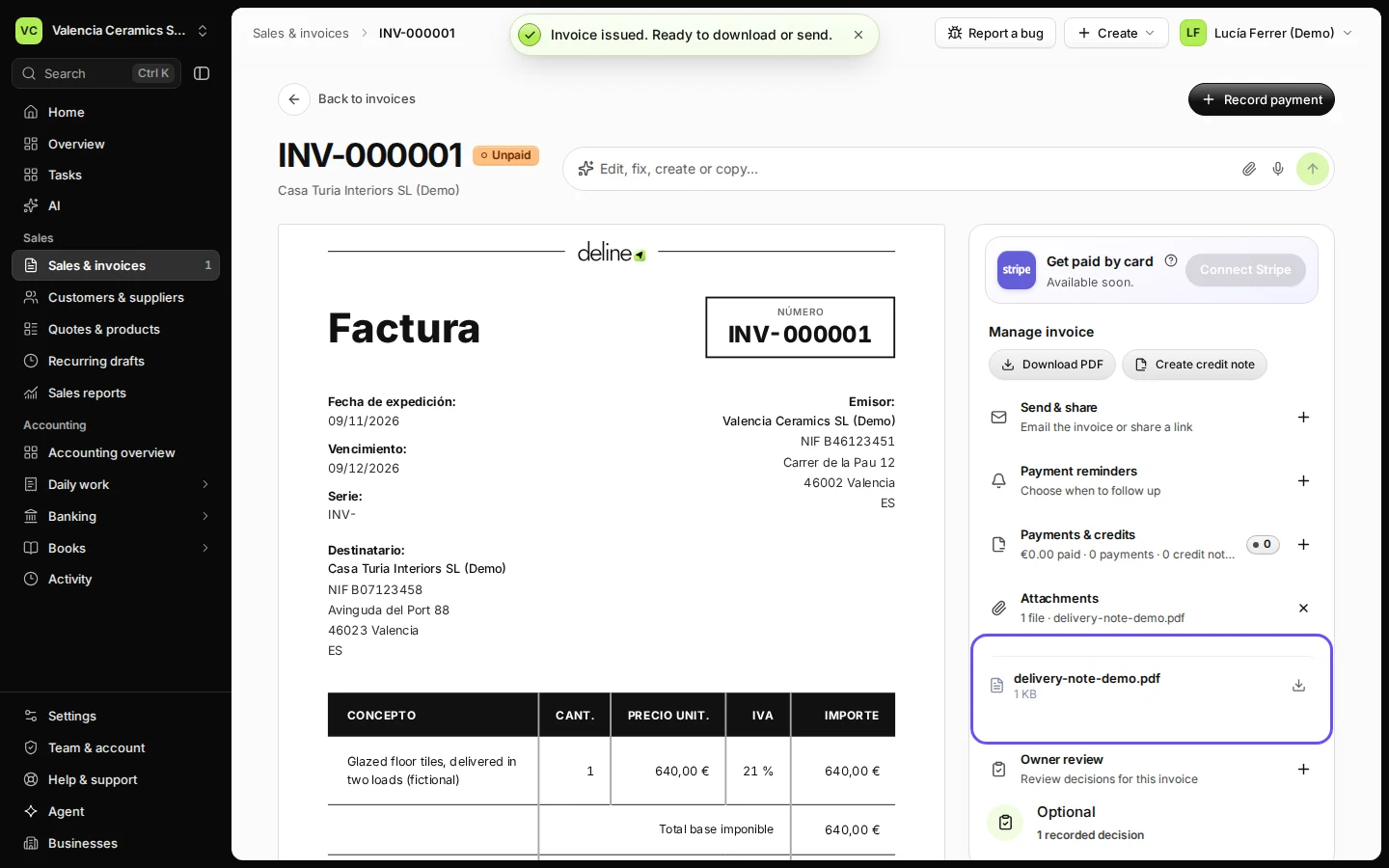
Add every supporting file before you issue: on the issued invoice the file is listed with its download button, but Add files and the remove button are gone.
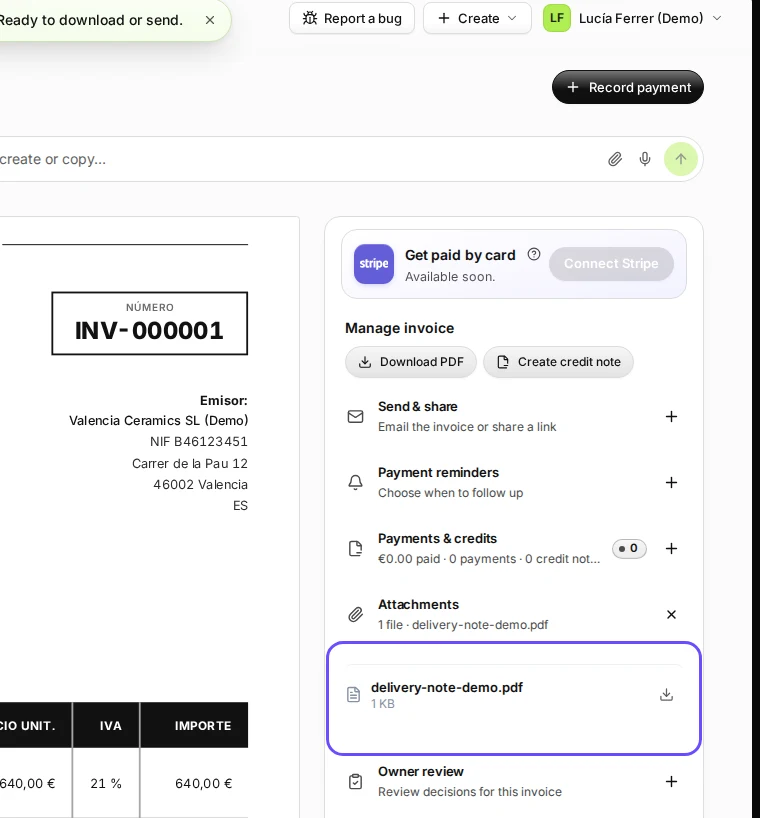
Step 4 in Deline (Spain business, fictional data) · See the whole screen
If something goes wrong
- "Choose a PDF, PNG, JPEG, or UTF-8 text file of at most 1 MB.": save the file as a PDF or an image, or make it smaller, and add it again.
- "The attachment could not be uploaded.": check your connection and try again. If the invoice already has 4 files, remove one first.
- You don't see Add files: the invoice is already issued, or you can only view invoices.
Last checked 2026-11-09 by the guide runner on build 857993047 (Deline 05d39ca07) (local Deline stack).