
Before you start
- The customer is saved in Deline (or add them from the quote with +).
- You are the owner or an editor of the business.
Steps
Open Quotes & products and press New document.
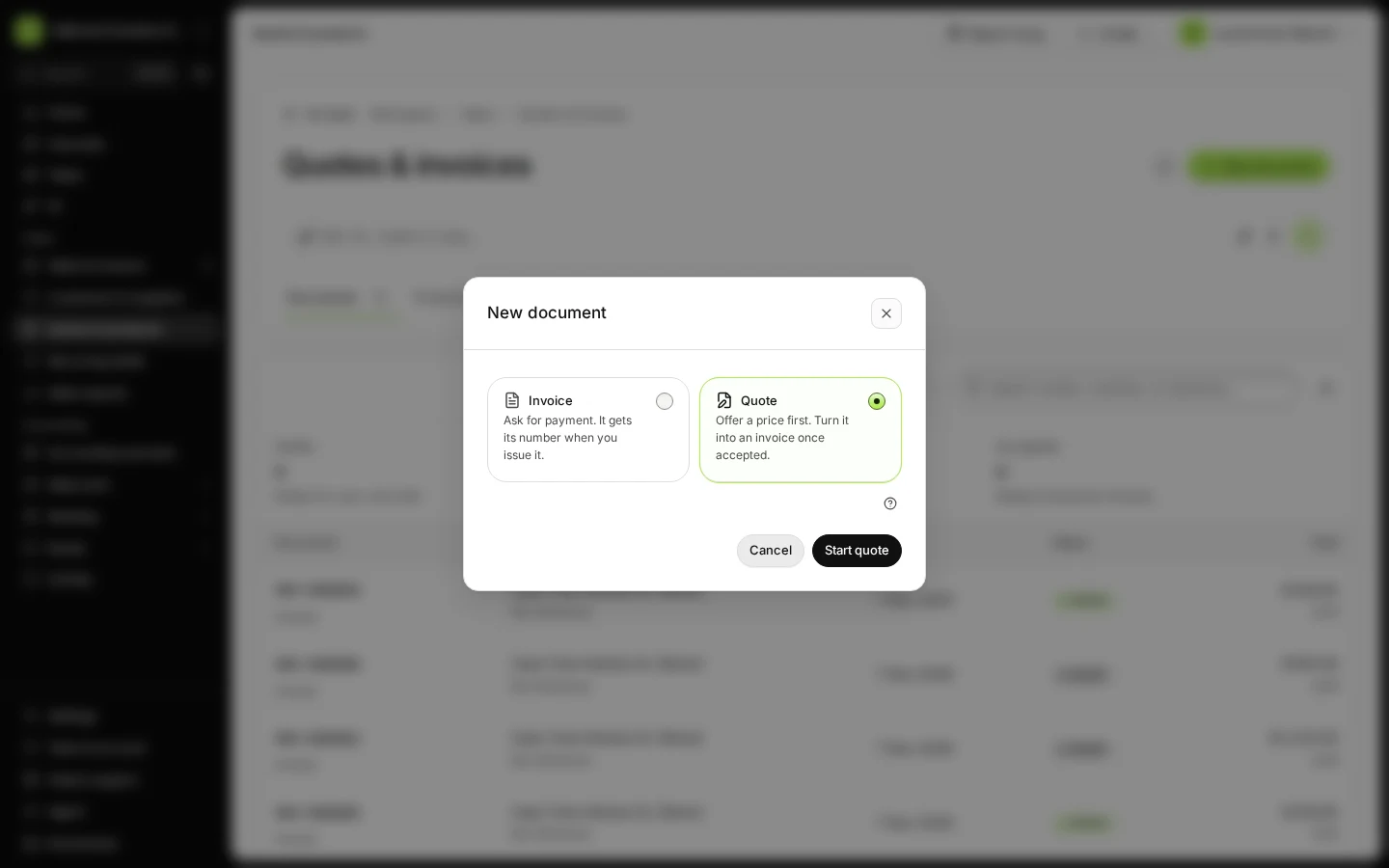
Step 1 in Deline (Spain business, fictional data) Choose Quote and press Start quote.
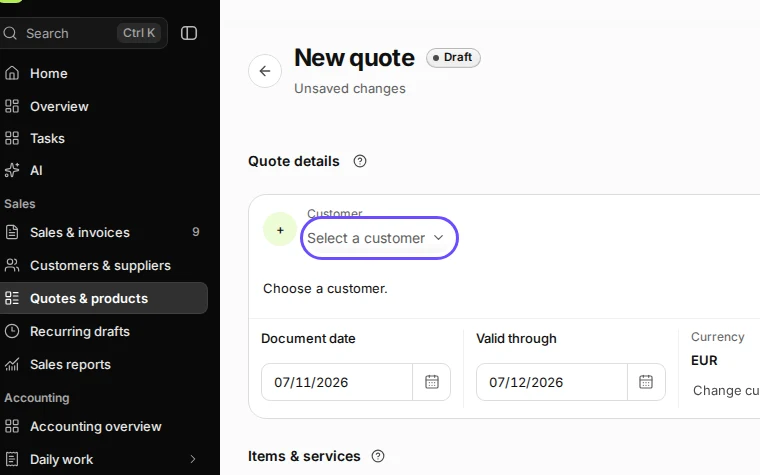
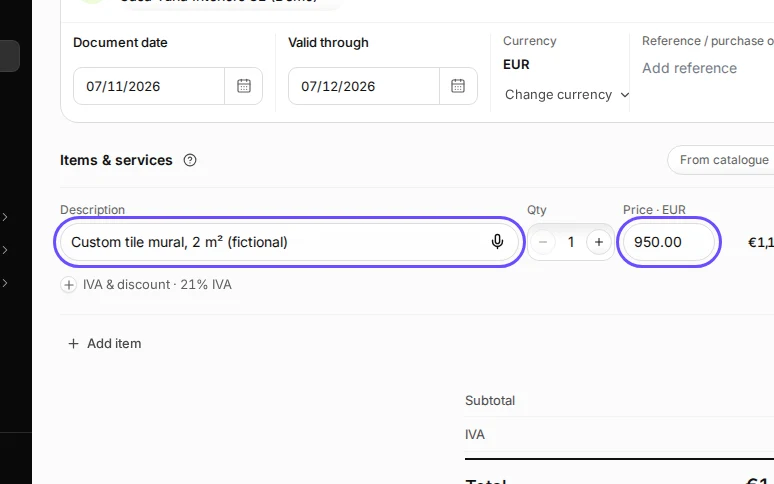
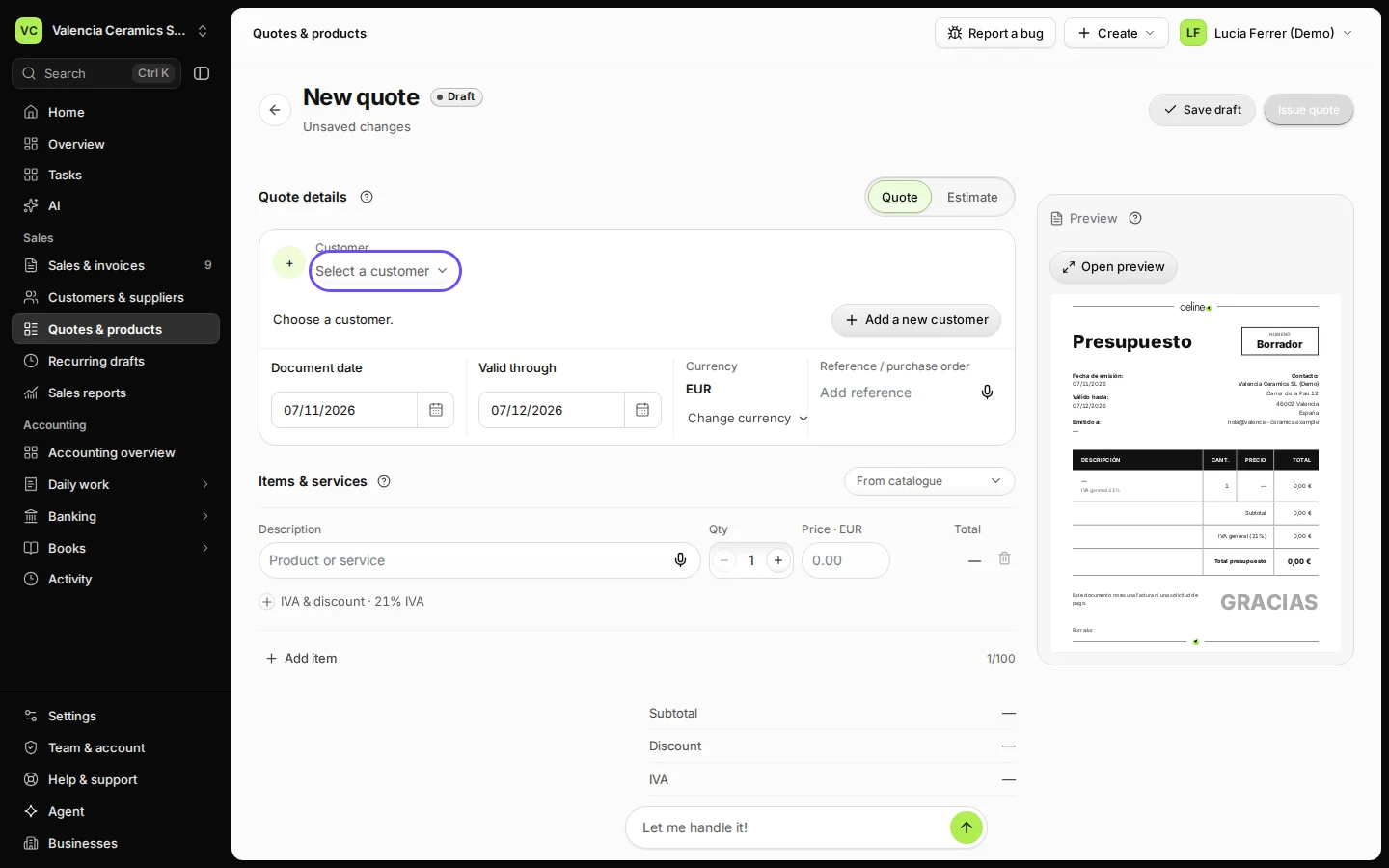
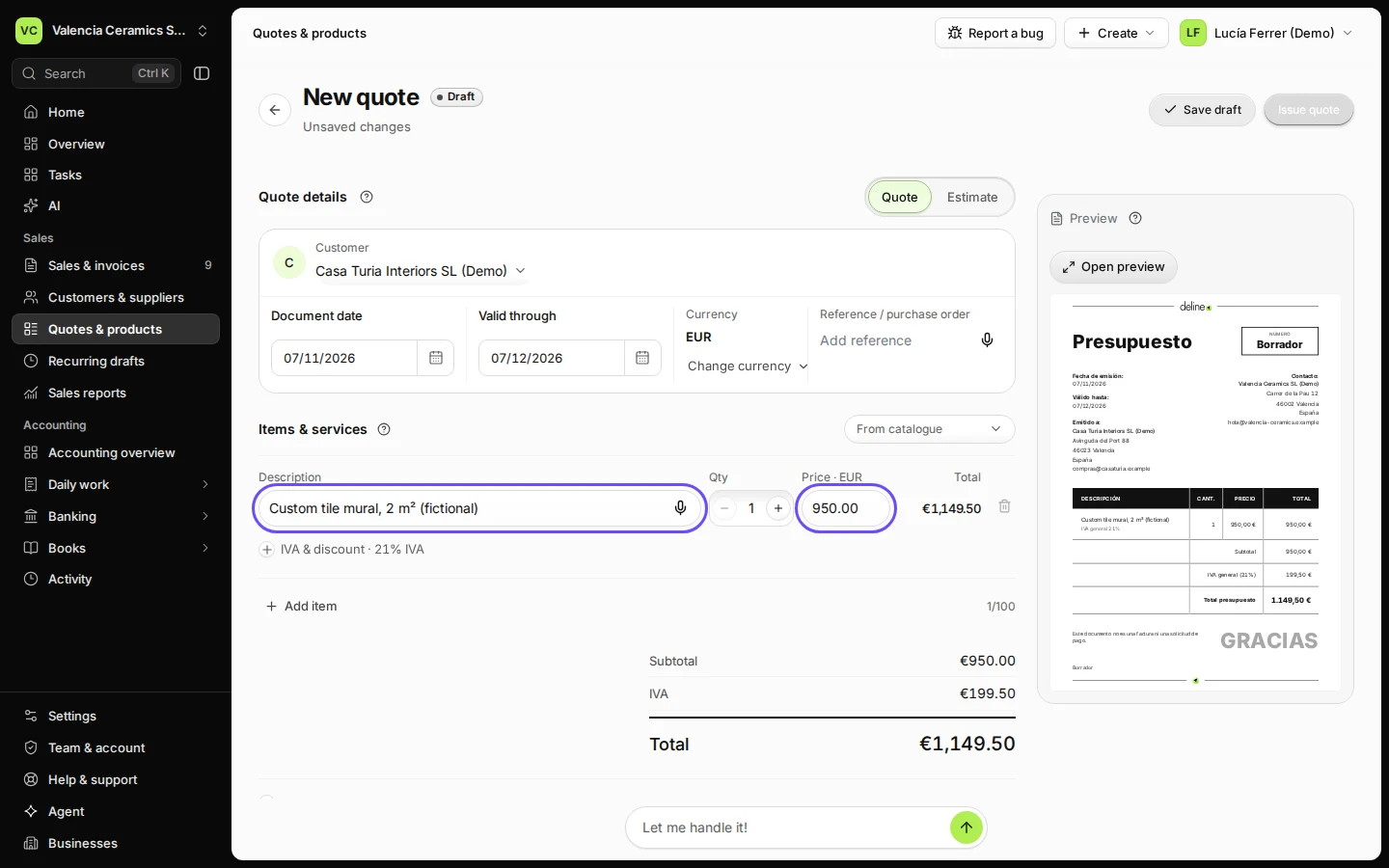
Step 2 in Deline (Spain business, fictional data) · See the whole screen Choose the customer and add the items.
Set Valid through if your price is only good until a certain date.
Step 3 in Deline (Spain business, fictional data) · See the whole screen Press Issue quote and confirm.
The quote gets its number and can be sent to the customer.
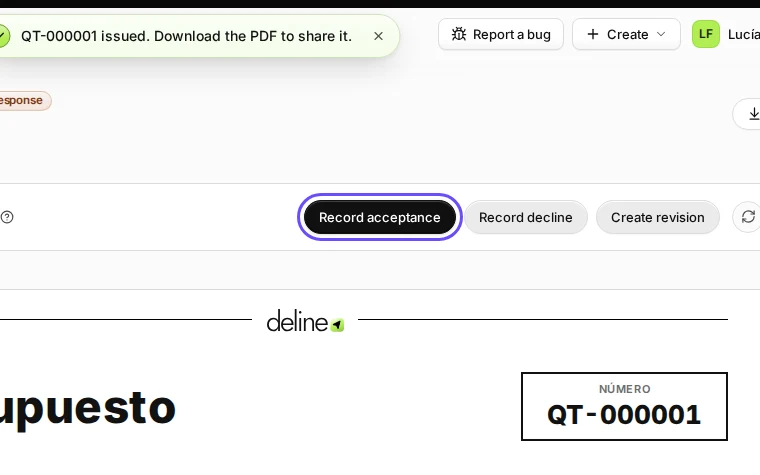
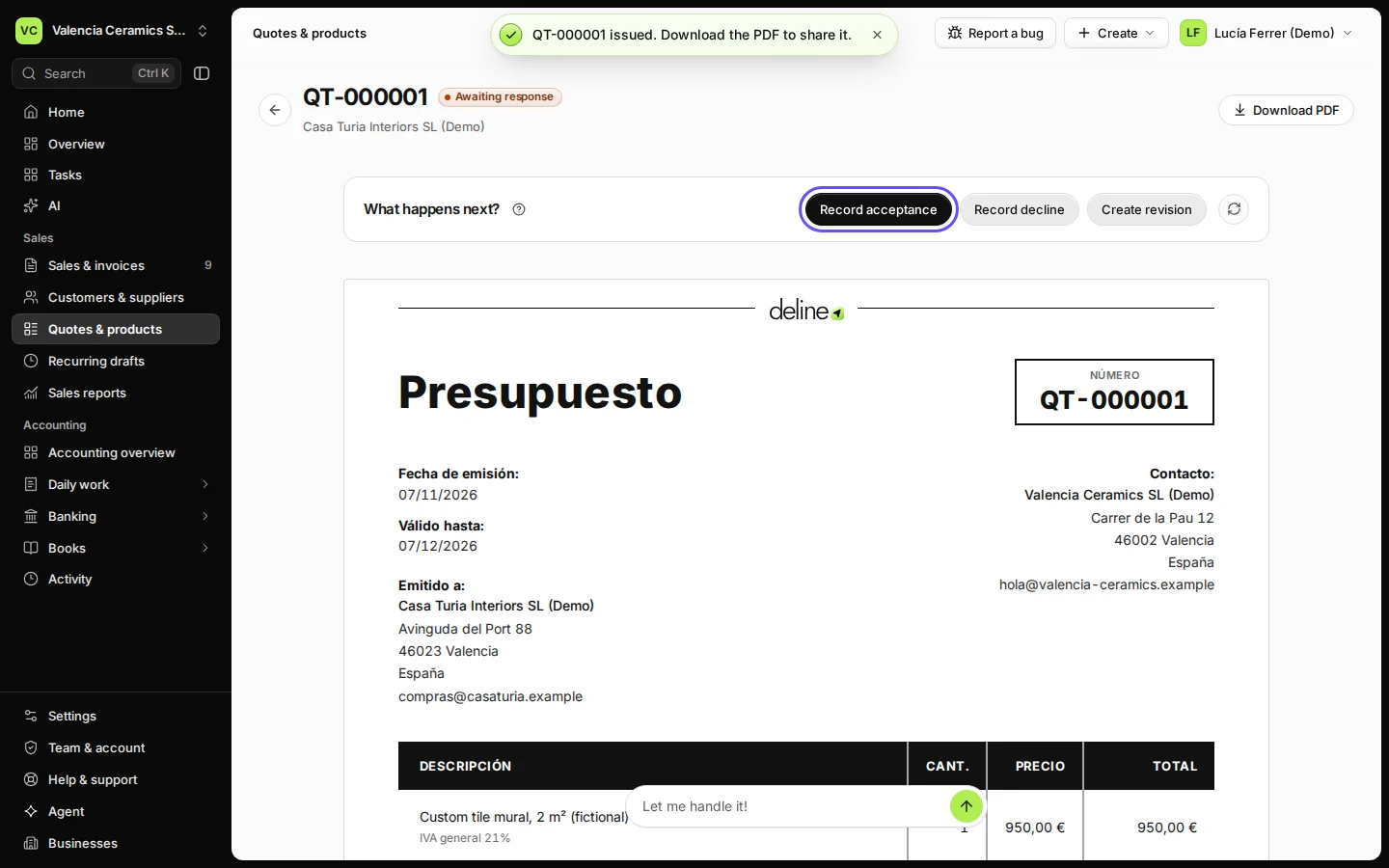
Step 4 in Deline (Spain business, fictional data) · See the whole screen When the customer says yes, press Record acceptance.
If they say no, press Record decline. To change the offer, press Create revision.
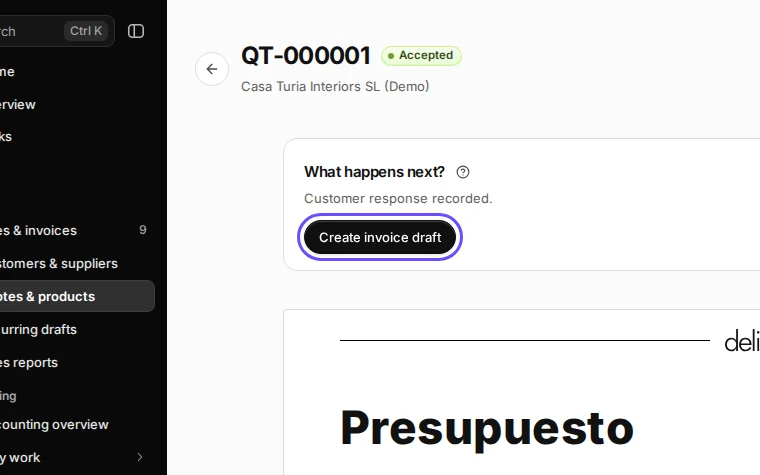
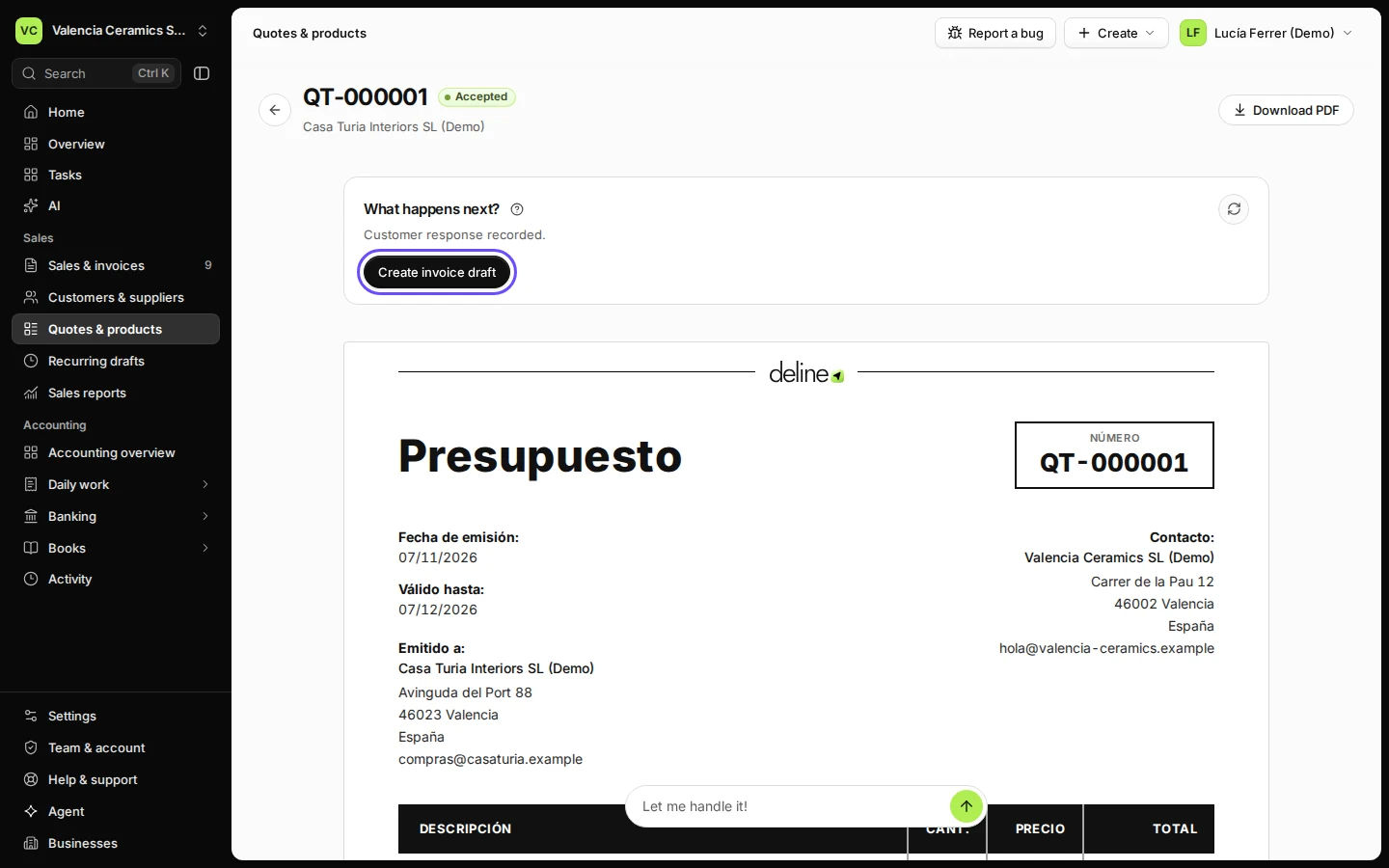
Step 5 in Deline (Spain business, fictional data) · See the whole screen Press Create invoice draft.
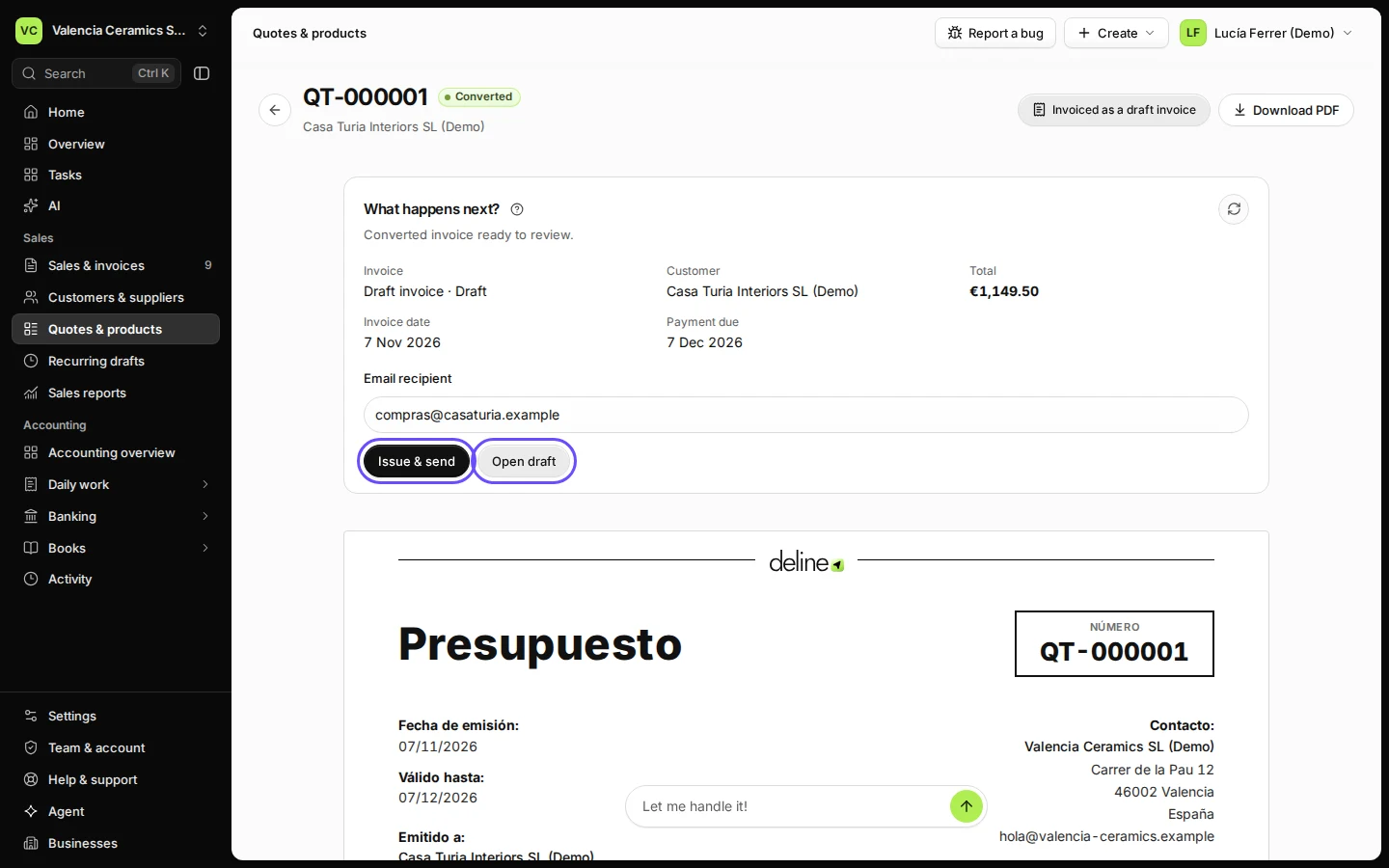
The draft invoice is ready with the quote's lines. Press Open draft to check it, or Issue & send straight away.
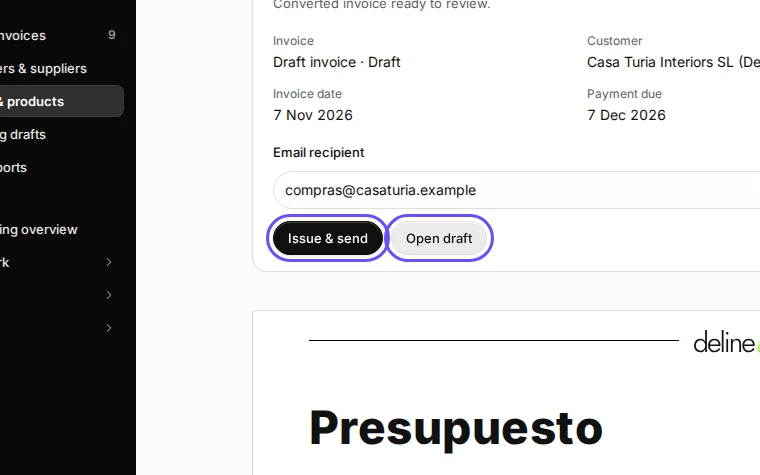
Step 6 in Deline (Spain business, fictional data) · See the whole screen


If something goes wrong
- You need to change an issued quote: press Create revision. The old version stays on record.
Last checked 2026-11-07 by the guide runner on build c5fbd2fa6 (Deline 12a482996) (local Deline stack, desktop and phone).