
Before you start
- You are the business owner. A demo business has no Close business tab: reset or delete it under Demo businesses instead.
- A plan that still renews must be cancelled in Plan & billing first.
Steps
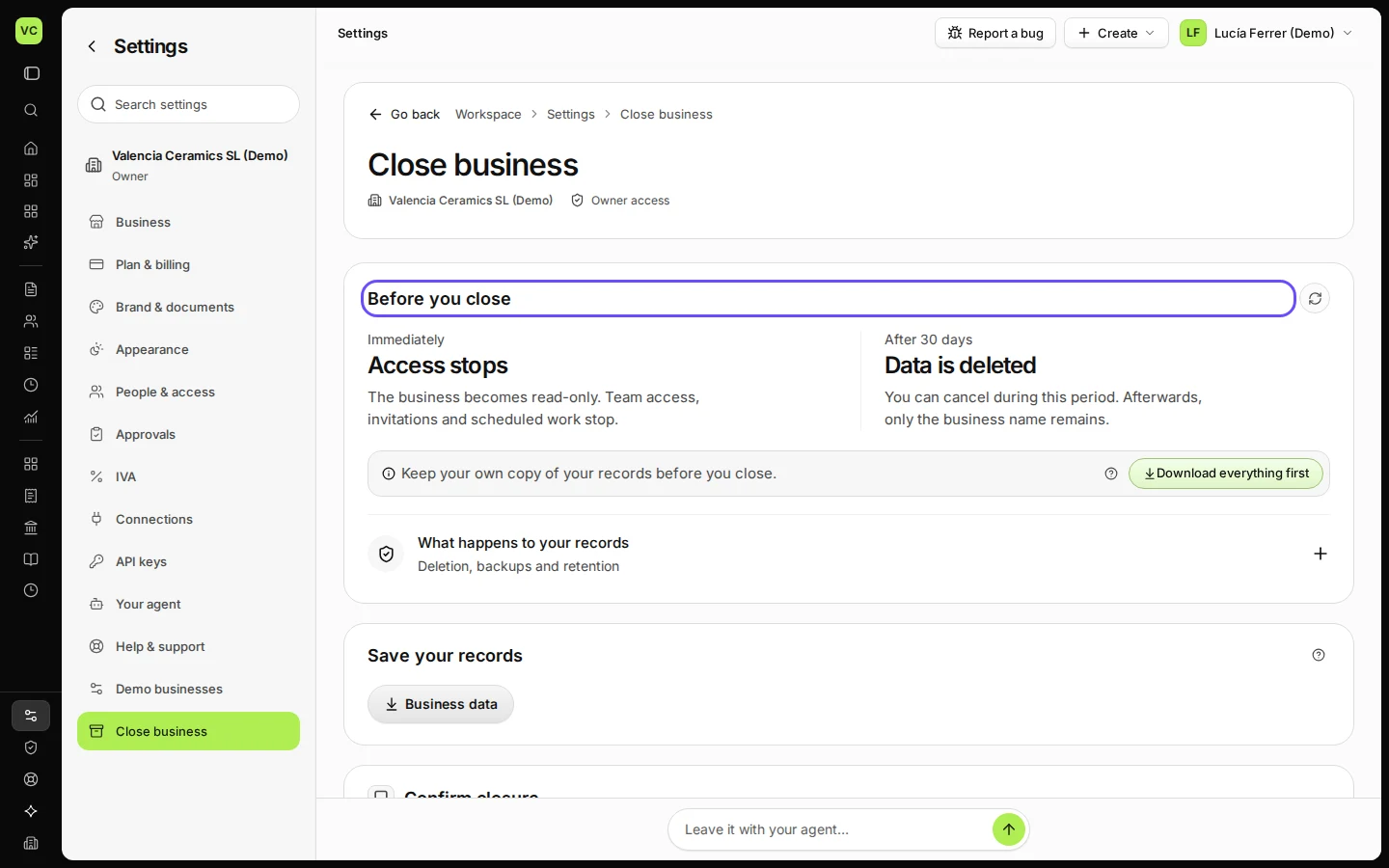
Open Settings and choose Close business.
Before you close lists what is still open.
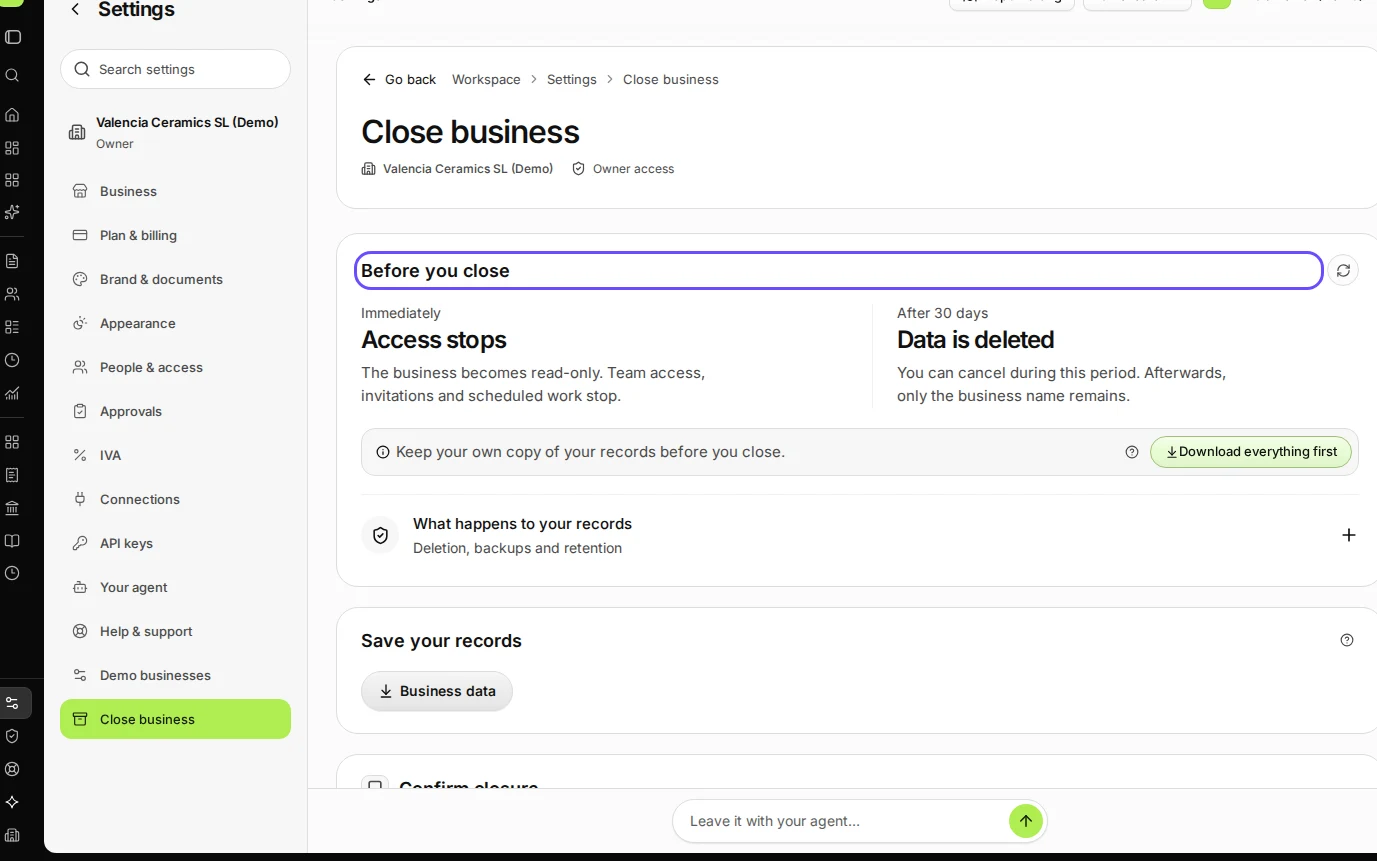
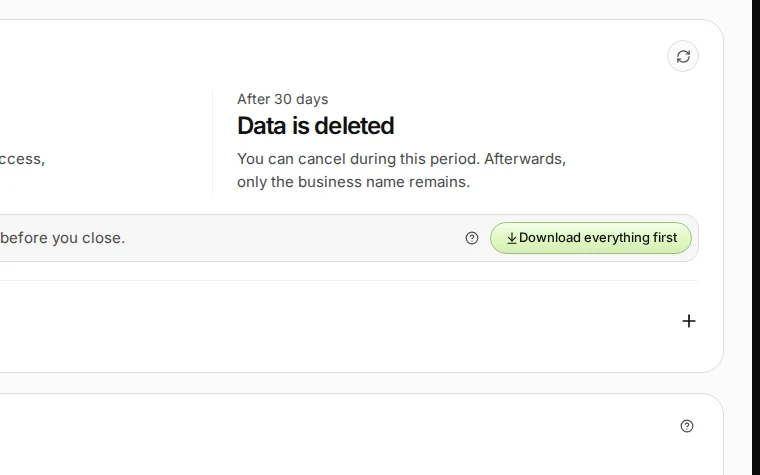
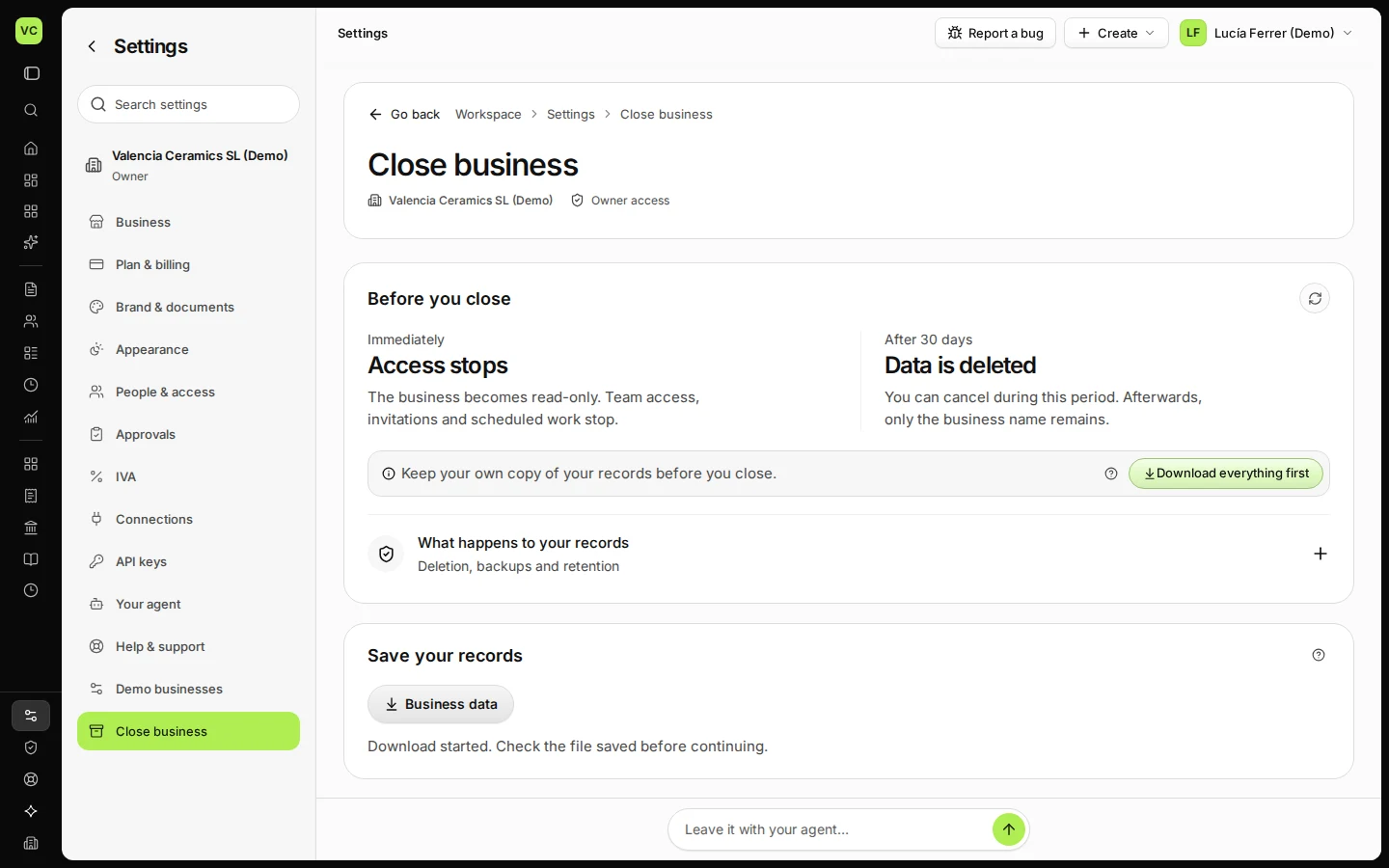
Step 1 in Deline (Spain business, fictional data) · See the whole screen Press Download everything first and keep the file.
One .zip file with all your business records.
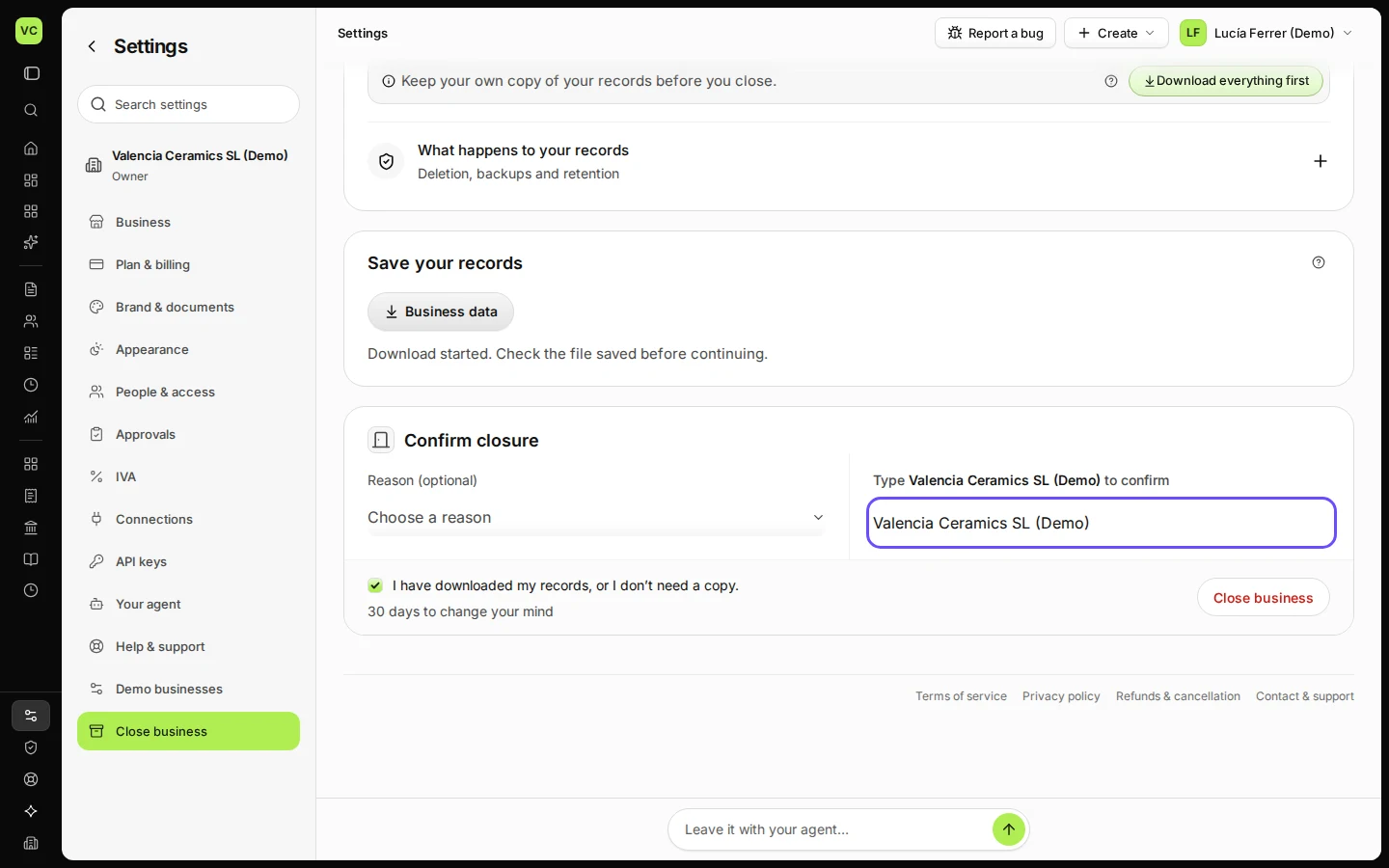
Step 2 in Deline (Spain business, fictional data) · See the whole screen Type the business name and tick that you have your records.
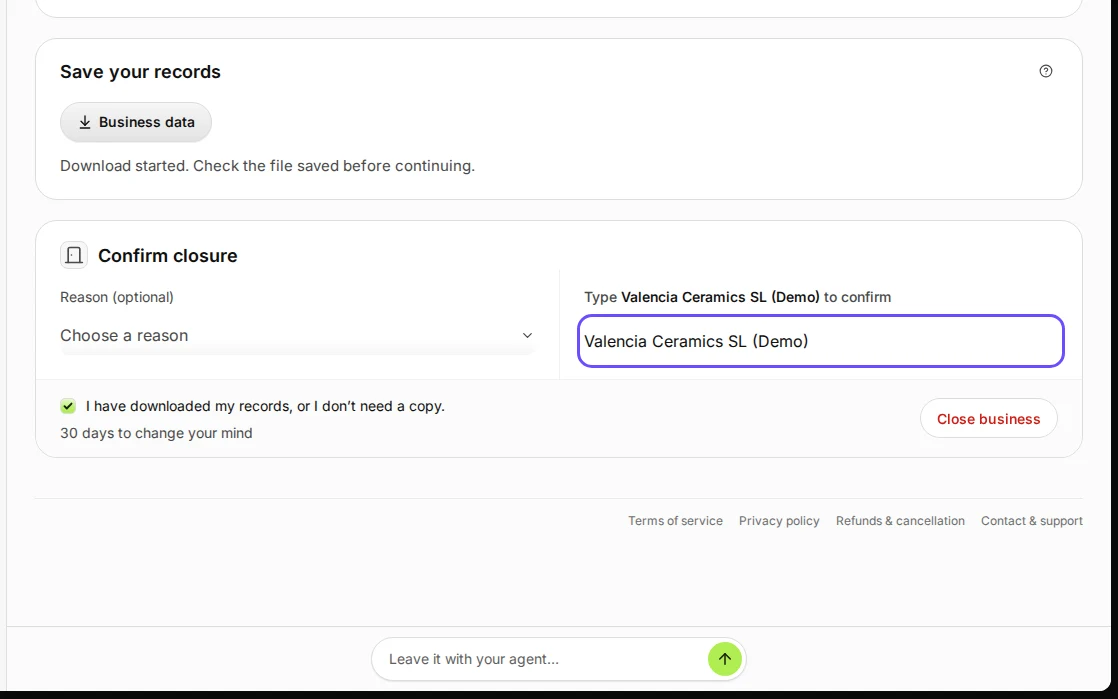
Step 3 in Deline (Spain business, fictional data) · See the whole screen Press Close business.
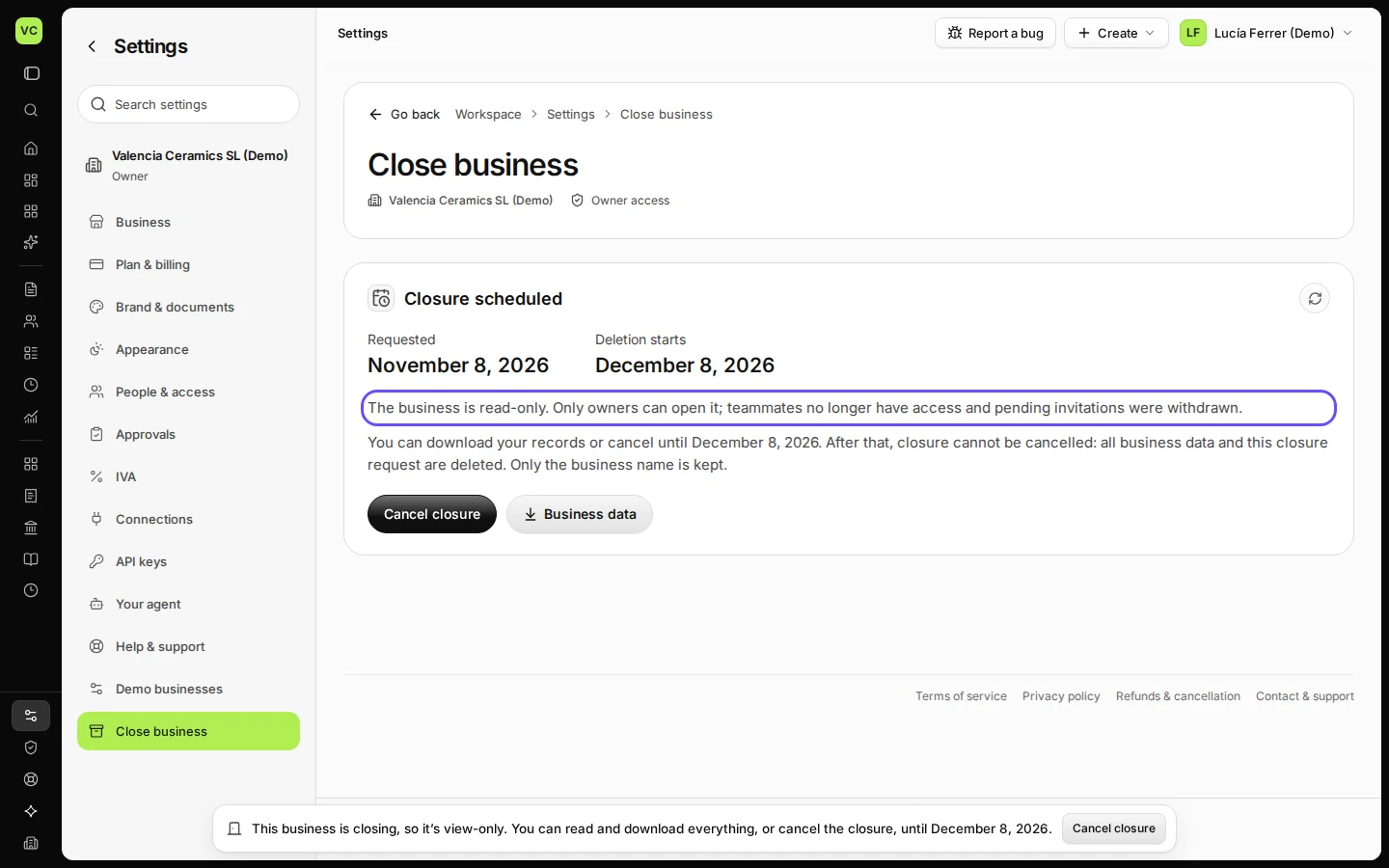
The business becomes view-only for everyone in it.
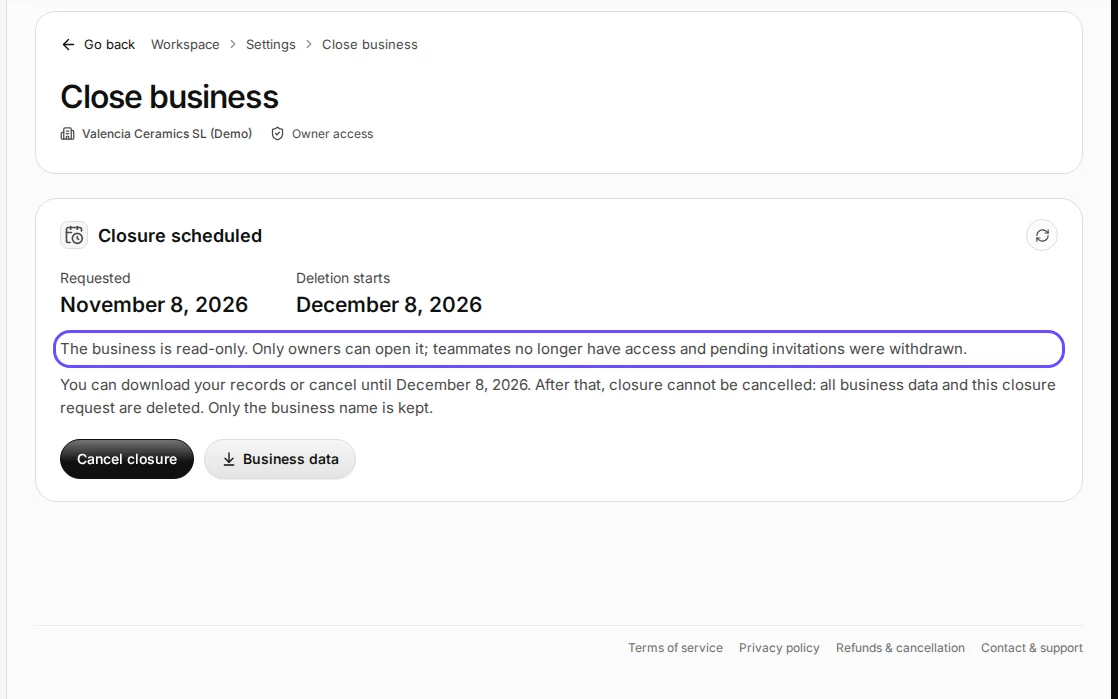
Step 4 in Deline (Spain business, fictional data) · See the whole screen
If something goes wrong
- "Your plan still renews. Cancel it in Plan & billing first, then close the business.": cancel the plan in Plan & billing, then come back.
- You changed your mind: while the business is closing, the owner can press Cancel closure on the same tab.
Last checked 2026-11-08 by the guide runner on build fbbc64399 (Deline cf723fe1f) (local Deline stack).