
Before you start
- Your books are set up in EUR and the month's accounting period is open.
- Payroll is switched on for the business. Otherwise Deline says "Payroll isn’t switched on for this business yet. Ask support to turn it on."
- You have the employee's employment contract, TD59 declaration and Holiday Fund exemption certificate as files.
- The payroll covers "People with one employer and no other income, paid in EUR."
Steps
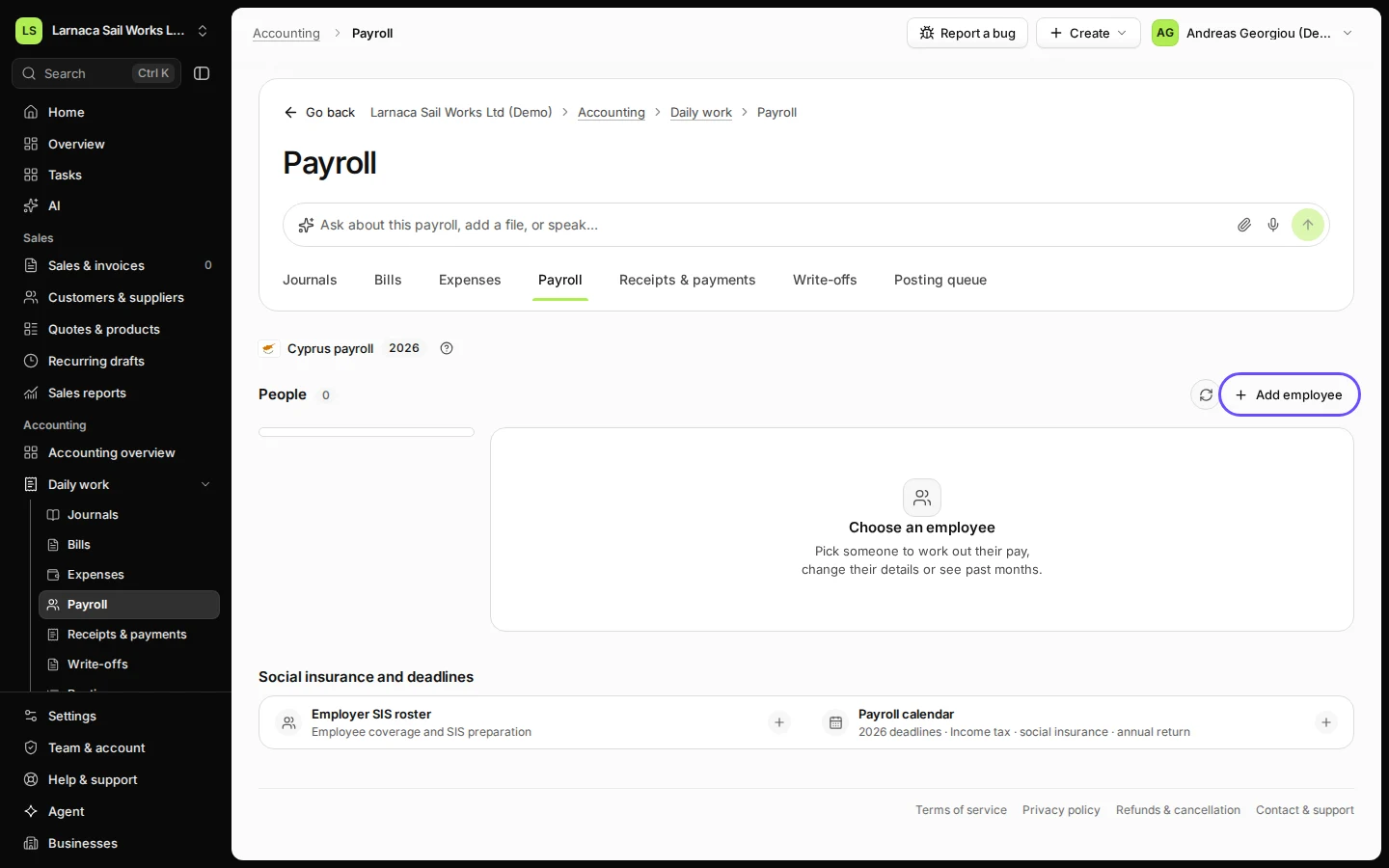
Open Payroll from Daily work in Accounting.
You see Cyprus payroll with the people already saved.
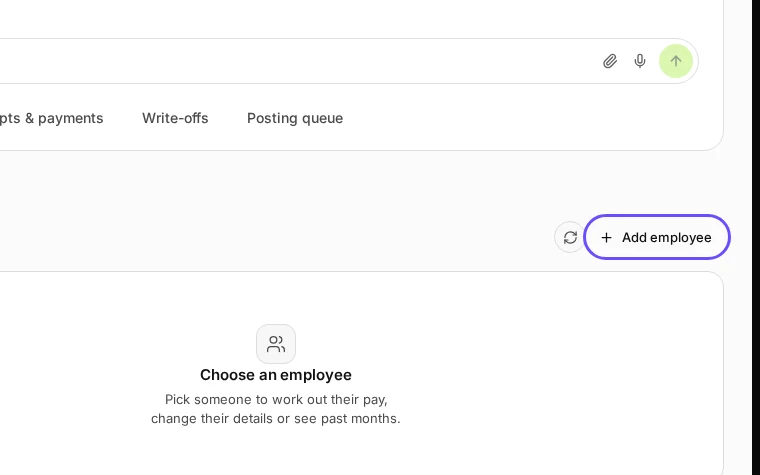
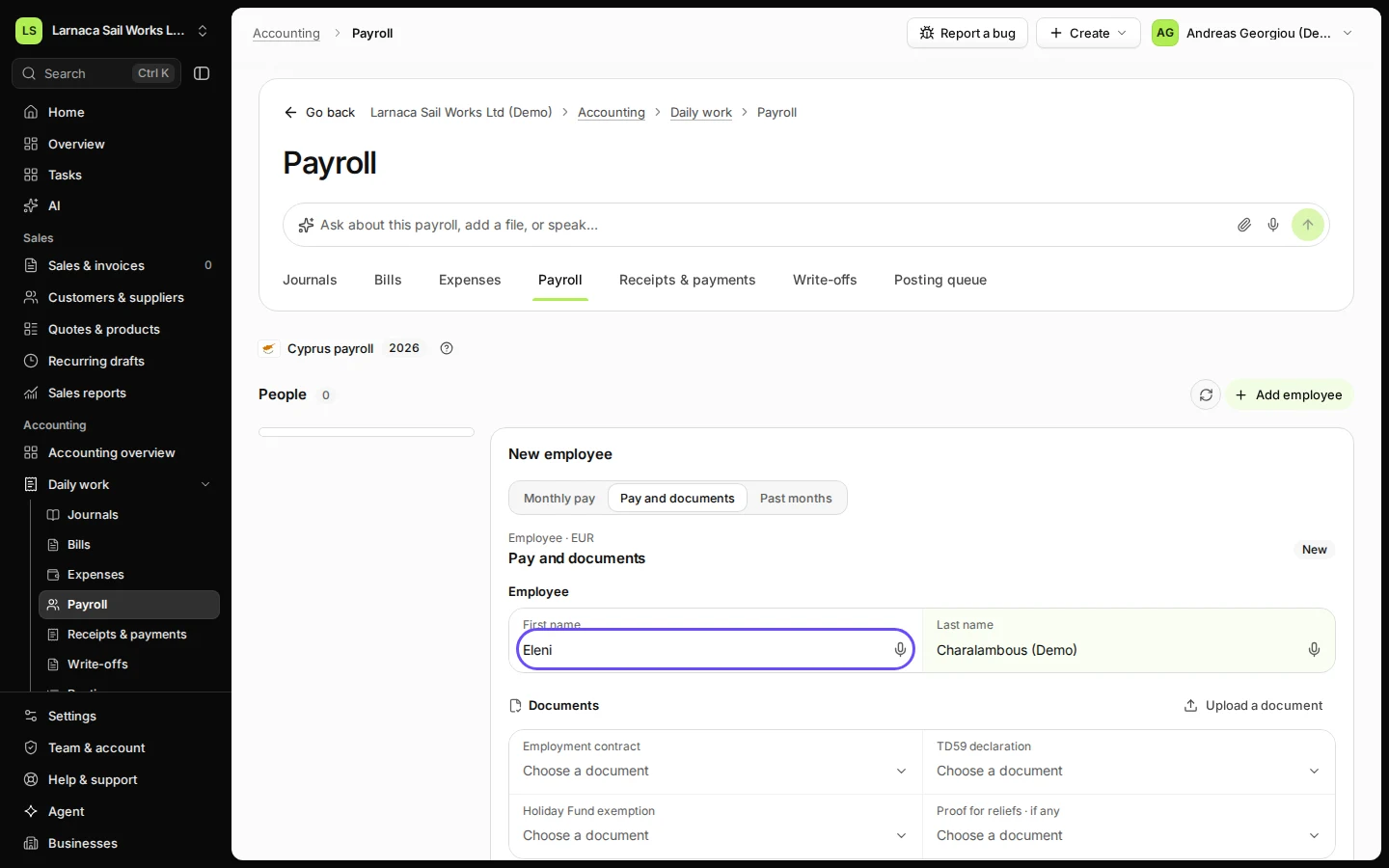
Step 1 in Deline (Cyprus business, fictional data) · See the whole screen Press Add employee and enter the person’s name.
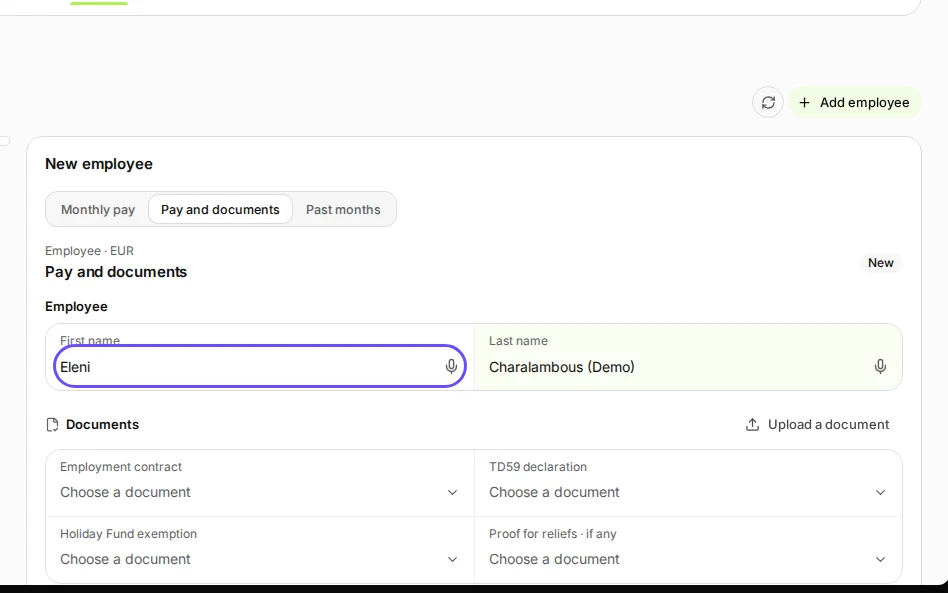
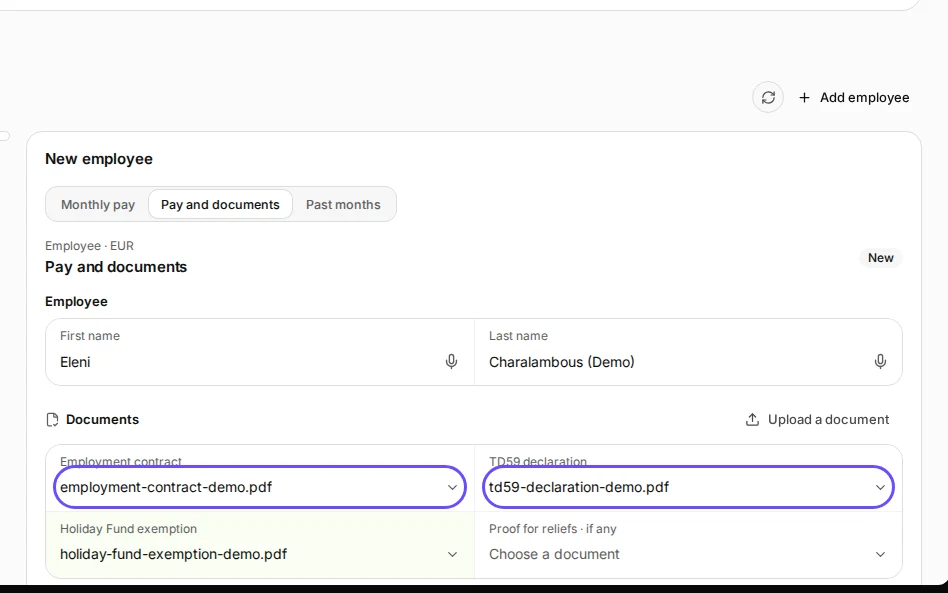
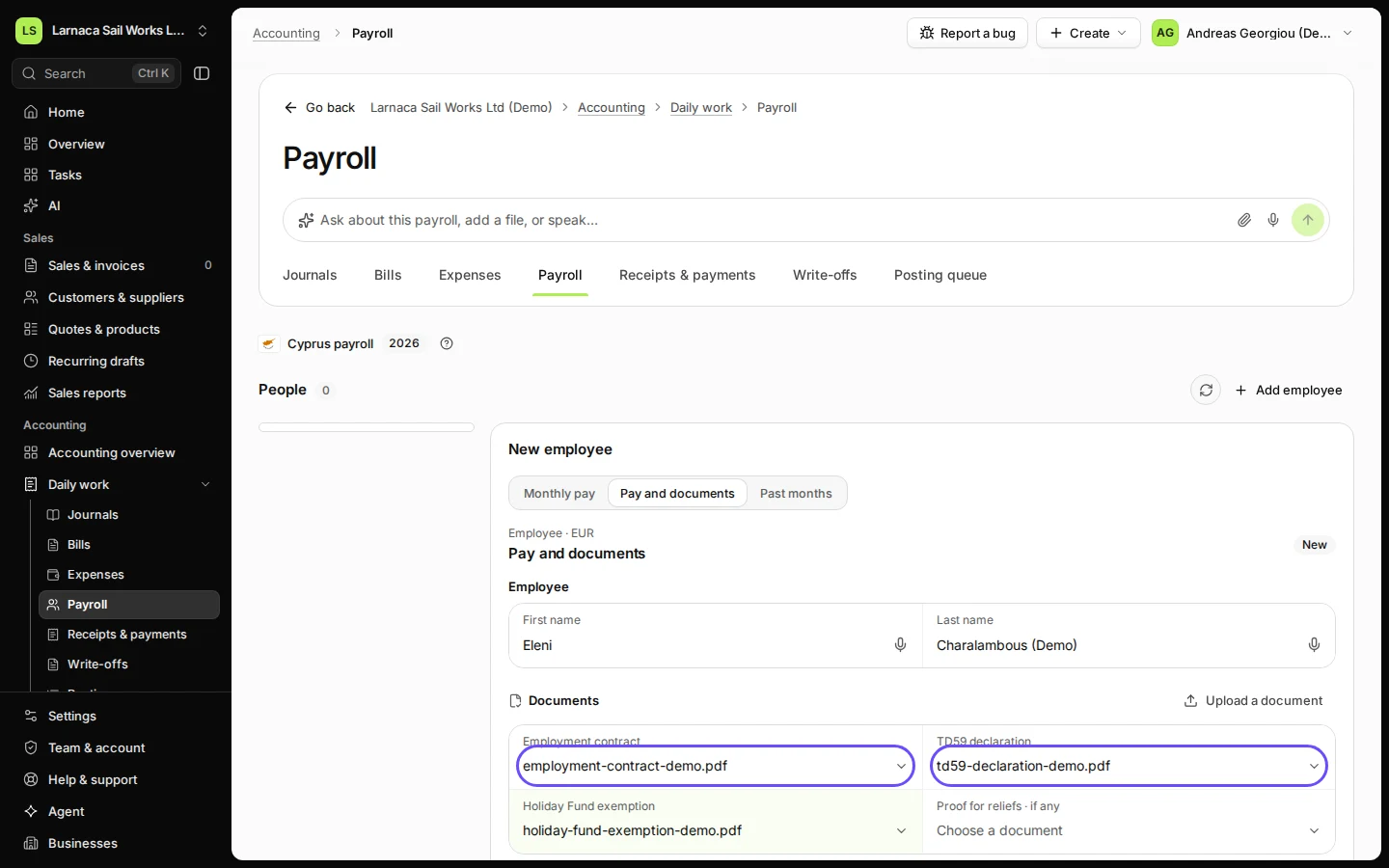
Step 2 in Deline (Cyprus business, fictional data) · See the whole screen Choose the employment contract, the TD59 declaration and the Holiday Fund exemption.
If a document is not in the list yet, add it first with Upload a document.
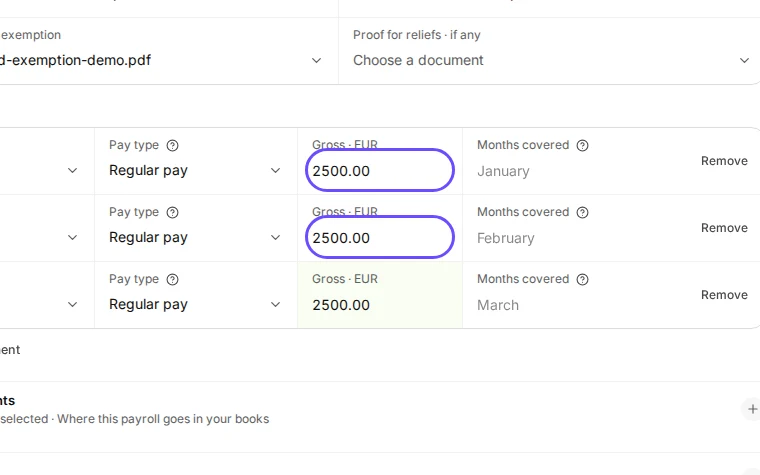
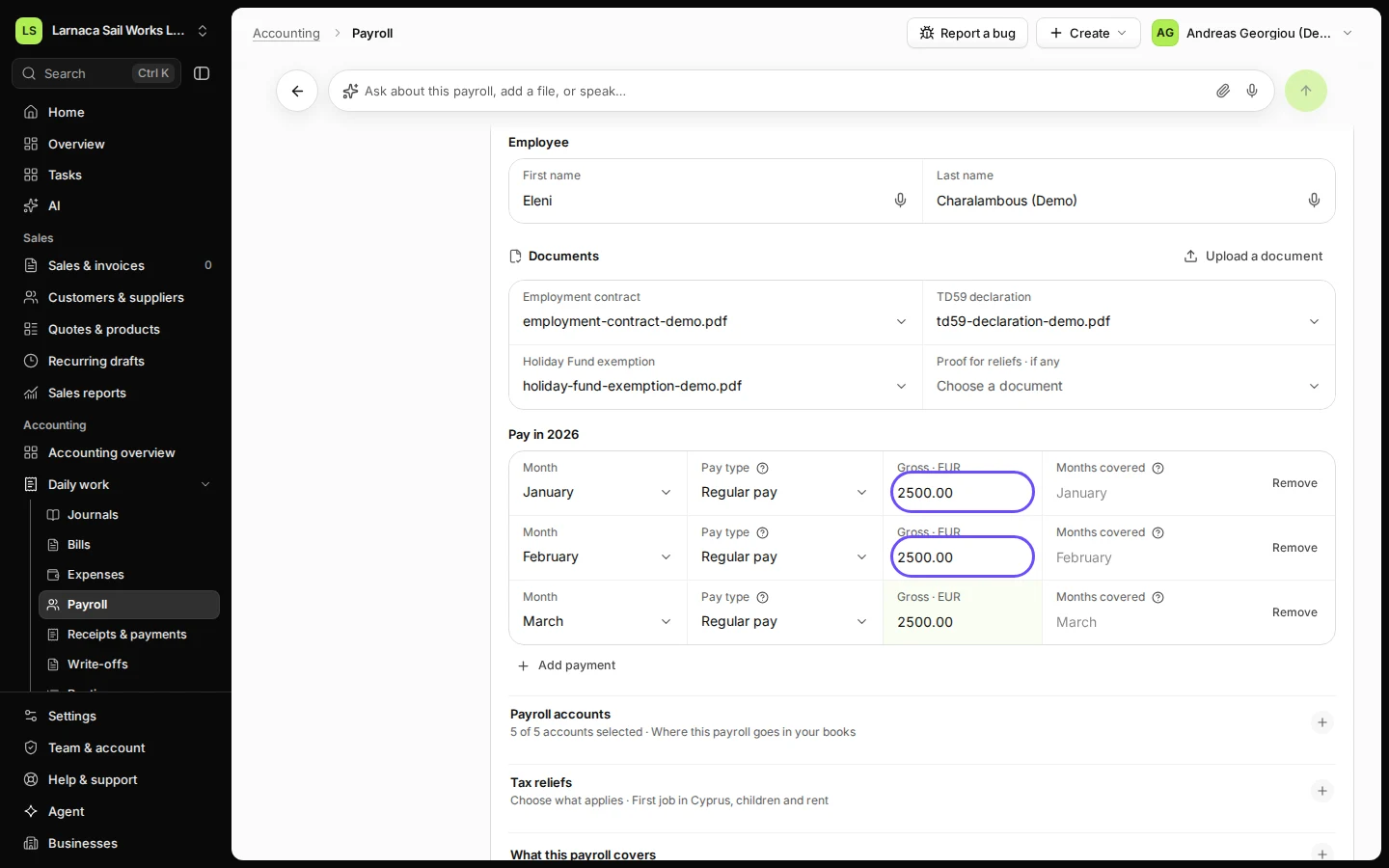
Step 3 in Deline (Cyprus business, fictional data) · See the whole screen Add the payments of the year: month, pay type and gross amount.
Press Add payment for each one (Regular pay, Thirteenth salary, Bonus and others). Income tax is worked out for the whole year, so add every payment of the year. The five Payroll accounts are filled in from your chart.
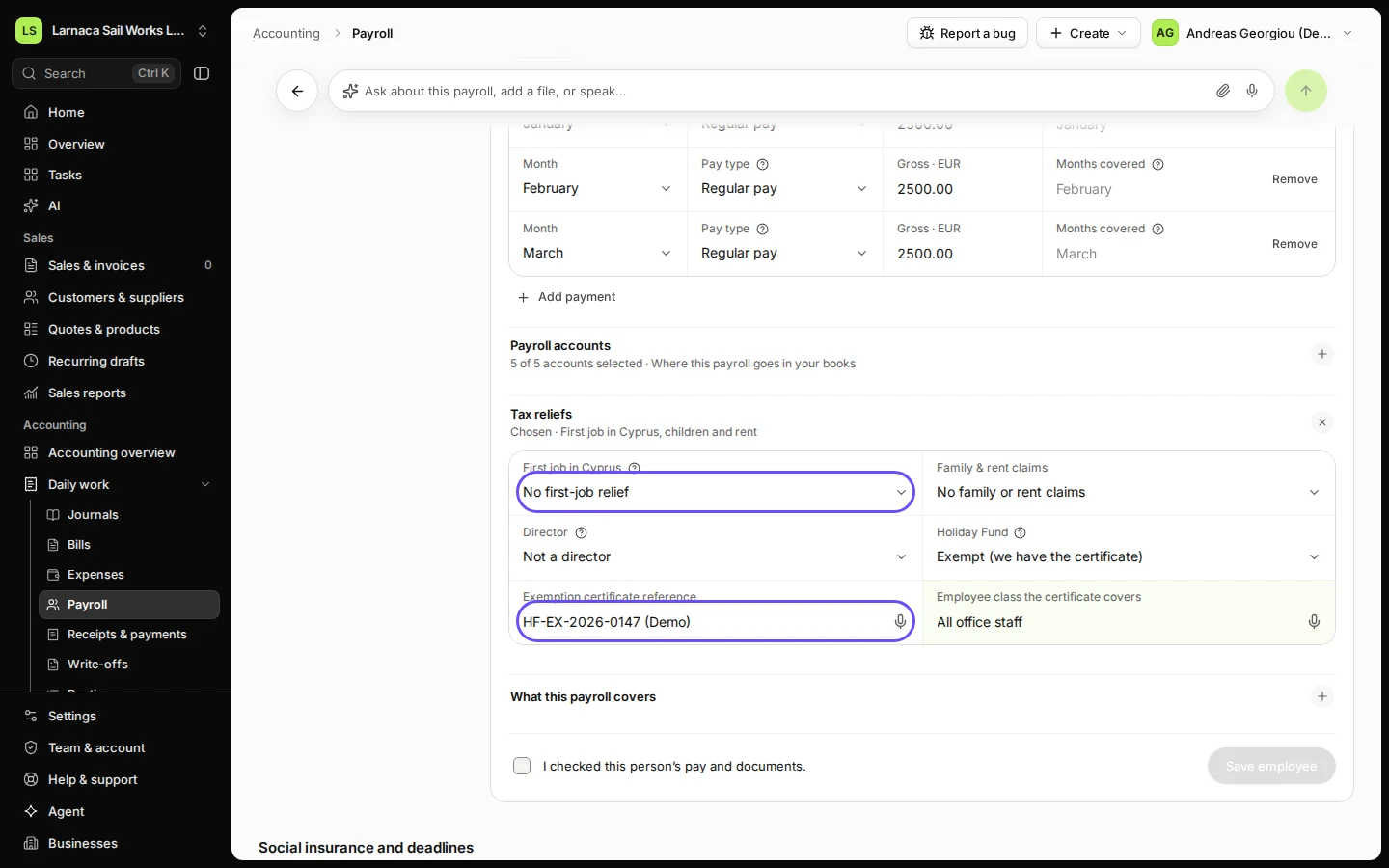
Step 4 in Deline (Cyprus business, fictional data) · See the whole screen Open Tax reliefs and answer each question.
First job in Cyprus, Family & rent claims, Director and Holiday Fund. With a Holiday Fund exemption, enter the certificate reference and the employee class it covers.
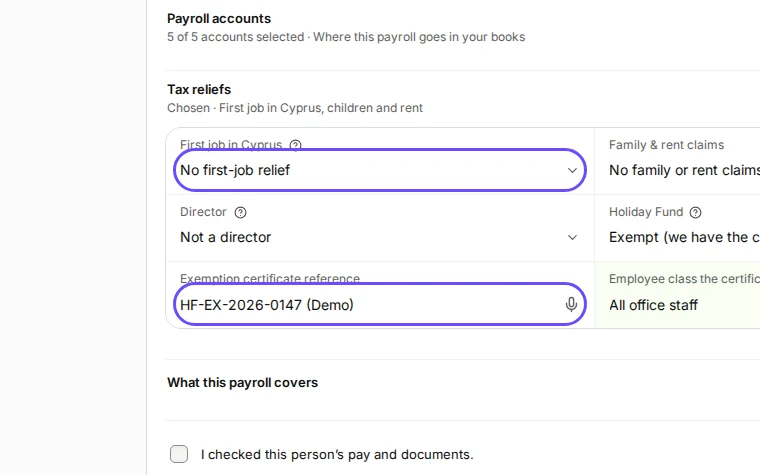
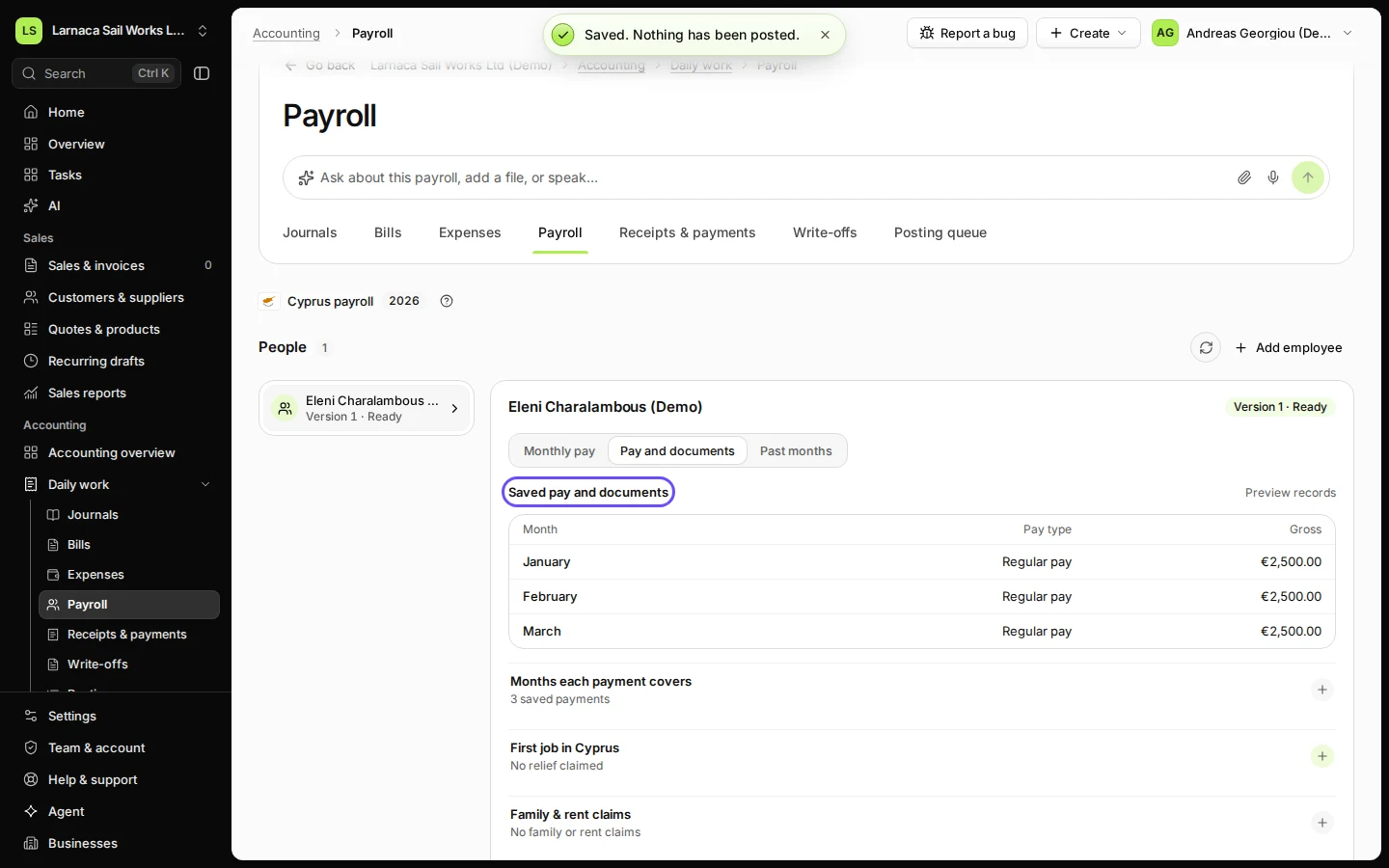
Step 5 in Deline (Cyprus business, fictional data) · See the whole screen Tick that you checked the pay and documents and press Save employee.
The box reads "I checked this person’s pay and documents." Deline says "Saved. Nothing has been posted."
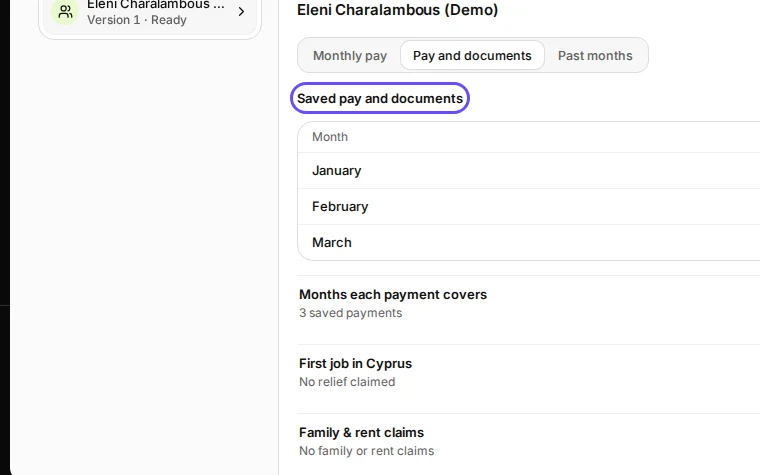
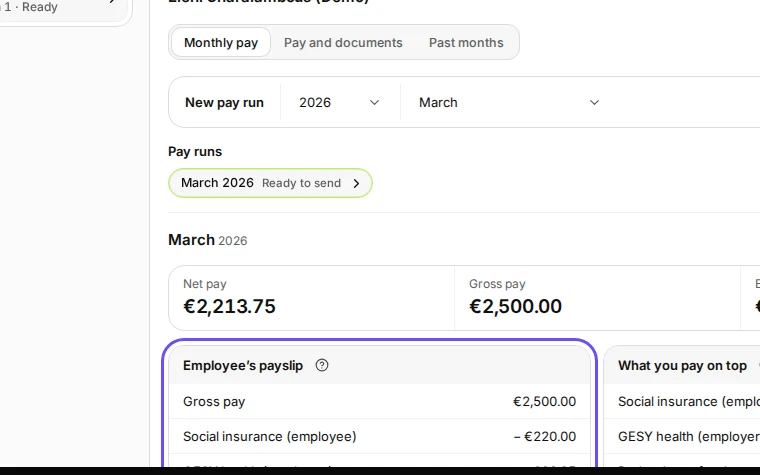
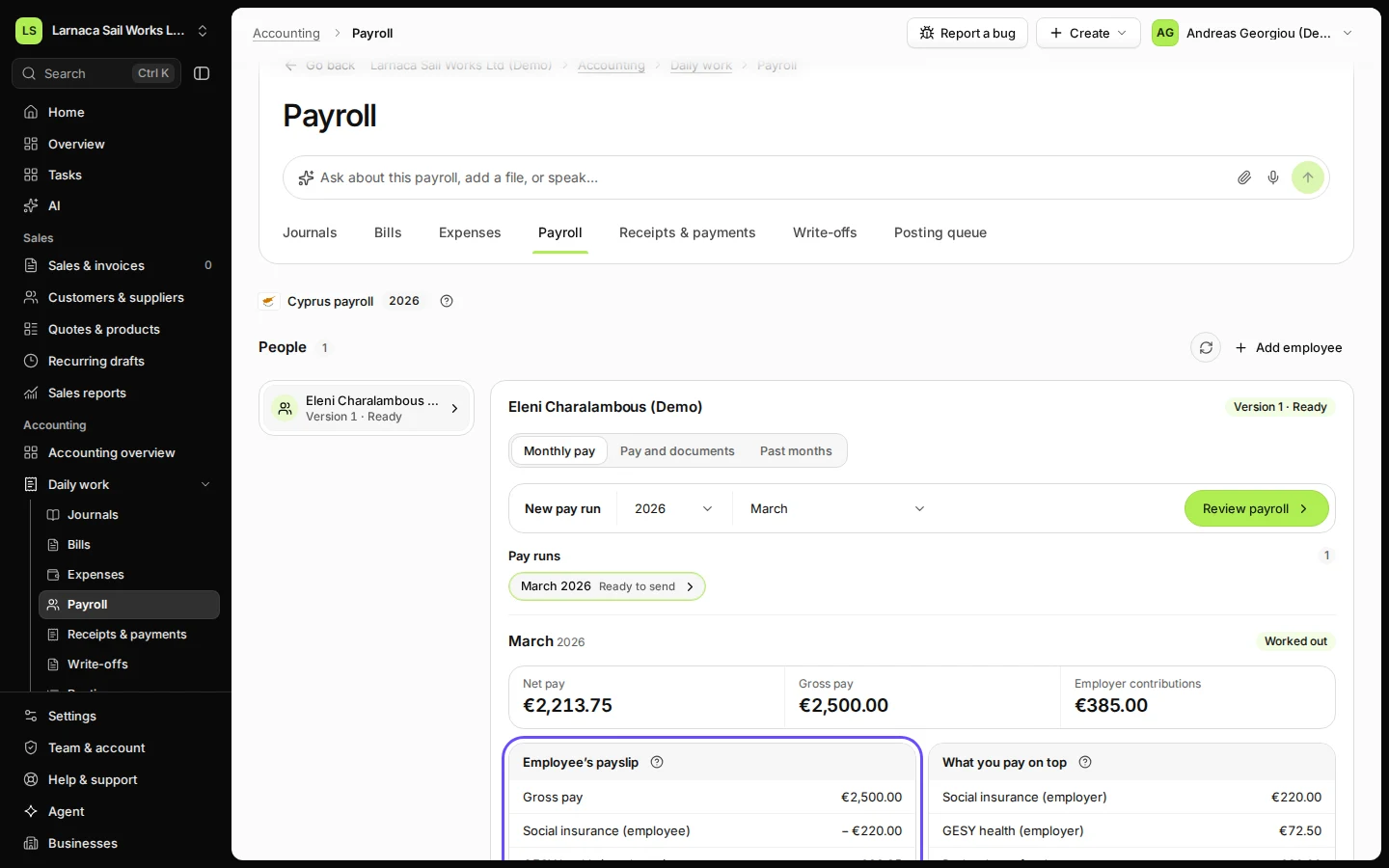
Step 6 in Deline (Cyprus business, fictional data) · See the whole screen Open Monthly pay, choose the payroll month and press Review payroll.
You see the Employee’s payslip (Gross pay, Social insurance (employee), GESY health (employee), Income tax (PAYE), Net pay) and What you pay on top, with the Total cost of this pay.
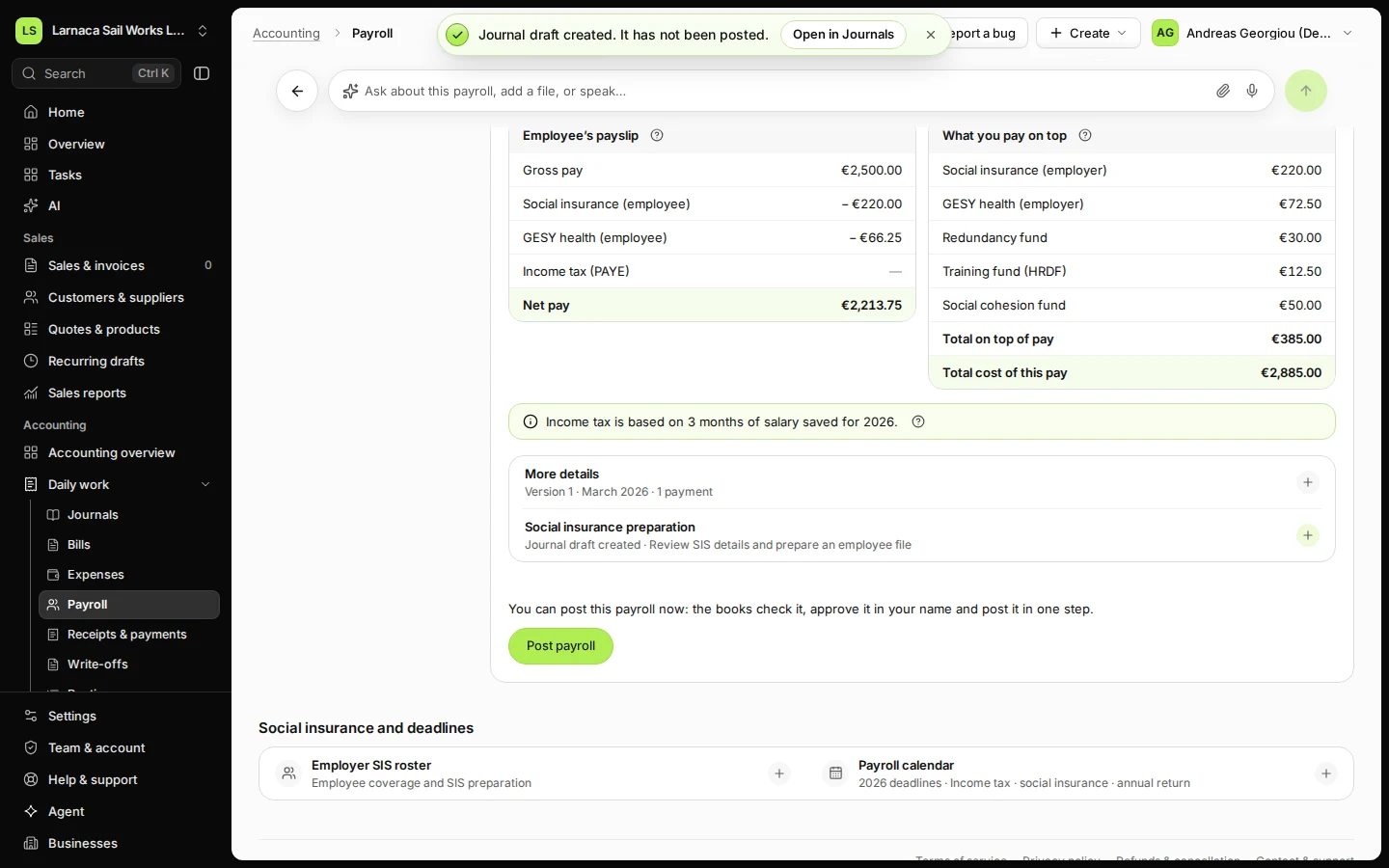
Step 7 in Deline (Cyprus business, fictional data) · See the whole screen Check the payslip and what you pay on top, then press Create journal draft.
The draft is not posted until it is approved in Journals. Paying the salary and filing PAYE (TFA) and social insurance (SIS) happen outside Deline.
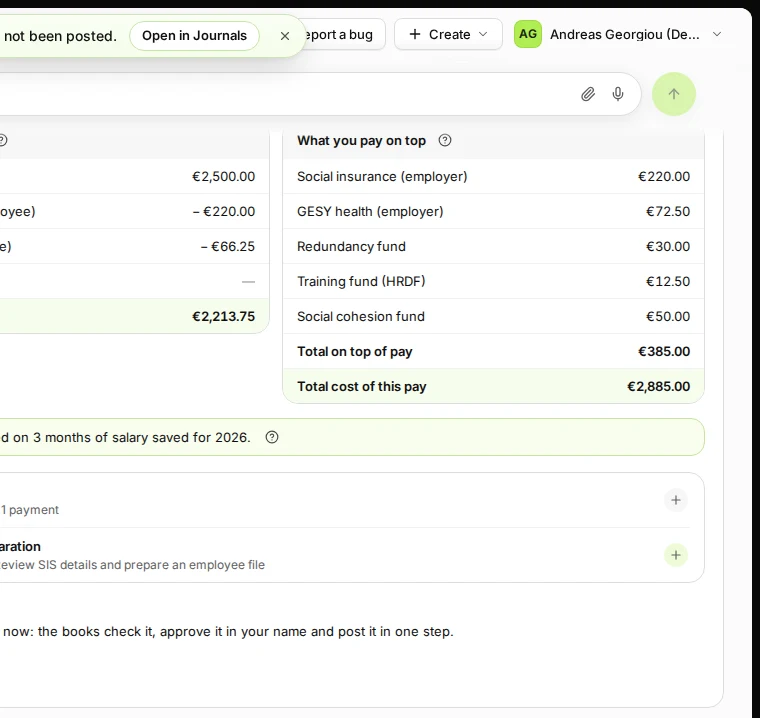
Step 8 in Deline (Cyprus business, fictional data) · See the whole screen
If something goes wrong
- "This review is out of date: the employee’s details changed after it was made. Review the month again.": press Review again.
- "That month already has its journal draft for this person.": the month is done. Open the draft from Past months.
- "This month’s accounting period is closed or locked. Open it in Periods, then review again."
- "This case needs a person to check it first (for example more than one extra payment). Your accountant can review it."
Last checked 2026-11-08 by the guide runner on build 18852a878 (Deline 099f32304) (local Deline stack).