
Before you start
- Each EU customer has an EU VAT number and a recorded VIES check (see Invoice an EU business with the reverse charge).
- The month's invoices are posted to your books.
- Your Cyprus VAT number is in Settings → Business (the XML needs it).
Steps
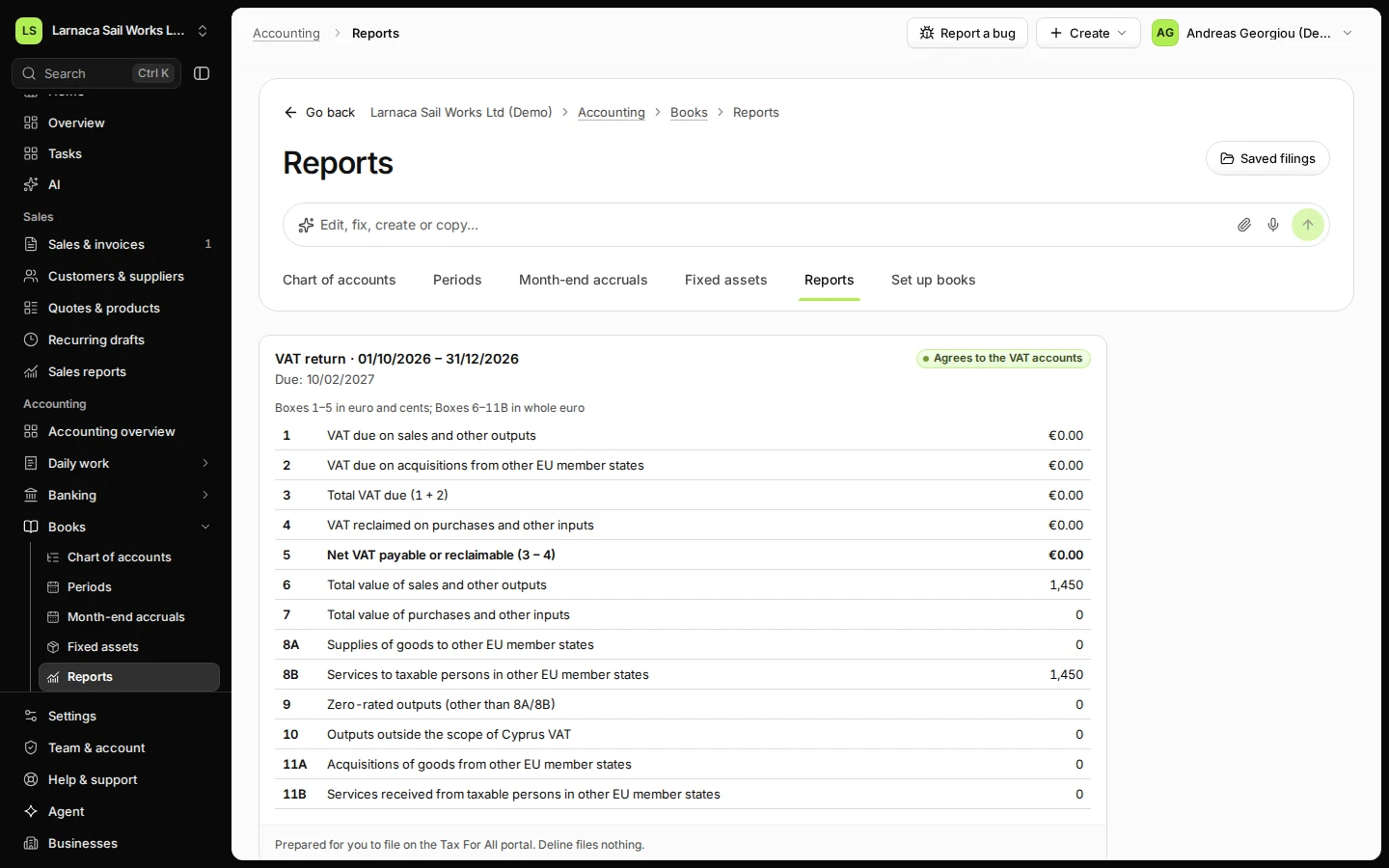
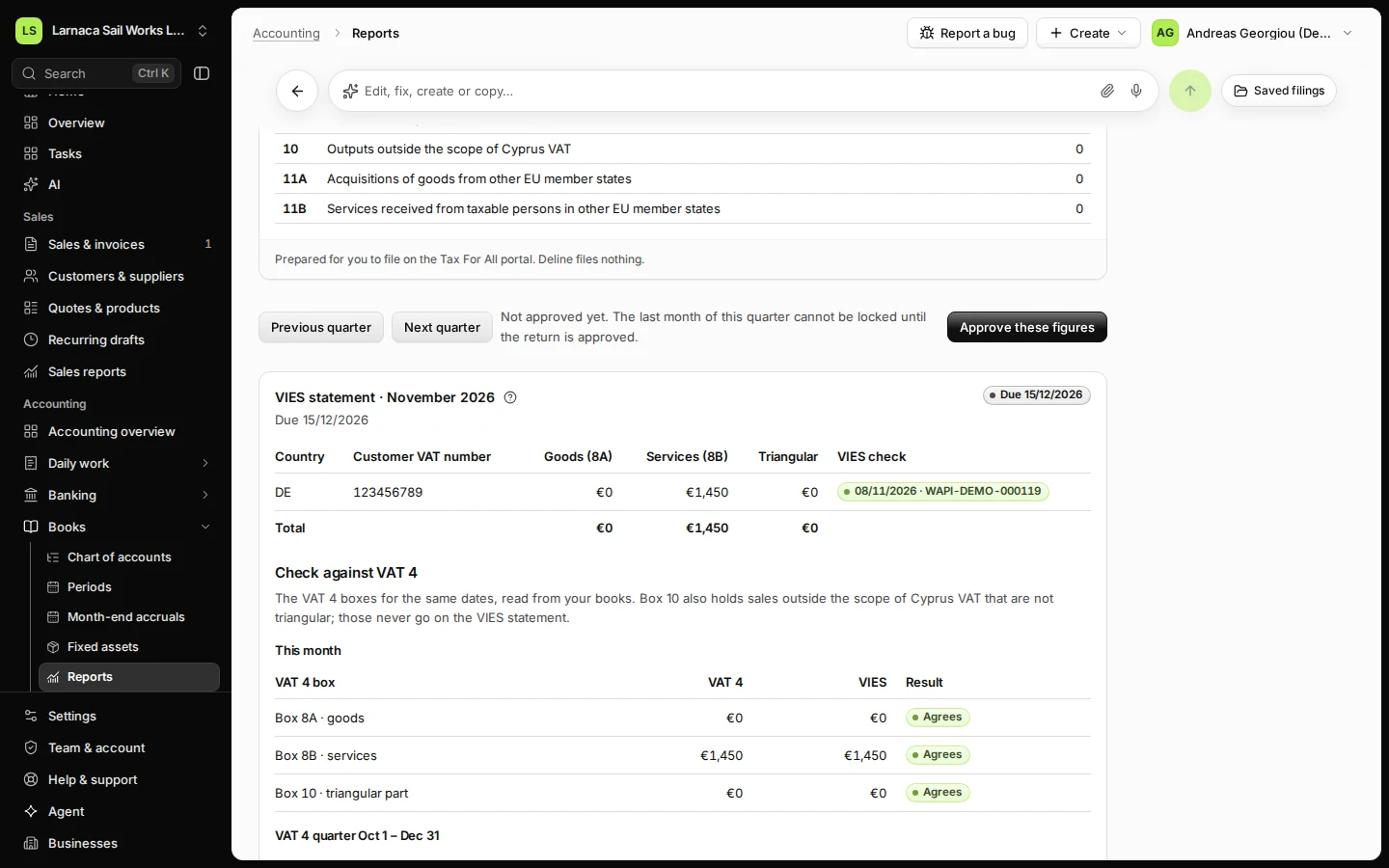
Open Reports from Books and find the VIES statement.
The card shows the month and the due date. The due date moves when the 15th falls on a weekend or public holiday.
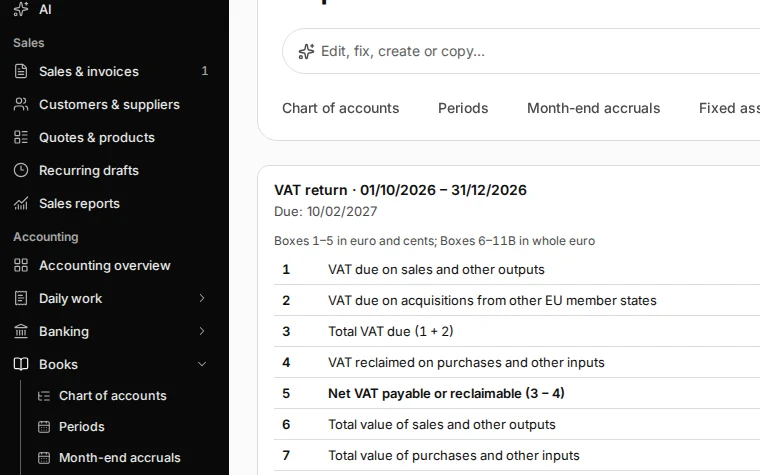
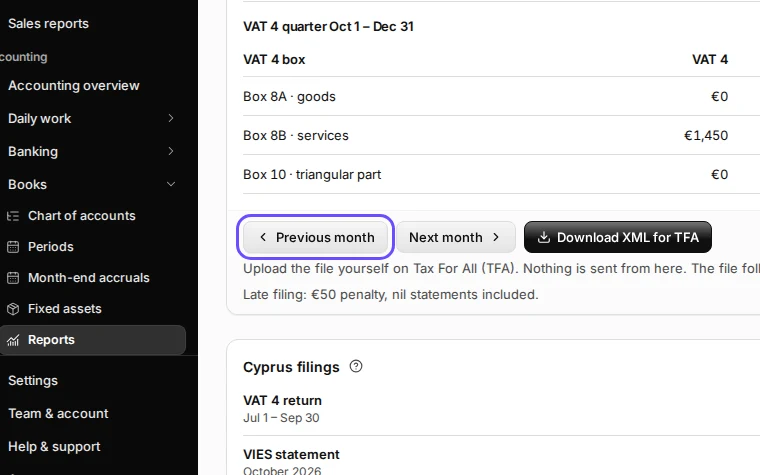
Step 1 in Deline (Cyprus business, fictional data) · See the whole screen Choose the month with Previous month or Next month.
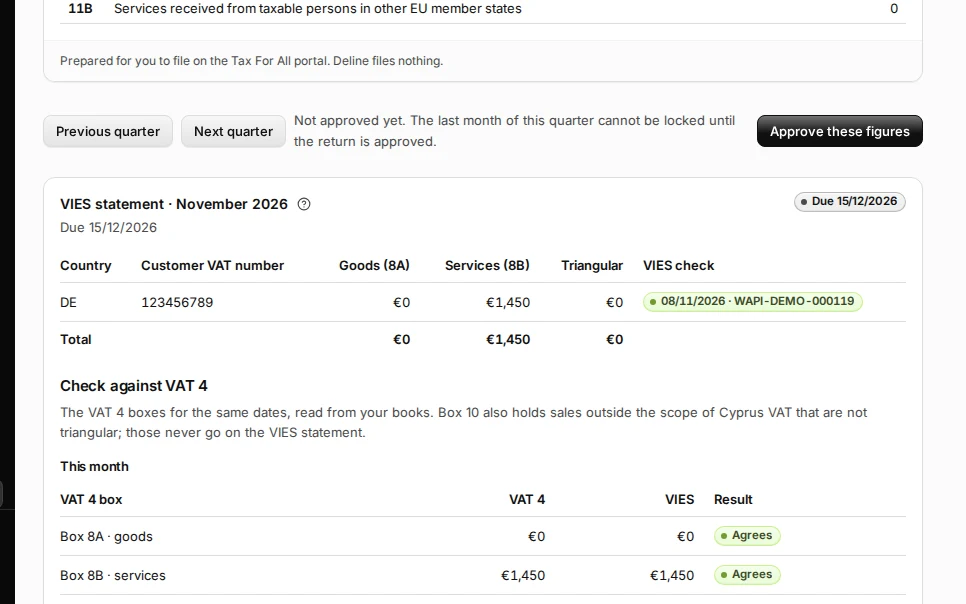
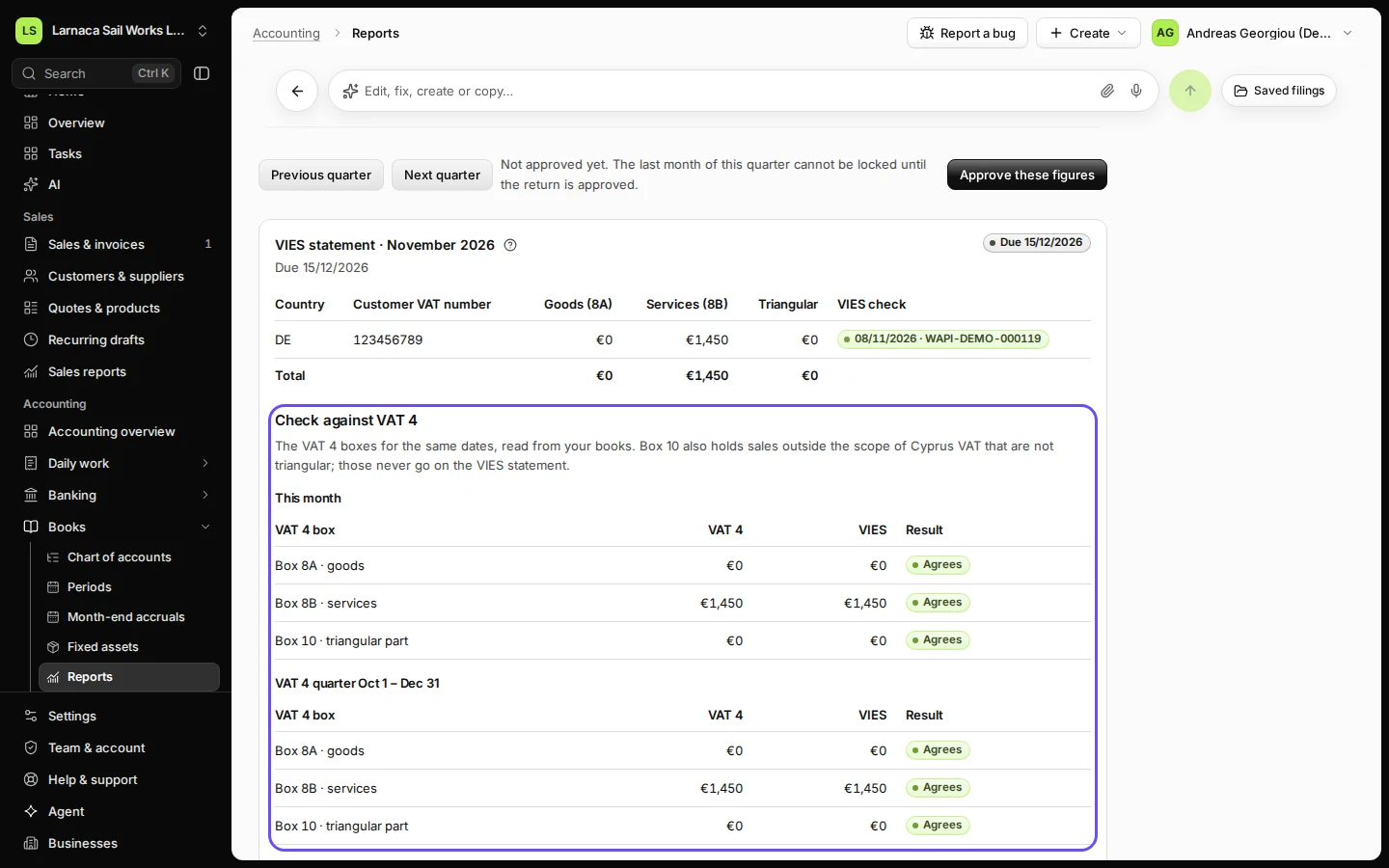
Step 2 in Deline (Cyprus business, fictional data) · See the whole screen Check each line: the customer VAT number, goods (8A), services (8B) and the VIES check.
Goods go in box 8A and services in box 8B. VIES check shows the date and consultation number you recorded for that customer.
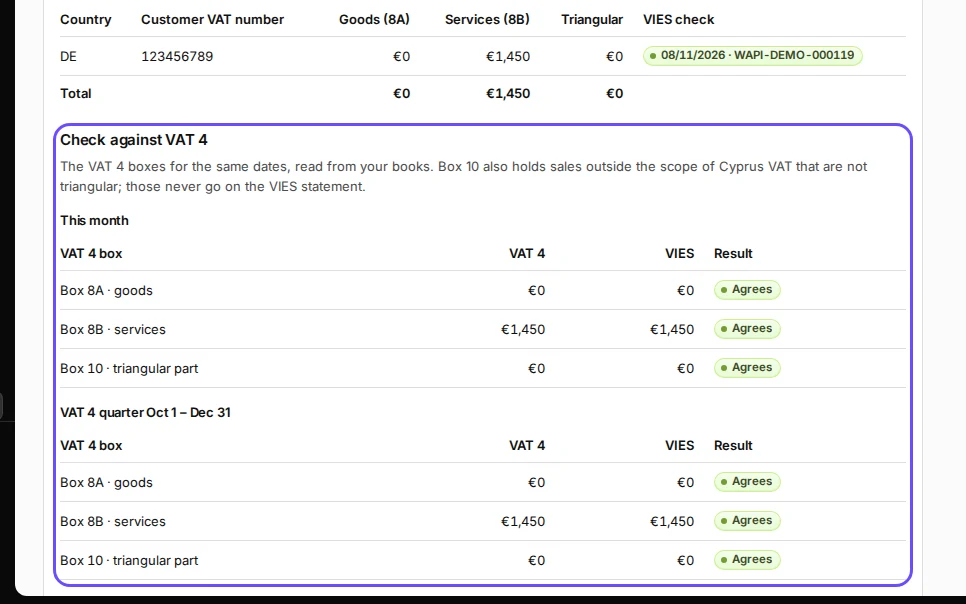
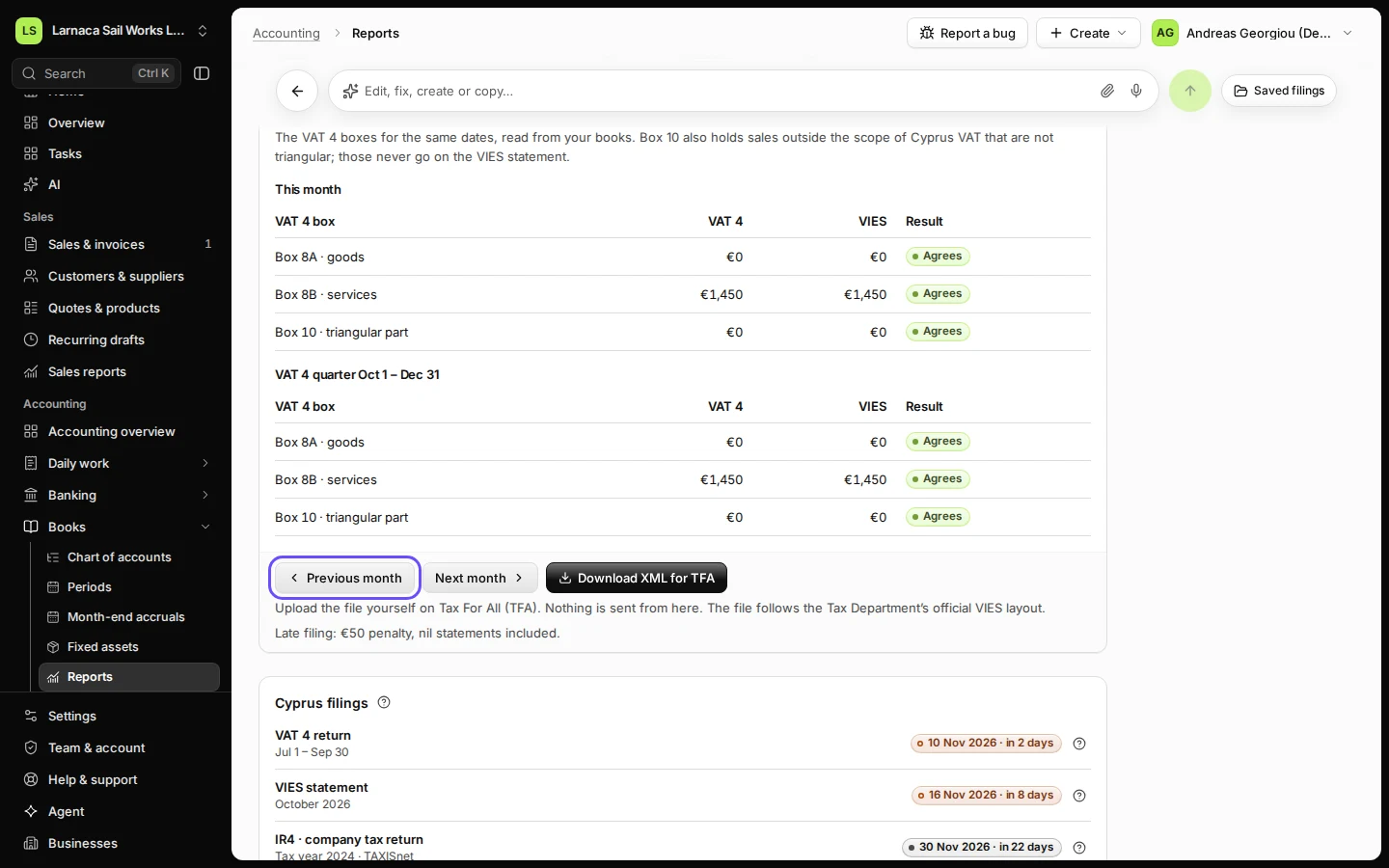
Step 3 in Deline (Cyprus business, fictional data) · See the whole screen Check against VAT 4: each box should say Agrees.
Rounding only means the same amount to the cent: VIES rounds each line to whole euro, VAT 4 rounds the total once.
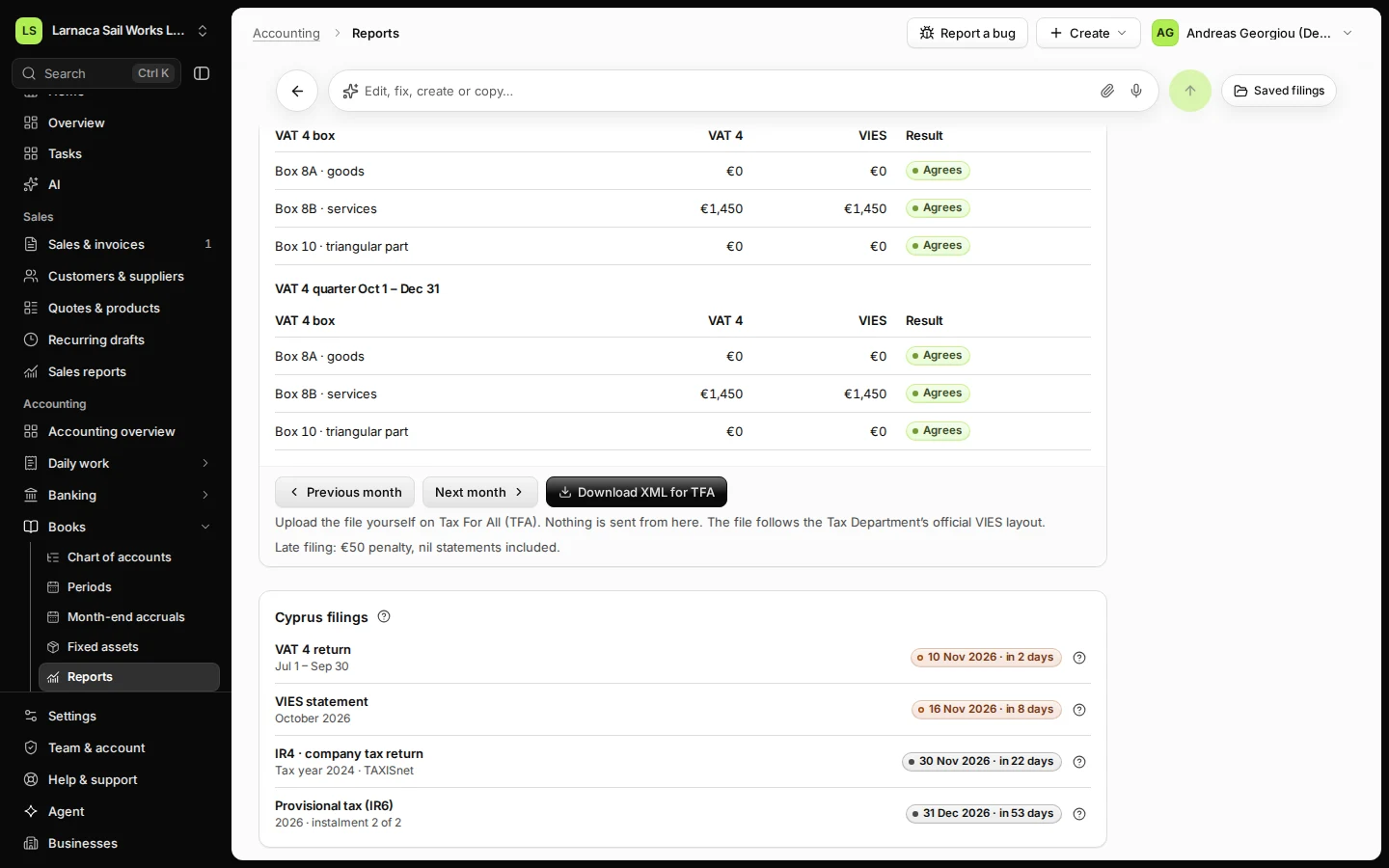
Step 4 in Deline (Cyprus business, fictional data) · See the whole screen Download XML for TFA.
The file follows the Tax Department's official VIES layout.
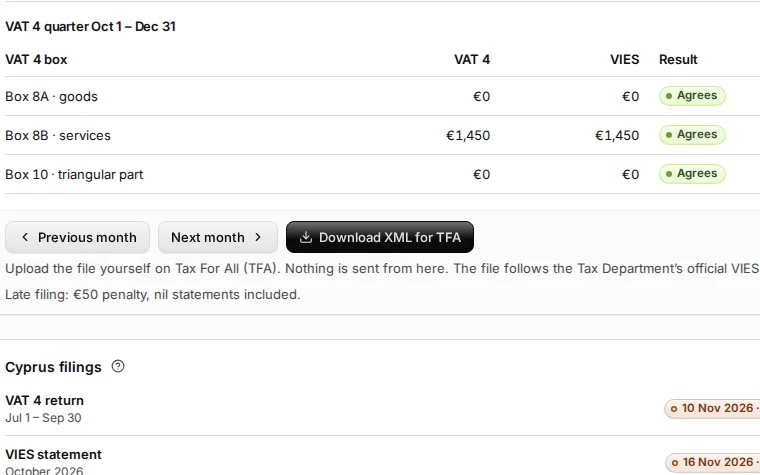
Step 5 in Deline (Cyprus business, fictional data) · See the whole screen Upload the file on Tax For All yourself (outside Deline).
This step happens outside Deline.File by the due date, nil statements included; late filing has a penalty.
If something goes wrong
- "An EU sale in this month has no customer EU VAT number.": add the customer's VAT number and issue a corrected invoice, then open the statement again.
- "An EU sale recorded in your books has no confirmed VIES check of the customer’s VAT number.": record the check on the customer, then open the statement again.
- "Does not agree": usually a credit note issued in a different month from its supply date. VIES uses the month it is issued; VAT 4 uses the supply date.
- "Add the business’s Cyprus VAT number in Settings › Business to download the XML.": the XML needs your VAT number.
Last checked 2026-11-08 by the guide runner on build d4a1f612b (Deline cf723fe1f) (local Deline stack).