
Before you start
- The year has ended, its months are reconciled and the fourth-quarter IVA is prepared.
- You are the owner or the accountant. Your accountant may prefer to check the closing journal before you post it.
Steps
Open Periods from Books and open any month.
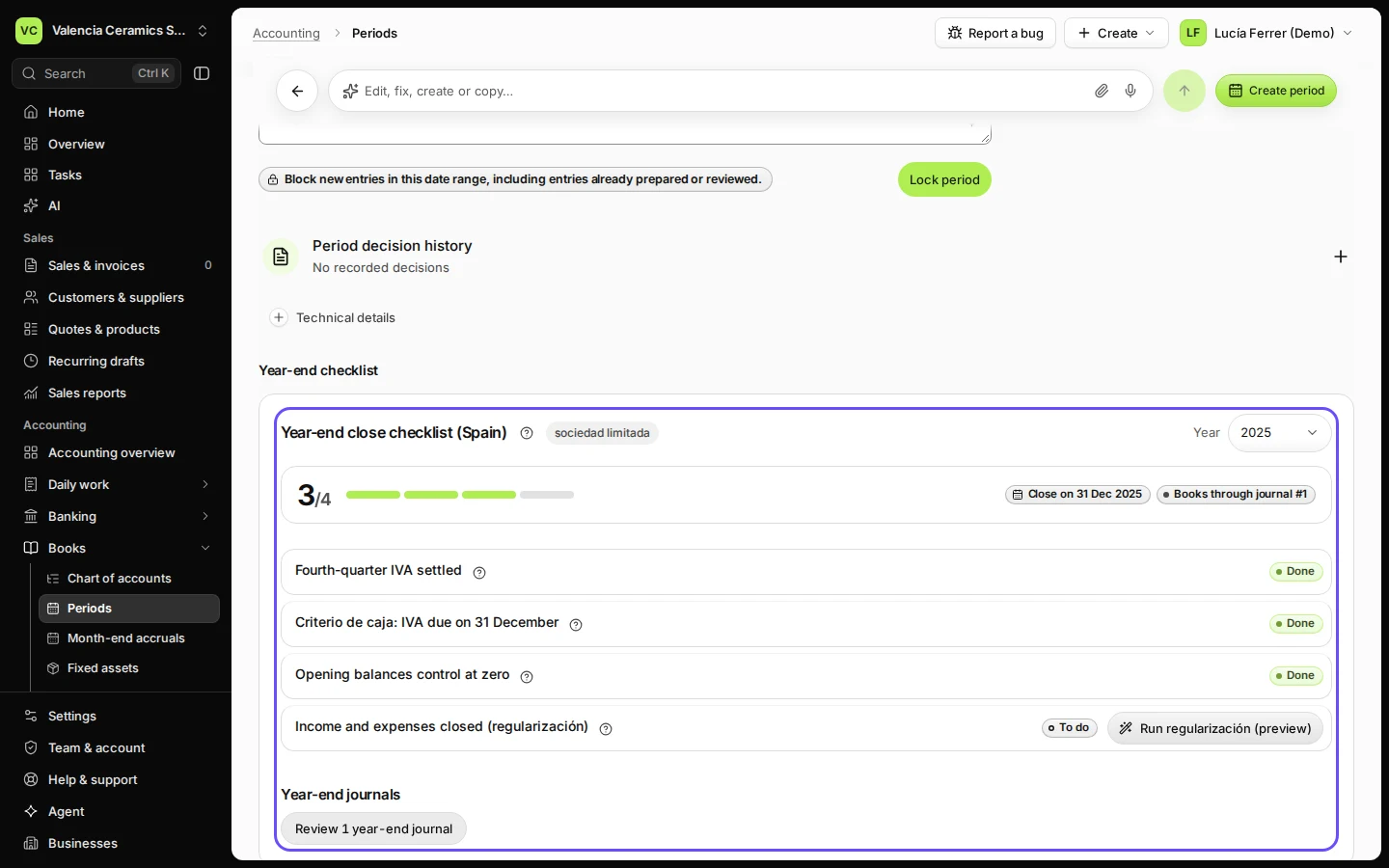
The Year-end checklist is under the month's controls.
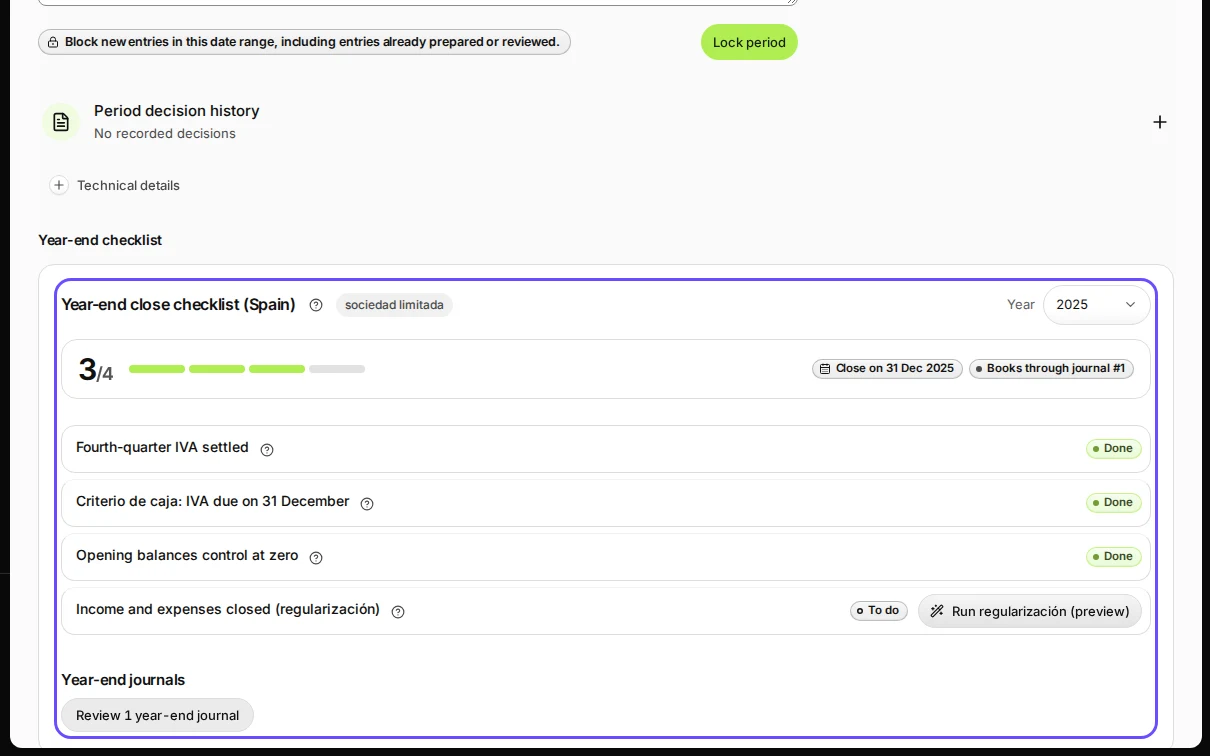
Step 1 in Deline (Spain business, fictional data) · See the whole screen Choose the year you are closing.
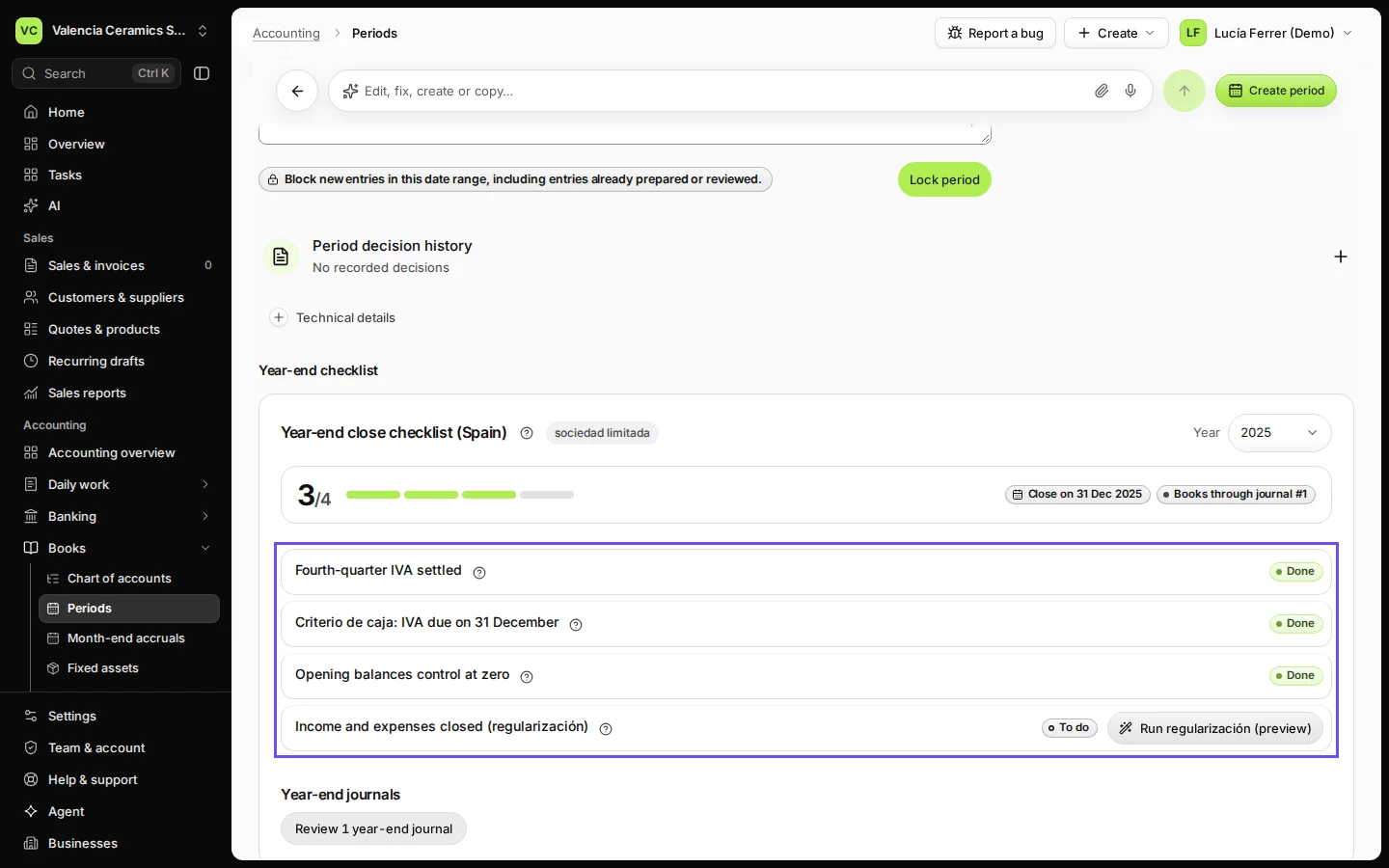
Each step shows Done or To do, with a button for what is missing (for example Settle Q4 IVA).
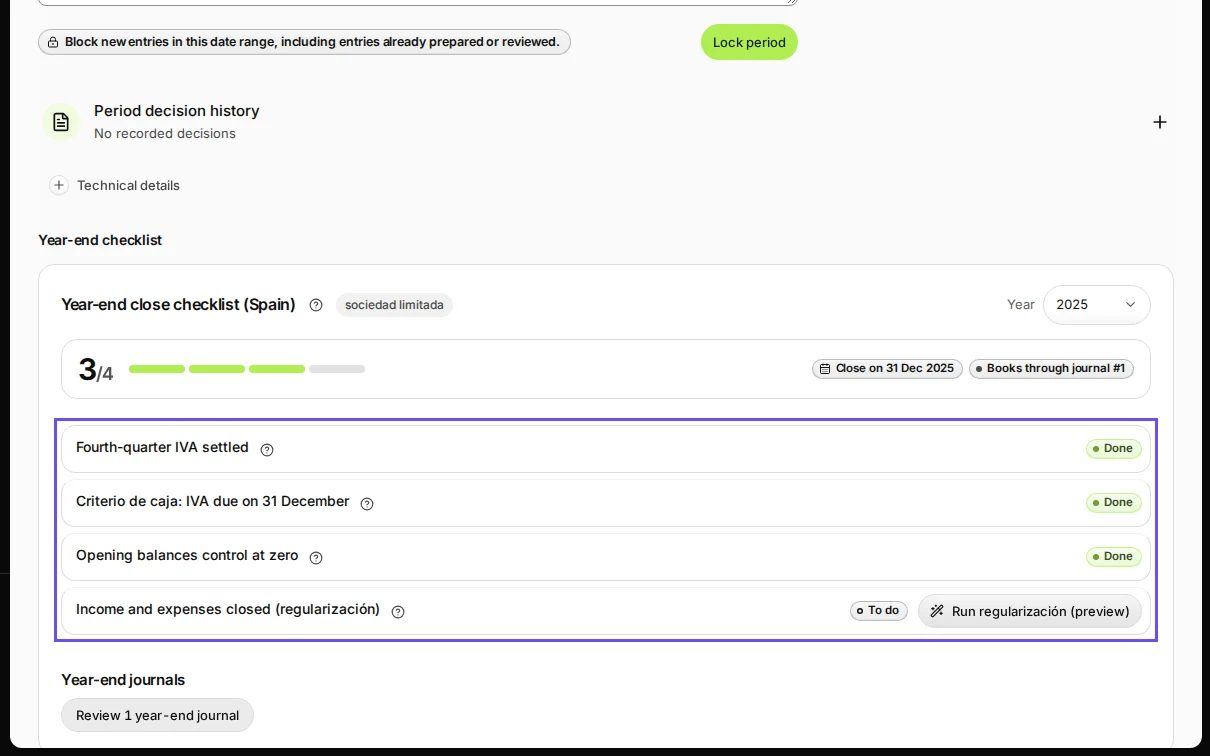
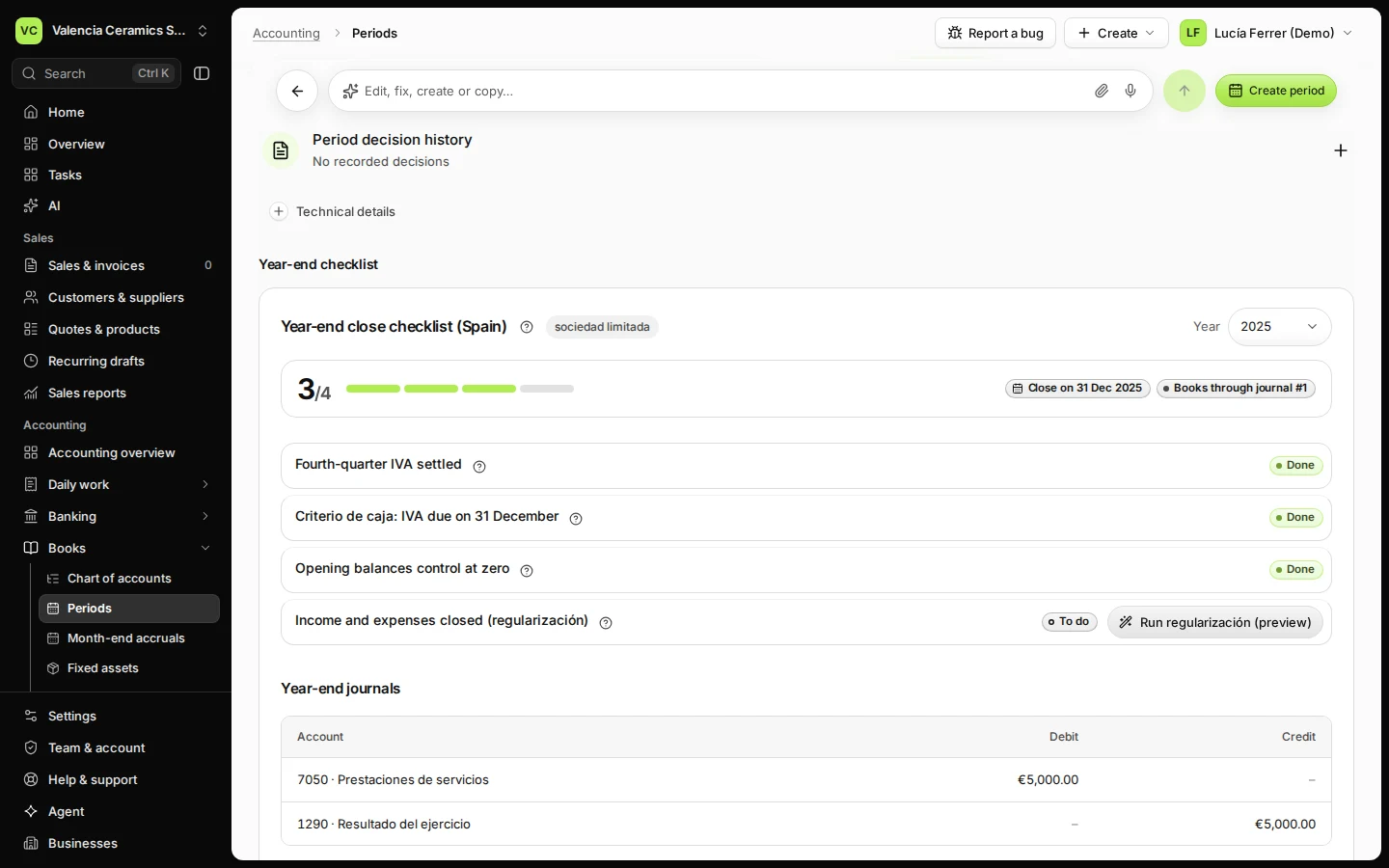
Step 2 in Deline (Spain business, fictional data) · See the whole screen Press Run regularización (preview) and check the closing journal.
It lists every income and expense account with the amount that brings it to zero, and the result for the year on 1290 Resultado del ejercicio.
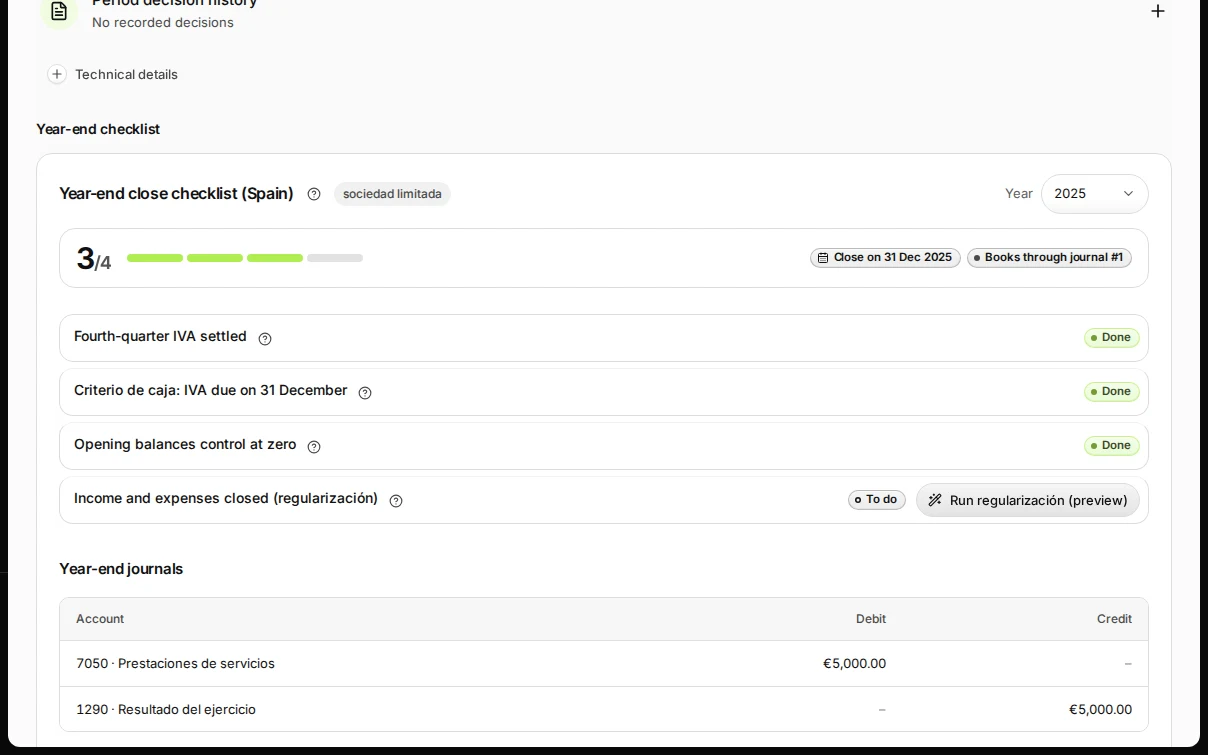
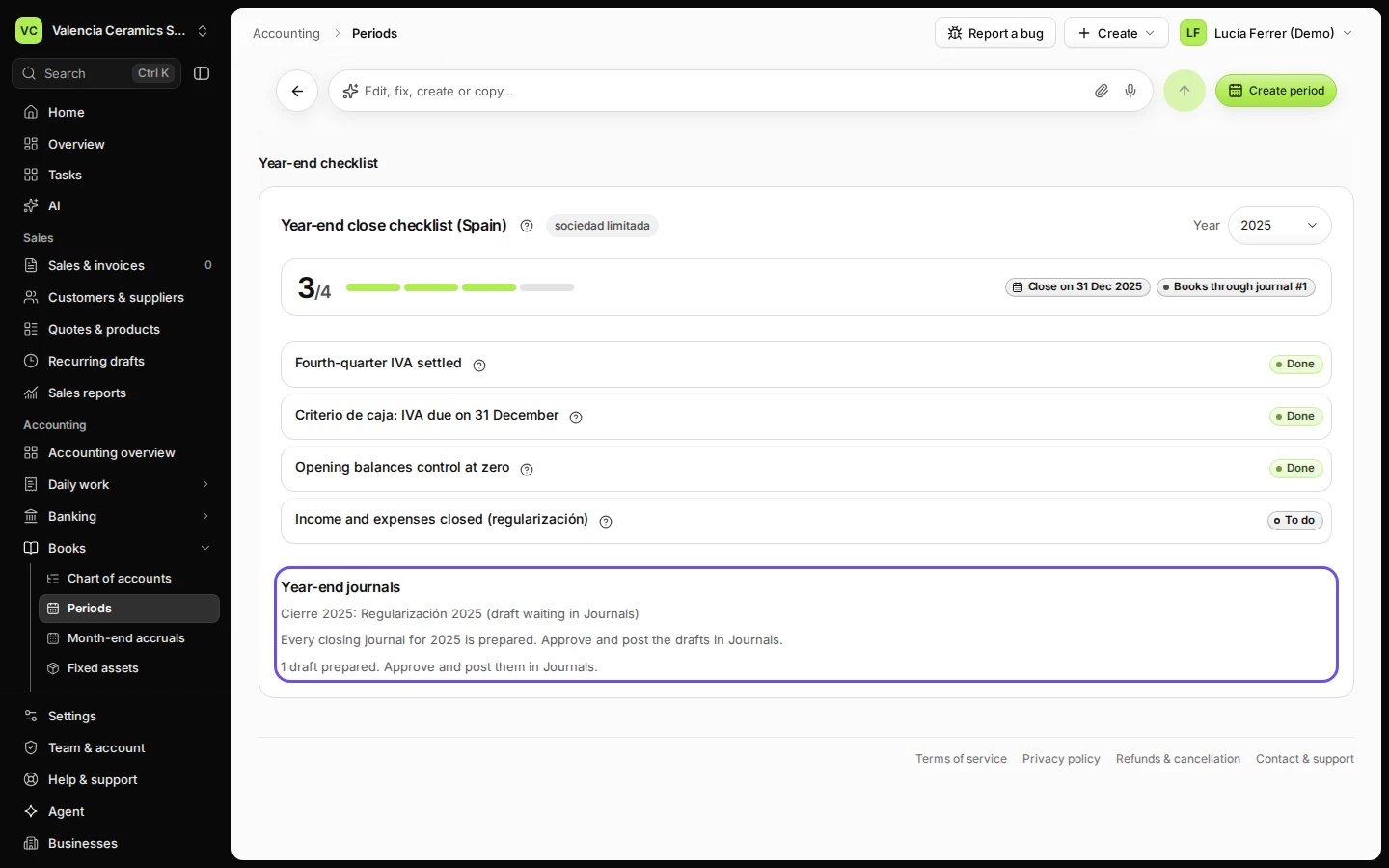
Step 3 in Deline (Spain business, fictional data) · See the whole screen Press Confirm and prepare drafts.
The closing journal is saved as a draft dated 31 December. Nothing is posted yet.
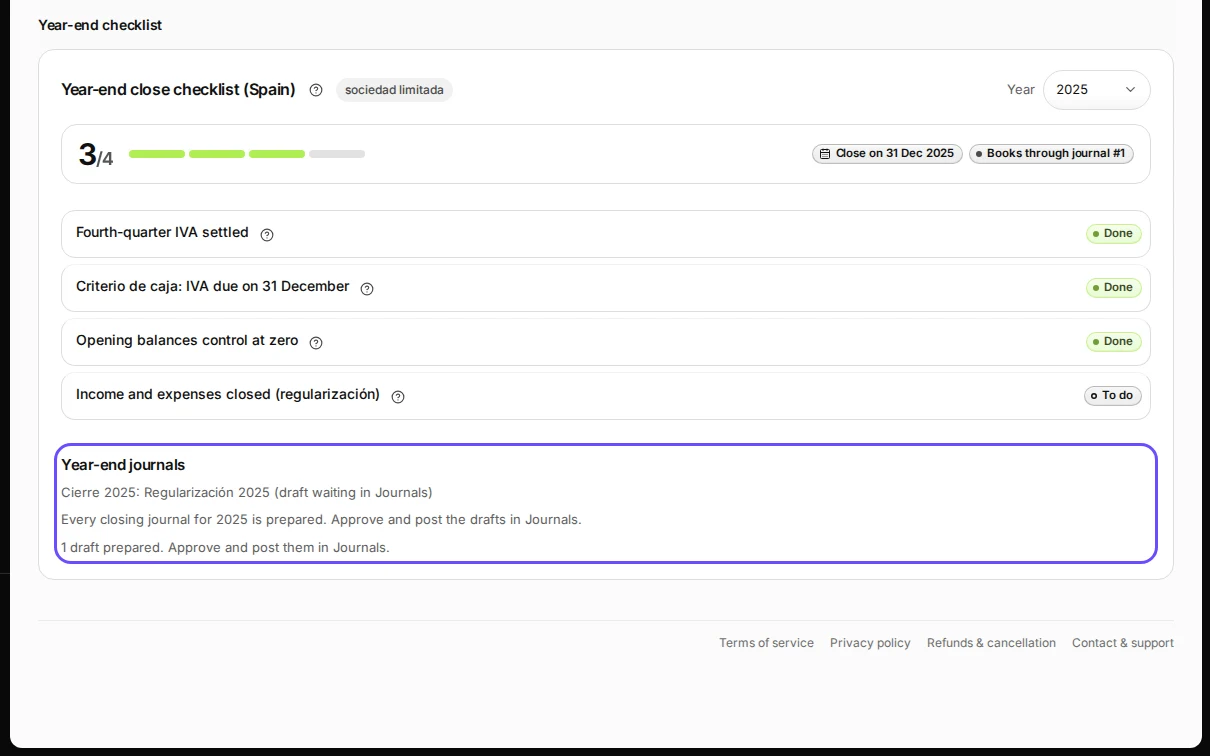
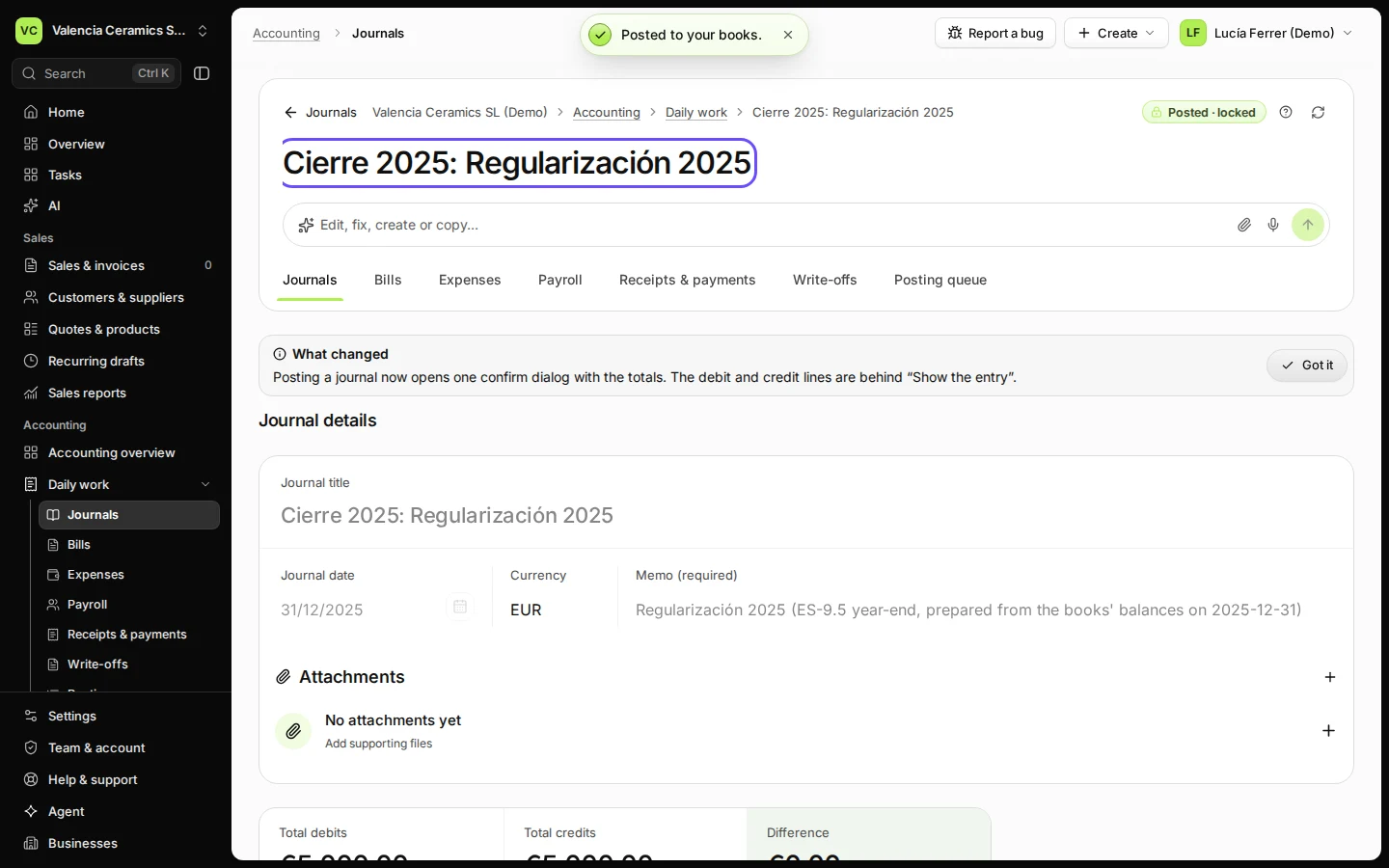
Step 4 in Deline (Spain business, fictional data) · See the whole screen Open the draft in Journals, press Check and post, then Post to your books.
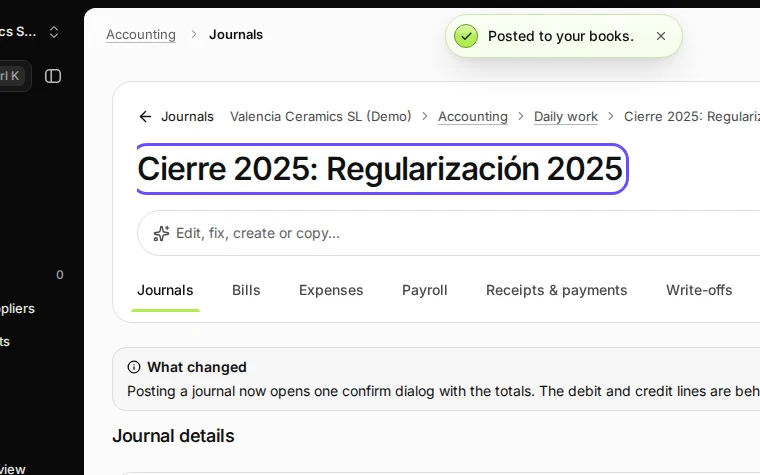
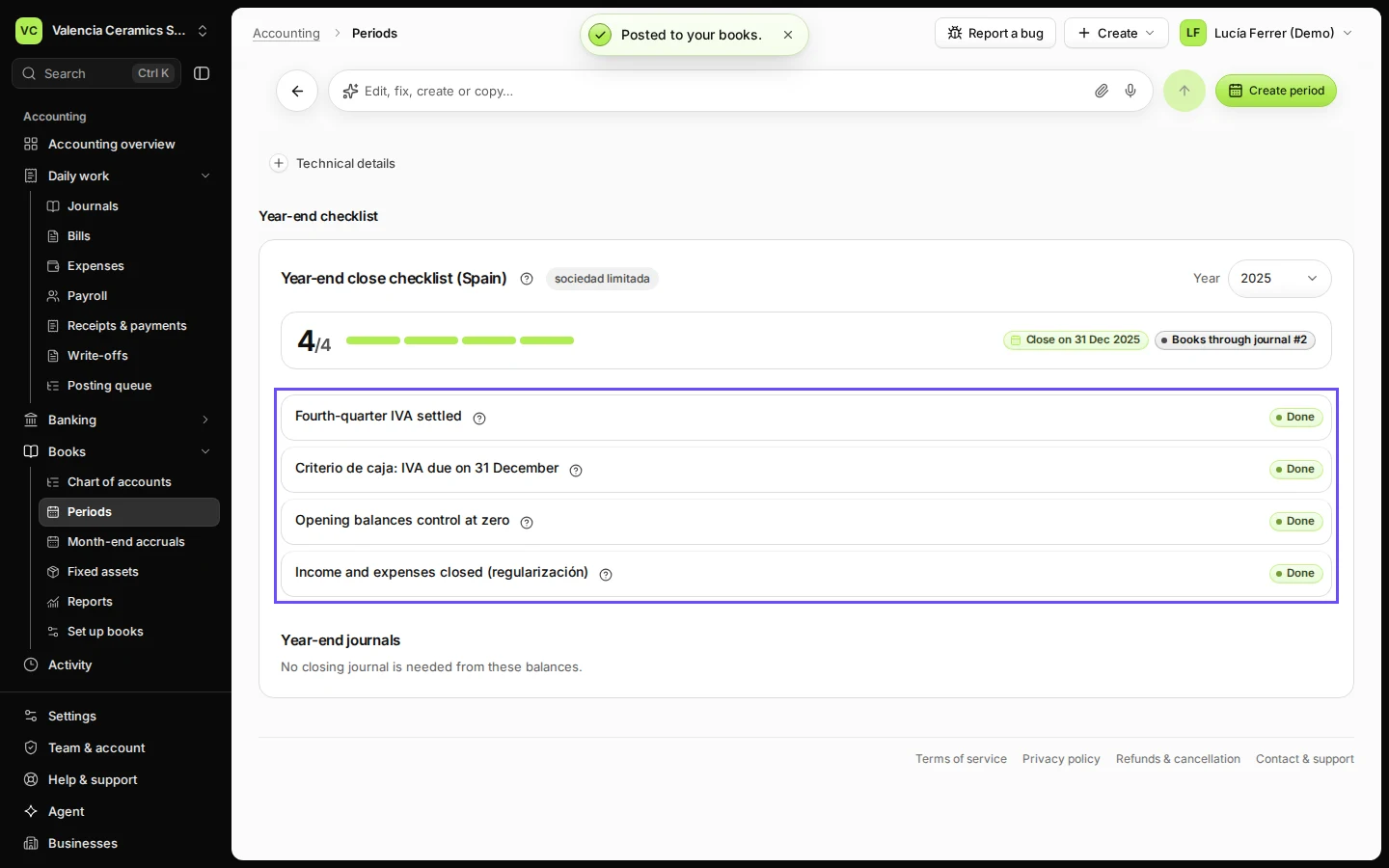
Step 5 in Deline (Spain business, fictional data) · See the whole screen Check that every step of the checklist shows Done.
Then lock the year's months (see Lock a month after you have checked it).
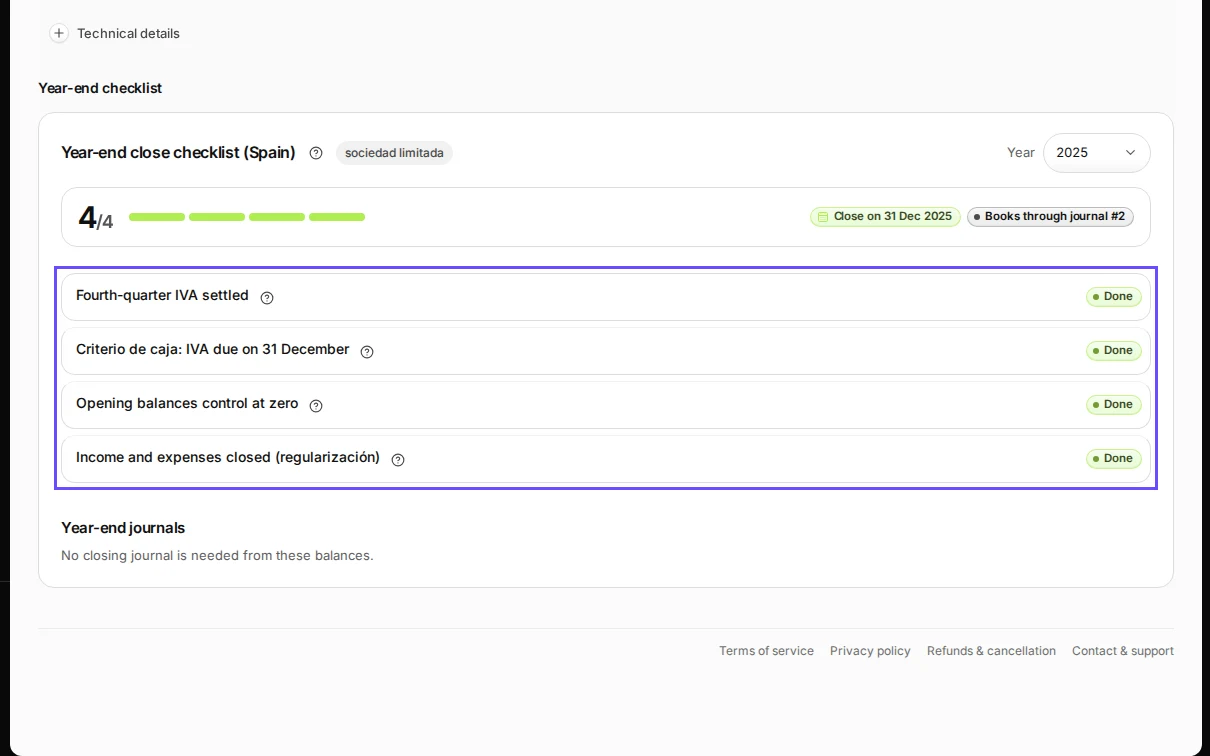
Step 6 in Deline (Spain business, fictional data) · See the whole screen
If something goes wrong
- "December is not open yet" when you post: press Create period for December, then Check and post again.
- A step stays To do: use its button; for IVA, prepare and settle the fourth-quarter Modelo 303 first.
- You posted a journal into the closed year afterwards: run the regularización again; preparing again returns only what is still needed.
Last checked 2026-11-07 by the guide runner on build c5fbd2fa6 (Deline 12a482996) (local Deline stack).