
Steps
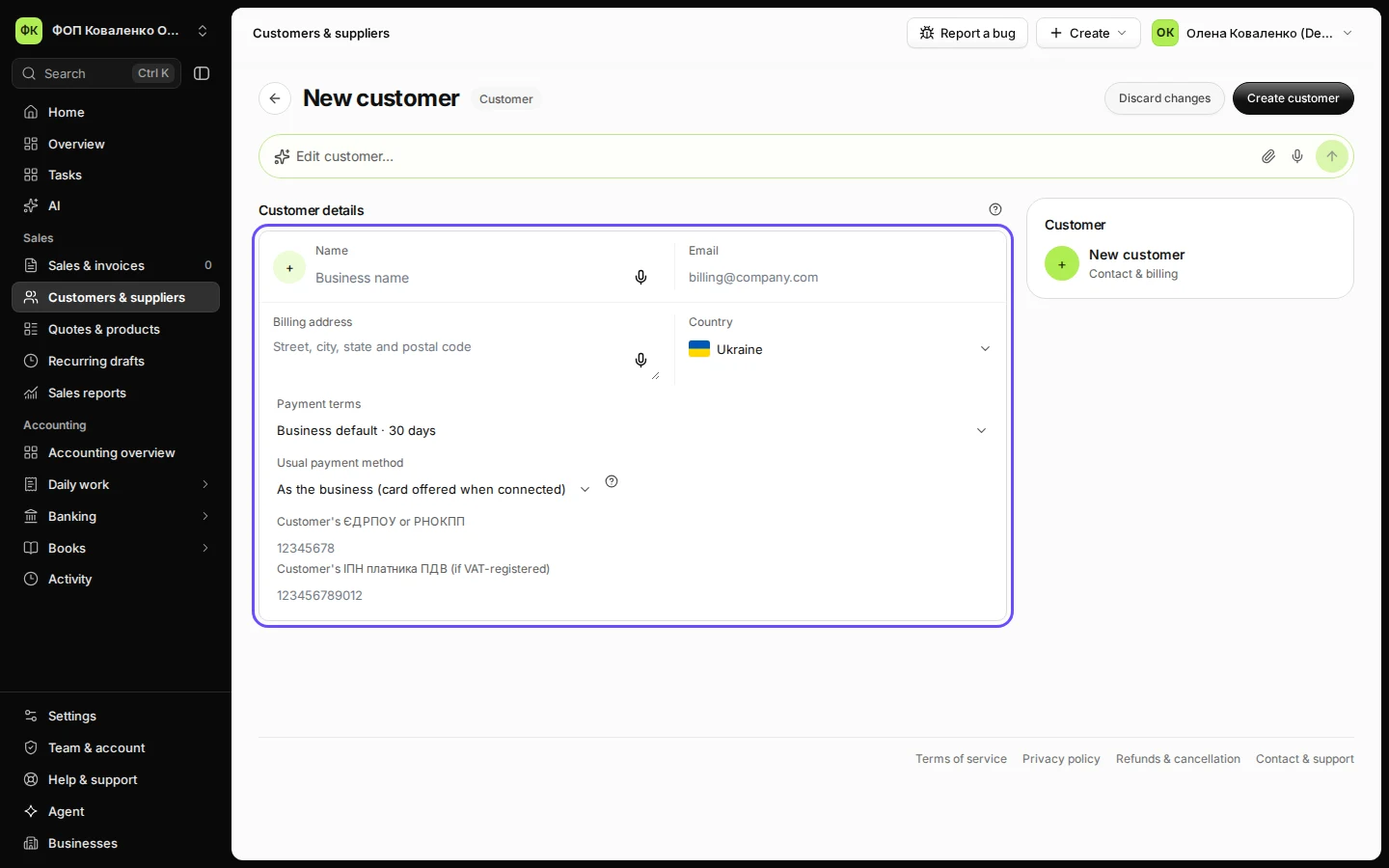
Open Customers & suppliers and press New customer.
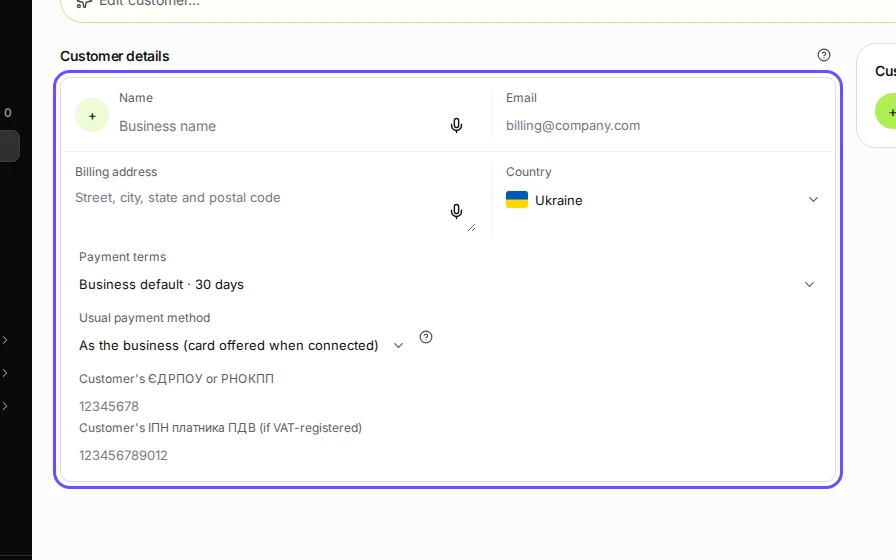
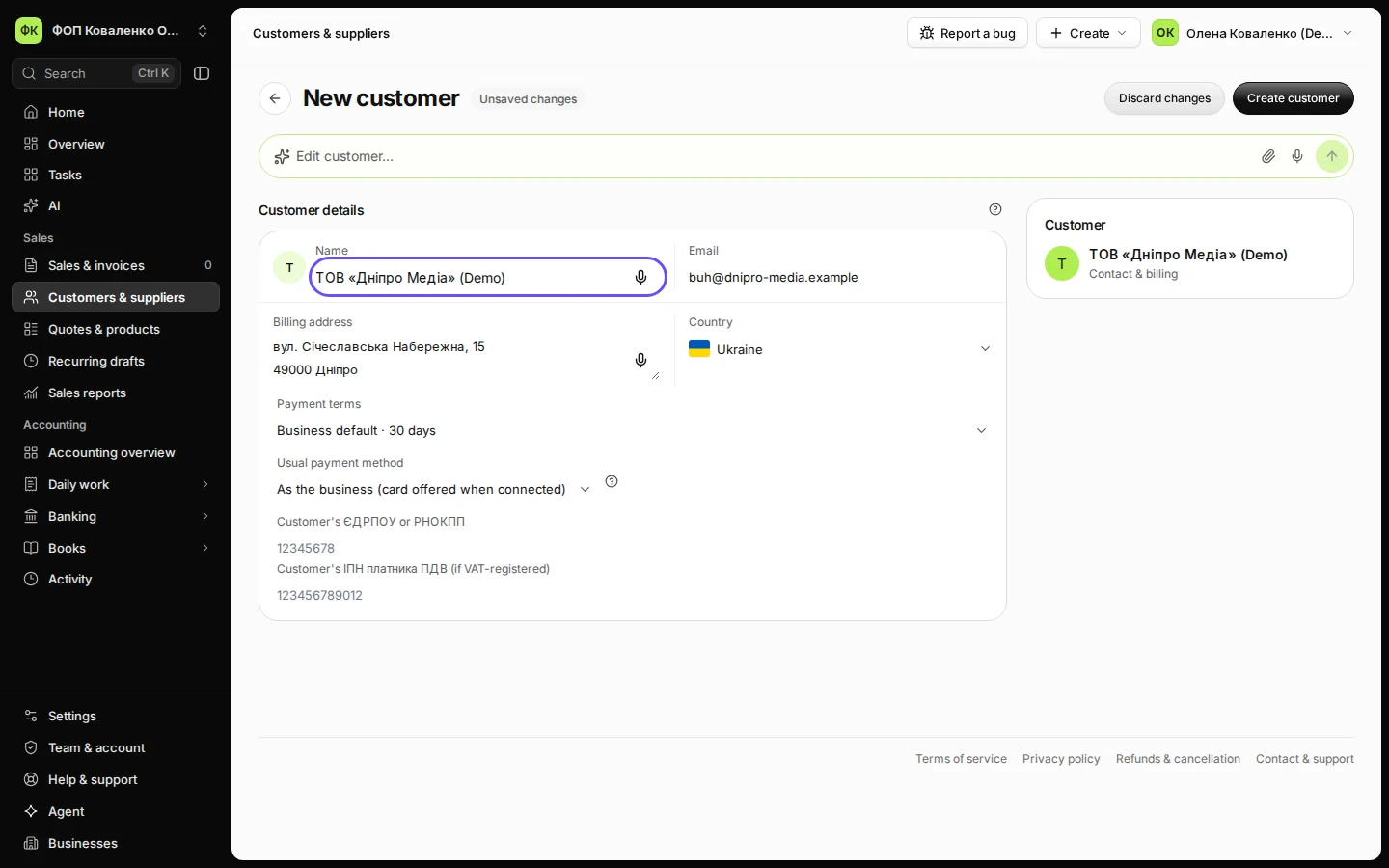
Step 1 in Deline (Ukraine business, fictional data) · See the whole screen Enter the name, email and billing address.
The email is where Deline sends their invoices and reminders. The country is already Ukraine.
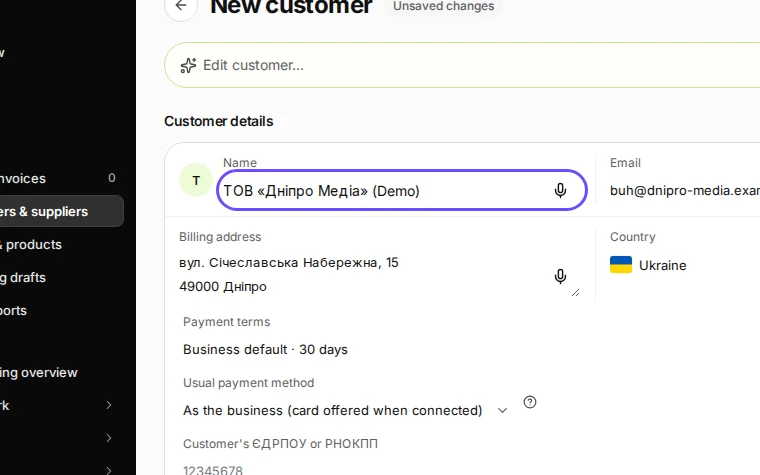
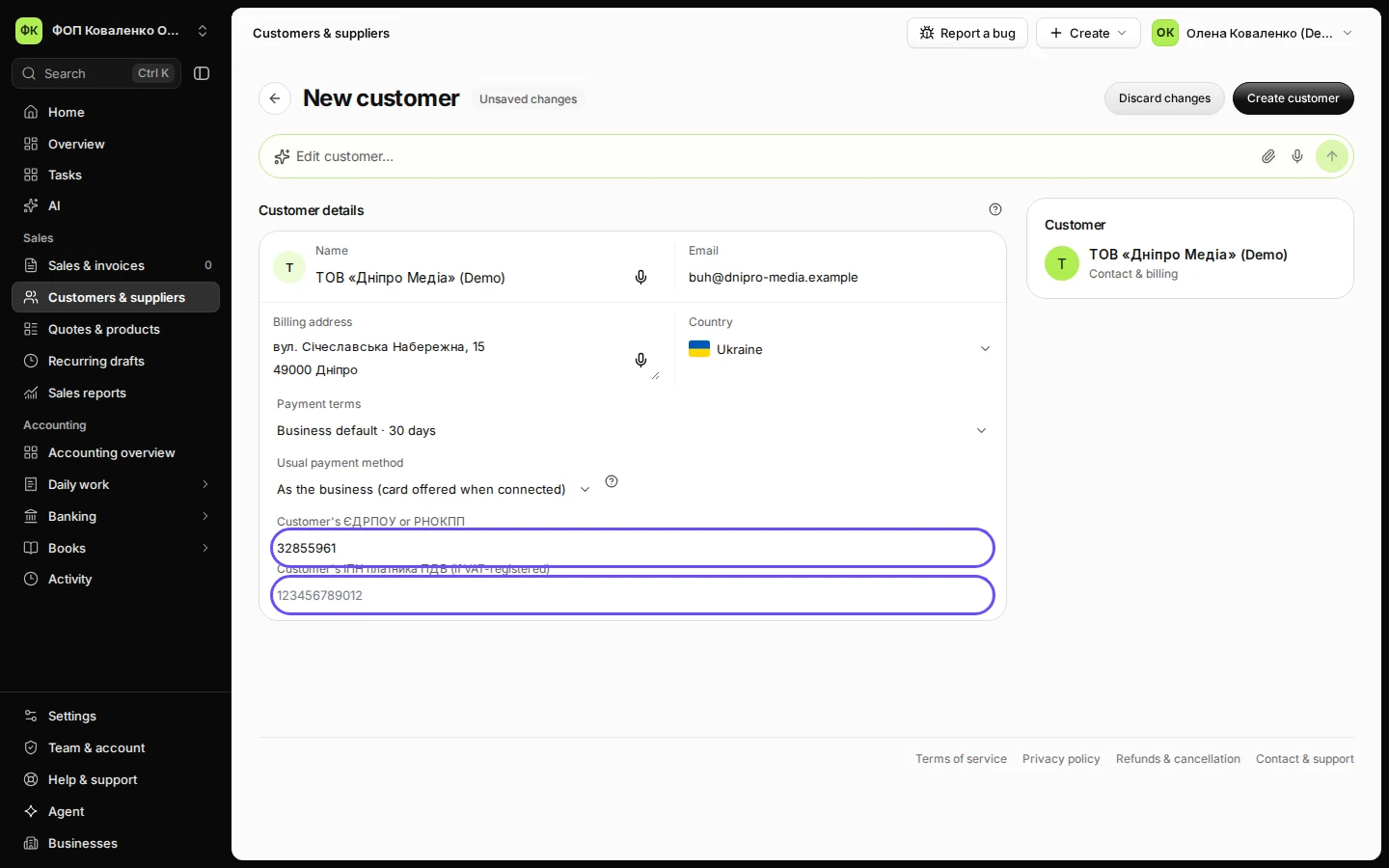
Step 2 in Deline (Ukraine business, fictional data) · See the whole screen Enter the customer's ЄДРПОУ or РНОКПП, and their ІПН if they pay ПДВ.
A company has an 8-digit ЄДРПОУ, a ФОП a 10-digit РНОКПП. Leave Customer's ІПН платника ПДВ (if VAT-registered) empty for a customer that is not a ПДВ payer.
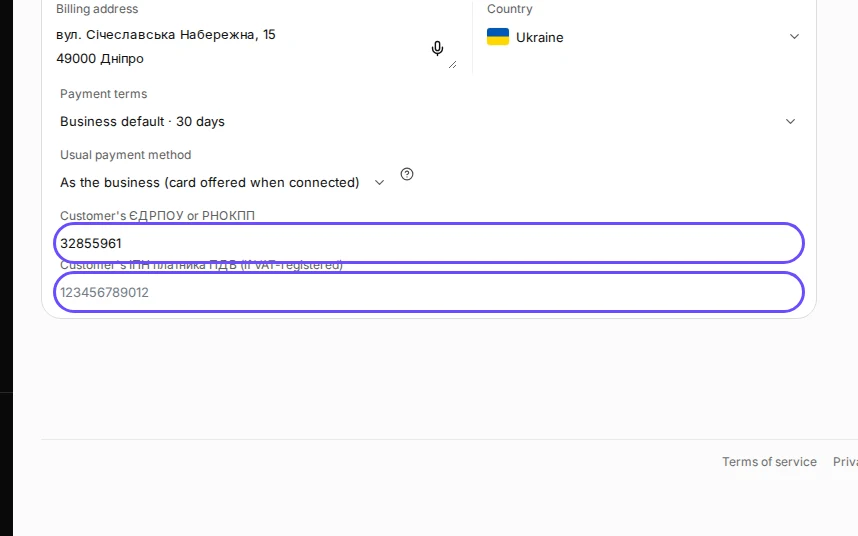
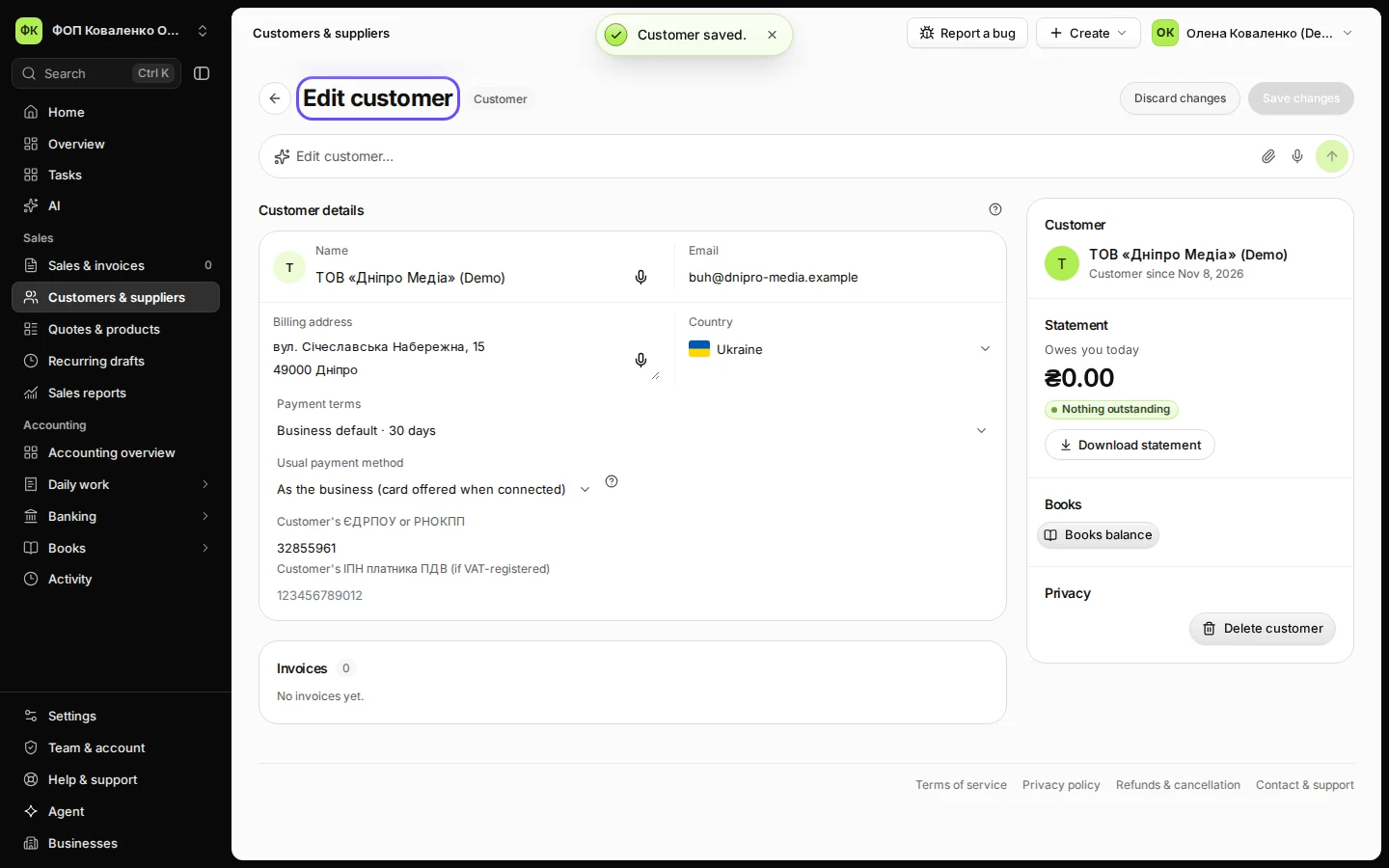
Step 3 in Deline (Ukraine business, fictional data) · See the whole screen Press Create customer.
The customer is saved and opens in Edit customer. Choose them in Bill to on your next invoice.
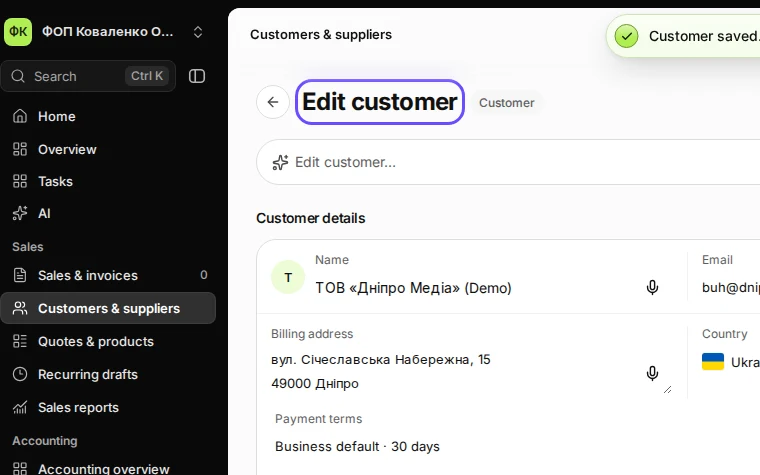
Step 4 in Deline (Ukraine business, fictional data) · See the whole screen


If something goes wrong
- "Enter 8 digits (ЄДРПОУ) or 10 digits (РНОКПП).": check the number on the customer's registration extract or contract.
- The customer is abroad: change Country; the field becomes Tax ID in their country.
Last checked 2026-11-08 by the guide runner on build eba146497 (Deline cf723fe1f) (local Deline stack, desktop and phone).