
The rule is simple: a EUR invoice is settled in euros. You record the euros that reached your account, not the dollar amount, and keep the dollar amount and rate as the reference.
Before you start
- The invoice is issued in EUR and is not fully paid.
- You have the bank's credit advice or statement line: the euro amount that arrived, the date, and the original currency amount.
- You are the owner or an editor of the business.
Steps
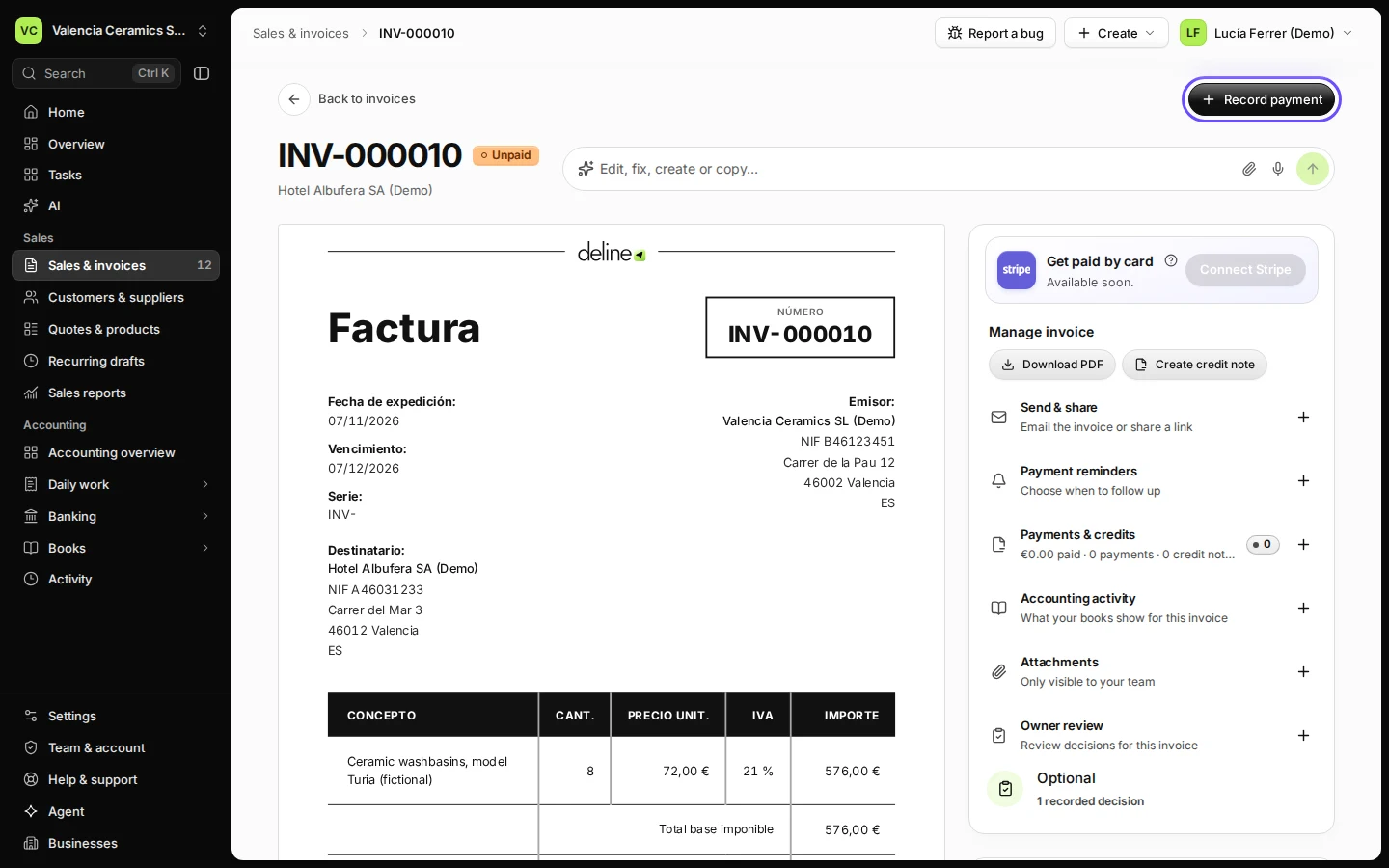
Open the invoice from Sales & invoices.
Use the Unpaid filter to find it quickly, then click the invoice.
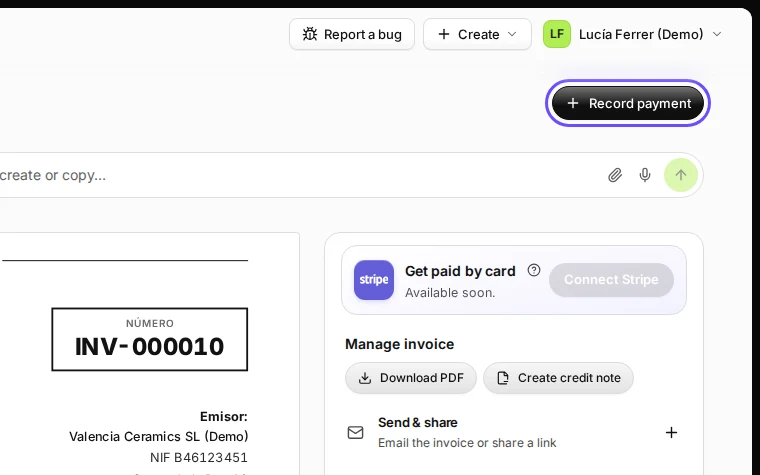
Step 1 in Deline (Spain business, fictional data) · See the whole screen Press Record payment.
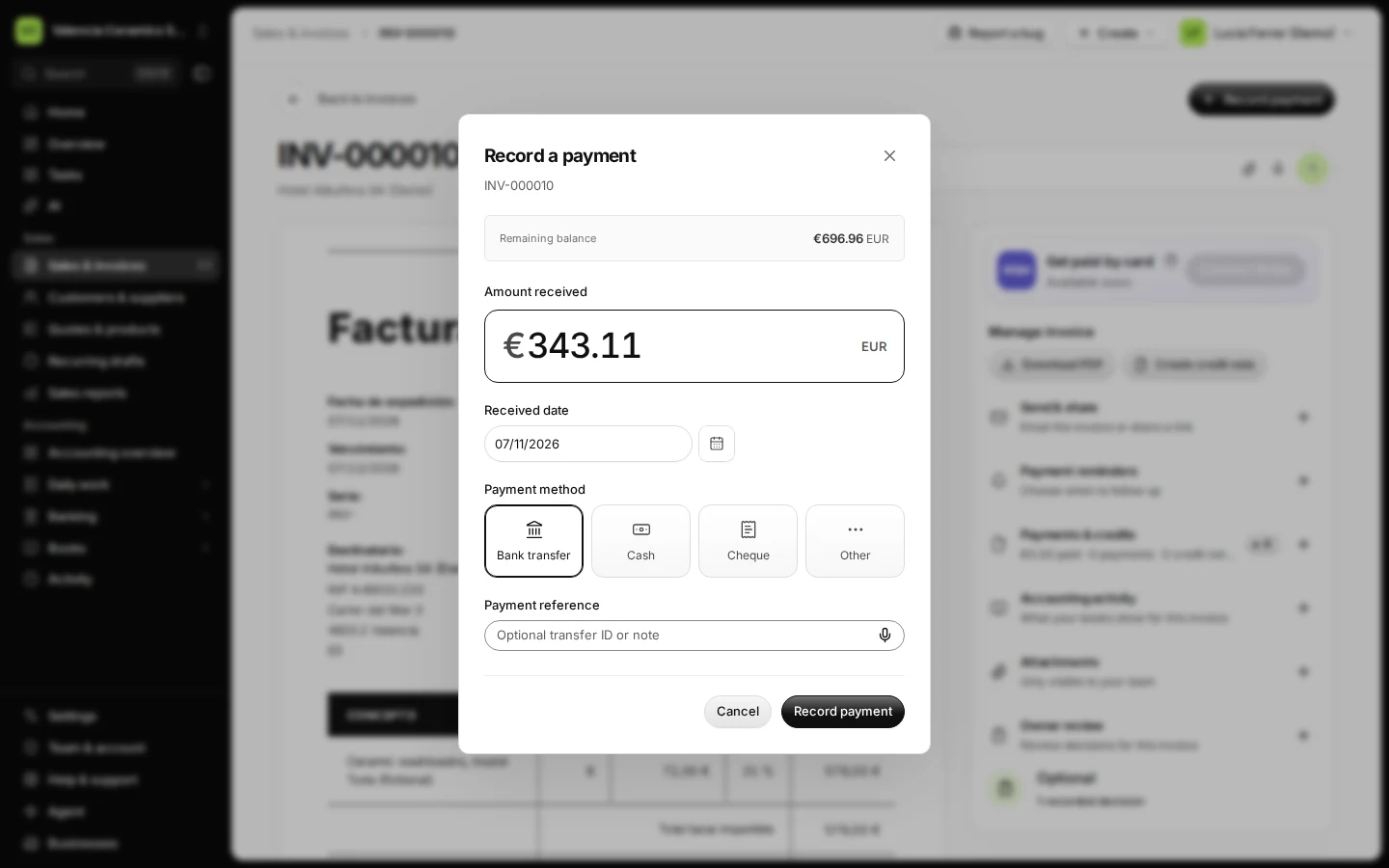
The window shows the remaining balance in euros.
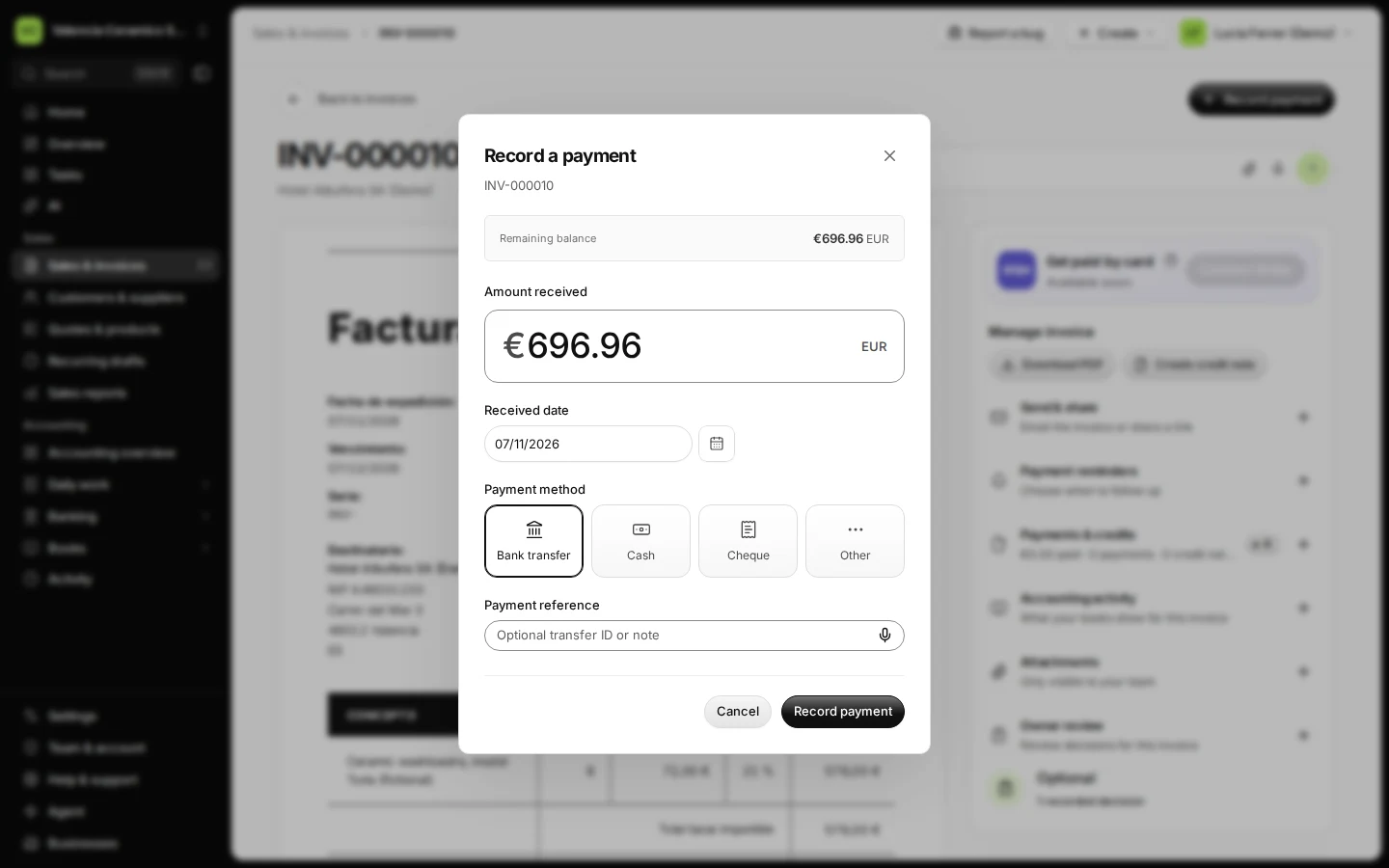
Step 2 in Deline (Spain business, fictional data) Enter the euros that arrived, not the foreign amount.
Example: the customer sent USD 400.00 and your bank credited €343.11. Type 343.11. The invoice keeps the rest open.
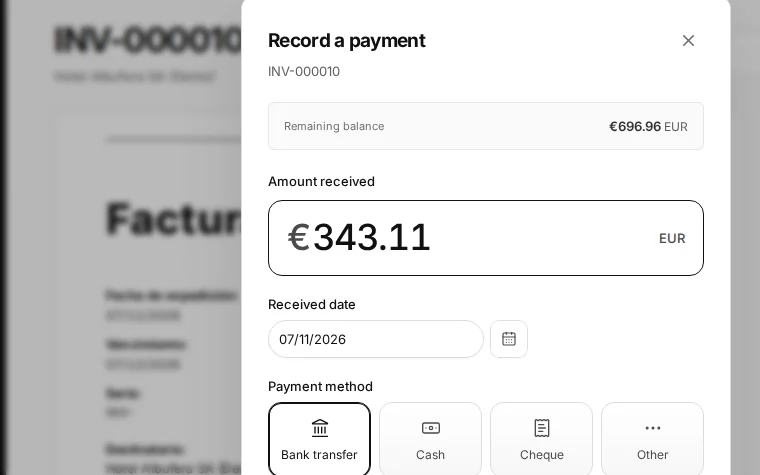
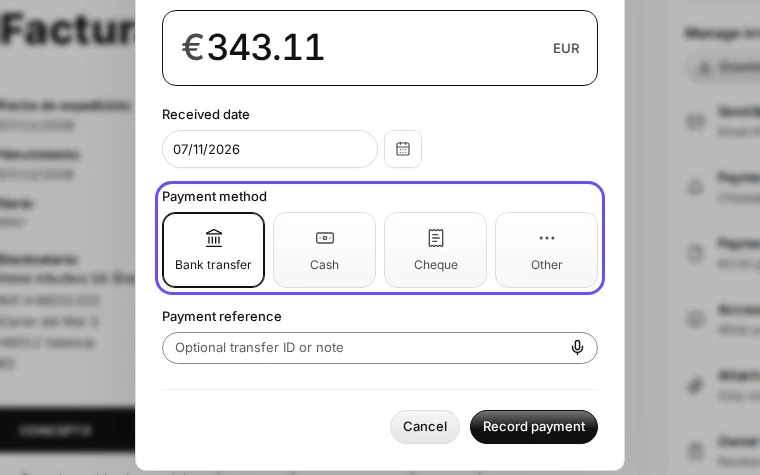
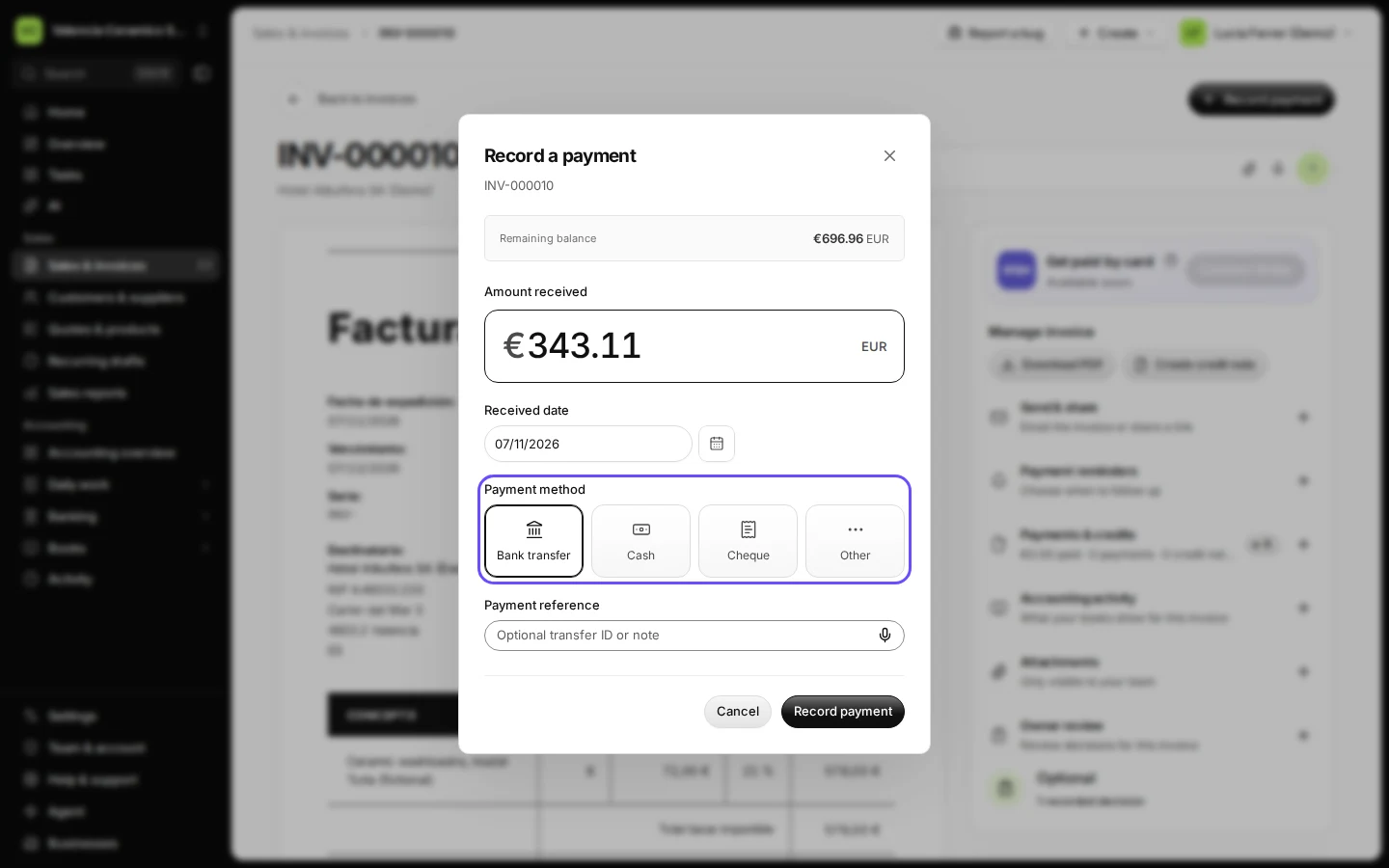
Step 3 in Deline (Spain business, fictional data) · See the whole screen Set the date the money arrived and the payment method.
Use the date on your bank statement. For a transfer, choose Bank transfer.
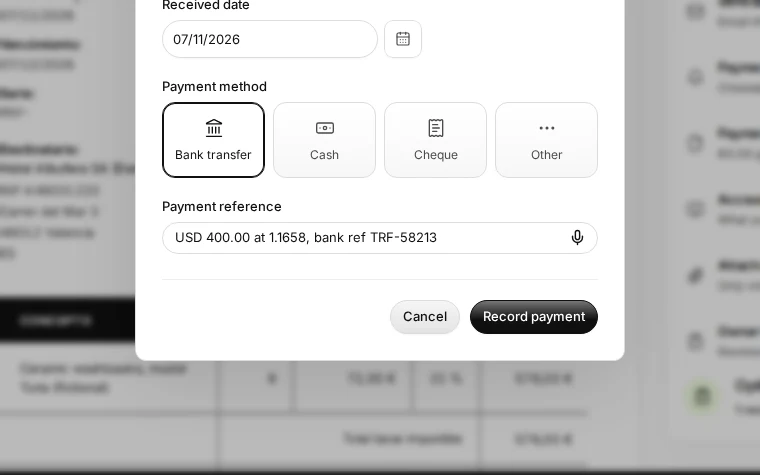
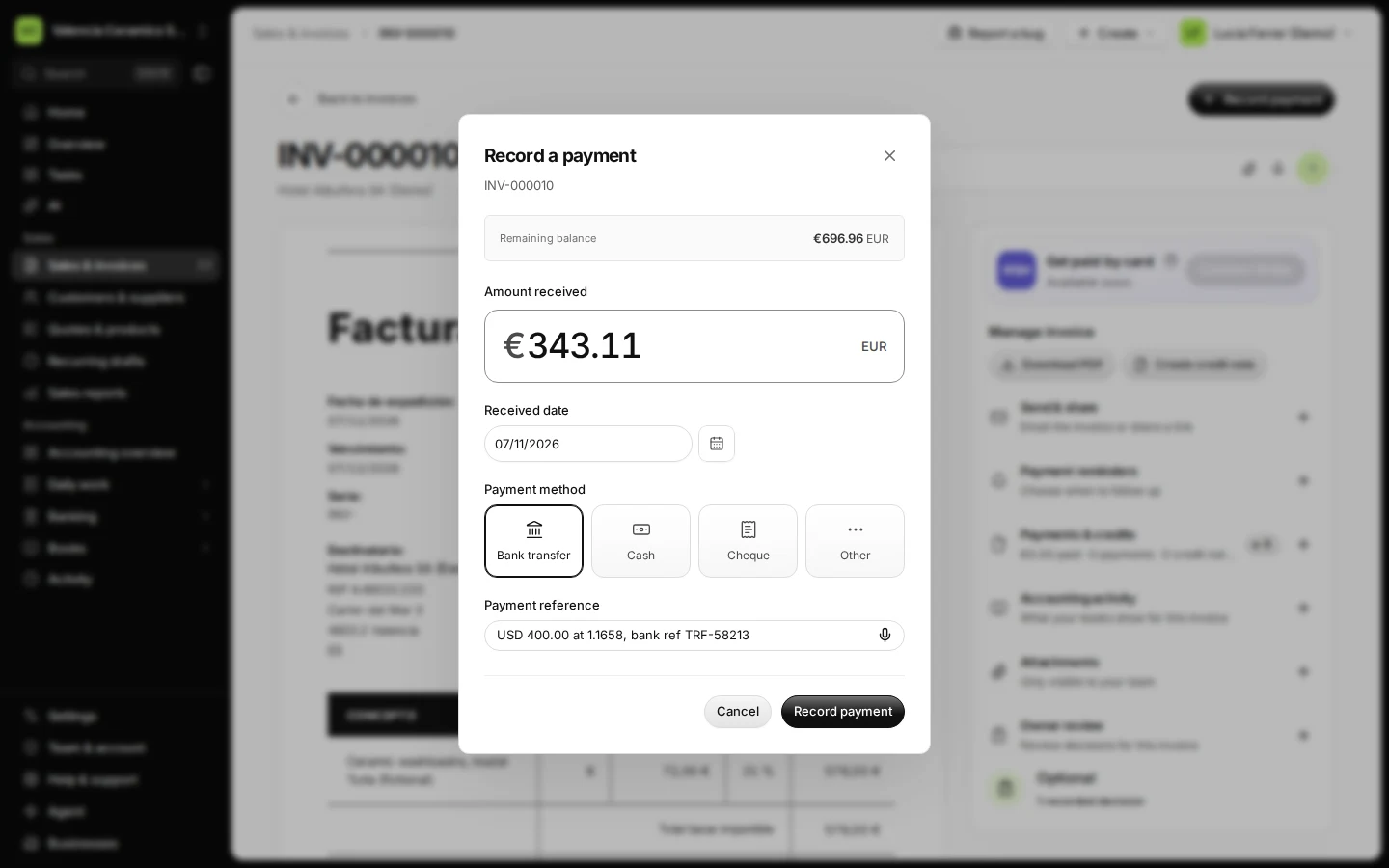
Step 4 in Deline (Spain business, fictional data) · See the whole screen Write the foreign amount and rate in Payment reference.
For example: "USD 400.00 at 1.1658, bank ref TRF-58213". You, your accountant and the AI assistant will see it in the payment history.
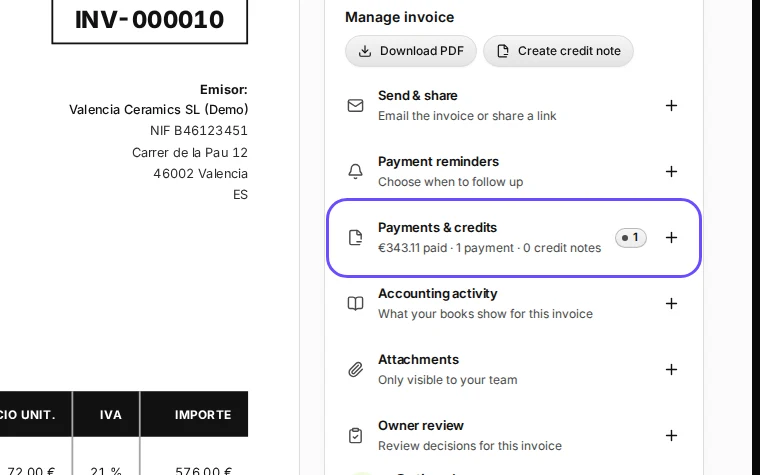
Step 5 in Deline (Spain business, fictional data) · See the whole screen Press Record payment and check the remaining balance.
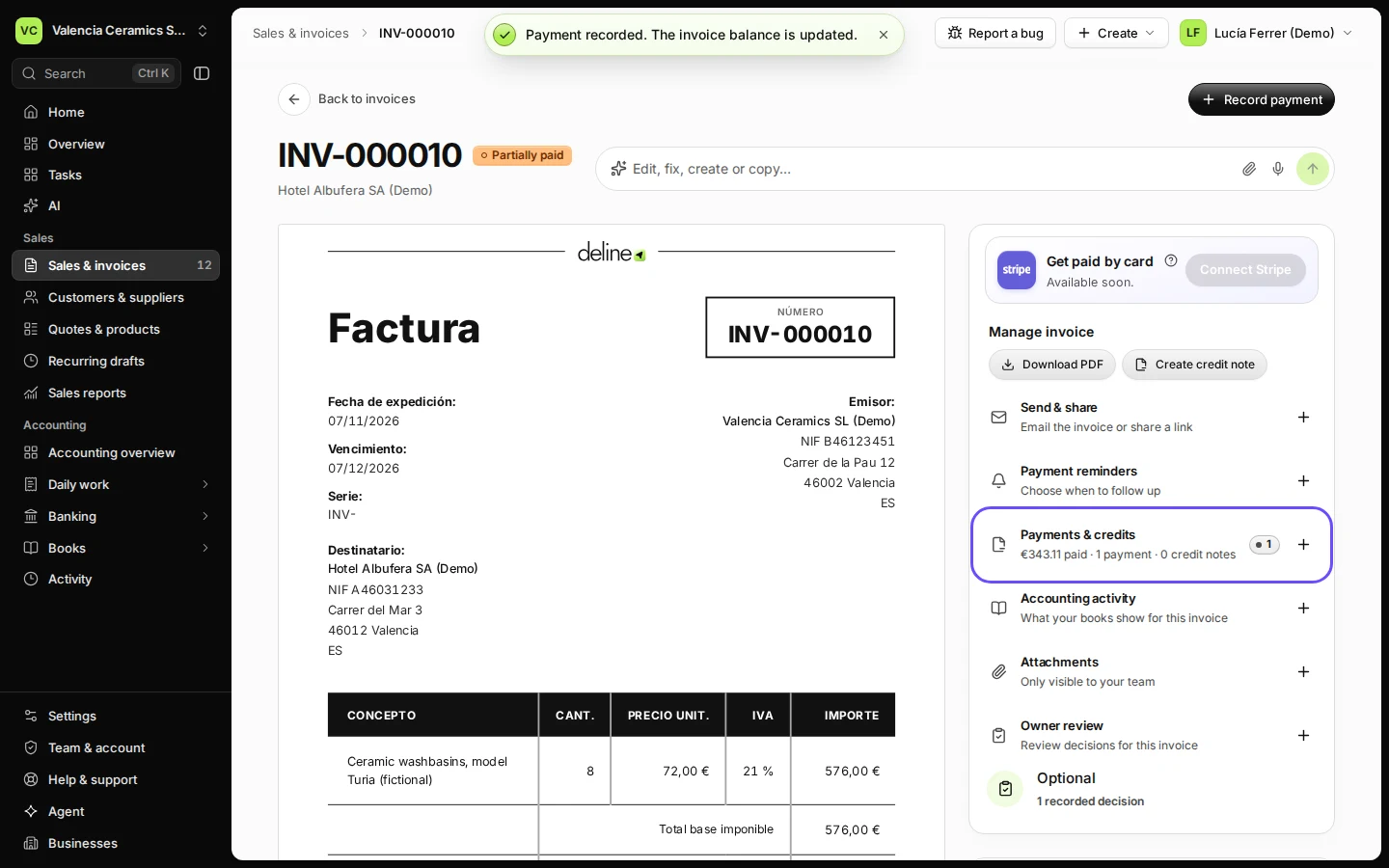
The invoice now says Partially paid, and Payments & credits shows what was paid and what is still due.
Step 6 in Deline (Spain business, fictional data) · See the whole screen


If something goes wrong
- More euros arrived than the balance: record only the balance. Deline refuses a payment above what is still owed ("The payment exceeds the outstanding balance"); settle the extra with your customer.
- The customer will not pay the rest (for example, bank charges took it): send a reminder, or issue a credit note for the difference so the invoice closes.
- You typed the dollar amount by mistake: open Payments & credits on the invoice, press Void on that payment, give a short reason, and record it again with the euro amount. The voided line stays in the history. If your books have already recorded the payment, correct it in your books instead.
The rule behind it
Deline records a payment in the invoice's currency only (another currency is refused with "Record the payment in the invoice currency"), so the open balance is always exact. A payment dated before the invoice or after today is refused too. The bank's conversion is a fact of your bank account, not of the invoice. Your books post the euros received against the euro receivable, and the foreign amount stays as evidence in the reference.
Where this rule lives and the tests that prove it
- Rule:
mvp-app/worker/store.ts recordPayment() - Test:
mvp-app/tests/schema.test.ts - Test:
mvp-app/tests/payment-voids.test.ts - Test:
mvp-app/tests/invoice-payment-preflight.test.ts
Last checked 2026-11-07 by the guide runner on build c5fbd2fa6 (Deline 12a482996) (local Deline stack, desktop and phone).