
Before you start
- The invoice is in your books, has an amount still owed and is past its due date. Otherwise Deline shows Not overdue yet or Nothing left to pay instead of Write off.
- You keep proof that you tried to collect, such as reminders or a demand letter.
Steps
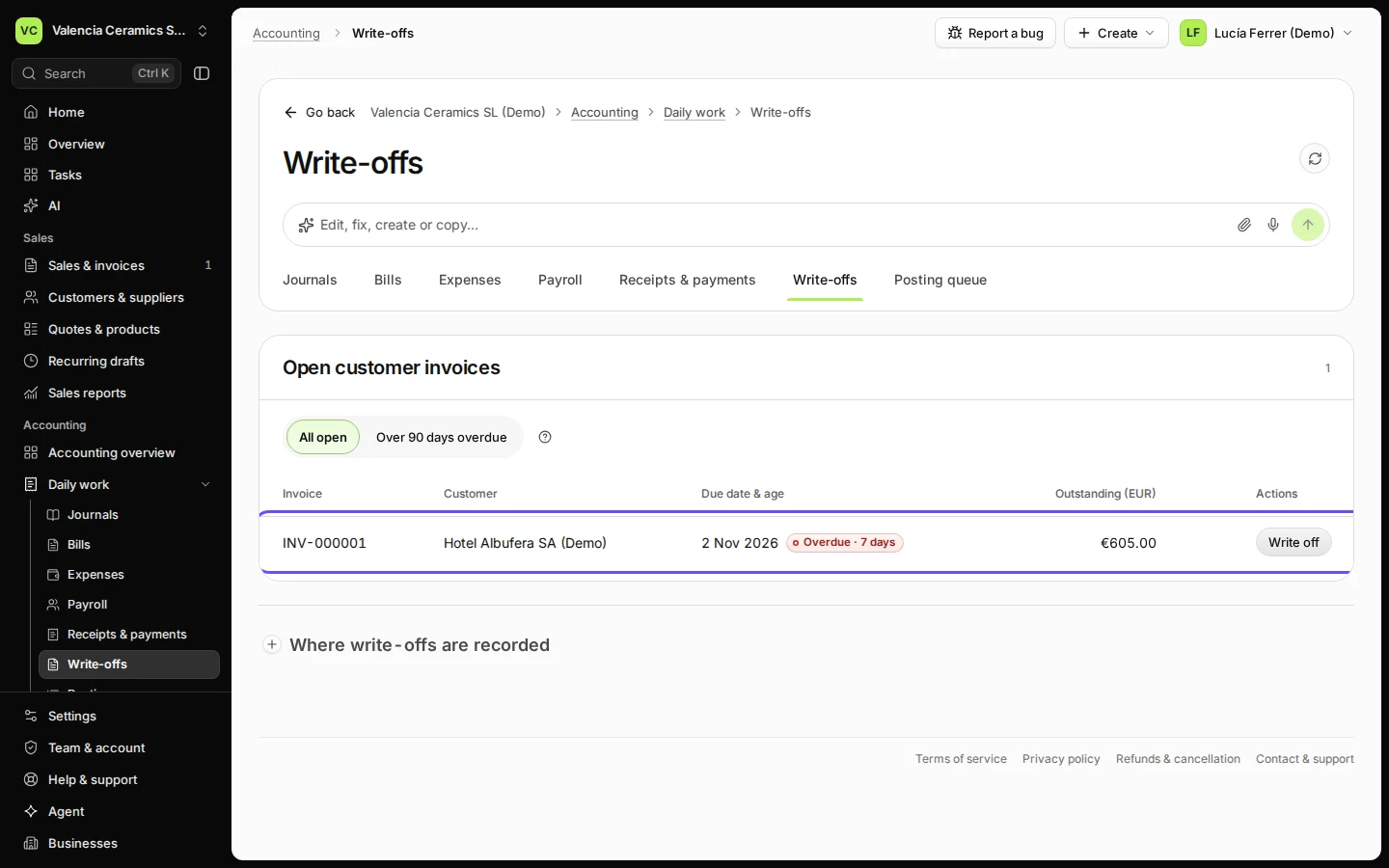
Open Write-offs from Daily work and choose All open.
The list starts with Over 90 days overdue. All open shows every invoice with an amount still owed.
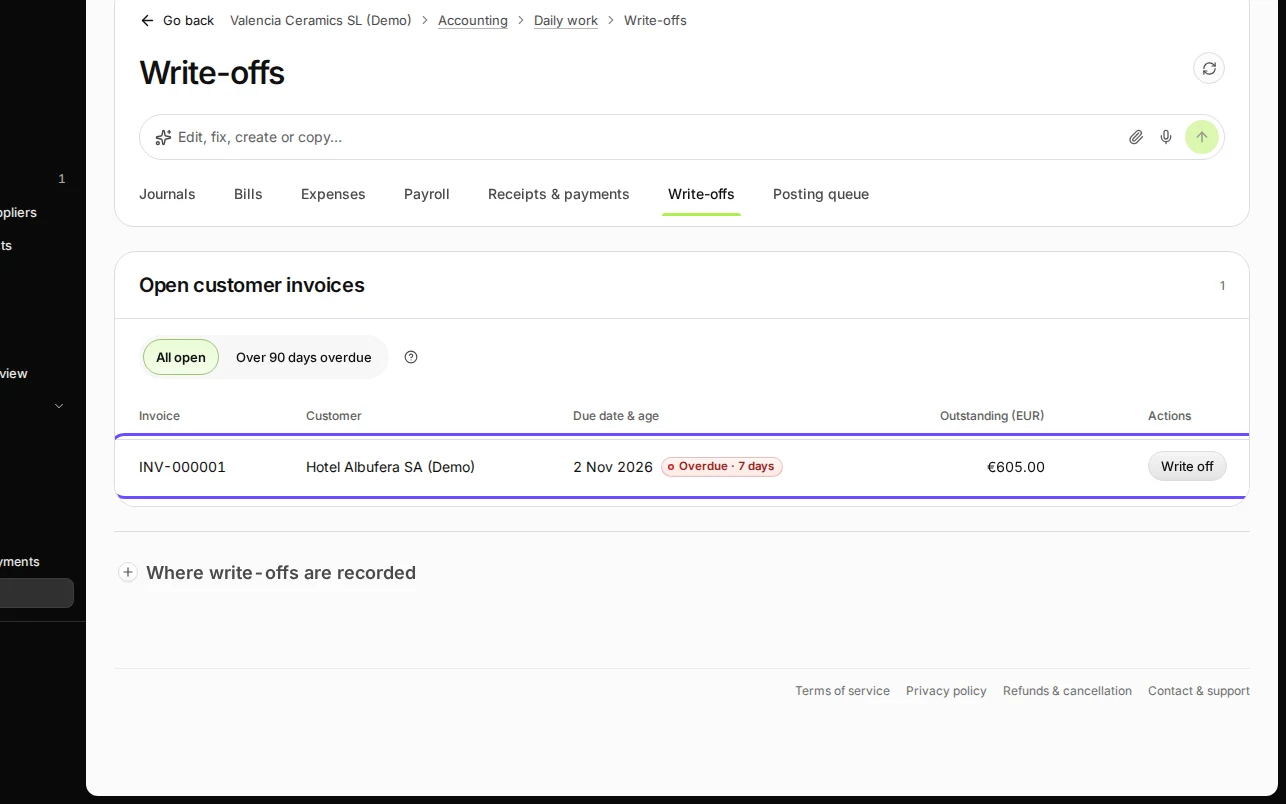
Step 1 in Deline (Spain business, fictional data) · See the whole screen Next to the overdue invoice, press Write off.
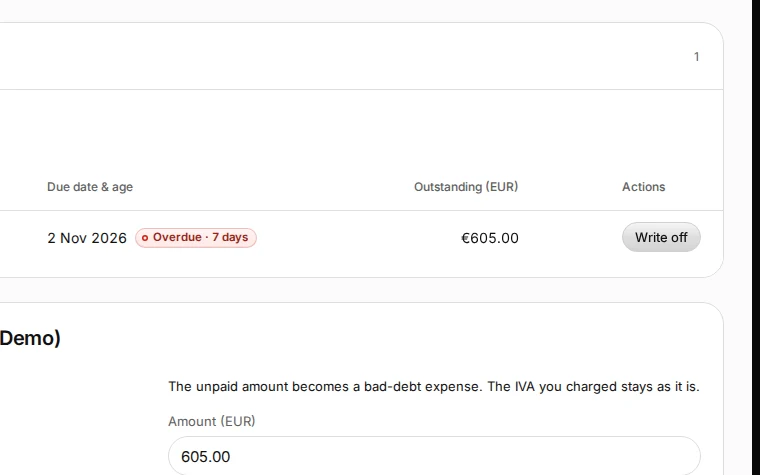
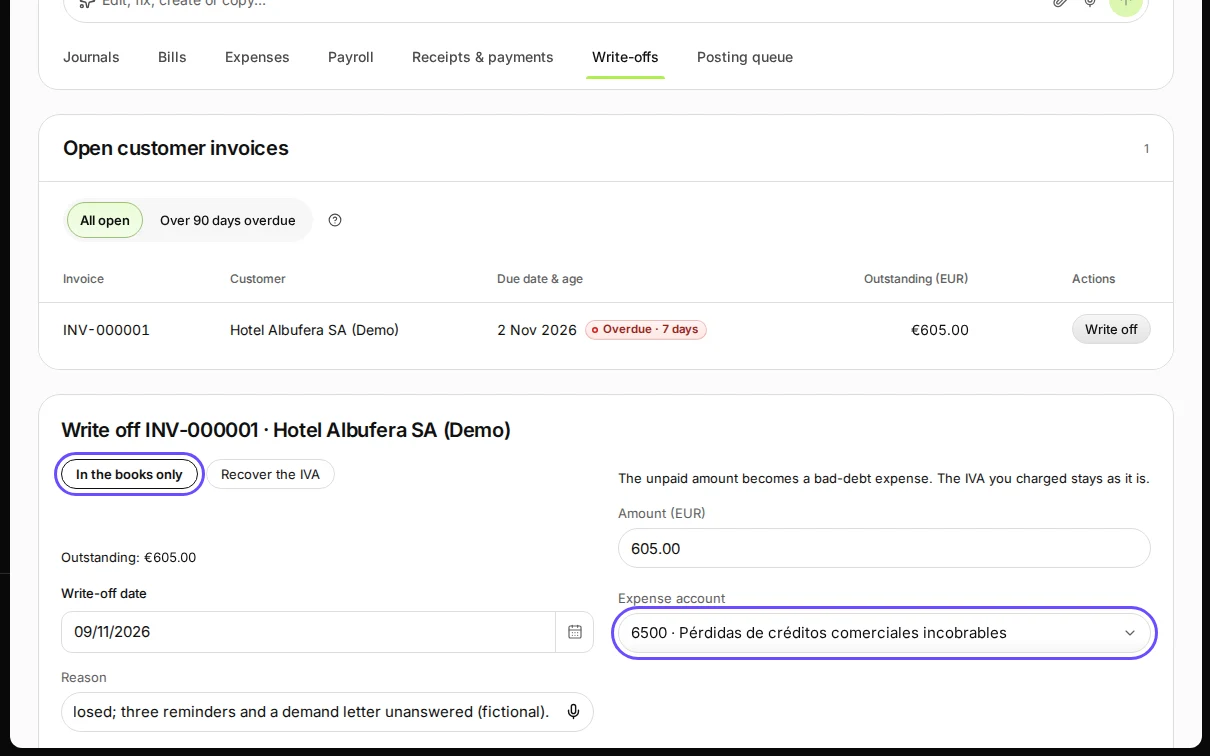
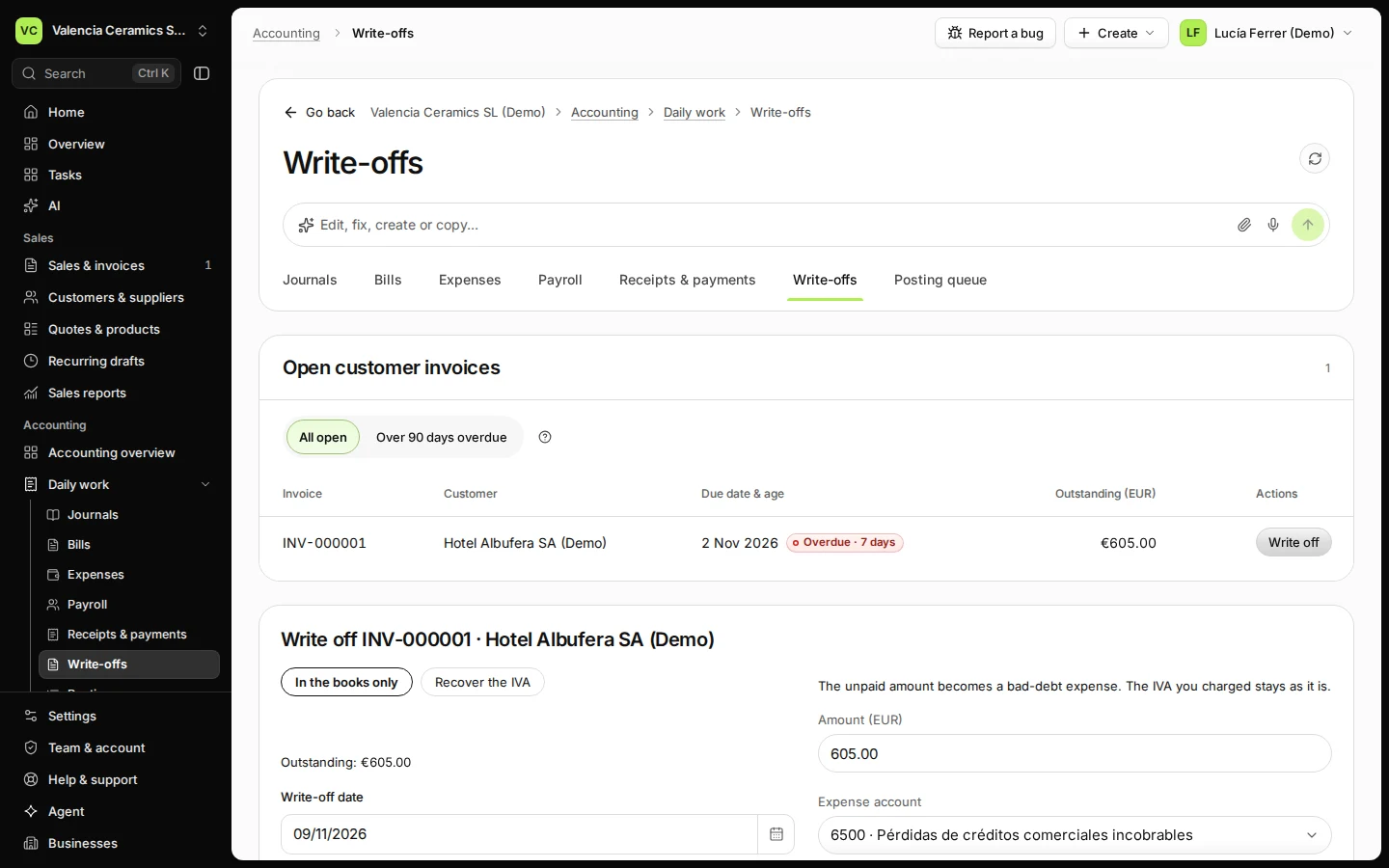
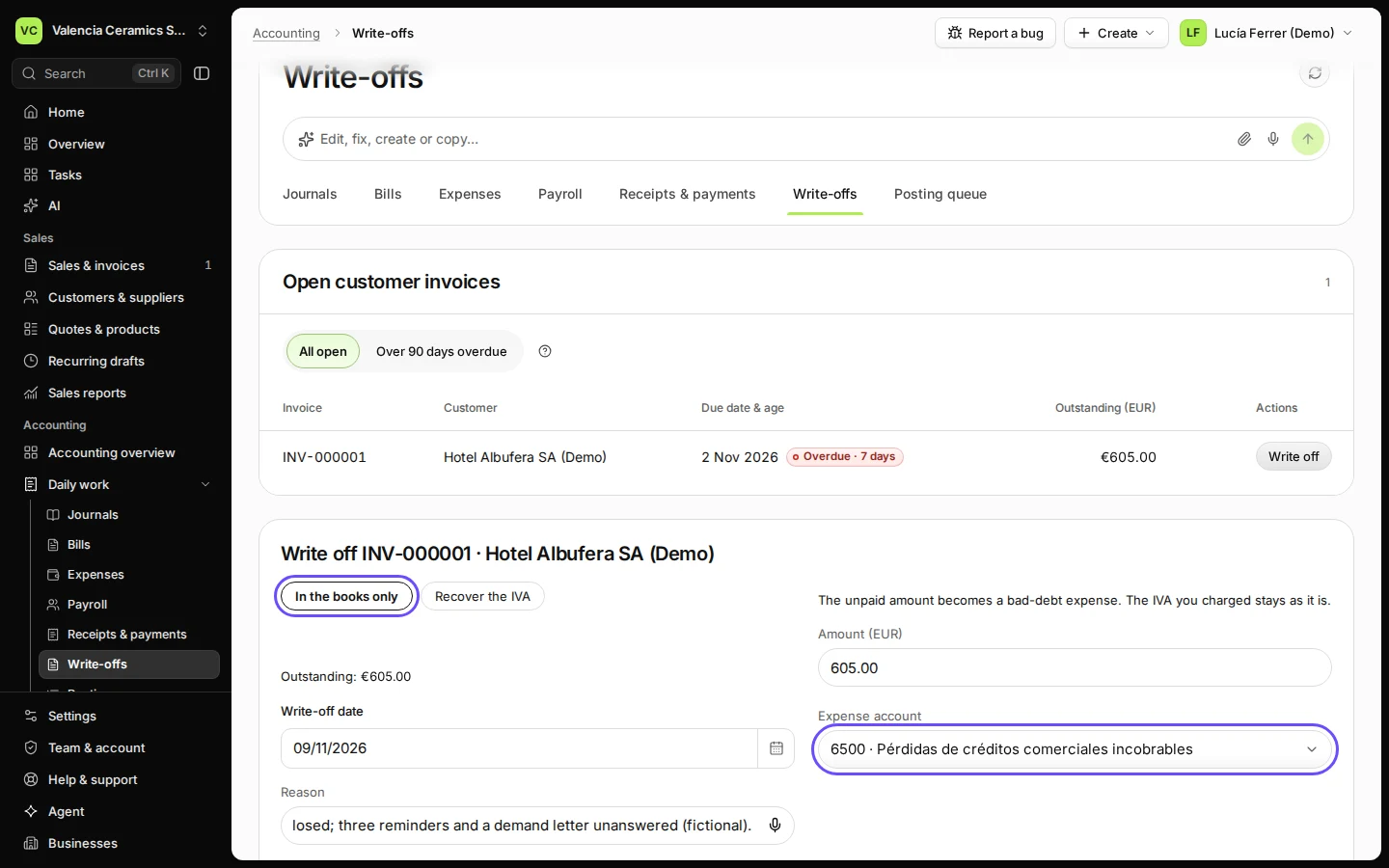
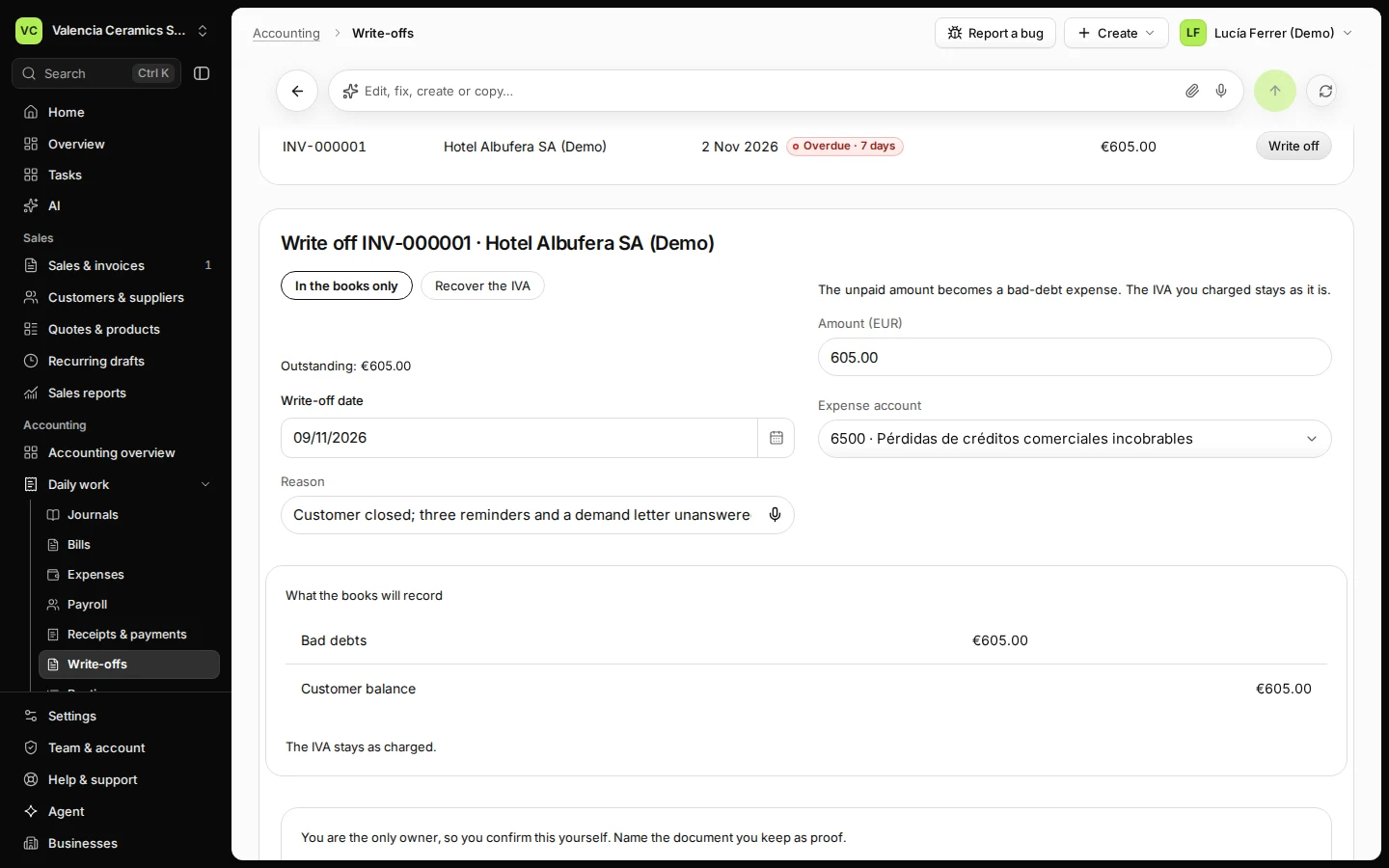
Step 2 in Deline (Spain business, fictional data) · See the whole screen Keep In the books only, check the amount and the date, choose the account and write the reason.
In the books only: "The unpaid amount becomes a bad-debt expense. The IVA you charged stays as it is." The amount is the whole amount still owed unless you write off less. The account is the bad-debt account (in Spain 6500 Pérdidas de créditos comerciales incobrables).
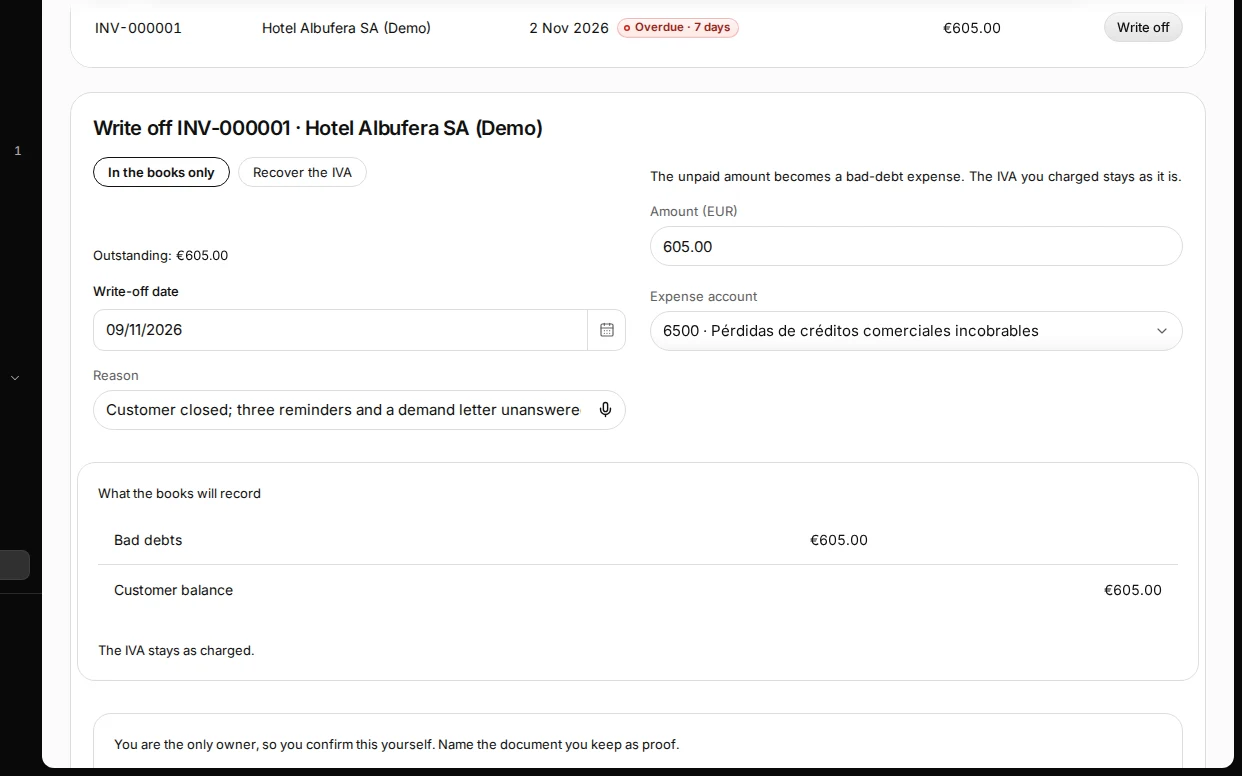
Step 3 in Deline (Spain business, fictional data) · See the whole screen Press Check, look at what the books will record, then press Write off.
What the books will record: Bad debts on one side, Customer balance on the other.
Step 4 in Deline (Spain business, fictional data) · See the whole screen Name the proof you keep under Collection evidence and press Confirm write-off.
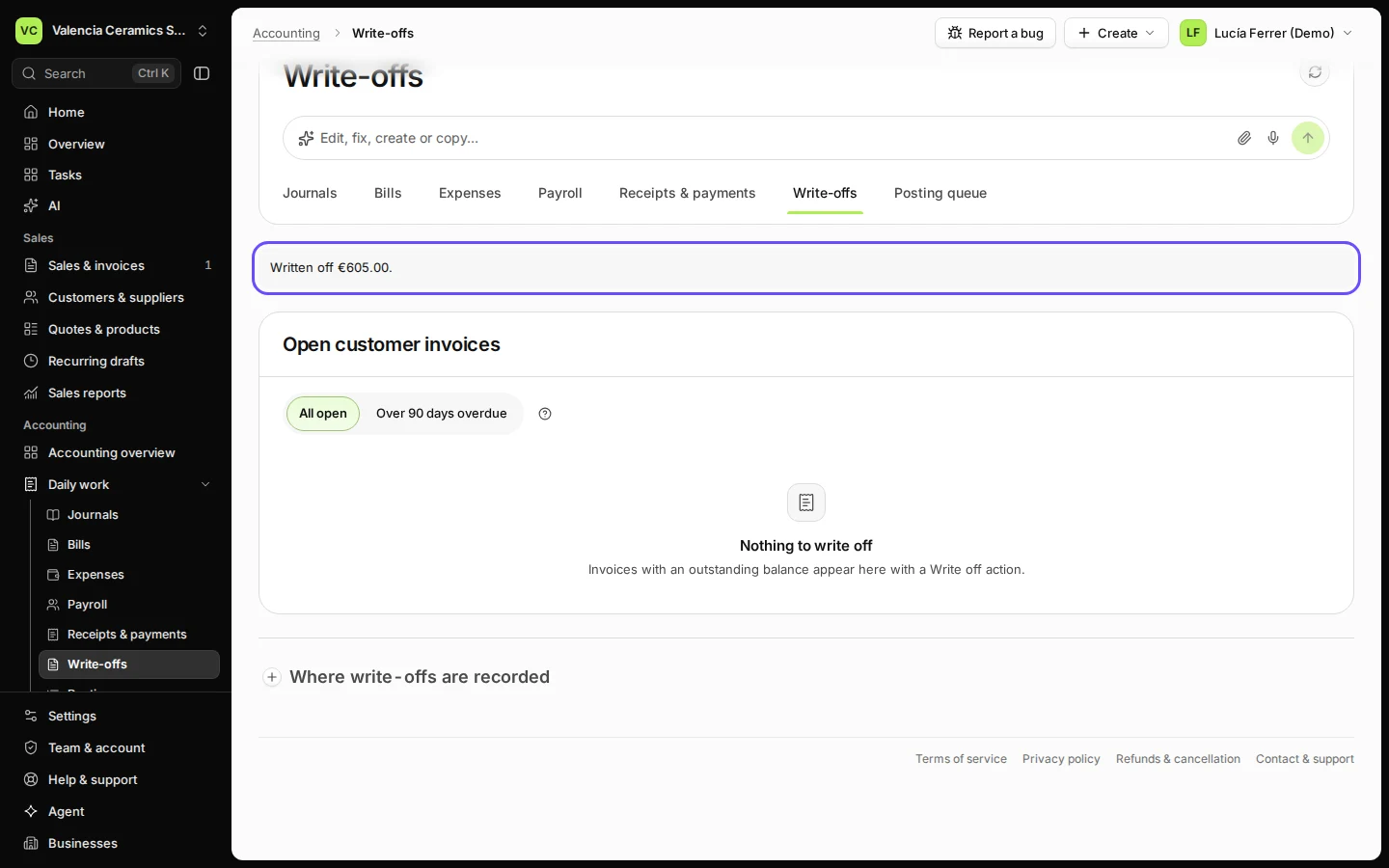
"You are the only owner, so you confirm this yourself. Name the document you keep as proof." Deline says Written off with the amount. When the business has a second owner or an accountant, the write-off waits for them instead: "Ready for approval by a second owner or accountant." They press Approve under Spanish invoices waiting for approval.
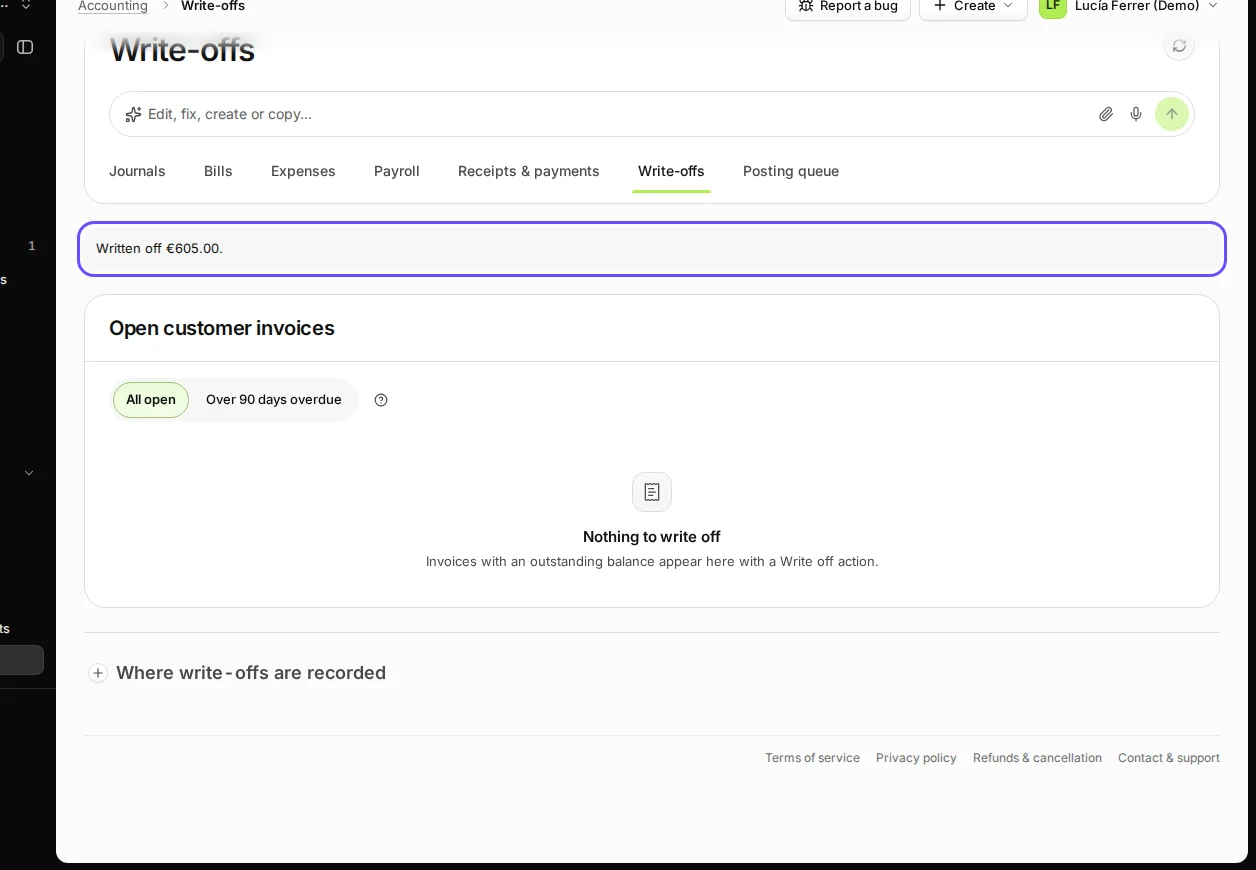
Step 5 in Deline (Spain business, fictional data) · See the whole screen
If something goes wrong
- "No matching entries in the loaded results.": the invoice is less than 90 days overdue. Choose All open.
- Not overdue yet: the due date has not passed. Write it off after the due date.
- "No account is marked for bad debts yet.": the owner marks one under Where write-offs are recorded.
- To recover the IVA instead (Recover the IVA), the legal conditions and a corrective invoice are needed; see How do I write off an invoice a customer will never pay?
Last checked 2026-11-09 by the guide runner on build 857993047 (Deline 05d39ca07) (local Deline stack).