
Before you start
- Your books are set up in EUR and the month's accounting period is open.
- Payroll is switched on for the business, and the employer and each employee are set up (contract, convenio, Social Security details). Otherwise Deline says "Payroll isn’t switched on for this business yet. Ask support to turn it on."
- You are the owner or an accountant of the business.
Steps
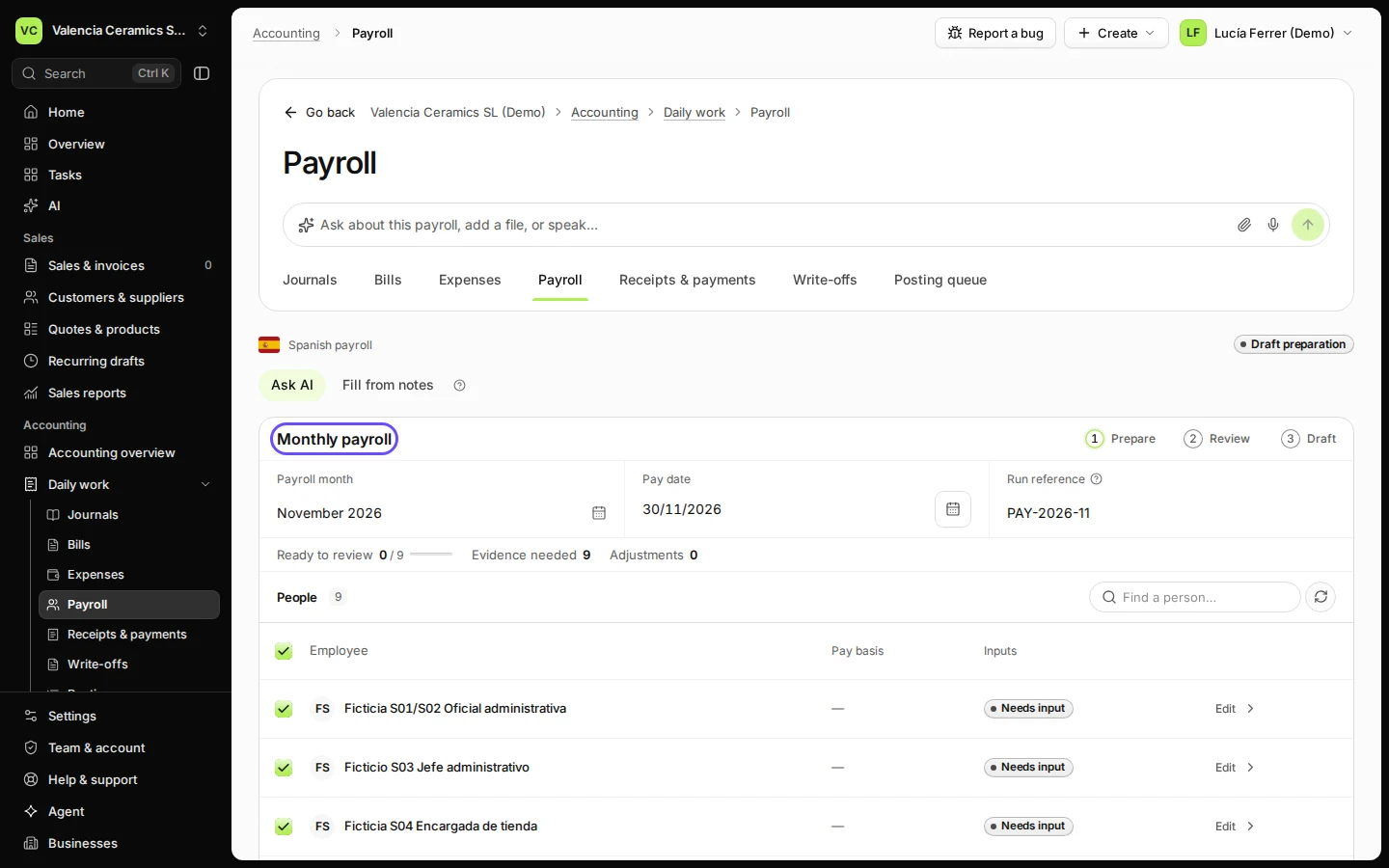
Open Payroll from Daily work in Accounting.
You see Monthly payroll with the people set up for payroll.
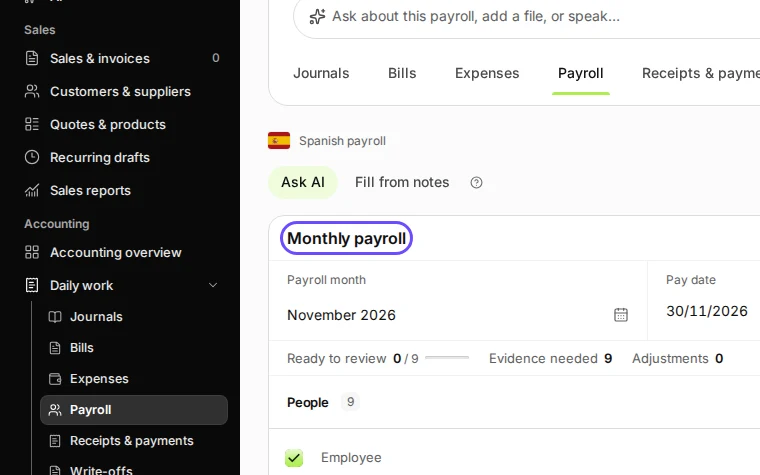
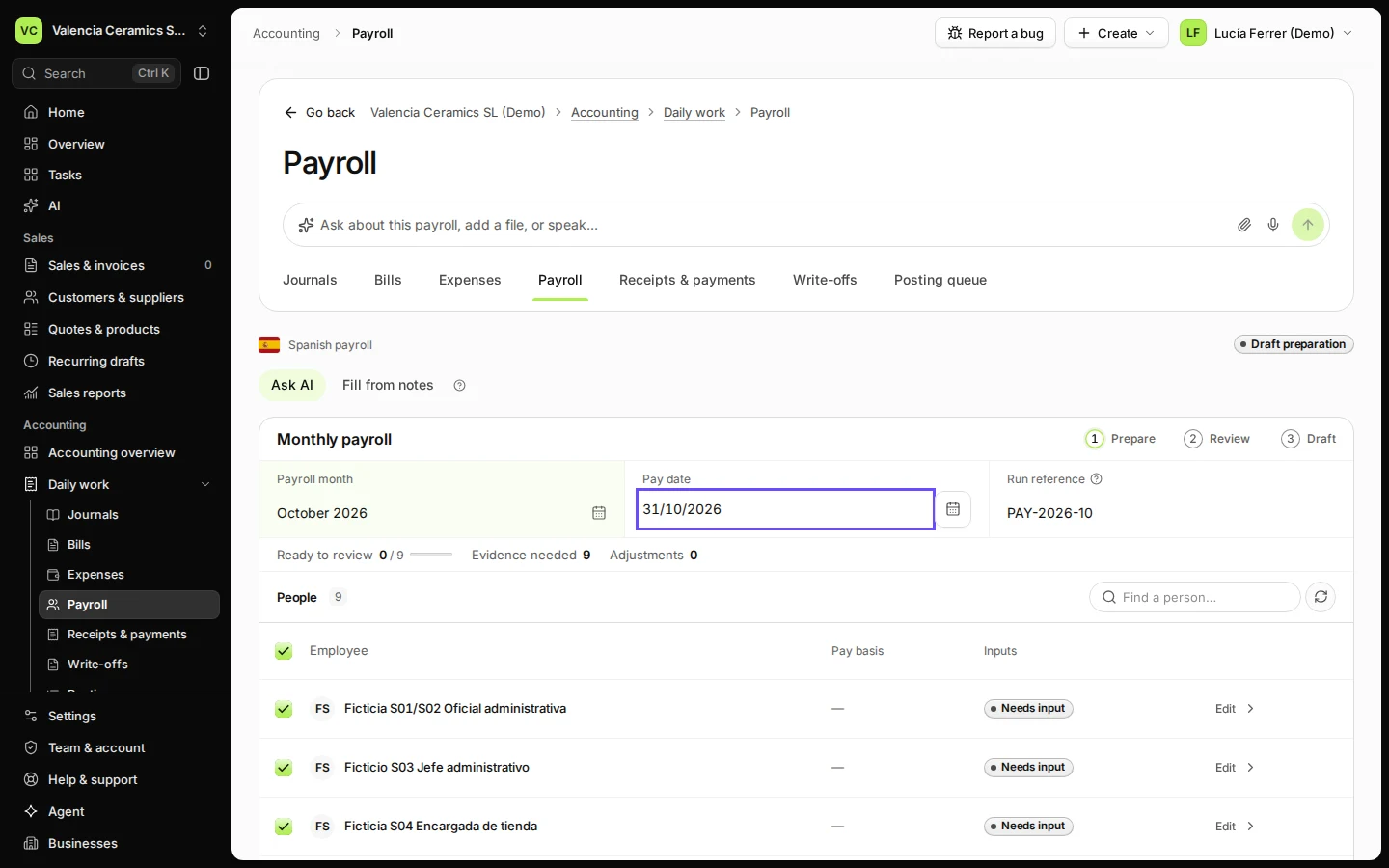
Step 1 in Deline (Spain business, fictional data) · See the whole screen Choose the payroll month and check the pay date.
The Pay date and the Run reference (for example PAY-2026-10) follow the month; change them if you pay on another day.
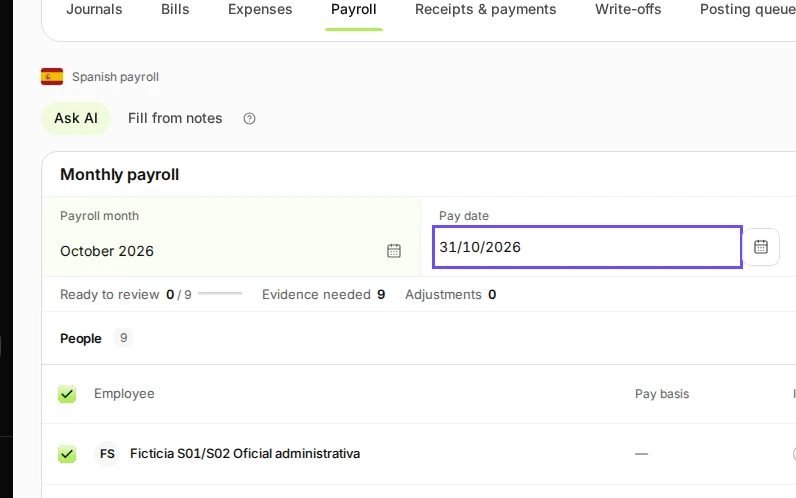
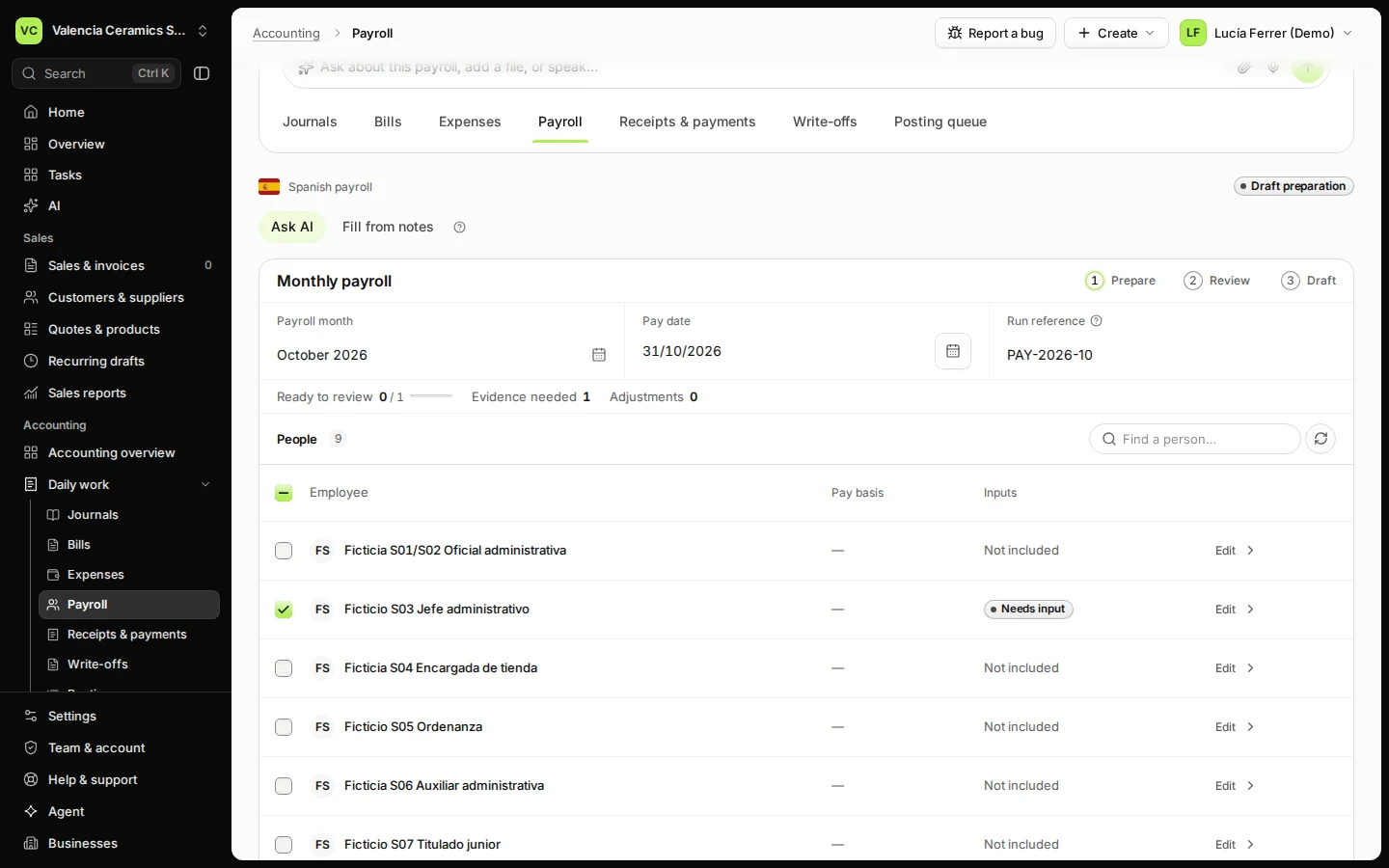
Step 2 in Deline (Spain business, fictional data) · See the whole screen Select the people you pay this month.
Everyone is selected at first. Press Clear selection and tick the people you want, or leave everyone selected.
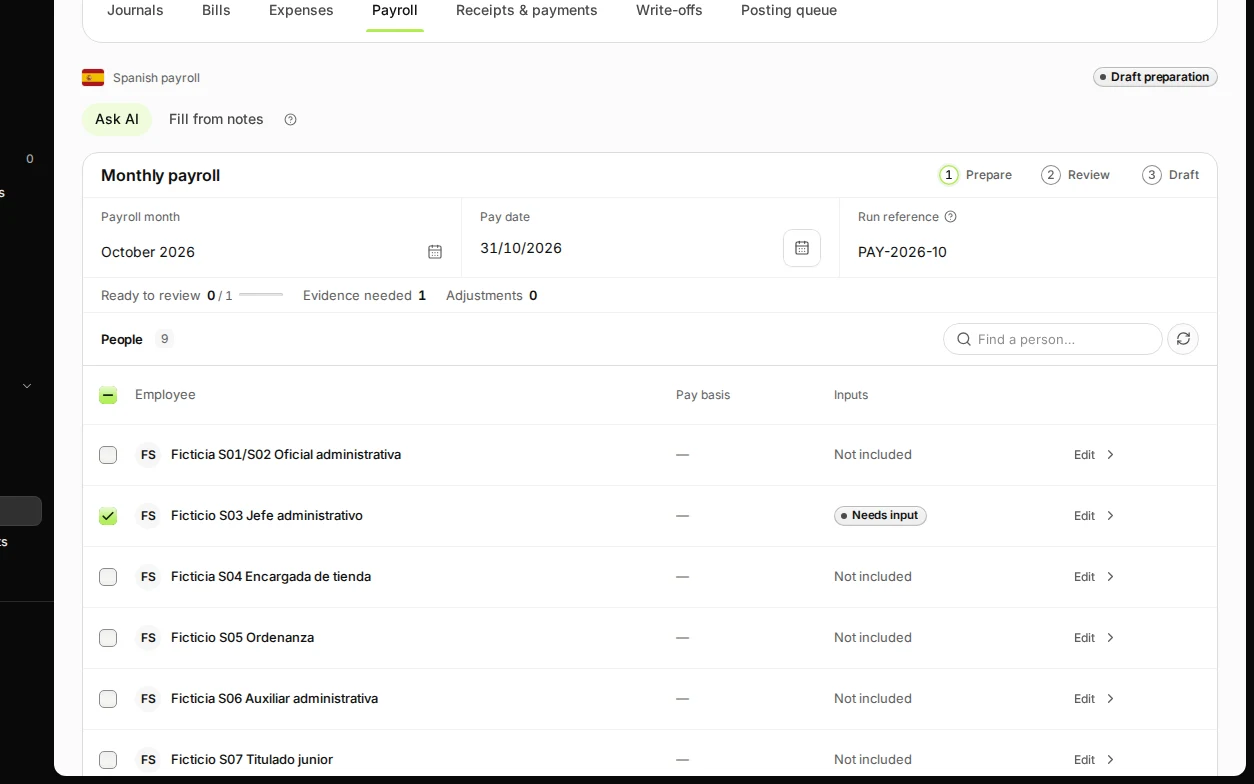
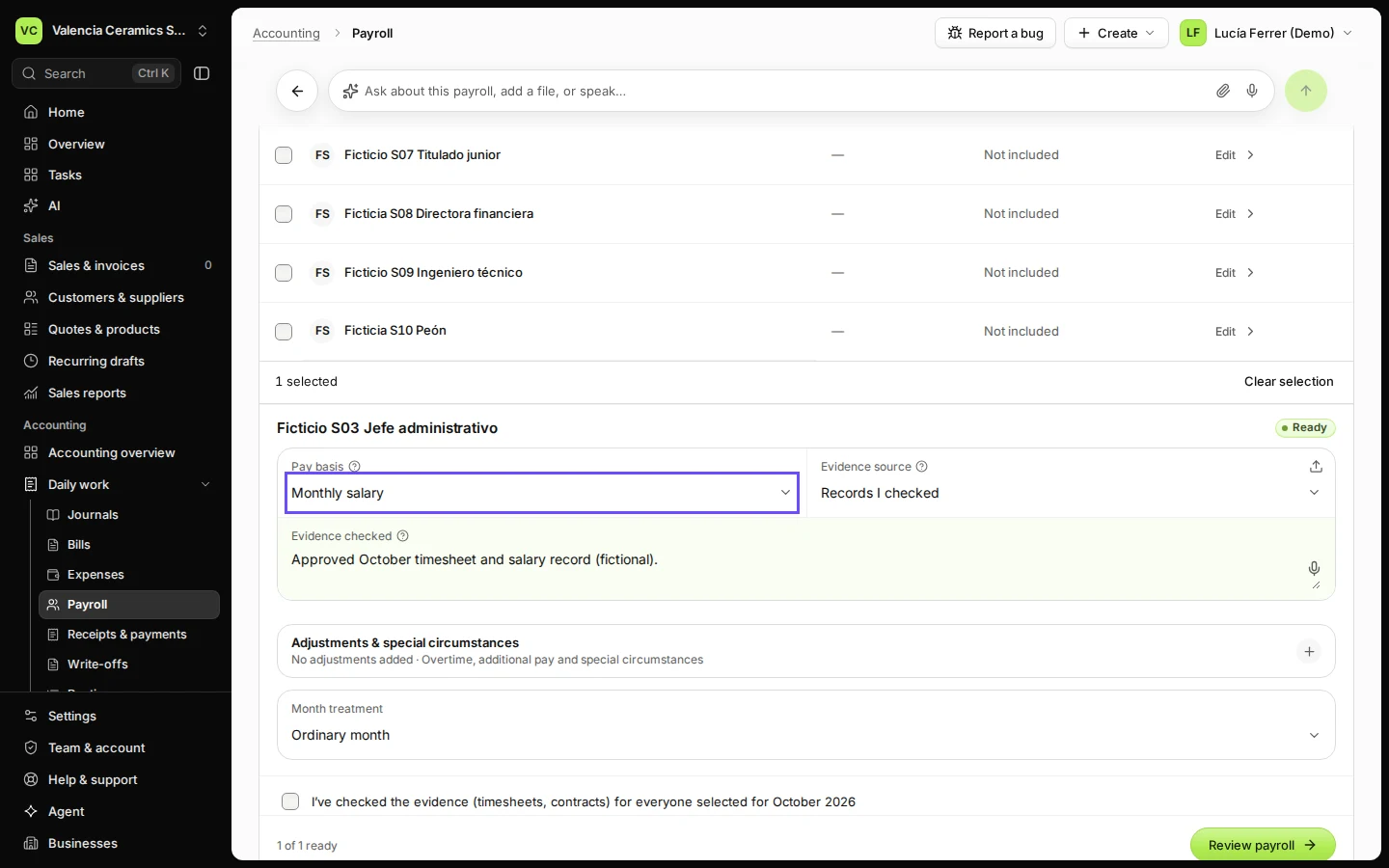
Step 3 in Deline (Spain business, fictional data) · See the whole screen Press Edit next to each person and fill in their month.
Choose the Pay basis (Monthly salary or Hours worked) and note what you checked under Evidence checked, for example the approved timesheet. Overtime, additional pay and other changes go under Adjustments & special circumstances.
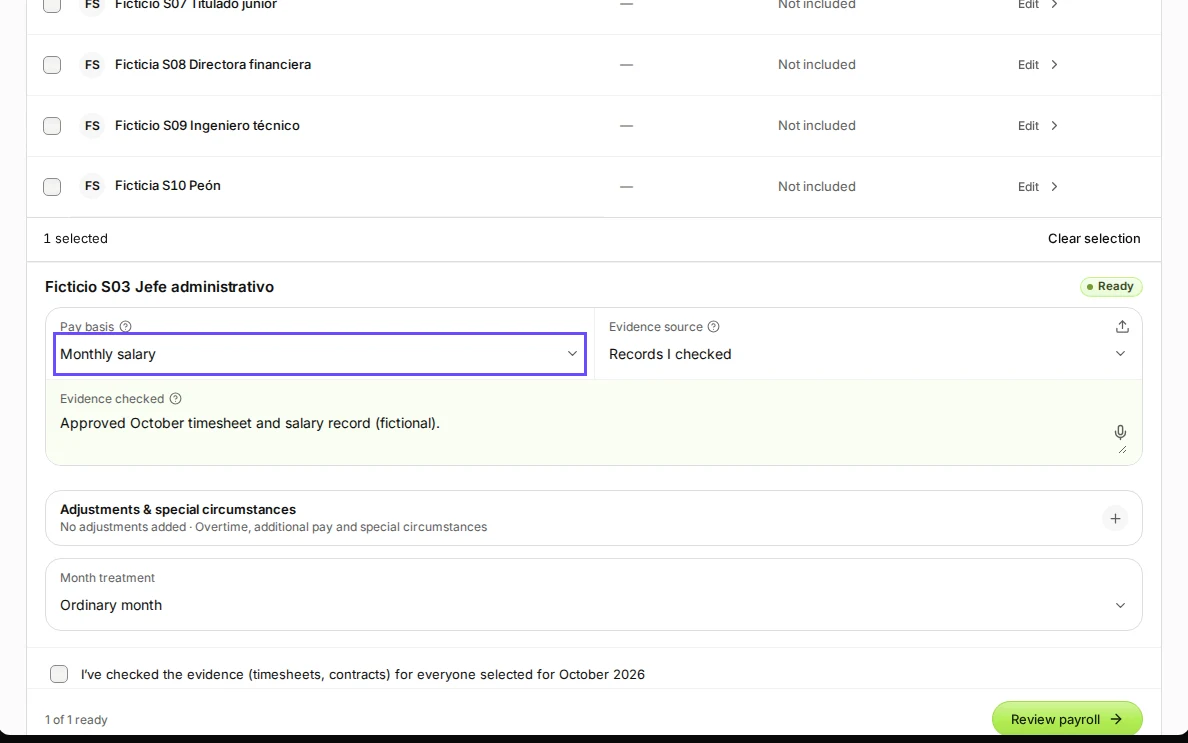
Step 4 in Deline (Spain business, fictional data) · See the whole screen Tick that you checked the evidence and press Review payroll.
The box reads "I’ve checked the evidence (timesheets, contracts) for everyone selected for …". Deline does not check timesheets for you.
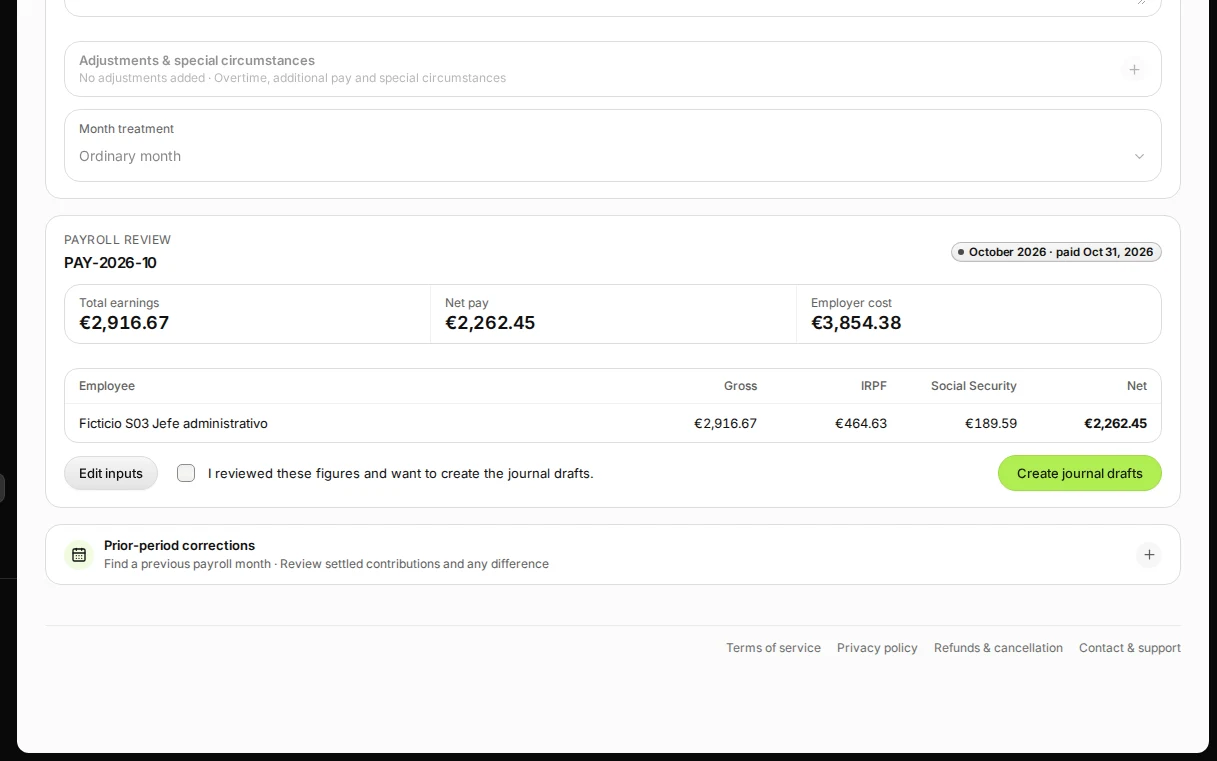
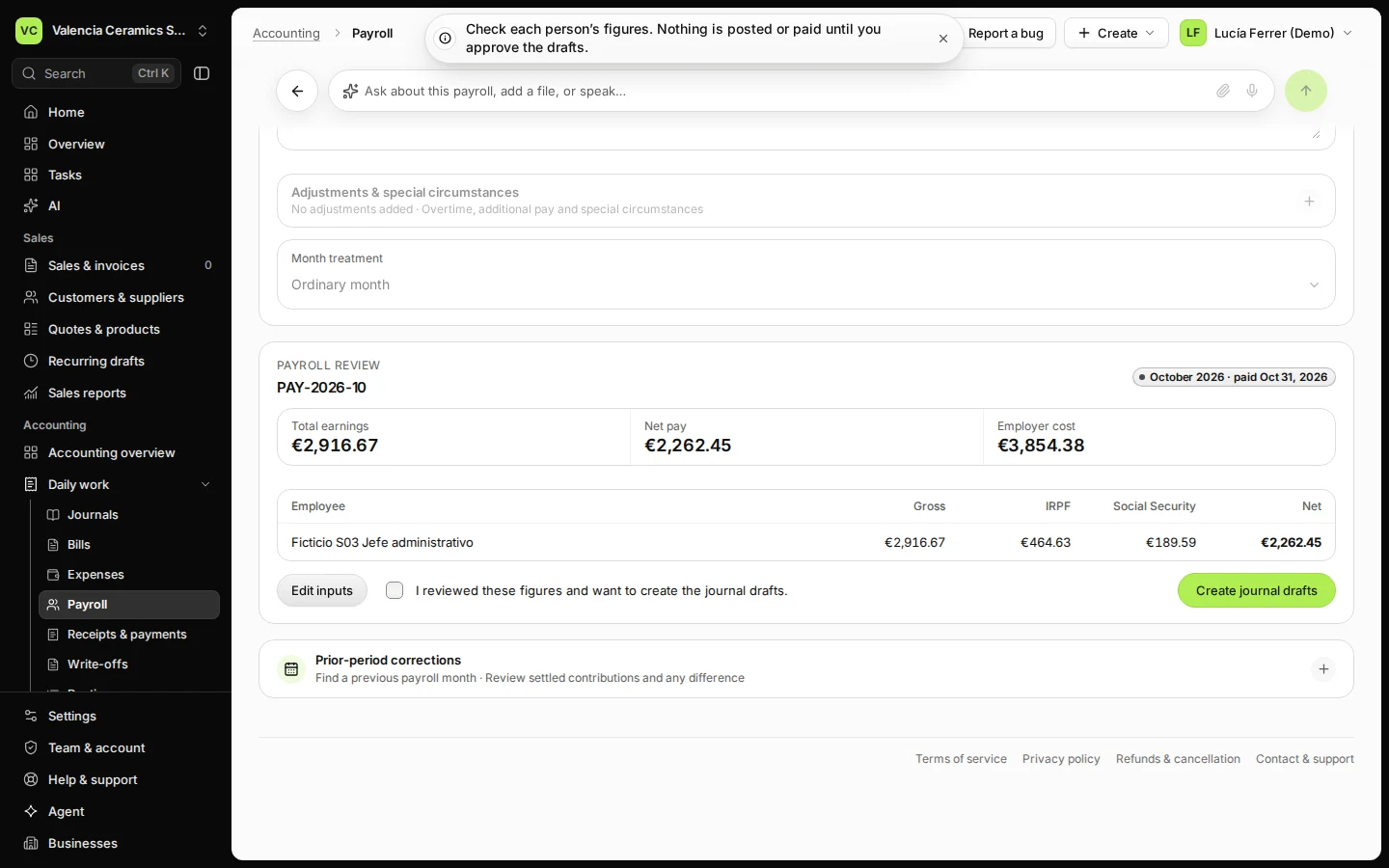
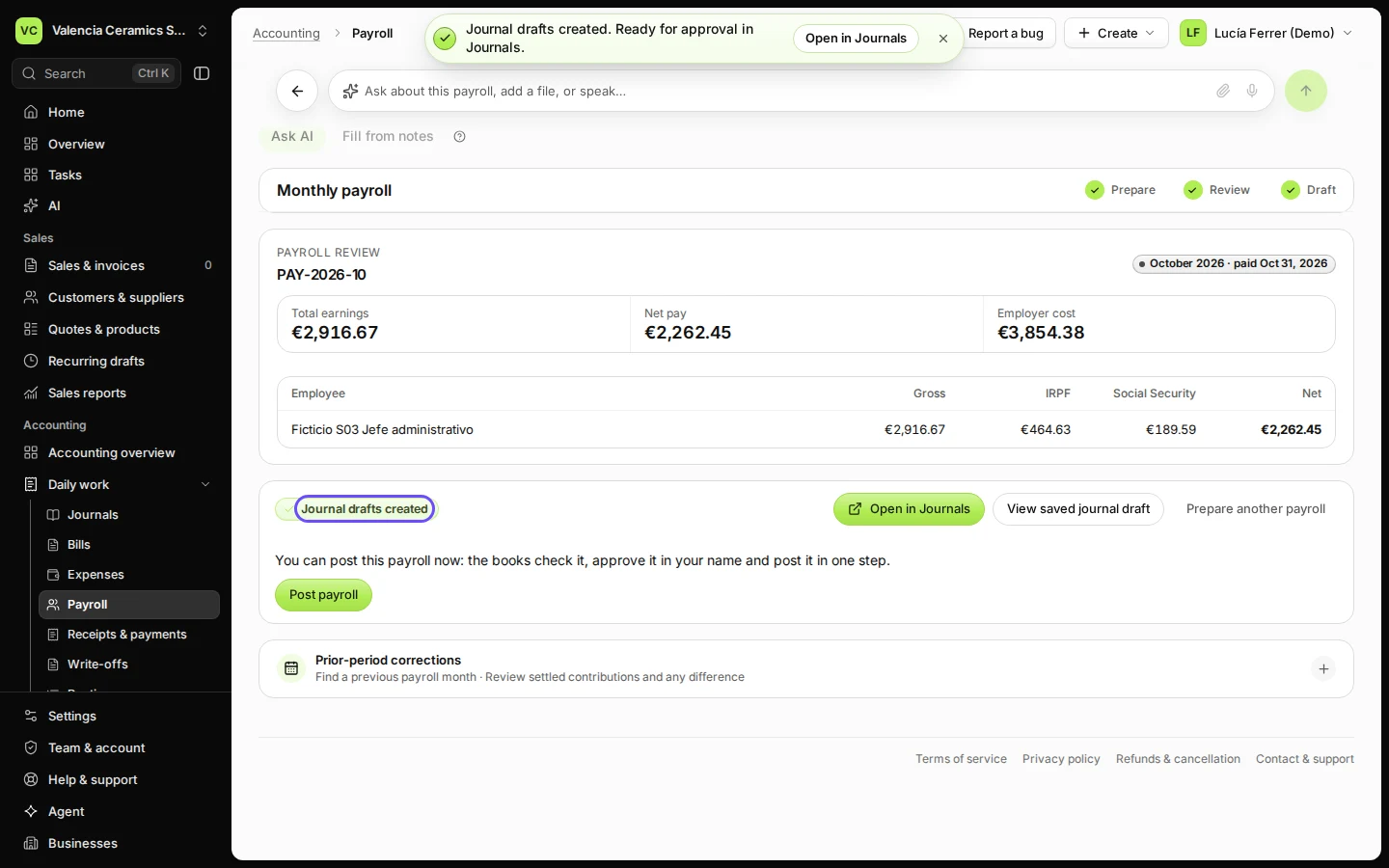
Step 5 in Deline (Spain business, fictional data) · See the whole screen Check the figures, tick that you reviewed them and press Create journal drafts.
You see Total earnings, Net pay and Employer cost, and per person Gross, IRPF, Social Security and Net. Deline then says Journal drafts created.
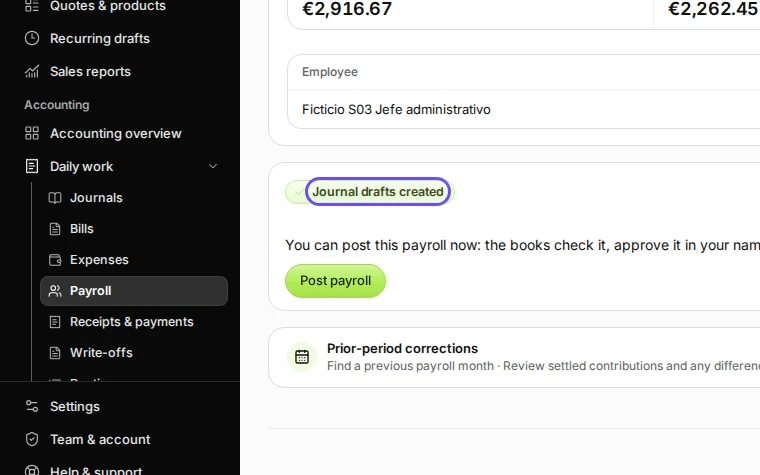
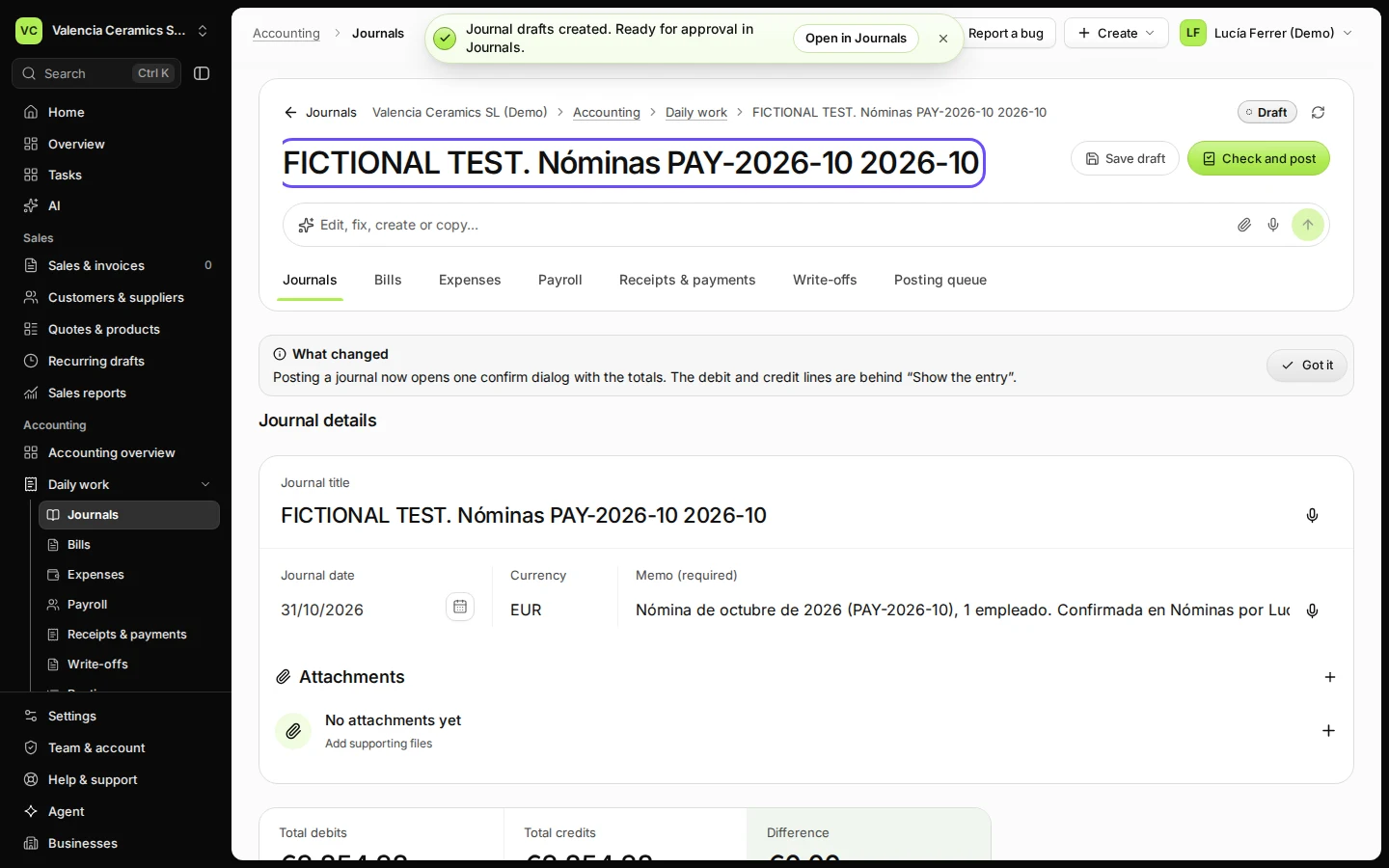
Step 6 in Deline (Spain business, fictional data) · See the whole screen Press Open in Journals to see the draft.
The draft is not posted. It reaches your books when it is approved and posted in Journals, or with Post payroll if you may approve and post journals. Paying the salaries and filing with Social Security and the tax office happen outside Deline.
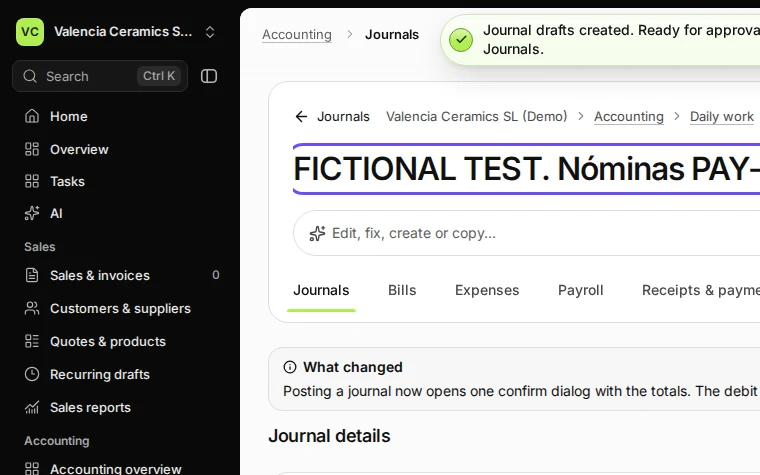
Step 7 in Deline (Spain business, fictional data) · See the whole screen
If something goes wrong
- "{month} already has payroll drafts (…). Running it again could pay people twice.": open the existing payroll and correct it with Edit inputs instead.
- "This month’s accounting period is closed or locked. Open it in Periods, then review again."
- "Someone isn’t registered with Social Security for the whole of this month. Check their start or end date.": check the person's dates in Set up employer and employees.
- "This situation isn’t supported by payroll here yet. Your adviser can handle this person’s month."
Last checked 2026-11-08 by the guide runner on build 5446d374d (Deline 429a9af2e) (local Deline stack).