
Before you start
- Your books are set up and the month's accounting period is open.
- You are the owner or the accountant.
Steps
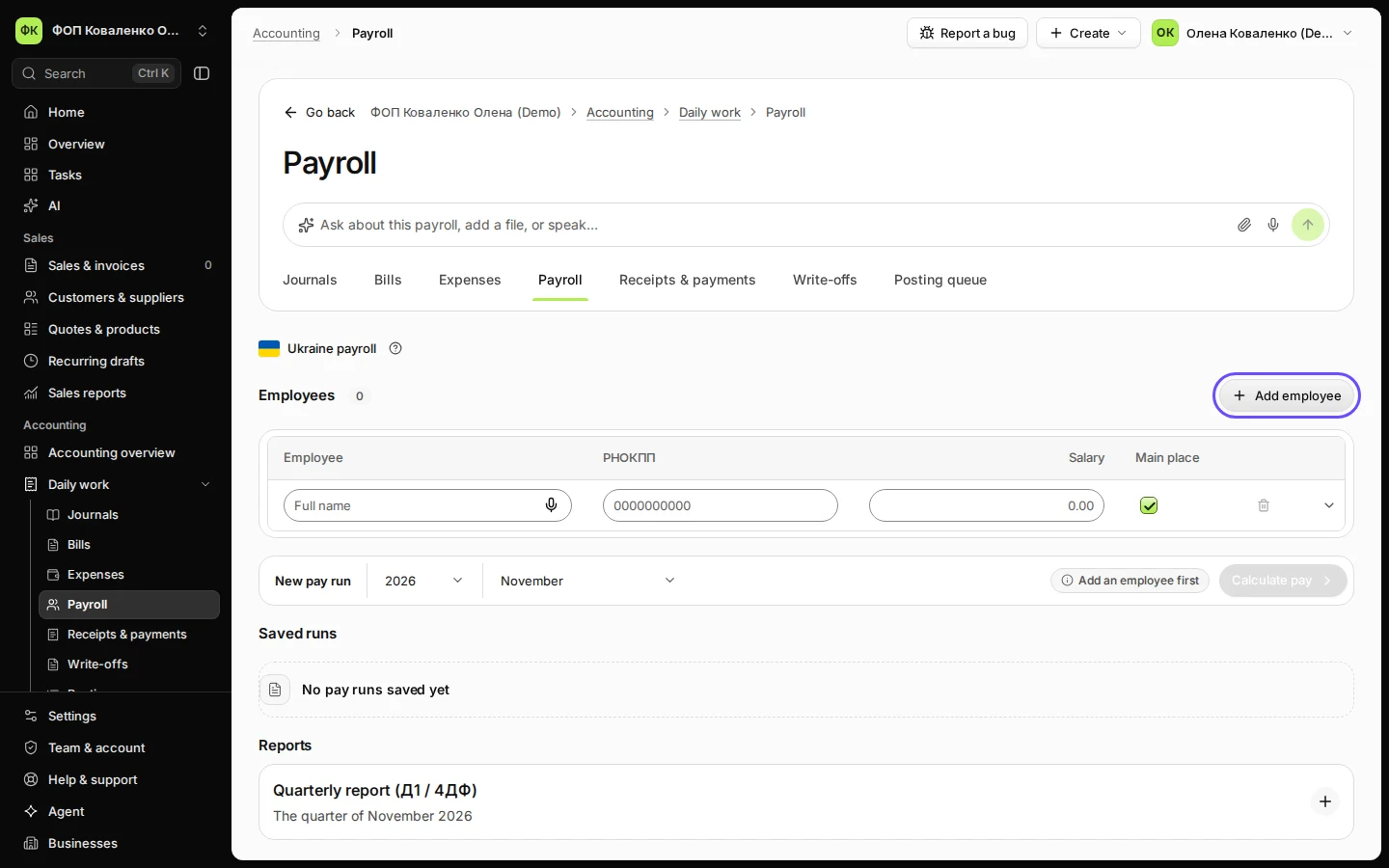
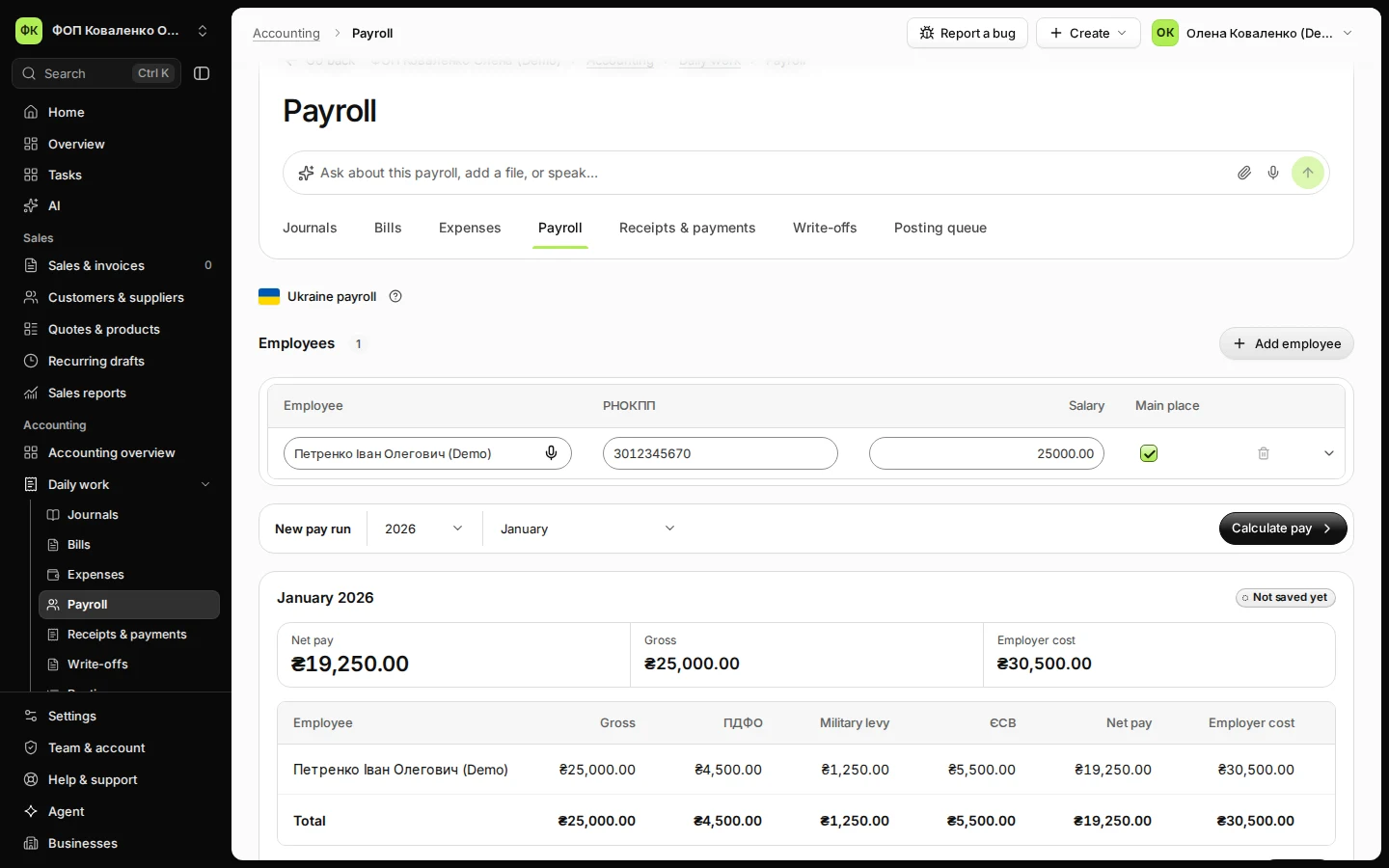
Open Payroll from Daily work in Accounting.
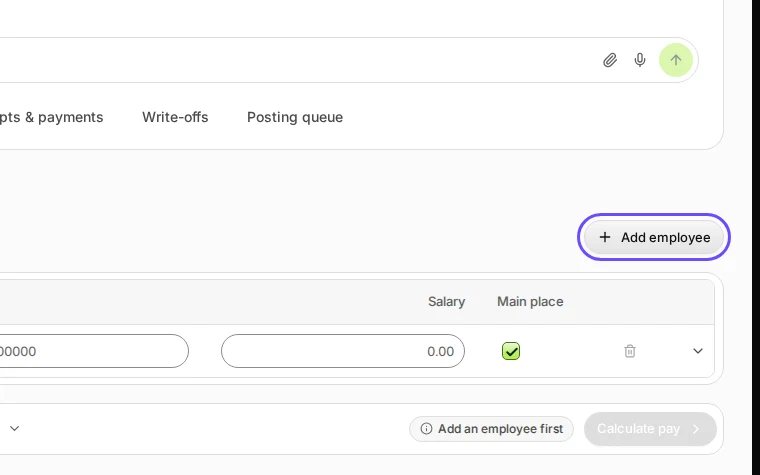
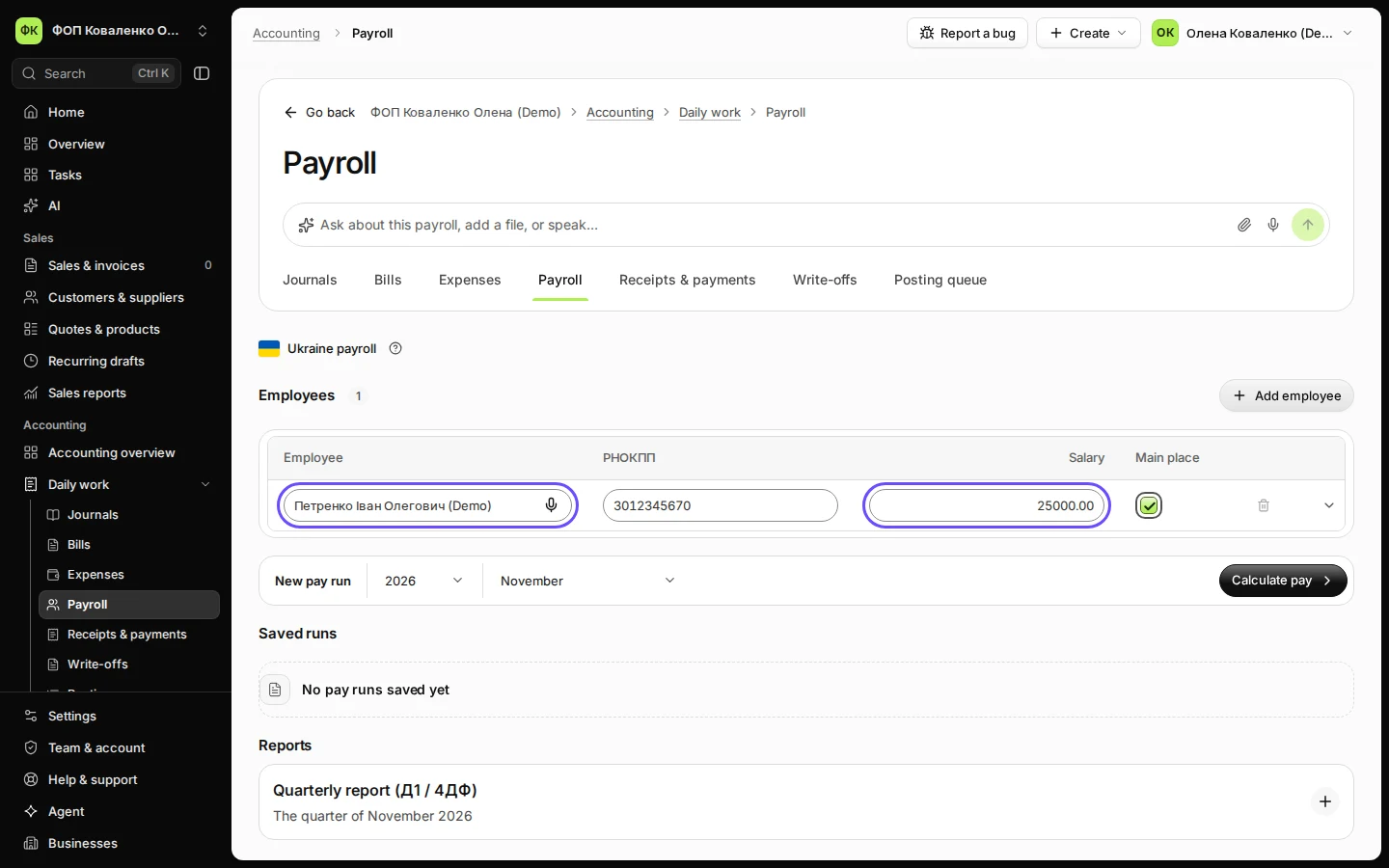
Step 1 in Deline (Ukraine business, fictional data) · See the whole screen Under Employees, enter the person’s full name, РНОКПП and salary.
Press Add employee for each further person. Show details holds vacation and sick days, the ПСП (ст. 169) and Disability (ЄСВ 8.41 %).
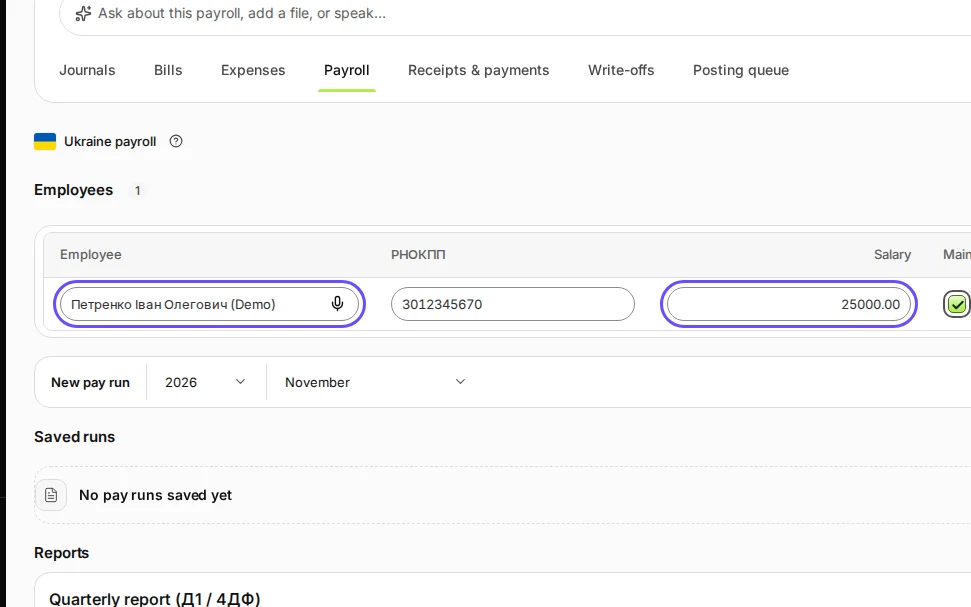
Step 2 in Deline (Ukraine business, fictional data) · See the whole screen Under New pay run, choose the year and the month and press Calculate pay.
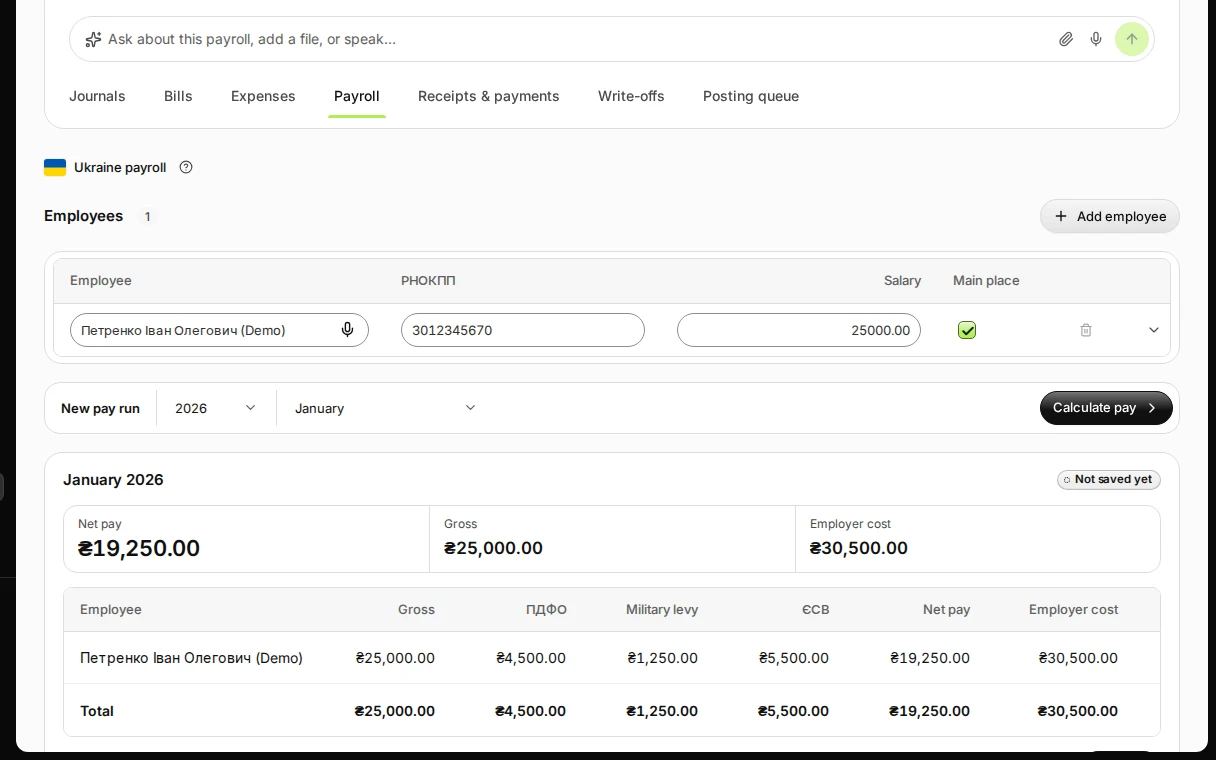
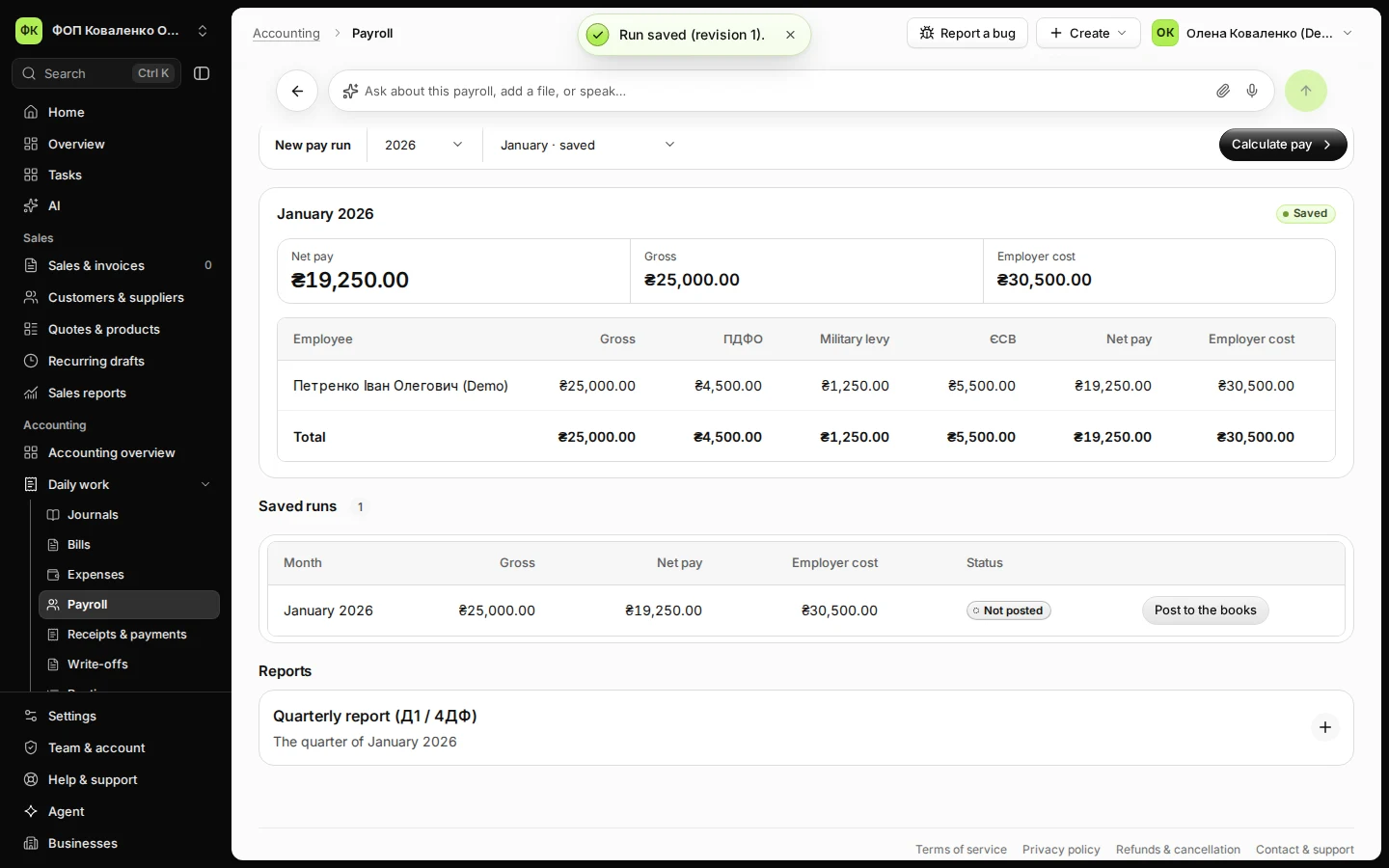
Step 3 in Deline (Ukraine business, fictional data) · See the whole screen Check gross pay, ПДФО, military levy, ЄСВ and net pay, then press Save run.
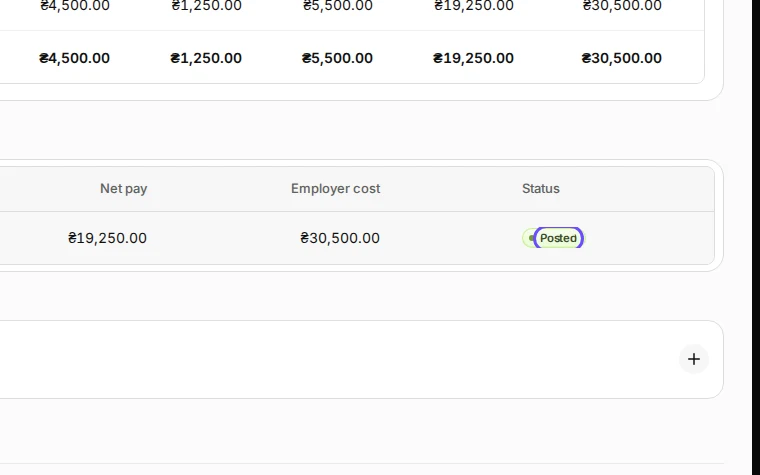
Each person shows Gross, ПДФО, Military levy, ЄСВ, Net pay and Employer cost. The month appears under Saved runs as Not posted.
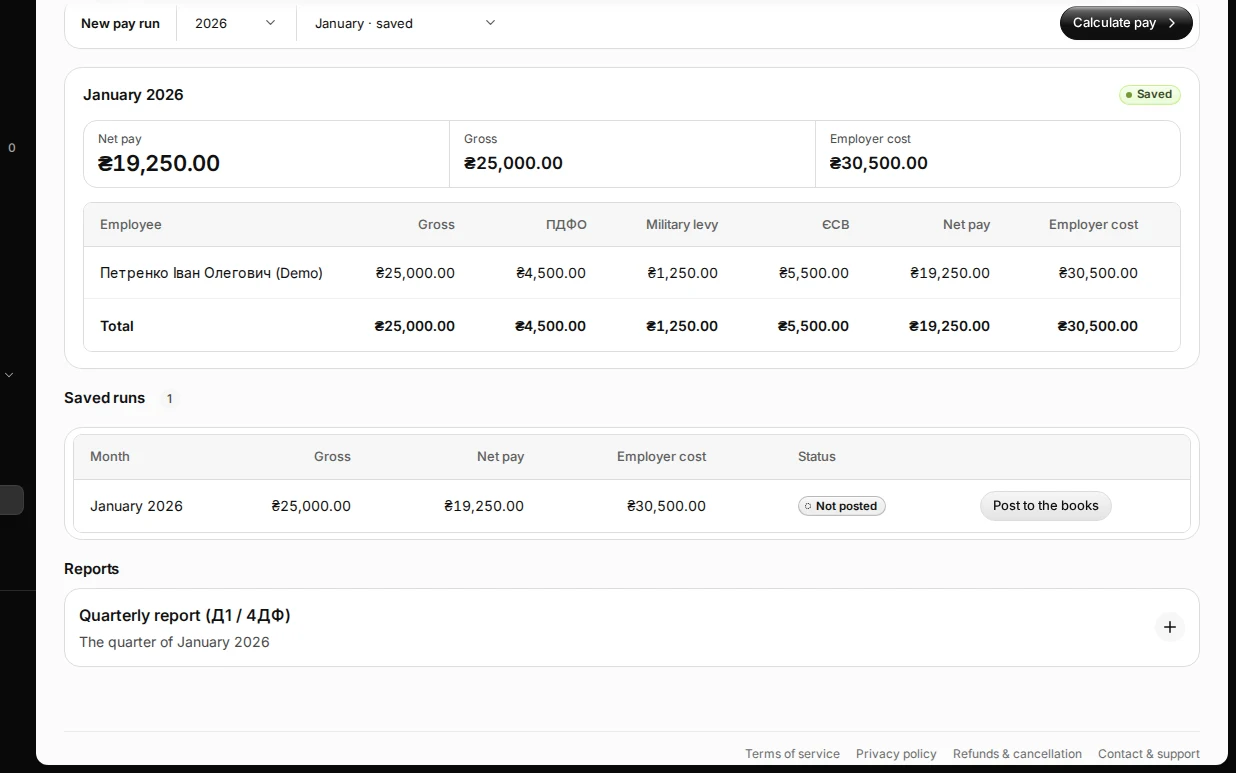
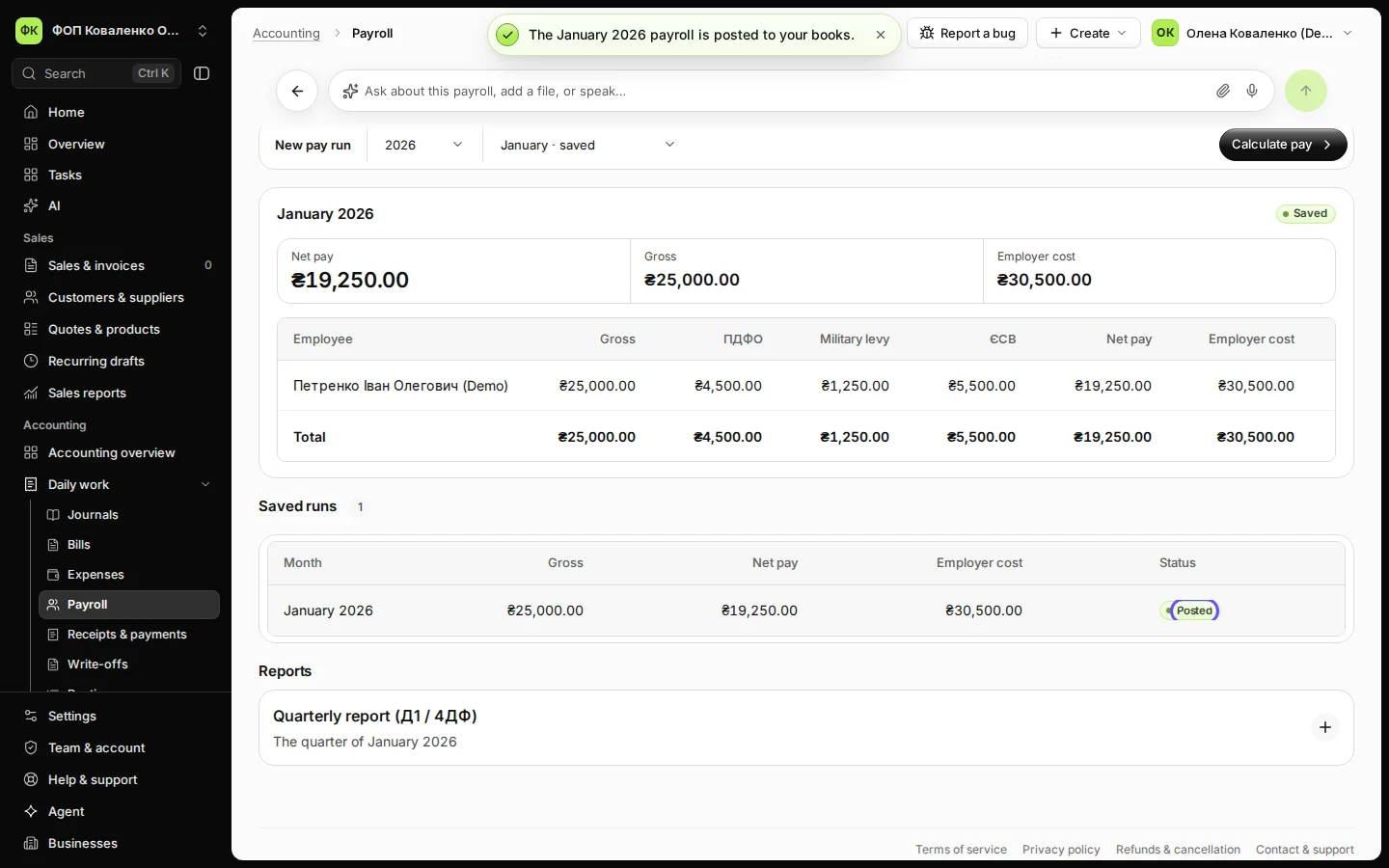
Step 4 in Deline (Ukraine business, fictional data) · See the whole screen Under Saved runs, press Post to the books and confirm.
Deline shows the employer's cost and the journal: wages and ЄСВ as costs, ПДФО, military levy and ЄСВ owed to the budget, and net pay owed to the staff. After Post to the books the month shows Posted.
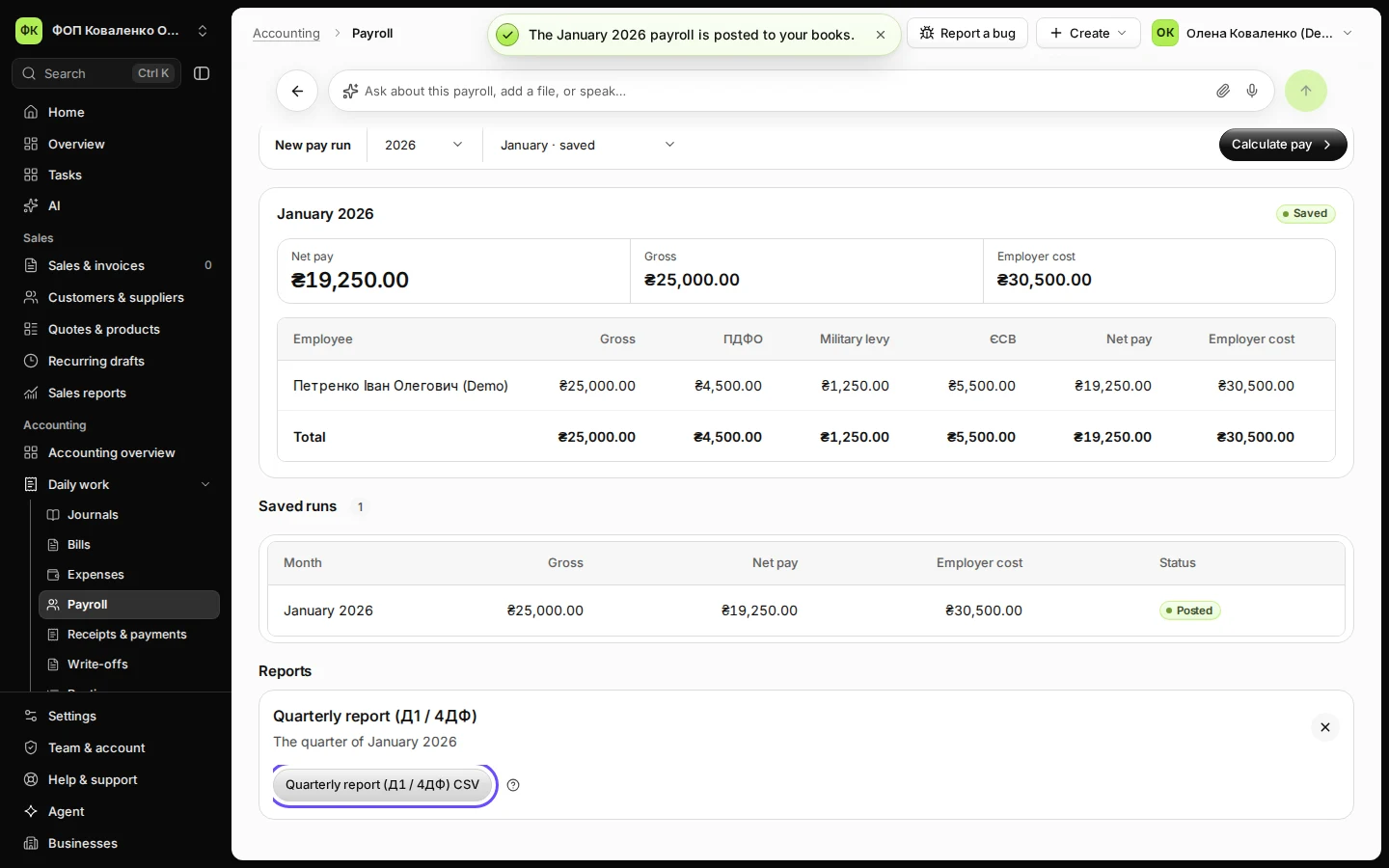
Step 5 in Deline (Ukraine business, fictional data) · See the whole screen Under Reports, open Quarterly report (Д1 / 4ДФ) and press Quarterly report (Д1 / 4ДФ) CSV.
Deline downloads two CSV files for the quarter of the chosen month, one for Д1 and one for 4ДФ. Carry the figures into the Електронний кабінет; Deline does not file them.
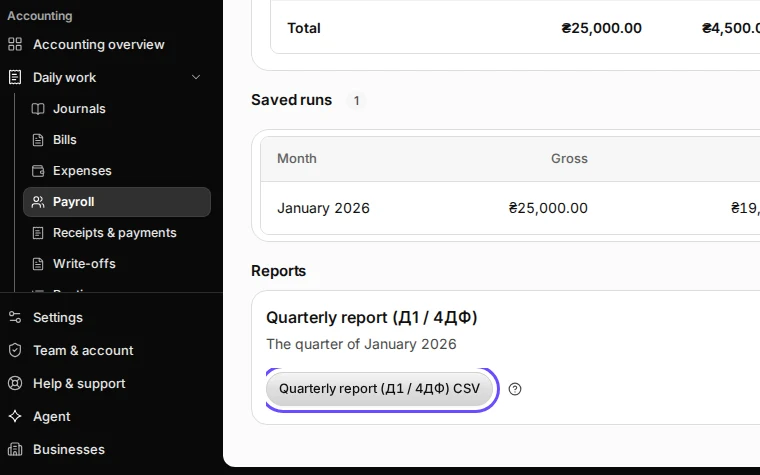
Step 6 in Deline (Ukraine business, fictional data) · See the whole screen
If something goes wrong
- "Add an employee first" or "Check the salary of …": Calculate pay needs at least one employee with a salary.
- "Ask the owner or your accountant to post this.": only the owner or the accountant posts payroll.
- The month's period is closed or missing: open or create it in Periods, then post again.
Last checked 2026-11-09 by the guide runner on build 857993047 (Deline 05d39ca07) (local Deline stack).