
Before you start
- You are the owner: only the owner sees Disconnect.
- Deline cannot switch the token off at your bank. Afterwards, delete it in Privat24 → Integration (AutoClient) for PrivatBank, or revoke it on api.monobank.ua for monobank.
Steps
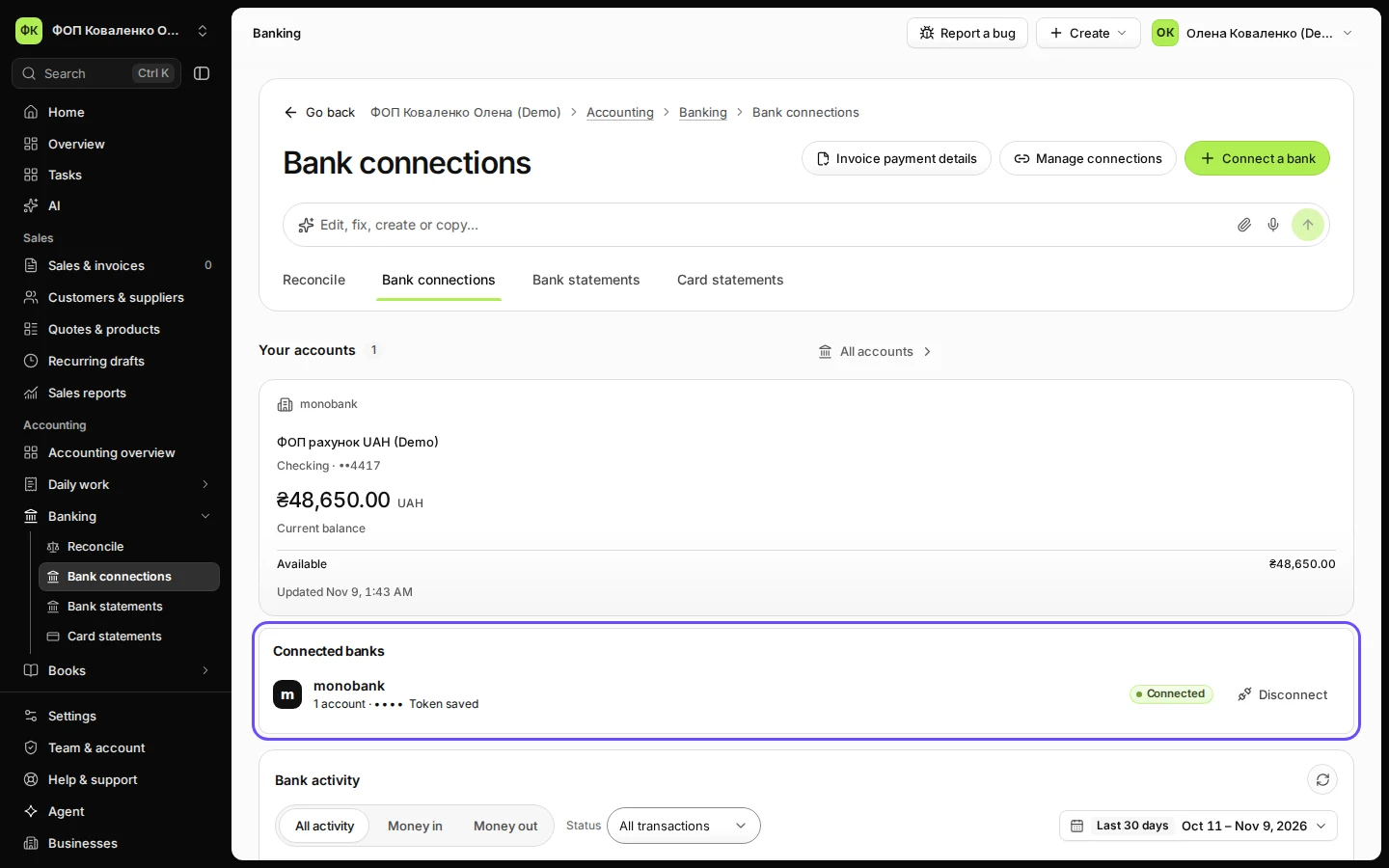
Open Bank connections from Banking.
Connected banks lists each bank with its accounts and its status.
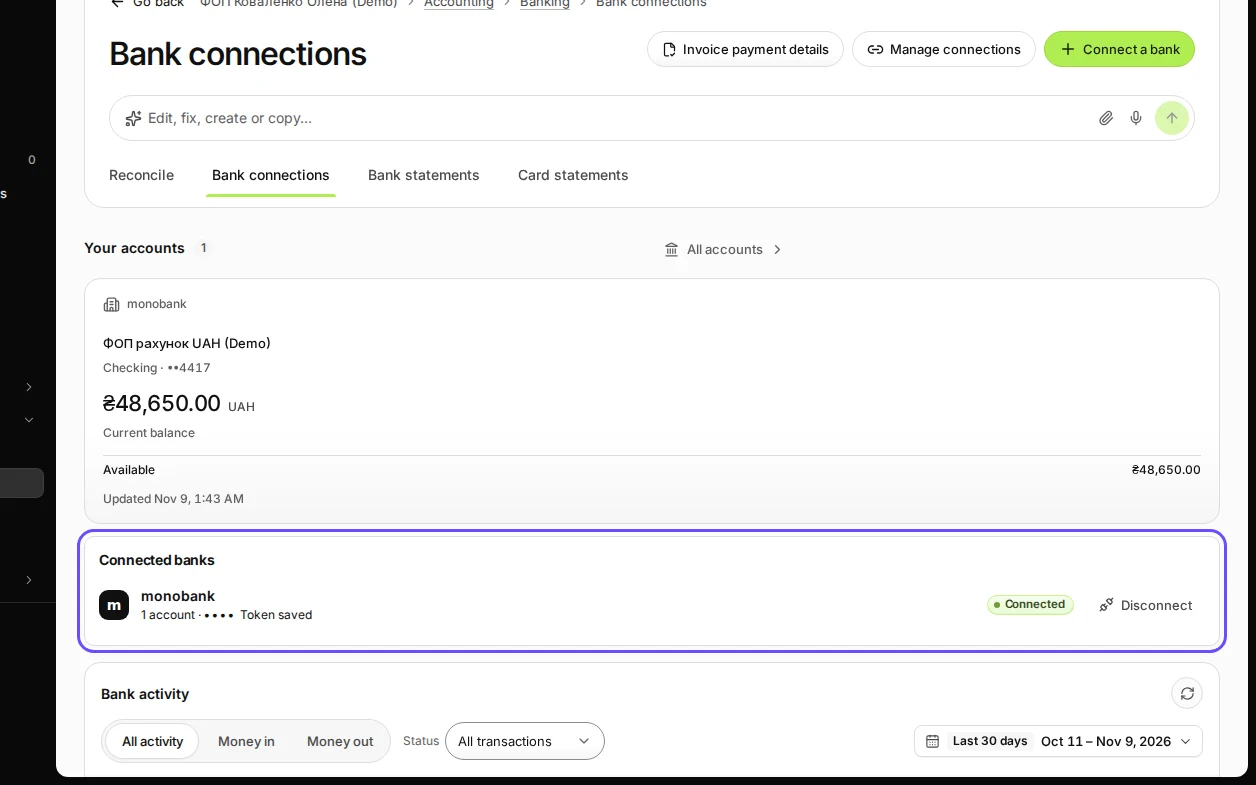
Step 1 in Deline (Ukraine business, fictional data) · See the whole screen Under Connected banks, press Disconnect next to the bank.
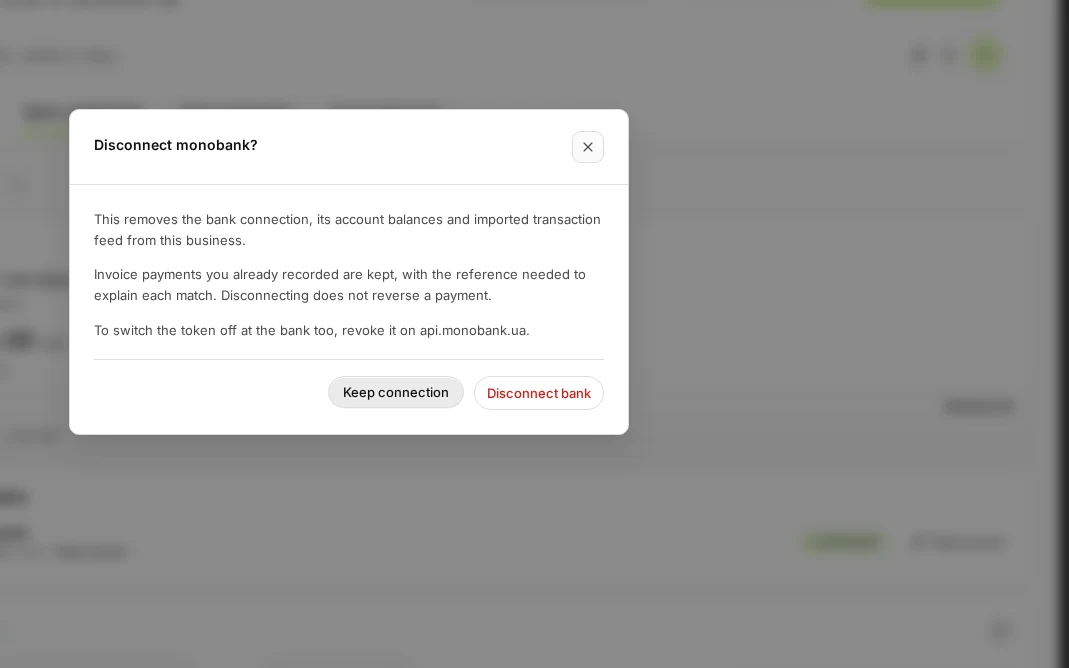
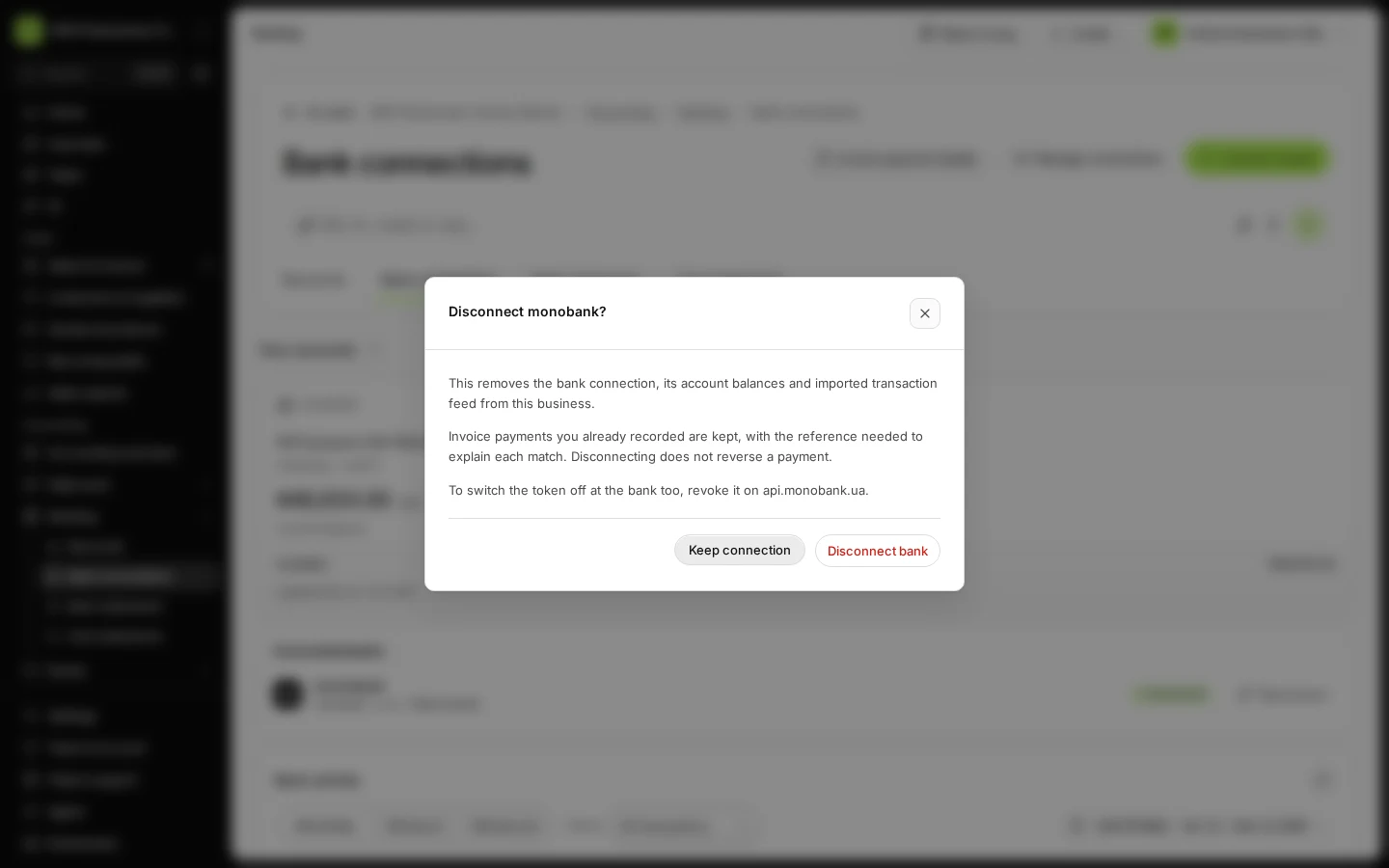
Step 2 in Deline (Ukraine business, fictional data) · See the whole screen Read what is removed and what is kept, then press Disconnect bank.
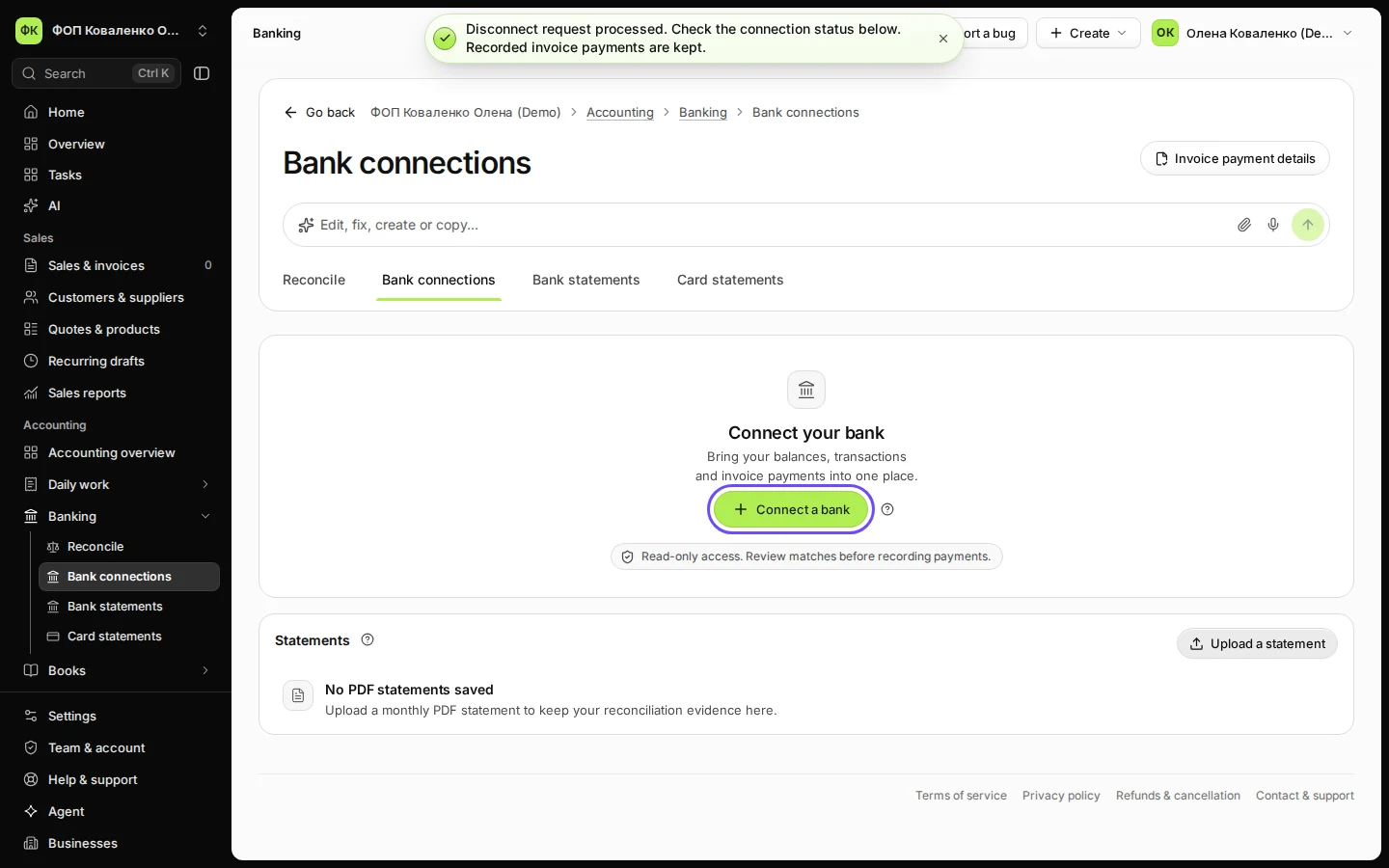
"This removes the bank connection, its account balances and imported transaction feed from this business." and "Invoice payments you already recorded are kept, with the reference needed to explain each match. Disconnecting does not reverse a payment." Press Keep connection to change your mind. The bank then disappears from Connected banks; you can connect it again at any time with Connect a bank.
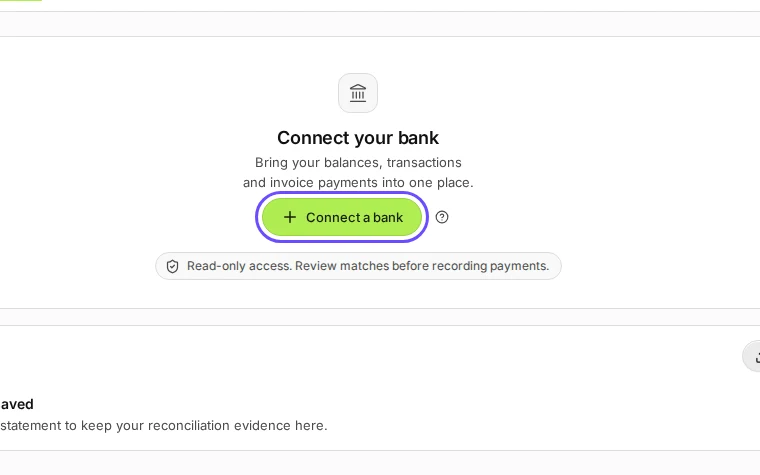
Step 3 in Deline (Ukraine business, fictional data) · See the whole screen
If something goes wrong
- The dialog says "Finish disconnecting …": the disconnection did not finish. Press Retry disconnect.
- You don't see Disconnect: ask the owner.
Last checked 2026-11-09 by the guide runner on build 857993047 (Deline 05d39ca07) (local Deline stack).