
Before you start
- The bank is connected (see Connect monobank with a token or Connect PrivatBank with a token) and your books are set up.
- Your chart has a bank account, in Ukraine for example 311. Otherwise Deline says "Your chart has no bank account yet. Add one in Chart of accounts."
- You are the owner.
Steps
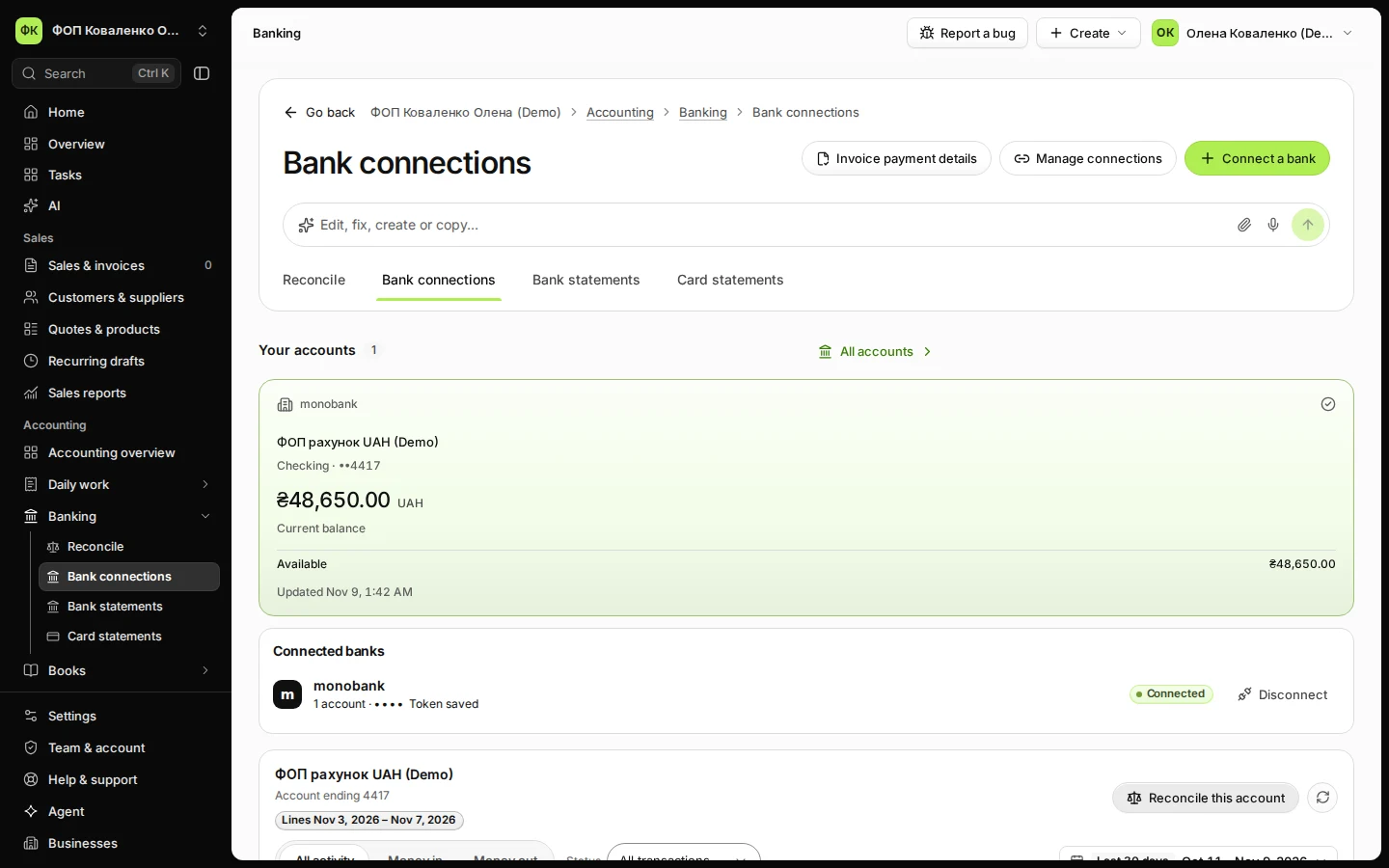
Open Bank connections from Banking and choose the bank account.
Your accounts lists each connected account with its bank, name and balance.
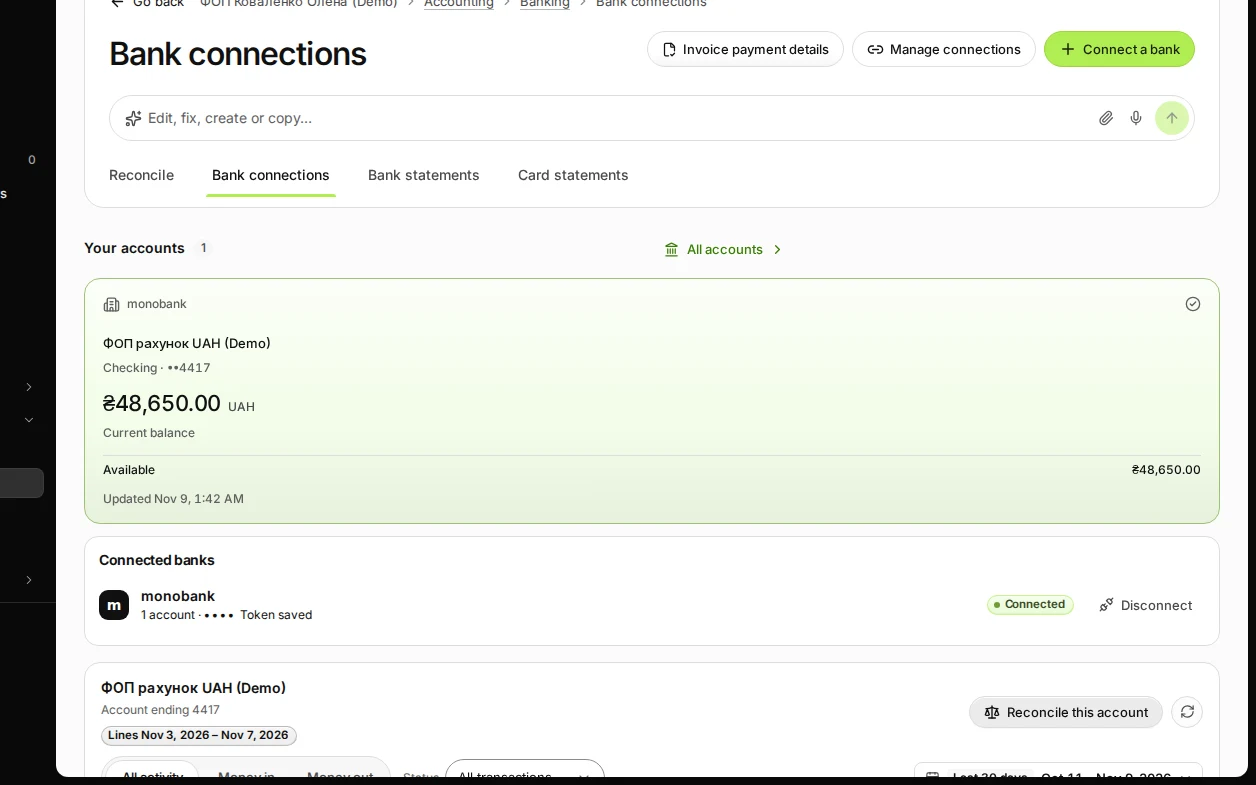
Step 1 in Deline (Ukraine business, fictional data) · See the whole screen Press Reconcile this account.
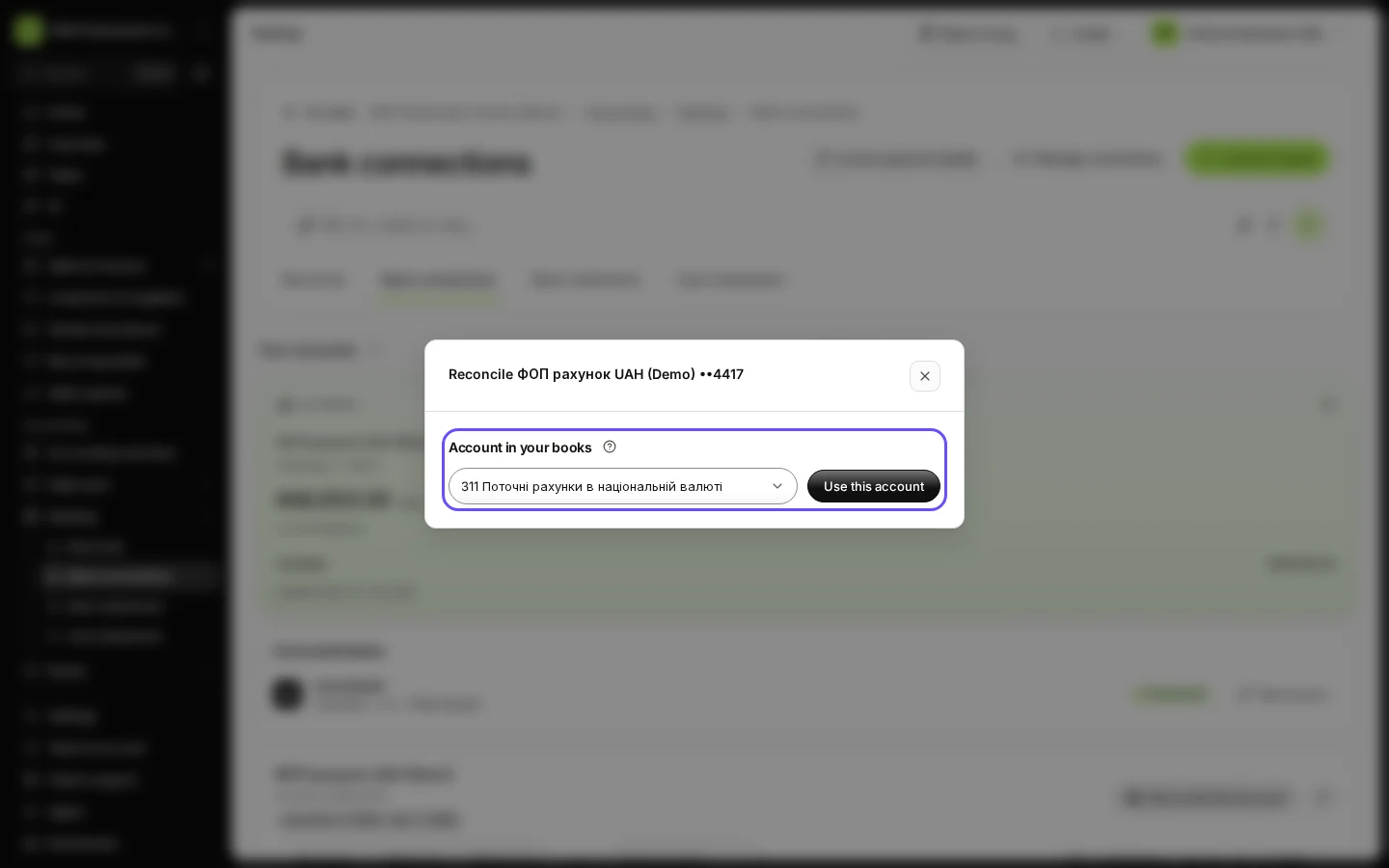
The first time, Deline asks for Account in your books before it shows the account's activity.
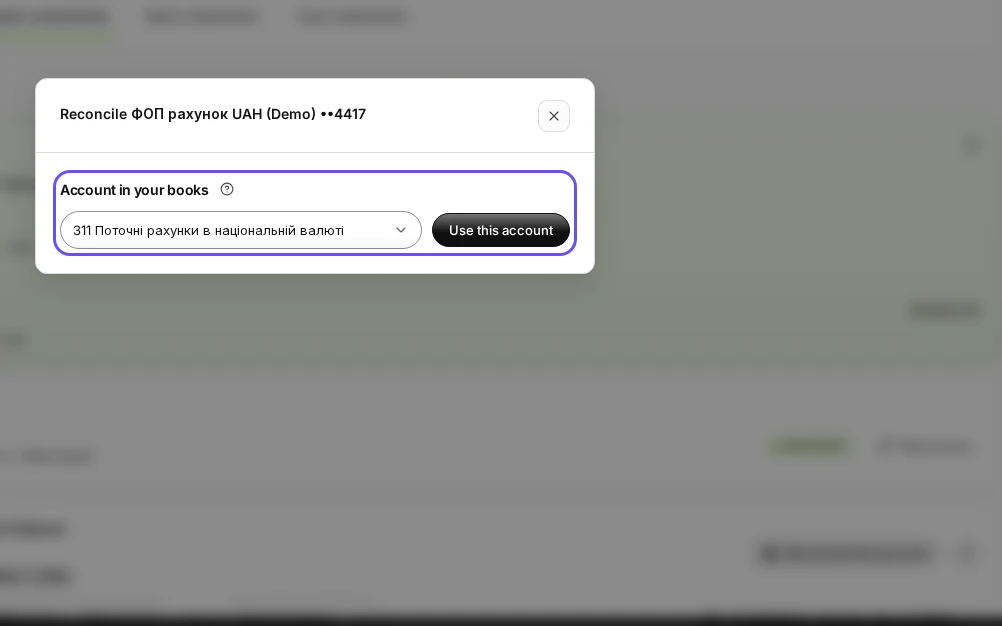
Step 2 in Deline (Ukraine business, fictional data) · See the whole screen Under Account in your books, choose the bank account from your chart and press Use this account.
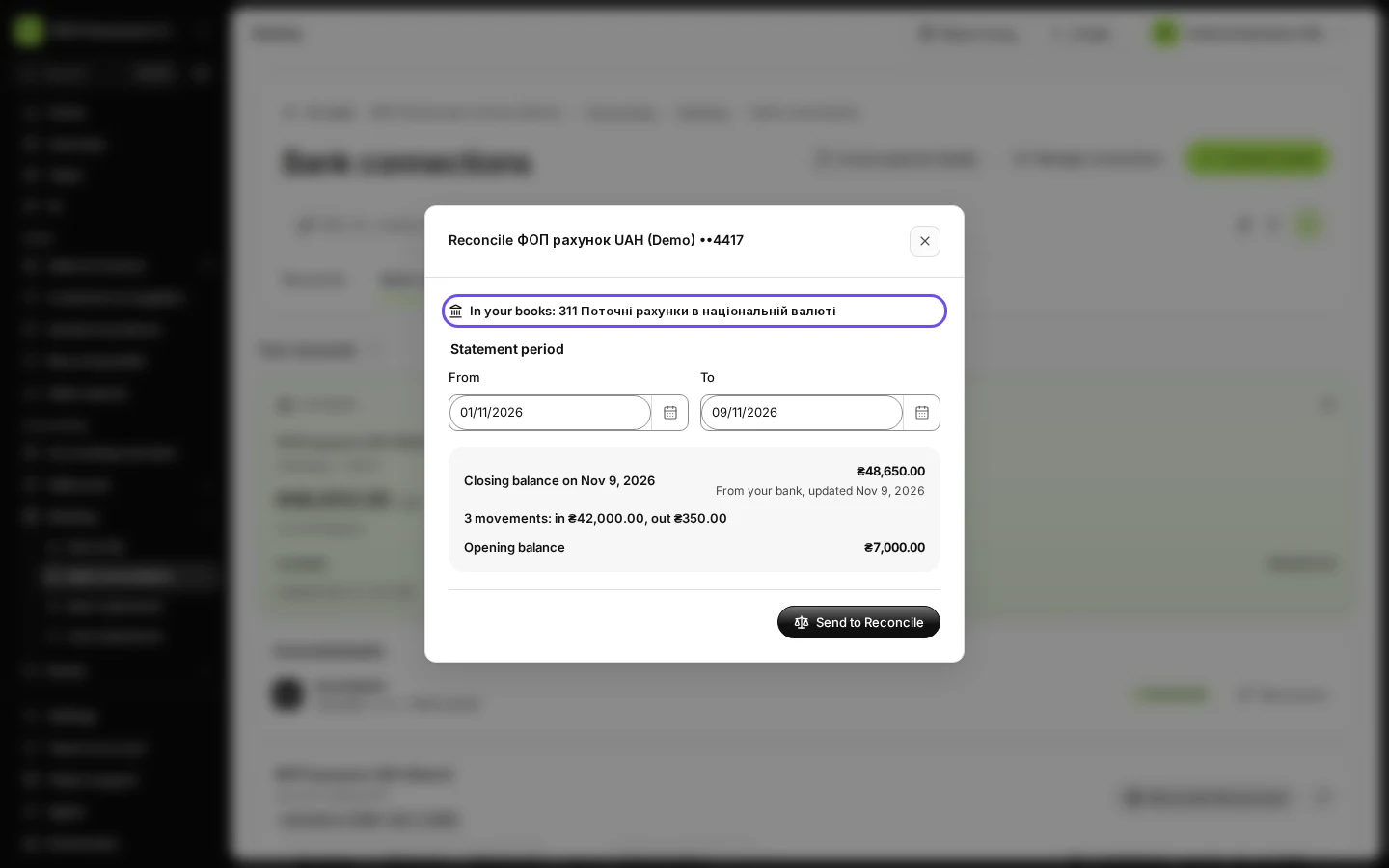
"Choose the bank account in your books that this bank account belongs to. It is set once and used for every payment and statement of this account." Deline then shows In your books: with the account. The link cannot be changed later, so check it before you press Use this account.
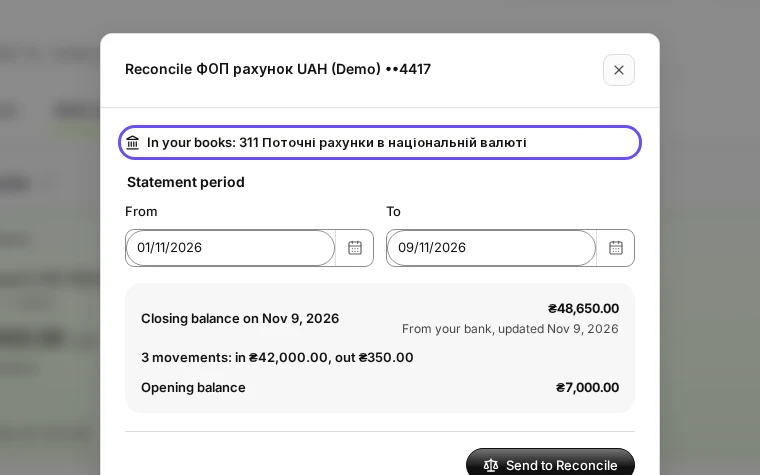
Step 3 in Deline (Ukraine business, fictional data) · See the whole screen
If something goes wrong
- "The owner links this bank account to the books once. Ask the owner.": only the owner can make the link.
- "Your chart has no bank account yet. Add one in Chart of accounts.": add the bank account to your chart (see Add an account to your chart of accounts), then come back.
Last checked 2026-11-09 by the guide runner on build 857993047 (Deline 05d39ca07) (local Deline stack).