
Before you start
- The invoice was brought over as an unpaid item when you set up your books: in Set up books, the customer balance row was kept as Customer balances and the invoice was added with Add unpaid invoice or bill in the opening review.
- You are the owner or the accountant.
- An invoice you issued in Sales & invoices is paid from the invoice itself (Record payment), not here.
Steps
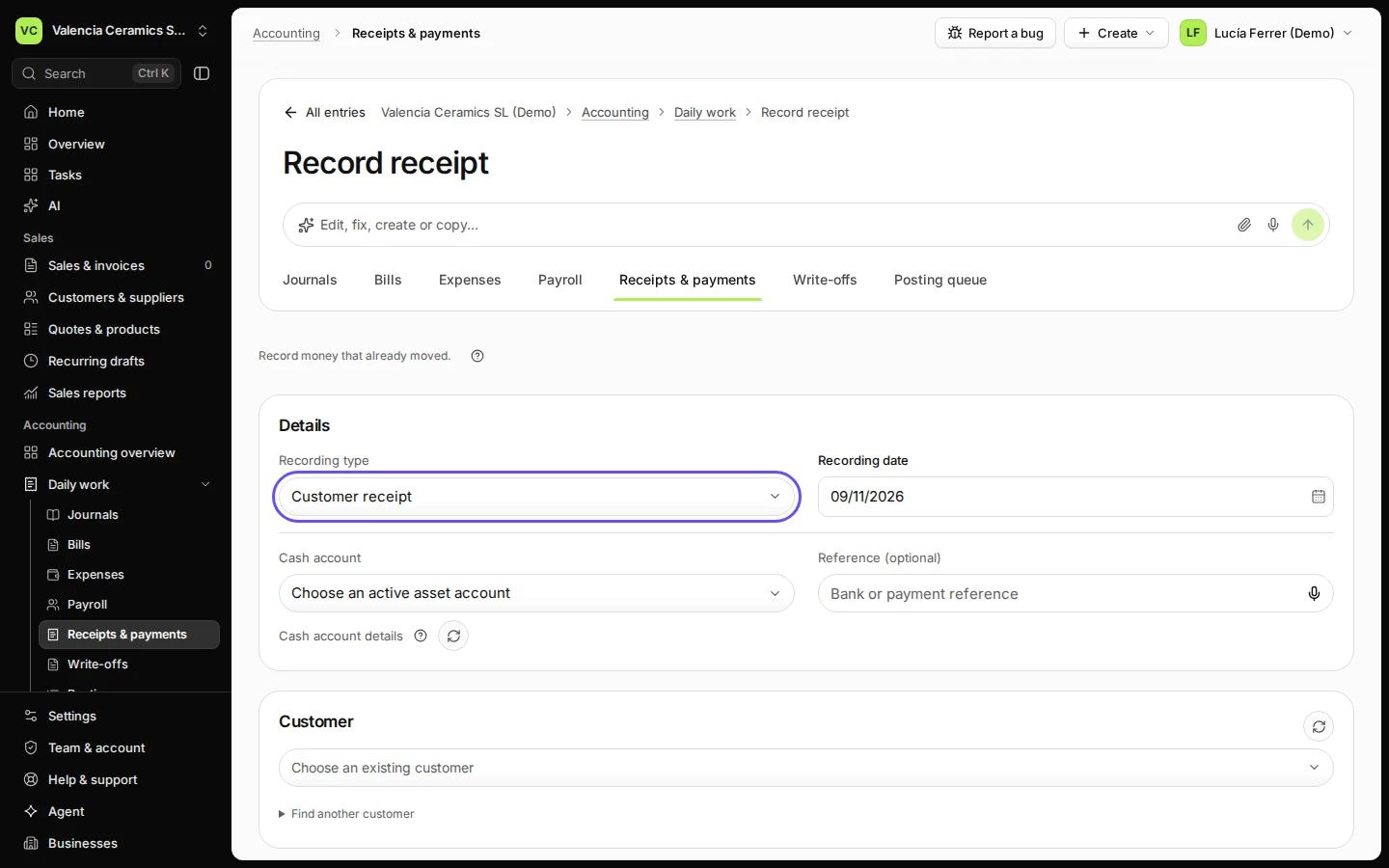
Open Receipts & payments from Daily work and press Record receipt.
Recording type is Customer receipt. To record money you paid a supplier, choose Record payment instead.
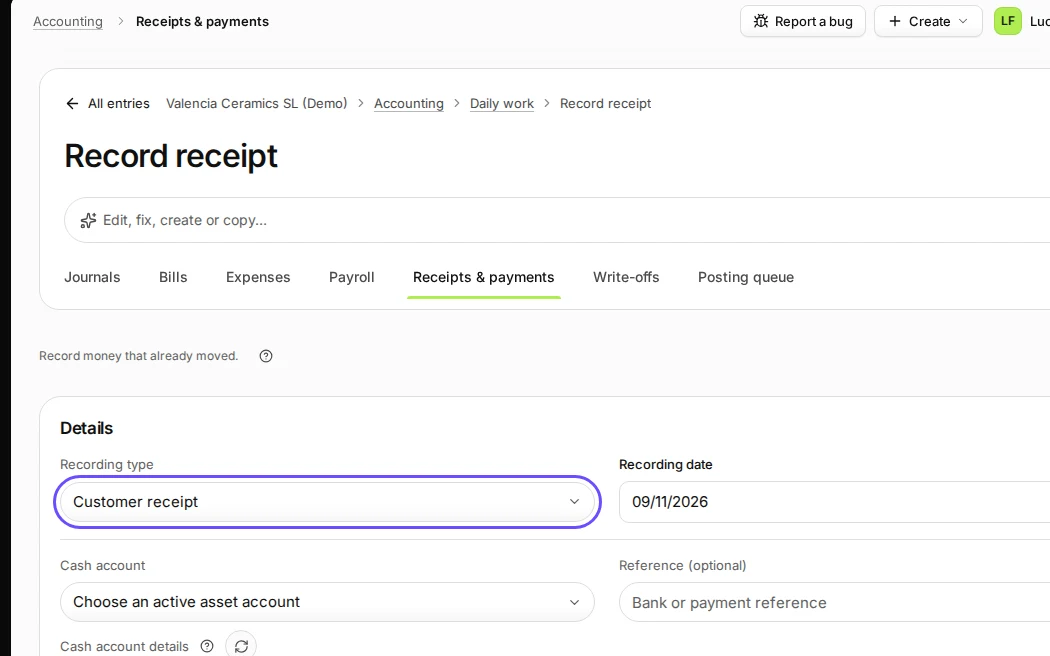
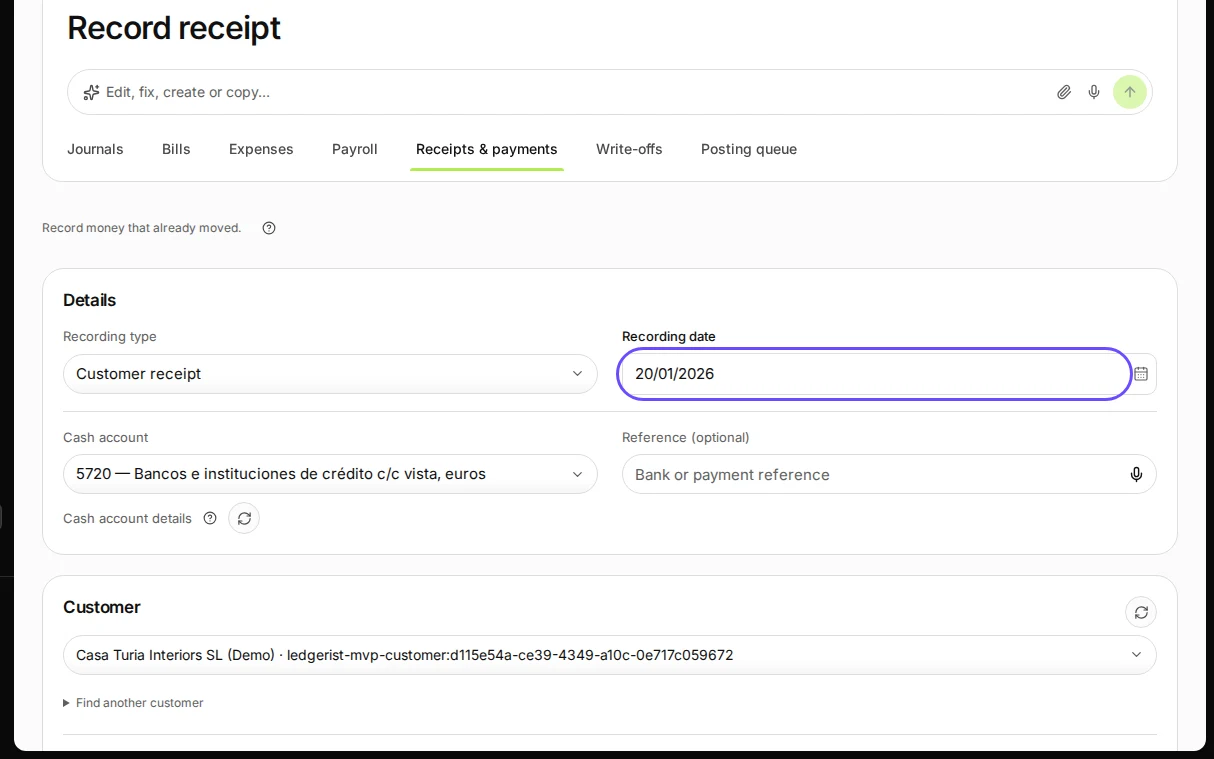
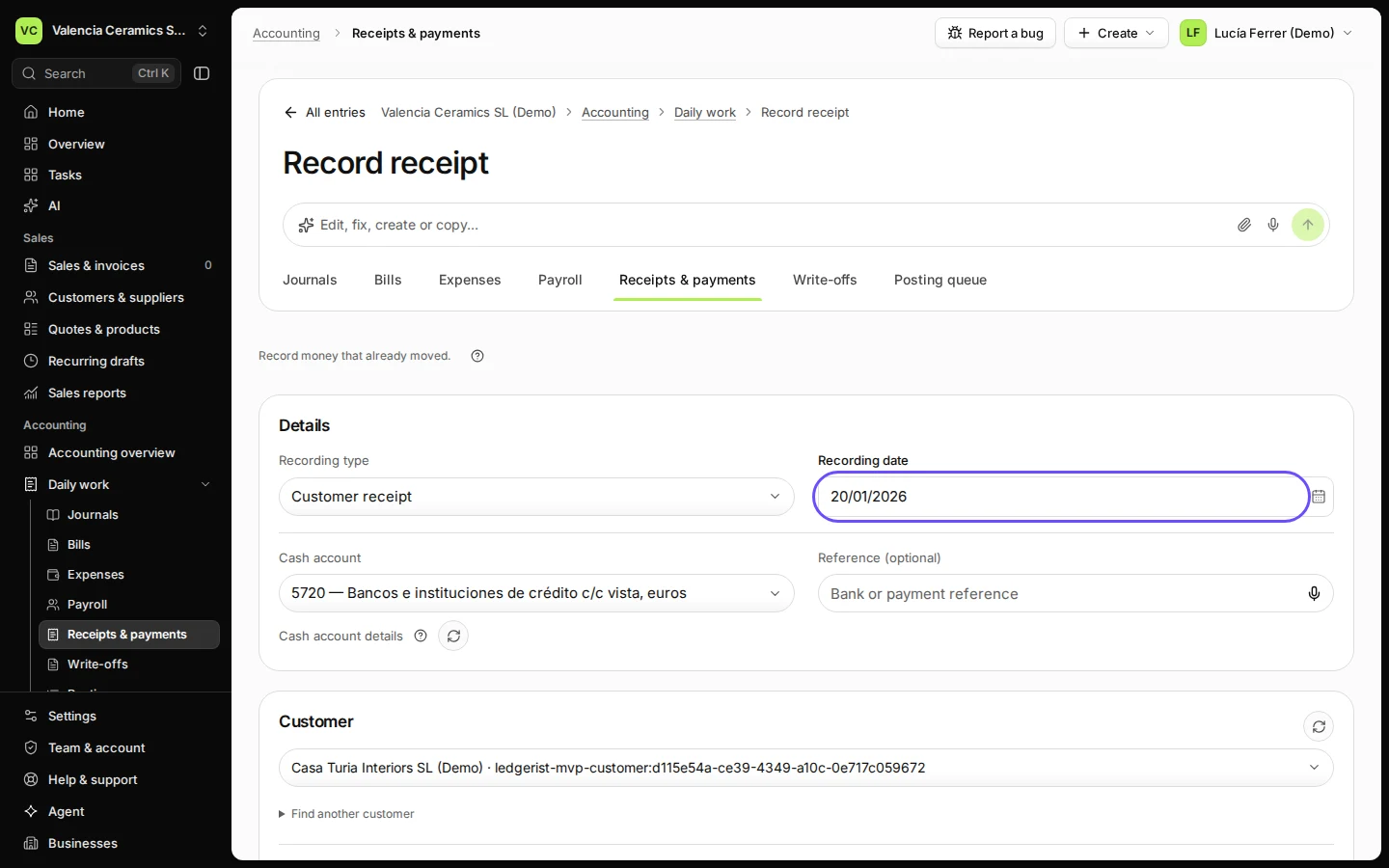
Step 1 in Deline (Spain business, fictional data) · See the whole screen Enter the date the money came in, choose the cash account and the customer.
The Cash account is the bank or cash account the money went into, for example 5720 in Spain.
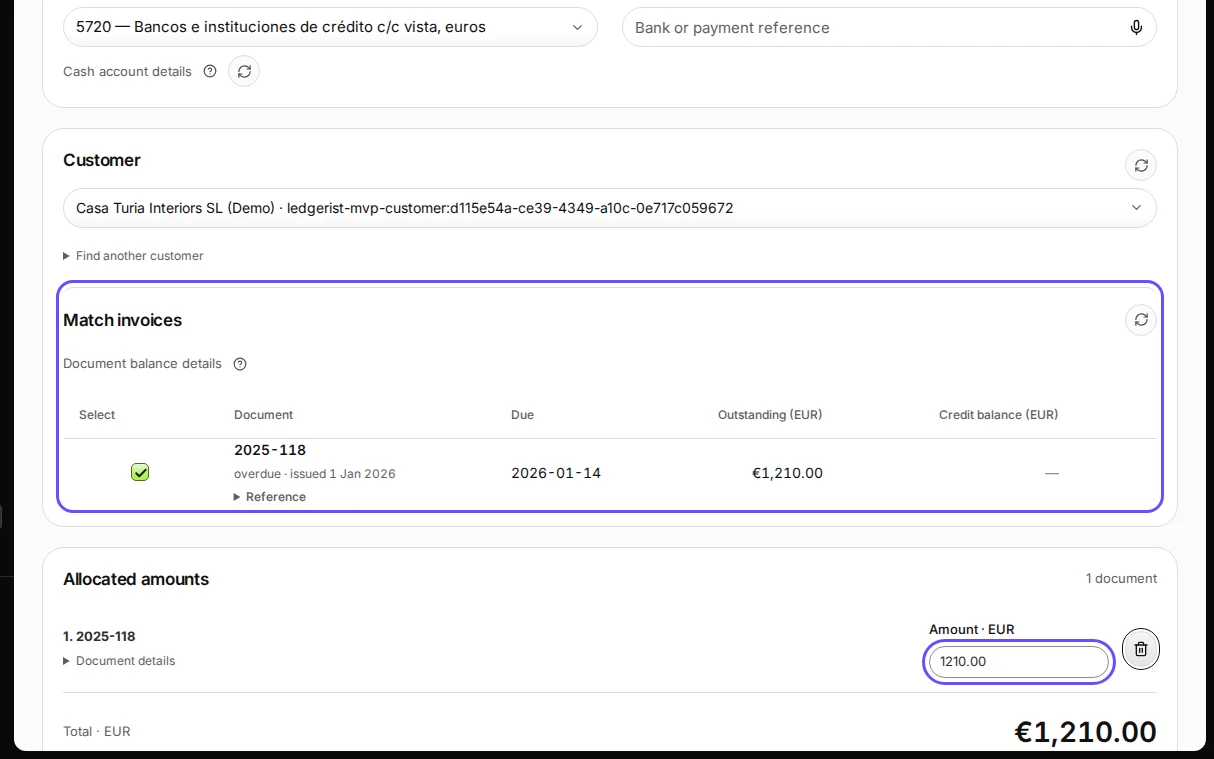
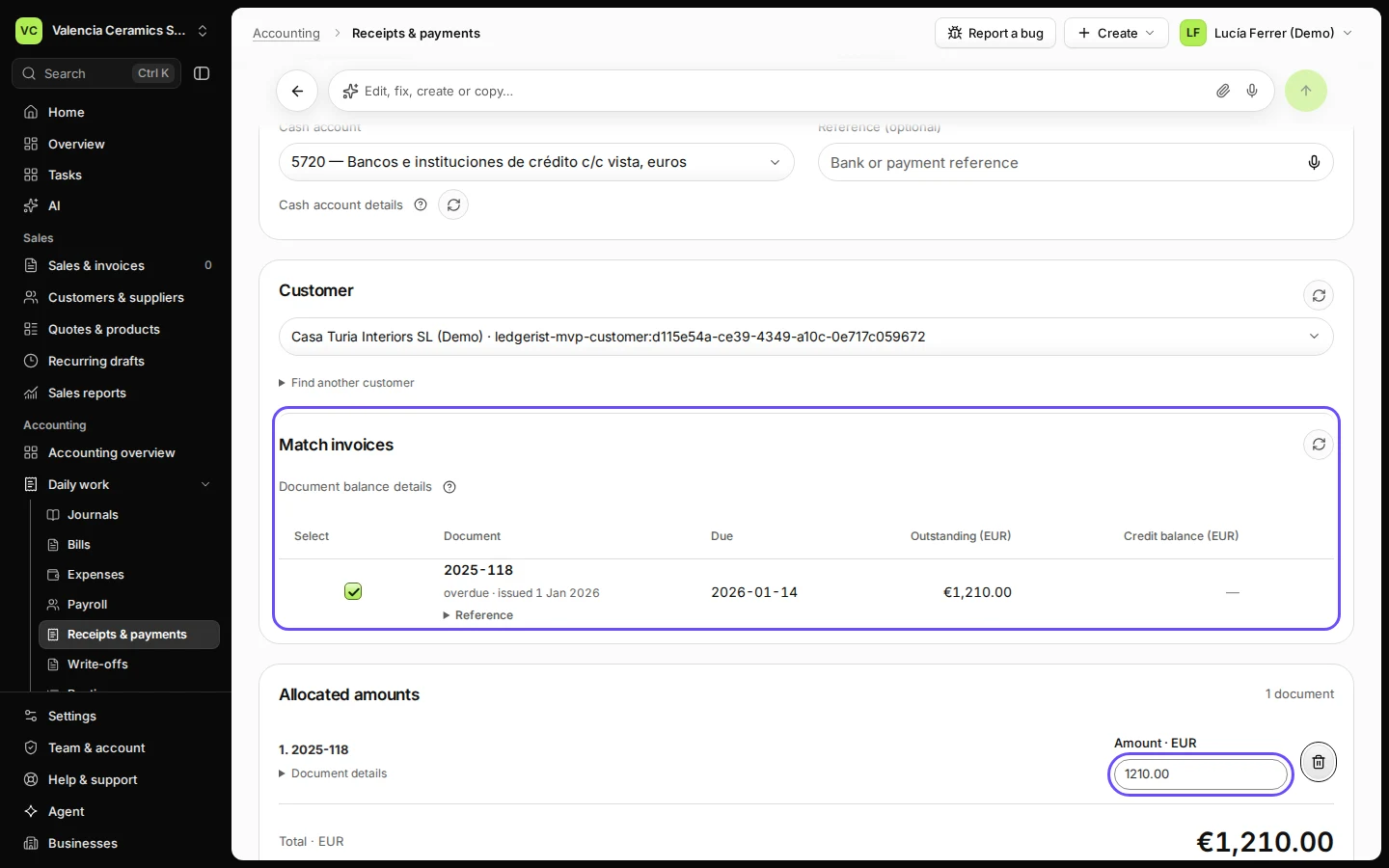
Step 2 in Deline (Spain business, fictional data) · See the whole screen Under Match invoices, tick the unpaid invoice and enter the amount received.
Only the unpaid items your books hold for this customer on that date are listed, with what is still Outstanding. Enter less for a part payment.
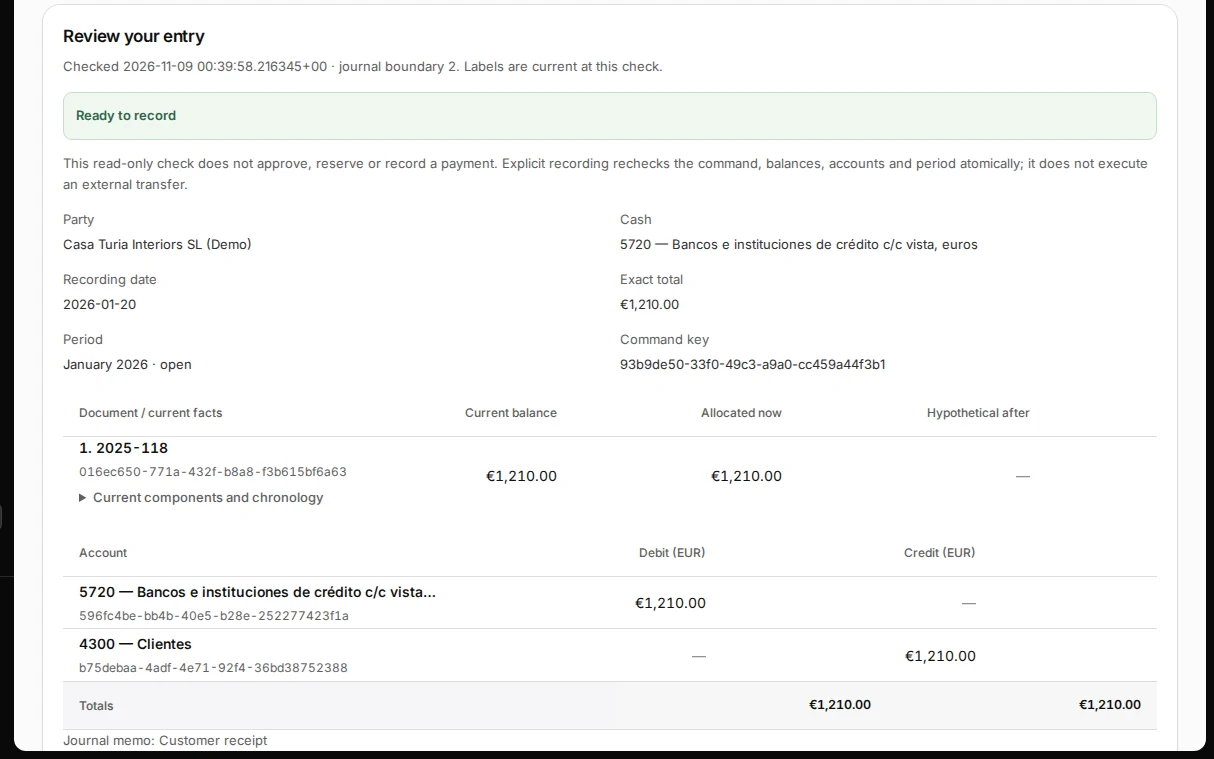
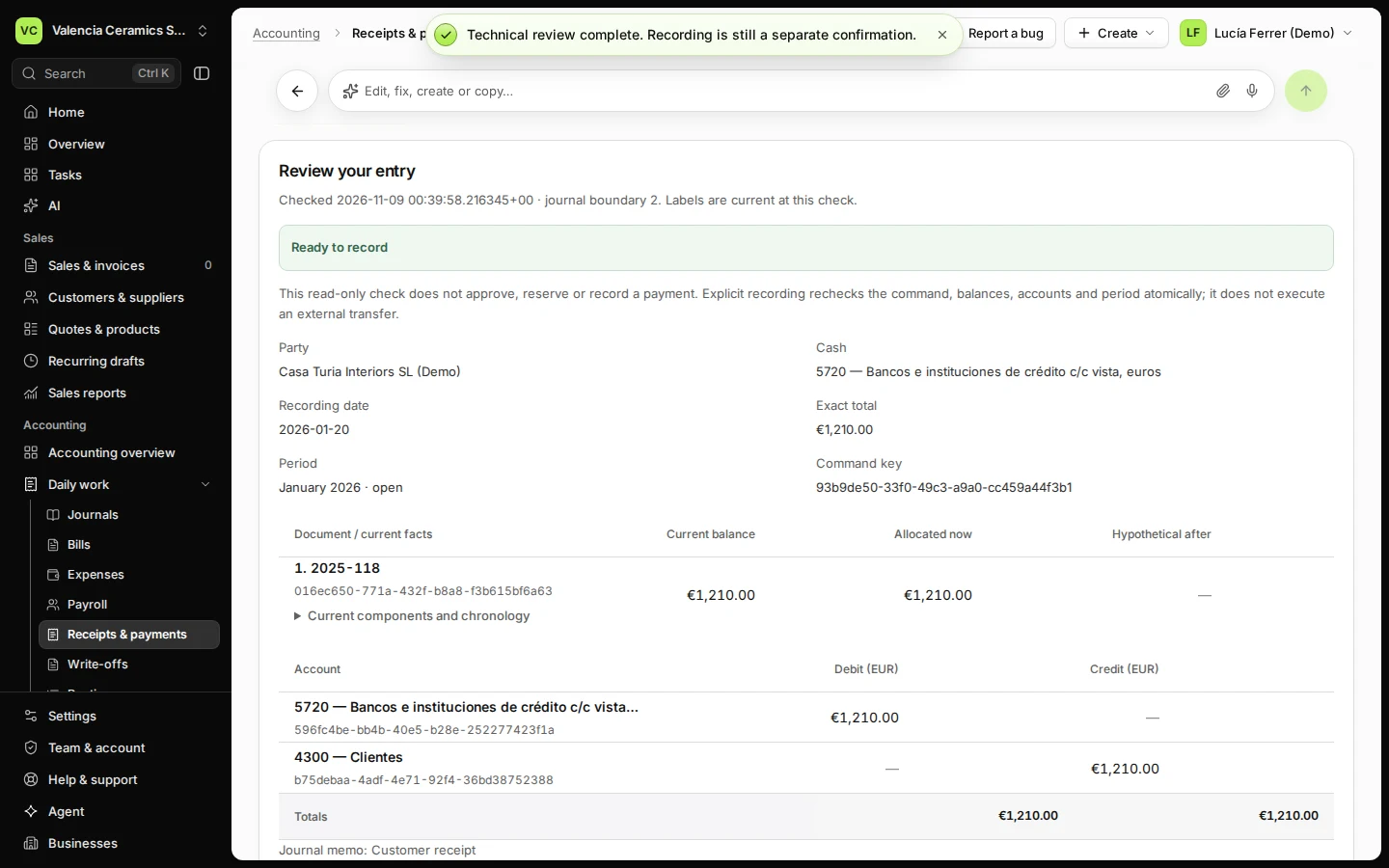
Step 3 in Deline (Spain business, fictional data) · See the whole screen Press Review allocations and check the proposed journal.
Deline checks the balances, the dates, the accounts and the period, and shows the journal: the cash account on the debit side, the customer account on the credit side.
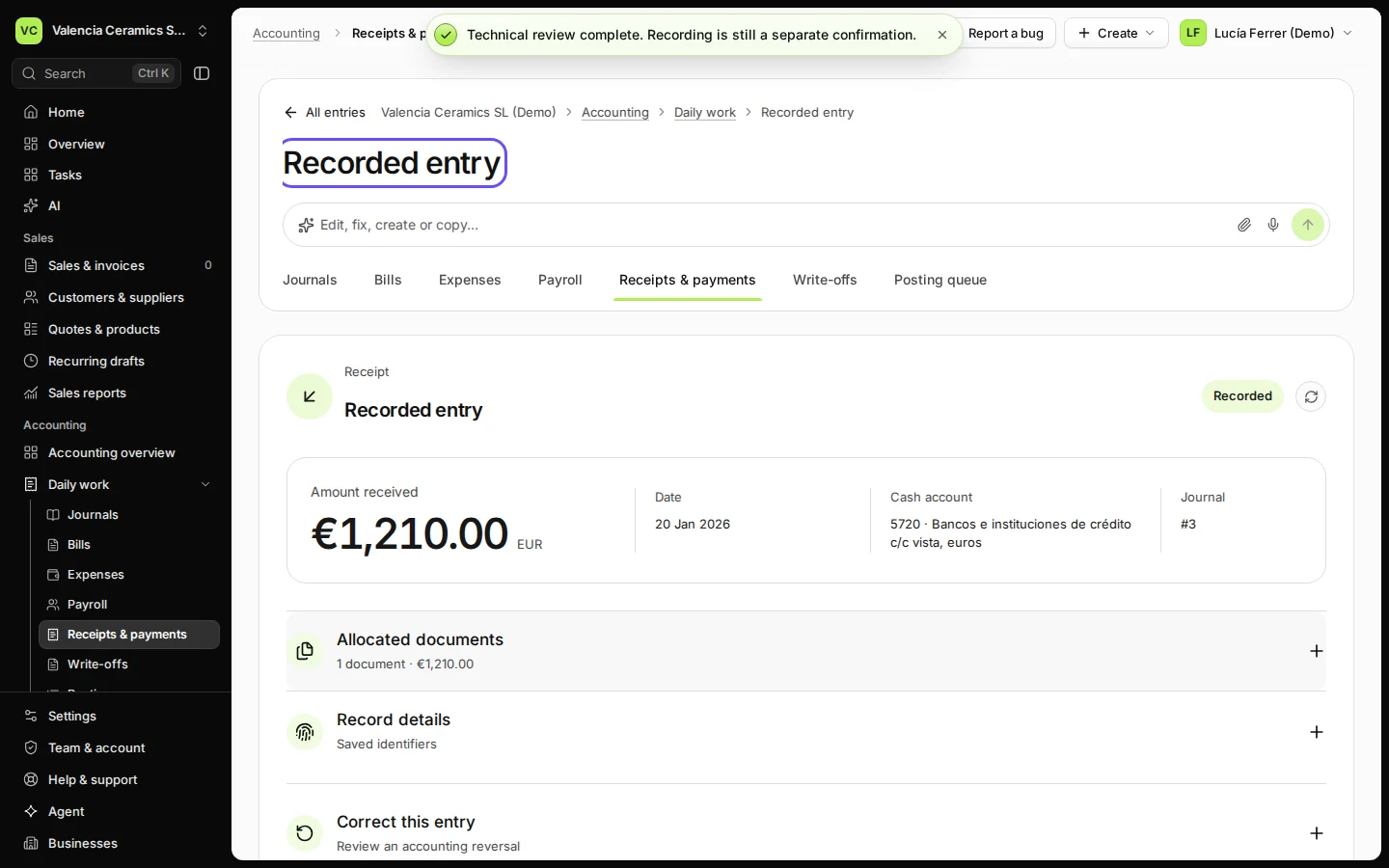
Step 4 in Deline (Spain business, fictional data) · See the whole screen Press Record receipt, tick that the money already moved and press Confirm recording.
The box reads "I confirm this records money that already moved." The Recorded entry shows the amount, the date, the cash account and the journal. Correct this entry reverses it in full if needed.
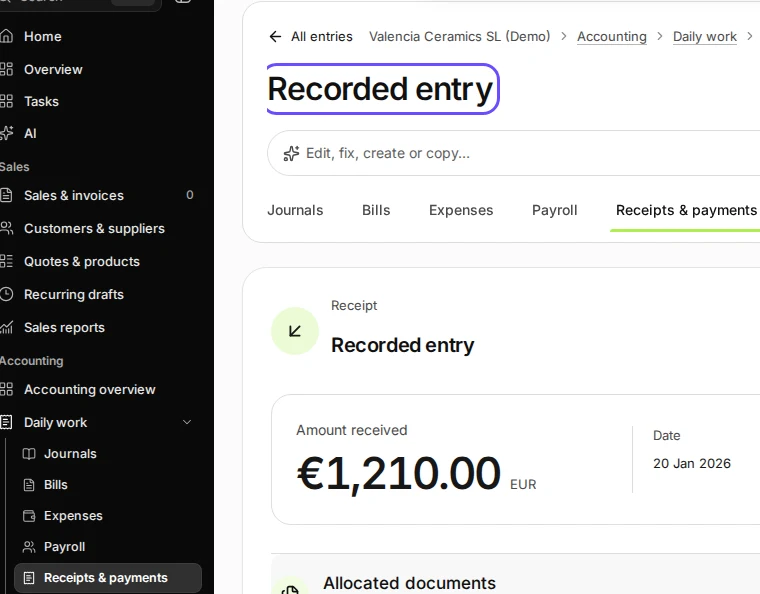
Step 5 in Deline (Spain business, fictional data) · See the whole screen
If something goes wrong
- "No matching documents for this date. Try another date or party.": this customer has no unpaid item in your books on that date. Check the date and the customer.
- "This document is included in the balances. This action is not available for its document type.": the invoice was issued in Sales. Record its payment on the invoice.
- The review says the date has no open period: the date falls in a month your books have no period for. Create the period in Periods, or use a date in an open month.
- "You can review a proposal. Only an owner or accountant can record it.": ask the owner or the accountant.
Last checked 2026-11-09 by the guide runner on build 857993047 (Deline 05d39ca07) (local Deline stack).